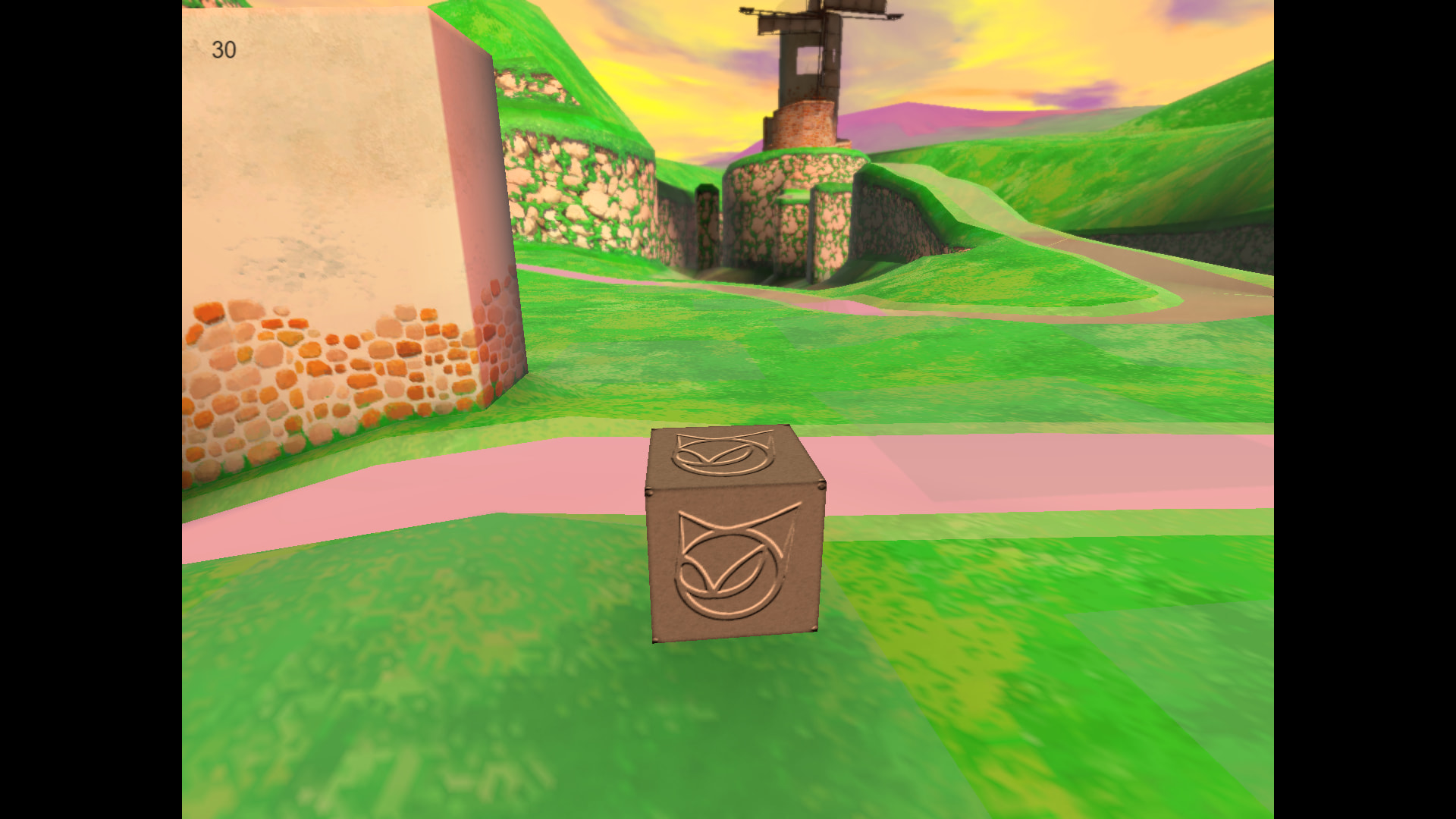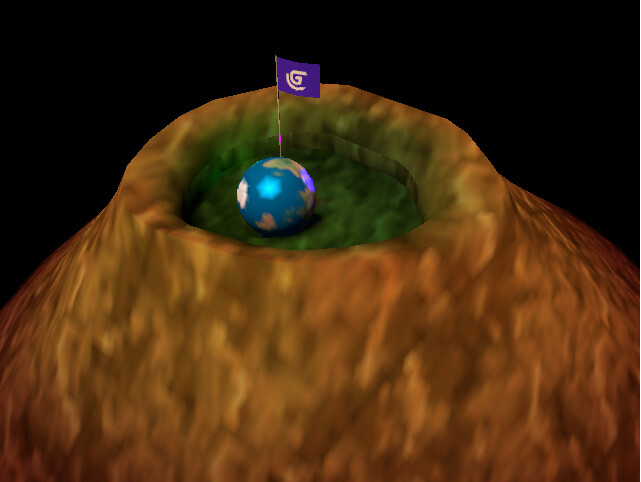
I’ve made a few scripts designed to give the vibe of retro 3d games with their limitations.
It enables threejs’s vertex lighting system, adapting roughness values and turning them into vertex shiny-ness, and recreated three-point filtering for texture smoothing like some old 3d games used to do.
It also contains a vertex shadows system (disabled by default) that converts all shadow maps into vertex colors, designed purely for aesthetic purposes and to make it easier to light scenes (old games could NOT do this and will use as many resources as a regular shadow map does, keep that in mind if you’re using this to save on resources).
Why use this?
I made this because GDevelop’s developers made the statement that they recommend making low-poly retro games on their 3d engine as it is not fully developed yet, but there’s no available extensions or toggles that let you use techniques like these to give off the vibe of a true old 3d game. I see people try to achieve this effect and I think they end up looking more like low quality games made in a modern engine rather than an authentic late 90’s/early 2000’s storefront title limited by the technology of the times.
Also regular vertex lighting is cheaper and more performant so it could be good for optimized mobile games.
I hope this code can inspire a proper extension or an official implementation of these features, and I would love to see some proper retro 3d games, perhaps for the upcoming big game jam.
Things to keep in mind:
-Lighting is spread out based on the amount of polygons in a mesh, gdevelop’s default cubes have 2 triangles on each face, so it’s not a good idea to use them if you’re making a large ground or wall and want to have lights on them. If you are using them to make a box then that is ok.
(don’t go too crazy on the polygons still)
-A roughness below 0.01 (or anything below STD_ROUGH_MIN, you can change this value) disables vertex roughness entirely, good for metallic materials using the skybox texture.
-Materials with Normal map textures get illuminated like regular objects do in gdevelop, no vertex lighting. This is to mimic how some engines that primarily used vertex lighting would still have normal map technology that they would use sparingly to look better.
-When using vertex shadows, try to keep the lights that cast shadows static unless absolutely necessary to give off the effect that they’re baked lights and reduce jittery-ness.
-Big/static objects like parts of the environment should both cast and recieve shadows, while smaller/dynamic objects like a player or a moving platform should only recieve shadows and not cast them, consider giving those a blob shadow to the nearest ground below them using the raycast extension or no shadow at all. Breaking this rule would make sense if you are making a big dynamic object like a space ship, and you want it to have a shadow, but I would still advise against it.
-I recommend learning how to add vertex colors/alpha to gltf meshes by yourself in programs like blender, it can work well in combination with these effects. (My workflow: Mix texture and vertex colors in blender into the base color; Export as GLTF > Data > Enable “custom properties”; Mesh > Vertex Colors > Use vertex colors (set to Active); Export)
-If you’re going for an N64 vibe, try using 32x32 textures, 64x32/32x64 if you’re making something detailed
Feel free to make textures bigger if you’re going for a more gamecube-y, PS2 or computer game vibe.
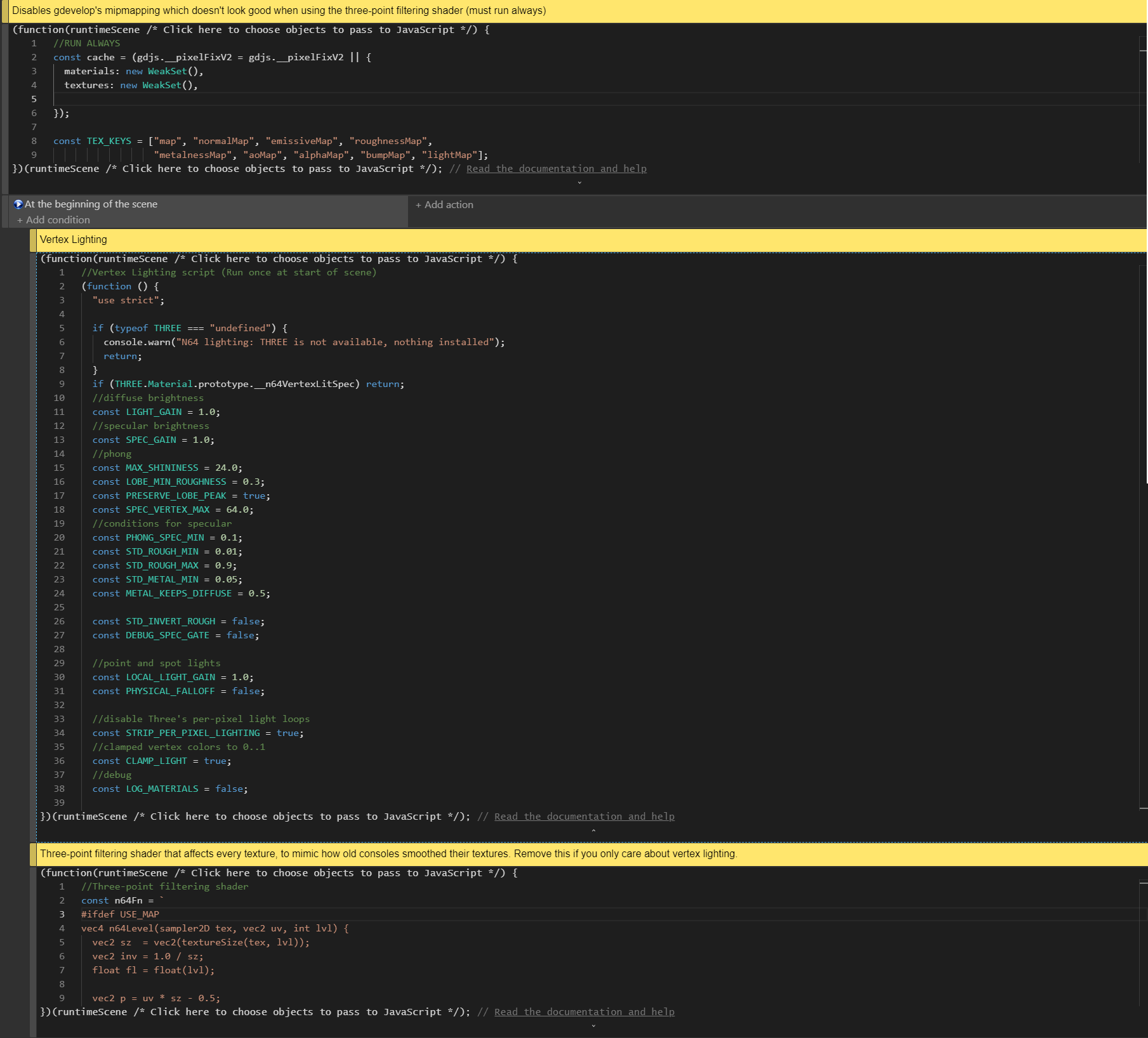
Disable mipmapping on all textures (Running always)
runtimeScene.getLayer("").getRenderer().getThreeScene().traverse(o => {

const m = o.material;
  if (!m) return;

  for (const x of Array.isArray(m) ? m : [m]) {
    x.side = THREE.FrontSide;
    for (const k in x) {
      if (x[k]?.isTexture) {
        x[k].generateMipmaps = false;
        //x[k].magFilter = THREE.NearestFilter;
        //x[k].minFilter = THREE.NearestFilter;
        x[k].needsUpdate = true;
      }
    }
  }
});
Vertex Lighting (Start of Frame only) (Enable vertex shadows by setting VERTEX_SHADOWS to true)
// N64-style per-vertex (Gouraud) lighting WITH per-vertex specular
// Replaces any earlier vertex-lighting script. Run once, before any 3D object renders.
const LIGHT_GAIN = 1.0;      // diffuse brightness
const SPEC_GAIN = 1.0;       // specular brightness
const MAX_SHININESS = 24.0;  // Phong only: cap so highlights are wide enough to land on vertices
// Standard/Physical use Three's own GGX highlight with the material's real roughness, colored by its real
// specular color (specularColor, specularIntensity, ior), so they match the default look as closely as
// per-vertex evaluation allows. Raise this to widen the lobe so it lands on vertices more reliably;
// it also makes the highlight dimmer. 0.0525 is the minimum Three itself uses.
const LOBE_MIN_ROUGHNESS = 0.0525;
// true = when the lobe is widened above, keep the highlight's PEAK brightness equal to the real roughness's,
// so a shiny material stays visibly shiny (it gets brighter overall than real physics would give).
const PRESERVE_LOBE_PEAK = true;
// Highest value the per-vertex specular term may reach before the material's specular color is applied.
// GGX peaks are far above 1 (e.g. ~7 at roughness 0.32), so this must be large; clamping at 1 made highlights
// about 7x too dim.
const SPEC_VERTEX_MAX = 64.0;
// A material counts as "having specular" only if one of these is true:
const PHONG_SPEC_MIN = 0.1;  // Phong: brightest channel of its specular color must reach this
                             // (Three's default 0x111111 is ~0.07, so default Phong gets none)
const STD_ROUGH_MIN = 0.01;  // Standard/Physical: roughness of exactly 0 means "no specular" (matches your materials)
const STD_ROUGH_MAX = 0.9;   // Standard/Physical: roughness must be below this...
const STD_METAL_MIN = 0.05;  // ...or metalness must be above this (metals get specular at any roughness above
                             // STD_ROUGH_MIN; roughness 0 turns specular off even on a metal)
// Three removes the diffuse color from metals (metalness 1 = no diffuse), so a metal texture is only visible
// where a highlight or an environment map lands on it, and is otherwise black. This keeps part of the texture
// visible under the vertex lighting: 0 = Three's default (none), 1 = metal keeps its full diffuse color.
const METAL_KEEPS_DIFFUSE = 0.5;
// You can also opt a single material out: material.userData.n64NoSpecular = true

// Diagnostics for Standard/Physical materials
const STD_INVERT_ROUGH = false; // true = treat the roughness value as glossiness (1 - roughness)
                                // for the gate, if your maps are authored the other way round
                                // (set STD_METAL_MIN to 2.0 to switch the metalness test off)
const DEBUG_SPEC_GATE = false;  // true = Standard materials show roughness as RED and metalness
                                // as GREEN instead of normal lighting, so you can read the values
// Point and spot lights
const LOCAL_LIGHT_GAIN = 1.0;      // brightness multiplier for point + spot lights
const PHYSICAL_FALLOFF = false;    // true = Three's inverse-square falloff (needs very high light intensities)
                                   // false = game-style: no inverse-square; fades out smoothly to the light's
                                   // "distance" (range), or stays constant if the range is 0
// Performance: true = disable Three's per-pixel light loops (the expensive part of the fragment shader).
// Our vertex lighting overwrites their result anyway, so this only saves GPU work. If the console warns
// that nothing matched, your Three.js version words that chunk differently: nothing breaks, you just get
// no speed-up. Set to false to keep Three's loops.
const STRIP_PER_PIXEL_LIGHTING = true;
const CLAMP_LIGHT = true;    // the N64 clamped vertex colors to 0..1
// Per-vertex shadows: each vertex asks Three's shadow maps "am I in shadow from this light?" and the answer is
// interpolated across the triangle, like the lighting. Needs lights with castShadow and objects with castShadow.
const VERTEX_SHADOWS = false;
// true = every object receives shadows, whatever its own receiveShadow flag says.
const FORCE_RECEIVE_SHADOWS = true;
// Extra push along the surface normal when looking up shadows, in world units. Raise it if surfaces shadow
// themselves in stripes or blotches (a vertex lies exactly on its own surface, which invites that).
const SHADOW_EXTRA_NORMAL_BIAS = 0.0;
// Extra safety net that replaces a NaN/Inf lighting value with 0. Off by default: the values are already clamped
// right before it, and Windows (D3D) shader compilers warn that the check is pointless and compile slower with it.
const NAN_GUARD = false;
// Shadow "swimming": a directional light's shadow map usually follows the player, sliding by fractions of a
// texel as they move. Each vertex then lands on a different part of a texel and its shadow flickers or changes
// darkness. This snaps the shadow map to a fixed grid in world space so it can only move in whole texels.
// Needs the light's direction to stay constant while the player moves. Set to false to compare.
const STABILIZE_SHADOW_MAP = true;
// Which faces of an object are drawn into the shadow map.
//  "front"   = the faces that face the light (and every visible face), so the shadow starts at the lit surface and
//              fills the object's inside. Something pressed against an object's dark side stays dark.
//  "default" = Three's own choice: the faces turned away from the light. That avoids stripes on lit surfaces, but
//              the dark side of an object sits right at the stored depth, so light leaks onto things touching it.
// With "front", lit surfaces can shadow themselves in stripes; raise SHADOW_EXTRA_NORMAL_BIAS if that happens.
const SHADOW_CASTER_FACES = "front";
// Materials that have any of these maps keep Three's normal per-pixel lighting and shadows, exactly as if this
// script were not installed (a normal map needs per-pixel lighting to show anything). Use [] to turn this off.
// Other maps you could add: "bumpMap", "clearcoatNormalMap".
const DEFAULT_LIGHTING_IF_MAP = ["normalMap"];
const LOG_MATERIALS = false; // true = print every lit material's type and values to the console as it compiles


// ---------------------------------------------------------------------------------------------------------
// Per-vertex shadow support. Built from Three's own shadow code at install time, so it follows whatever shadow
// map format and filtering this Three.js version uses. If anything can't be found it switches itself off.
// ---------------------------------------------------------------------------------------------------------
function n64MatchParen(src, open) {
  let depth = 0;
  for (let i = open; i < src.length; i++) {
    if (src[i] === "(") depth++;
    else if (src[i] === ")" && --depth === 0) return i + 1;
  }
  return -1;
}
function n64ExtractShadowCall(chunk, fn, sampler) {
  let from = 0;
  for (;;) {
    const at = chunk.indexOf(fn + "(", from);
    if (at < 0) return null;
    const end = n64MatchParen(chunk, at + fn.length);
    if (end < 0) return null;
    const call = chunk.slice(at, end);
    if (call.includes(sampler)) return call;
    from = at + 1;
  }
}

const SHADOW = (() => {
  if (!VERTEX_SHADOWS) return null;
  try {
    const C = THREE.ShaderChunk;
    const fragPars = C.shadowmap_pars_fragment, vertPars = C.shadowmap_pars_vertex;
    const vertChunk = C.shadowmap_vertex, lightsBegin = C.lights_fragment_begin;
    if (![fragPars, vertPars, vertChunk, lightsBegin].every((t) => typeof t === "string")) {
      throw new Error("shadow chunks not found");
    }

    // Shadow coordinates: Three writes them to varyings (which a vertex shader shouldn't read back), so we
    // run Three's own chunk but let it write plain globals instead.
    const arrays = [...vertPars.matchAll(/varying\s+vec4\s+(v\w*Coord)\s*\[\s*([^\]]+?)\s*\]\s*;/g)]
      .map((m) => ({ name: m[1], size: m[2], local: "n64_" + m[1] }));
    if (!arrays.length) throw new Error("no shadow coordinate arrays");
    const rename = (t) => arrays.reduce((acc, a) => acc.split(a.name).join(a.local), t);
    const globals = arrays
      .map((a) => "#if ( " + a.size + " ) > 0\nvec4 " + a.local + "[ " + a.size + " ];\n#endif").join("\n");

    // Sampler uniforms and the getShadow functions come from the fragment chunk, minus what a vertex shader
    // can't have: varyings, gl_FragCoord, and structs the vertex chunk already declares.
    let decl = fragPars.replace(/^[ \t]*varying[^;\n]*;[ \t]*\n?/gm, "");
    for (const m of vertPars.matchAll(/struct\s+(\w+)\s*\{[^}]*\}\s*;/g)) {
      decl = decl
        .replace(new RegExp("struct\\s+" + m[1] + "\\s*\\{[^}]*\\}\\s*;", "g"), "")
        .replace(new RegExp("uniform\\s+" + m[1] + "\\s+\\w+\\s*\\[[^\\]]*\\]\\s*;", "g"), "");
    }
    decl = decl.replace(/gl_FragCoord/g, "vec4(0.0)");

    // The exact shadow lookups Three uses per light, copied from its own lighting chunk.
    const lookup = (fn, sampler) => {
      const call = n64ExtractShadowCall(lightsBegin, fn, sampler);
      if (!call) return null;
      // the "#if ..." line Three puts directly above that lookup (e.g. point shadows are skipped for VSM)
      const above = lightsBegin.slice(0, lightsBegin.indexOf(call));
      const guard = (above.match(/^[ \t]*(#if[^\n]*)\n(?![\s\S]*^[ \t]*#if)/m) || [])[1] || null;
      return { expr: rename(call.replace(/(\w+)LightShadow\./g, "$1LightShadows[ i ].")), guard };
    };

    let coord = rename(vertChunk);
    if (SHADOW_EXTRA_NORMAL_BIAS !== 0) {
      coord = coord.replace(/(\w+LightShadows\s*\[\s*i\s*\]\s*\.shadowNormalBias)/g,
        "($1 + " + SHADOW_EXTRA_NORMAL_BIAS.toFixed(4) + ")");
    }

    const found = {
      dir: lookup("getShadow", "directionalShadowMap"),
      spot: lookup("getShadow", "spotShadowMap"),
      point: lookup("getPointShadow", "pointShadowMap"),
    };
    console.log("N64 shadows: per-vertex lookups found for " +
      Object.keys(found).filter((k) => found[k]).join(", ") + " lights");
    // Fragment shaders get these aliases from Three, vertex shaders don't. Add the ones the copied code uses.
    const aliases = { textureCube: "texture", texture2DProj: "textureProj", texture2DLodEXT: "textureLod",
      textureCubeLodEXT: "textureLod", texture2DGradEXT: "textureGrad", textureCubeGradEXT: "textureGrad" };
    const aliasDefs = Object.keys(aliases).filter((n) => new RegExp("\\b" + n + "\\b").test(decl))
      .map((n) => "#ifndef " + n + "\n#define " + n + " " + aliases[n] + "\n#endif\n").join("");
    return { globals, decl: aliasDefs + decl, coord, ...found, needsPacking: /unpack|pack/.test(decl) };
  } catch (e) {
    console.warn("N64 shadows: disabled (" + e.message + ")");
    return null;
  }
})();

const shadeSnippet = (kind) => {
  const found = SHADOW && SHADOW[kind];
  if (!found) return "float shade = 1.0;";
  const macro = { dir: "NUM_DIR_LIGHT_SHADOWS", spot: "NUM_SPOT_LIGHT_SHADOWS", point: "NUM_POINT_LIGHT_SHADOWS" }[kind];
  const guard = found.guard || "#if defined( USE_SHADOWMAP ) && ( UNROLLED_LOOP_INDEX < " + macro + " )";
  return "float shade = 1.0;\n" +
    "    " + guard + "\n" +
    "    shade = " + (FORCE_RECEIVE_SHADOWS ? "" : "receiveShadow ? ") + found.expr + (FORCE_RECEIVE_SHADOWS ? "" : " : 1.0") + ";\n" +
    "    #endif";
};


// ---------------------------------------------------------------------------------------------------------
// Shadow map stabilization (directional lights): after Three positions the shadow camera, shift it sideways
// by the sub-texel remainder so the world's origin always lands exactly on a texel boundary.
// ---------------------------------------------------------------------------------------------------------
// (DirectionalLightShadow isn't exported by Three, so reach its prototype through a light instance.)
const N64_DIR_SHADOW_PROTO = STABILIZE_SHADOW_MAP && THREE.DirectionalLight
  ? Object.getPrototypeOf(new THREE.DirectionalLight().shadow) : null;
if (N64_DIR_SHADOW_PROTO && typeof N64_DIR_SHADOW_PROTO.updateMatrices === "function" &&
    !Object.prototype.hasOwnProperty.call(N64_DIR_SHADOW_PROTO, "__n64Snapped")) {
  const proto = N64_DIR_SHADOW_PROTO;
  const original = proto.updateMatrices;
  const origin = new THREE.Vector3();
  const shift = new THREE.Vector3();
  proto.__n64Snapped = true;

  proto.updateMatrices = function (light) {
    original.call(this, light);
    const cam = this.camera;
    if (!cam || !cam.isOrthographicCamera || !light.target) return;

    const texelX = (cam.right - cam.left) / cam.zoom / this.mapSize.x;
    const texelY = (cam.top - cam.bottom) / cam.zoom / this.mapSize.y;
    origin.set(0, 0, 0).applyMatrix4(cam.matrixWorldInverse);      // world origin, seen from the shadow camera
    const dx = origin.x - Math.round(origin.x / texelX) * texelX;  // how far it is from a texel boundary
    const dy = origin.y - Math.round(origin.y / texelY) * texelY;
    if (Math.abs(dx) < 1e-9 && Math.abs(dy) < 1e-9) return;

    const m = cam.matrixWorld.elements;                            // the camera's right and up axes in world space
    shift.set(m[0] * dx + m[4] * dy, m[1] * dx + m[5] * dy, m[2] * dx + m[6] * dy);

    // Move the light and its target together (so the direction is unchanged), let Three redo its own
    // matrices from there, then put them back.
    const lm = light.matrixWorld.elements, tm = light.target.matrixWorld.elements;
    const saved = [lm[12], lm[13], lm[14], tm[12], tm[13], tm[14]];
    lm[12] += shift.x; lm[13] += shift.y; lm[14] += shift.z;
    tm[12] += shift.x; tm[13] += shift.y; tm[14] += shift.z;
    original.call(this, light);
    lm[12] = saved[0]; lm[13] = saved[1]; lm[14] = saved[2];
    tm[12] = saved[3]; tm[13] = saved[4]; tm[14] = saved[5];
  };
  console.log("N64 shadows: shadow map snapping installed");
}


// ---------------------------------------------------------------------------------------------------------
// Shadow caster faces: make every material draw the faces it actually shows into the shadow map, unless
// something has set material.shadowSide explicitly.
// ---------------------------------------------------------------------------------------------------------
if (SHADOW_CASTER_FACES === "front" &&
    !Object.prototype.hasOwnProperty.call(THREE.Material.prototype, "shadowSide")) {
  Object.defineProperty(THREE.Material.prototype, "shadowSide", {
    configurable: true,
    enumerable: true,
    // Three's constructor assigns null here, which means "choose for me"; we choose the material's own side.
    get() { return this._n64ShadowSide != null ? this._n64ShadowSide : this.side; },
    set(value) { this._n64ShadowSide = value; },
  });
  console.log("N64 shadows: casters draw their visible faces into the shadow map");
}

const vertexPars = `
#include <lights_pars_begin>
varying vec3 vVertexLight;
varying vec3 vVertexSpec;
#if defined(N64_PHONG)
  uniform float n64Shininess;
#elif defined(N64_STANDARD)
  uniform float n64Rough;
#endif

#if defined(N64_STANDARD)
float n64A2 = 1.0;        // GGX alpha^2 of the lobe, set per vertex from the material's roughness
float n64PeakScale = 1.0; // keeps the widened lobe's peak equal to the real roughness's peak
#endif

void n64Accum(vec3 N, vec3 V, vec3 L, vec3 color, float att, float shin,
              inout vec3 diff, inout vec3 spec) {
  float nl = saturate(dot(N, L));
  diff += color * nl * att;
  #if defined(N64_PHONG)
    float nh = saturate(dot(N, normalize(L + V)));
    spec += color * nl * att * pow(nh, shin);
  #elif defined(N64_STANDARD)
    // Three's BRDF_GGX without the Fresnel term (the fragment shader multiplies by the material's specular color)
    float nh = saturate(dot(N, normalize(L + V)));
    float nv = saturate(dot(N, V));
    float dn = nh * nh * (n64A2 - 1.0) + 1.0;
    float D = RECIPROCAL_PI * n64A2 / (dn * dn);
    float gv = nl * sqrt(n64A2 + (1.0 - n64A2) * nv * nv);
    float gl = nv * sqrt(n64A2 + (1.0 - n64A2) * nl * nl);
    spec += color * nl * att * D * (0.5 / max(gv + gl, EPSILON));
  #endif
}

float n64Atten(float d, float cutoff, float decay) {
  ${PHYSICAL_FALLOFF ? `
  float a = 1.0 / max(pow(d, decay), 0.01);
  if (cutoff > 0.0) a *= pow2(saturate(1.0 - pow4(d / cutoff)));
  return a;` : `
  if (cutoff > 0.0) return pow2(saturate(1.0 - d / cutoff));
  return 1.0;`}
}

void n64VertexLighting(vec3 N, vec3 P, out vec3 diff, out vec3 spec) {
  vec3 V = normalize(-P);
  float shin = 1.0;
  #if defined(N64_PHONG)
    shin = clamp(n64Shininess, 1.0, ${MAX_SHININESS.toFixed(1)});
  #elif defined(N64_STANDARD)
    float lobeR = max(n64Rough, ${LOBE_MIN_ROUGHNESS.toFixed(4)});
    float lobeA = lobeR * lobeR;
    n64A2 = lobeA * lobeA;
    ${PRESERVE_LOBE_PEAK ? `
    float trueR = max(n64Rough, 0.0525);
    float trueA = trueR * trueR;
    n64PeakScale = n64A2 / (trueA * trueA);` : ""}
  #endif

  diff = ambientLightColor;
  spec = vec3(0.0);

  #if NUM_HEMI_LIGHTS > 0
  #pragma unroll_loop_start
  for ( int i = 0; i < NUM_HEMI_LIGHTS; i ++ ) {
  { // own scope, because unrolling drops the loop braces
    float w = dot(N, hemisphereLights[i].direction) * 0.5 + 0.5;
    diff += mix(hemisphereLights[i].groundColor, hemisphereLights[i].skyColor, w);
  }
  }
  #pragma unroll_loop_end
  #endif

  #if NUM_DIR_LIGHTS > 0
  #pragma unroll_loop_start
  for ( int i = 0; i < NUM_DIR_LIGHTS; i ++ ) {
  { // own scope, because unrolling drops the loop braces
    ${shadeSnippet("dir")}
    n64Accum(N, V, directionalLights[i].direction, directionalLights[i].color * shade,
             1.0, shin, diff, spec);
  }
  }
  #pragma unroll_loop_end
  #endif

  #if NUM_POINT_LIGHTS > 0
  #pragma unroll_loop_start
  for ( int i = 0; i < NUM_POINT_LIGHTS; i ++ ) {
  { // own scope, because unrolling drops the loop braces
    vec3 lv = pointLights[i].position - P;
    float d = max(length(lv), 0.0001);
    float att = n64Atten(d, pointLights[i].distance, pointLights[i].decay) * ${LOCAL_LIGHT_GAIN.toFixed(3)};
    ${shadeSnippet("point")}
    n64Accum(N, V, lv / d, pointLights[i].color * shade, att, shin, diff, spec);
  }
  }
  #pragma unroll_loop_end
  #endif

  #if NUM_SPOT_LIGHTS > 0
  #pragma unroll_loop_start
  for ( int i = 0; i < NUM_SPOT_LIGHTS; i ++ ) {
  { // own scope, because unrolling drops the loop braces
    vec3 lv = spotLights[i].position - P;
    float d = max(length(lv), 0.0001);
    vec3 ld = lv / d;
    float cone = smoothstep(spotLights[i].coneCos, spotLights[i].penumbraCos,
                            dot(ld, spotLights[i].direction));
    float att = n64Atten(d, spotLights[i].distance, spotLights[i].decay) * ${LOCAL_LIGHT_GAIN.toFixed(3)};
    ${shadeSnippet("spot")}
    n64Accum(N, V, ld, spotLights[i].color * shade, att * cone, shin, diff, spec);
  }
  }
  #pragma unroll_loop_end
  #endif

  diff *= RECIPROCAL_PI * ${LIGHT_GAIN.toFixed(3)};
  #if defined(N64_STANDARD)
    spec *= n64PeakScale;
  #endif
  spec *= ${SPEC_GAIN.toFixed(3)};
}
`;

const vertexCompute = `
#include <fog_vertex>
{
  vec3 vd, vs;
  n64VertexLighting(normalize(transformedNormal), mvPosition.xyz, vd, vs);
  ${CLAMP_LIGHT ? `vd = min(vd, vec3(1.0));
  #if defined(N64_STANDARD)
  vs = min(vs, vec3(${SPEC_VERTEX_MAX.toFixed(1)}));
  #else
  vs = min(vs, vec3(1.0));
  #endif` : ""}
  /*N64_NAN_GUARD*/
  vVertexLight = vd;
  vVertexSpec = vs;
}
`;

// Standard/Physical: does this material have specular at all?
//  - roughness of 0 means "no vertex specular", even on a metal (its environment reflections stay, see below)
//  - otherwise metals always have it, and non-metals have it below STD_ROUGH_MAX
const stdGate = `((roughnessFactor > ${STD_ROUGH_MIN.toFixed(3)} && ((metalnessFactor > ${STD_METAL_MIN.toFixed(3)}) || (${STD_INVERT_ROUGH ? "(1.0 - roughnessFactor)" : "roughnessFactor"} < ${STD_ROUGH_MAX.toFixed(3)}))) ? 1.0 : 0.0)`;

// Newer Three.js keeps the metalness-blended specular color in material.specularColorBlended; older versions
// put it straight in material.specularColor. Pick whichever this build has, so it matches the default look.
const STD_SPEC_COLOR =
  /specularColorBlended/.test(String(THREE.ShaderChunk.lights_physical_fragment))
    ? "material.specularColorBlended" : "material.specularColor";

const fragmentOverride = (mode) => `
#include <lights_fragment_end>
${mode === "standard" ? `float n64SpecOn = ${stdGate};
// environment reflections: a metal keeps them at any roughness (that is what makes it look metallic);
// a non-metal only gets them where it has specular
float n64EnvOn = (metalnessFactor > ${STD_METAL_MIN.toFixed(3)}) ? 1.0 : n64SpecOn;` : ""}
reflectedLight.directDiffuse = vec3(0.0);
reflectedLight.directSpecular = ${
  mode === "phong" ? `vVertexSpec * material.specularColor * step(${PHONG_SPEC_MIN.toFixed(3)}, max(material.specularColor.r, max(material.specularColor.g, material.specularColor.b)))`
  : mode === "standard" ? `vVertexSpec * ${STD_SPEC_COLOR} * n64SpecOn`
  : "vec3(0.0)"};
${mode === "standard"
  // keep Three's environment-map reflections (see n64EnvOn above)
  ? "reflectedLight.indirectSpecular *= n64EnvOn;"
  : "reflectedLight.indirectSpecular = vec3(0.0);"}
reflectedLight.indirectDiffuse = ${
  DEBUG_SPEC_GATE && mode === "standard"
    ? "vec3(roughnessFactor, metalnessFactor, 0.0)"
    : mode === "standard"
      ? `vVertexLight * diffuseColor.rgb * mix(1.0, ${METAL_KEEPS_DIFFUSE.toFixed(3)}, metalnessFactor)`
      : "vVertexLight * material.diffuseColor"};
`;

// Three replaces NUM_*_LIGHTS with plain numbers in the shader text, so they can't be redefined. Instead,
// turn the guard of each per-pixel light block into "#if 0" in a copy of the chunk.
let STRIPPED_LIGHTS_BEGIN = null;
if (STRIP_PER_PIXEL_LIGHTING) {
  const original = THREE.ShaderChunk.lights_fragment_begin;
  let hits = 0;
  const stripped = typeof original === "string" ? original
    .replace(/#if\s*\(\s*NUM_(?:SUN|DIR|POINT|SPOT|RECT_AREA)_LIGHTS\s*>\s*0\s*\)\s*&&\s*defined\s*\(\s*RE_Direct\w*\s*\)/g,
      () => { hits++; return "#if 0"; })
    .replace(/#if\s*\(\s*NUM_HEMI_LIGHTS\s*>\s*0\s*\)/g, () => { hits++; return "#if 0"; }) : "";
  if (hits > 0) {
    STRIPPED_LIGHTS_BEGIN = stripped;
    console.log("N64 lighting: disabled " + hits + " per-pixel light blocks");
  } else {
    console.warn("N64 lighting: could not find per-pixel light blocks to strip (no speed-up, nothing broken)");
  }
}

const n64KeepsDefaultLighting = (material) => DEFAULT_LIGHTING_IF_MAP.some((slot) => !!material[slot]);

if (!THREE.Material.prototype.__n64VertexLitSpec) {
  THREE.Material.prototype.__n64VertexLitSpec = true;

  THREE.Material.prototype.onBeforeCompile = function (shader, renderer) {
    // Materials created before this script ran carry their own shadowSide = null, which hides the setting above.
    // Drop that so they follow it too (takes effect from the next shadow render).
    if (SHADOW_CASTER_FACES === "front" && Object.prototype.hasOwnProperty.call(this, "shadowSide") &&
        this.shadowSide === null) {
      delete this.shadowSide;
    }
    if (n64KeepsDefaultLighting(this)) return; // leave this material's shaders completely untouched

    const isPhong = !!this.isMeshPhongMaterial;
    const isStd = !!this.isMeshStandardMaterial; // includes Physical
    const isLambert = !!this.isMeshLambertMaterial;
    if (!(isPhong || isStd || isLambert)) return; // Basic materials are unlit

    if (LOG_MATERIALS) {
      console.log("N64 material:", this.name || "(unnamed)", this.type,
        "roughness=" + this.roughness, "metalness=" + this.metalness,
        "shininess=" + this.shininess, "specular=" + (this.specular && this.specular.getHexString()),
        "map=" + !!this.map, "roughnessMap=" + !!this.roughnessMap, "metalnessMap=" + !!this.metalnessMap);
    }

    let defs = "";
    if (isPhong) {
      defs = "#define N64_PHONG\n";
      // alias the live uniform so changing material.shininess still works
      shader.uniforms.n64Shininess = shader.uniforms.shininess;
    } else if (isStd) {
      defs = "#define N64_STANDARD\n";
      shader.uniforms.n64Rough = shader.uniforms.roughness;
    }

    // A NaN or Inf here would turn the whole pixel black, so never let one through. isnan/isinf need WebGL2.
    const webgl2 = !(renderer && renderer.capabilities && renderer.capabilities.isWebGL2 === false);
    const nanGuard = !(webgl2 && NAN_GUARD) ? "" :
      "if (any(isnan(vd)) || any(isinf(vd))) vd = vec3(0.0);\n  if (any(isnan(vs)) || any(isinf(vs))) vs = vec3(0.0);";

    // Per-vertex shadows need Three's shadow coordinate chunk in the vertex shader (it normally is) and its
    // shadow sampling code, which we add here.
    const useShadows = !!SHADOW && shader.vertexShader.includes("#include <shadowmap_vertex>");
    const shadowDecl = !useShadows ? "" :
      (SHADOW.needsPacking && !shader.vertexShader.includes("<packing>") ? "#include <packing>\n" : "") +
      SHADOW.globals + "\n" + SHADOW.decl + "\n";

    shader.vertexShader = shader.vertexShader
      .replace("#include <lights_pars_begin>", "")
      .replace("void main() {", defs + shadowDecl + vertexPars + "\nvoid main() {")
      .replace("#include <shadowmap_vertex>", useShadows ? SHADOW.coord : "#include <shadowmap_vertex>")
      .replace("#include <fog_vertex>", vertexCompute.replace("/*N64_NAN_GUARD*/", nanGuard));

    shader.fragmentShader = shader.fragmentShader
      .replace("void main() {",
        "varying vec3 vVertexLight;\nvarying vec3 vVertexSpec;\nvoid main() {")
      .replace("#include <lights_fragment_begin>", STRIPPED_LIGHTS_BEGIN || "#include <lights_fragment_begin>")
      .replace("#include <lights_fragment_end>",
        fragmentOverride(
          this.userData && this.userData.n64NoSpecular ? "none"
          : isPhong ? "phong" : isStd ? "standard" : "none"));
  };

  // Three caches compiled programs by this key. The default is the onBeforeCompile source, which is
  // identical for every material, so variants (n64NoSpecular on/off) could end up sharing one program.
  THREE.Material.prototype.customProgramCacheKey = function () {
    if (n64KeepsDefaultLighting(this)) return "n64v-default";
    return "n64v-" + (this.userData && this.userData.n64NoSpecular ? "nospec" : "spec");
  };

  console.log("N64 vertex lighting + specular installed");
}
Three-point filtering (Start of Frame only)
const n64Fn = `
vec4 n64Sample(sampler2D tex, vec2 uv) {
  vec2 sz = vec2(textureSize(tex, 0));
  vec2 off = fract(uv * sz - 0.5);
  off -= step(1.0, off.x + off.y);
  vec4 c0 = texture2D(tex, uv - off / sz);
  vec4 c1 = texture2D(tex, uv - vec2(off.x - sign(off.x), off.y) / sz);
  vec4 c2 = texture2D(tex, uv - vec2(off.x, off.y - sign(off.y)) / sz);
  return c0 + abs(off.x) * (c1 - c0) + abs(off.y) * (c2 - c0);
}
`;

// Define the helper once, in a chunk included by the standard materials
if (!THREE.ShaderChunk.common.includes("n64Sample")) {
  THREE.ShaderChunk.common += n64Fn;

  // Swap the base-color texture lookup (vMapUv in newer Three.js, vUv in older)
  THREE.ShaderChunk.map_fragment = THREE.ShaderChunk.map_fragment
    .replace(/texture2D\(\s*map,\s*(vMapUv|vUv)\s*\)/, "n64Sample(map, $1)");
}