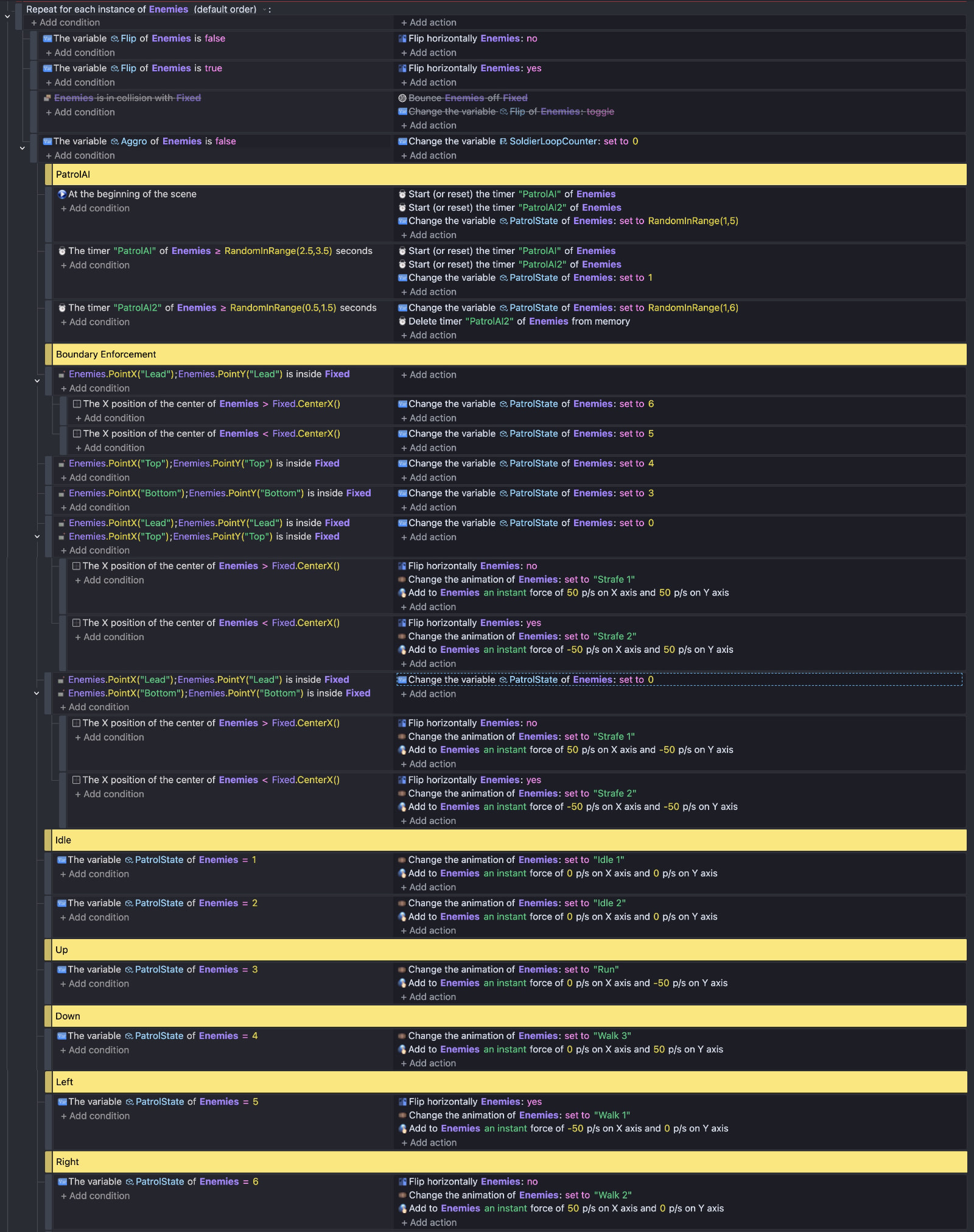
So basically I’m working on a hotline miami style shooter. This level is a mall floor with a lot furniture/obstacles in it. Similar to hotline Miami the floor is divided into cells/rooms each with a fixed number of NPCs. There is also an open space with NPCs in it as well. NPCs have two modes patrol and aggro. I am currently working on the patrol mode and for this mode I want enemies in closed off areas to walk around the area in a natural way without exiting but I keep running into issues which I will list below. I have also attached a screenshot of my process which I modified from @MagicBiscuit. Before going through this route I tried pathfinding but the NPCs would constantly glitch through the obstacles no matter how much I increased the borders. I don’t think it works well for closed off areas.
#Issues
- the bounce off obstacles I have setup is inconsistent some times it works other times it doesn’t and I can’t really tell why
- horizontal flipping is inconsistent
- NPCs still tend to get stuck in corners
- there is still glitching through boundaries but its a lot rarer than with pathfinding
- the NPCs tend to hug the boundaries even though there is a whole bunch of space in the room
A lot of the issues arise as a result of the boundary enforcement segment when I disable this segment the NPCs move around more consistently but they constantly run into walls and get stuck in corners and it doesn’t look good.
Hi - I had been trying to resist the urge to answer ‘How do I’s’, but this went unanswered for sooo long. I waited, and still it went unanswered. I sat on my fingers and waited for another to step in, but no, and in the end, I caved in!
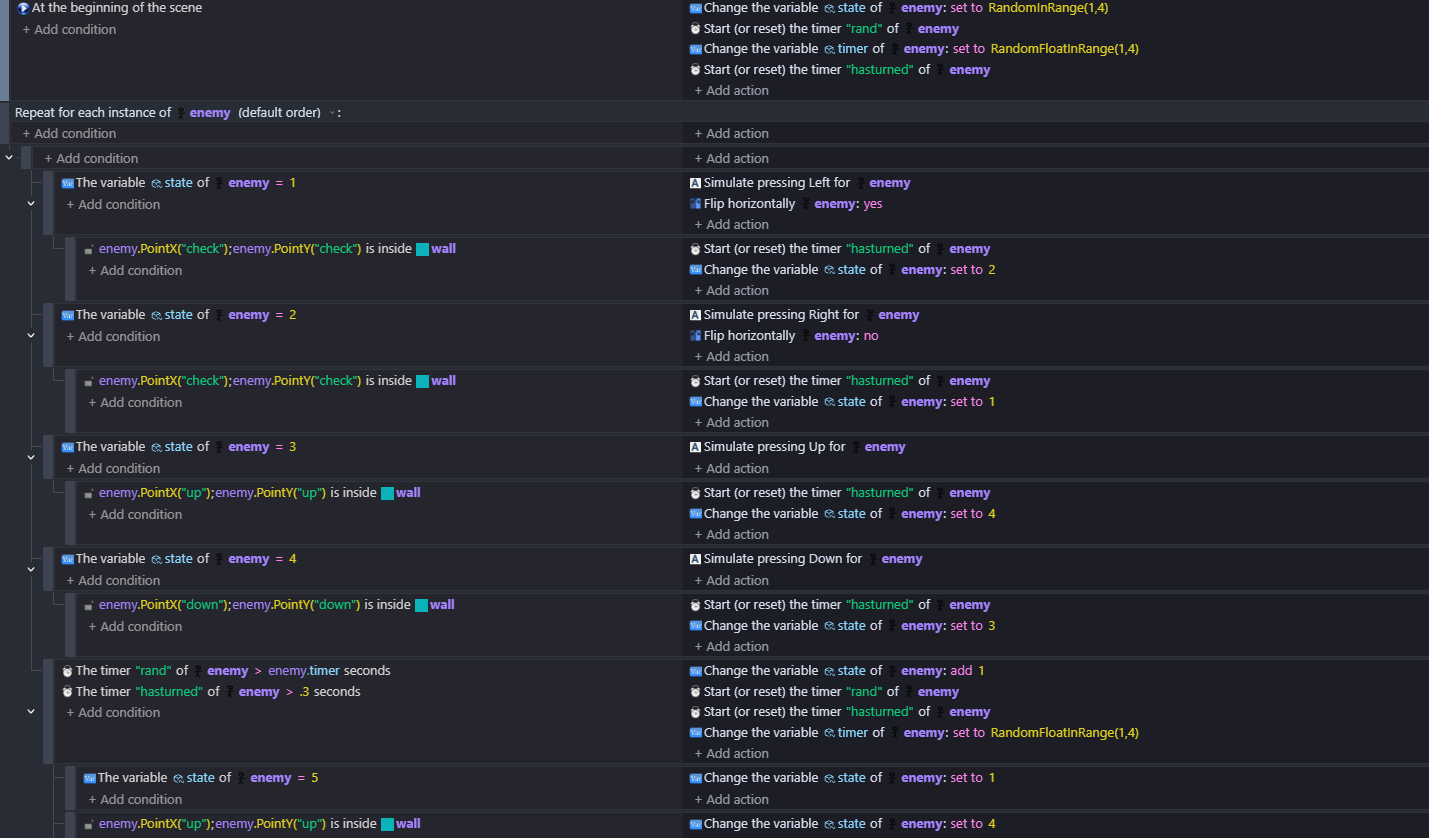
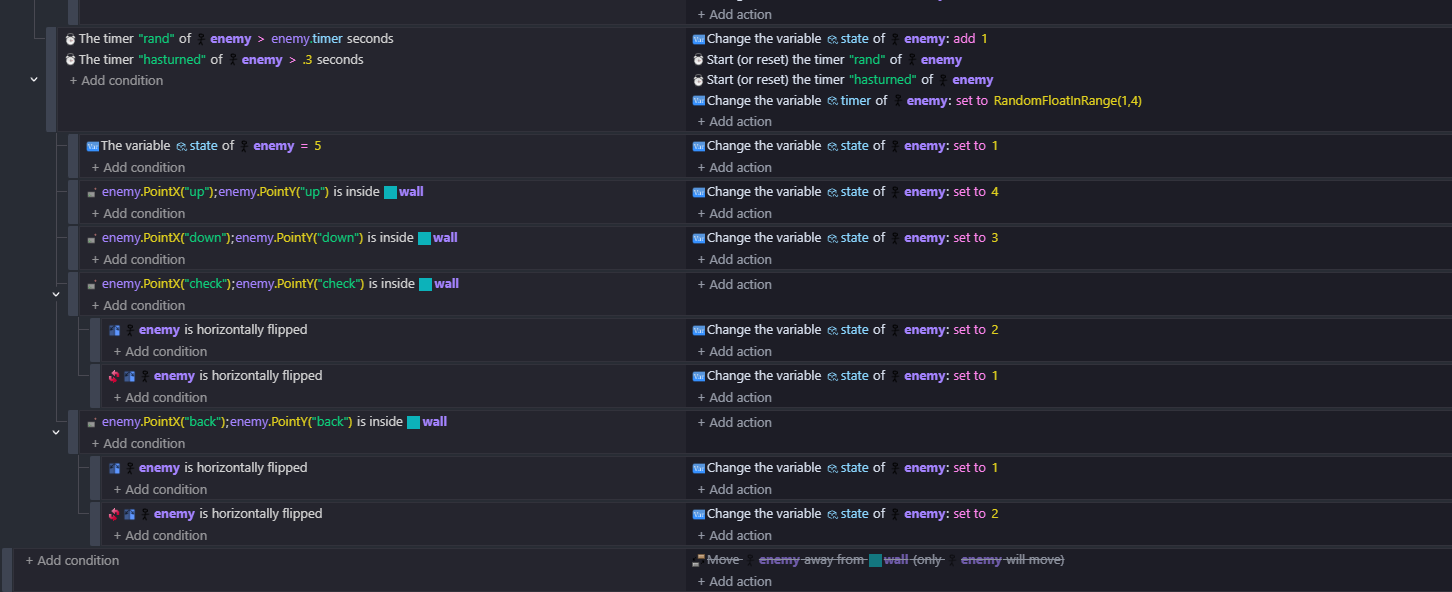
There’s a lot there that personally I would not do. There are point checks that don’t need to be happening and I’ve never seen timer greater than random float in range used b4 (id usually set an object variable to random float in range and check if the timer is greater than that) and I think here that there is the need for 'repeat for each object. I did try this without repeat for each but it wasn’t working properly. I used the top down behaviour and turned the deceleration up a bit
I’m not 100 sure what you’re looking to achieve but here i have enemy moving about in a room, and point checks to determine the state. It makes things more complicated with points when flipping and the need to check which way its flipped etc. Point “check” is to the right and “back” is left of the enemy. Point “up” is up and down is down.
If you find that they’re still wandering off sometimes then you could use ‘separate objects’
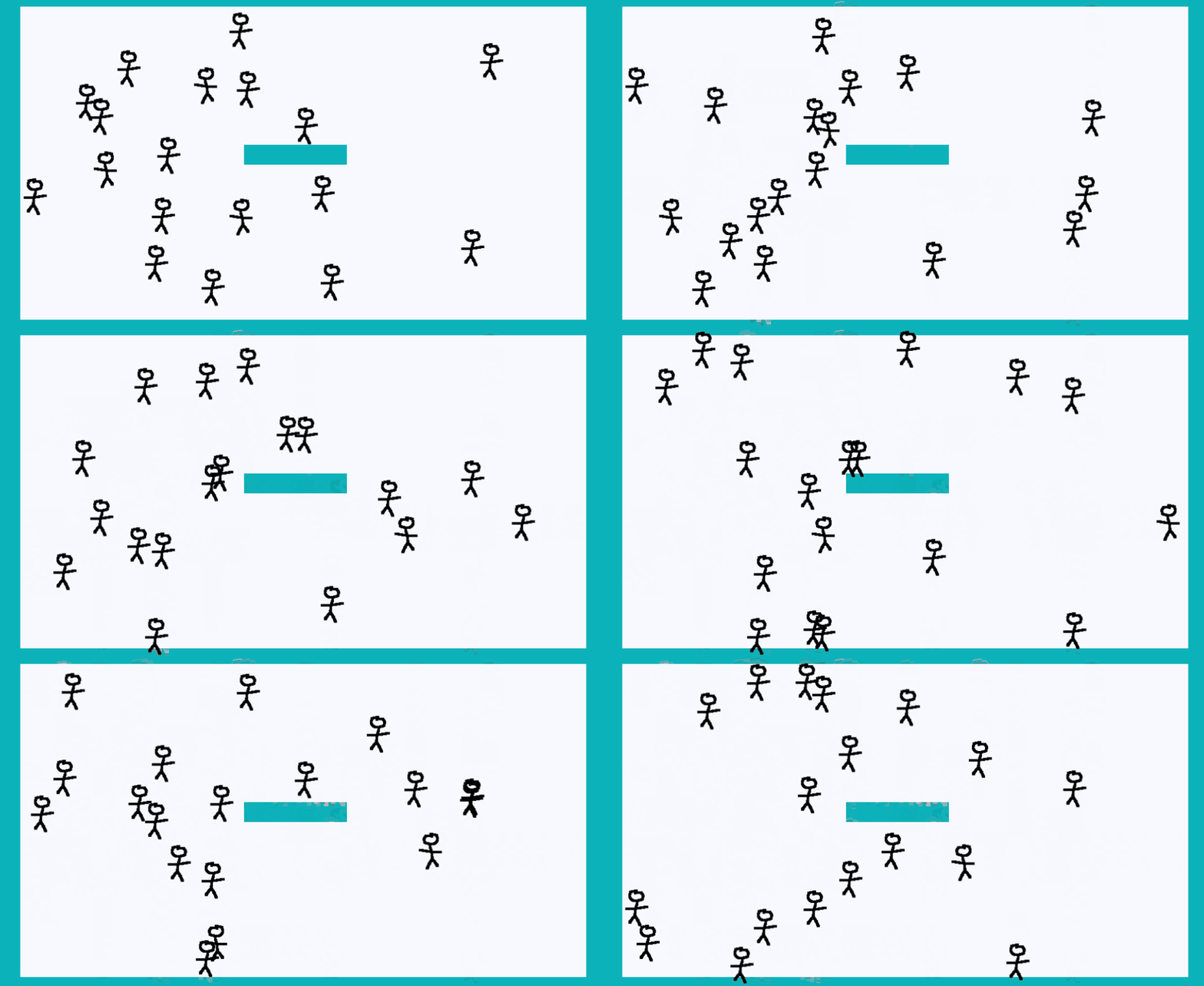
Hey @petlimpet , I appreciate you taking the time to respond to my query. I tried your code and it works well and more importantly it’s clean and simple. I do have to mention though that it turns out my code works as well and the issues I was getting was from a previous block I forgot to delete when setting up the new enemy movement. Shout out to some sleep and fresh eyes. Regardless, thanks for your help. Going forward i’ll try to write cleaner code so I don’t end up confusing myself again.