is there a way to Ease Changing Variable on Gdevelop?
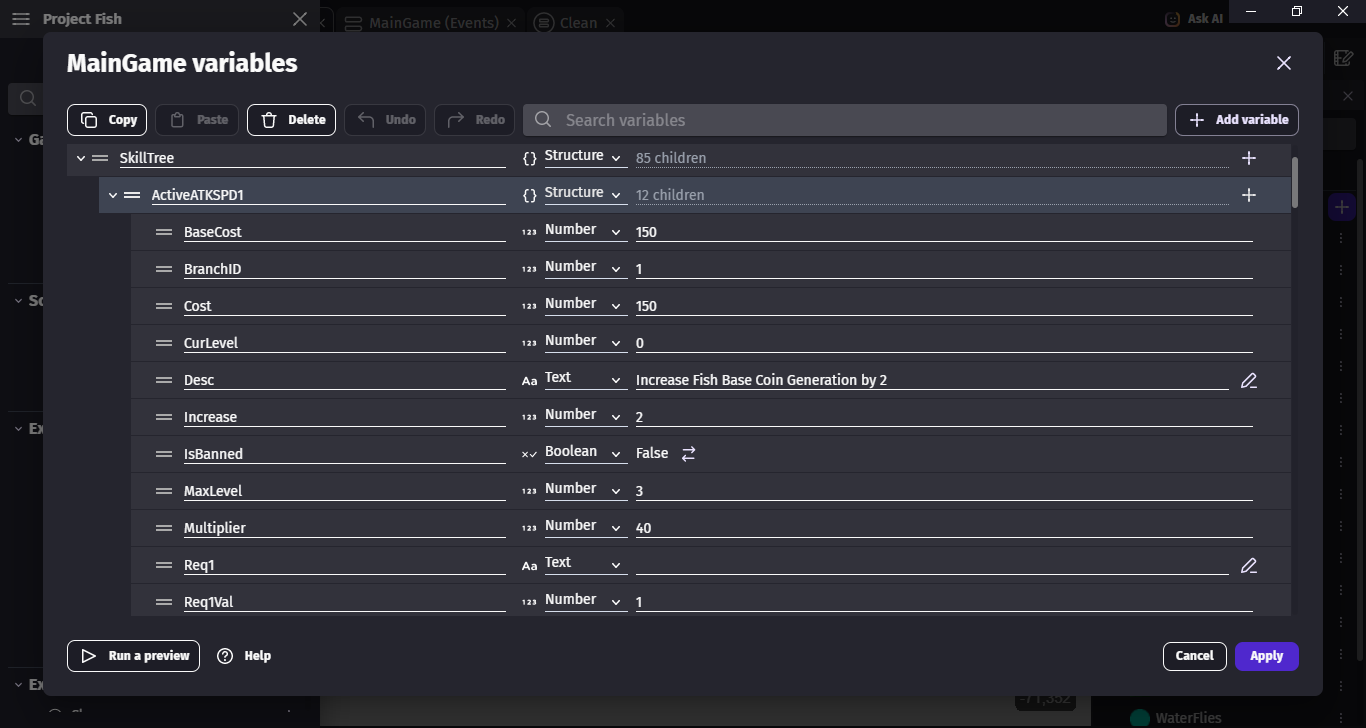
I have this Project that has Skill Tree where most of them are Structure with a bunch of Child. whenever i wanted to change Variable, i have to open Each of the Structure one by one, and as the Project Goes Bigger, it force me to Open More Structure which make me develop this game slower.
maybe there’s a way to Write the Data on Excel, Convert to json, and maybe Convert it to Gdevelop Variable?
i’m not a Great Coder, but im curious if anyone has cross this problem before or maybe anyone has Solution to this.
Can you give a few examples of how or why an entire structure is gone through? Are the structures all in scene or global variables or are they in objects?
Is it necessary to update all of the structures or are you search for particular values or children?
Could you focus on a smaller subset by using more groups with fewer children? Could you use arrays to cross reference things or object IDs?
Instead of bulk updating values can they be calculated only when needed through a formula based on time?
Can some of the calculation be done in the background or through async functions or behaviors?
I’m just trying to think of other possible techniques.
The For each child event is flexible. It can go through entire structures or just the children or branches of variables.
As you can see above, The “ActiveATKSPD1” Variable are one of the 86 Children of the “Skill Tree”, each of 86 children has the Same Childre as the “ActiveATKSPD1”.
When balancing my Game Project, there will be a bunch of Change Require me to individually open and close the Structure to change Certain Variable that could takes much Time.
Now let say i can Put the Data on maybe microsoft Excel or open Document, which is more faster, performant, and easy to manage. could be a really big Time Saver
What I normally do, after declaring the variables in the variable editor I usually set their initial value using events “At the beginning of the scene”. I have a very long list of variable events right at the top setting the value of every variable in events. It is allow me to quickly change values directly in the events editor as I experiment, no need to open the variables editor each time and scroll through all the variables.
Also if a variable share or use the value of an other variable, I can easily assign it and pass it to other variables in the events using expressions, this way I need to change a value only 1 place and it changes everywhere where I use it.
Some may say it is not practical but saves a lot of time when I try to balance the game manually.
There’s nothing wrong with setting up variables at runtime. Arrays are easier when you use the split function from the array tools extension. You can create an array with 1 action using a string with the values seperated by say a comma like “Apple, orange, grape”
You could do something similar using your own functions. I would definitely create some of your own methods. You could add an action that allows you to create a child variable with all of the settings as parameters. Eleven parameters might be pushjng it a bit. Too many parameters can get confusing.
You could have other functions to help with copying structures or searching or replacing. Functions are nice because they shrink the main event sheet making it easier to maintain and debug. It’s nice to be able to create your own conditions, actions, expressions, behaviors, etc…
There had been some talk at one point allowing fornan import/export of variables to a file, which would likely give us a json that we could very easily edit in something like castleDB.
While I would prefer a native solution in the engine for dispaying structures as if they were databases/spreadsheets, an export/import option would probably be easier to implement.
I have an example somewhere of importing directly from castleDB and using it for logic at runtime, but I can’t find it currently. If I can over the next few days I’ll post the details as a workaround.
I don’t seem to have the project anymore, but I went through and found my notes on how this works.
Note, most of this was meant as a way to do large inventory management (or monster management in an RPG), so you will need to know monster IDs in many cases and manage things using CastleDB.
While I might integrate it into an example at some point, here’s the super high level process:
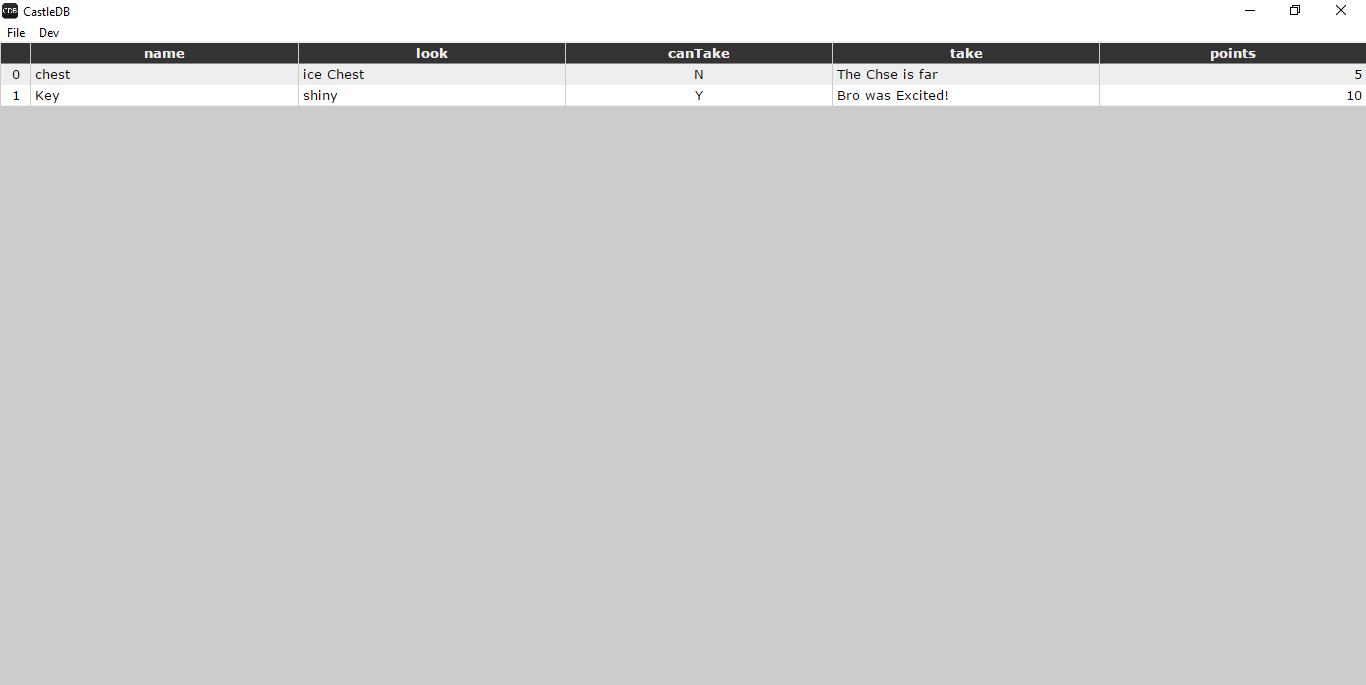
Build out your variable format (columns) in CastleDB. Ensure it only includes strings, booleans, number types (or maybe Lists, they might become child arrays but I’ve not tested). Here’s an example
Save and export the database to a cdb file (which is just a json file)
Within your project, either manually copy the body of that CDB file into a temporary variable, or set up an event that loads the file (as a text) as JSON into a variable. For this example, lets say “testCDB”.
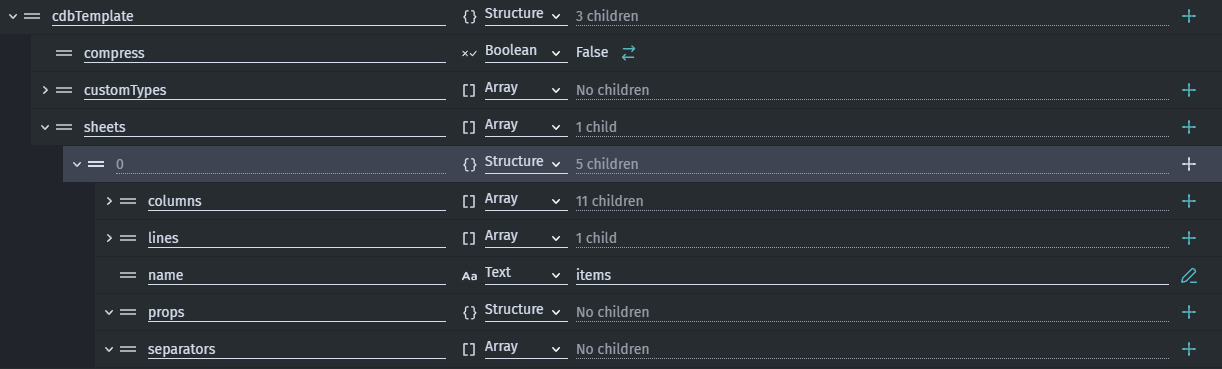
Pre-build your variable structure to match the basic structure of the castle DB file. Some of this is fixed, some of it is is specific to your database. This is important so you can properly refer to variables as you build out your event logic.
Top level variable can be named whatever you want, and should be a structure.
It should have a child array variable named “sheets”.
There’s also “customtypes” and “compress” data variables in the CDB files, you can include this or not, it only matters if you’re going back/forth from your game project to the file, rather than just import.
Index 0 of the sheets variable should be a structure. Your child variables will be as follows:
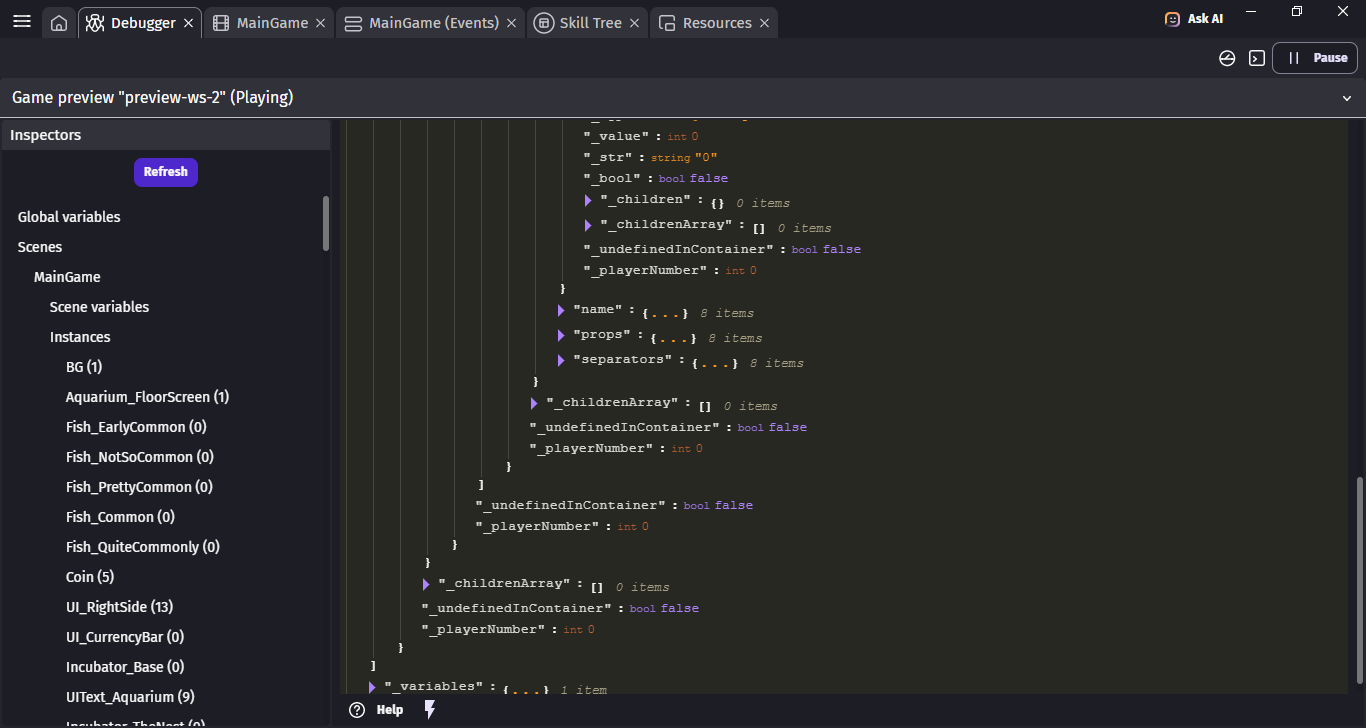
An array variable named “columns” (this is used for CDB, you may ignore this)
An array variable named “lines” (this is where your data is going to end up)
A text variable named “name” (whatever value you want here, helpful for you to understand later what this “sheet” is for in CDB)
An array variable named “props” (this is used for CDB, you may ignore this)
An array variable named “separators” (this is used for CDB, you may ignore this)
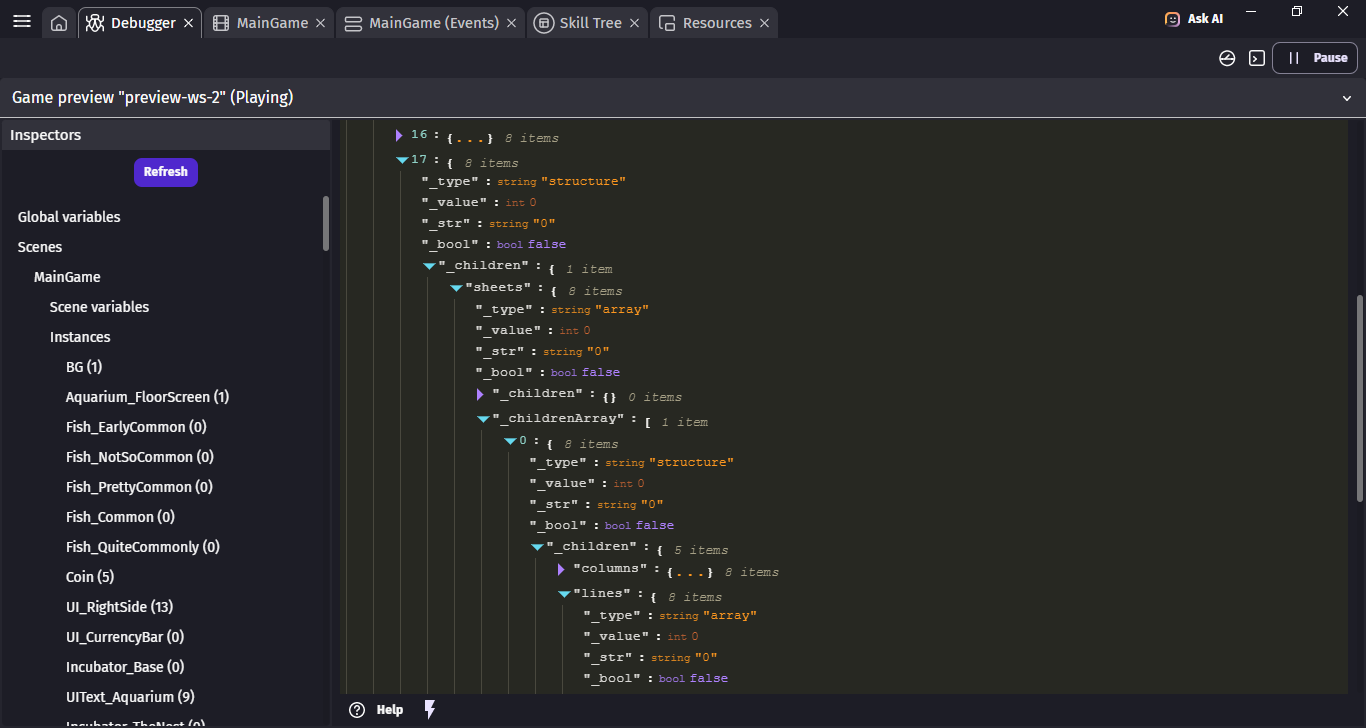
Here’s roughly what it’ll look like:
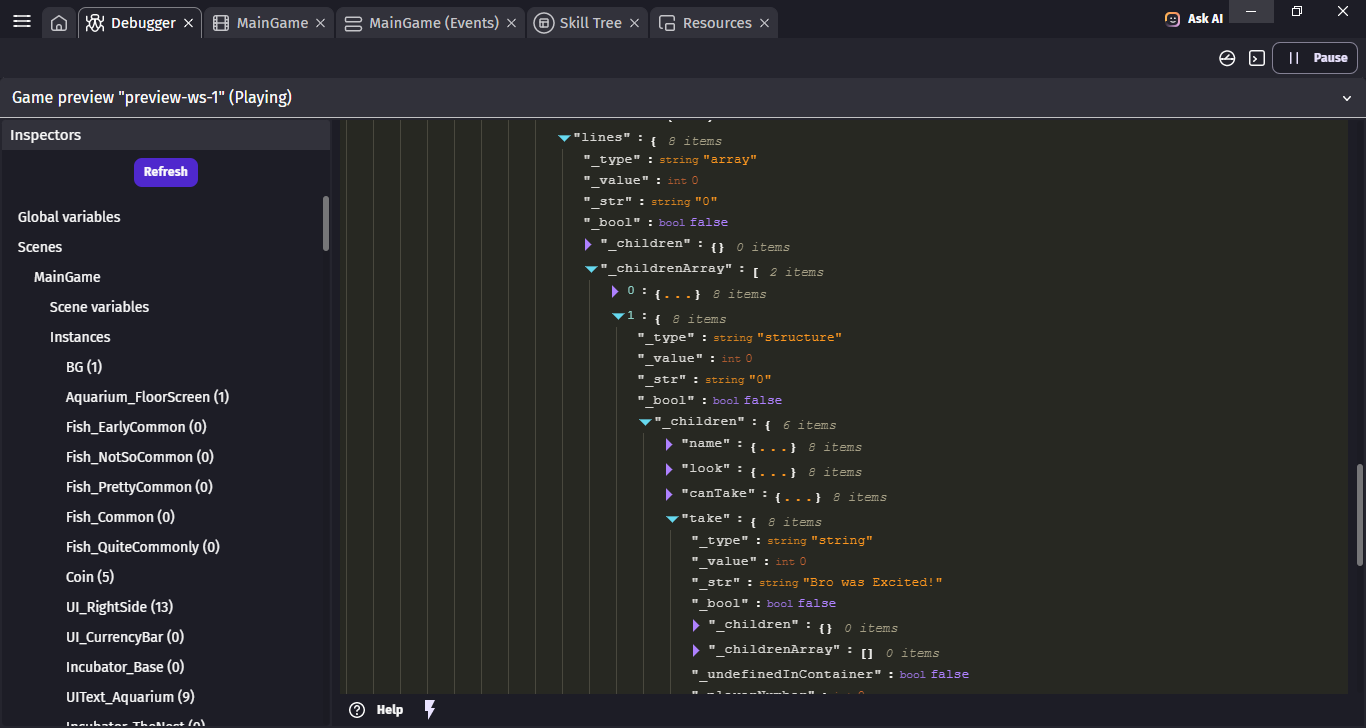
At this point, each line item in your variable is now an Array of structures. You’d access it by calling “testCDB.sheets[0].lines[yourIndexNumberhere].yourColumnNamehere” as your variable.
In this example castleDB database, if I needed to access the “look” text of the chest, I’d use testCDB.sheets[0].lines[0].look anywhere in my game logic that needs.
The above is mostly all one time setup. Then you’re managing your variables for this array/dataset all throughout CastleDB.
If you want to avoid users being able to directly modify the file, you could load the finished CDB json into a variable in your project and then load from that instead.
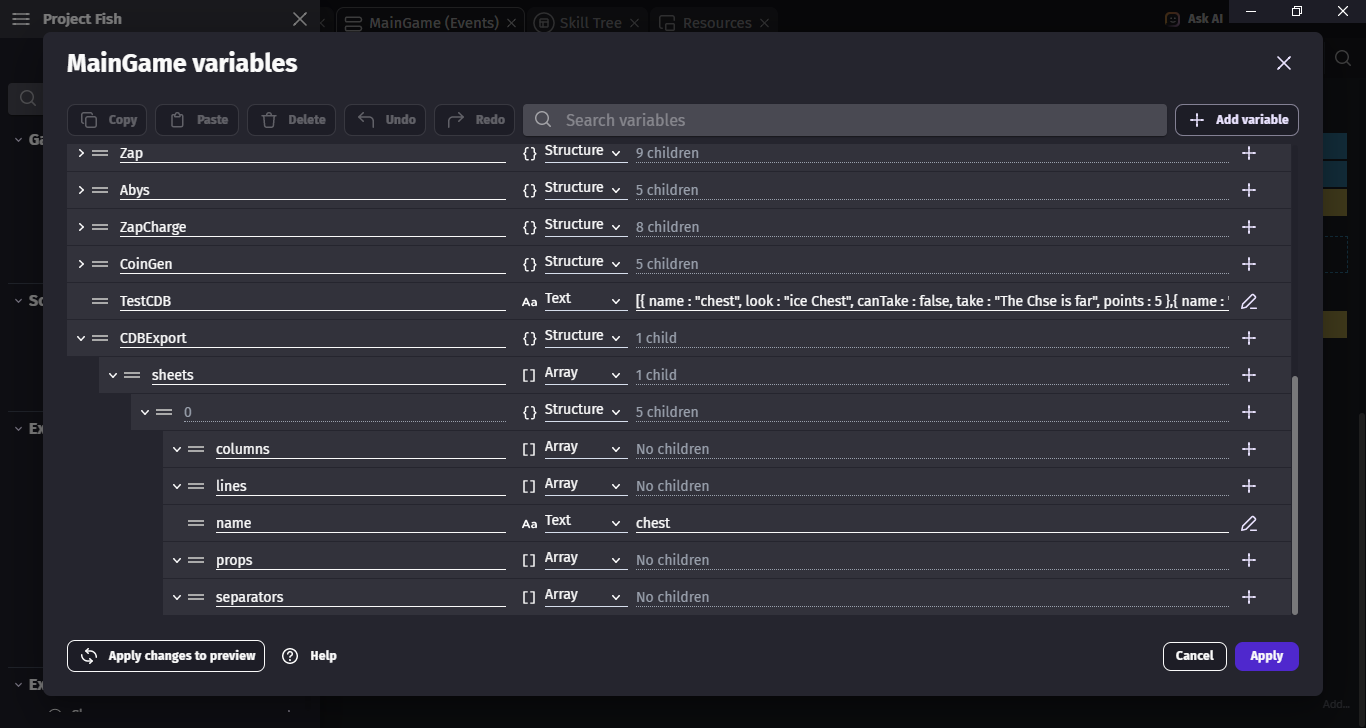
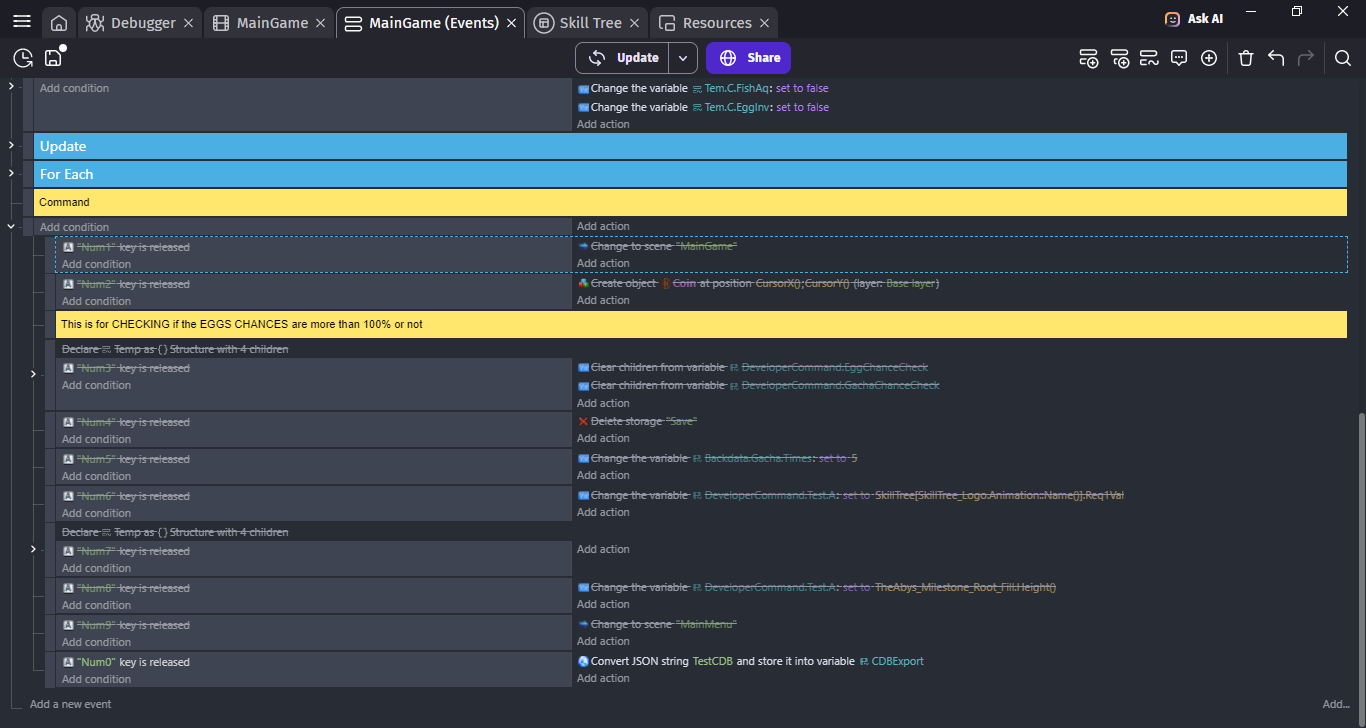
I Followed all your Step, and i’m confused with the part of Loading the Json, I Copied the body of all the CDB File, then i Paste it Into a Variable “TestCDB”, then i Parse it into a Variable “CDBExport”.
So How Do you properly Load the json? or did i Missed Something?
Thank You! that must be take a lot of your time to write That!
So Loading the JSON is done kinda wherever you want.
If you load the json data into a text variable in your game (global or scene), you could load it into the global variable by doing the following:
Make a scene (or global) text variable called “tempStorage”. Paste the entirety of your cdb json file into it.
Add an event to your first scene, at the top of the event sheet, with the “At the beginning of the scene” condition. (if you have an existing event with this condition you can use that one)
Add the “Convert JSON to variable” action.
Set the JSON to your tempStorage variable.
Set the target variable to your desired “parent” variable (in my example above, cdbTemplate). This will load all of the data from your CDB into that structure. Keep in mind you will not see the data itself in the editor, it will just be loaded during gameplay (you can see this in the debugger)