How do I add three hearts to my player. Also, when the player hits an enemy, how do I make the player lose one heart? Please help!
You could look at this tutorial. I haven’t looked through it, but it appears to have hearts for health.
It’s not quite what I’m looking for, do you have any other tips or tutorials?
You could use the following steps:
-
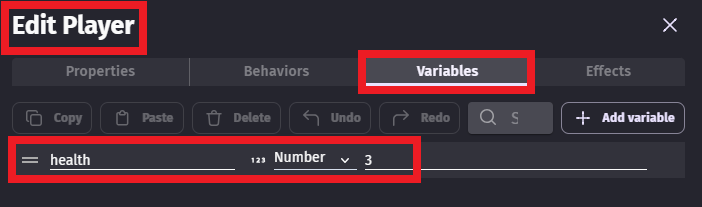
On your player, add a number variable named health and set it to 3:
-
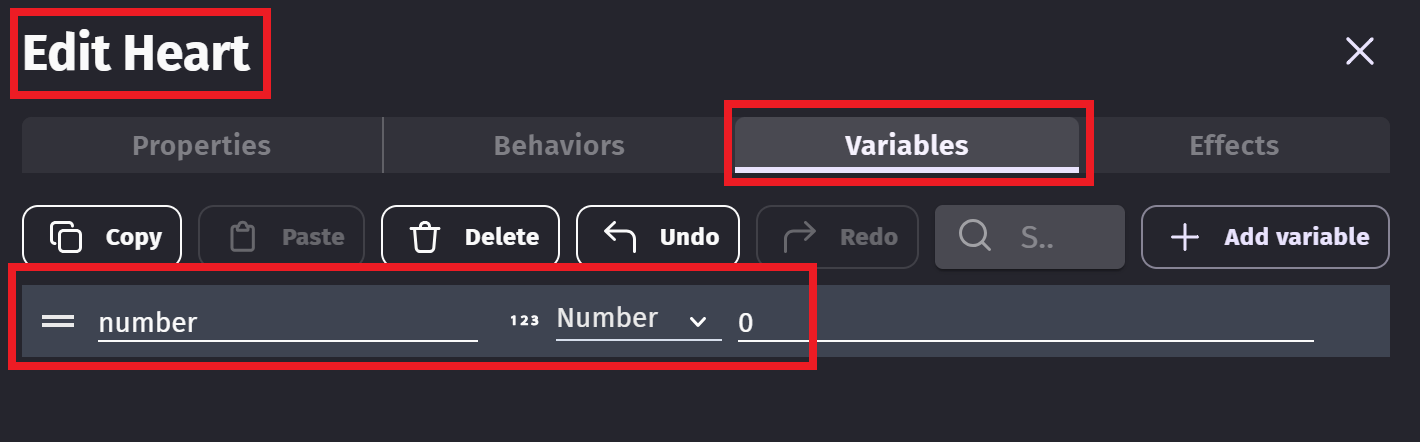
Create a heart sprite. Add a variable to it and name it number:
-
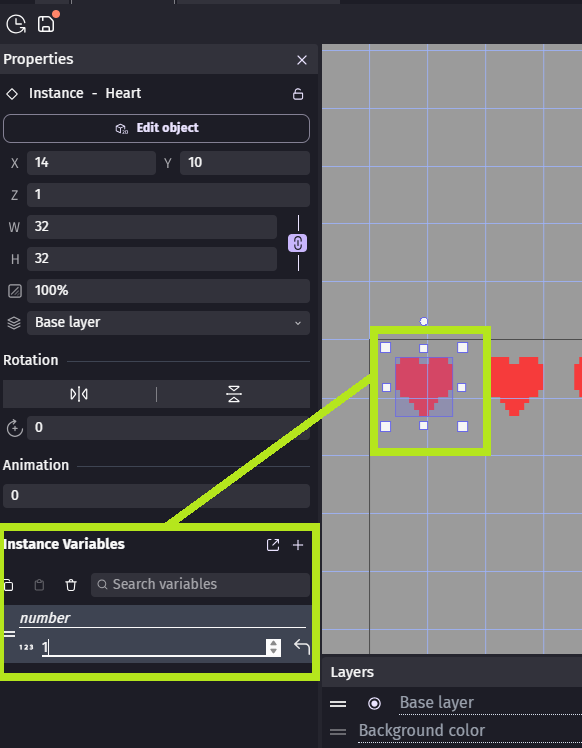
Put 3 of the hearts in the scene and modify the number variable of each to 1,2 or 3 - do it in the object properties box:
-
Add an event so when the player and enemy collide, the health variable of player is decreased by 1 and any heart object with the variable number greater than player health is deleted:

1 Like
I did as you asked, but when the player collided with the enemy, all of the hearts disappeared. And, as a side note, instead of deleting the hearts, could I turn them black. I already added the animation I just need the events set up right, please help!
Then you’ve probably given each heart the same value. Each heart needs a different value for variable number. Make the left most have a number variable = 1, the middle heart number variable = 2 and for the right heart set the variable number = 3.
Then instead of deleting them, change the animation.
They are all on different values as you said, but yet, they are all still deleted.
Then you probably have an incorrect event condition.
How do I fix that in the event sheet?
Really? Screen snip it and I’ll see if I can spot where it’s incorrect.

You aren’t deleting the enemy the player is colliding with. So for 3 game frames (a game frame is when GDevelop runs through the event sheet and processes the events), while the player is colliding with the enemy, the health and hearts are reduced.
You either need to delete the enemy, or add a “Trigger once while true” condition to the first event. A trigger once will ensure the event only gets actioned once while the player and enemy are in collision.
1 Like
Thanks, so much! Your very talented MrMen!
1 Like
It worked completely!!!
1 Like
oh. i dont use the variables i just do it without it and it works…
Can you explain or screen shot the events of how you do it?
1 Like
ok just wait a sec. 



A separated unit resource bar - I haven’t used those before.
How do you modify the image it uses, or change the size of the unit images?
1 Like
Modifying the image GDevelop have already taken care of that there is event : value : - 1.
The size well you just drag it.