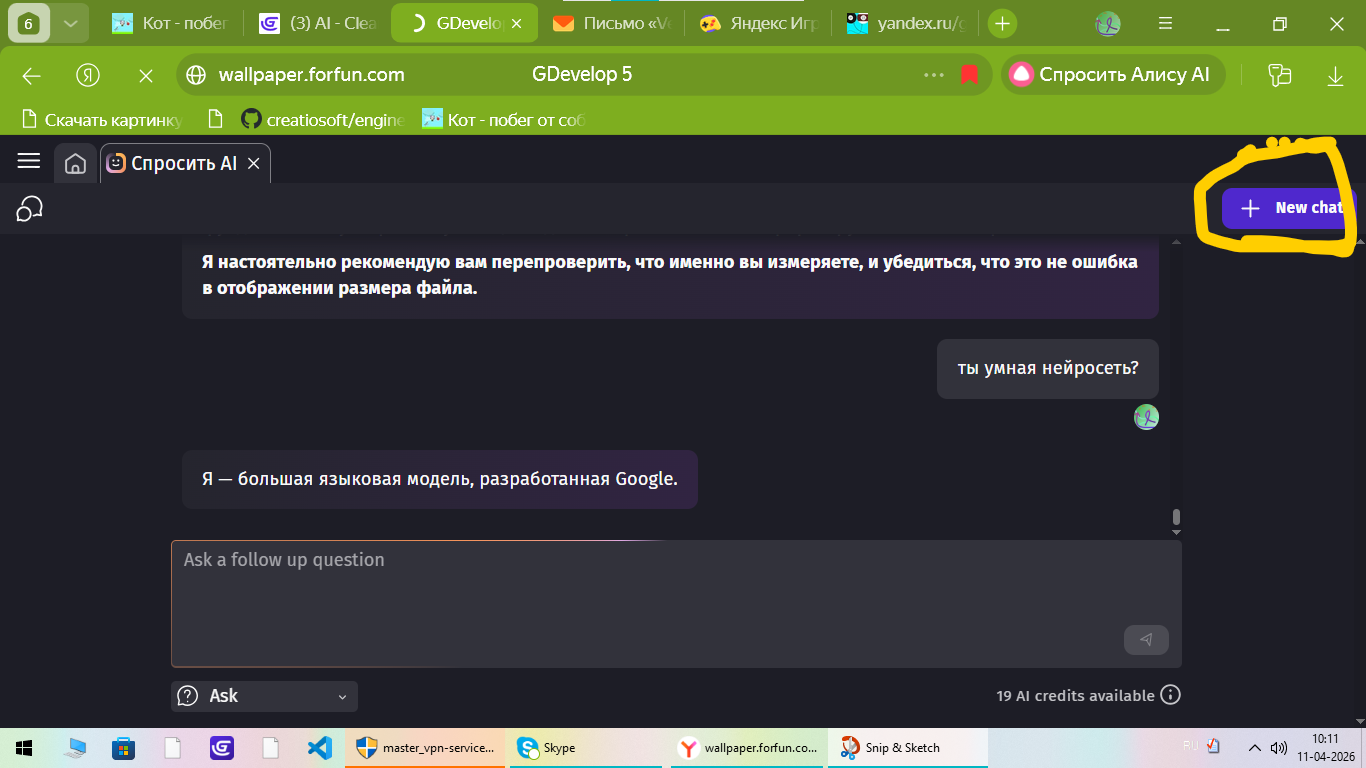
Request - Can we get a button to delete old AI chat conversations in the AI tab, as they become unusable, cumbersome, and unnecessary, just bloating the chat panel?
I use it for referencing the manual, and I don’t need the conversations after.
Why? - Simple streamlining and keeping the chat and editor tidy. It is also a general feature that would be handy, or the option of a temporary chat that does not need to be saved and live forever in the AI Chat history.
Note - I am unsure if this exists. I have looked and could not find any feasible way to remove old conversations and tidy up the chat history.
Can you show me a screenshot? Then I’ll take this post down as I am not seeing it on my end?
Instead of saying “maybe I should look better” Be helpful, and perhaps just show me how, and benefit others that may need to know, as it’s not an option seen on my end.
Arh I see, yeah I have that, on the far left there is the chat bubbles icon which opens the previous chats. In there, there is no way to delete them, even ones that are unusable.
That’s okay, thanks for posting the screenshot, I was worried it may have been an issue just on my end.