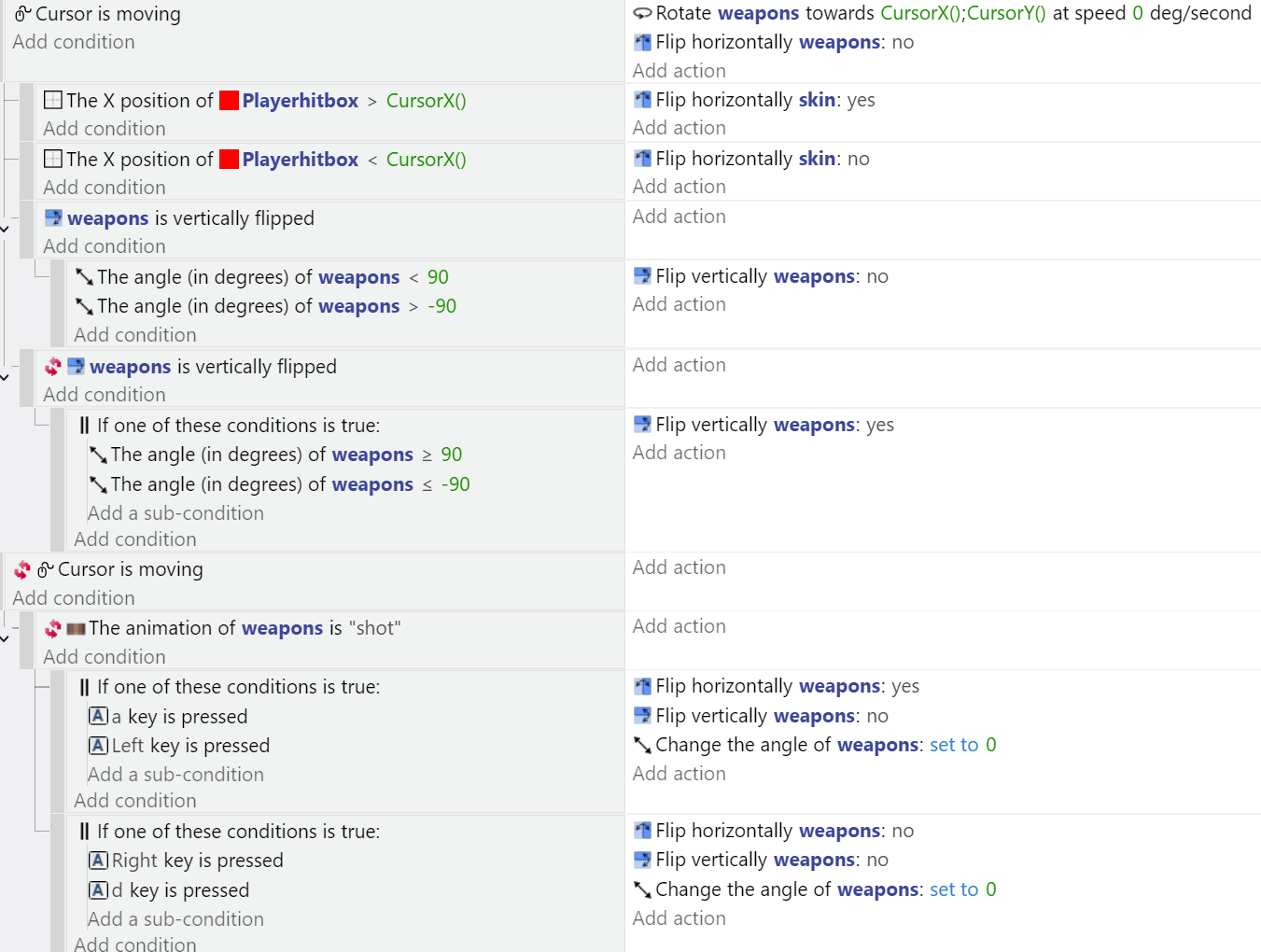
How can I change the angle of the weapons when the player is aiming but have them return to their original position if the player isn’t pressing or using the cursor?
The two codes work by themselves, but if I’m walking and aiming at the same time, the player and the weapon go crazy, constantly turning. The two codes conflict.
When you’re aiming, if the target isn’t moving then there could be a moment when the cursor isn’t moving but the player is still aiming.
The solution could be to use a timer and/or monitor the cursor distance to a target. Either one would be a clue that the player was still aiming.
Cursor is moving, start timer
Cursor isn’t moving
Timer > 3
Distance to a target > 200

The cursor is moving event doesn’t need to check the timer just reset or start it. The cursor should always be allowed to trigger the aiming.
Think of the timer as a cooldown. After it hasn’t moved for x seconds or if it’s not near a target then holster the weapon.
When in doubt, try to imagine how things would work in the real world.
Cursor is moving, start timer, aim
Cursor isn’t moving
Timer > 3
Distance to a target > 200
… Holster
Ok, so if I understand correctly, I set the timer at the beginning of the scene and reset or start it when the cursor is moving. As for the weapon repositioning, it happens when the cursor is not moving and the timer is greater than 3 seconds, as in this case.

I never used the cursor extension. I just went to test my concept and noticed that the extension has a cursor has stayed stilled condition.
This worked for me. I used a target object to test for distance between the target and the enemy.
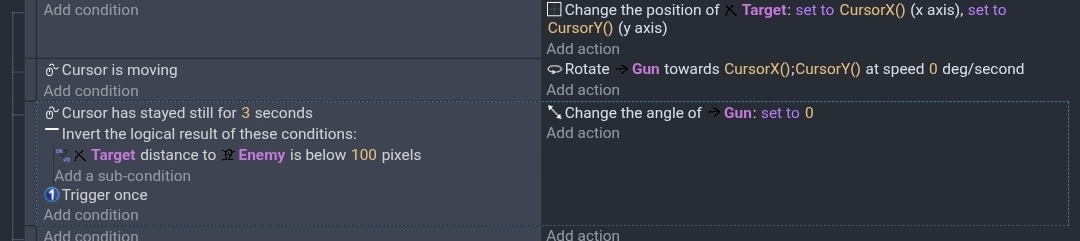
You might need to add an additional boolean(s) to prevent the aiming when not needed or wanted.
3 Likes
Thanks, Keith, I followed your advice. There’s one last thing I haven’t been able to fix: the skin flipping only when the player isn’t aiming.
I’d like the skin to not flip if the player is running to the left and the cursor is to the right until the cursor stops aiming.
I only have the skin left to fix now.
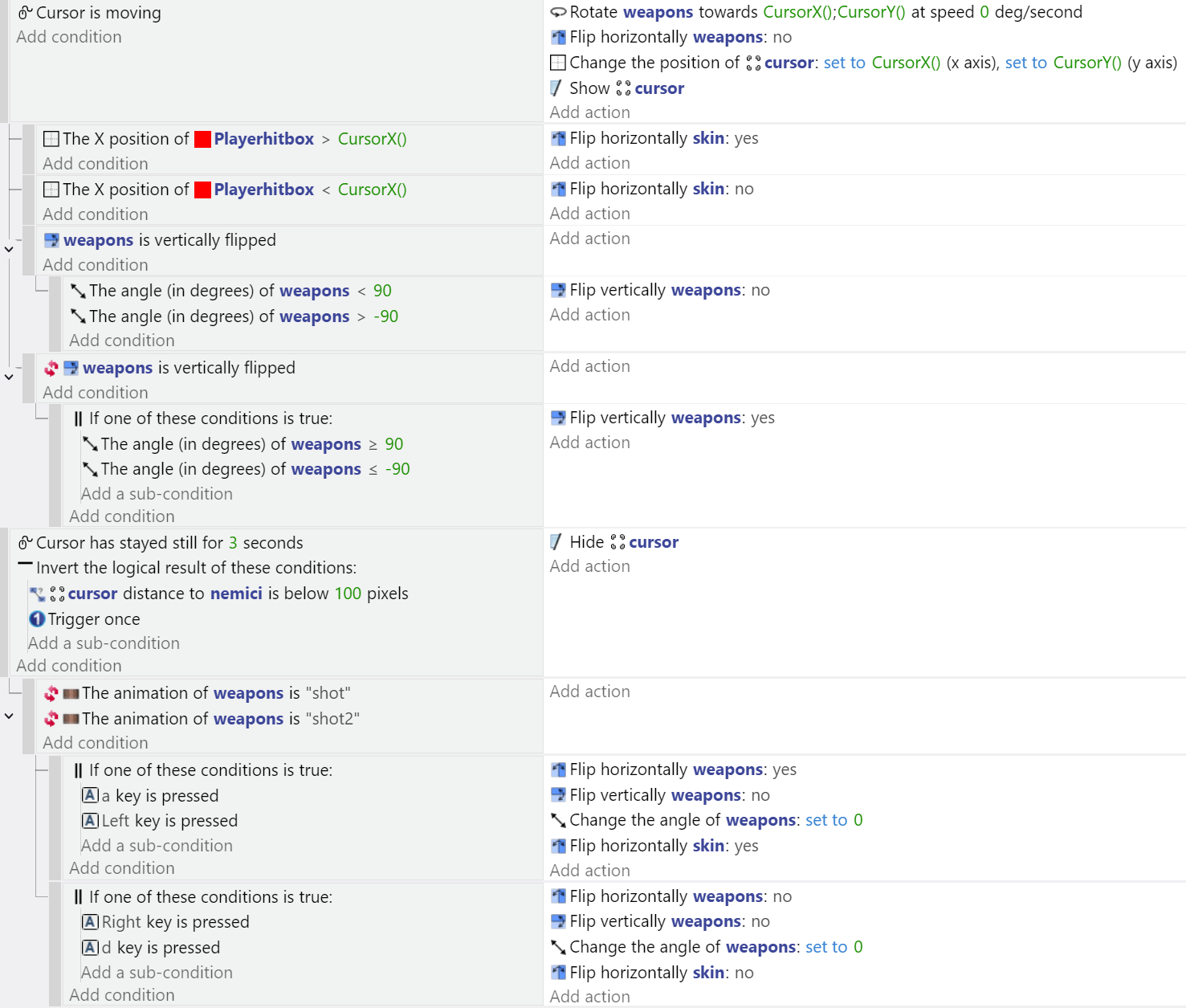
I guess you could add a boolean variable to track if it’s aiming. Set the boolean to true when aiming and then set to false when the mouse hasn’t moved for x seconds. Just do it before the other actions otherwise, it could be off by a frame.
Oh, okay, the Boolean variable you recommended I use was for this.
I added the Boolean to the player, but I don’t think that’s what you meant because the cursor is blocked when it activates.
Do I need to handle it on other, separate events?
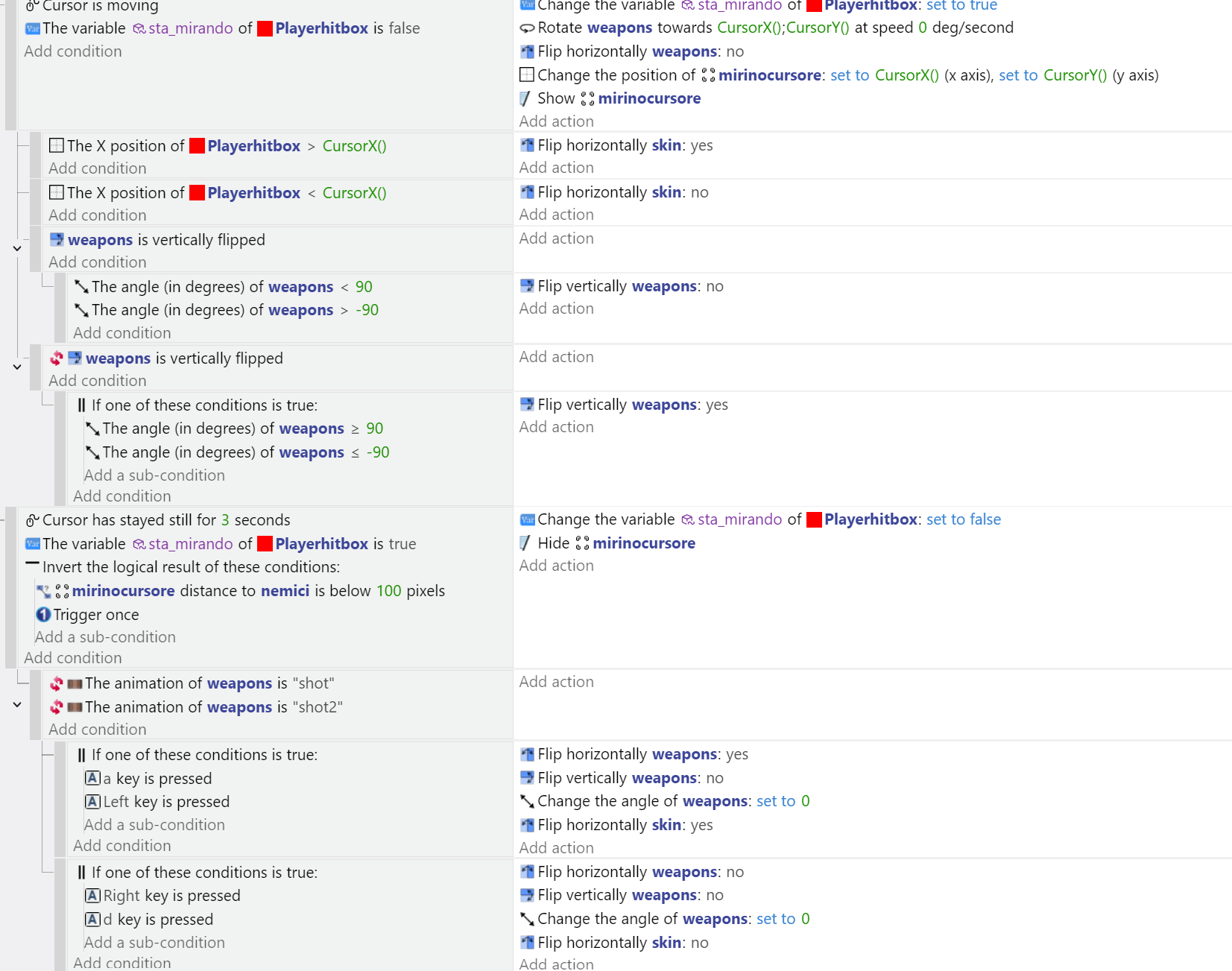
The boolean shouldn’t affect the cursor.
When aiming set it to true. When the mouse is idle set it back to false.
Before changing your animation or whatever doesn’t happen while aim check the boolean and only do those actions when the boolean is false.
1 Like