Before proceeding, please use the forum search feature at the top of the page to check if your question has already been answered.
How do I…
Index each object I drag/drop to act off of there own positioning. Anytime I place multiple Enemies or Hazards the coding acts off the position of the first placed object. For instance If I have multiple arrow shooters they will only shoot from the first arrow shooter. Or if I have an enemy that faces the player they only face the direction that the first placed enemy of that type is facing.
What is the expected result
I expect each object to act off it’s own function, if that makes any sense. Arrow shooters should fire arrows from their own positioning. Enemies should face the player, not face the way the first enemy placed is facing.
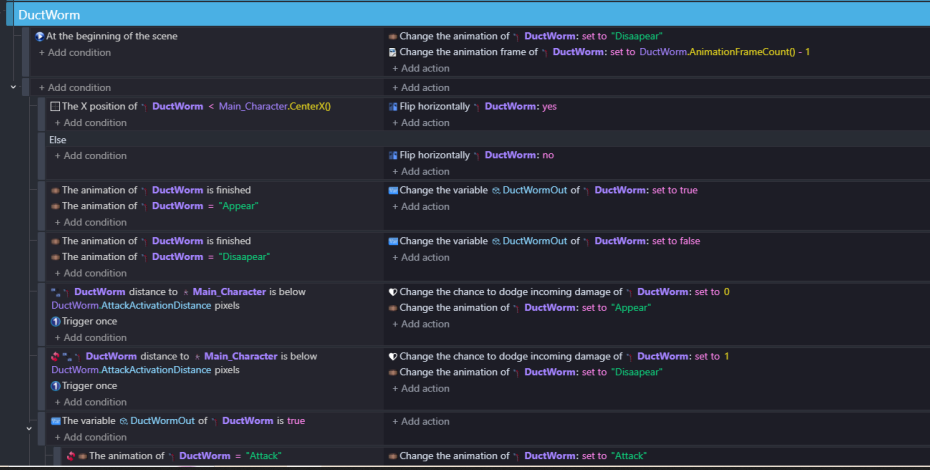
Could you screenshot the code for the enemies…its worth trying some experiments to see which objects are selected when you do things a certain way. Try tinting them different colours. I’m still getting my head around pick list logic and I find that this can help. When creating an object at another objects position you need to be specific about which one, if there are more than one of them in the pick list.
If an object name or variable is red - then it won’t work …it might be spelt wrongly …but it looks like theres no variable Owner for EnemyBuster
The event
The animation has finished
The animation =‘appear’
I think you need to put the animation =appear first above has finished
i dont think subtracting 1 from the animation frame count at the beginning of the scene will work but i’ve not tried it as there isn’t a -1 frame.
what works and what doesnt work? …you said something about enemy not rotating to face player?
Oh this seems to only be an issue on one level when the player is stand on a platform under the enemy… hmmm Will have to review as this issue might be something different.
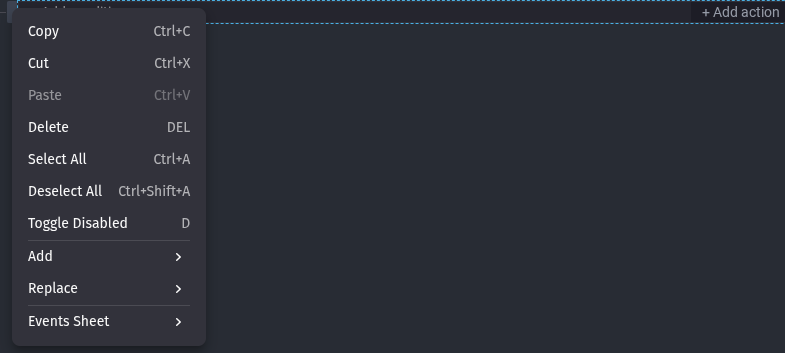
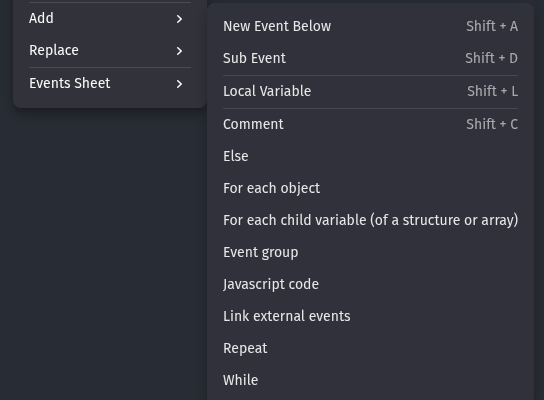
Then, click For Each Object. This will create a special Event like so:
Then, just type in your object name and move all your Condition and Actions to this new event. GDevelop will now take into effect all instances of the same placed object and run the code for all of them.