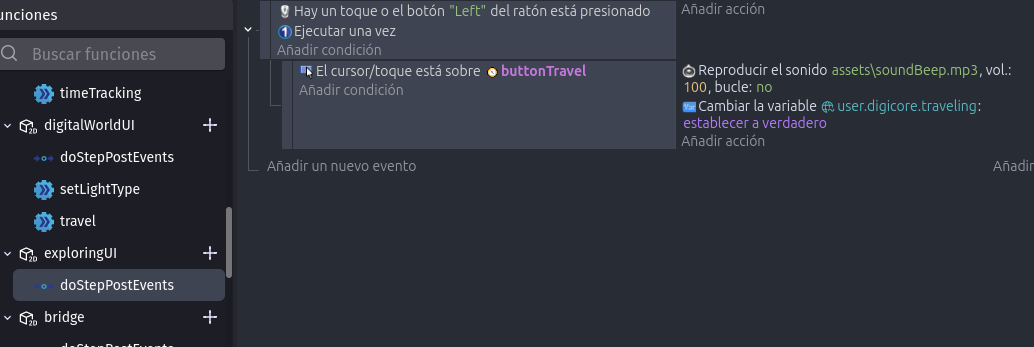
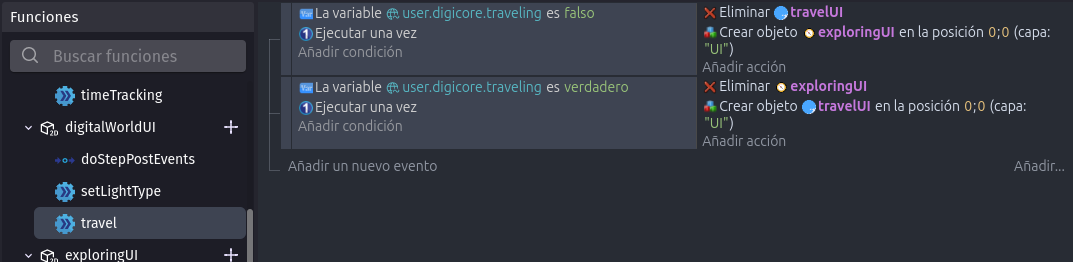
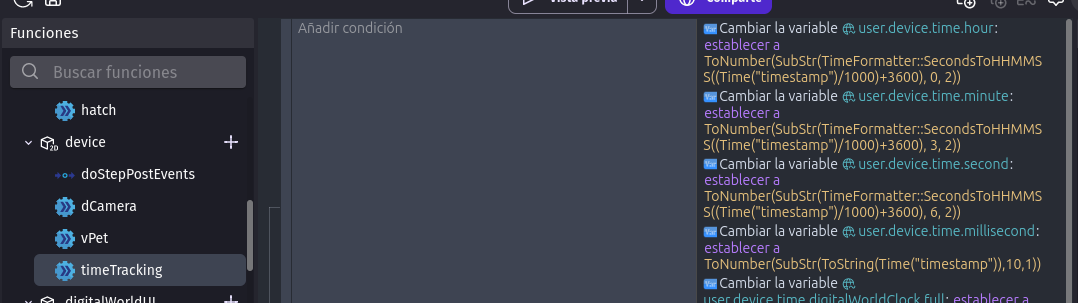
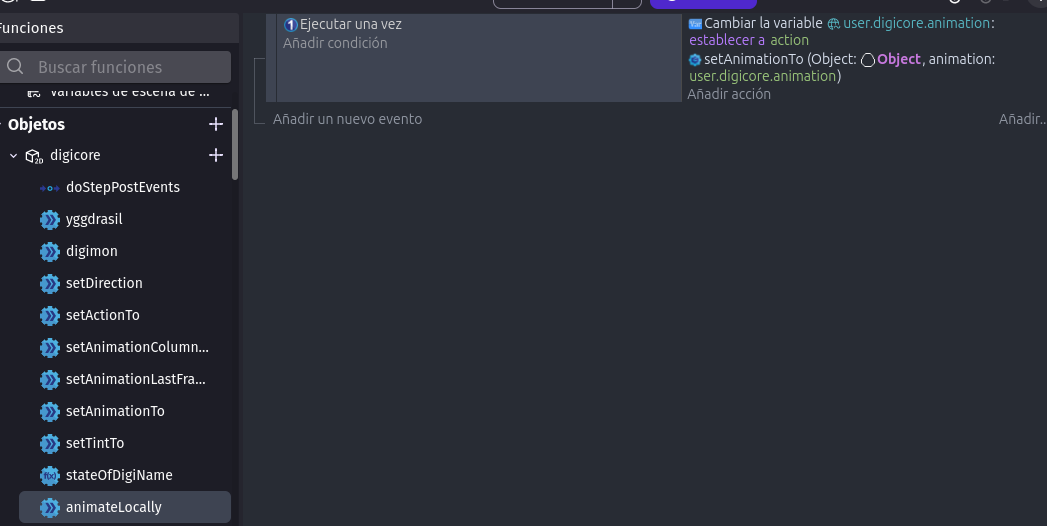
Please take that unnecessary limitation away from the custom objects editor. NOT EVERYONE uses that editor only to create fancy UI presets, that edior is my life, I run full games inside of it, and now with this new unnecessary limit I’ll have to remake every physics behavior whenever I wanna use them, and remaking the Platormer and Platform combo is not a fun thing to do.
this is a behavior, but my objects don’t live in the scene, I have an object that acts like a gaming console inside the scene, my framework is based on maximum encapsulation and dynamic calls, different components inside the extension comunicate throught shared indexes.
the components are created and destroyed as needed to ensure code only runs wuen the relevat ojects axist by placing the logic *inside the objects", everything is then linked to one inde so information can be easily shared. I need stuff like physics running inside of custom objects.
this is the only object in my scene, the one object to rule them all (I call this framework Matryoshka Code)
No panic, things are always open for discussion
For now you can work around this by copy-pasting a behavior.
I understand that you’re using custom objects as a “full game” (which is a fun experiment and I’m happy that it works because it’s also made for this).
We’ll see how to make things happen without risking strange bugs (which was the reason for disabling the ability to add these behaviors - but they still work).
Thanks for answering to my post, and also, thanks for making the engine.
¿How do I copy paste built-in behaviours (ex Platformer and Platform)? I know how to do it with behaviours that show on the extension lists(do this to save backups) but didn’t knew it was possible with the ones built-in.
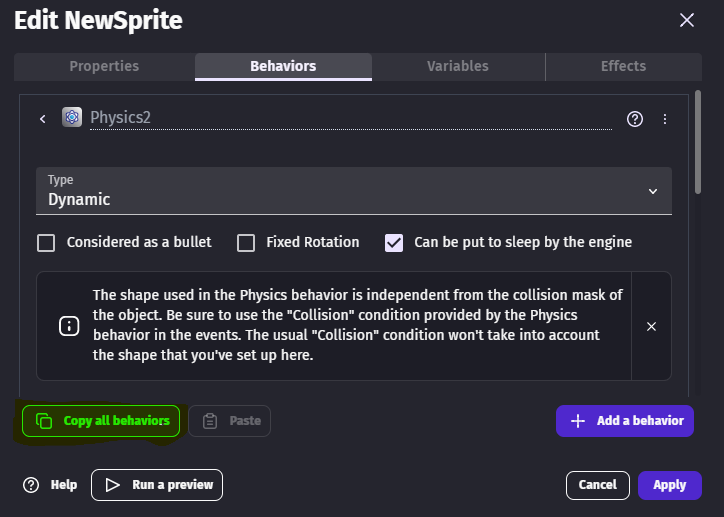
You can copy the behaviors with this button and paste it in children. The editor don’t check if they are children when it’s pasted. Pasting a whole object also works.
(Disclaimer, I do this framework with every project, but the way the project components are wired together is very “project specific”, the basis of it are encapsulation(“the components”), dynamically managed indexes(“the wires”)), and the extension where it all exists allowing components to directly interact with the wiring(“the environment”).
The hierachy used in the project of the screenshots goes like this:
“Device”:
This is the object that acts as “the scene”, it is placed in the scene, activating the “an object or axtion from the exyension must exist on the scene” condition; this object creates/destroys different “UI settups” when they’re necesary, and then does the same by managin different “game areas”, those game areas could be seen as “game levels”, but in this specific project each area is a completely different game with their own mechanics(the games are: a v-pet, a roleplay chat bot app, an online multiplayer with very minimalstic specs, and a platformer), fortunately for the purpose of this explanation.
1.A. careUI: when this UI object exists in the Device Object canvas, the game becomes a v-pet virtual toy.
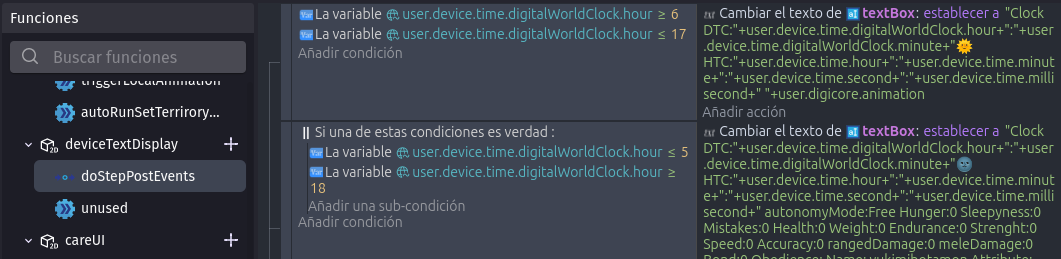
1.A.1. deviceTextDisplay: a text object that updates its own text.
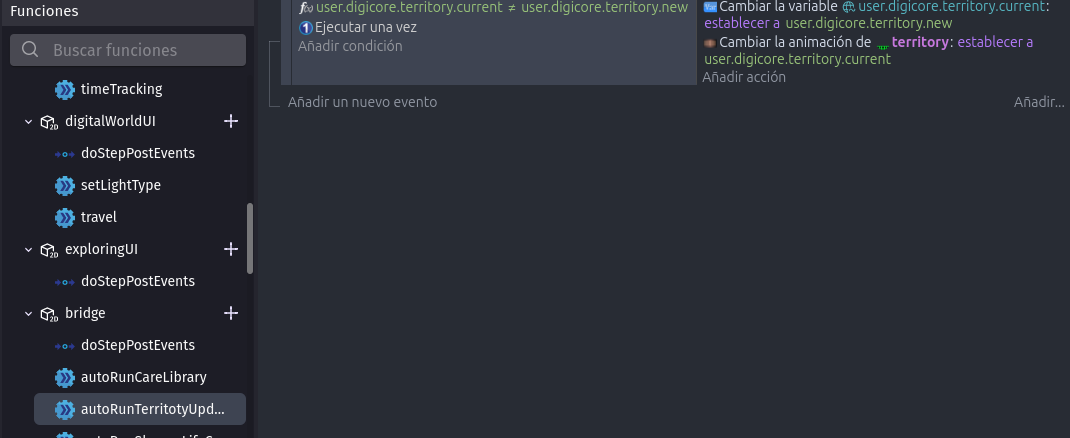
1.A.2. a “Bridge”: it changes its background and platform types depending on the current location and the minute of the hour(uses the minutes from UTC to simulate a whole daylight cycle within an hour, this way all people playing around the world will see same sky animation).
1.B. worldUI: when this UI object exists in the Device Object canvas, the game becomes a very minimalistic online multiplayer.
1.B.1. travelUI: buttons that let the player change their location inide the multiplayer world, these locations act as lobbies and also affect the character’s stats in relatve to their type. Players don’t interact with each other while traveling.
1.B.2. exploreUI: the online multiplayer game UI, every necesary interface to control the characters when players are interacting with each other.
1.B.3. a “Bridge”: it passes v-pet command functions from this UI to the characters, and uses platforms and platformer objects tosimulate physics.
2.“Bridge”:
This is the only “game area” object I have so far in the game, and I’m testing how many of “the games” can run inside it. It hosts the characters and the objects that interact with them directly. This object exists on the Different UIObject canvases, and it’s functions mainly pass commands from the UI objects to the Characters “living” inside of it.
2.1.Core: The playable character object. This object gets commands from the different UI objects, addapts to data stored inside indexes, and manages all the character transformations. In this game, characters transform constantly into differerent characters, and this object internally manages their creation/destruction, animations, and some of their AI when they’re not being controlled by the player.
The missing game is the Platformer behavior, it will run on something similar to the Bridge Object.
(Sorry for any typos and bad punctuation. I wrote this in a hurry)
It’s the second(the last) level where the physics are used, the end of the stream.
It would brake the encapsulation.
It wouldn’t be easy and it would need a lot of unnecessary extra steps that weren’t necessary back then to “wire” stuff, but now are due to “lack of easy access to external variables in extensions”. Reference this post: Bring back a way for easy access to scene variables in extensions.
My goal is to leave the scene editor alone forever, using it increasingly becomes a bigger waste of time with every update; right now the only reason for using the scene editor is to place an object that keeps all your custom objects inside, and that’s only because it’s a necessary step for stuff in extensions to work(it’s more of an obligation than a need). Everything is better organised and better isolated in the custom object editor, cause code in a custom object only exists when the custom object is on canvas, that’s the level of encapsulation I want always.
It would need a complete rebuilding of the whole project in a far less efficient way, with lots of time lost (Again. I’ve been having to adapt every time an update brakes my project, feels like being chased) just because if this change.
I’m not gonna be forced into using the scene editor. What I’m gonna have to do if this change is not reverted or fixed in a way that solves your bugs while also letting us use physics inside custom objects, Is that I’m gonna have to make my own physics like back then when jump-through platforms hadn’t been added to the platform behaviour.
what I mean is it would brake the system I use to isolate components in a way that their code only runs when the relative objects exist.
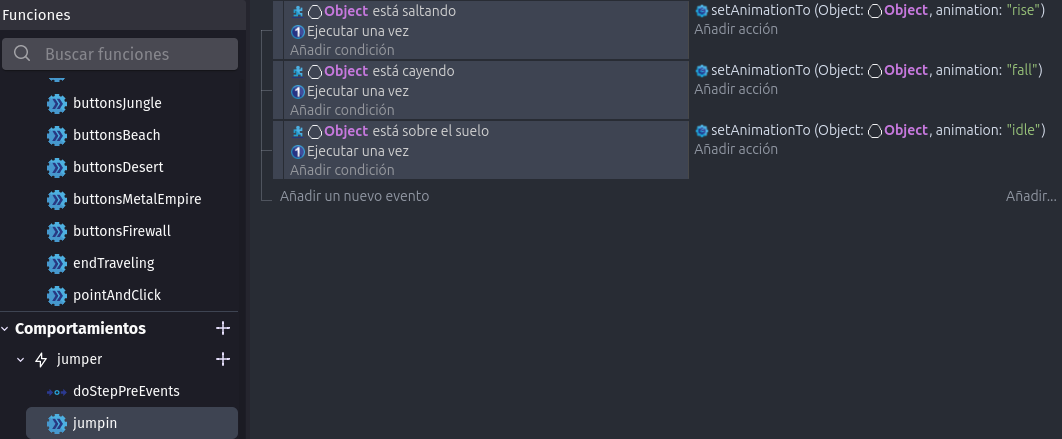
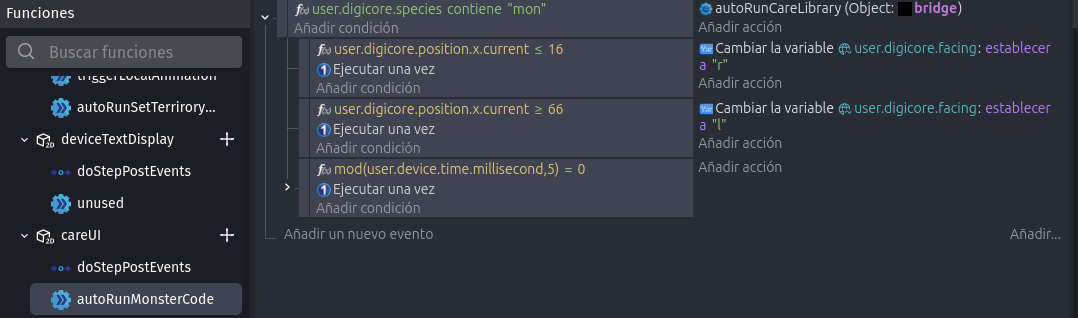
Examples are above, every snapshot is from a custom object that is completely isolated from the rest and only interacts by either
“modifying a shared extension global structure variable that connects everything in the extension to avoid bloating the system with functions just to share values(an imitation of server to client comunication)”
or
“one of the custom objects existing inside another”.
Now back to subject:
Cancelling events with conditions is not enough cause the code constantly checks for those conditions(unoptimal for big structures),
cancelling events by disabling behaviors is not enough cause it multiplies the time needed to set things up;
“having code for specific objects run inside those specific objects so the code doesn’t run for those objects when they don’t exist in the canvas” is faster , better oragnized, and offers true isolation.
It just works.
All I need is for fundamental blocks of development (like physics behaviors) not being exclusive to the scene editor.
Once a project needs to account for escalation
and needs to isolate processes in order to optimize
by avoiding to bloat the logic with condition checks(projects that need masive branching tree systems for their logic),
using custom objects for all the logic becomes a need,
the scene editor is no longer useful and turns into more of an obligation than anything else.
I’m reaching for the most modular approach possible,
and up till the last update, I thought I had finally reached it
and was safe from future dev shenaningans,
the only downside of my workflow was not being able to see my object’s variables in the debugger, but I make my own log boxes to analyze data when it’s necessary and it’s 100% worth it.
I really wish not to be forced to write my own physics, that stuff is hard, it was horrible when jumpthrough wasn’t a thing and we needed to write physics oursevles.
There’s one small difference, and that is the method for reading/modifying the variables, which is shorter when everything is inside the extension referencing the extension variables.
I would like to reiterate my support for the request above. I am using a custom object with the Physics Behaviour for a candle in a Metroidvania game…like this:
The Physics Behaviour is essential for me to simulate collision and make the object fall naturally with the applied force (the effects is great and not something you can achieve normally).
.Now… it is true that the old custom object with physics still works, but I cannot create new ones.
Therefore, I join Digidevice’s request: you must allow its inclusion in custom objects again. As a user, I don’t see what problems it could have caused, it has never caused me any issues.
Also as minor request…it would be great to have an action like --Create custom object by its variant name as old requests thread