Character selection that can also modify the appearance

I think it’s pretty clear that a lot of things people say here are opinions based on their experiences. I started what I said with the words ‘I think’. I am not claiming to be a guru who has the ultimate answer to everything.

You said

Child objects can have behaviours and they can be targeted directly inside the custom object with functions.

1 Like

All I need to do to position the child objects is to place then in the custom object visual editor. I just put them where I want them and then they all stay together in the scene. There is no positioning events the way I do things.

1 Like

Yeah cool i don’t care are you guru or not
I only care if there is way any1 consider more simple
I wanna know justification for that

For me its easier to use action to change center position of object
Than moving origin point of object to its center point
Cause this way i still can use its origin point where it would be by default
Is it better or not for any1 i do not care i just said its easier for me
And i explained why i think that
Like i justified my claim even if that is my personal opinion and not rule set it stone
Now any1 can think about it and pick what is easier for them
Maybe someone don’t need origin point to be in default position so my way is not better for them

So all that said i just asked you to justify it
Not to prove you are right or wrong

1 Like

Oh wait, this is the most important one… you just reminded me why I’m using them in the first place… lol.

collisions

When you create a weapon attack,like in my case, where the animation requires two different types of hitboxes,if the attack is moving and you use follow position, stick, or anything similar, you get a tiny millisecond delay between the parent and the child.(bcs they’r two objects rendered at different time) It’s visible to the naked eye: not game‑breaking, but definitely annoying.

When you use custom objects, this doesn’t happen.

also you can add and remove any hitbox at will…like they’re litteraly not there

1 Like

WAT DA F?

ORDER OF EVENTS
Gdevelop read stuff from top to bottom
If you don’t understand what is causing issue do not claim you do
Do not read anything look at gifs with numbers

1st one
Change text position action
Change text

2nd one
Change text
Change text position action

If you don’t get it in top one numbers flickers when amount of digits change
In bottom one it does not flicker
Cause of order of actions i explained above

Your issue in nutshell
Just solved
By giving it proper order of actions

And in case you would care to say something else about it

Either show me delay here
Or explain to me why its not there

What is happening? Is this reply meant to be somewhere else?

I dun no who is talking to…
If it was meant to what i said above i was just explaining this;

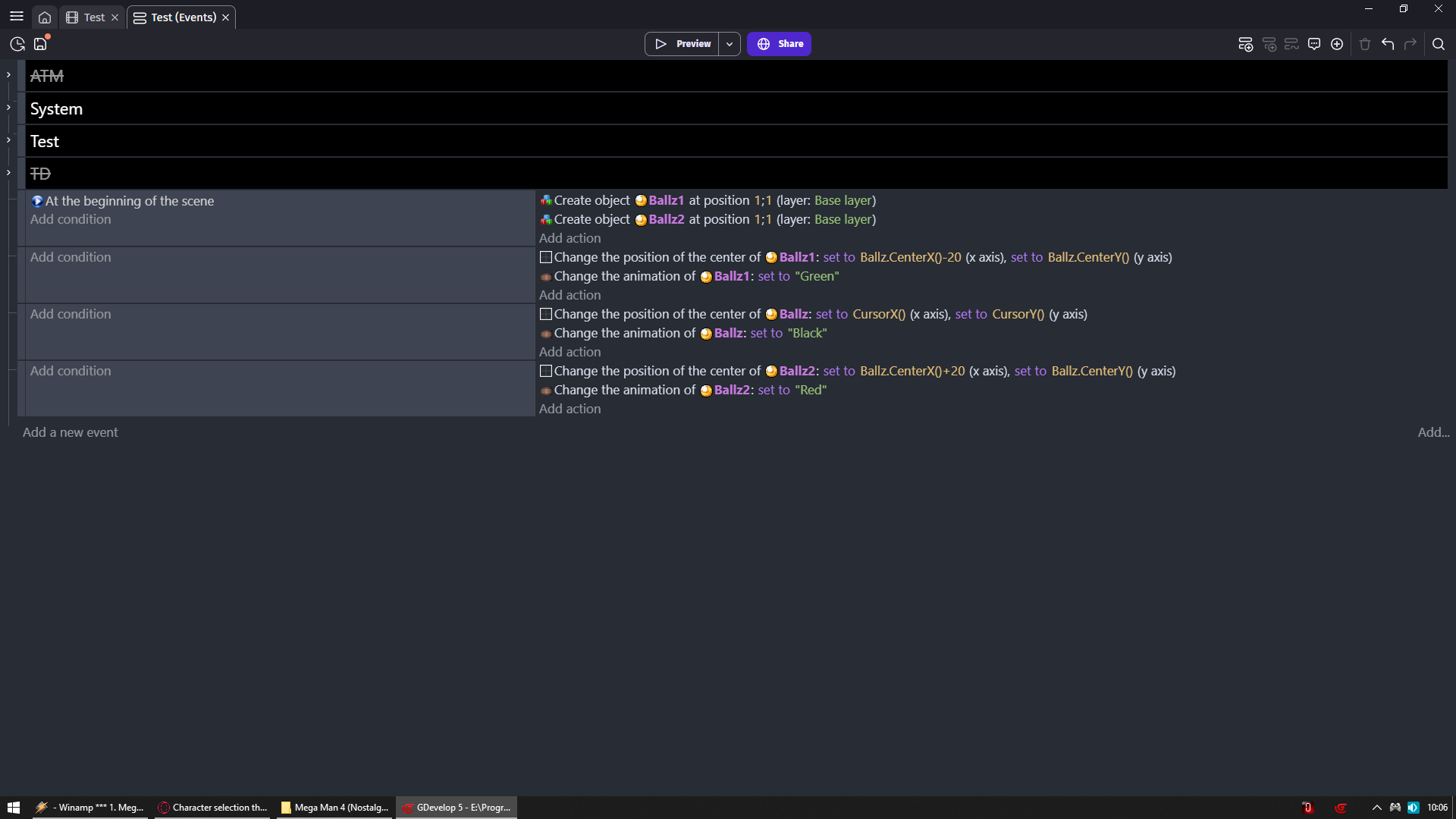
caused by this:

A careful eye can see that the green square is lagging behind… and when you have more events in play, it becomes even more noticeable.
As I said, it’s not game‑breaking, but it’s there,which is obvious, since the following object should read the pos first…from some new update it became less noticable…fortunately.

Hopefully Zero was posting elsewhere…

even cose wern’t talking about strings or digits…

To myself

I repeat to ppl do not use extensions and build your own logic
Cause extensions locks you into how they are made
And you will not have control over what you want to do

NOWHERE i suggested using sticker but events

Now
Keep on going
Explain to me more
Cause i was learning a lot

Pay close attention to order of events
I even gave each ball different color so you can deduce which is which
Black is in center

SAME principal as with my text example

oh it was meant to me?
…btw the green ball lag position

Really?
How can you tell?

Anyway
Now look at red ball
Does it lag also?
And that was rhetorical question

Answer is here
Just pay close attention

I know the trick…btw no the red doesnt…
or better i still notice a minimum of delay occasionally…

i know you’re saying that the green cant read the position in time.bcs order.but it’s not what i meant.

the order of event i posted above is from top to bottom, sticker or not sticked obect is right below.

and i repeat that even the red ball which has all pos infos…lag to my eyes …but rarely…(as i believe it should)

And to me it’s even more obvious in your first example… but honestly, I don’t want to dig into it if you did it on purpose or not.

That’s why I said C.objects don’t have this kind of issue… you proved it yourself, because you’re stacking instances through events.

Red don’t lag cause in chronological order (from top to bottom)
1st parent object moved then child object moved
Then frame ended

Green lags cause it takes position of parent object from previous frame
And it does not get updated on current frame

If you see any lag on red then that is optical illusion
You can replicate my logic but don’t make blue ball
And put red behind (by z order) black ball
And put it in same position as black ball
And you will see its not lagging behind

Sticker most likely update pos pre events and not post and that is why you see lag with it

Where proper events order fixes it

Again i am not saying my way is better
I am saying for me its better and i just explained why
If someone could convince me other way is better i am willing to change my habits
But 1st i need to see justification for any change
Cause as for right now i only see more managing with custom objects than i would have via events

Hey no, my friend, I’m not letting you get away with that one…
why would you prefer some kind of laggy 0.1 ms instead of having the object created from scratch with the children already attached, avoiding any (possible) delays?

As you showed, you really have to pay attention to order… to lag… and so on.

Anyway… I’m just joking. As long as it works (and looks good), everything’s fine.And honestly, I’m not even 100% sure that a C.object has its children rendered or doing things in real time compared to the parent…
that’s what I thought, since they seem to move smoother, but it might just be my impression…as you said.

You get me wrong
That is exactly my point

Prove to me other method from the one im using is better
By supporting it with arguments that will convince me that other way is better

And i will be more than happy to change my opinion
I never gonna and i never did claim i know better
But i will always ask for facts and proof of why something else is better

To me right now it looks like with custom objects we are trading events setup for managing them in prefabs
I don’t see that as a good trade

Look for me its same story as with AI being advertised in gdevelop
I make my assets myself
For me when i create game and there is slap into my face with assets i will never need
I will never use
Or
Ai that i don’t need and will never use
NO DIFFERENCE
Its still something i don’t need and don’t want

Unless someone will convince me its better to see asset store when i create game / object
Than seeing AI
I see them equally bad cause again these are things i do not care about
NONE give ME any advantage and none really bother me when i can press skip button

And same story here
I will shift my opinion on prefabs
Just give me argument that will leave me with noting to fight it
That they are better than what im using
And do not go with cause you can this this and that
But go with what i will lose in favor of what

Or to make it simple
Right now i see something like
Hey wanna lose weight?
Cut off your leg

Well totally accurate
I will lose weight no one can argue about it
But no one is accounting what i lost in favor of lower weight

Other example airplane flight is safer than car ride
Cause cars are more prone to accidents

100% true no ona can argue that
But also no one will tell you % chance of you getting out ALIVE from plane crash vs car accident

Nothing against this point of view.
I actually think it’s totally valid.

I had already replied before you tried to put me to the test… (as if I didn’t understand the order of events)… That stings… honestly…And we can all make mistakes.

Anyway, being able to make a too crowded scene…( howw to say it…modular??),… for whatever reason, is already a pretty good option for me.

second (as i already said above) i love the fact that ican exclude and add collisions mask of instances whenever i want…at creation…at lifecycle…etc…per child (and parent) …something you can’t do without

If I can add one last thing: you’re not wrong for wanting to explain to me things your own way.
I’m someone who struggles more than others to absorb informations, and I’m much slower than you and many others here… but I think I can say that when I finally understand something, I really make it my own.
And again…it can still happen that I make mistakes, despite everything

And see, in the end I even have to say thank you… turns out the problem wascaused by the sticker idd.

Now tell me, how was I supposed to know that?

If I read that it follows the object, I just use it, that’s it…
and not because I can’t do it manually.

it’s that I have to use the positioning action on creation and keep it afterwards, which personally I didn’t like.

So as far as I’m concerned, problem solved.
You’re right and I’m not.

I overlooked the fact that it could have been that…since mosts of the times i’m honestly focused on different things…

However, the matter of custom objects is something different

It is probably that…but don’t ask me…

…and now I’m wondering… is it possible to request a feature to have a sticker that actually sticks…

Also this confirm…that i made a good choice switching to c.objects

Its nothing wrong in being wrong
And if any1 here should admit to being wrong about something then it will be me
Yesterday i think or 2 days ago i was suggesting to other user on discord
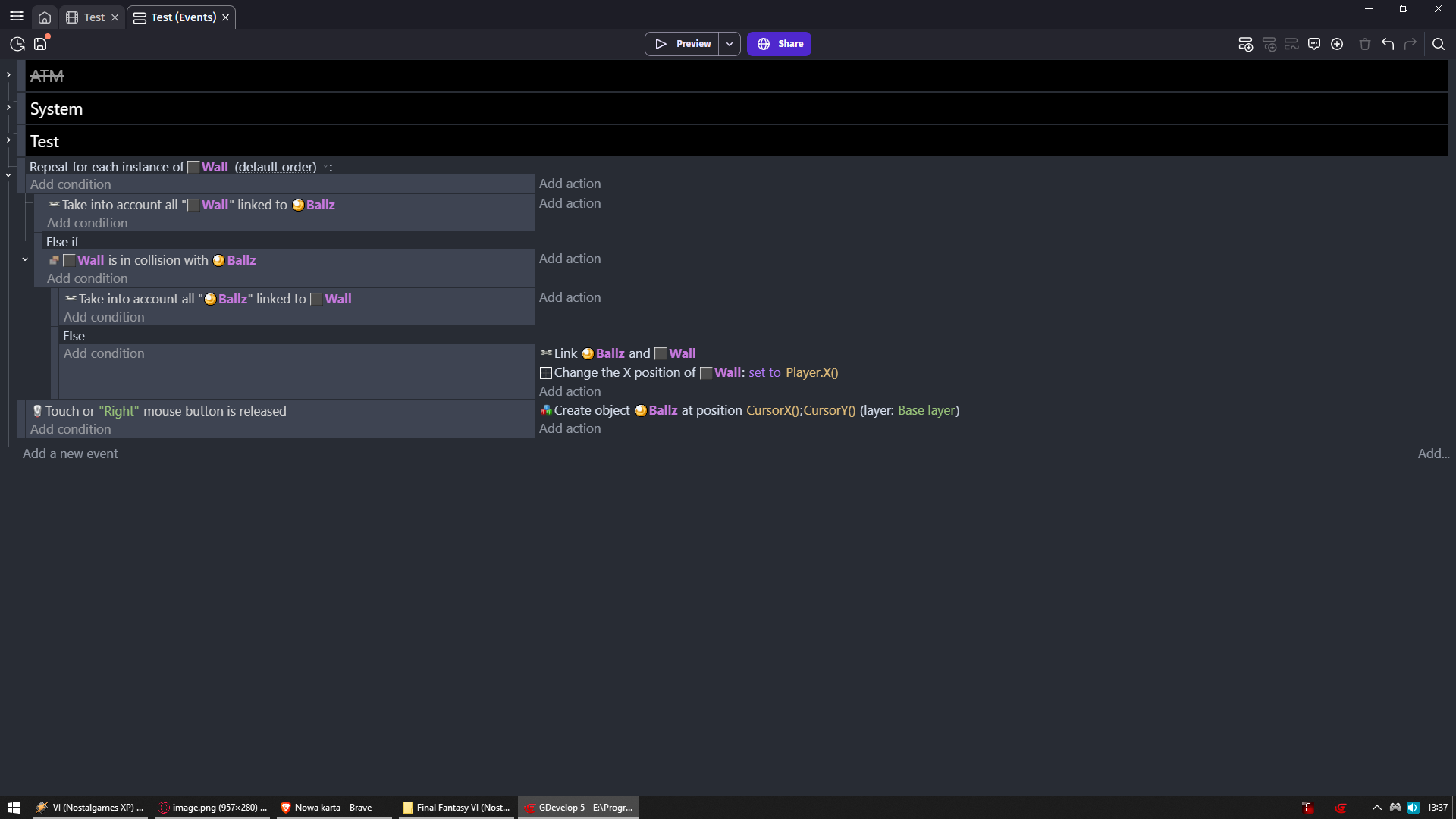
Linking objects
To deal damage ONCE to enemy when hitbox object is created
Player animation = punch
On frame 0 1 there is nothing on frame 2 hitbox object is created and stays trough frame 2 3 4 5 6 and gets deleted
Idea is for that hitbox object to hit only ONCE enemy and not spam hit
And not use trigger once which will make it only one enemy

My solution was to use object linking and it was wrong
Yet another user made me test it and i did say i stand corrected cause that was not the way (basically it did not work as i expected)

And that other user came with ELSE solution
Do not ask me how it works but it works

And as i said there is nothing wrong in being wrong
BUT neither you neither me are new here
And ppl look up to us and take what we say as LAW
We should put every single bit of effort to test stuff and not assume
At the same time you are here long enough that you should know what is wrong not by looking at events but by looking at result of issue ingame

You see object lags behind another when changing position to another object
You should know its issue with events/actions order
MAYBE simply by pure luck you never had that issue with anything or never seen solution to it
And that is why you could not figure it out (i mean that sticker is updating position post events)
And i would say go make feature request for it to be fixed
I highly doubt Davy will leave it as it is since he is the one i see suggesting using sticker over change position action and object linking

NOW finally back to custom objects
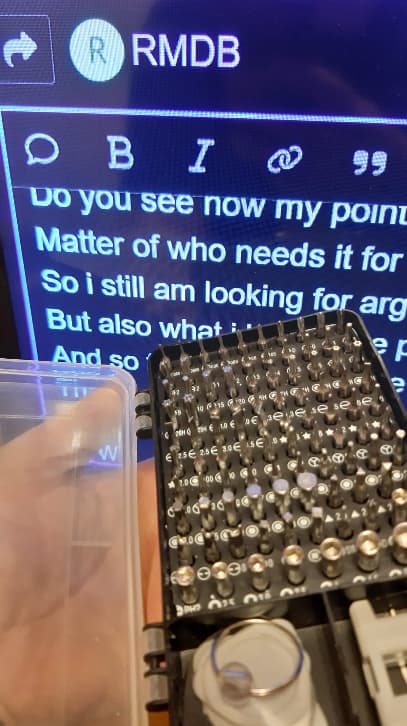
Again i really feel its matter of

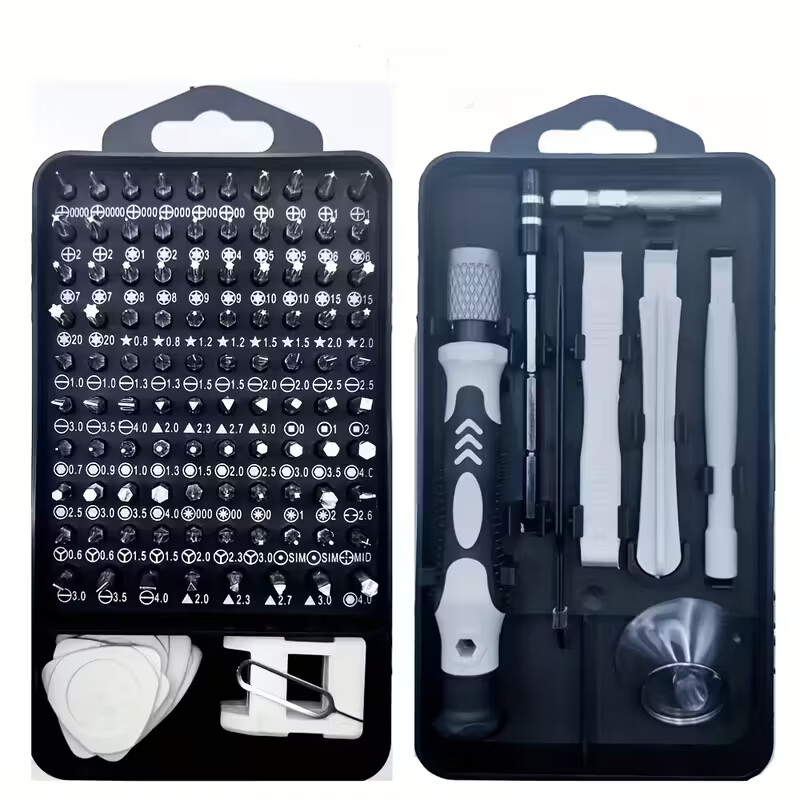
This

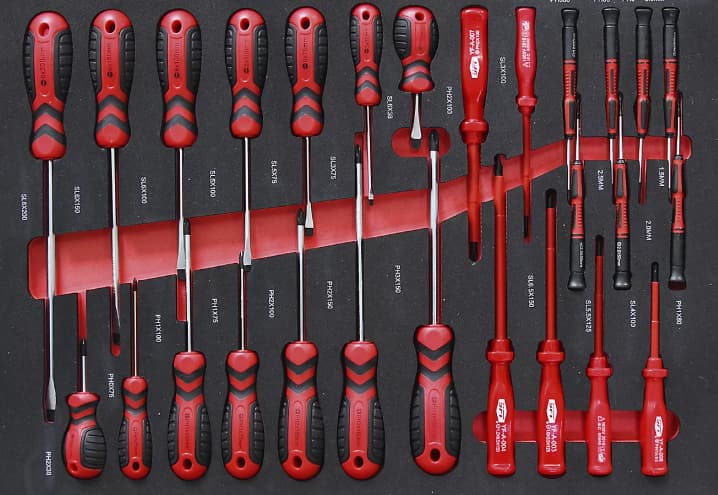
Vs

You can clearly say that set of bits with one handle takes A LOT less space
And if you lose bit like it get lost then its not a problem to buy replacement that will look like it fits whole set

With set of individual screwdrivers you lose 1 and good luck finding replacement that will fit original set
Aside from the fact its heavier and takes more space
So we can say bit set is better
Can we?

If this set is for me i can say bit set is better
If i need set which will allow you and me to work at the same time on idk repairing tv
Then we have ONE handle so only one person can use bit set
Where with individual screwdrivers we can work at the same time cause each screwdriver have its own handle

So it will be matter of what is better for who
And why
For what i do and what i see ppl do 90% if time i will still see events better than extensions and custom objects
I see way too many ppl use fire bullet extension or health extension
When they don’t even touch 99% of their functionality
And then they are locked into what these extensions allow them to do

Same with custom objects
I won’t deny my jaw fall flat on floor when i seen HelperWesley video on making inventory and he made of text and sprite object ONE custom object that works as item display+quantity indicator
Really cool stuff

But now what if i want on the fly change fonts to such objects and i am using bitmap text
Maybe i wanna change atlas
Maybe i wanna tint it
Hmm?

Do you see now my point?
Matter of who needs it for what
So i still am looking for arguments which tell me what i get in return
But also what i lose in the process
And so far i see i lose more that i like
Than i gain cool stuff if i move to custom objects

BTW
it really is cool set
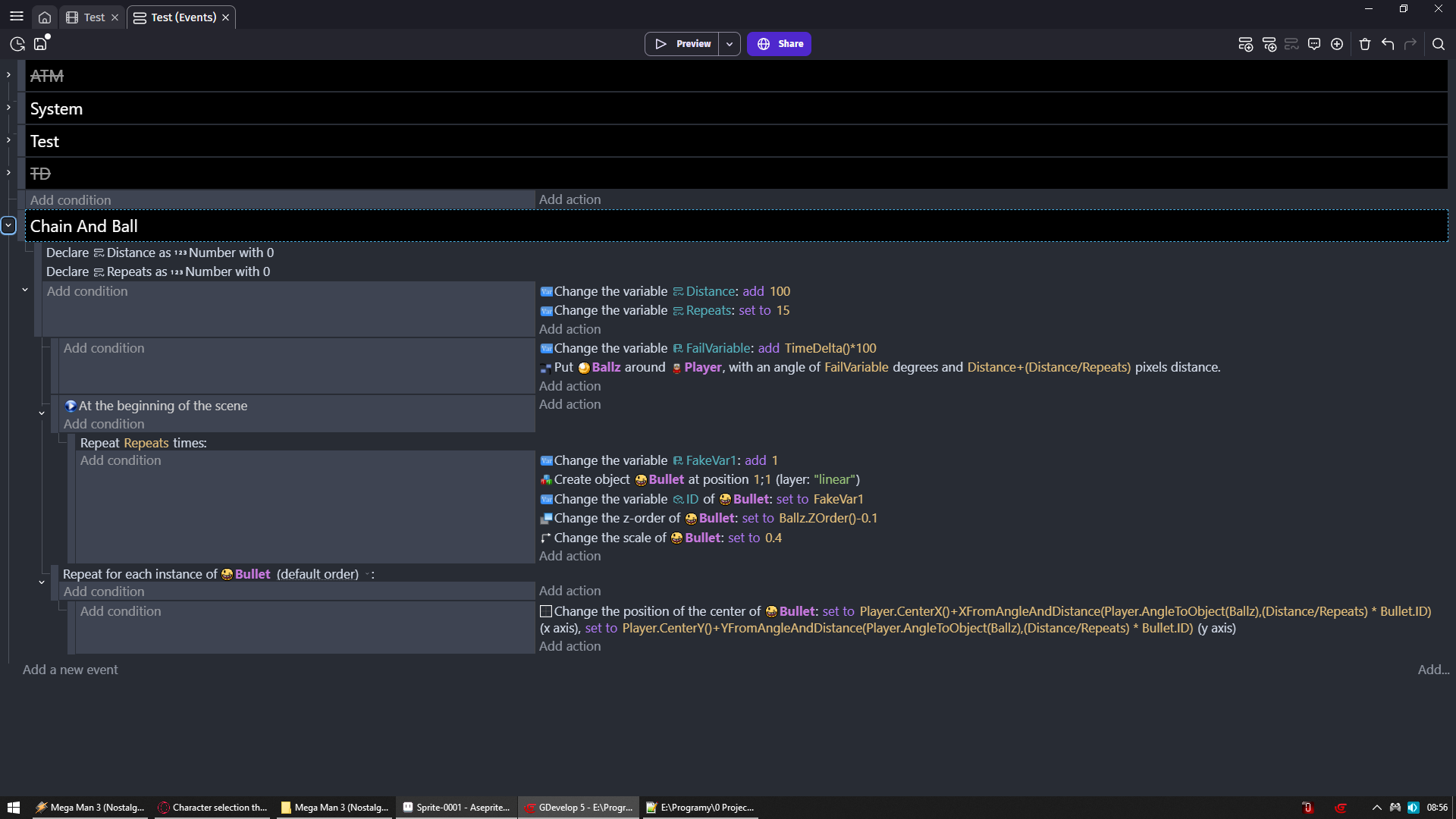
Sure, I see it. I understood it right away.
And I keep saying that not using custom objects is totally OK, because everything still works anyway.

And yes, it’s true that I should have noticed it earlier, or at least asked myself right away why the object wasn’t following exactly as expected.
But you already know how I think: if I read that the object “sticks,” then I have to believe that the object sticks.
I represent the end user, not the developer…(not to criticize i know things require times…but is it my fault?)

Also, I’ve seen the sticker popping out issues several times, so I even thought that maybe it’s something they’re working on.
(And I certainly don’t want to request a feature for something like that,this is just to make a point.)

There are alternatives, sure.
But how many of us are using it without being aware that, to be honest, it doesn’t stick completely?

Personally, I spend about half of my time on animations, the other half thinking, and whatever time is left becomes code (well let’s call it code).

So I can’t spend my time digging deeply into every extension to understand why it doesn’t do what it’s supposed to do. (or what it says)
I try…and as far as I’m concerned, sometimes I succeed…

…but that’s not really my job.

And now we are back to square 1
Your argument against sticker / events (cause you assumed issue is same to both of them due sticker being responsible for position lag issue)
Is to go with custom objects
Since that is not advantage of custom objects but issue of sticker
I am still waiting for selling arguments over why to use custom objects over events

I see value in custom objects
But still i don’t feel convinced that they give me that much more good stuff
Over how much good stuff i lose by ditching events

Nope… that’s a different matter. It’s not just that. I went with custom objects because I like being able to control my collision masks whenever I want (if I don’t want the mask at creation, I can just disable it). And I don’t want the event sheet filled with stuff I’ve already taken care of beforehand.

It’s like the picture of the screwdriver box above… it’s a matter of organization.