Hey
So the question is…
When 2 objects collide >>> create object at the specific point they collided at
How to check for that specific collision point the 2 objects collided at?
Waiting for any help on this…
Hey
So the question is…
When 2 objects collide >>> create object at the specific point they collided at
How to check for that specific collision point the 2 objects collided at?
Waiting for any help on this…
What do the objects look like. A simple object would be easier than more complex shapes.
@Keith_1357 Well for the collision mask it self it’s mostly a square, triangle …
So how do I do that?
I’m at work. I can’t really test much. I recalled this post. Not sure if it’ll help.
@Keith_1357 I did see it yeah but it’s still not very useful because I do have objects at an angle so this doesn’t work all the time … hopefully you can find another fix for this to make it work in all ways…
I was thinking also about raycast but still looking how to do it… Hopefully you can find something on your end.
What exactly do you want to do? What is getting created?
Raycast was my first thought too. It’s fine if you want an approximate collision point and the objects aren’t too bizarre in shape - so more a basic shape (like square, circle etc) rather than a more complex one (like the shape of a mushroom or a bull’s head with horns).
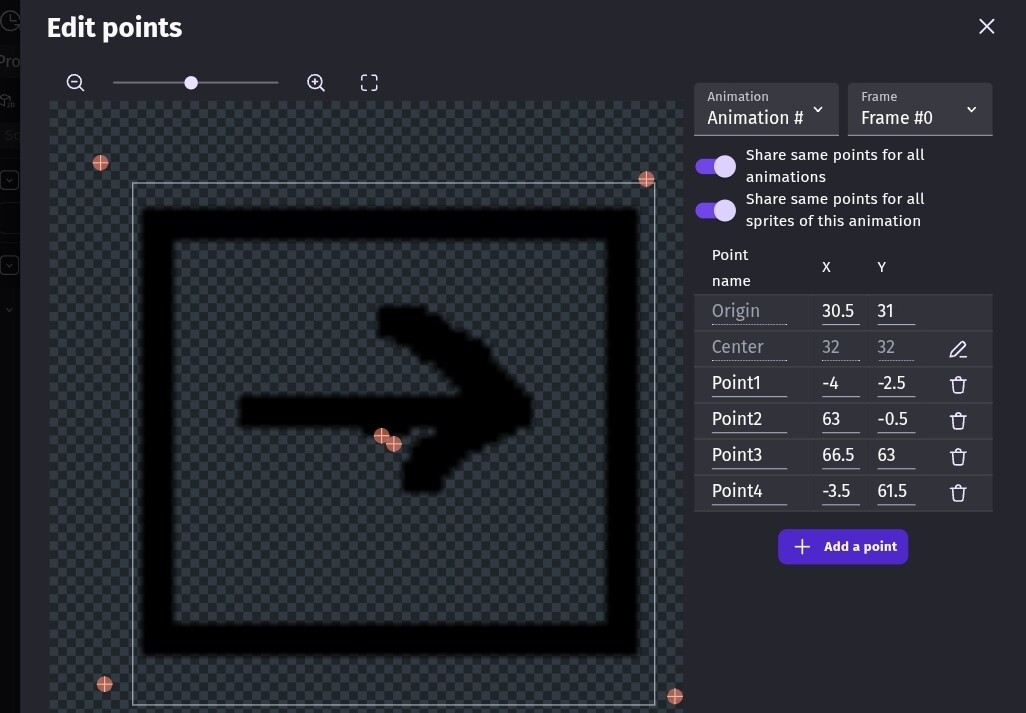
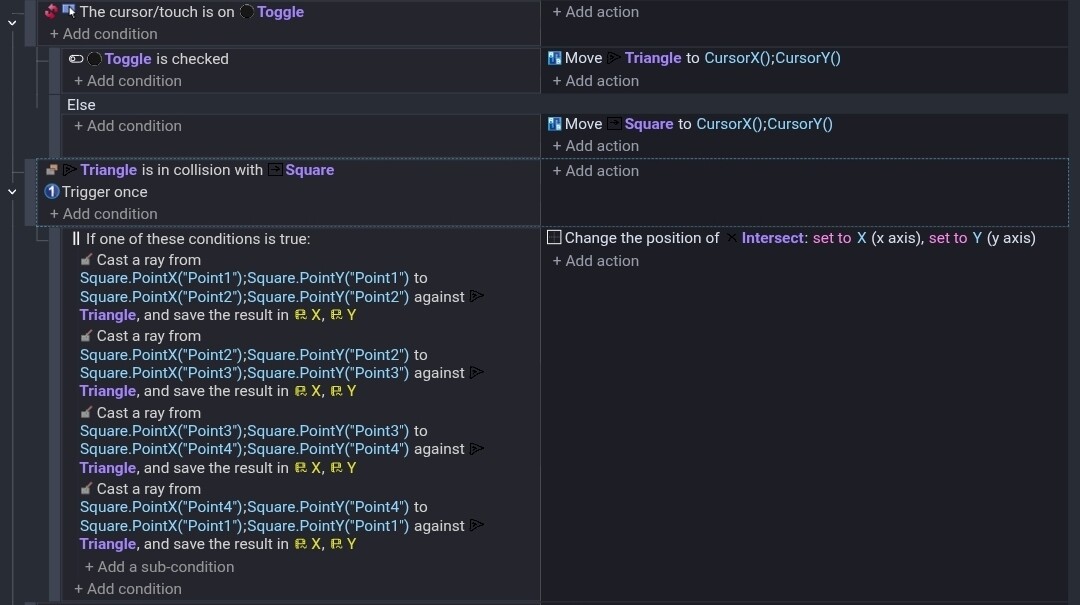
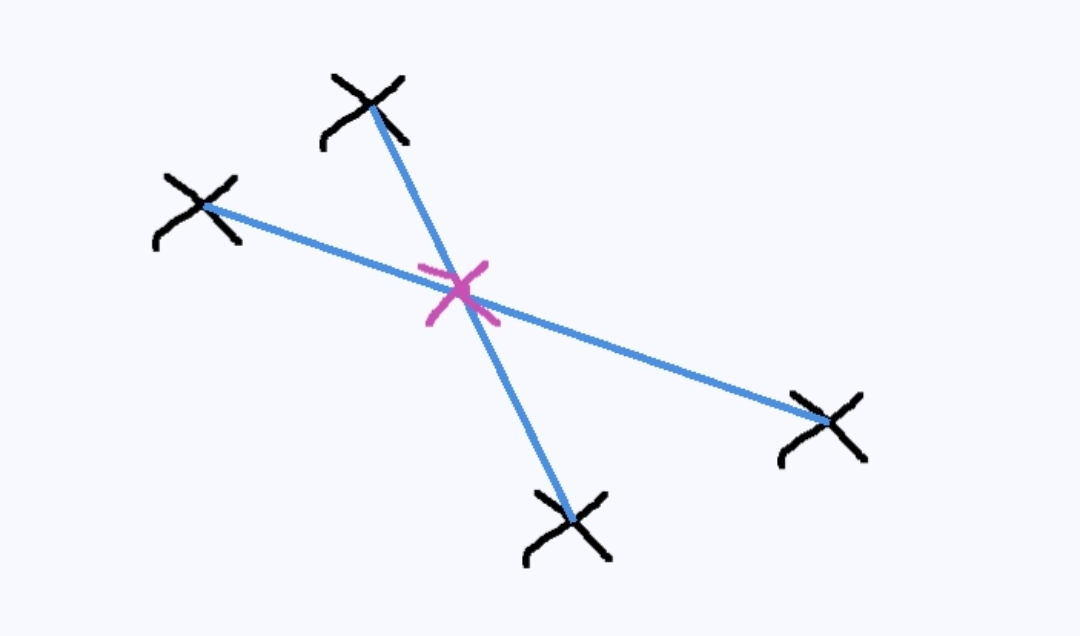
When you say raycast. How would you use it? I thought of adding points to a shape and casting a ray between each side. A bit like a trip wire. Then using the X and Y. It seems to work.
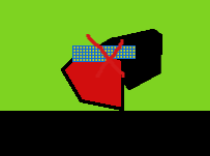
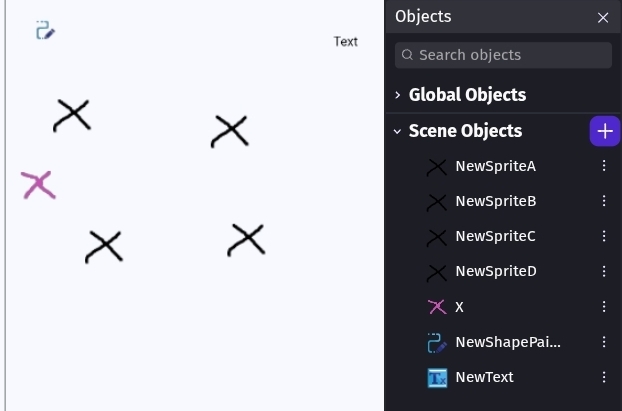
I used a square, triangle and an X to mark the intersect. I used the pathfinder to move the objects and a toggle to choose which one.
It was pretty close. My points could probably be closer to the object.
You might want to test from each object and take the average between them. IDK. It could also be a fallback. A double check.
@Keith_1357 Well your idea helped to get to what I need but not with raycasting >> it’s not 100% perfect but it’s enough for what I need currently not sure if in the future I would need something more precise but I don’t think I will…
Basically I used Points around the object >> Not like precise 100% but enough for what I need
And I just used when that point is in inside the other object then create something.
It worked and looking great…
But still I would be happy to find something that is very precise … it would definitely look even better, because points are not like 100% … you’re just getting an approximate collision point from that not 100% so yeah…
Haven’t tested your idea yet though so maybe it’s better than regular points but I think it’s mostly the same not sure.
I thought about point inside. I thought about distance between points on 1 object to the other object or the other object’s points. Maybe, test objects like points or segments. Each object wouldn’t need test objects. You could just add them when the collision happens.
There are pure math solutions but I didn’t look at them because I thought they might be too resource hungry and a bit of overkill. I’ll probably eventually try them.
Hi all!
Probably a somewhat trivial question!
Would it be possible for the GDevelop developers to provide the coordinates of the collision points between the 2 objects?
Some sort of return values that could be used next.
Currently the collision function only seems to return a boolean.
A+
Xierra
it would be great to see that - there’s an x and y from a raycast
@Keith_1357 Yes I’d love to see what can you come up with using math because I do feel it’s possible but we still haven’t figured it out.
Also @petlimpet I would love to see what you can do in this one as your ideas for previous questions were spot on and helped me a lot.
@Amigo54 I do agree with this, it should be in the engine this whole time, I will wait for a bit in case other ideas came up here and then I will create a feature request for this.
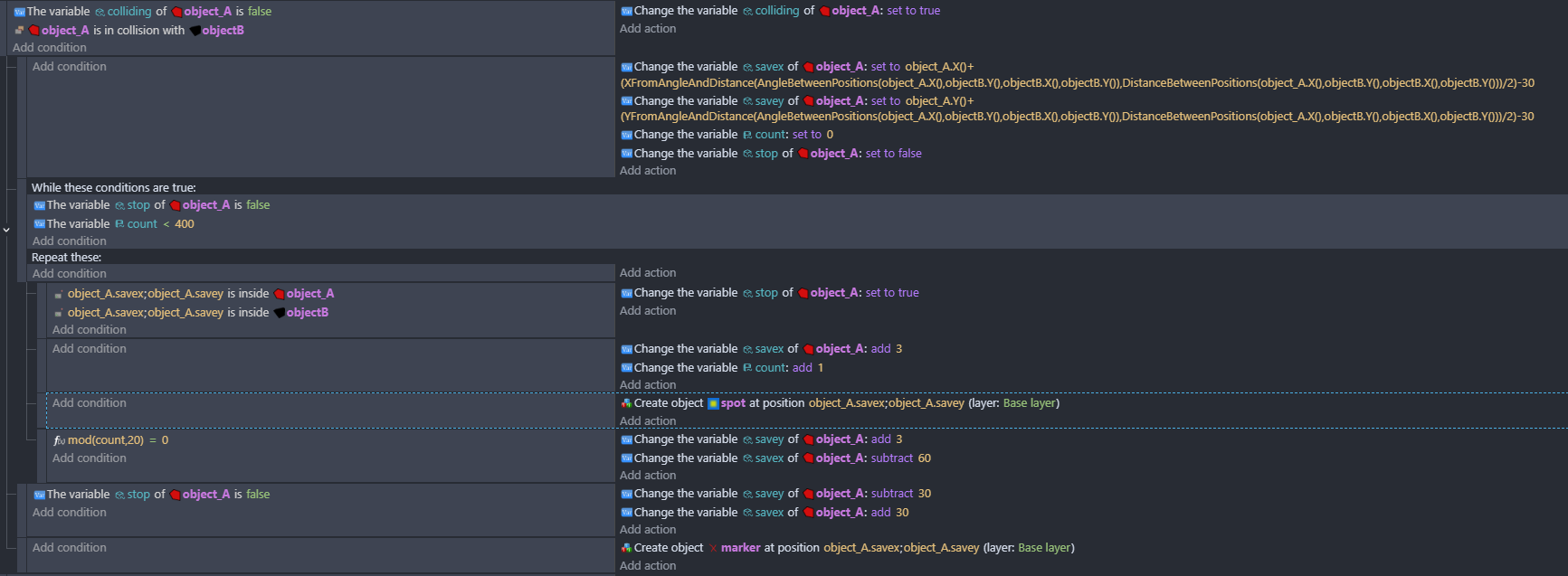
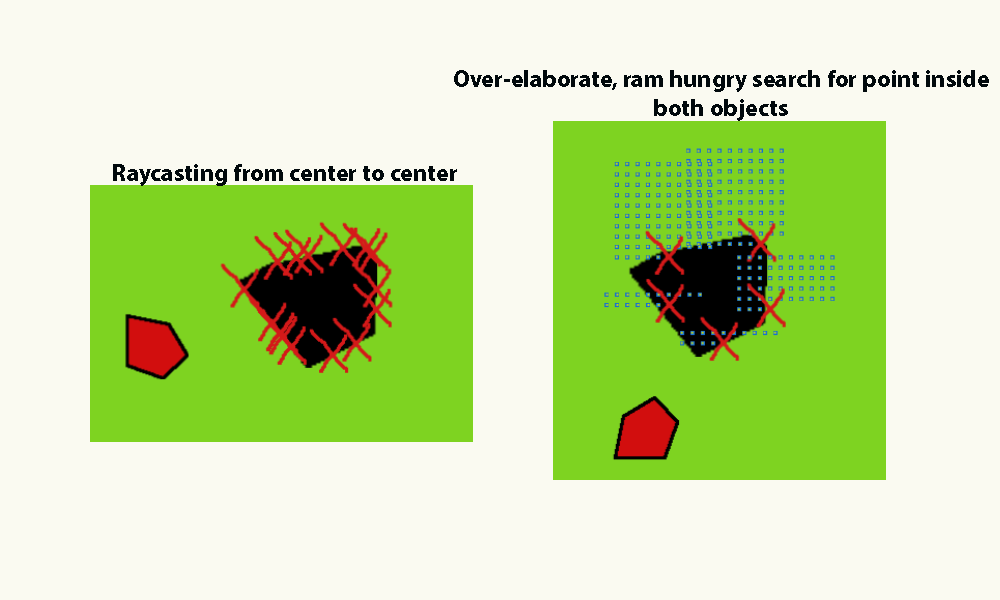
I tried this - keith was possibly suggesting this. test a grid of points between the two objects …im creating an object at the test point but you don’t need to
At the moment it doesn’t take their relative sizes into account …im just dividing the distance between them by two.
Having done a test this morning …a simple raycast from center to center gives better results than the overcomplicated method above!
But you have to try these things out! For example yesterday, in the kitchen i was spinning around on one heel (in socks of course!) while rotating my right arm anti-clockwise. This produced a noticeable increase in speed, as opposed to rotating clockwise and thus I attempted to increase speed continuously …an experiment that ultimately ended in failure, but hopefully this has improved my spatial awareness, dexterity and agility! slightly!
I guess I was imagining larger objects or at least ones that weren’t square. Your method looks great.
I decided to try the mathematical approach but it would only be practical if the object’s were larger, more complex or the intersect point needed to be exact. The main issue is that the further you go from center the less accurate it might be. It would also need to be done with Javascript so it could use the raw collision mask data.
I started my testing with just 2 line segments. I found a thread and created the gdevelop events from the Javascript.
https://stackoverflow.com/questions/563198/how-do-you-detect-where-two-line-segments-intersect
This works perfectly with 2 lines but it’s not practical for a complex polygon.
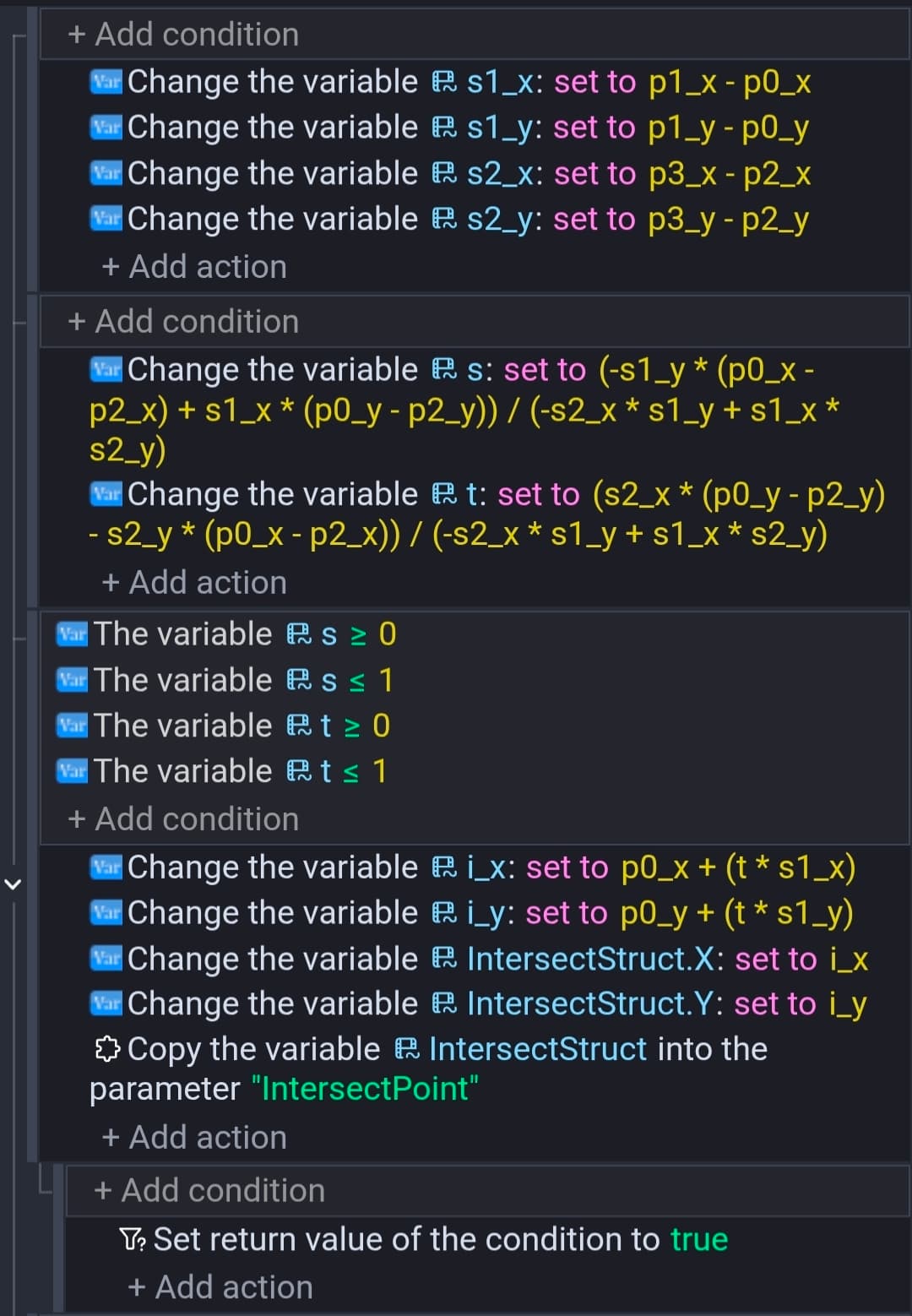
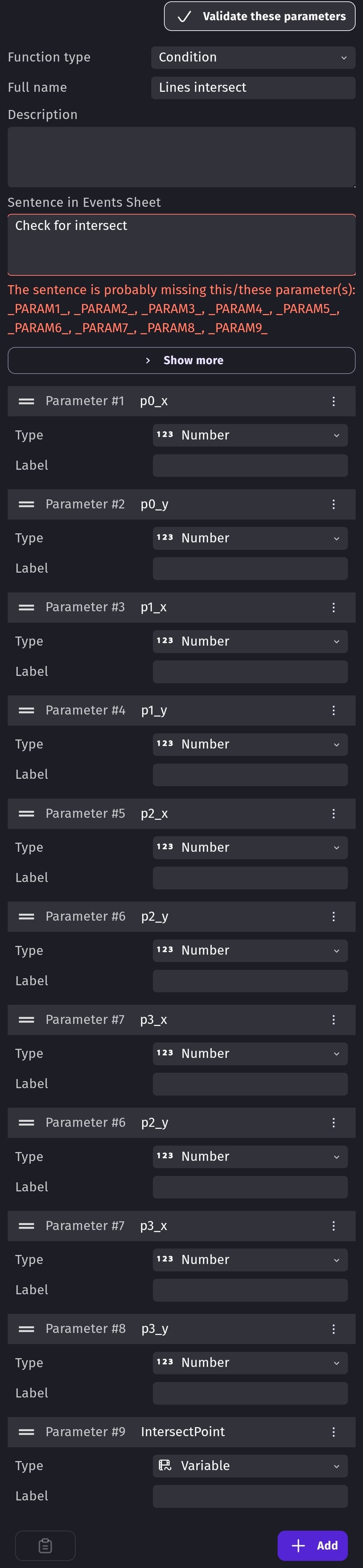
I create a function as a condition. The most annoying part was adding all of the parameters. It returns true if the lines intersect. It also updates a structure variable referenced as a parameter with the point.
The Javascript
// Source - https://stackoverflow.com/a/1968345

// Posted by Gavin, modified by community. See post 'Timeline' for change history
// Retrieved 2026-04-23, License - CC BY-SA 3.0

// Returns 1 if the lines intersect, otherwise 0. In addition, if the lines
// intersect the intersection point may be stored in the floats i_x and i_y.
char get_line_intersection(float p0_x, float p0_y, float p1_x, float p1_y,
    float p2_x, float p2_y, float p3_x, float p3_y, float *i_x, float *i_y)
{
    float s1_x, s1_y, s2_x, s2_y;
    s1_x = p1_x - p0_x;     s1_y = p1_y - p0_y;
    s2_x = p3_x - p2_x;     s2_y = p3_y - p2_y;

    float s, t;
    s = (-s1_y * (p0_x - p2_x) + s1_x * (p0_y - p2_y)) / (-s2_x * s1_y + s1_x * s2_y);
    t = ( s2_x * (p0_y - p2_y) - s2_y * (p0_x - p2_x)) / (-s2_x * s1_y + s1_x * s2_y);

    if (s >= 0 && s <= 1 && t >= 0 && t <= 1)
    {
        // Collision detected
        if (i_x != NULL)
            *i_x = p0_x + (t * s1_x);
        if (i_y != NULL)
            *i_y = p0_y + (t * s1_y);
        return 1;
    }

    return 0; // No collision
}
Objects and scene.
The text object was just for debugging.
My function.
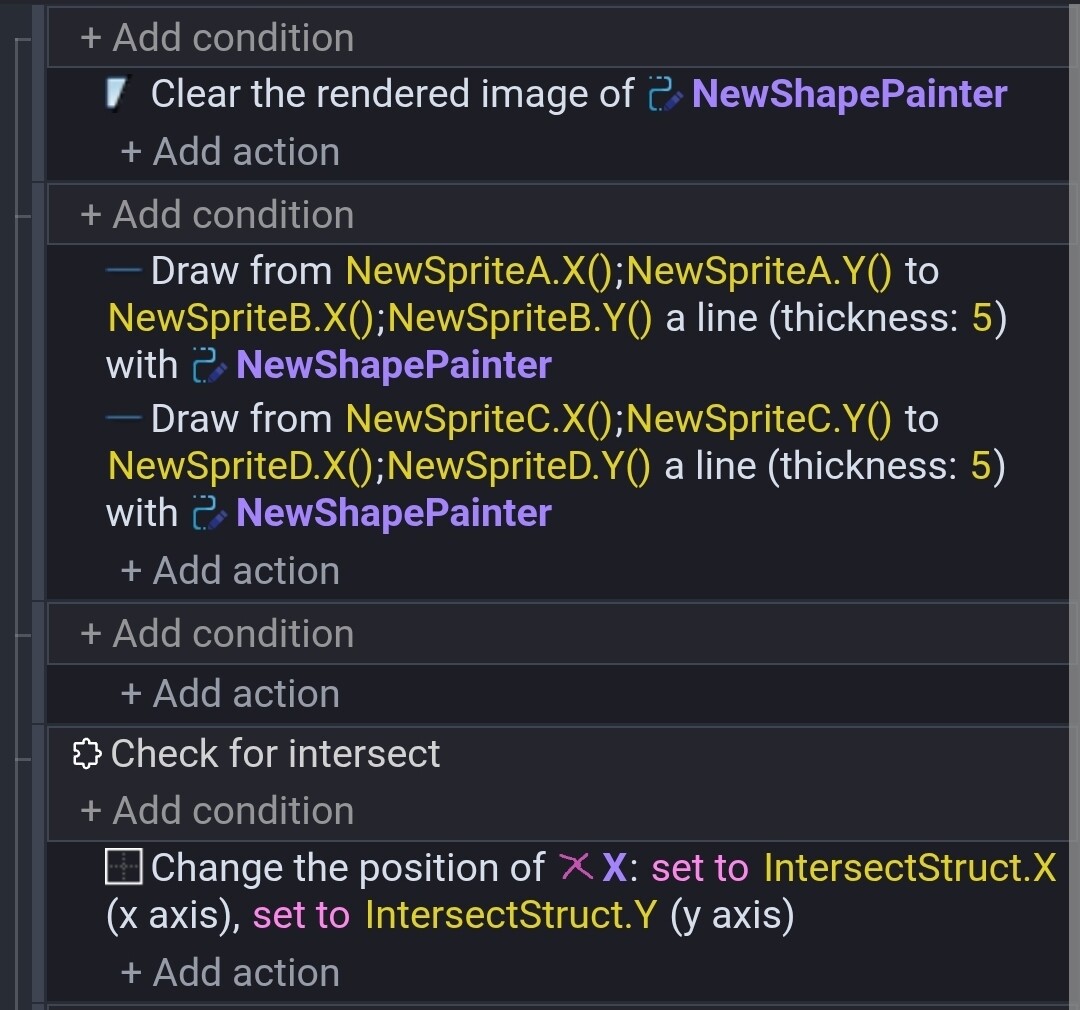
My scene events
That’s great - you really do put a lot of effort into these things Keith! That could be a useful extension …if you fancied submitting it. I had looked briefly at collision detection on stackoverflow, and they had the formulas for rectangle rectangle and rectangle circle - but I was swiftly befuddled by the thought of two random polygons!
What I did with a test area of points can be discounted …i wasn’t getting the accuracy that i was hoping for and some surprising results.
Keith i really liked your raycast from corner to corner approach but i wondered if you could perhaps run a quick check and refer to the points with a variable and check to find the two closest points to object B and do just one raycast.
What are you trying to do? What do the objects represent and what happens when they collide?
I really need to know more specifics. If object a is heading towards object b the the front faces are the likely intersect area. Unless, object b is also moving. Then, the front edge of object B would be the impact point. You might be able to cast a ray from the from of one or both objects. IDK. I’m just thinking outload.
I remember another suggested technique was to sweep the ray cast a hit like a radar. Or maybe sweep an object. Again. I’m just thinking outloud. I need more to go on. Otherwise, I’m just making assumptions and guesses.
I was trying to find a point inside both objects - i tried it again and its fine with more points but it wont be very performant. Raycasting is better.
I can’t find anthing that’s both fast and accurate. Although, since it only needs to be done when there’s a collision, I’m not sure if it’s too much of an issue.
I’ll keep playing around and post anything positive.