Hi
In the image below, you see a crooked item that is crooked.
But my problem is gdevelop consider the collision mask of it a very big square.
How can I resolve this problem?
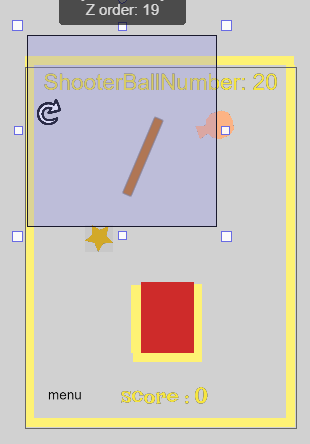
Thanks
Hi
In the image below, you see a crooked item that is crooked.
But my problem is gdevelop consider the collision mask of it a very big square.
How can I resolve this problem?
Thanks
there isn’t any image there
Thanks for your reminder.
Alright, so I’m fairly certain that this is because you had the texture’s size really big (while you didn’t put anything in the empty space) and so it set the size of the hitbox to the size of the actual object. I’m pretty sure you just have to resize the texture to what you want the object’s size to be, fill it completely, then rotate as needed.
Just edit the collision mask of the object to the perfect shape.
Edit Object > Edit Collision Mask > Do your editing > Ok
That would also work, but doing the texture thing in the first place can prevent having to edit the collision mask every time.
Yeah, that’s absolutely true. Nice catch!
Please also note that the selection box in the editor has nothing to do with a sprite objects collision mask.
It has to do with the boundary box of the current selected object, which is unrelated to collision masks and is based off the widest points and tallest points of the entire object.
You’d need to show your actual collision mask in the sprite object collision mask editor for folks to be able to give more guideance.
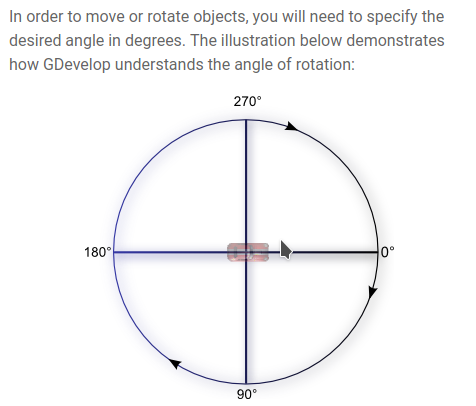
I can’t really understand angles and trigonometry circles!
See this:
Let me know your idea.
Which angel should I select?
Why don’t the balls go toward the obstacle?
The editor (from what i understand) does not use the hitbox as the, what I’ll call “Estimated mass of object box”. to click on the object it uses the collisions, that box is basically an estimated mass.
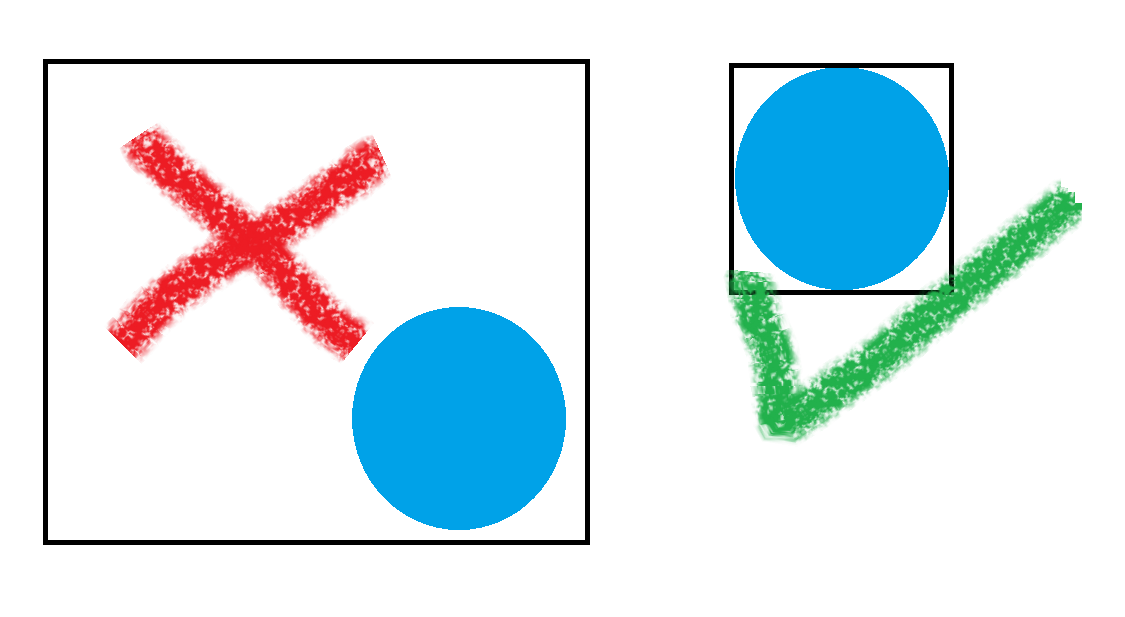
Check ball fits the image snugly. In the picture below, the image on the left has too much white space around the ball, while the image on the right is the best fit. The black line is the outline of the image:
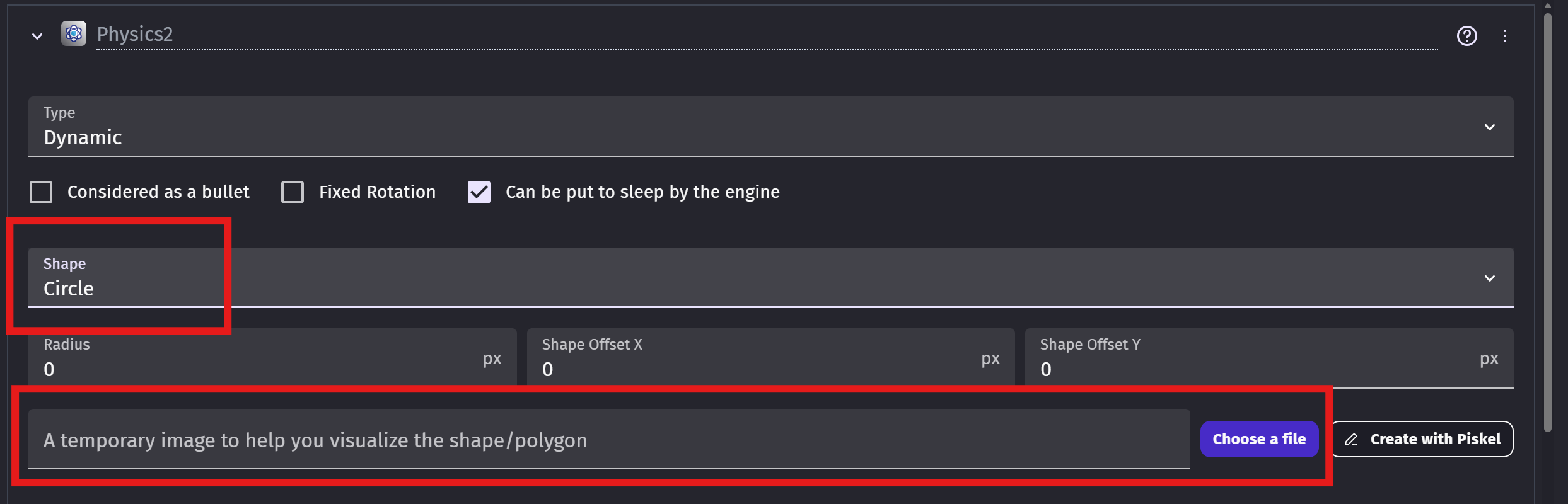
Make sure you set the shape in the physics2 behaviour to circle. You can also use the ball image in the temporary image area to help get the physics shape to the correct size:
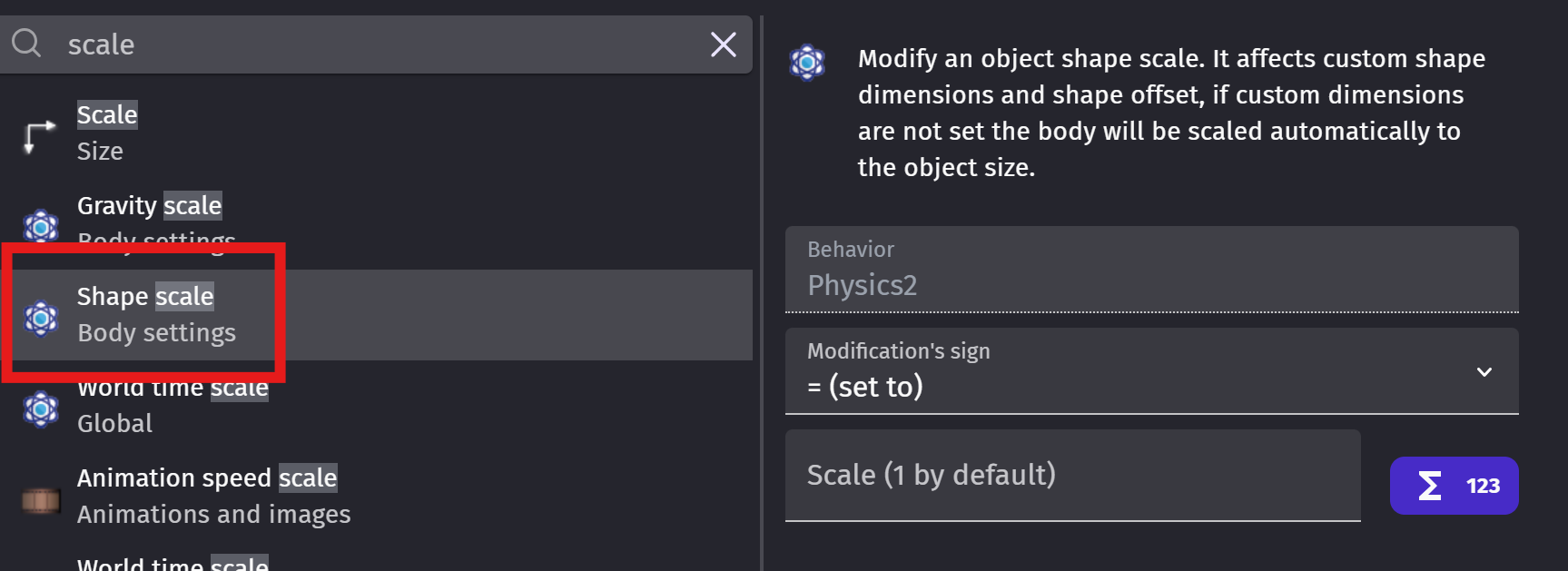
If you are resizing the ball object, you should also modify the scale of the physics behaviour using Shape Scale. Otherwise, there could be a discrepancy between the visual size and the physics size of the object, which can lead to the ball moving in weird ways especially if you are applying forces based on the image and not the physics part of the object:
Also, try applying the force at ball.Physics2::MassCenterX() and ball.Physics2::MassCenterY().