I’ve worked on the Asteroids example game and changed it somewhat.
What stumped me is, that quite often the collisions between the asteroids and the bullet (normal collision, not Physics2d) seem to stop working on some instances of the asteroids for several seconds. It’s not like this is a very fast moving bullet or a “near miss” where the collision masks could be a problem. The bullet goes right through.
After several seconds, shooting again, everything works as expected.
This only happens to SOME instances of the asteroids, but doesn’t mattter which size (there are 3, all in a group).
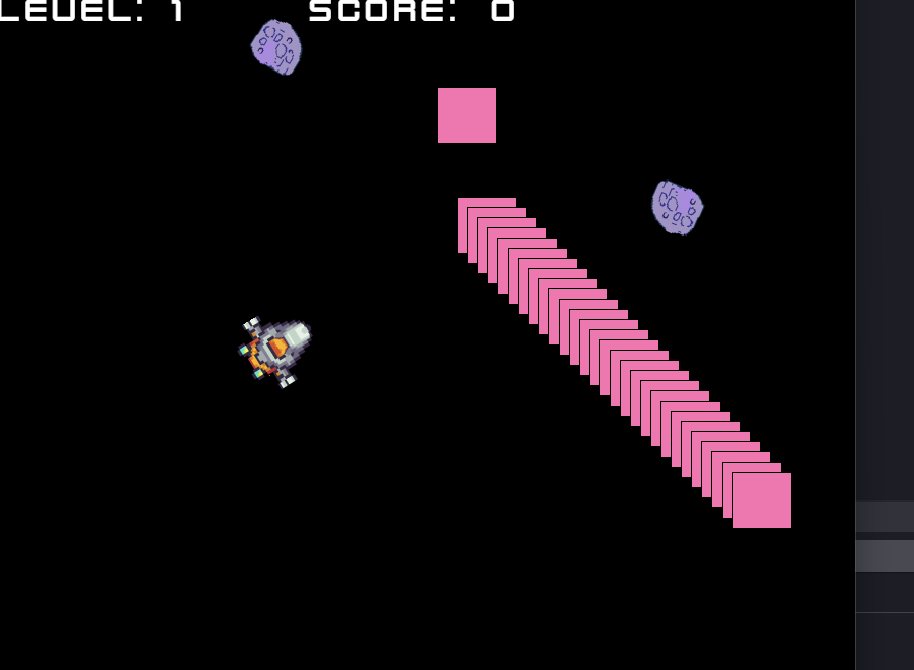
I added a “DEBUGBLOCK” sprite (and dropped a whole bunch of these in the scene) which is kind of a fresh “dummy asteroid” without the Physics2D behaviour, so even more simple and… same here… every now and then, collisions seem to bug out (at least regarding the impacting bullet).
The bullet has a collision mask which is big enough… I even remade the collision masks for the bullet and the asteroids, but to no better result
Is there anything known about this? Drives me nuts…
EDIT: Would like to attach a zipped project file, as suggested in the draft template, but didn’t found out how to do it for now…
Hey!
In order to attach a zipped project file, simply hit “Save as…” on the GDevelop desktop app, and save it as a file on your device. Locate that file, compress it, and drop it into he forum
Hopefully, someone will be able to take a look and help with your problem!
You mean Asteroids example ?
I took a look at its events and yea… its bad.
i suggest you learn from Space Asteroids example, it’s much better.
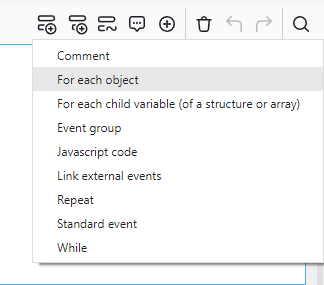
Anyway, the problem is, in Asteroids example, they are not using For each instance event for the bullets, not only that, but they are also using trigger once
here is how to fix it:
Simply create a For each instance of bullet event and put everything as sub event in it, and remove the trigger once condition.
Repeat this for every asteroid size (i fixed the big one only, there was 3 more i guess).
What was the problem:
When 2 bullets hit an asteroid in the same time, the bullet event must run twice, but since they added a trigger once, the event will run one time only, and without for each event, the bullets might skip few frames before the event run again, so we used For each event, and we removed the trigger once condition.
My “code” is somewhat different from the original Asteroids example, no “trigger once”.
And it’s not just “a few frames” where the collisions are missing out… imagine an asteroid (or one of my debug objects) standing still… MULTIPLE shots don’t register, for this very instance… another asteroid behind it… no problem.
Seconds later, the “inactive” object starts registering bullet collisions again.
This happened with the most basic collision setup I can think of, too…
bullet vs. debug object… see attached
(yeah, I turned bullet vs. DEBUGBLOCK around but doesn’t change anything and I don’t delete the bullet for the “debugblock-hits”.)
Do I need “for each instance”? Is there a documentation which states that?
Just now, I had only one of the pink boxes left (the other had “successful” collisions with the bullet), the last one failed to register a collision for round about 10 seconds, THEN started to register a collision again
First things first: Thanks for your time and efforts!
Link see below… it goes without saying that the whole stuff is still with many imperfections, but this isn’t the problem at the moment obviouslly.
I just had the same issue… one of the pink blocks was remaining, as long as I didn’t change the angle, it wouldn’t register… I could have shot for ages without result as it seemed. As soon as I moved closer and changed the angle, it worked again…
Saw the issue, you are creating the Debug objects on UI layer, while your bullet objects are on Base layer.
Thats why your collision mask is off.
1- In the layers panel, click on the Dot beside the Base layer, this will make any object you drag and drop into the scene will auto create on Base layer (it was on UI).
2- Select all of your current debug objects in the scene and on the left side in properties panel, change the layer to Base layer (it was on UI).
Goes in a different room… Noise of breaking things… yelling … *
… of course.
This is the very reason why some (okay… one of them) of the “real” asteroids ALWAYS worked (right layer), and some bugged out (UI layer).
I wondered why it worked before… of course, there was an iteration of the game where I deleted the asteroids and placed them again, this was the very moment I switched the layer G*DAMMIT… i mean… how unfortunate.
But it’s still weird that sometimes the collision masks seem to work regardless of the layer, and sometimes they don’t.
@fud1974
It’s not weird, it’s just behaving exactly as you built it, the debug object collision mask is off because the UI layer is also off from the base layer.
For example:
Put your debug objects back to UI layer, and the bullets are created on base layer, but this time in your events, remove these 3 camera actions:
Then try the game, you will notice that the bug is gone, and the collision is working fine, even though the debug object is on UI layer while the bullets are on Base layer.
It’s working because now UI layer is aligned exactly with Base layer, the camera actions were moving the camera on base layer, while the UI layer camera is still on the old offset (0), that’s why the collisions were off.
So this is why moving the player somewhat made them work again sometimes, re-aligning the collision mask/the camera of the layer with the base layer…
(more or less)