hi
how do i setup a chain like
first press button A
then press button B
and after that play a sound.
would be nice for a littlle clicking riddle
brgds and thx 
hi
how do i setup a chain like
first press button A
then press button B
and after that play a sound.
would be nice for a littlle clicking riddle
brgds and thx
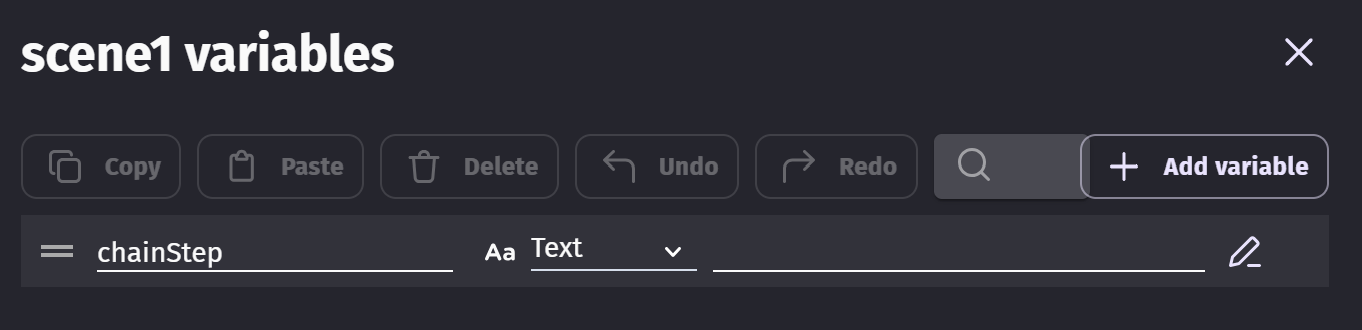
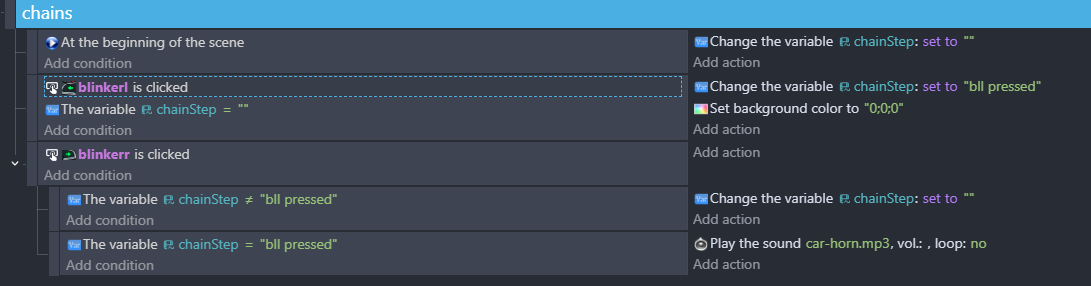
Use a string variable named chainStep, default it to an empty string (“”).
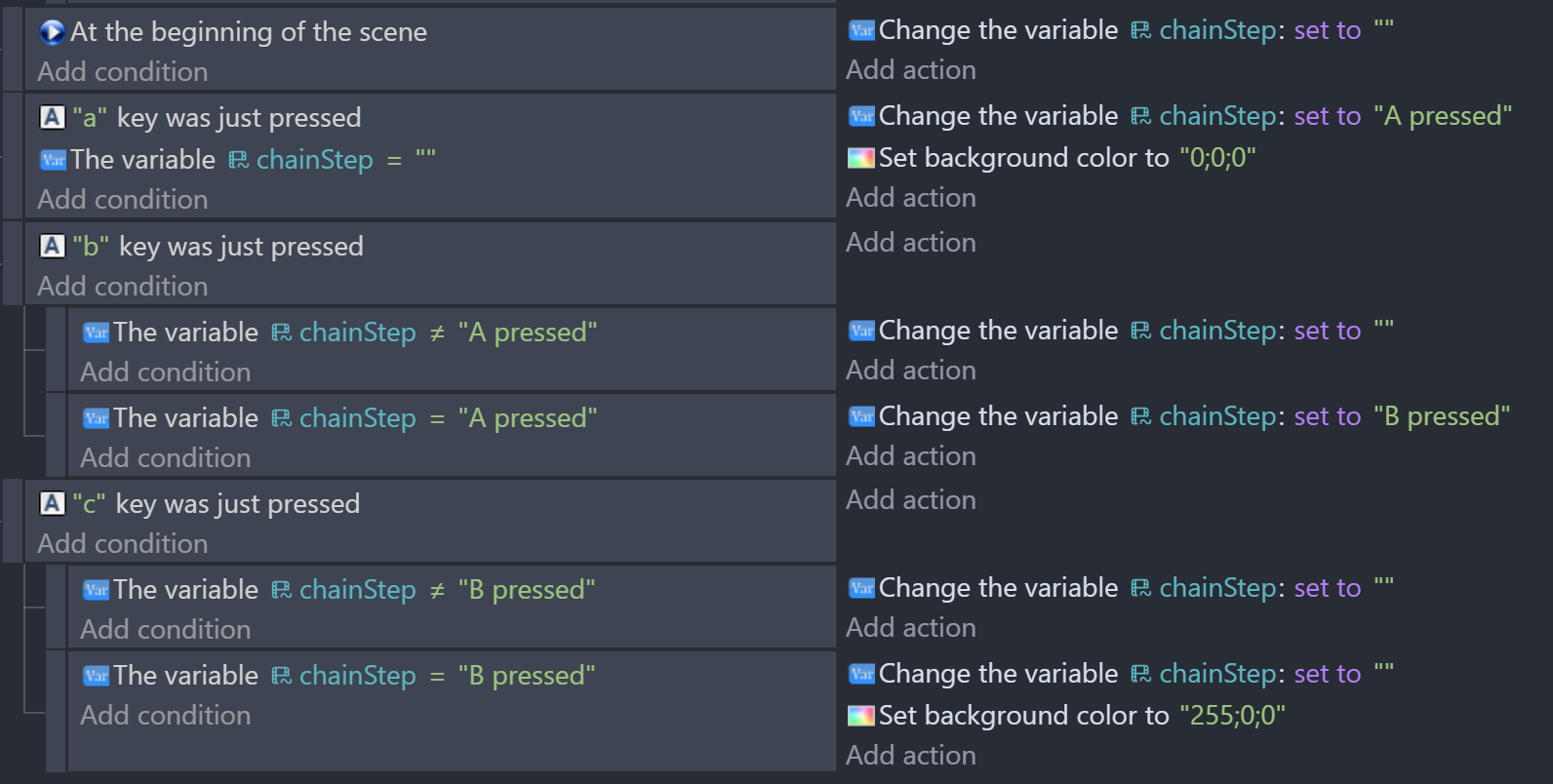
If button A is pressed and chainStep = “”, set it to “A Pressed”
If button B is pressed
→ subevent chainStep is not “A pressed”, then set chainStep to “”
→ subevent chainStep is “A Pressed”, set it to “B Pressed” (or play sound)
EDIT: MrMen’s answer is much better & simpler!
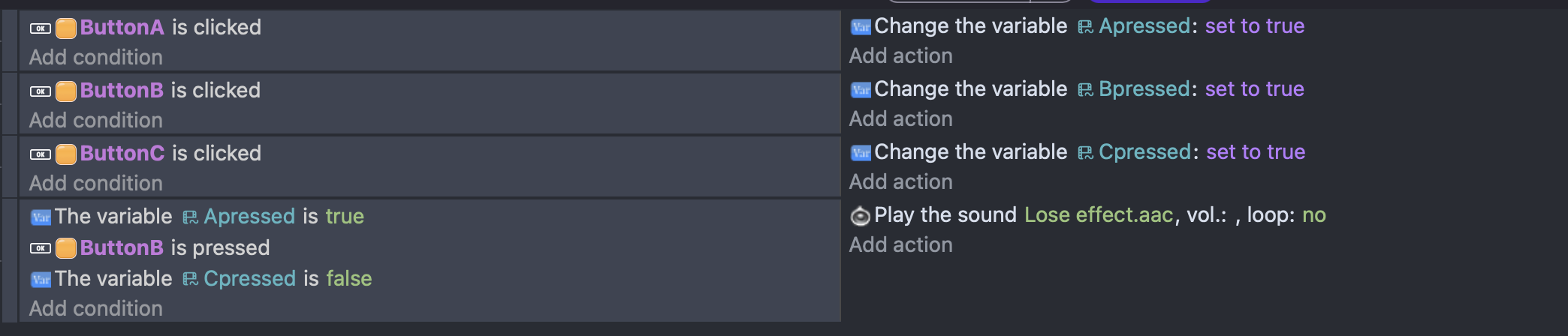
Hey @masterh1! This is super simple to do! All you need to do is make it so when you click A, it changes a variable from false to true. Then, when you click B, it checks if the variable is true, and if it is, then plays the sound!
@MrMen You always beat me by 1-2 minutes answering these 
lol you guys are great
thx for help
Snooze you lose 
Nah, just luck of the draw.
Yep. I also spend time getting photos which allows others to answer quicker 
Until we race again! – Snowy
Like Snoopy and the Red Baron…
this worked so far
i click A then B and the sound plays
but when i click A then C and then B it still plays
that was not intended. i want to setup a riddle
whre you have to click the buttons in an exact order.
couldnt figure out the other method. pictures help alot
Currently, the set up I gave you was “When you press A, Unlock B.” That’s why when you press A, then C, B is still unlocked. Here is what I think is the best way to fix this.
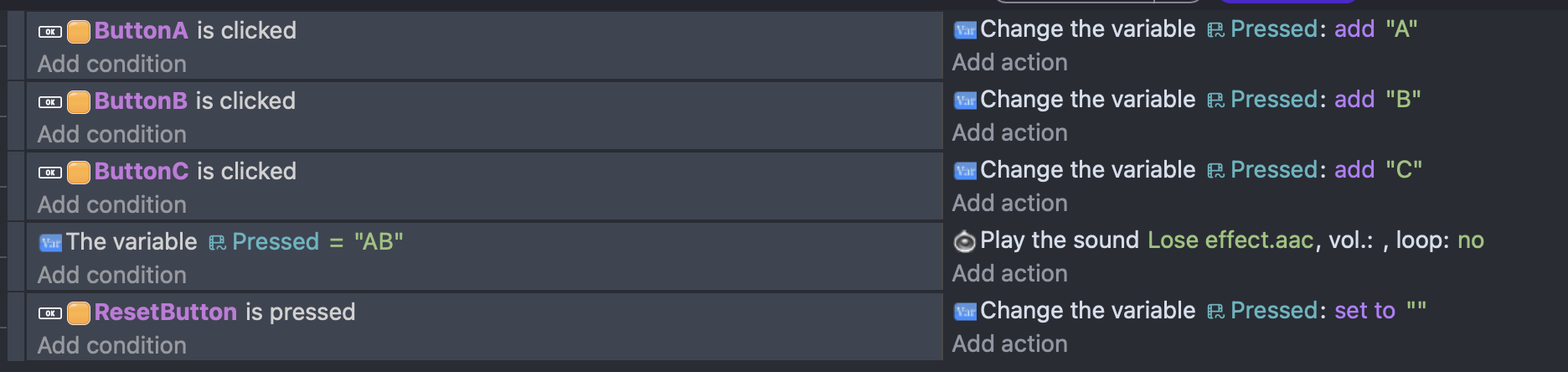
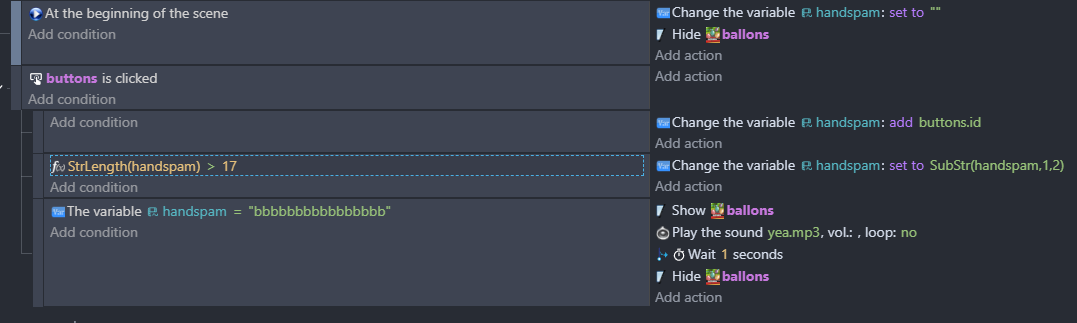
Since you have multiple buttons, (at least 3), the best way to do it is to assign each button a variable, and then check variables.
Hopefully this helped and thanks so much @MrMen for letting me borrow some of your knowledge
Edit: For context, Pressed is a Text Variable that starts with the Value of “” which is nothing, that when when buttons are pressed it adds that button’s value to the variable.
Variable definition:
Events:
[edit]
If you want to be able to have the button press in different sequences, then @SnowyRawrGamer’s second solution (of storing the keys in a string and a reset button) will be a better solution.
Hi all!
In classic programmation, i would use the concatenation of variable then i would sort up this variable (NB: here too with GD, you can use it)
So, regardless of value of the variable (CBA, ABC, etc. or even DBAC, BADC, etc.)
you should get ABC or ABCD.
After, it’s easy to test:
if variable = A then …
if variable = B then …
…
if variable = ABCD then …
The boolean variables are useful for binary decision.
A+
Xierra
i have sprites that act like a button
and i want to build a sequence on that.
i cant find a condition like blinkerl was just clicked 
i dont understand why you change the background colour
“Is clicked” is that action. I believe it is true once during the frame when the click and release happens for a button click.
Ah, that was an action I should have removed. It’s part of my testing and is a simple way to confirm an event is actioned.