How can I create variables using action events and not hardcoding it?
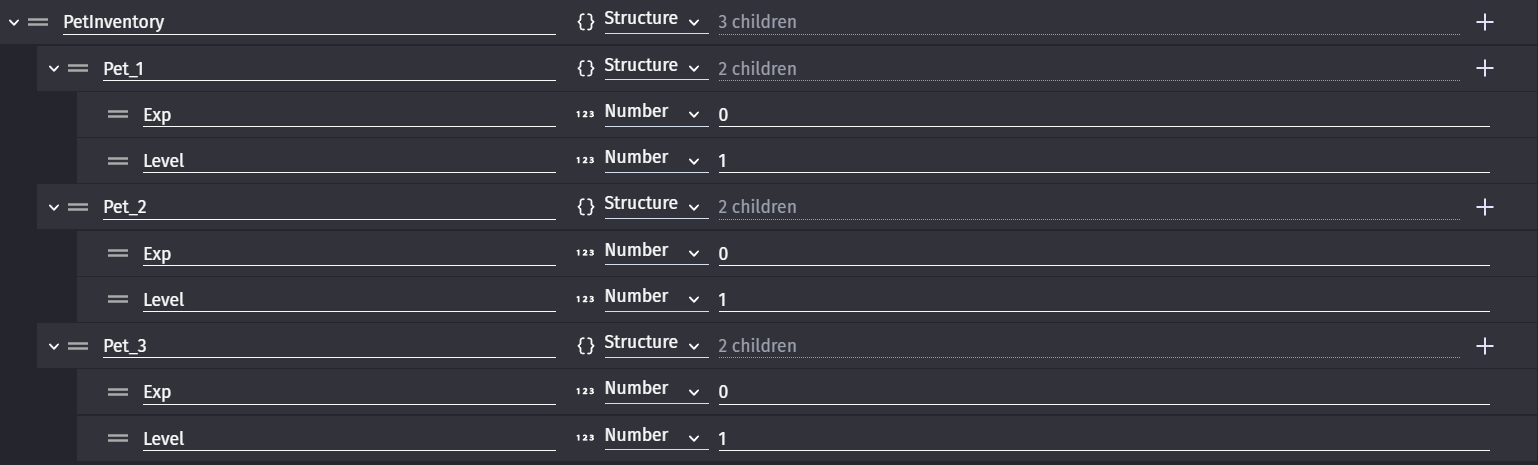
So the mechanics I want in my game is to have a local storage for pets. Kinda like a pet inventory. So everytime you win, you get a new random pet. So I need an inventory that stores the name, exp, and level. It needs to be dynamic since the more you win, the more pet you will get. So this would be infinite. What I’ve come up with is the structure and my idea is like this:
So I have a structure for the inventory itself and a structure under that for each pet. So I need to somehow create a structure and under the structure, I need to variables. Obviously this is hardcoded. So I need a dynamic way to do this using action events.
If anyone knows how to do this or if you have different approach on this functionality, let me know. Thanks in advance!
1 Like
Structures are created by setting their values.
So, say you had a structure variable named Pets.
Set variable Pets.Dog.Exp = 90
Set variable Pets.Dog.Level = 5
If you wanted to do it dynamically then you can use a string in brackets. It could be anything that returns a string like a variable or a mix of text in quotes + a variable or any expression that returns a string or can be converted to a string.
Set Pets[“Dog”].Exp = 7
Pets[VariableName].Exp = 7
Pets[“Pet” + ToString(numberVariable)].Exp = 7
You could add another child like Name to the structure and use slots or presets.
Pets.Slot1.Name = “Dog”
Pets.Slot1.Exp = 7[quote=“Keith_1357, post:2, topic:73067, full:true”]
Structures are created by setting their values.
So, say you had a structure variable named Pets.
Set variable Pets.Dog.Exp = 90
Set variable Pets.Dog.Level = 5
If you wanted to do it dynamically then you can use a string in brackets. It could be anything that returns a string like a variable or a mix of text in quotes + a variable or any expression that returns a string or can be converted to a string.
Set Pets[“Dog”].Exp = 7
Pets[VariableName].Exp = 7
Pets[“Pet” + ToString(numberVariable)].Exp = 7
You could add another child like Name to the structure and use slots or presets. The slot number could be dynamic using the same methods as mentioned earlier.
Pets.Slot1.Name = “Dog”
Pets.Slot1.Exp = 7
Pets[“Slot” + ToString(Number)].Name = “Dog”
1 Like
Keith’s information is spot on.
It is worth explicitly mentioning that you cannot create new top level variables (as in, not children of other structures or arrays) via events. They must be predefined.
But any child variable, including a new child structure or array, can be created by calling it as Keith mentioned above.