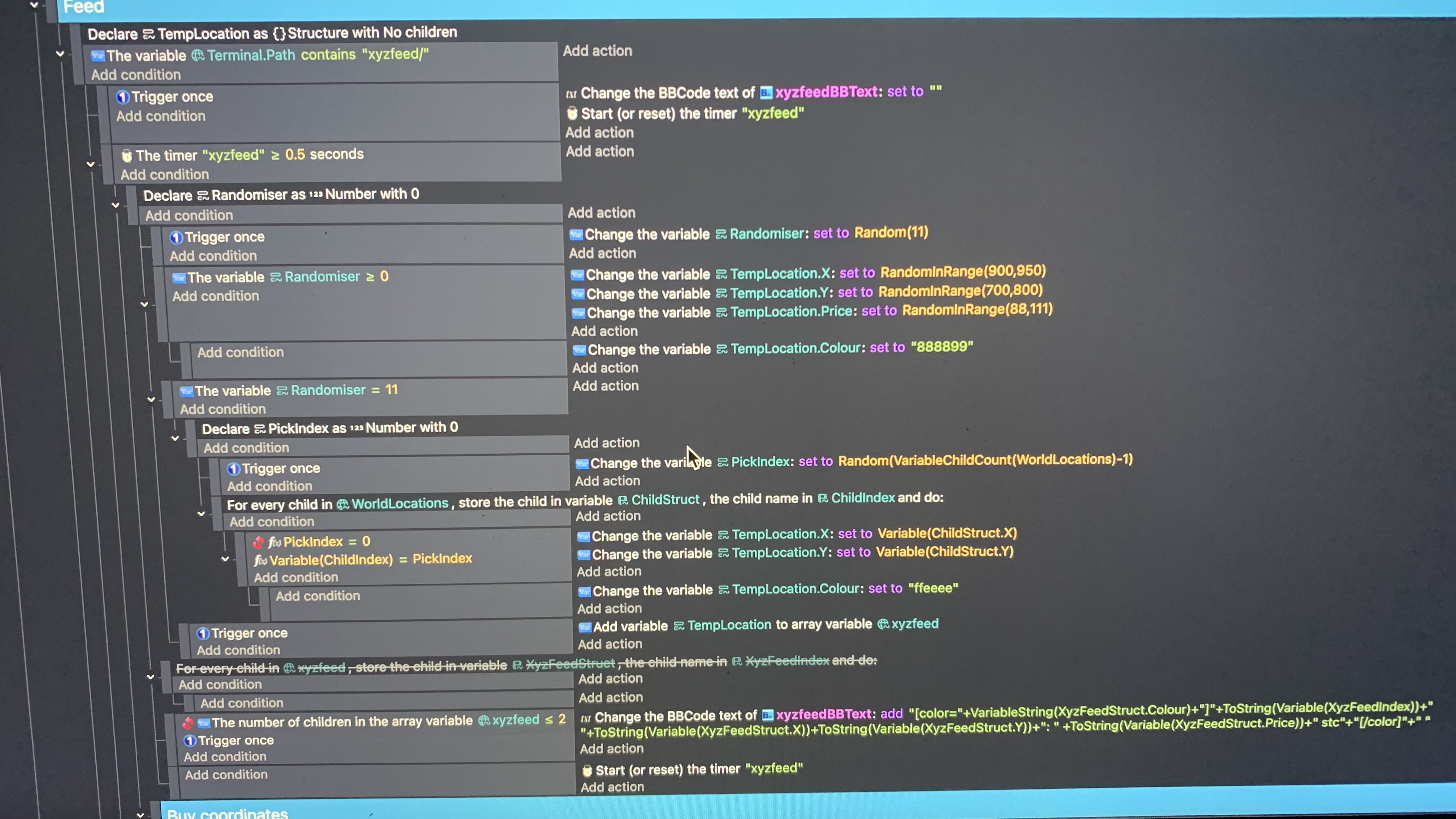
What the screenshot does (or almost does) is storing text and/or number variables in a local structure-variable, sends that structure to a global array index (WorldLocations), through ChildStruct it creates a pin on the coordinates of the canvas and changes the animation by name of that pin from the .Type of that location.
The screenshot is of what i want to work. And it would, but ChildStruct is quite stubborn to be a number-variable i think. This does work when i change the TempLocation.Type to a number variable and number and change animations with numbers instead of by name. In this example it would not be a problem really, as we can change the animation with numbers. But the database is mostly descriptive, so it wont work for me long term.
Is there a way to change the variable’s type with actions somehow? I have a bb-monitor on it and it always says ”0”, so its a number.
Or any other suggestions?
You don’t need to use the Variable and VariableString expression anymore. Variable() is for number and VariableString() is for strings. Using Variable() for Type fails because it’s expecting a number not a string. So, it returns zero which ToString() converts to a string.
With the current variable system, you only need to use the variable’s name.
This will be nitpicking cause in the end i agree with what you wrote
BUUUUUUUUT
I was always assuming ToString() checks for something that is not text
So for example number
And since it cannot find number there it returns 0 since that is default value for everything
Like variable is SOME value it can be either text or a number or boolean
BUT its like sandwich
You can either add to it nutella
Or you can add to it ketchup
But not both (i bet there are ppl who add both)
So if you added ketchup and you want to check how much nutella it have in it then it will return 0
Same with variables
You made it text so it holds no number so it stayed at default number value 0
And vice versa if you ToNumber() a number then it will read default text value which is “0” not 0 but “0” which is 0 as text
Alternatively
My other assumption was
Imagine you have array called MyArray
It have no child variables
And now you gonna use text object and print to it MyArray[3]
So its 4 child which does not exist
And it gets automatically created with default value which is surprise surprise 0
Again totally nitpick here
But i would not say it fails but actually do exactly what should happen based on examples i provided above
Agreed, it doesn’t fail. It works as intended by the creators of GD. It returns zero to prevent a crash bc a number variable can’t hold a string. It fails in the sense that the outcome is not what was wanted.
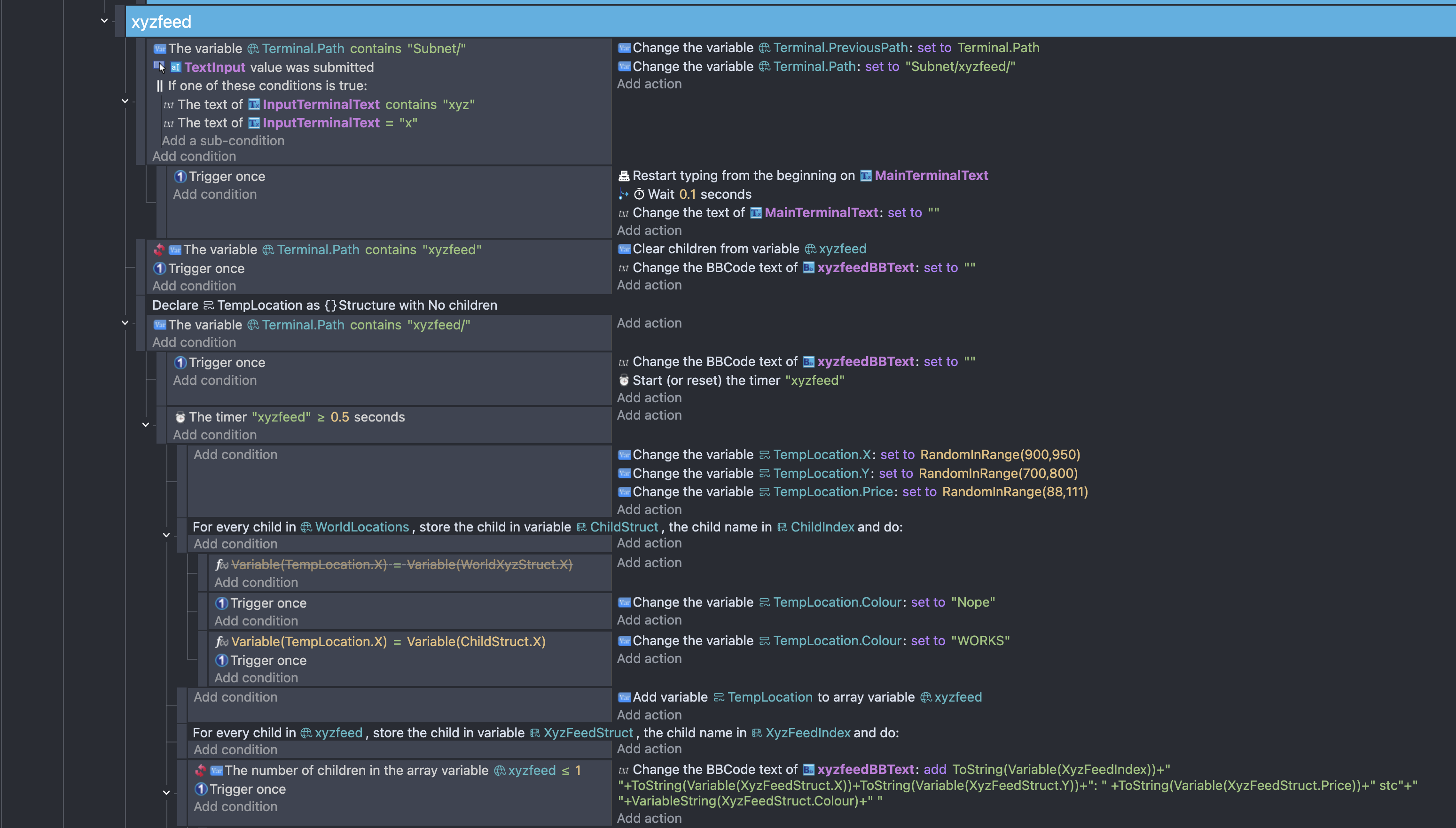
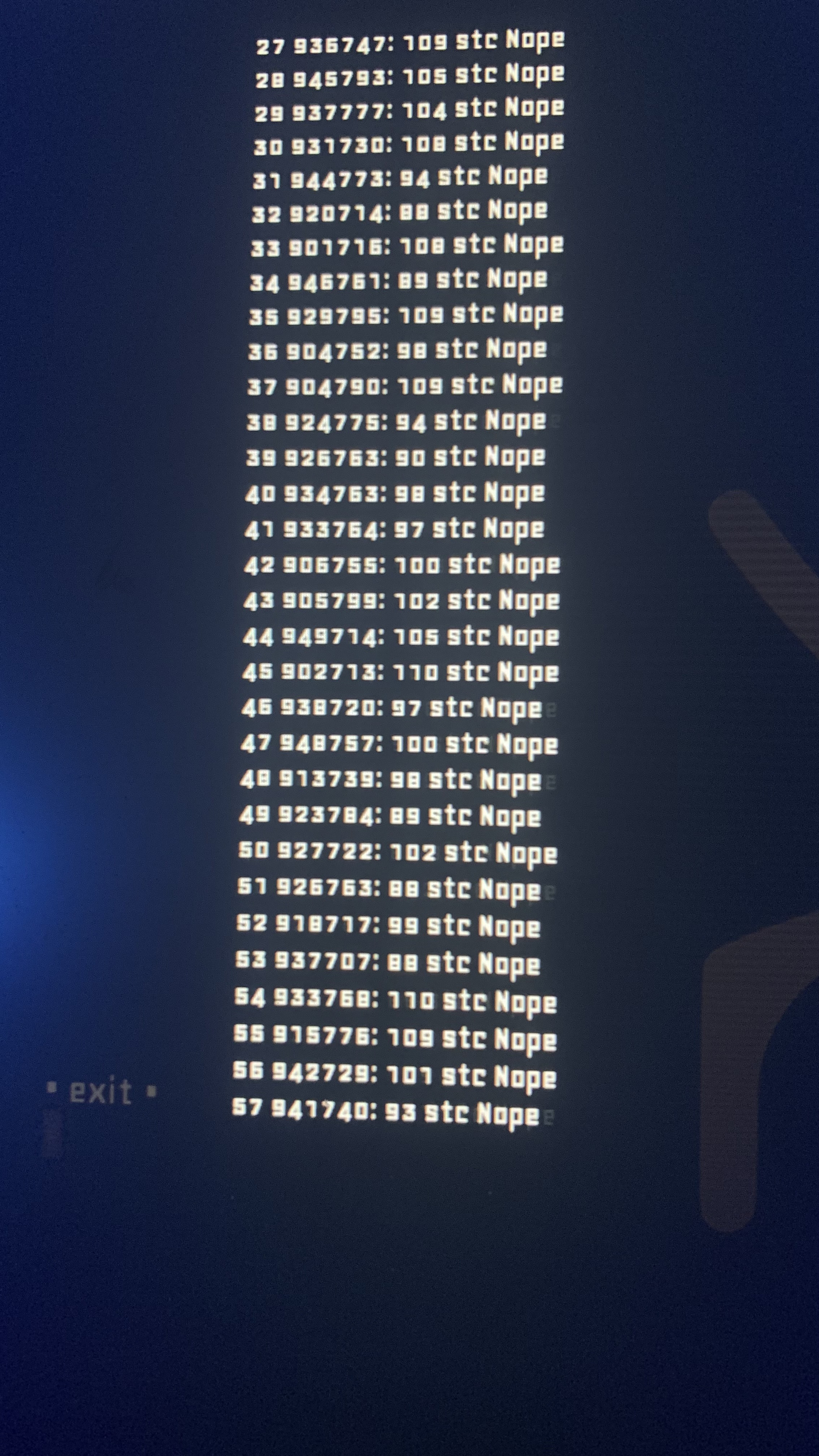
Im comparing, or trying to compare, the variable X in this TempLocation and the X of WorldLocations. And if they match they add a different text string (from TempLocation.Colour) to the bbtext object than if they dont:
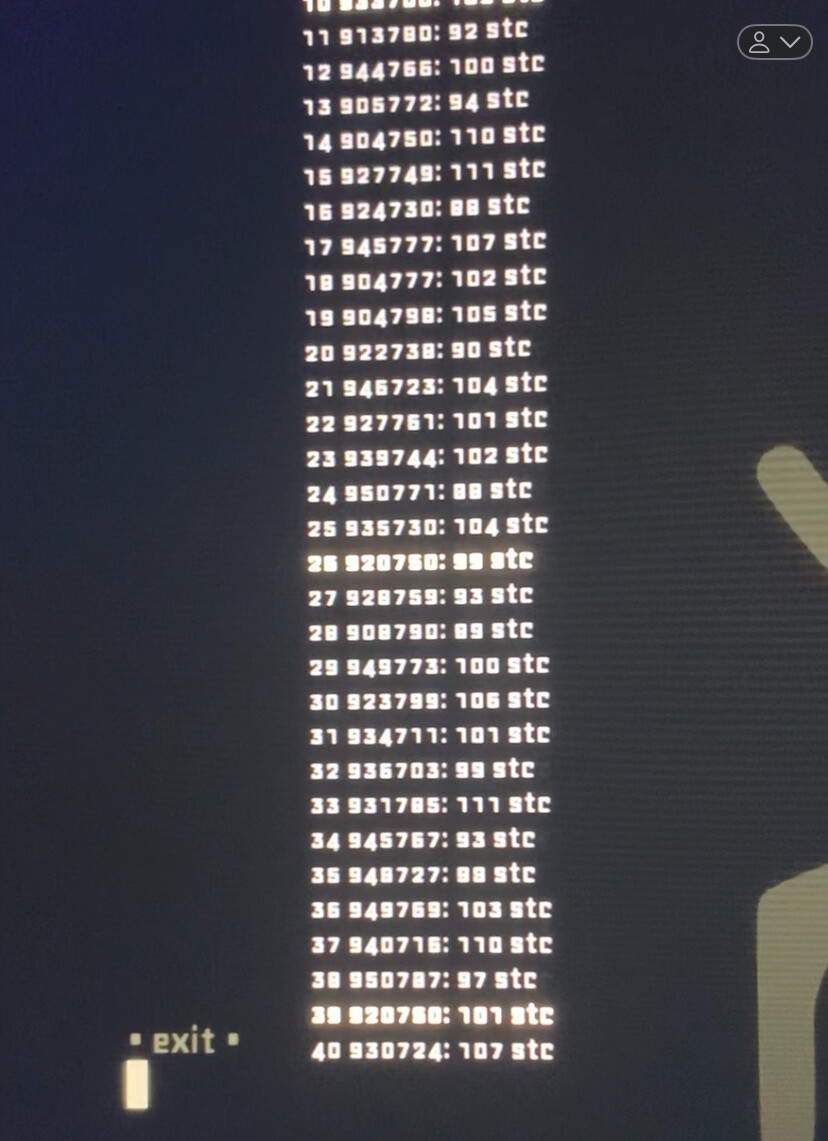
In WorldLocations i have 3 different structures in an array with the X variable. The X’ are 933, 920 and 917. As seen in this other pic there’s a 933 but it does not change the text:
I don’t know what’s in the worldLocation. Are there enough locations for the random numbers to make frequent matches? Is it possible to just pick a random item from worldLocation or does that array contain more data or a larger area?
Is the last event supposed to be a subevent of the previous event bc the for each child of xyzfeed doesn’t have any events? As is it’s just using the last index’s structure values.
The last event is inverted, so it’s checking if the array has more than 1 index. Is that correct?
The first number on the line is the index number, 27-57 on the screen.
The last event that is inverted just makes the list start from index 1 instead of from 0.
The last loop is just declaring where the info is, so that the text that is added knows where to find the X in WorldLocations. If its in that loop it displays more than one line as its from the WorldLocations every index plus the timer. This way it only uses the timer for display.
There are 3 structures in WorldLocations and they have the variable X, as in an X-coordinate. These 3 X’ have the numbers 933, 920 and 917. The randomiser is in the range of 900-950. On the screenshot there are several matches; one match with 920 and two with 933.
The WorldLocations is what im building on the first post where i just put ToString(variable(ChildStruct.Type) instead of VariableString(ChildStruct.Type).
It could be that it’s just difficult to randomly choose 3 numbers. Especially if you’re only displaying the last index of the array. Then not only does it need to pick a matchjng number bit it needs to be the last random number. Maybe try showing the entire array or check the debugger.
I’m not sure if that trigger once is preventing the colour variable to be set to to Nope just once. Trigger once doesn’t always behave as expected inside loops.
I just tested it and using trigger once inside a for each child did nothing. I think it’s because either the condition that it monitors changes or that trigger once prevents thimgs from occurring in the next frames but a loop all happens in the same frame. It’s best to avoid trigger once in loops and use a boolean variable when needed.
If the trigger once does nothing then the variable is set back to Nope each time so it would only show as Works if the very last index set it to Works.
Try setting the variable to Nope before the for each child
Im not ignoring your reply, im thankful for your efforts. I’ve been wrestling with it and no solution yet. Hoped i would come back with something positive, but now i need a break.
Instead of using for each child, you could use the random number on the list.
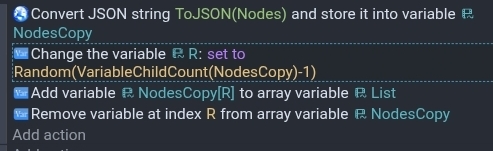
This uses an array named nodes as the source and list as the destination. The last line deletes the index from the source array to prevent duplicates. It’s up to you if you want the last line.
If you still needed the list or in my example Nodes then you could create a copy of the array using Json and then use the copy of the array.
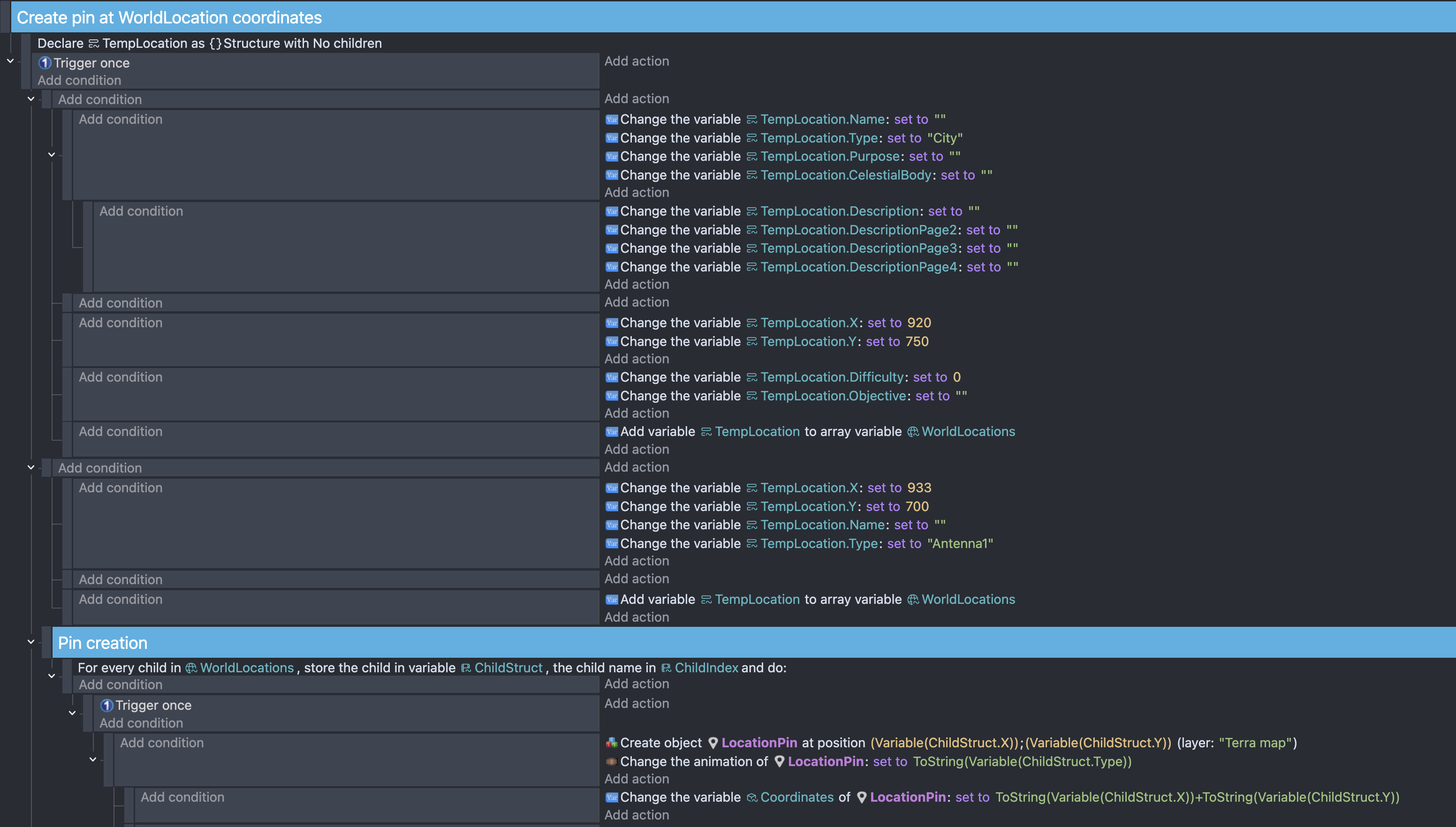
 And it would, but ChildStruct is quite stubborn to be a number-variable i think. This does work when i change the TempLocation.Type to a number variable and number and change animations with numbers instead of by name. In this example it would not be a problem really, as we can change the animation with numbers. But the database is mostly descriptive, so it wont work for me long term.
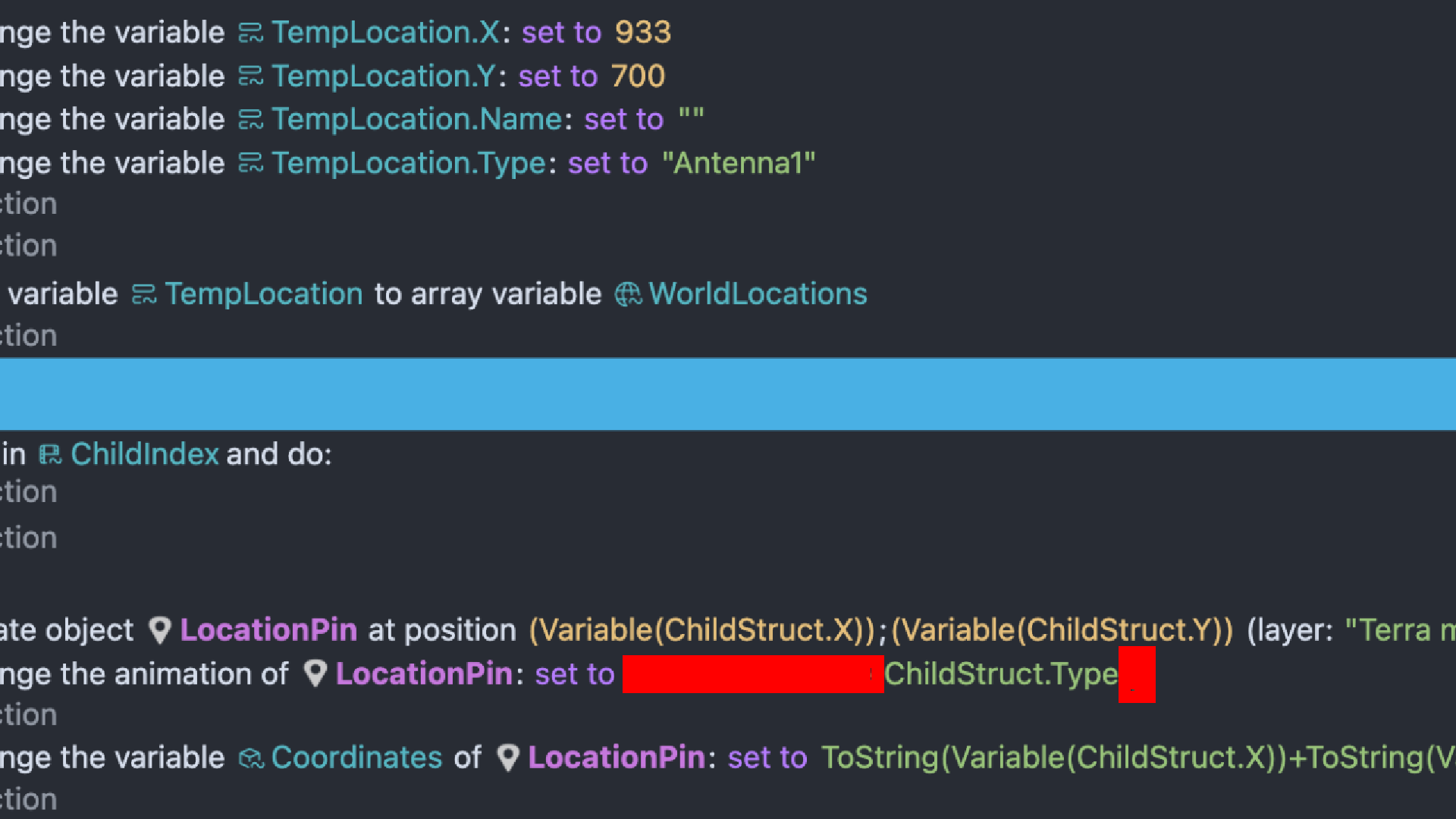
 I guess i should try learning about variables from more recent versions of gdevelop.