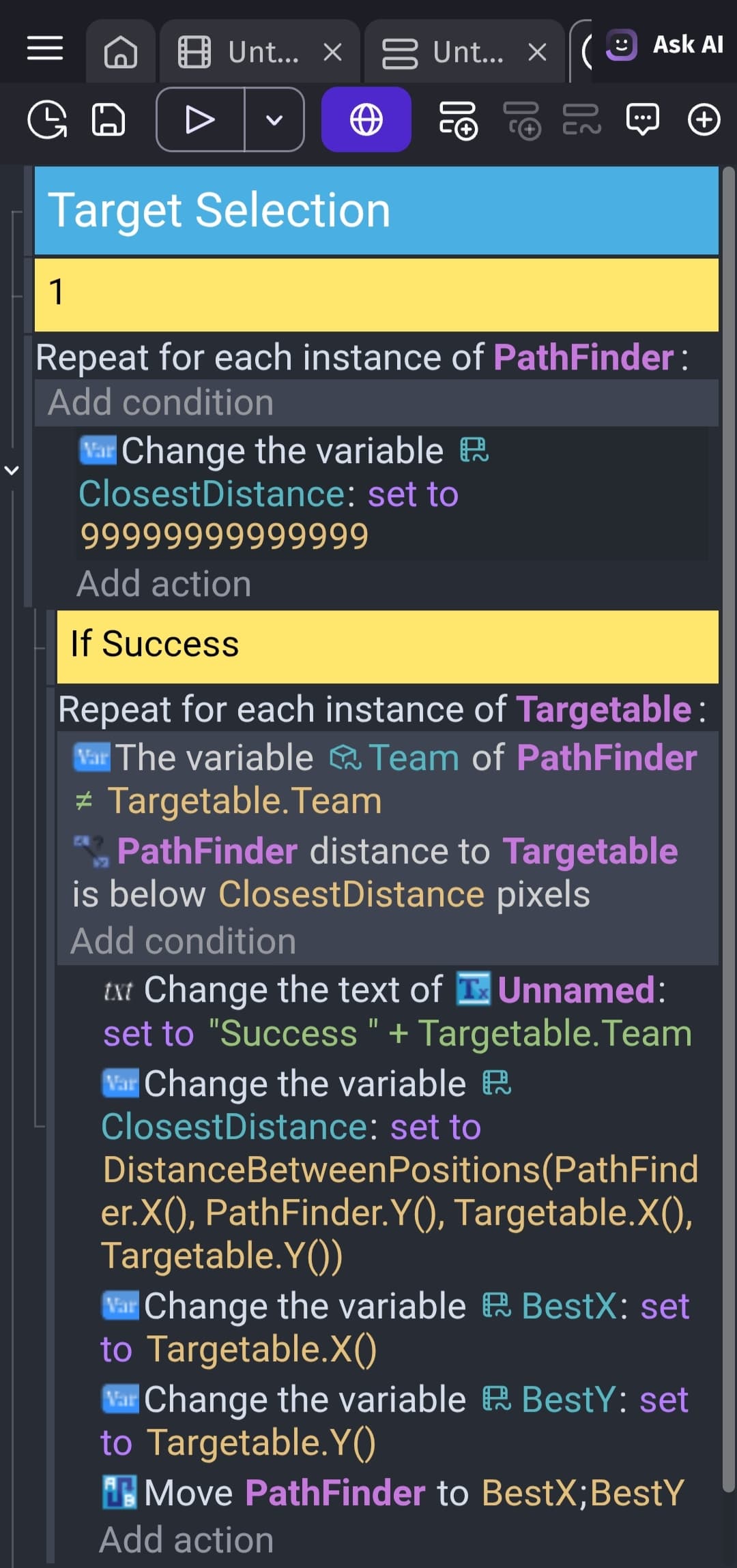
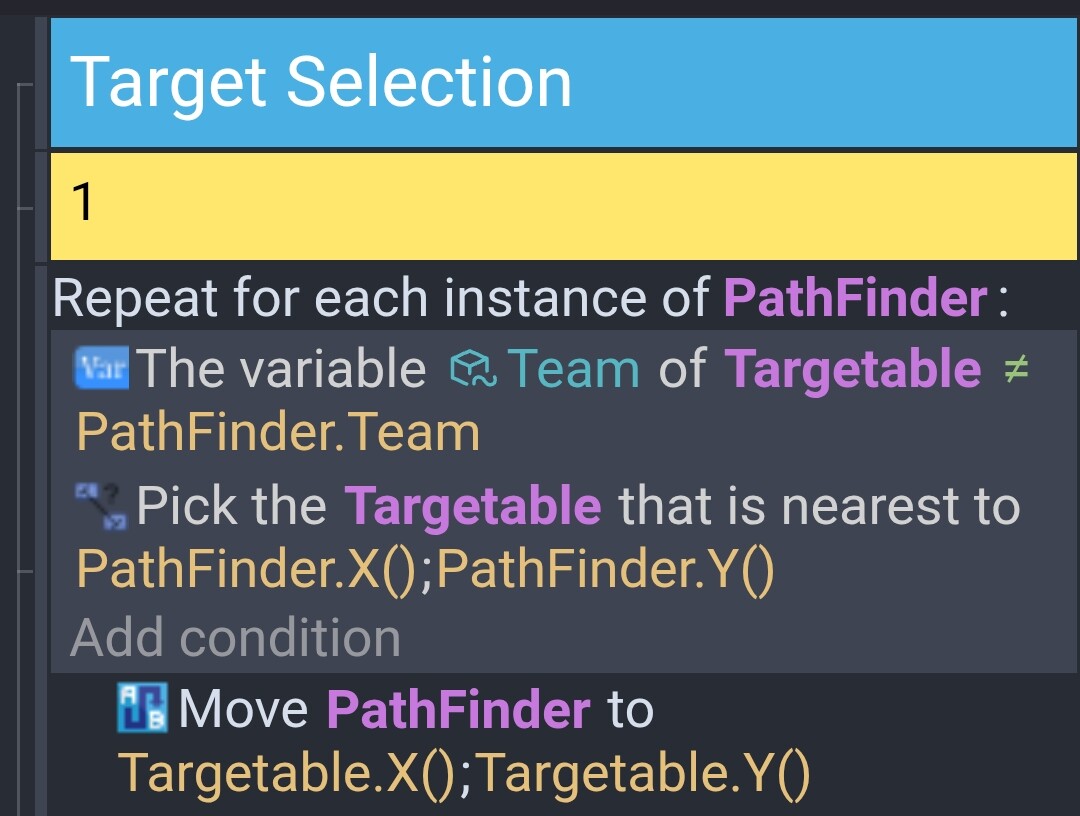
hi, I am new to GDevelop. I am trying to make a custom targetting system for my AI which uses team stats, but it does not work.
I tried debugging it, and have found that it works when only the player is in the targetables group.
in another test, I added a variable which resets every loop, and adds by one for every found targetable, and it was stuck at one, so I either messed up the variable setters, or it is only selecting one target, and then ending.
also this is an external event which the main scene calls.
All the objects in the pathfinder object group have the pathfinder behaviour.
None of the pathfinder objects also have the pathfinder obstacle behaviour.
All PathFinder objects have a valid Team variable
All Targetable objects have a valid Team bariable
If those two checks are good, then you could test each bit of the object selection and pathfinding:
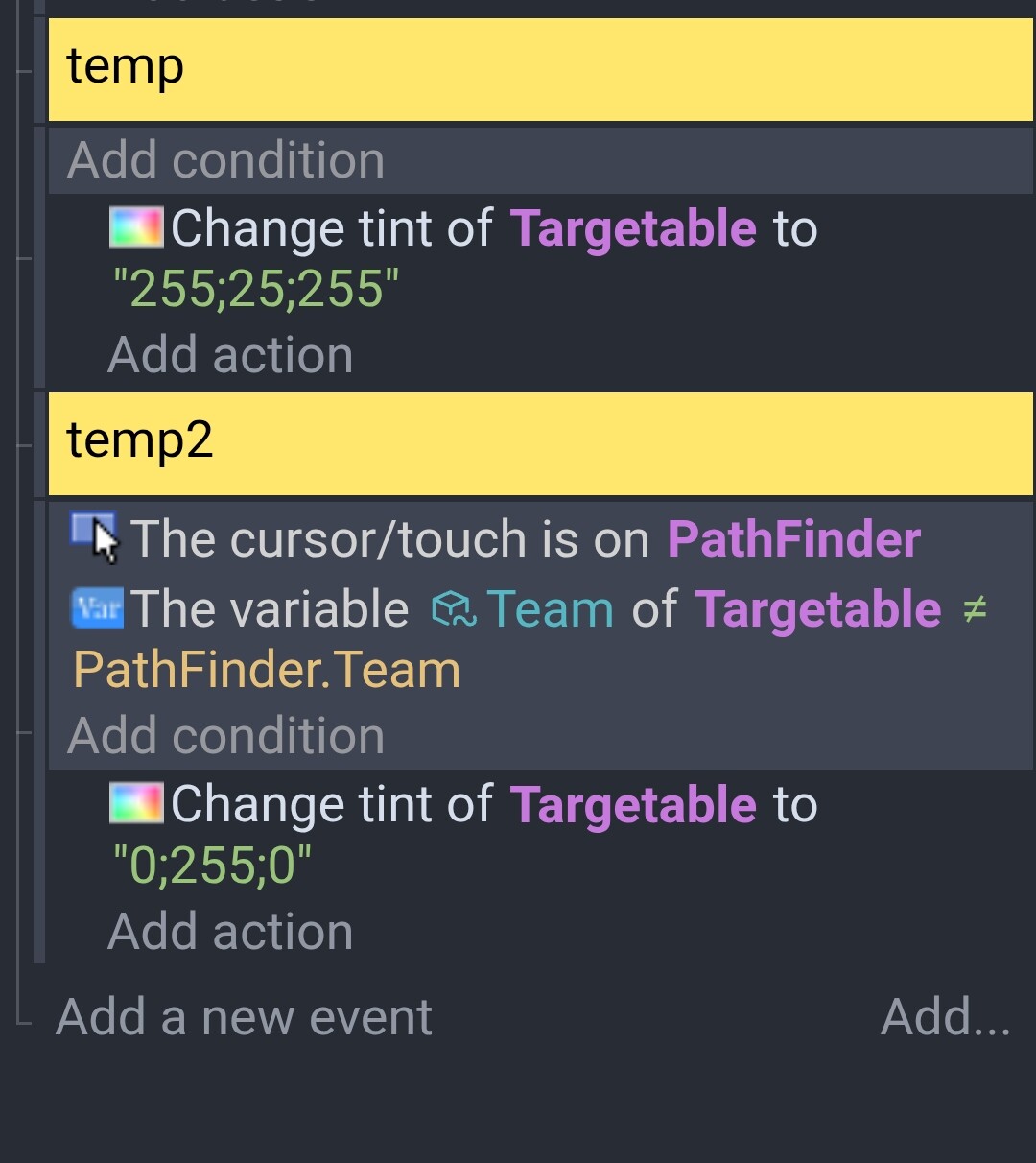
Add 2 temporary events - the first that sets the tint of all Targetable objects to “255;25;255”, and a second where if a pathfinder has the mouse over, than all Targetable objects with a different team id have their tint changed to “0,255,0”. This will colour the targetable objects green.
If this highlights the correct Targetable objects, then add the condition to select the Targetable object nearest the PathFinder object.
If that highlights the correct one, then wither remove all the pathfinding obstacles and see if the pathfinder then moves.
I did the first two steps, and it kind of works, but the objects don’t select other instances inside of their own entity type apart from themselves. also there are no pathfinder obstacles in the game
Ah, and therein lies the problem. When you repeat over each Pathfinder object, you are only looking at the one pathfinding object at a time. Unfortunately, this also limits the Targetable objects to just that one object that the Pathfinder repeat has selected.
To get around this, create 2 variables to store the Pathfinder’s X and Y co-ordinates, and then use the condition ‘Pick all instances of Targetable’ before finding the closest Targetable object. Something like:
The repeat event gets the x and y position of the current pathfinder object
The first subevent then select the nearest Targetable object tot he x & y position from all of the Targetable objects. I’ve reused the 2 position variables as they get reset in the next repeat iteration. Note that the pick all and pick nearest are only in scope (or valid) for that event and any of it’s subevents. They are not in scope for sibling events, or events that are on the same level as this event.
The last subevent uses the current Pathfinder object from the repeat and moves it. It is not affected by the previous events select all or pick closest - those conditions are only part of the previous event