Hi, I’m still new and still learning gdevelop . I’m working on my game that’s a scarecrow scaring away crows from a field, and I trying to make a damage progress of the crops becoming smaller as the field in attacked.
How do I set the animation to follow the damage’s progress (eg. 75%, 50%)?
And I’m also trying to limit the attack to a number of key press, that would give a slight delay if you used it all up before it recovers or have a faster recovery if don’t. like a stamina system.
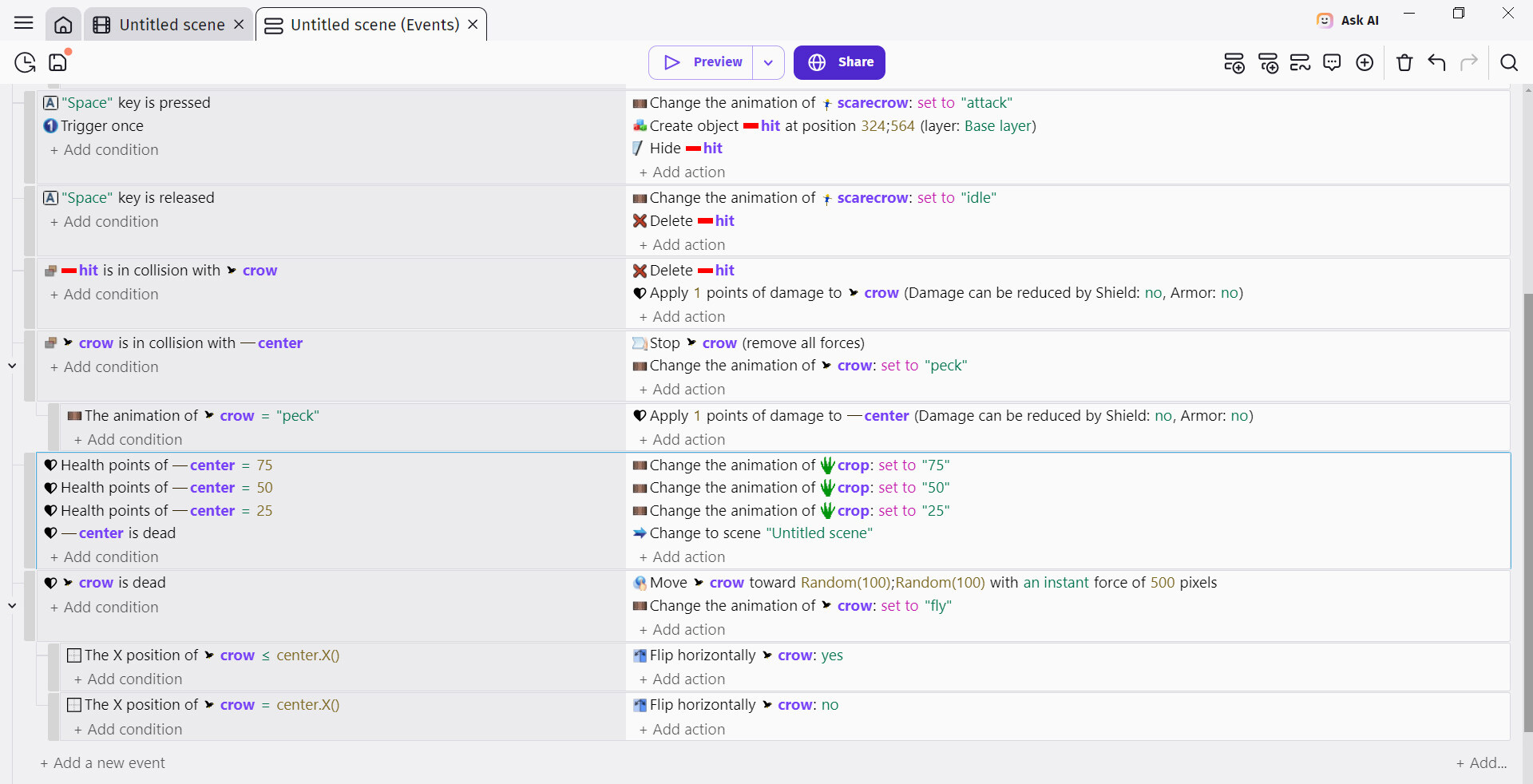
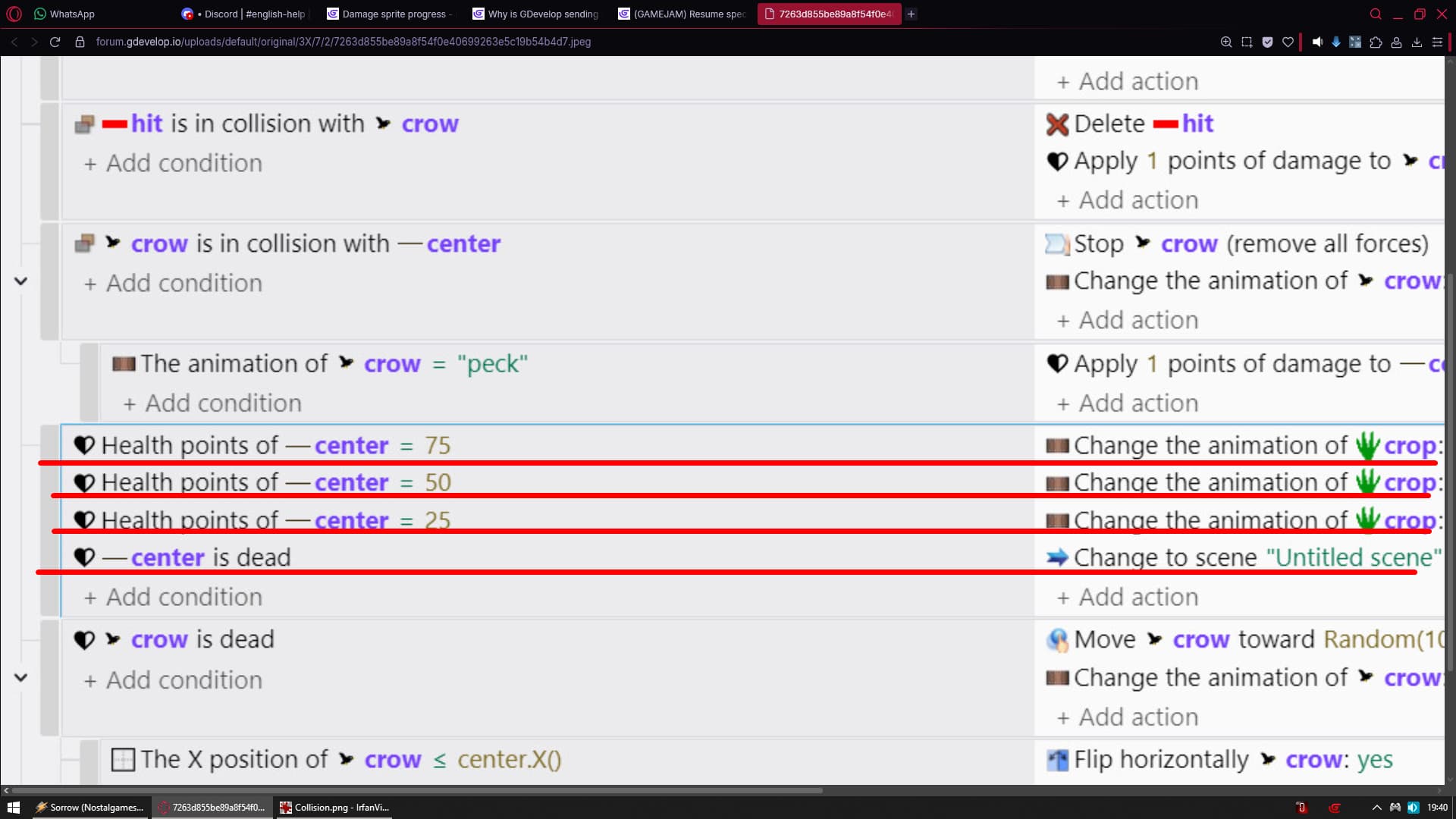
How do I apply this? Do I need change the variable of the sprite?
Hi …can you explain the second part a bit more …just breaking down exactly what you want to happen
Another approach is to swap animation frames or sprite variants at specific health thresholds. It keeps the logic simple and gives players a really clear visual indication of how damaged the object is.
@hykez do you at least understand why you must divide your event into three seperate events like ZeroX4 explained?
its way more important to understand that than simply following instructions given.
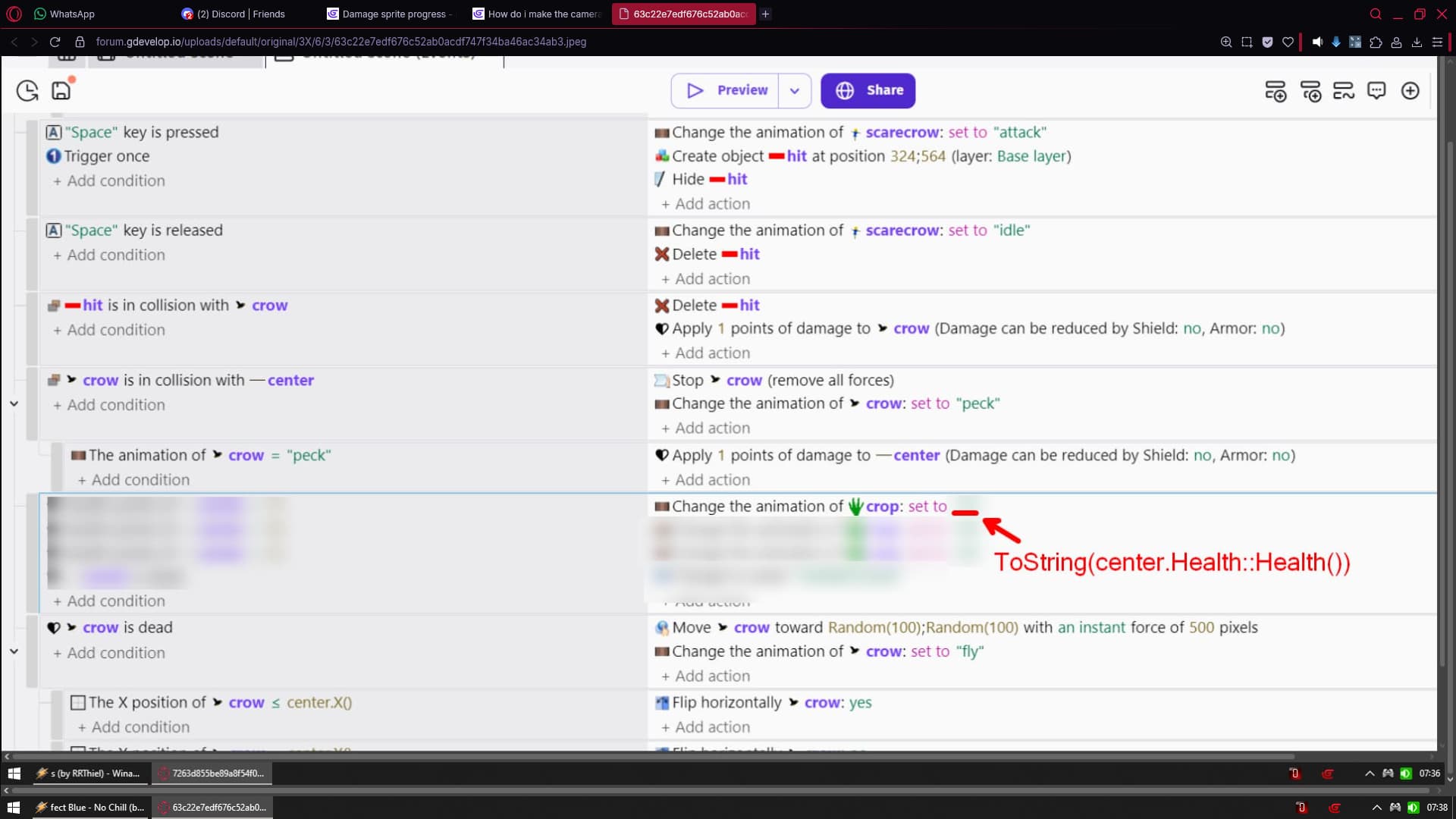
in this case: ToString(crops.Health::Health())
(becasue that part is just the better way (more advanced))