(Demonophobia:Redux movement test) getting dialogue system to work

I watched a simple dialogue tutorial video and I did the same thing, but with few changes.

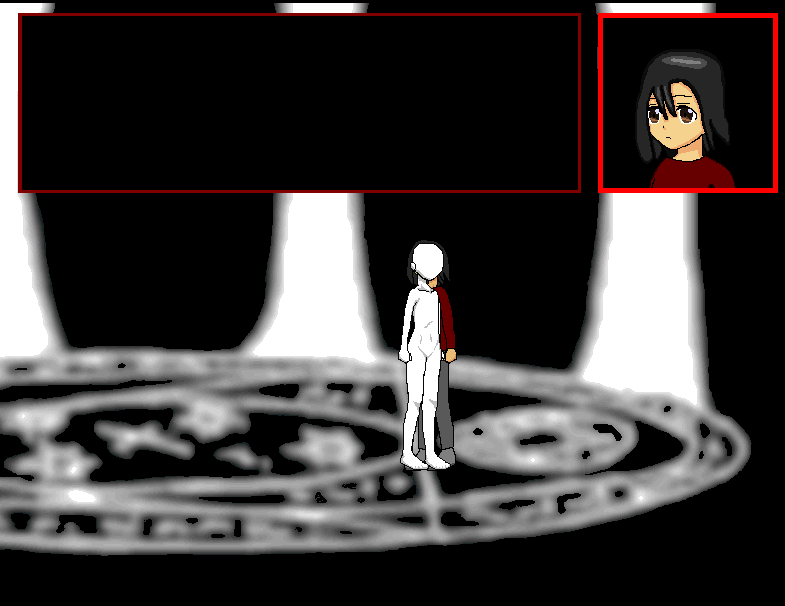
I tried to test out, but the textspeed doesn’t seem to start or messagetext won’t show up.

Also, I want to make some of dialogue-related sprites to be hidden after dialogues end.

How can I get dialogue system to work?

Notably this video I watched:https://www.youtube.com/watch?v=AggBlhV6O4o

I remember when I played the first one… I like the fact that you’re working on a sequel/remaster.

Anyway… I’m not here to give advice on Yarn, since I don’t use it.

If I can suggest a simpler approach instead… since your game isn’t a visual novel, for simple dialogues like the ones you’re using, I’d go with this system:

https://pandako.itch.io/dialog-box-extension

Much simpler and more straightforward. But it’s up to you.

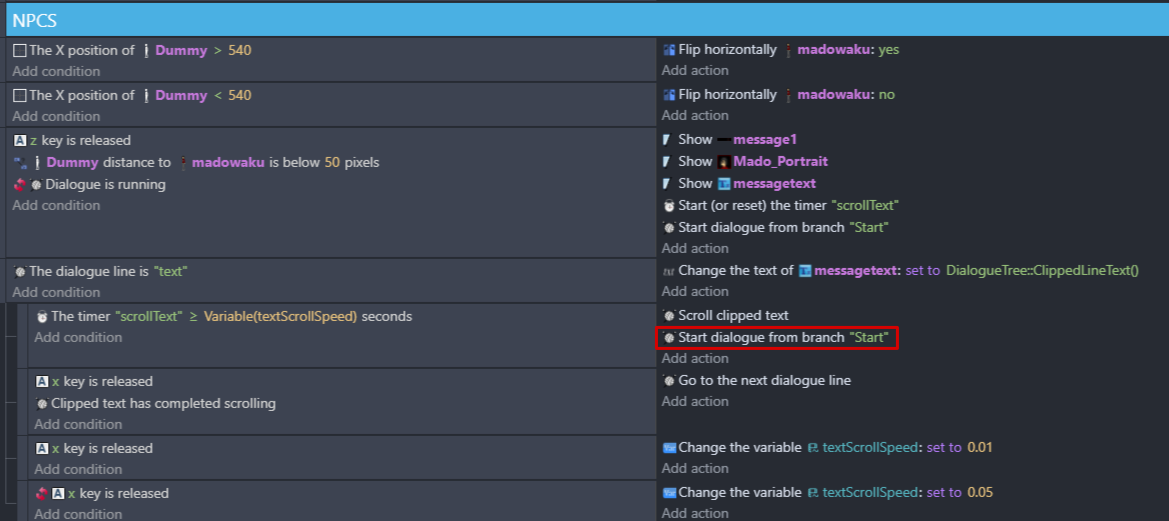
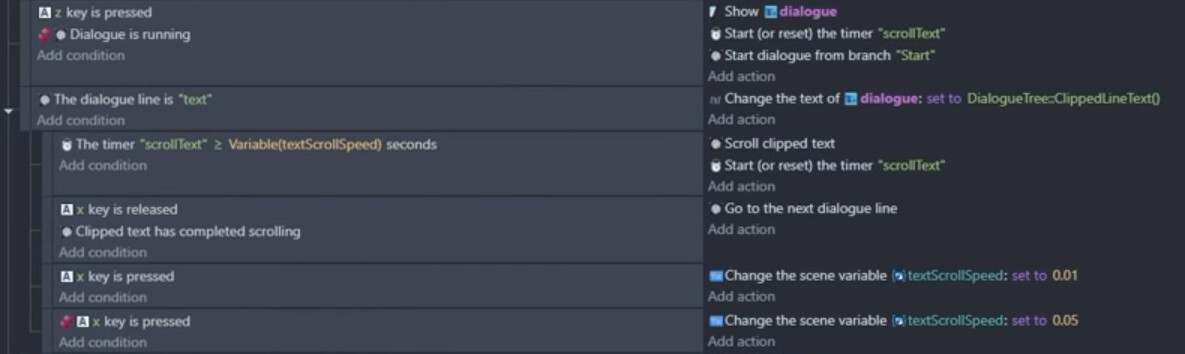
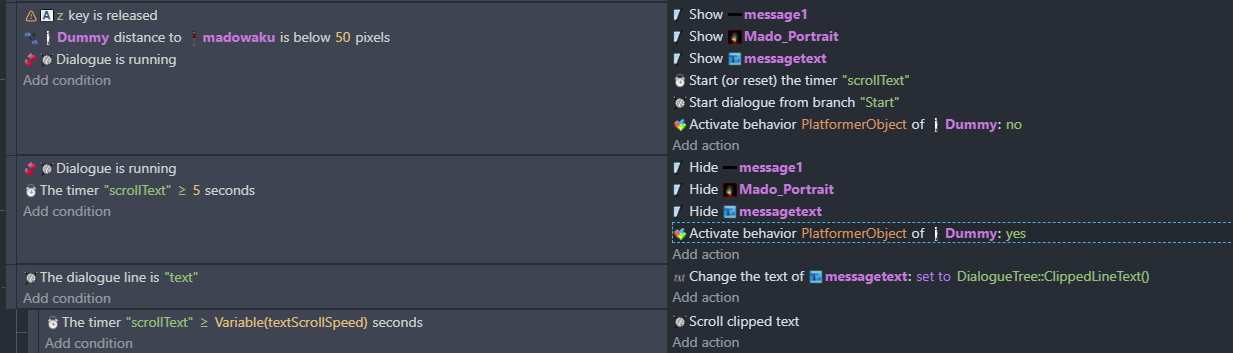
You need to delete the action in red (see screenshot below of your events) and replace it with a timer start/reset, as shown in the tutorial you linked to (I might know the guy who made it… :grinning_face_with_smiling_eyes:). I have included a screenshot from the tutorial to show how it should be set up.

I got it working.

How can I make the player unable to move when the dialogue start, until the dialogue end?

are you using a behaviour or are you using some custom events to move the character?

after the “dialogue is running” condition: put an action to deactivate the behaviour

Screenshot_2026-10-23_18-04-29

(dont forget to reactivate it)

Done.

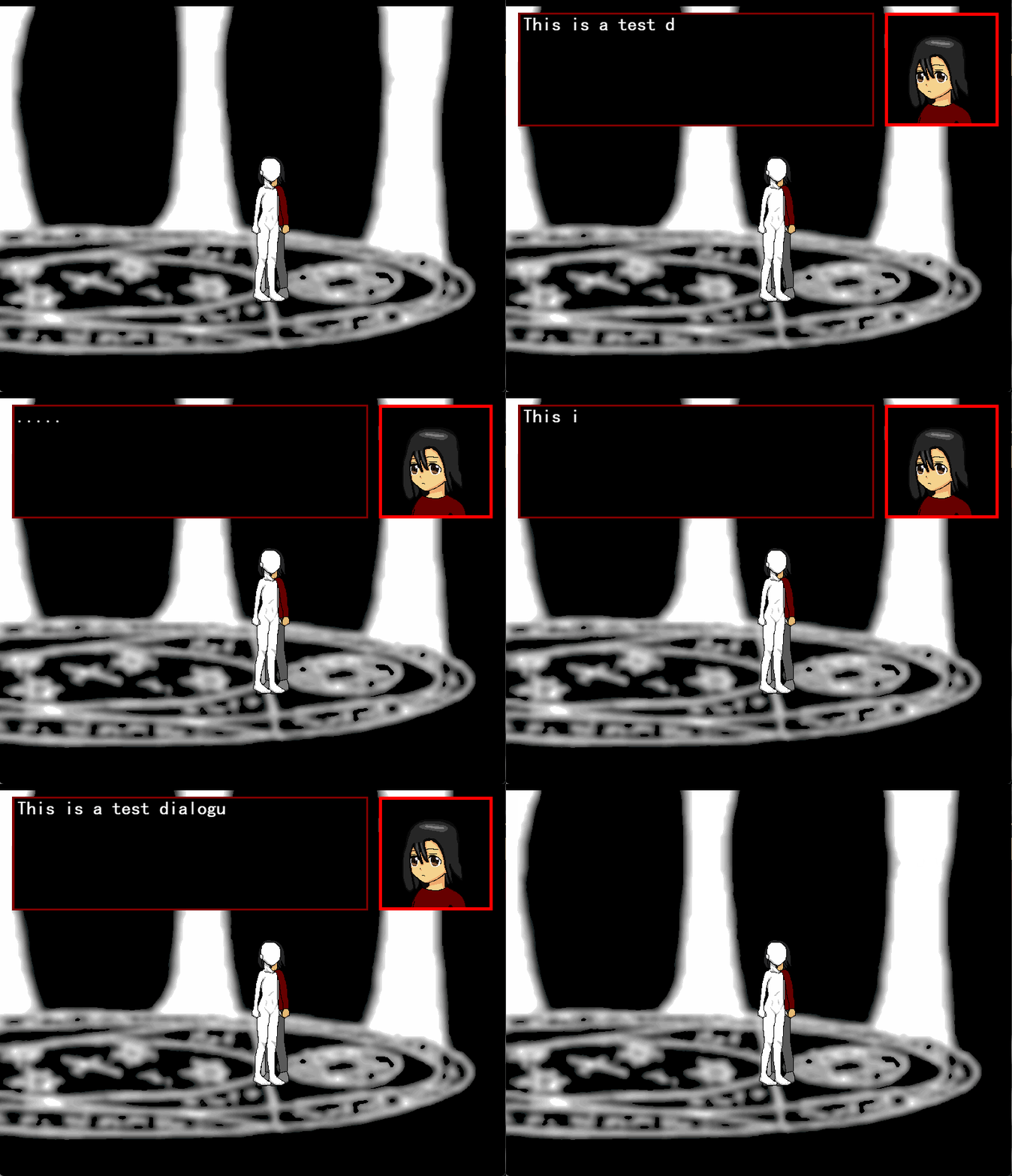
There’s a problem:last dialogue end too fast because of timer at ScrollText.

what do you mean by it ends too fast? is you last message shorter?

yarn has been a while for me, but i remember that the timer dictates the speed of scrolling. if the speed is too slow, long messages becomes boring. if the timer is too fast, short messages pop in an instant.
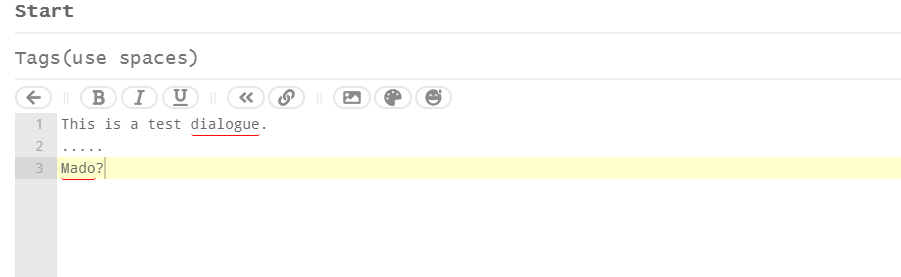
is that the issue?

yeah. watch closely.

Animation

it looks like something else.

it looks like the dialogue closes automatically when it finished


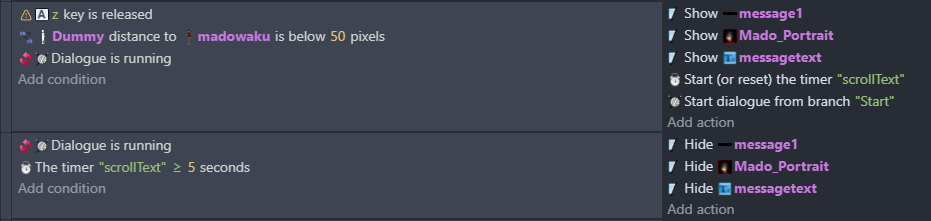
is this action somehow triggering too easily? :

you could add a button to close it perhaps (adding a “key is released” condition).
maybe?

I did, but got stuck in a loop.

I realized that any indie game has a code that could stop the time in-game when the dialogue text show up.

how can I implement that?

any solution? anyone?

if “z” is the same button to open and close the dialogue than perhaps that, as you close, you open it (creating a loop).

just to troubleshoot, try putting a different key