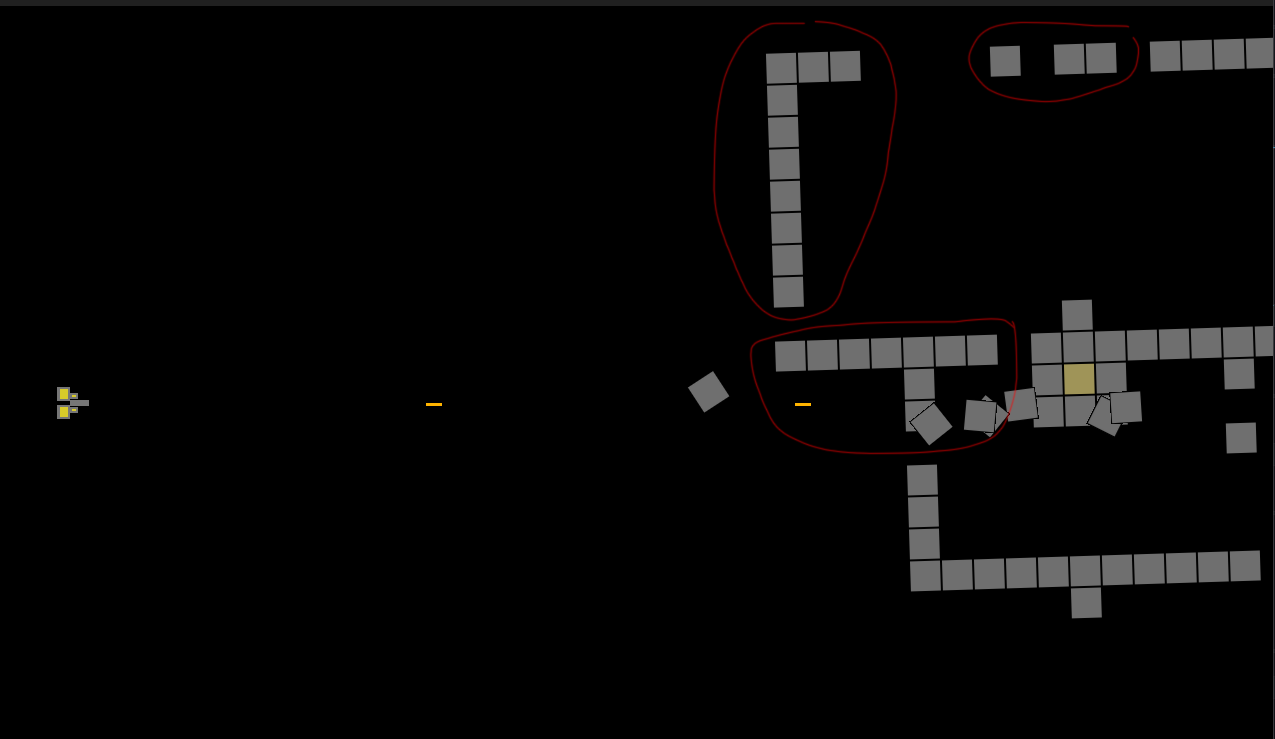
All tiles are attached to the yellow tile, the “Core”.
I use “IsAttached” variable to shoot off individual tiles.
However, this inevitably will creates chunks/clusters of tiles that are not connected to the main body/Core, but still have a value of “IsAttached” true.
I guess I have to use some kind of fill check to check neighbours of the Core or something like that. But have 0 idea how to do that… help please?
Are all of the objects added at the same time like with the editor or an external layout? Or are they added one or a few at a time during runtime?
What do you want to happen to the no longer connected to the main structure objects? Disappear, explode, fly off or something else?
I’m guessing that you want the objects without any supports to be destroyed in some way. Either individually or as a group.
I believe there’s an example for the ball pop game. I can’t think of it’s name. But it basically has different colored balls that are shot at each other. When there are several connected of the same color everything below that spot drops. I’m wondering if that might help. Maybe. Maybe not.
I’d like to do some testing with the Breadth-First Search or last search. That might be helpful.
The grey blocks are all instances of one 32x32 sprite, I have arrange them directly in the editor.
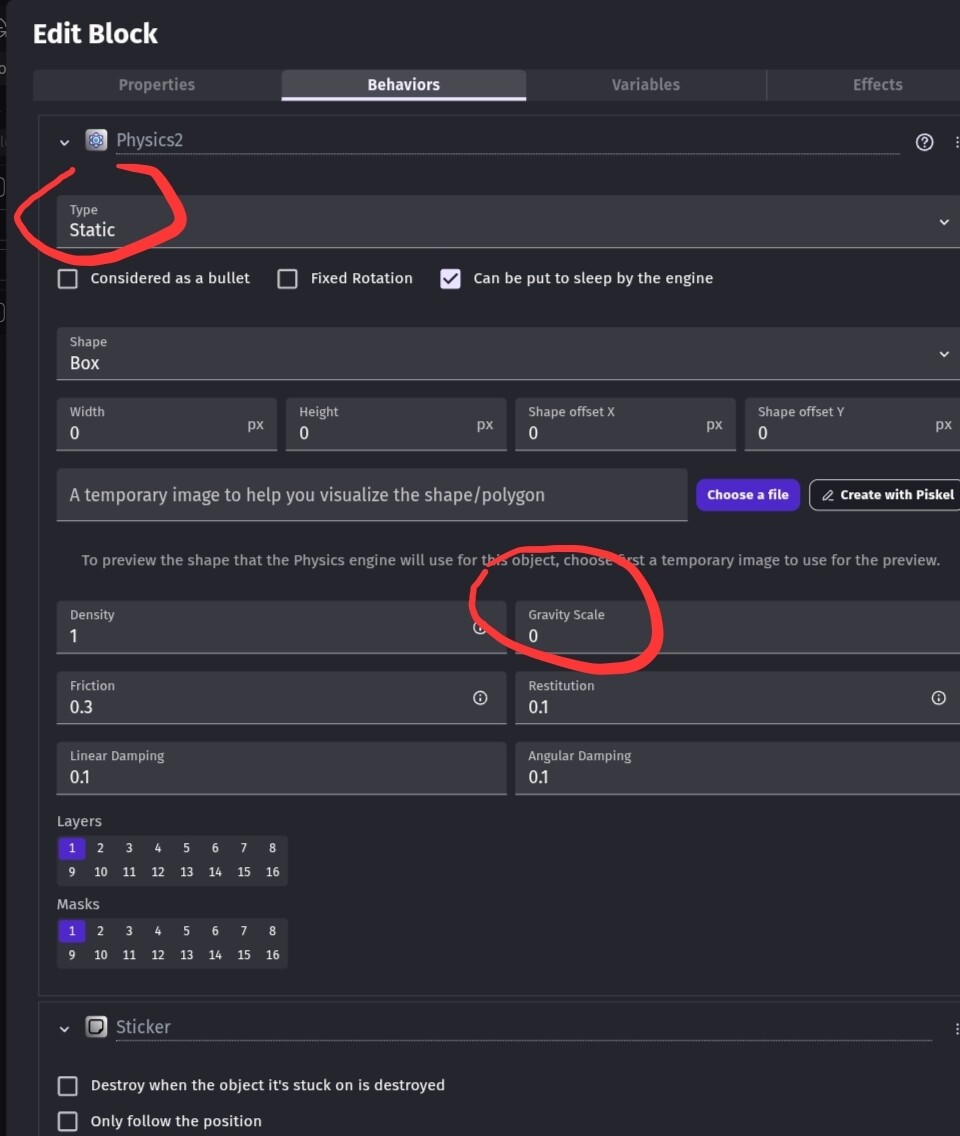
The individual not attached sprites already are flying off, I set the Physic2 as dynamic to those and move the active Physic layer to 2, so they don’t interact with anything and gravity takes over. The objects/clusters without support needs to do the same - fly off. Ideally the whole cluster/chunk will fly off in the same shape, not as individual sprites, but that’s not that important.
Is this the same project using the sticker behavior? If you’re using physics and the sticker behavior then maybe you could use a physics weld joint instead. Although, you would need to either alternate objects or use a link object. That way if a weld was deleted then the object would split at that location.
Although, this would only work with single block structures. Sort of like wire frames.
IDK, I’m just brainstorming. This might be nonsense.
If there were numbered branches then you could pick the objects with the same branch and higher IDs.
Ultimately, I think the Breadth-First Search might work but I need to do tests.
It would be easier to upload a test project to github but I’m on my phone using the online version.
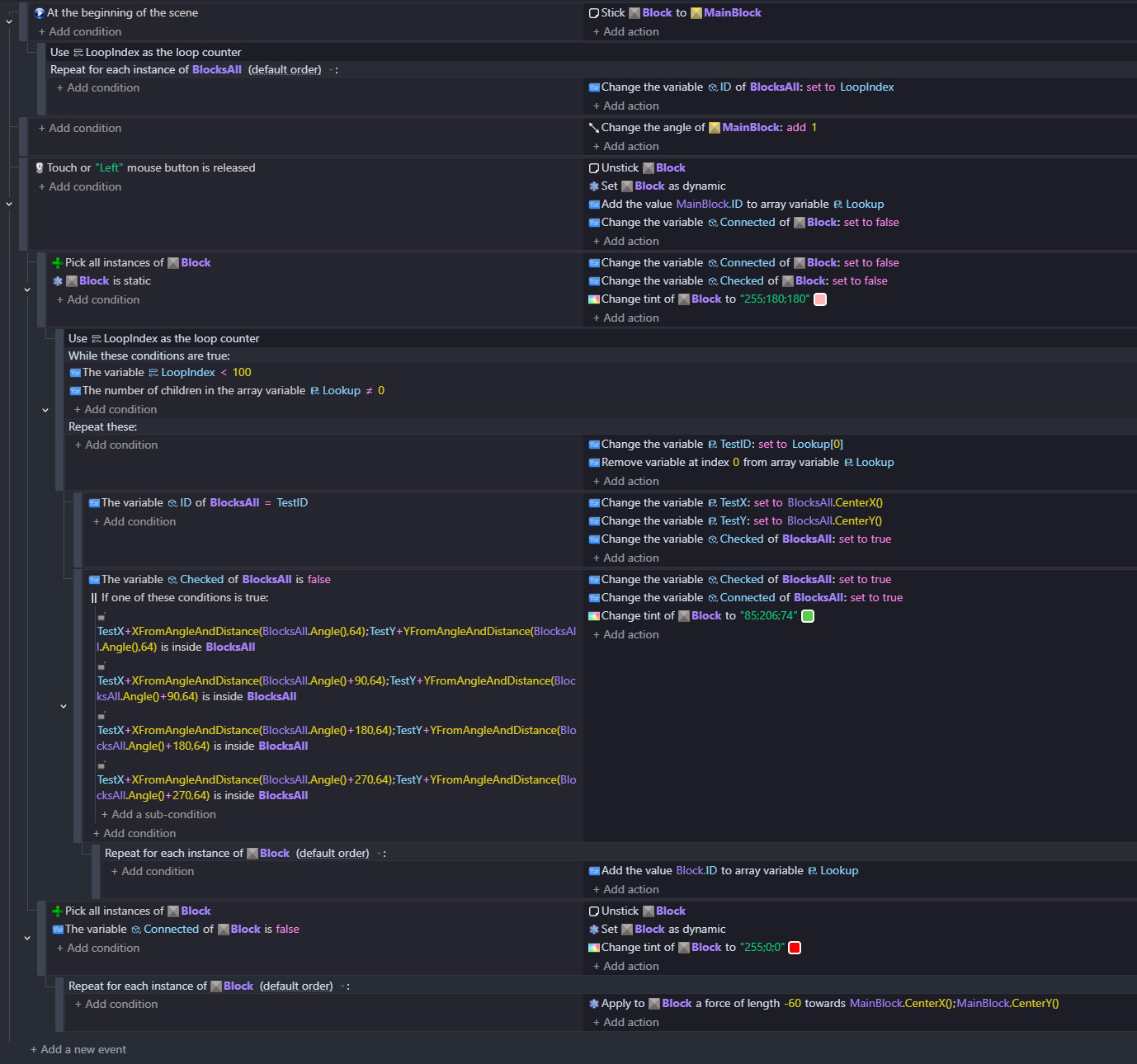
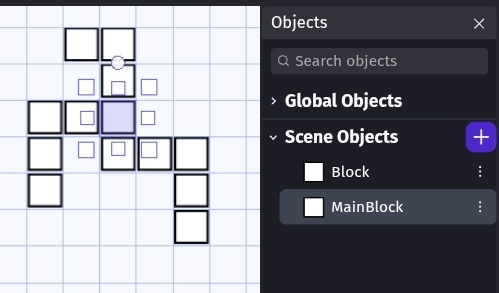
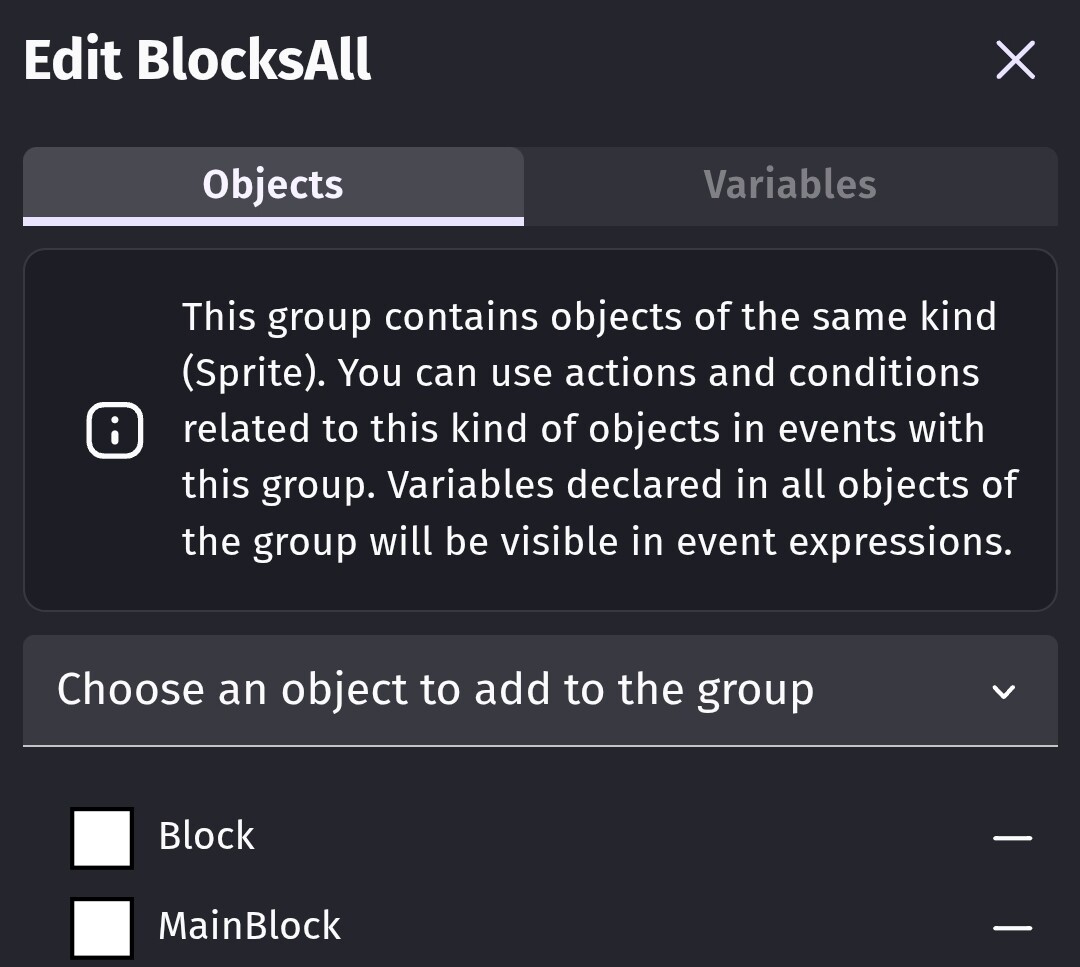
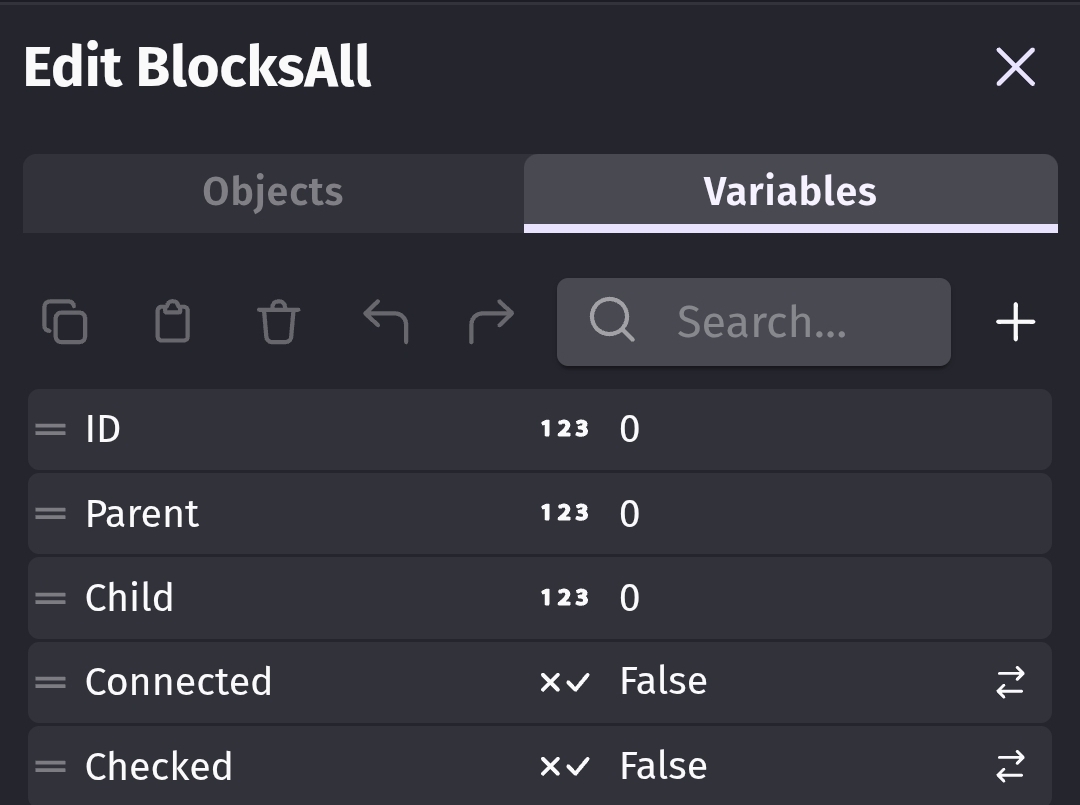
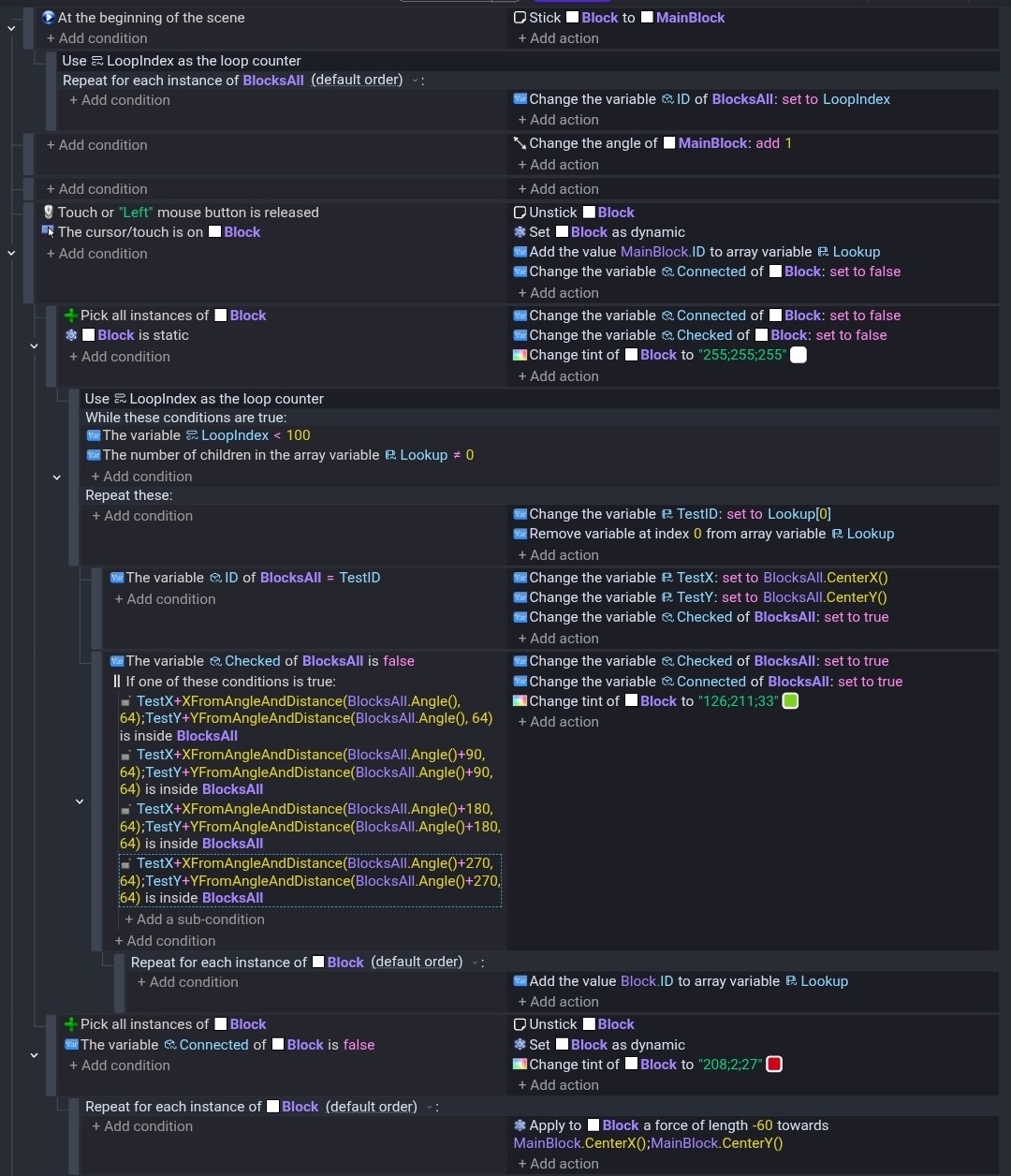
This uses Breadth-First Search. It checks if objects are neighbors on the 4 sides not diagonally. There’s excess events for testing like color change. My test used objects that were 64x64 so that would need to be changed in the point is inside events.
It marks the connected objects as true. So, if the object variable is false then it’s not connected to the main block.
Objects and test scene. The main block is selected.
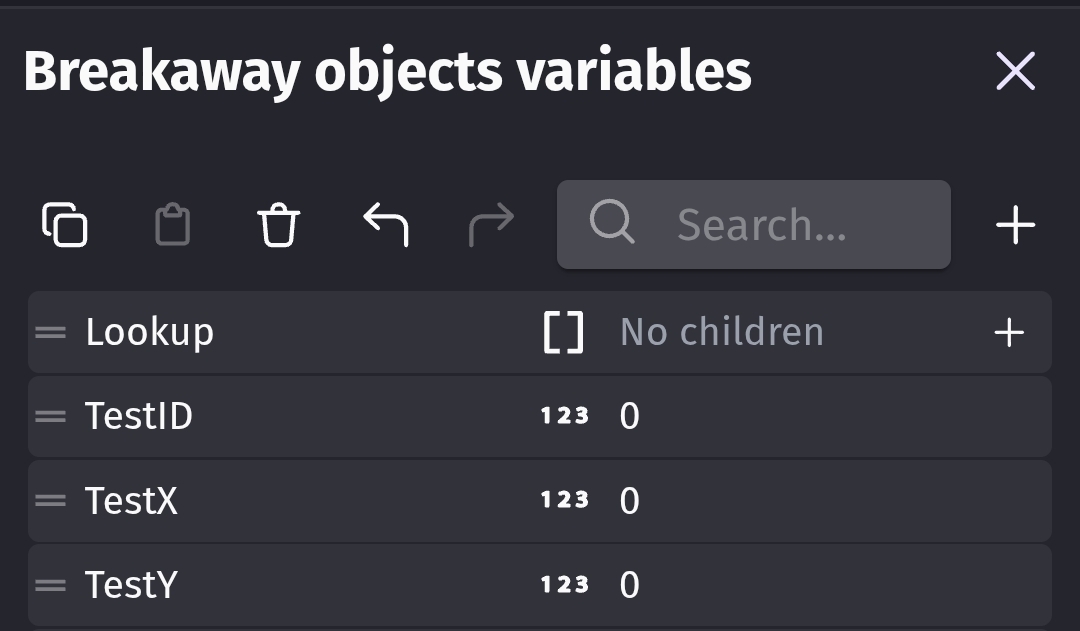
The way it works is it uses an areay (Lookup) to hold the object IDs starting with the main block. It removes the block IDs from the array and checks for neighbors. It ignores visited objects. It adds the neighbors to the array and repeats until the array is empty. I use the LoopIndex bc the while event can cause infinite loops. So, I always add a safety check for testing.
This might have flaws or excess variables. It’s my first attempt.
I’ll try to create a stand-alone project when I get the chance. I like to use my phone with GD.
It’s basically doing the same thing as the events I posted (Breadth-First Search) . Instead of checking if there’s an object on the four sides using ‘point is inside’, this appears to be using distance. So, it detects neighboring objects in any direction.
Breadth-First Search is great for checking paths or object connectivity like with the classic pipe game.
I try to copy your solution, but I guess I am doing something wrong? When I release the mouse all of the blocks (except the main) are flying in all directions… is this what it’s suppose to happen?
My kryptonite is for sure arrays and indexes and everything that comes with that, so to be honest I don’t understand a lot of what is happening.
Sure, I know the theory. I know the theory of a lot of other stuff too, but that’s simply not enough to create something on my own with it, if it is more free and complex, or to truly follow the code logic in the Keith’s example.
Then let’s go with that
You see i am here over 4 years and i learned a lot in that time
Keith teach me a lot of stuff
BUT if i can tell you just one single thing i learned that is most important to me
Then it would be
Everything is black magic util you realize everything here is stupid
You look for some NASA level intelligence here just to realize it is absurdly simple
And you are afraid of unknown and not of something that is beyond you
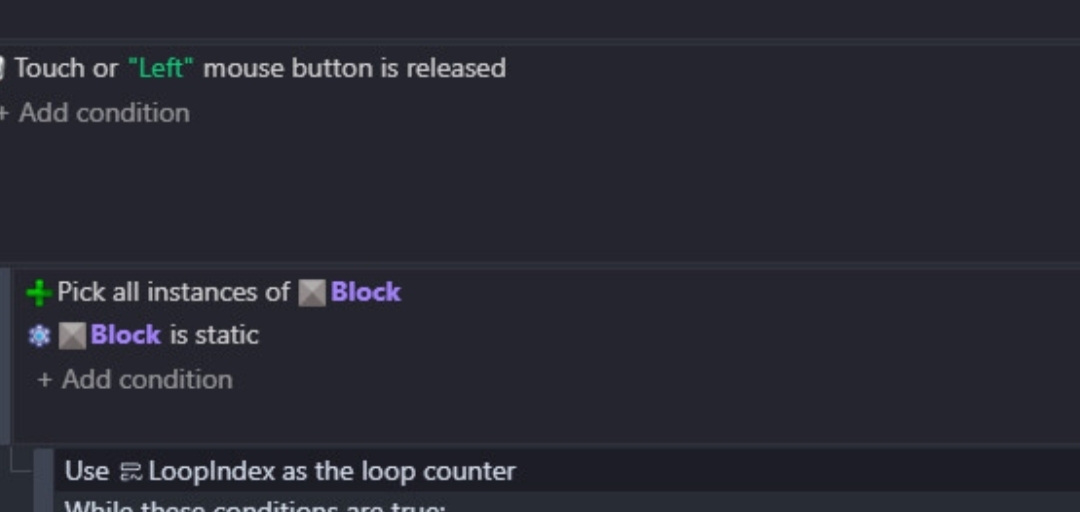
SO going from top to button of that screenshot
Keith created some number variable named loopindex
It could be called Index or Adv or MeFartedVeryHard
Actually it could be named anything it does not matter
What matters is for it to be number variable
And so we are checking if our variable is less than 100
So if its equal to 100 it stop running
Meaning on 99 run it will run once more and then stop ensuring it did run exactly 100 times
We also check if number of child in array is not equal to 0
Looking at my previous message think like
We are checking if list is not empty
Now in repeat these we are ALWAYS checking 1st child so one with index 0
Imagine if on each frame you are just checking one variable
BUT that is stupid?
Well it is but right under it Keith is removing it
So it goes like this check this item on the list and then remove it
So when this whole logic will loop and start to run again now you are not checking child at index 0
You are checking child at index 0 that previously was on index 1
Cause whole list just shifted up
Keith is adding each object to array Lookup
Imagine it like
You are playing RPG
You can form a party
But you are lazy so you don’t want to program party setups
Like 2 elfs 1 knight or wizard knight and cleric
You instead make so let’s take all chars and just add them one by one to the list
And that is exactly what this is doing
 btw AI solve it, but did it with Javascript and I don’t understand anything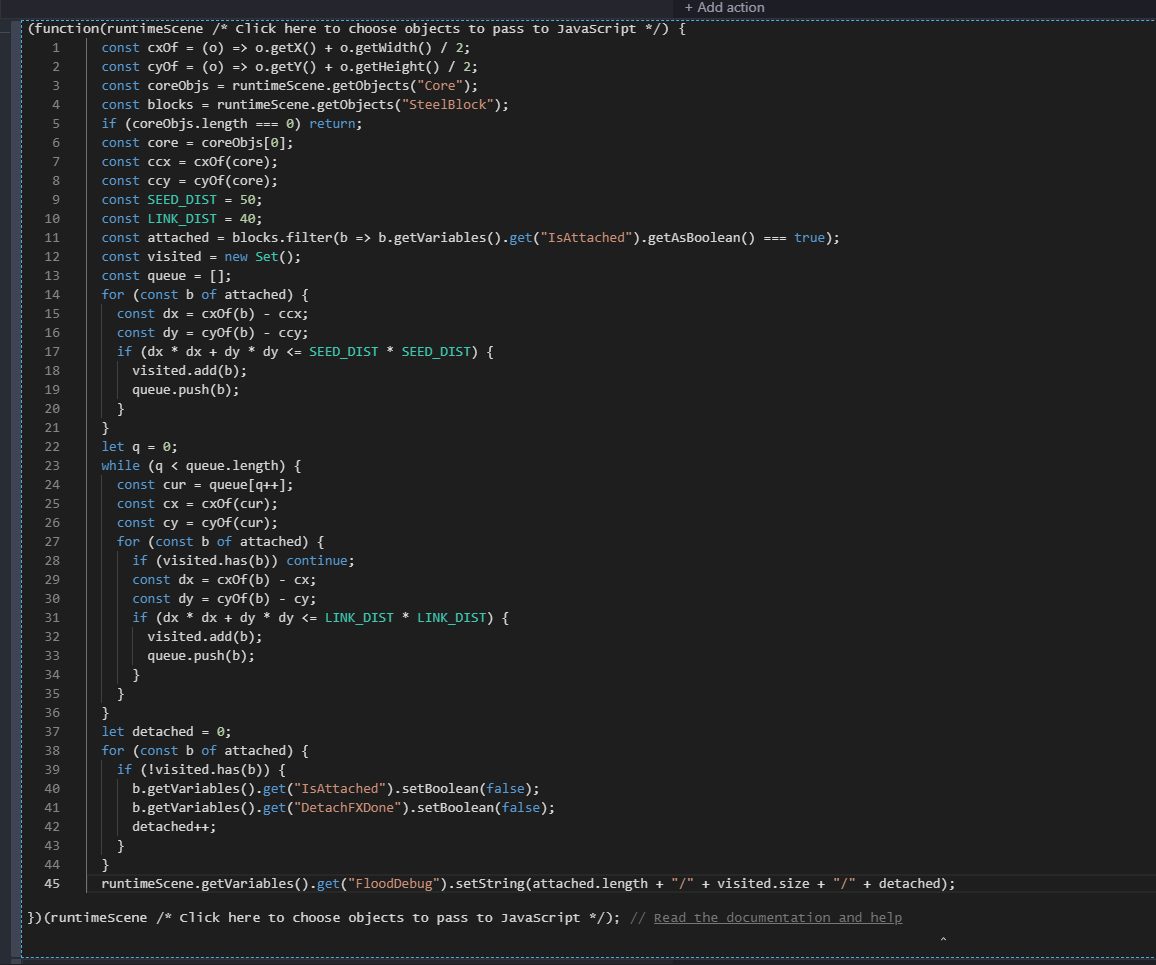
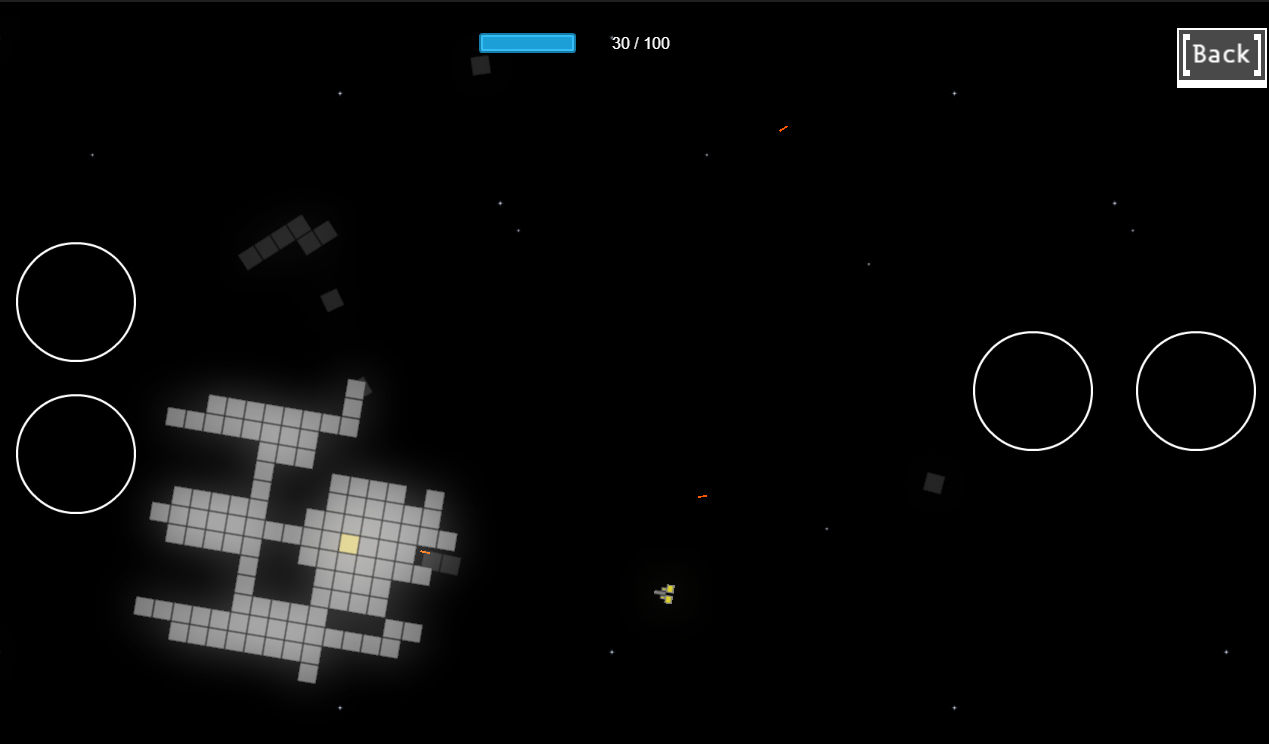
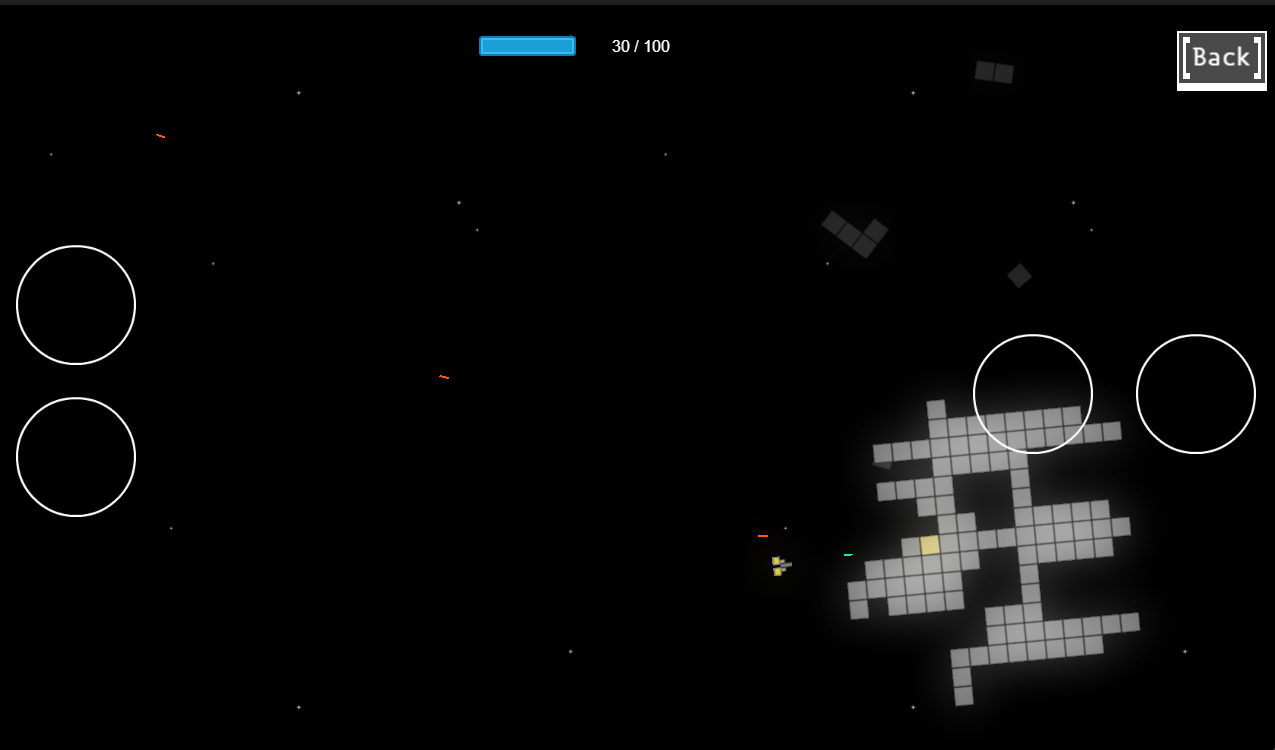
 Here is the whole mechanic
 so to be honest I don’t understand a lot of what is happening.