My thoughts on how to deal with the mouse moving too fast is to keep track of the last position of the dragged can, and move any cans that have no active tween between that position and the current position.
I’m not sure I’m clear with all positions mentioned.
“last position of the dragged can” >> position from where the can has been dragged from?
“current position” >> the non-dragged current position, right?
It feels that this is a bit above my current gdevelop skill level :')
Hi everyone!
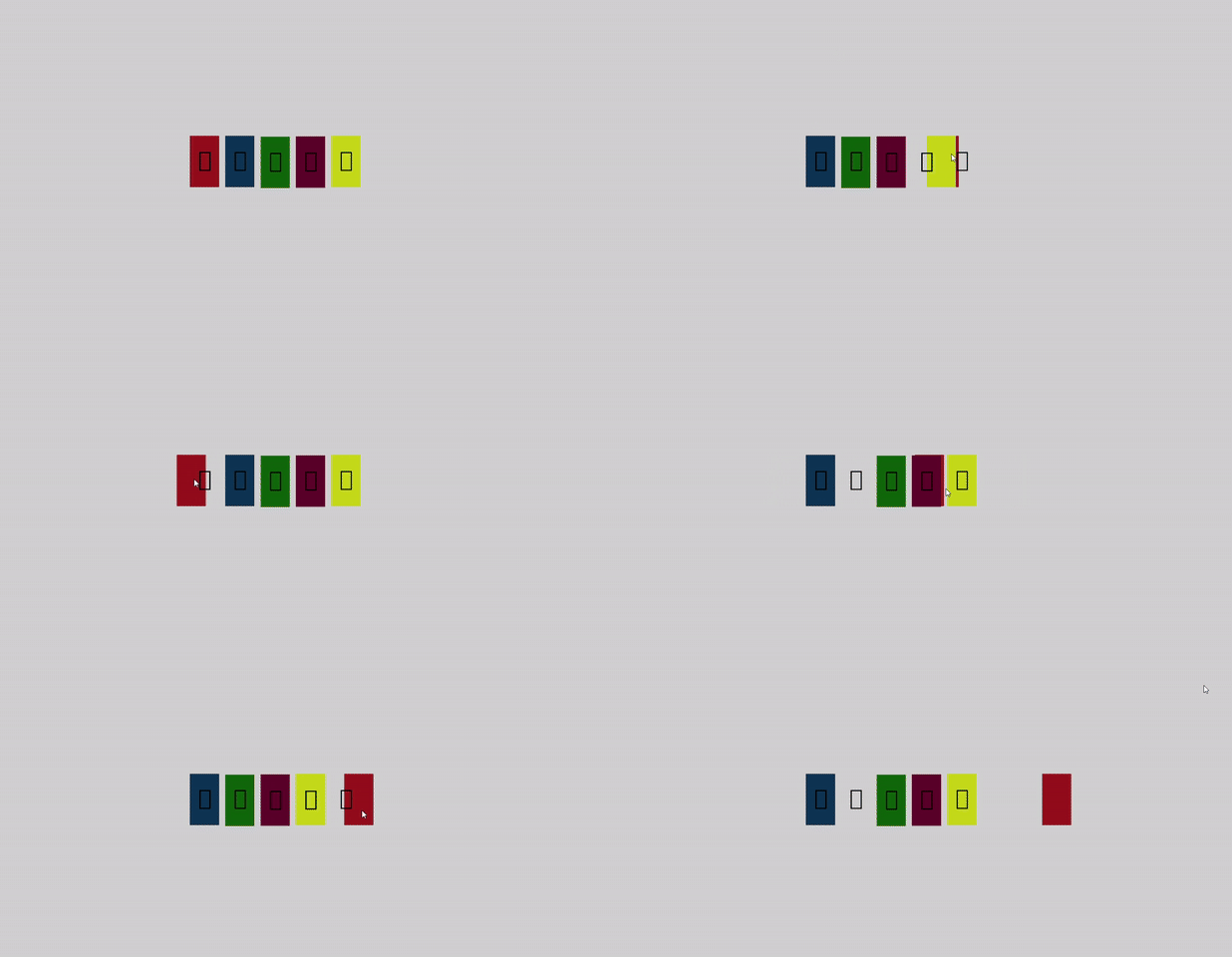
After a few months working on other less complex projects, I’m back on this one and… well, I’m still stuck on the same issue: the draggable being moved too fast, collisions do not detect and cans do not tween properly, as shown in the video below.
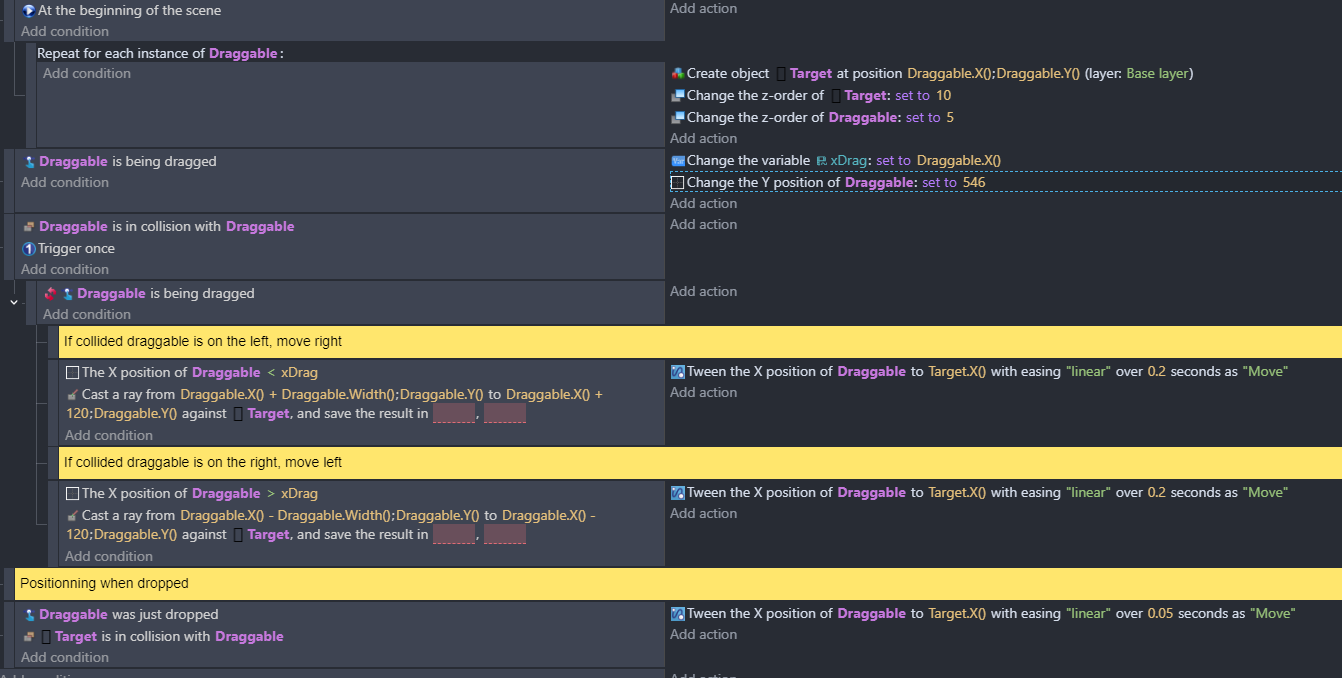
After many new attemps playing around Cans IDs etc, I’m still stuck with this simplified code that MrMen helped me to come up with:
I’m working on a drag and drop interaction myself. And struggling. I was looking at your example just now to try to solve it.
I actually made a feature request for a robust drag and drop functionality here:
It feels like drag and drop would be a good core behavior to have in the engine. I’m doing a fair bit of work to try to create a reusable version of drag and drop, but not succeeding so far, though I think I’m getting close.
The main problem I have is the “kick it out” functionality for when a dragged object replaces another. I’ll post here if I figure it out.
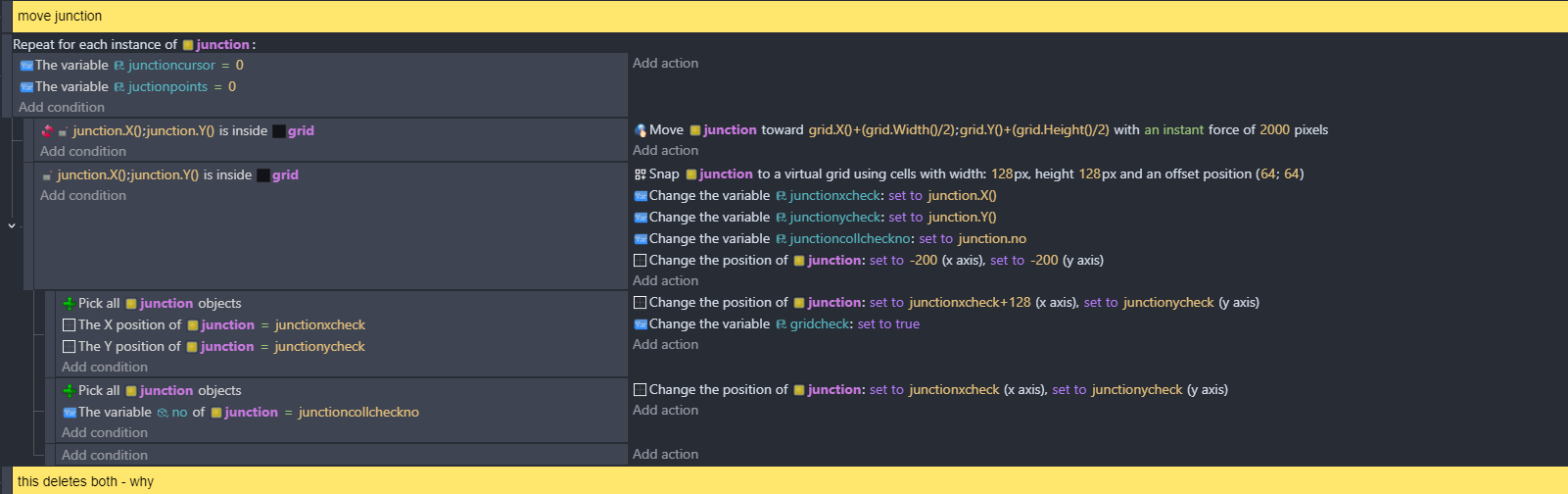
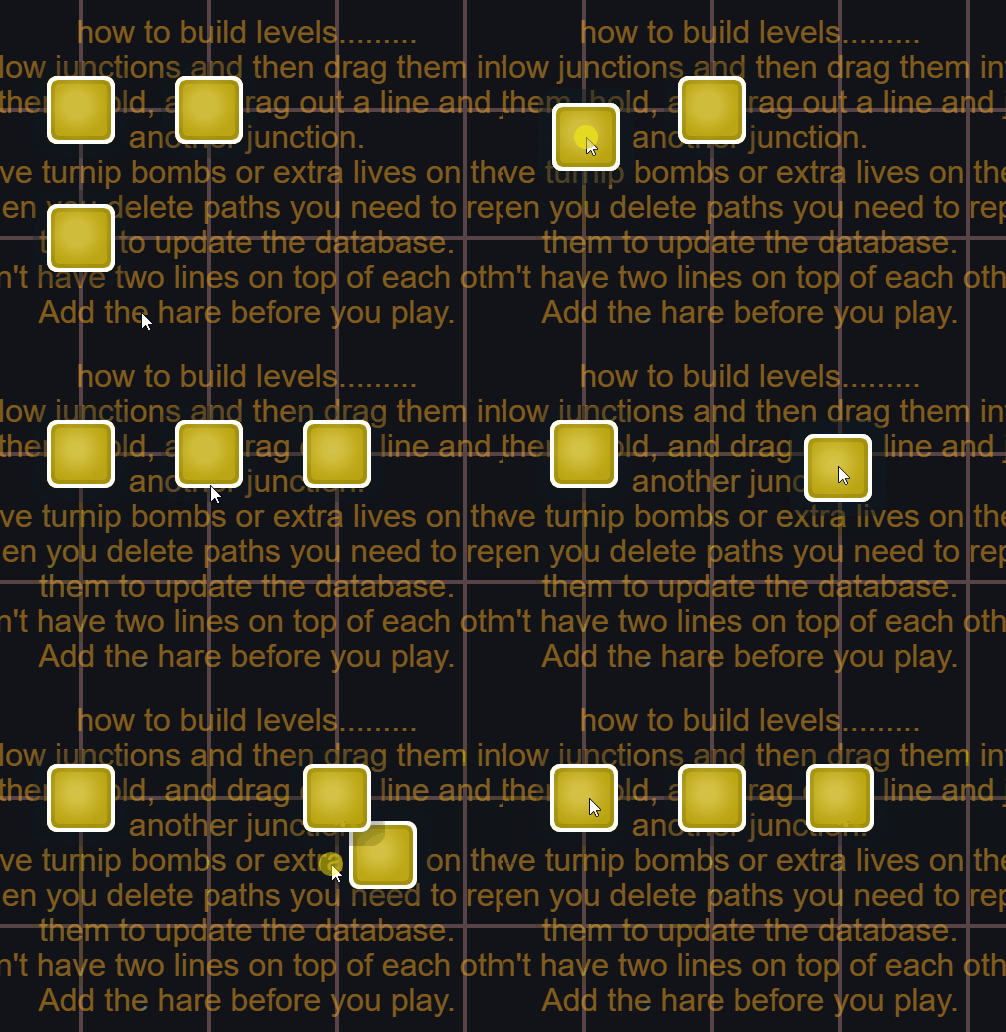
Hi - I used this method in a level editor to drop an object and move the object under it to the right using 3 scene variables, 2 for the x and y and one for the number of the object that was dragged. junctioncursor=0 means that the object has been dropped.
looking at it again it still needs work - as in the 2nd junction goes to the cursor when there’s already a junction (i stopped work on this a while ago and i thought i’d cured this bit!) I’m not using the drag behaviour here.
Hi ChellaP,
I read your other post and, as I wrote there, I think it’s definitely something that gdevelop could benefit from, the drag and drop native behaviour being too basic in my view.
Regarding automatic replacement, the raycast process that was proposed here and implemented works quite fine. The only issue comes from the fact the it’s not possible to regulate the speed by which objects are dragged, making them not colliding properly. That’s why I’m trying to keep this logic but with a custom drag&drop system allowing objects not to move as quickly as the mouse does.
This could be a functionnality to include in your new behaviour proposal
Anyway, let’s keep each other posted and keep it up!
The issue is the speed at which the dragged object moves - it’s moving so fast it misses the collision between the dragged object and the one next to the empty space.
Instead of checking for collisions, you could check whether each draggable to the right of the dragged object can shift one space to the right into an empty spot — and do the same for those to the left.
Hi petlimpet
thanks for sharing that and adding the video: helps me understand what was behind the code!
Maybe the code proposed by MrMen could help with that? The raycast system seems pretty solid, except for the quick collisions, that’s still to be solved
You’d need to start from the closest object to the one being dragged and work your way to the furthest.
Make sure the object isn’t already tweening in the same direction as you are checking, and if it’s not, then stop all tweens on it and start a new tween.
 I was looking at your example just now to try to solve it.