wat
November 13, 2024, 5:09pm
1
I’m having trouble with my raycast and I want to draw it. Is there a way to draw a raycast or something equivalent?
ZeroX4
November 13, 2024, 5:16pm
2
Kinda sorta
Just an update for curious ppl
Now for WTF ever reason
It works even with checking point inside object
[image]
I mean i do get it i previously was checking group and not specific object BUT COME ONE
Don’t read that crap just look on events in my post
wat
November 13, 2024, 5:21pm
3
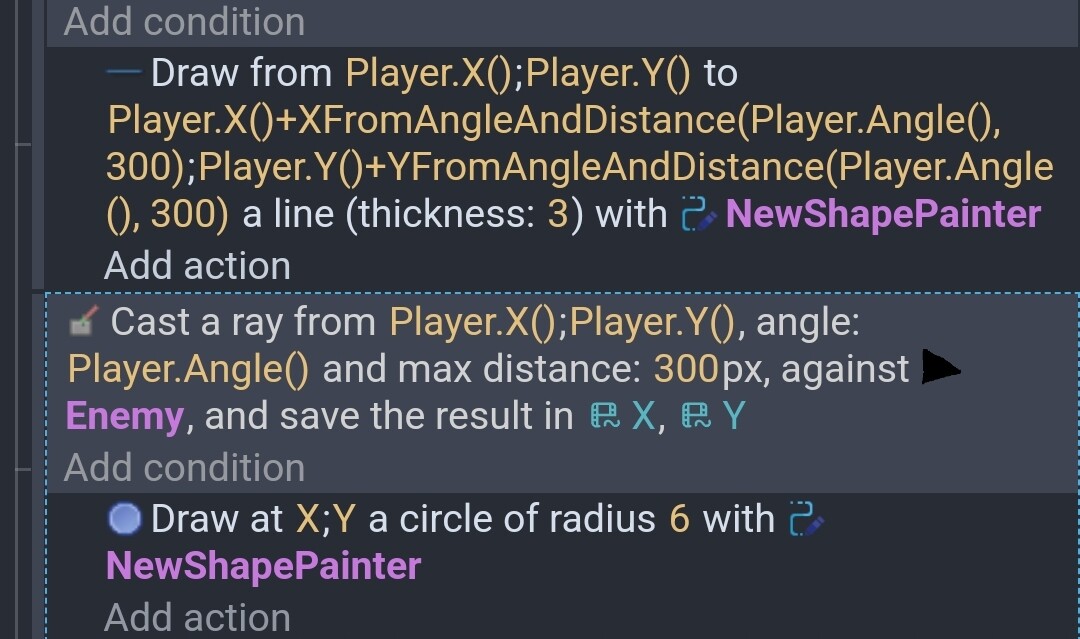
I know you can draw a line from a specific point to another but am I able to draw a line using an angle and a specified length instead?
I like to use this. Angle can be anything. This uses the object’s angle. It then draws a circle at the intersection.
Better view
wat
November 14, 2024, 3:00am
5
just tried that and for some reason my newshapepainter isn’t showing up for some reason
MrMen
November 14, 2024, 3:12am
6
Have you dragged an instance of the NewShapePainter object into the scene and onto a visible layer?
wat
November 14, 2024, 3:14am
7
I think so
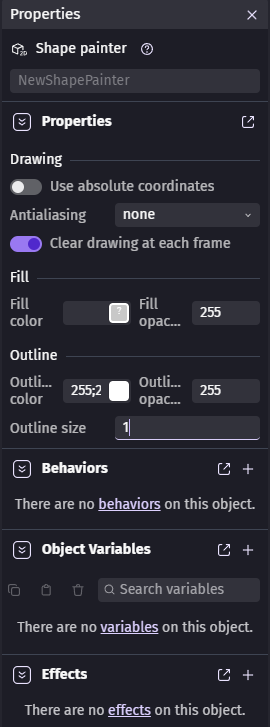
Here are the properties. Also it’s located in scene objects just like all the other objects. (it’s on the base layer)
MrMen
November 14, 2024, 3:38am
8
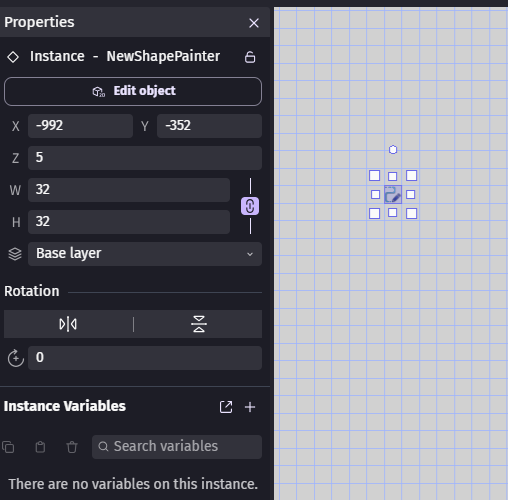
Those are the properties of the ShapePainter object in the Objects list. You need an instance of it in the scene (as it is on the left in my screen snip below, I’ve got grid displayed). The properties of that look something like:
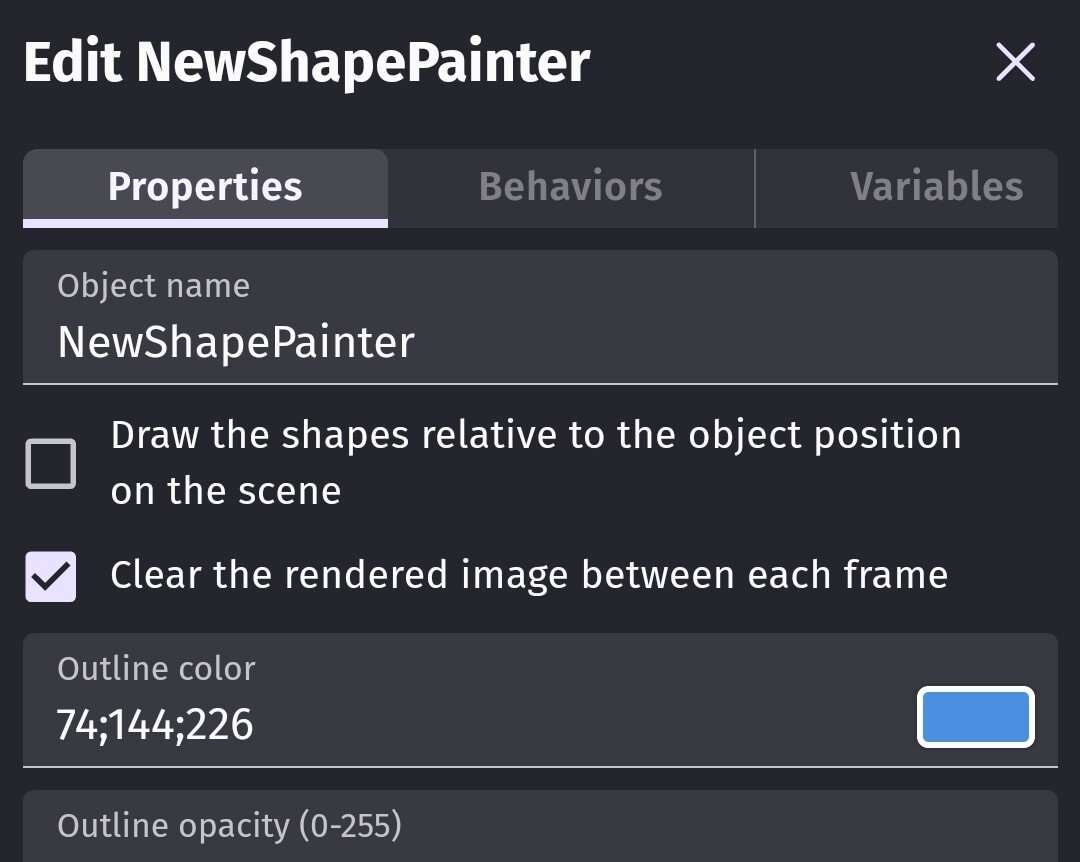
Unless the shape painter is at 0,0 then you’ll need to uncheck draw shapes relative otherwise the line won’t be insync. IDK why it says “use absolute coordinates” on the one spot.
wat
November 14, 2024, 4:28am
10
ye it works. I put it at 0, 0 and everything is cool. Thanks for the help everyone!