I want to add a mechanic to the game with a top view in which the player needs to go through an area, for example, to clear it - the idea is that the player should be like an eraser for this area - that is, where the player went through there, the color of the area was removed - the main difficulty of this mechanic is that in order for this task to be counted, it is not necessary that the entire area it was cleared, but for example 90 %
It depends on how things are done. If you’re using a shape painter and changing the color from say red to green then you could use the read pixels extension.
https://wiki.gdevelop.io/gdevelop5/extensions/read-pixels/
Check the color of the pixel at x, y if it’s red make it green and increase a counter. If the counter is over a value based on a percentage of width * height then the task is complete.
If the area was small enough then you might be able to use an array or maybe a grid of objects that get deleted when touched.
1 Like
This example has this kind of completion check:
for some reason, when I click the left mouse button, nothing happens.
In this game, you must start from the border.
1 Like
Thanks for the help - I figured out a little how it works and modified the “platform paint” example. Now it’s working exactly the way I needed it to.
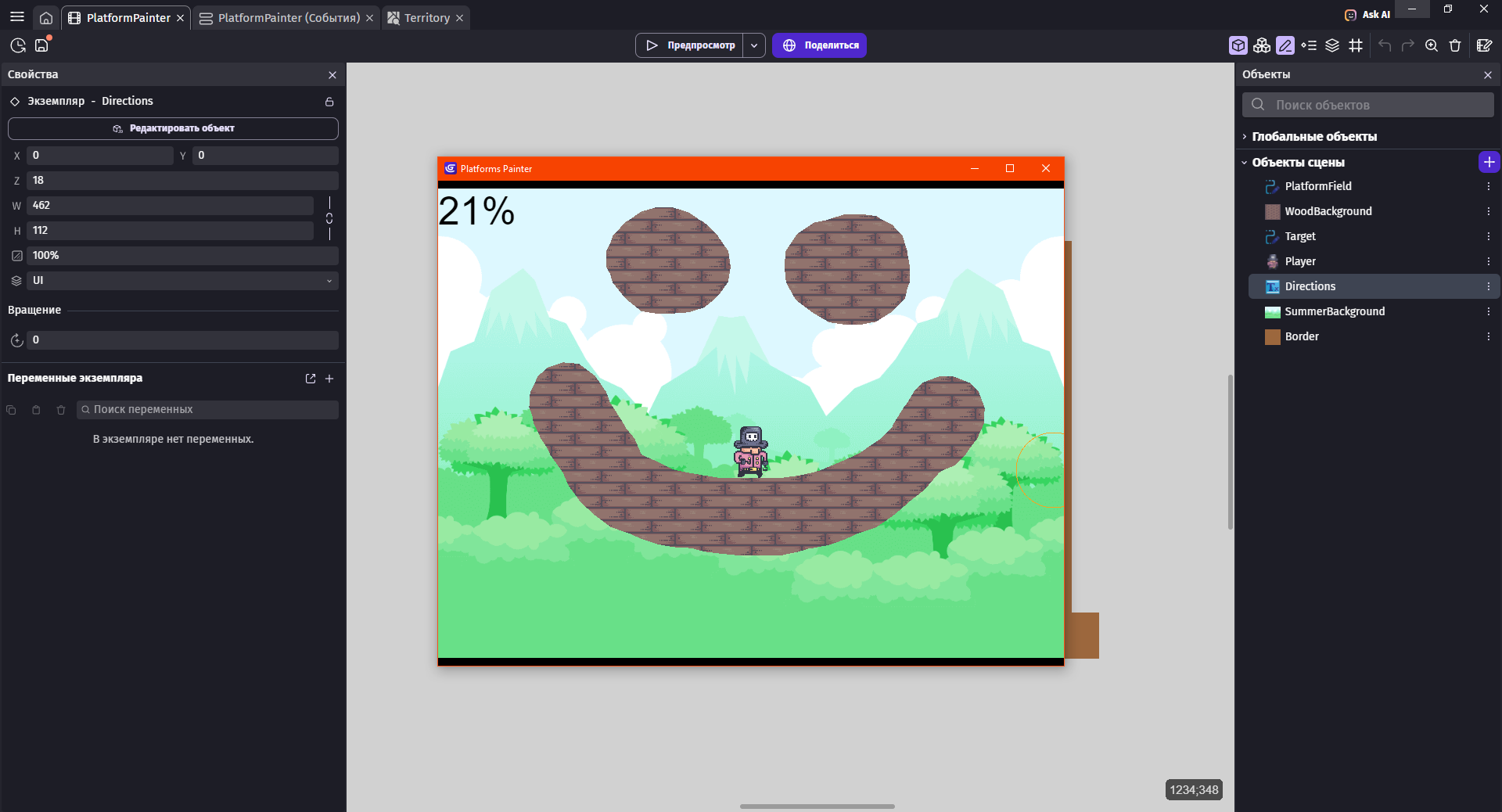
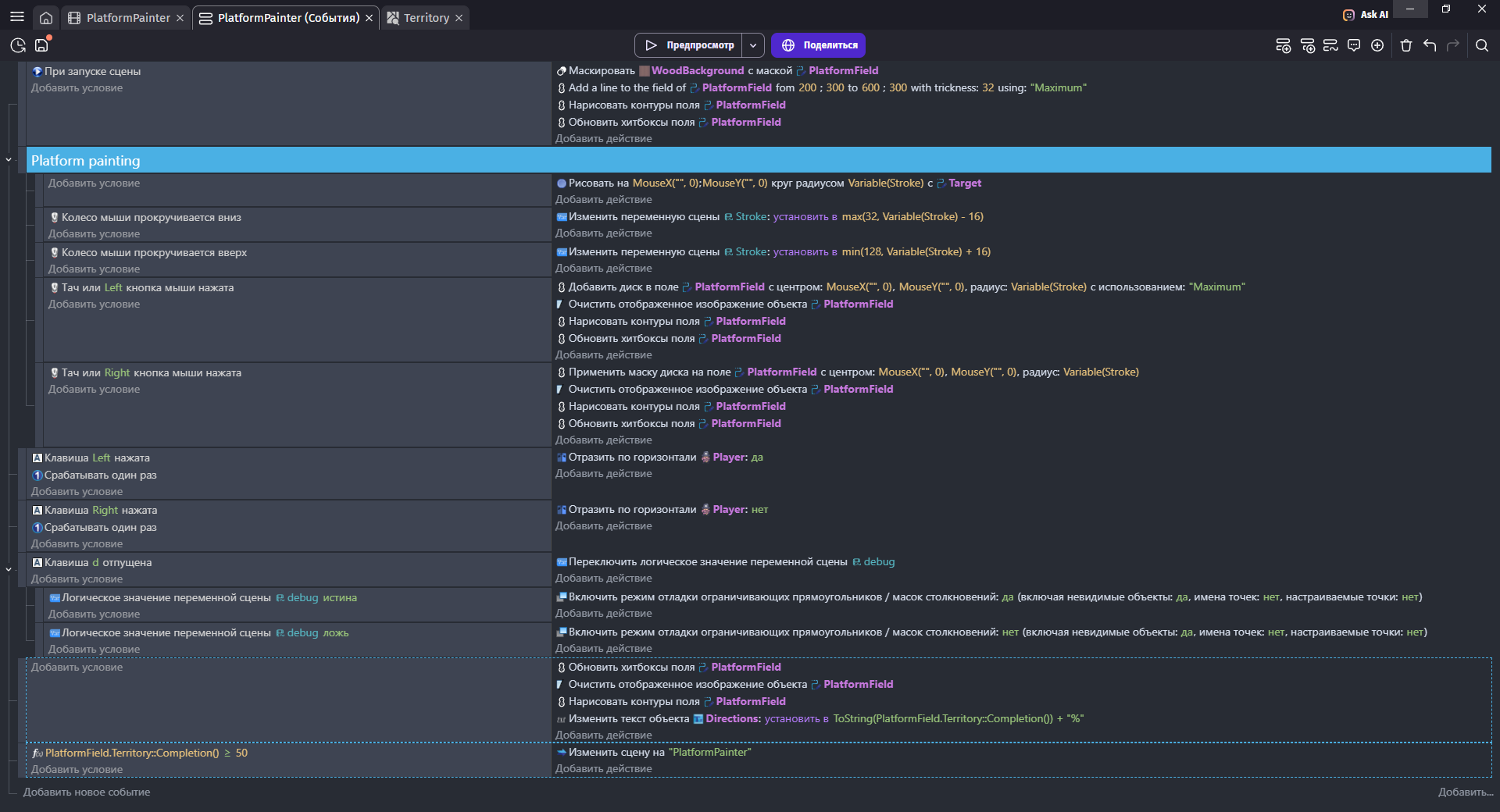
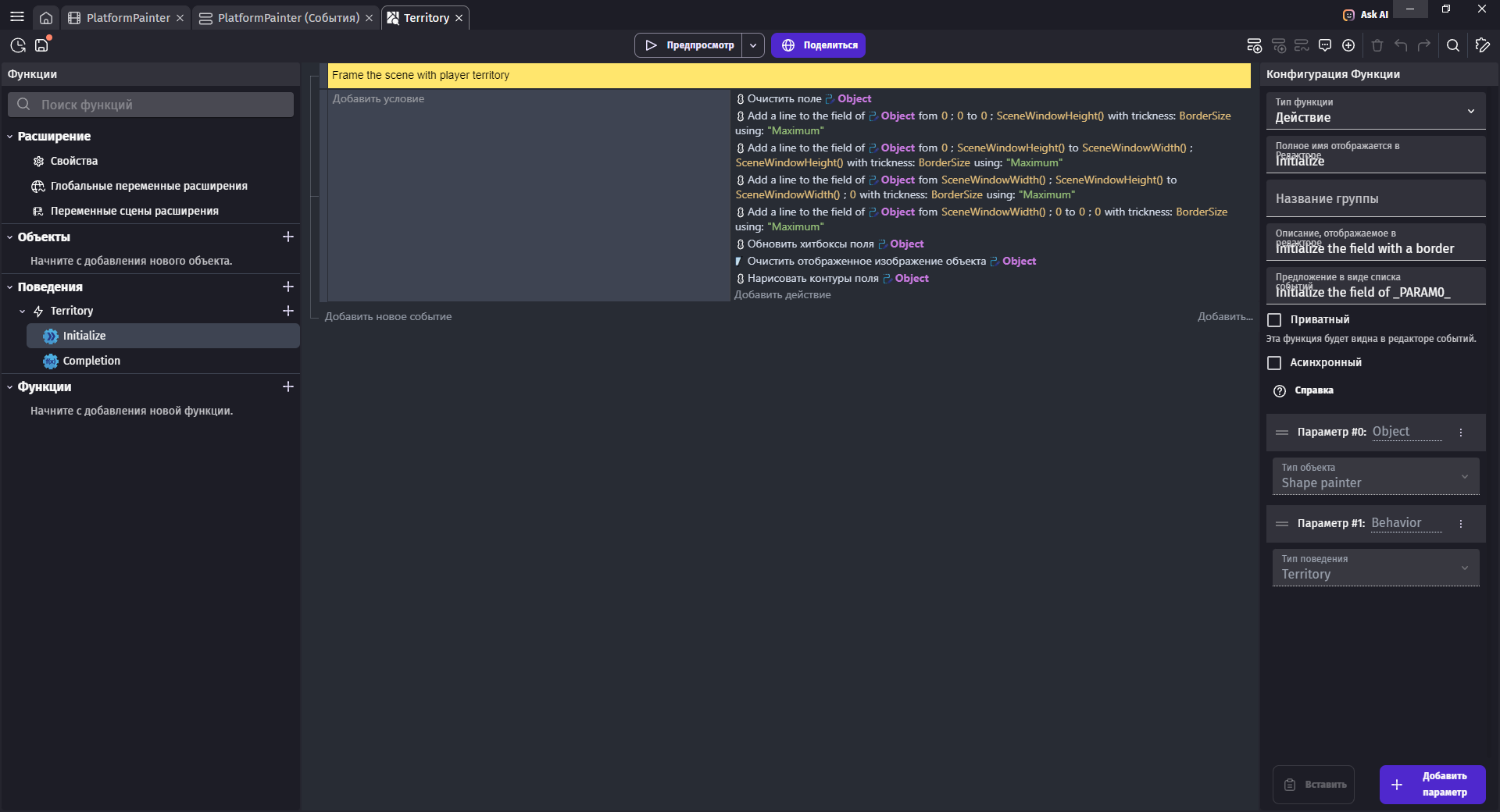
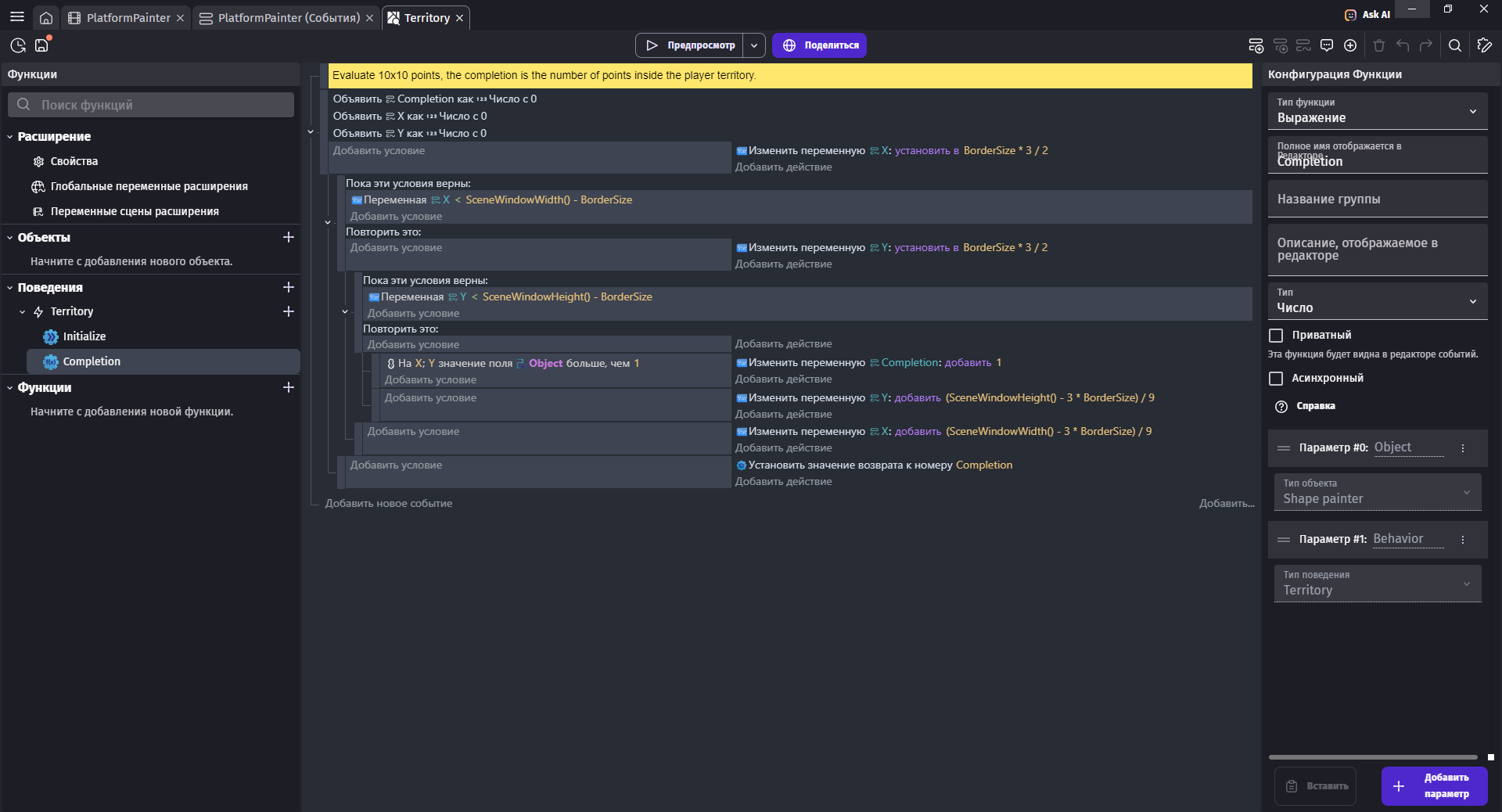
3 Likes
I have a problem - “Territory” allows you to get the percentage area within the boundaries of the initial scene - in my game, the gameplay takes place mostly outside this area - I want to make the initial area that would be taken as 100% would be the area of the sprite object. how to do it?
I have already tried to move the code from the extension to the game code itself so that I can refer to a specific object, but this code does not work outside the extension.