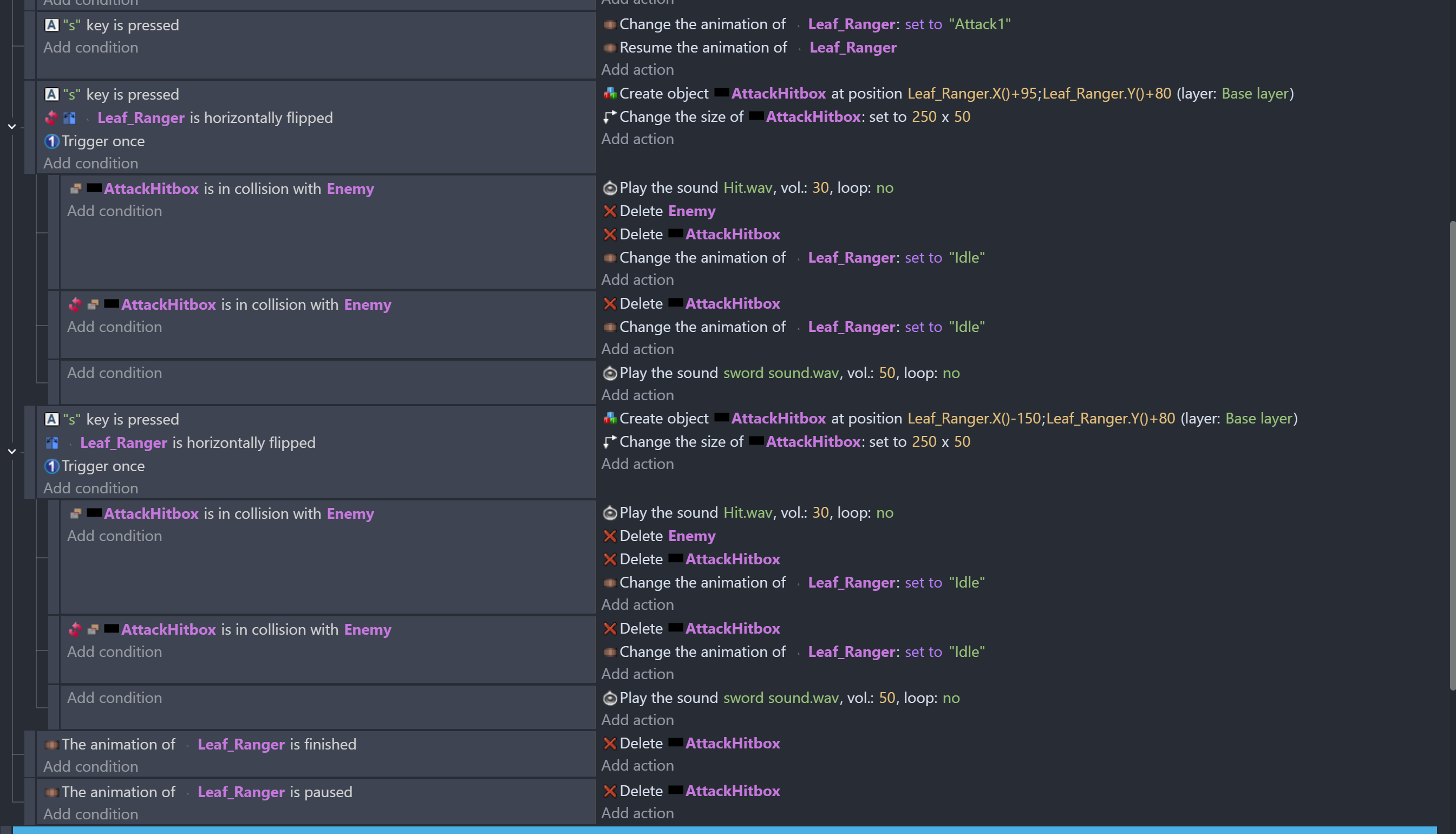
I am trying to make a melee attack for my game but my code isn’t working.
In my game preview, when I click s, the character does his animation but it doesn’t affect the enemy. I don’t even know if the hitbox is getting created.
Would appreciate any help, Thanks.
I don’t know if this is the issue but a lot of times instead of inverting a collision, you might need a non-inverted collision inside a NOT condition.
Say you had 10 objects. It could be in collision with 1 object but not in collision with 9 objects.
It’s similar, an inverted collision will invert the condition but a NOT condition inverts the result of the condition. It’s a bit like the difference of asking if any objects or all objects.
This is a tip. You have seperate events depending on if the object is flipped or not. You might be able to combine them into 1 process by adding a point on the object and placing a hitbox with a centered origin at that point. When an object is flipped, the points are also flipped. Changing the origin would make sure the object was placed at the same distance.
Depending on your process. It might be more efficient to create and stick the hitbox just once instead of adding and deleting it each time.
are you deleting the hitbox before it can process a collision? I don’t think you need an inverted collision check there at all.
Also you need to be specific about which animation has finished
try it…
s key pressed and animation not attack
sub event - is flipped …create hitbox and change animation to attack
another subevent not flipped - create it where you want and change animation to attack
new event - animation is attack
sub event check hitbox collision - do the collision stuff
also a sub event animation has finished - delete hitbox and change ani to idle
if you want to check collision on just one frame have frame 2 as condition
Another thought here is that if you create a point on the character where you want the hitbox then that point will flip when it flips and then you don’t need the flip conditions.
Thanks for replying.
I tried using a NOT condition but it still isn’t working. I will make another point after this issue is resolved.
Yeah that is what I have done, although I didn’t have the animation finished - delete hitbox. I tried doing that but it still didn’t work.
Hi - Can you post a pic of the events as they are now
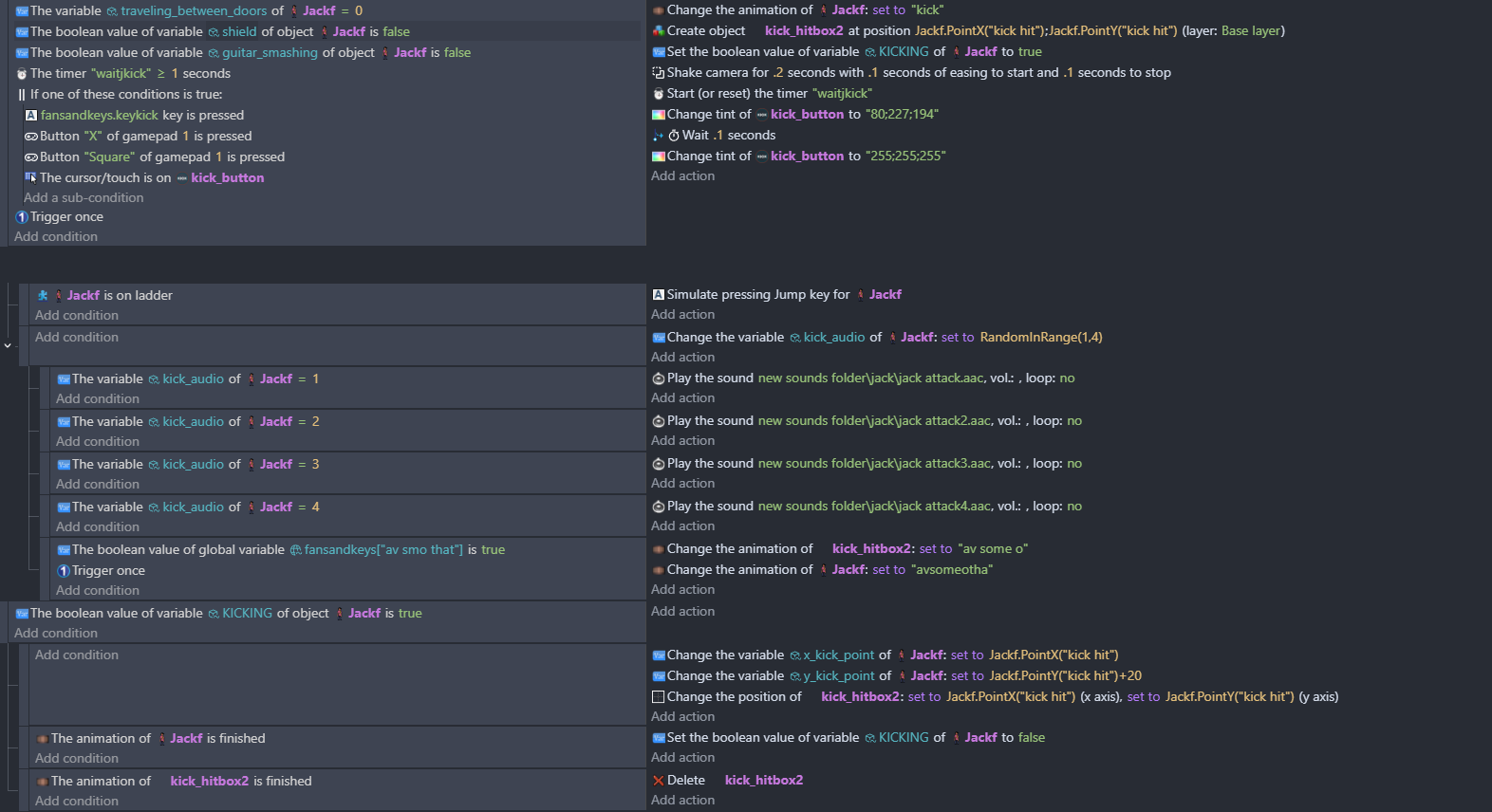
I still don’t think you need an inverted collision check - I looked at the code that I did for my first game with gdevelop - I’d probably do it all differently now, but there’s a boolean for kicking and a timer to allow another kick
In each of the enemy event groups there’s a is kicking true - if so check collision with kick hitbox
when kicking is true - change the position of kick hitbox to the position you need it relative to the player. and animation finished delete the hitbox and change kicking to false
i think the x and ‘y kick point’ were referenced for applying forces to the enemy after kicking
Oh right - thanks.
I’ve done what you’ve said but it still has the same error. Nothing is happening to the enemy.
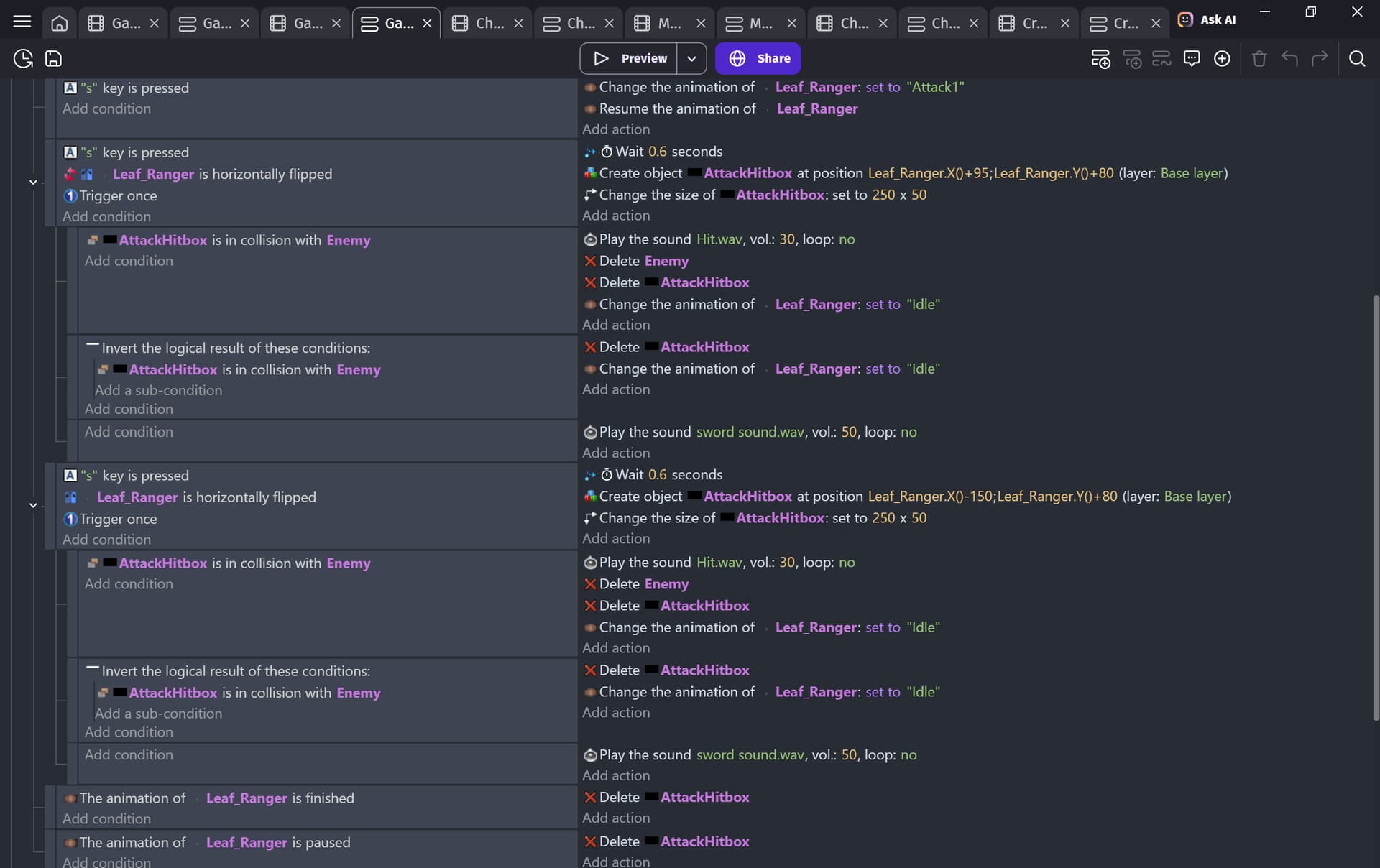
why have you got wait .6 seconds at the top of the events? - as when you press s and it waits .6s before anything happens.
To me the collision check should be outside of the ‘s’ trigger event.
The .6 second is there because I want it to create hitbox after a specific frame.
I put the collision check outside the trigger event but it didn’t do anything.
Long waits like that can mess things up
If you want it on a certain frame
Check animation is attack and current frame is the one you want then create hitbox
Thanks alot, the enemy dies when I hit him but when I don’t and just click “s”, The htbox doesn’t get deleted
As a sub event under animation is attack
Have animation has finished then delete hitbox or use current frame is equal or greater than the one where you check collisions
I’ve done that now but its still not working, when I just press s and don’t hit enemy, the hitbox stays there.
You haven’t got these events as a sub event of the key press have you? You want the frame and animation finished checks to be outside of it.
So I put frame checks out of the sub events but it still doesn’t work.
These are how my events look like:
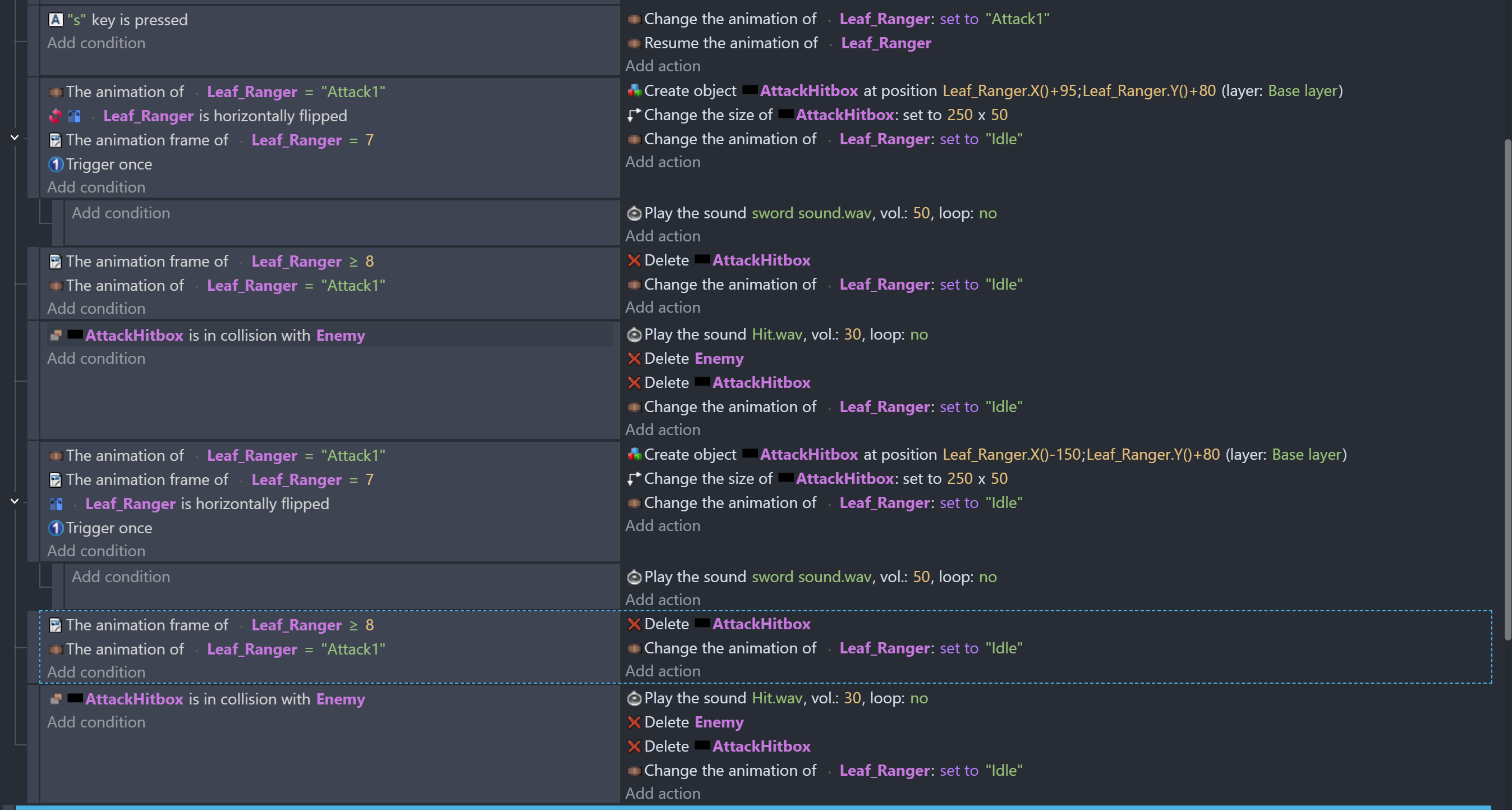

why have you got the same event twice? i think the animation name check needs to be above the frame number check but try it above and if that doesn’t work try it as i have here…
if you’ve never used ‘or’ and ‘and’ - find them by typing ‘or’ or ‘and’ (I know ridiculous isn’t it) in conditions - you need to look carefully where i’ve positioned these conditions under the ‘or’ and ‘and’ - look at the black vertical line to the left of them
Thanks alot, I did what you said in the image but that created another bug, I have another event where when I click ‘a’, The leaf ranger should shoot an arrow and do the related animation. That doesn’t work now, when I click ‘a’, nothing happens. Also, all of the animations of leaf ranger are getting canceled( walking, running, idle, etc).
I think it’s because one of the condition is “The animation is not attack”, and the action is “Change animation to idle”

Hi Yes - get rid of change idle there and have - animation is attack and animation has finished to change back to idle. Have you got ‘platform character animator’ on - if so you need to disable it when ‘attack’ and turn it on again when attack has finished
It’s all about looking down the logic flow and thinking about what you’re asking the computer to do and attempting to tie everything together. I’m not great at this - honestly it makes my head hurt! I’m an artist not a coder! It soon becomes a head-scratching web of logic. But honestly debugging becomes fun - a logic puzzle that buzzes around your brain - stick with it!