Hello good day.
Is anyone know the fastest and easiest way to export your game to IOS? Phone gap build is not working for me. Please anyone? 
Can you be more specific about what is not working?
Phone gap build works for ios but it requires a key
Phone gap has reached end of life though
Hi  unfortunately there is no fast and easy way. Apple makes everything difficult. There are a few steps.
-
Export the game manually using the Cordova build option.
-
Open up the terminal / command line
-
Type in “cd” and then the class path name. In other words, navigate to Cordova build directory.
-
Type " cordova platform add ios "
-
Type " cordova build ios"
If done right, it should say build succeeded -
open up the folder, navigate to platforms, Ios, then the xcode game file.
-
Xcode should open up, if you’re game is not broken in some way, it should run on a simulator when you build it, or plug in your iphone and download it directly.
Hope this helps!
Except simulator ALWAYS gives a black screen for Gdevelop/Cordova apps.
I ended up trying a simple Gdevelop white page that has nothing on it, and it too gave a black screen… 
Thats an easy fix, its 2 lines of code that you put in the second config file:
<preference name = “scheme” value = “app” />
<preference name = “hostname” value = “localhost” />
I will try this tonight!
If this works I will be eternally grateful to you! 
Feel free to reach back out if it doesn’t solve your problem.
didn’t solve it entirely, I now get a white screen instead of a black one, but seems it’s something related to Cordova’s Splash screen, so I’m working on figuring out that issue now 
Still Thanks a million for putting me on the right track!
Fingers crossed! Thanks a lot for being the carrier of good news! 
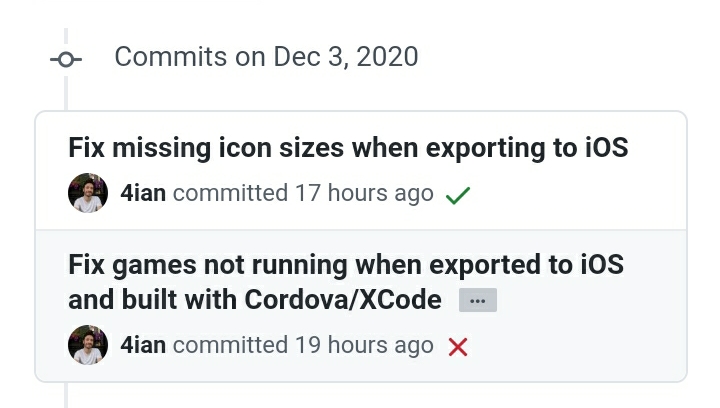
This is the solution for white/black screen and problem with AppStore: