Most likely, your events are doing exactly what they “should be” doing, and you just constructed them in a way that leads to this result.
Need to see your events to determine the issue
What @magicsofa said - there will be a flaw in your logic. We can help if you provide a screen snip of the events.
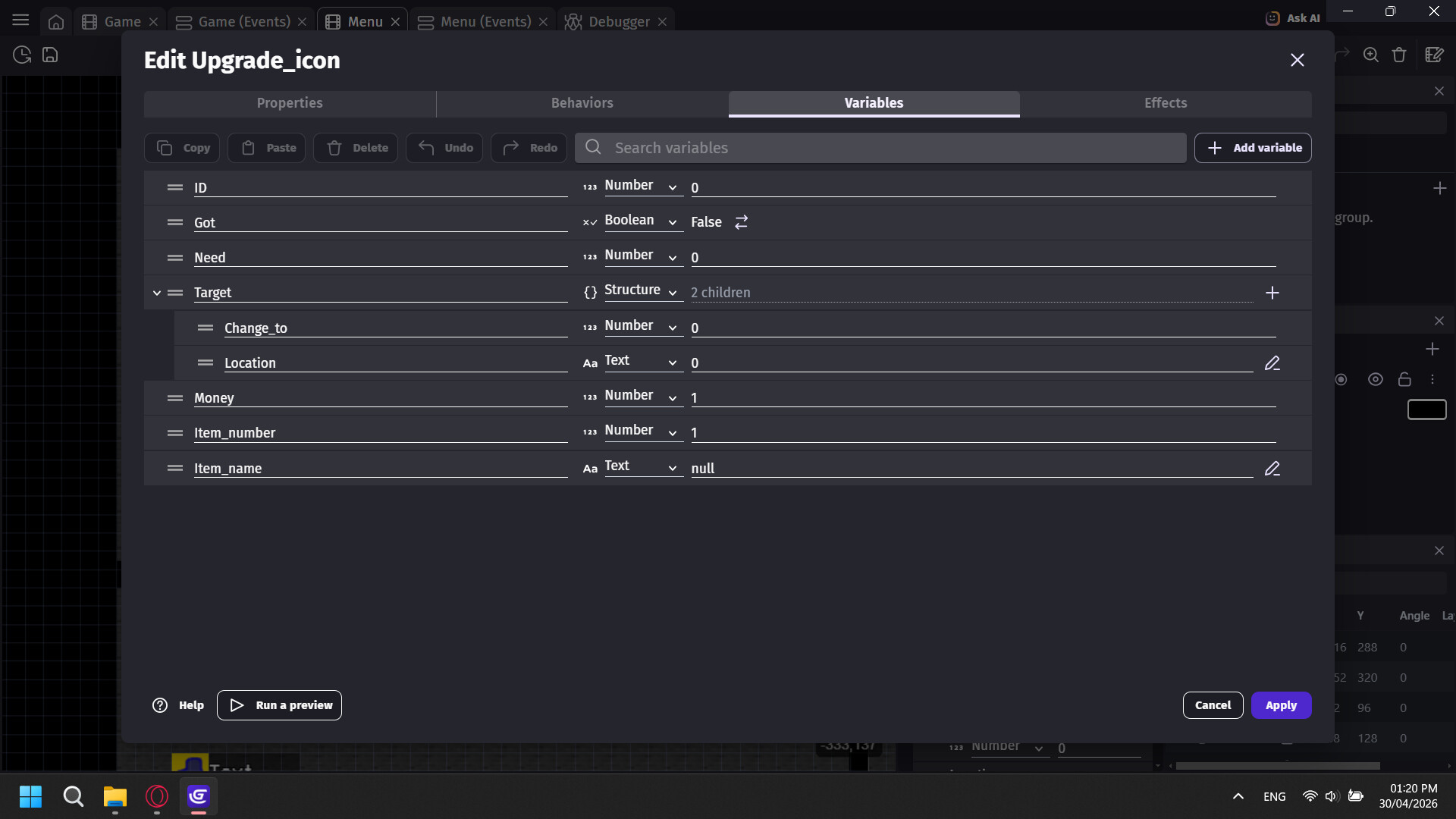
The objects have variables that are the following:
ID - The Upgrade’s ID
Got - When you bought or own that upgrade
Need - That upgrade be locked until the needed upgrade is bought
Target
↳ Change_to - Change the target’s number
↳ Location - Target a Global Variable to change
Money - How many that upgrade costs
Item_number - The item’s name from the inventory
Item_name - What kind of item is needed to buy the upgrade

When I pause, it updates the upgrade list based on the stored array.

Shows the upgrade’s info.
“Info” stores the texts.
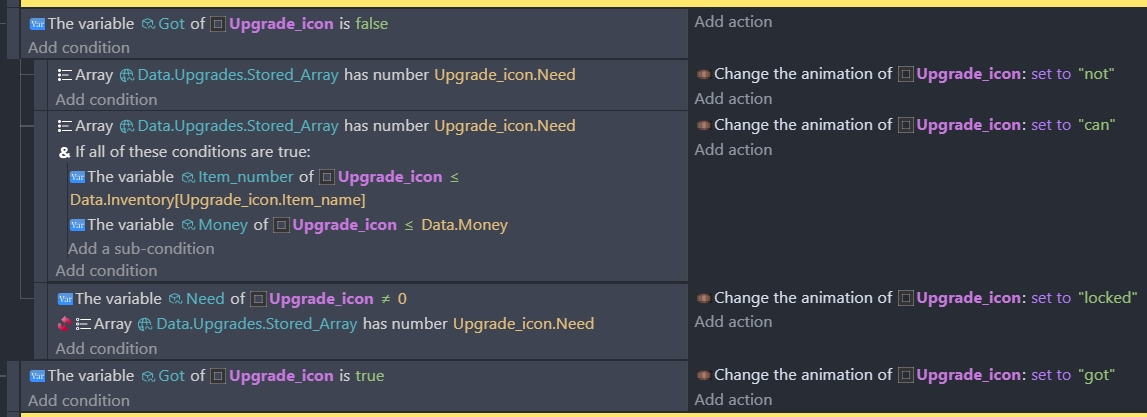
Change the object’s looks.

Buy the upgrade.
This doesn’t make sense - item name suggests it’s text, but it’s defined as a number.
No, this iterates over each Upgrade_icon object. It’s only updates it based on the array and should do this only once at the very start of the scene.
btw, this is poor coding - the upgrade icons are iterated over every game frame, but nothing done to them. You should have an event with the “Beginning of scene” as the condition, and as a subevent have the “Repeat for each Upgrade_icon” event.
But those things won’t resolve your issue.
I assume that when you buy an upgrade, all the upgrade icons change to the “got” animation? If this is so, it’d suggest that the Got variable of each Upgrade_icon object is set to true.
How do you create each Upgrade_icon, and where do you set its ID?
My bad.
Item_number - The number of items needed to buy the upgrade
The 4 animations of the Upgrade_icon are…
Locked - when you don’t have the required upgrade to unlock that upgrade
Not - unlocked, but you don’t have the price to buy it
Can - you can buy the upgrade
Got - you already bought the upgrade
ID is for the upgrade’s ID
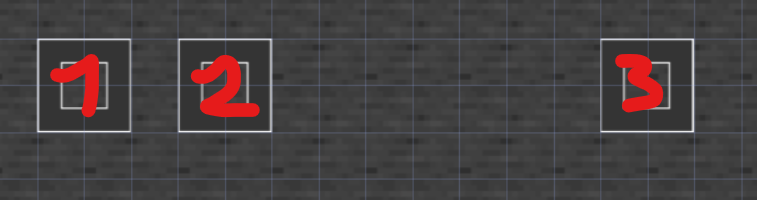
When I buy a upgrade (1) that is linked to an another upgrade (2), it’s linked upgrade (3) is also being unlocked when it shouldn’t.
There is no single proper upgrade system I can use, so I have to build my own.
One thing that can help with upgrade systems is storing the current upgrade level in a variable and calculating the new value from that, instead of hard-coding each upgrade step. It tends to make the logic much easier to maintain as the game grows.
Have you fixed this yet? The structure of these events is a bit confusing to me. First of all, you have a number variable ID for each upgrade. Why not text? Surely all of your upgrades will have a unique name - I would use that to identify them rather than a number.
Adding ID numbers to an array like this is a bit strange as well. To me the more intuitive way to do this would be to use a structure, where all the values are booleans (or numbers if you want cumulative upgrades). That way the name of the upgrade serves as the index:
Upgrades (structure)
   Accuracy    |      FALSE
   Speed       |      TRUE
   Armor       |      FALSE
Now you can check for an upgrade by testing the variable directly, such as Upgrades.Accuracy (or Upgrades[“Accuracy”]). If your buy button has the same name stored, then you can check if it has been purchased with Upgrades[Button.UpgradeName]
It seems like you have too many moving parts, which can be consolidated. You’ve got Data.Upgrades, Data.Inventory, Data.Upgrades.Stored_Array (!). This structure of things is making life harder for you (and for us to try and debug as well  )
)
Similarly the Upgrade_icon thing has so many variables. ID, Need, Target, Item_number, Item_name… looking at the events, I have no idea why Target.Location is being changed to Target.Change_to. But in the definitions, Change_to is a number and Location is a text. What is going on there?
You shouldn’t have to change the ID of the upgrades. The point of an identifier is to identify something, by changing them all to -1 its like you’re erasing history. What if you want to go back and find that thing again? Now you have to do it some other way.
The way I would go about it would be to have a structure of upgrade names that represent what the player has purchased, and then the upgrade buttons have that name as their ID, which never changes. You should be updating the buttons based on the values found in player.Upgrades - no need to modify them at any point. The upgrade button can have a list of prerequisites, which will just be an array of names, so when you update the buy screen you simply loop through the array to check that all of those names are set to TRUE in player.Upgrades.