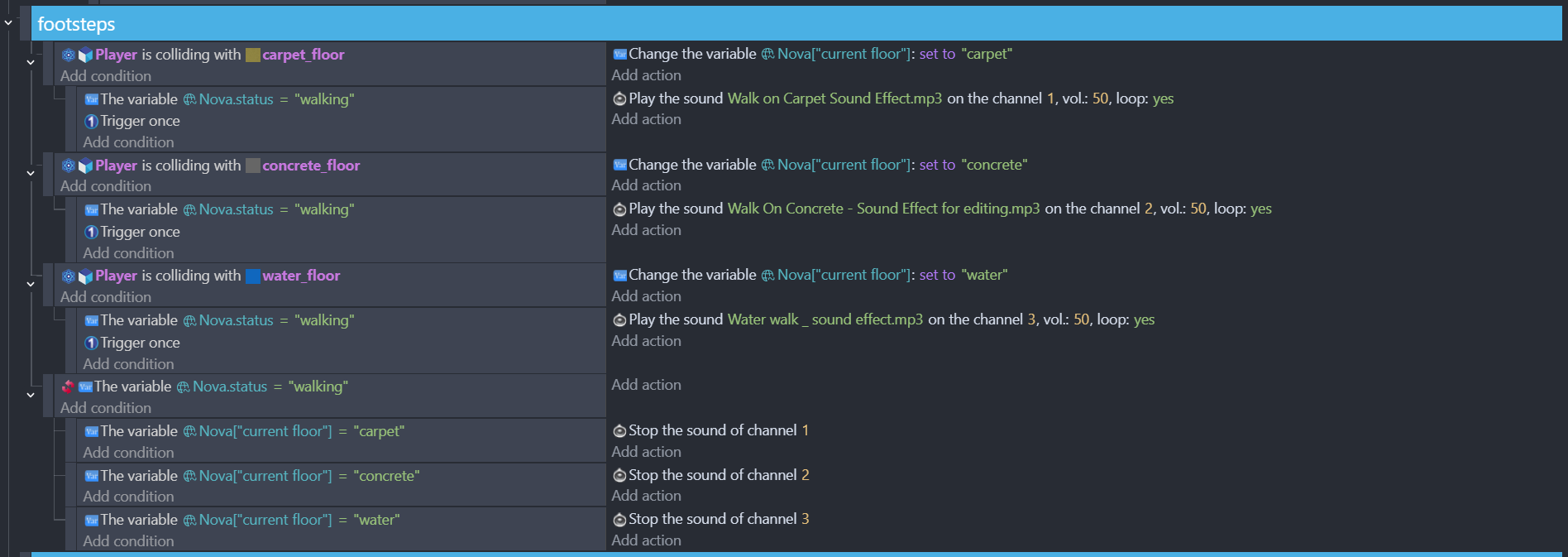
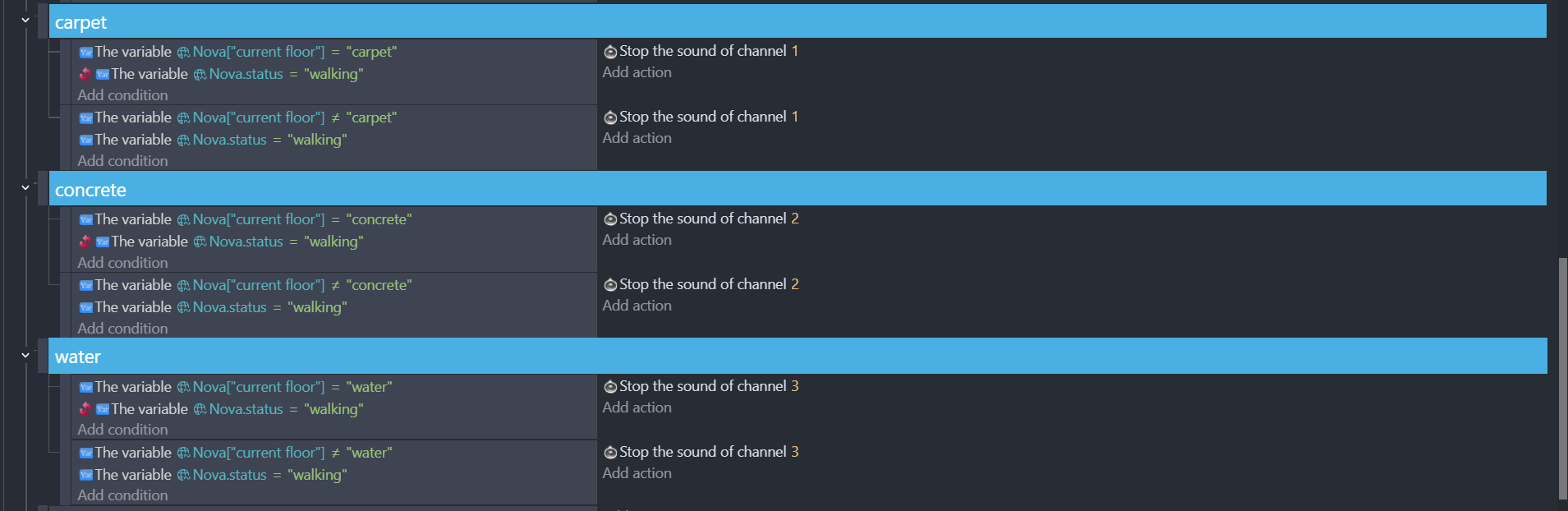
so i’m making a 3d first person horror game about exploring liminal spaces (but it’s not backrooms), i’m currently making the essential mechanics of the game, i mean stuff like headbobs and other things that a horror game would normally have, i’m trying to make a system that makes footstep sounds when the player walks and the sound of the footsteps depends on the floor the player is on
when i start walking, the floor’s footstep sounds plays as i wanted but when i walk into other floors, the floor’s footsteps that i walked into also starts to play normally but the first floor’s footstep sound still continues to play (it’s probably my poor logic thinking thingy), so how can i fix it so i can have proper footstep system for the game (also sorry if i explained my problem poorly…)
You can use a timer instead of repeating the sound. For example, if the sound lasts 1 second, set the timer to 1 second and play the sound once and restart the timer. When the player switches to another platform, stop all timers related to other roads.
when im doing footsteps i do it based on the current animation frame. If you’ve got 6 animation frames and you can trigger the left foot sound on frame2 and right foot on frame5. You still need trigger once. Enemy footsteps i put on a channel and link the volume to be inversely proportional to distance
You’re talking about 2D, so .PNG. He has 3D, so .GLB. Do you see frames in GLB? (although it seems like you can do that too, since you ride a unicorn to work)
I am not good with 3D
I know 3D animation have something like key frames
So i was asking is that the same as animation frames?
But guess we both failed
His objects is NOT 3D model
Its 3D box
So he could use Sprite 3D and add to it as many as he want frames of same image
And now for sure he would have frames of animation just like 2d sprite
And now your idea would work
You can reference animation elapsed time with 3d and the speed scale. So you can link the speed scale to the characters speed and i guess if you use ‘animation has finished’ you could save the time from start to finish to a variable ‘anilength’ and then trigger left foot on ‘time elapsed’/anilength>.25 and right foot on ‘time elapsed’/anilength>.75
but ive not tried it!