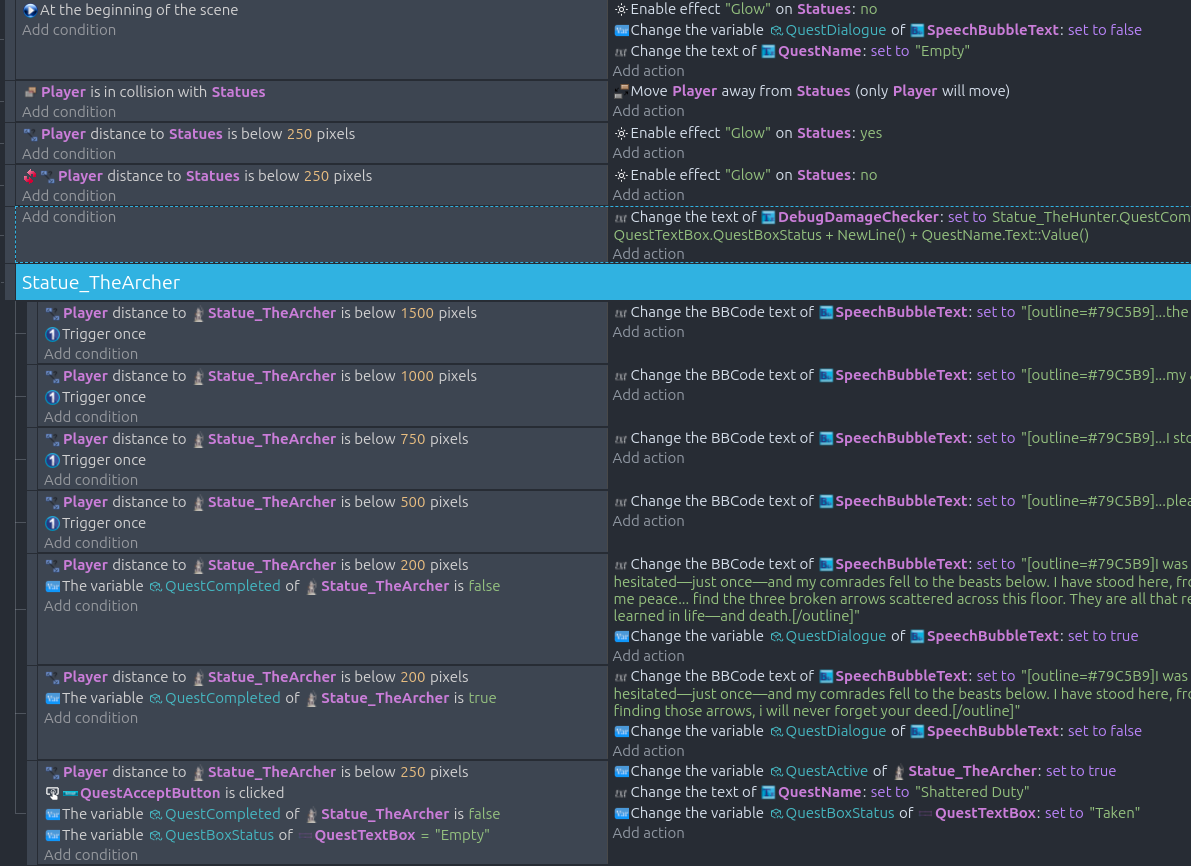
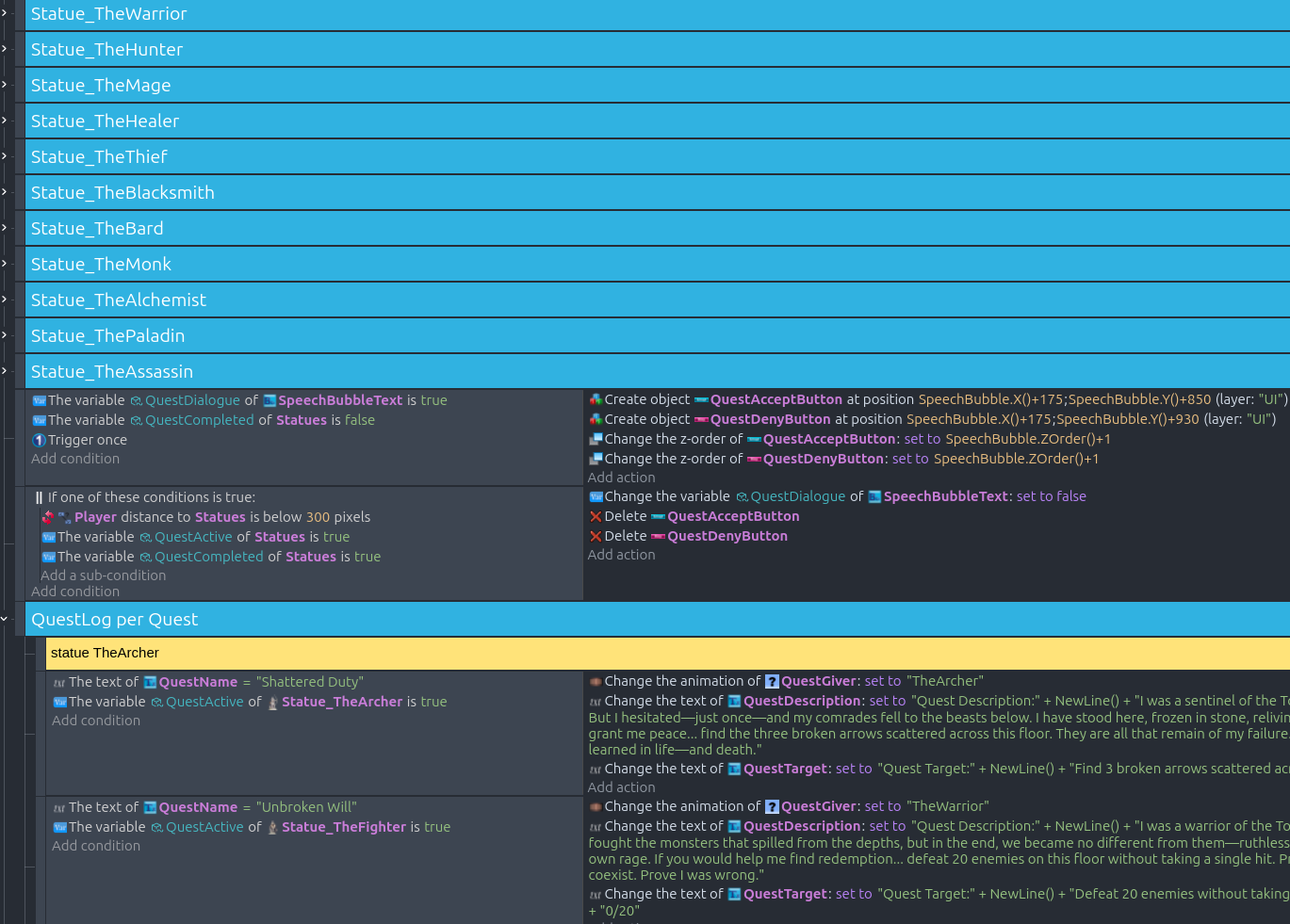
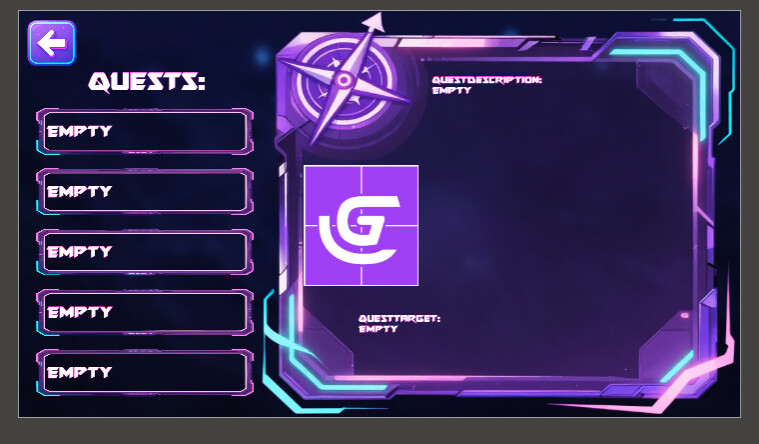
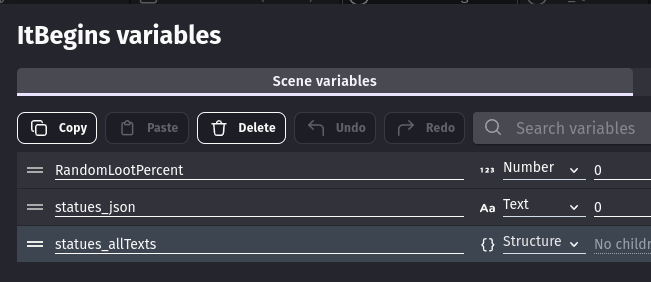
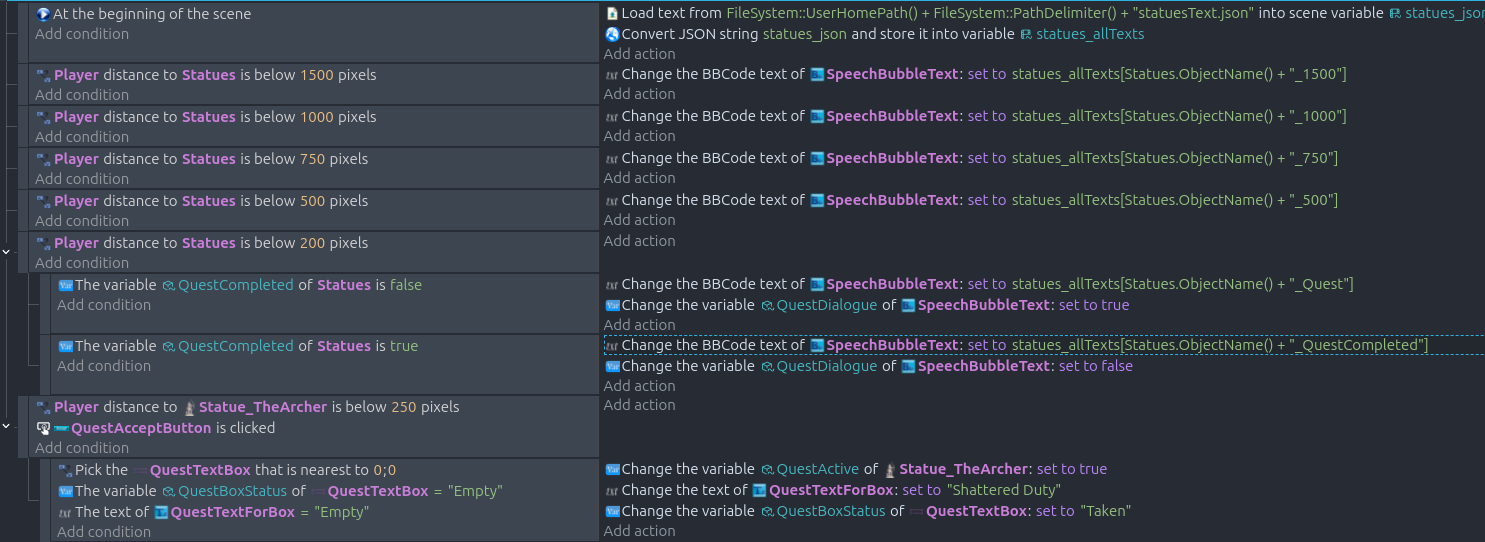
i have placed 12 statues on my map that provide a quest if you get close to each one of them. if you have not completed the quest and you are close enough the buttons for accept/deny appear. the push of the accept button should check if there is a free quest slot (0-4) and when its free, the quest should then be visible in the external layout of “Quests” . if the questlog is full, the statue will tell the player to finish existing tasks first.
how would i change the states of the QuestTextBox and Statues?
What is the expected result
i want to change the state of “Empty” from the QuestTextBox to the questname, and also set the QuestActive to true when the Accept button is clicked.
What is the actual result
the current issue is that i do not get the status changes of the statues or the questtextbox as expected when hitting the Acceptbutton
with changing my event (1st screenshot bottom event) i am able to accept quests.
but now i am stuck at the point that not all of the 5 Questslots should contain the same quest…
i cant think of a usable solution that solves this. i would be happy for assistance.
Hey, lemme get this straight. You want to add a quest sytem for like pick up the objects around the map? And let the game remember how much has been picked up and is remaining?
Well you can make global variable (number) for each statue, then say if the player is in that distance or is in contact of the statue, add +1 to the global variable of the statue’s variable. Afterwards save it, Oh also make sure you load it At the beginning of the scene.
Lemme know if you have issues, or want visual code to make it easier to understand
Sorry for beeing unclear, i will try to describe my issue better:
the quest giving statues present their quest when the player gets close.
when the player has not finished the quest before an “Accept/Deny” Button will appear. if the player presses Accept the quest appears in my external Layout “UI_Quests” where 5 Quests can be stored at once.
the tracking of the quests is not an issue yet, since i want to get the quest into the questlog correctly first.
i tried a lot of diffrent apporaches today, and i know i need something to discriminate between the Objects for “QuestTextBox” to make sure not all 5 QuestTextBox objects get the same quest and no further quest can be taken.
the last thing i tried was “picking nearest object” but i guess this does not work for a layer that is invisible in the time it gets set?
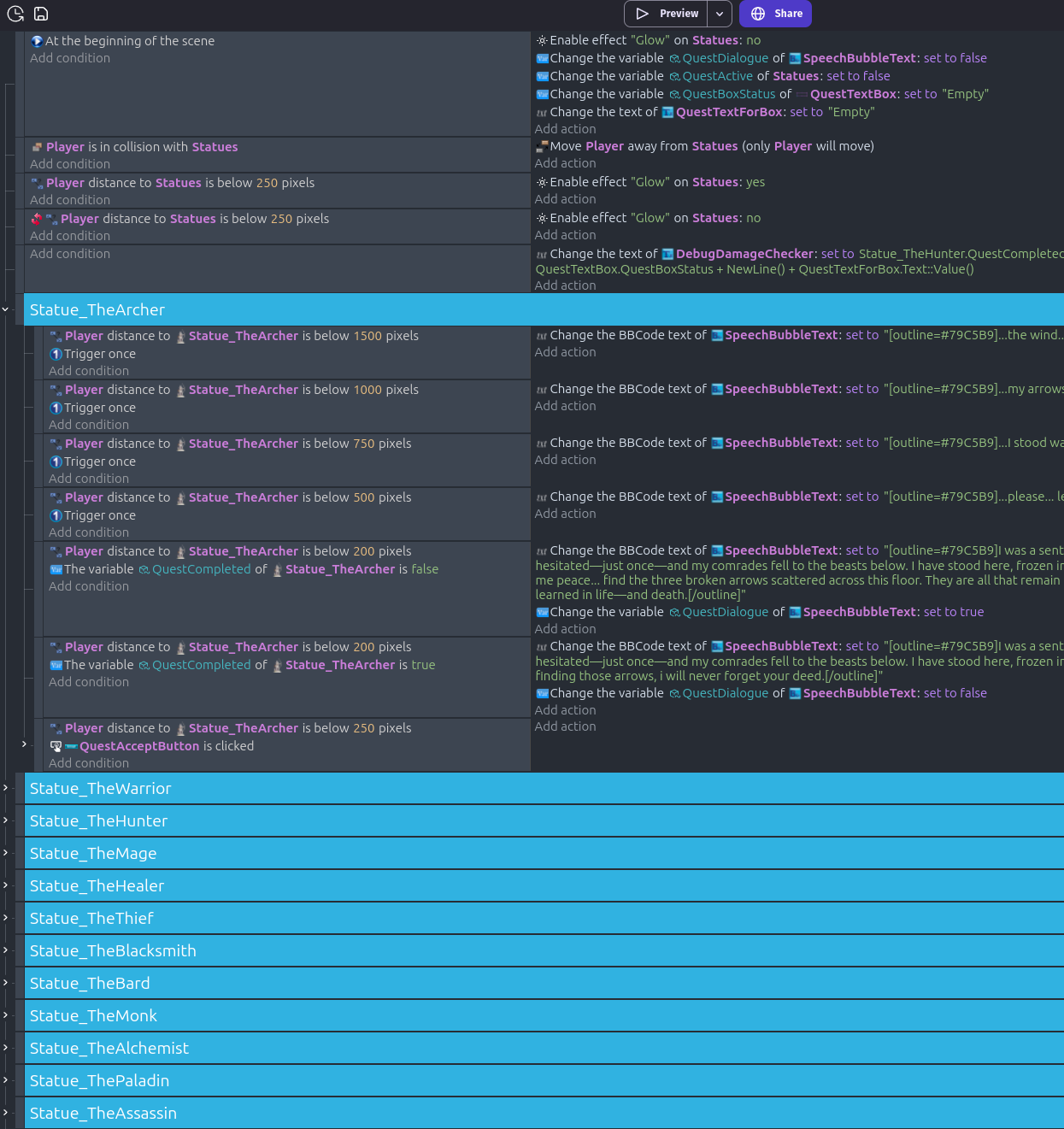
my events changed a bit so here are actual screenshots of my events:
I still don’t understand what you mean not gonna lie. Are you trying to have a pop up that hey this is a quest, want to accept it or not? Or are you trying to have object get picked up. Aka have thr player get only the closest object to have them register they picked it up?
Actually it’s not that complicated, Make a new Global variable and call it wut you like.
Then when accepting a quest make it so they get Var=1. Then when showing quest have the condition if the player has the quest up Var=1 then make it show only on the 1st box n the things that are associated with the quest.
Also if the player has all the quests up like Var=5 Make it so each quest has it’s on place. Sametime when the player completes a quests do-1 and give the place of the object quests associated with, go up or down depending on what if they added more quests or finished.
Noticing it’s harder to understand what im saying, and if you want i can make a small demo and send it to you how it might look n act.
The most likely reason all 5 QuestSlots are filled is because you aren’t specifying which specific slot to populate. In the event snippet above, the conditions don’t select which QuestBoxText or QuestName objects to use, so GDevelop applies the action to all of them.
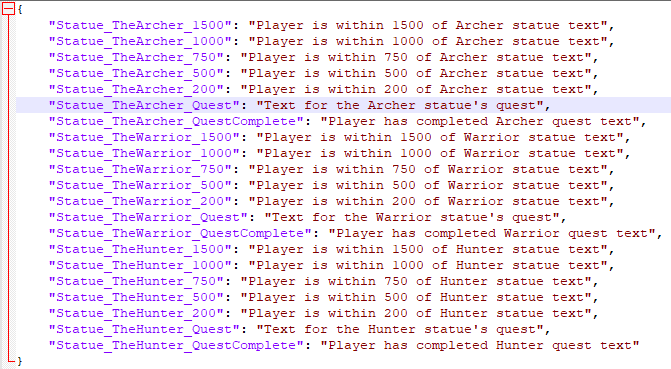
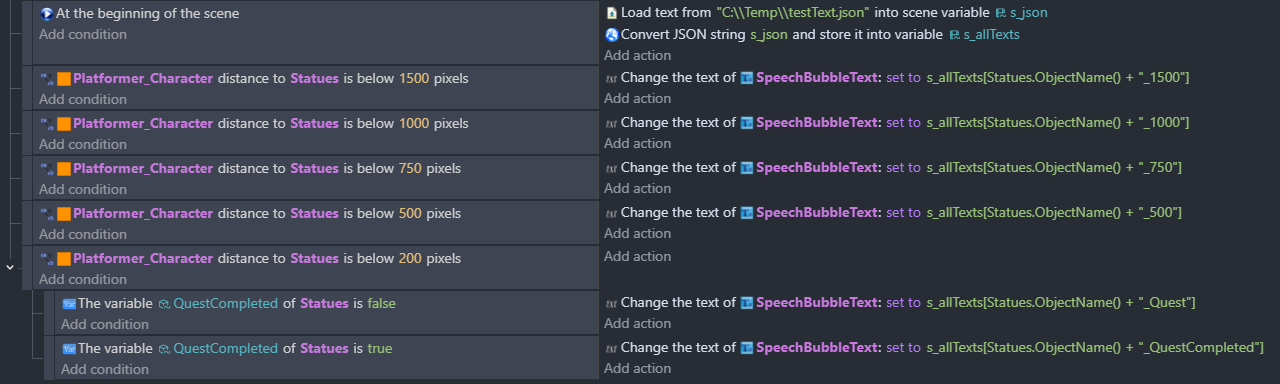
Looking at the events in the screen shots, consider putting all the various text data into a file, read that file into a structure variable and set the text boxes from this. If you base the text key on the statue’s name and distance check, then you can use 1 set of events for all statues. Same goes for the QuestLog per Quest events.
It’d reduce the number of events and if you want to change something that affects all statue objects then you only need to do it once.
Let me know if you’d be interested and I’ll post an example of what I’m on about.
since i tried using a Global/Scene/Obejct variable already and got no success i would be happy to see an example of using just an text file instead of handling 1000 single “change text events”.
thanks for that example, it is really helpfull and i understand what you are pointing at, i will try to get this done. if any questions come up i will get back to you.
ok the textevent from @MrMen works like a charm. the location of the json i tried, seems to be correct (phew lucky) and when getting closer the correct text is shown as expected. that was a great idea! thanks.
and now i am back to my initial issue. when i accept the quest by pressing the “QuestAcceptButton” all questslots with State “empty” get filled (that are all 5 slots at the beginnging that get filled),
the "check closest to x0 y0 with empty state for QuestTextBox (which is only a frame) and the text for showing the quest (QuestTextForBox as text object) is not performed as expected.
any other way to just pick the first possible “empty” object/text to to true and then stop the check?
and yes i could extract a custom object to create one questbox with text object. but i just saw that once, and i do not understand the settings for the object too well, but this is not the point here.
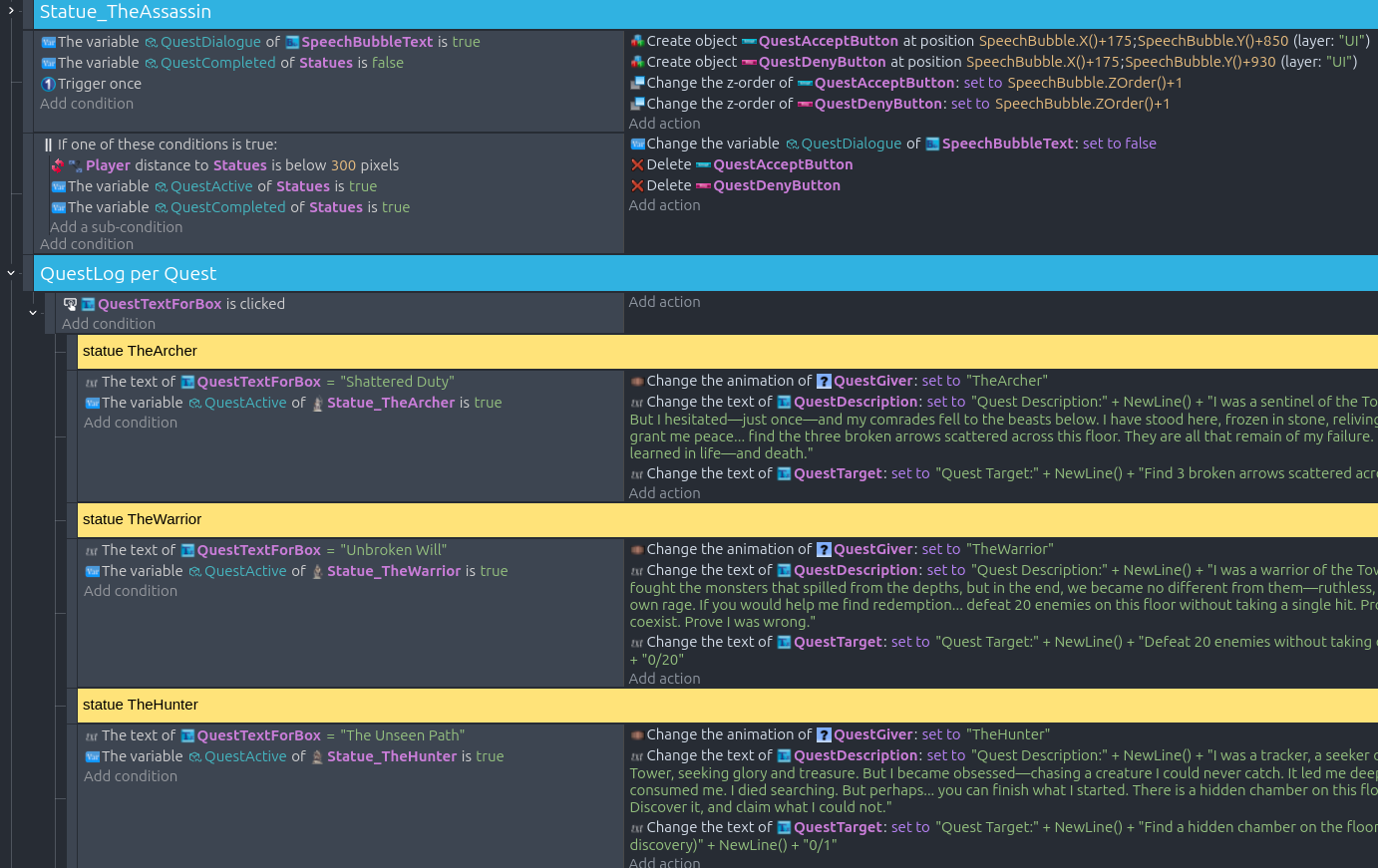
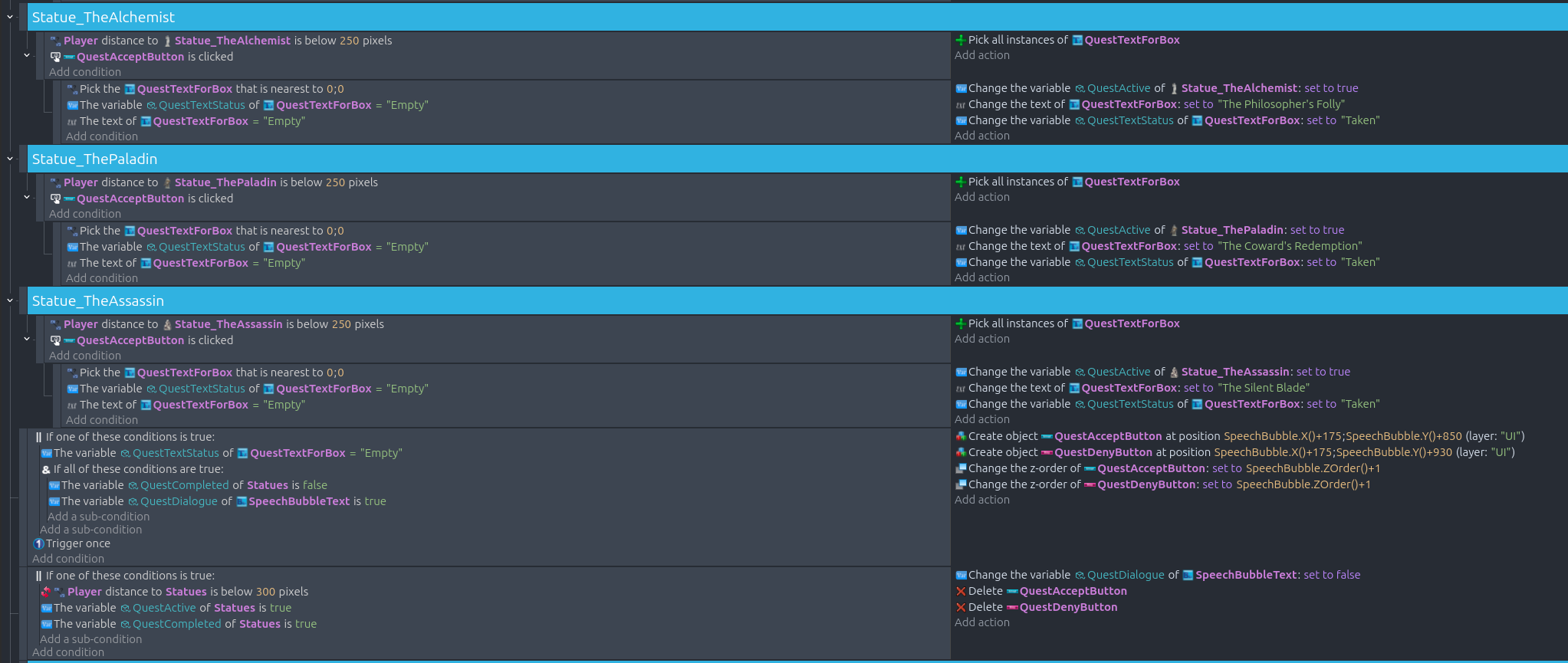
these are the last 3 quest statues and the “Accept” button to pop up, which worked fine until a bit ago, but since i am testing diffrent approaches i now broke that again… and this is my current state:
Not sure why it’s happening, I can’t easily spot the issue. However, can you try the following:
remove the “Pick all instances of QuestTextForBox” actions. By default GDEvelop will use all of the obejcts unless they’ve been filtered by a parent event.
move the “Pick the QuestTextForBox nearest to 0;0” to be the last action in the event’s conditions. That’ll filter the text boxes to those that are empty first and then select the one closest to the origin.
As an aside, to make a generic event that works for all statue objects give each statue a variable containing its text, and set QuestTextForBox to that variable’s value.
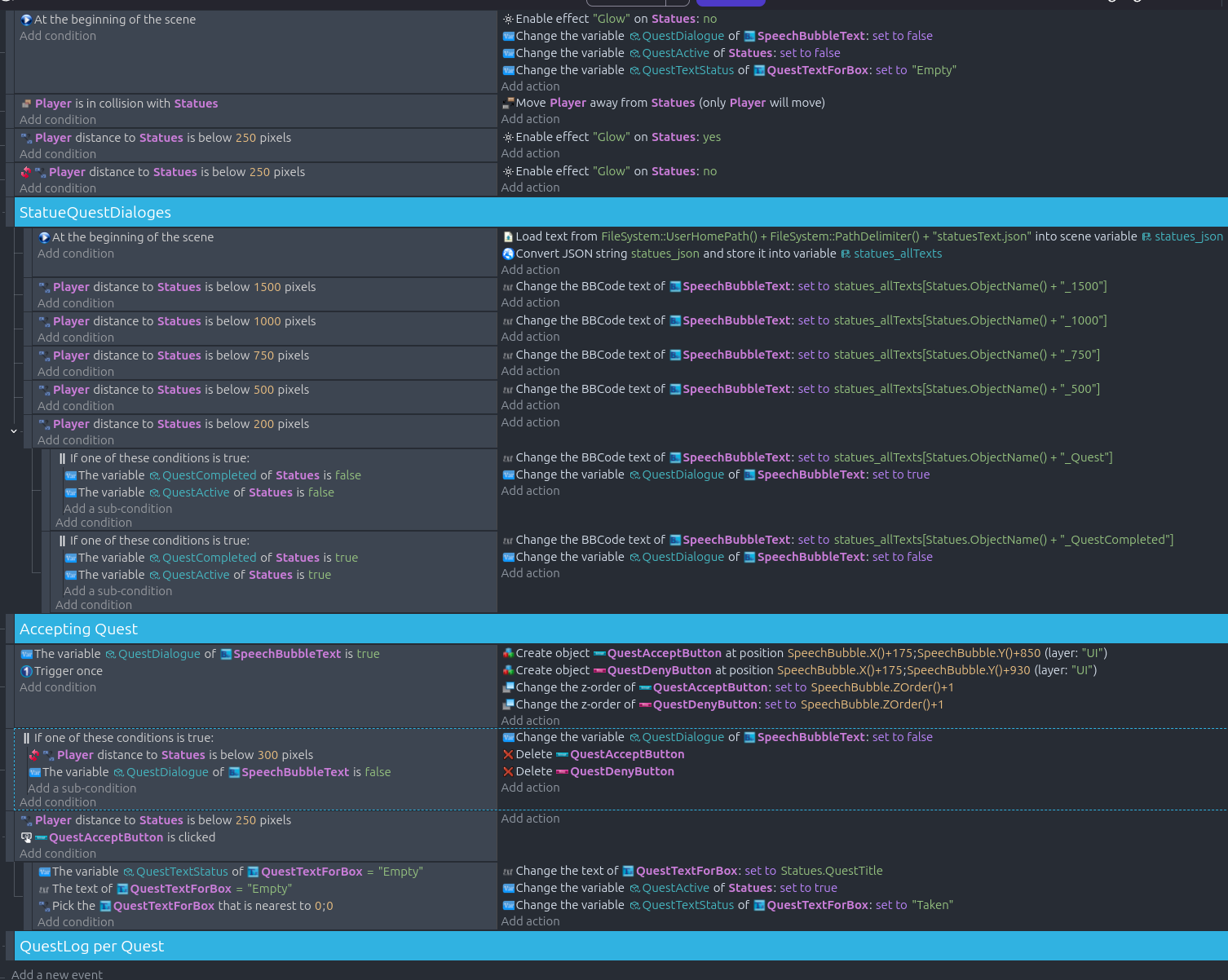
Thanks i solved it so far, each slot gets one quest now, took me some time to get it done and since i was ill for a few days i was unable to respond earlier.
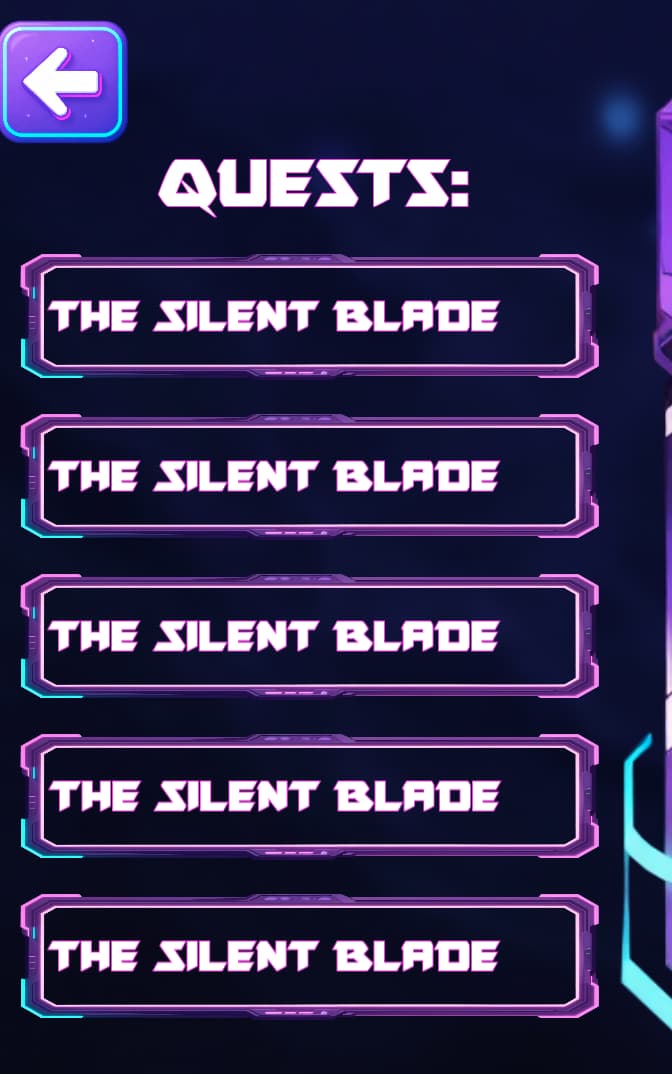
this is how it looks now: