Hello everyone,
I’ve been using the “Sky3D” extension, however, ive been needing to interact with the sky. In real life, fog, unless what it is made up of takes on a color like ozone, fog takes on the color of the sky from all angles. Meaning, if you look in the distance towards the sun, the fog takes on the amber hue of the sunset, however if you look away, it takes on the blueish, dark color.
Fog usually takes on the color of the horizon, rather than the zenith color. However, of course, this changes with perspective. If you look away from the sun, now the horizon color is different. So how can i change the color of a fog effect based on the color of the sky, in the direction im looking?
Note that this is simplified…fog takes on the color from every direction, not just the point youre looking at, and that can look quite different, but we only have so much to work with.
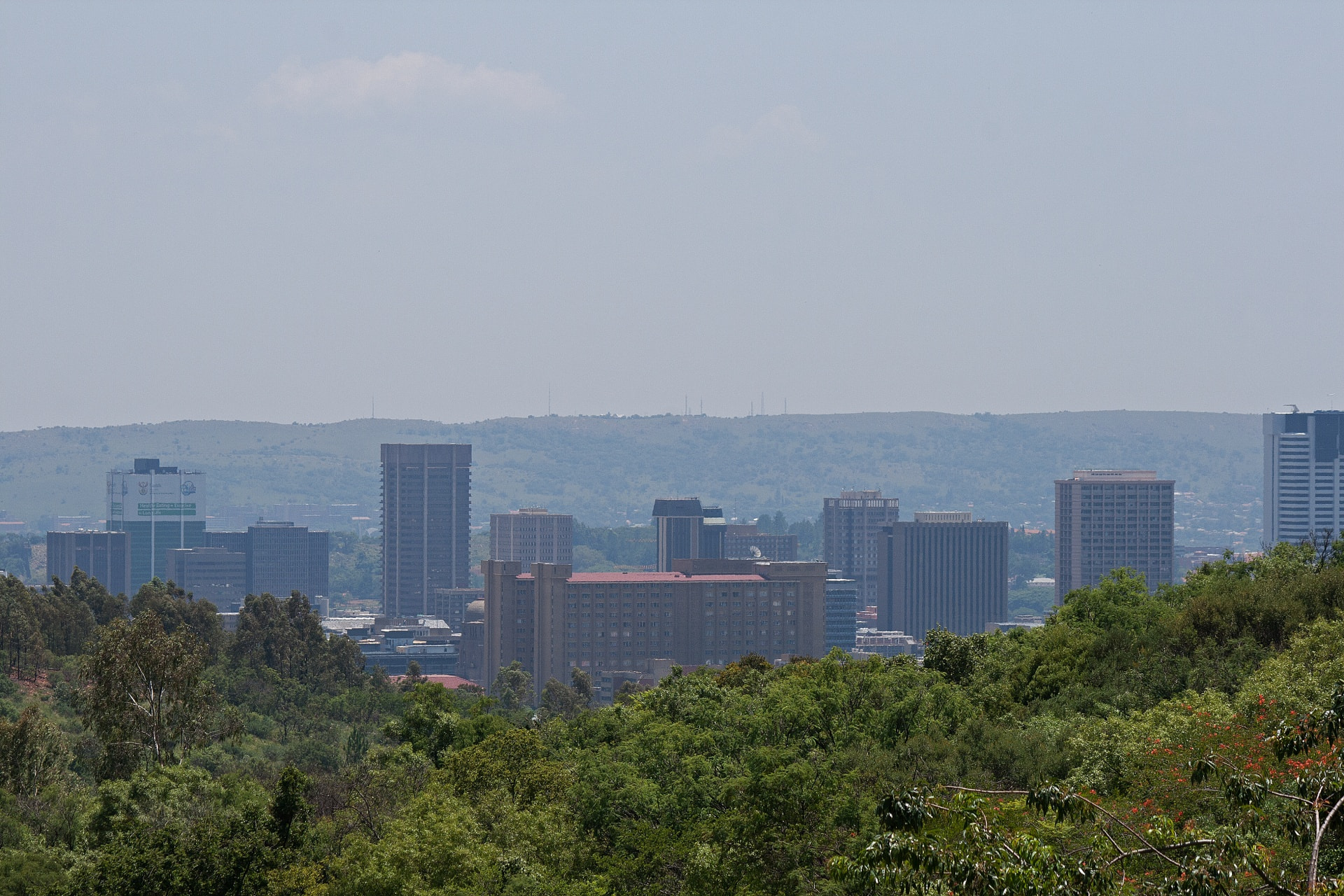
Public domain photo
In this photo, you can see that at horizon level, the fog takes on the color of the horizon. But the closer it is to you, it takes on the color of the zenith.
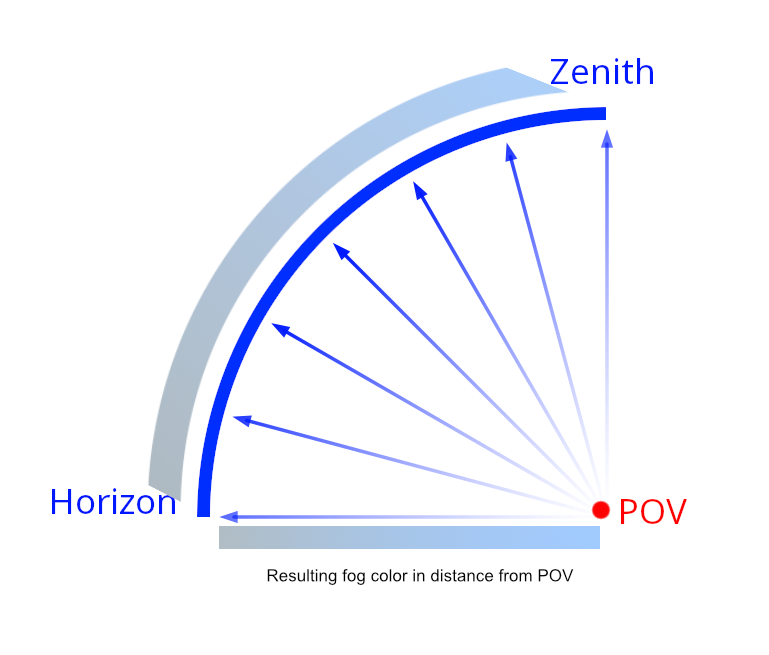
This is a helpful diagram i created, incase there is any misunderstanding.
But pretty much, were only using the horizon. Because if we were to do it any other way, we would need volumetric fog, which is actually possible in three.js, but might come with complex implementation or performance issues.