Hi, I have a problem because I want to create hills like the ones in Hill Climb Racing. Does anyone have a ready-made project featuring that kind of generation, or a screenshot of the code?
~Translated by Google Translator
Hi, I have a problem because I want to create hills like the ones in Hill Climb Racing. Does anyone have a ready-made project featuring that kind of generation, or a screenshot of the code?
~Translated by Google Translator
would marching squares help?
just a thought
this discussion might help.
IMO… its not the generation that is difficult, its the collision.
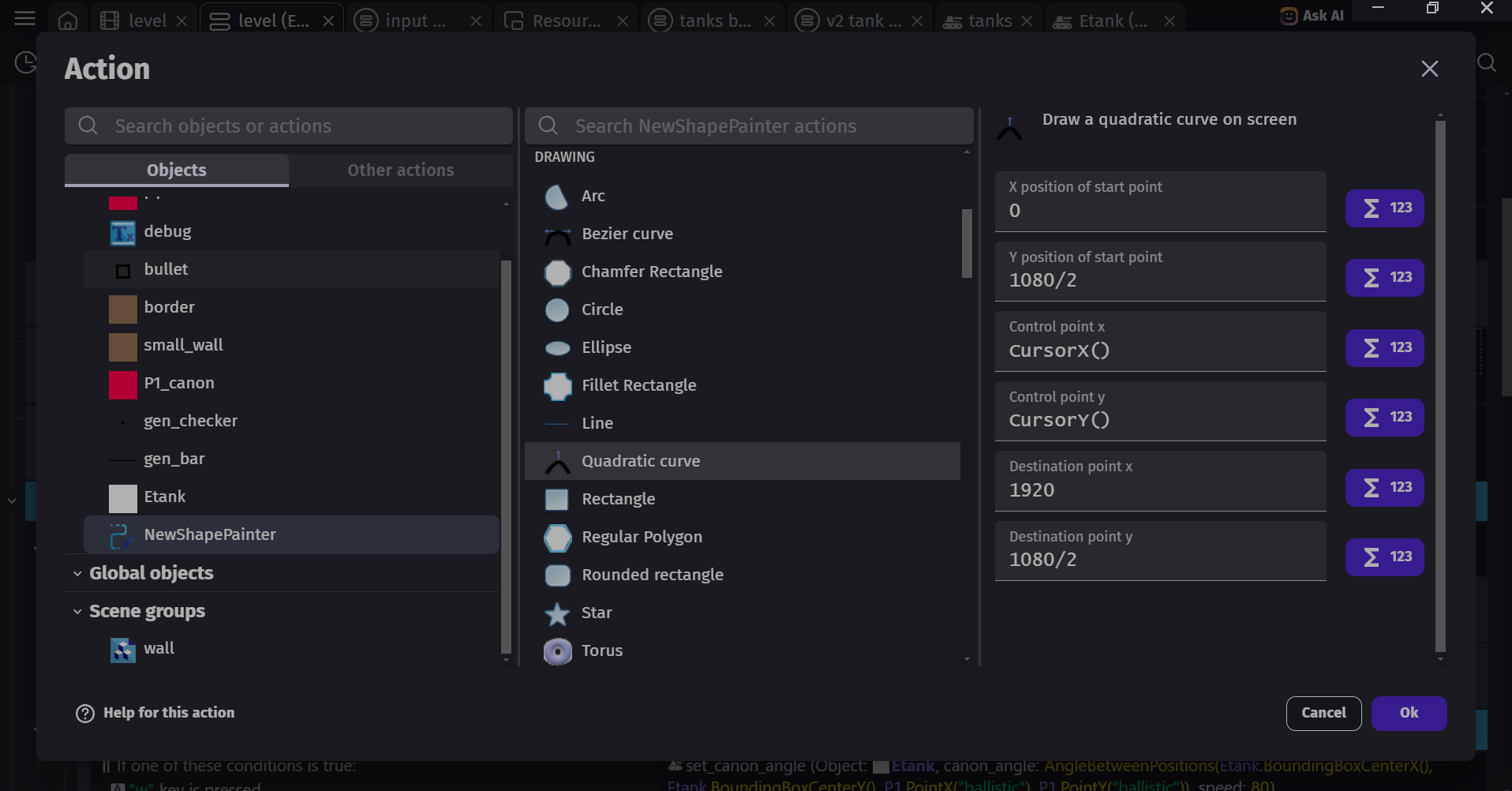
my mind tells me thst its either marching squares or just using quadratic curves. though for the curves, you gotta manage collision yourself
hills climb rancing has bezier curve ground. (the ground is smoothly curved)
To everyone who wanted to help: You didn’t quite understand what I meant. I wanted to create hills like the ones in Hill Climb Racing—just the hills themselves. The game I’m making doesn’t require collision detection; I’m just looking for smooth curves.
But IMO, collisions would be useful—for detection purposes.
And for those curious about the game I’m making: it’s about a train that’s moving and… something else, but I can’t say what 
then you can simply use shape painter to draw the curves. Shape painter - GDevelop documentation
also… I made an extension that allows you to visually draw the curve inside the runtimescene (the preview). but my extension returns an SVG command to be used for the “curved path movement extension”
the easiest is to just plot draggable object inside the parameters of the action that draws the curve (of the shape painter). then… drag them to see the curve that you want.
I just tried doing it—thought it would be smoother in JS—but I don’t know JS. I used ChatGPT and it gave me some code; it works in theory, but it’s incredibly buggy.
const terrain = runtimeScene.getObjects("Terrain")[0];

const points = runtimeScene.getObjects("TerrainPoint");


const speed = 5;

const stepX = 2560;


// ===== 1. PRZESUW =====

for (const p of points) {

    p.setX(p.getX() - speed);

}


// ===== 2. ZNAJDŹ NAJLEWY I NAJPRAWY =====

let leftMost = points[0];

let rightMost = points[0];


for (const p of points) {

if (p.getX() < leftMost.getX()) leftMost = p;

if (p.getX() > rightMost.getX()) rightMost = p;

}


// ===== 3. TELEPORT (ODPINANIE + PRZYPINANIE) =====

if (leftMost.getX() < -500) {


const newY = Math.max(120, Math.min(650,

        rightMost.getY() + (Math.random() * 180 - 90)

));


    leftMost.setX(rightMost.getX() + stepX);

    leftMost.setY(newY);

}


// ===== 4. RYSOWANIE W DOBREJ KOLEJNOŚCI =====

terrain.clear();


terrain.beginFillPath();

terrain.setOutlineColor("255;255;255");

terrain.setOutlineSize(6);


// zawsze sort tylko do rysowania

const sorted = [...points].sort((a, b) => a.getX() - b.getX());


terrain.drawPathMoveTo(sorted[0].getX(), sorted[0].getY());


for (let i = 1; i < sorted.length; i++) {

    terrain.drawPathLineTo(sorted[i].getX(), sorted[i].getY());

}


terrain.endFillPath();
 every TerraiPoint have Variable Point, They are numbered 1, 2, 3, and 4 respectively, and their positions are:
1 - 0, 360
2 - 2560, 360
3 - 5120, 360
4 - 7680, 360
Idk if that helps.<3
if that helps who? youre the one making the post
are you saying that you have solved your problem? i’m confused
have you tried it? does it work?
What I did - works, but it has a lot of errors: some lines are coming out so wide, disappearing randomly, or not generating fully.
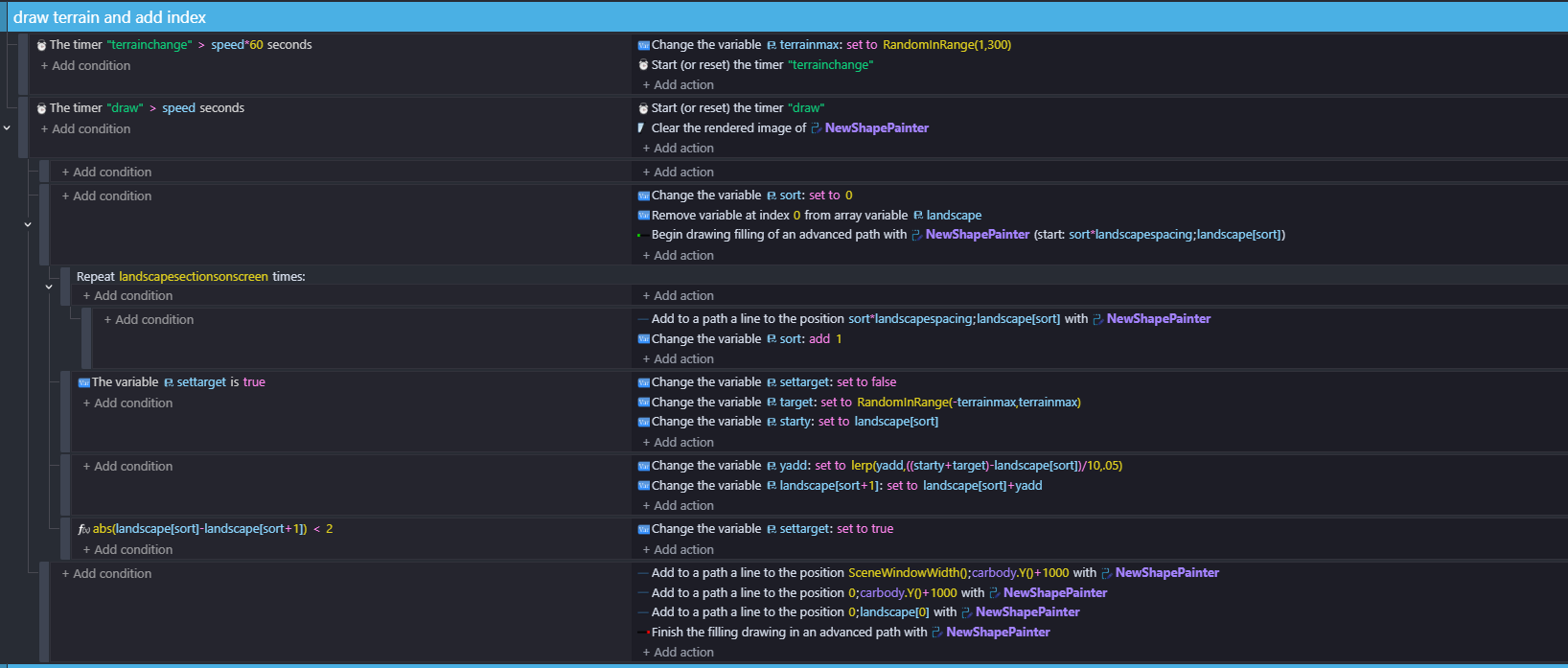
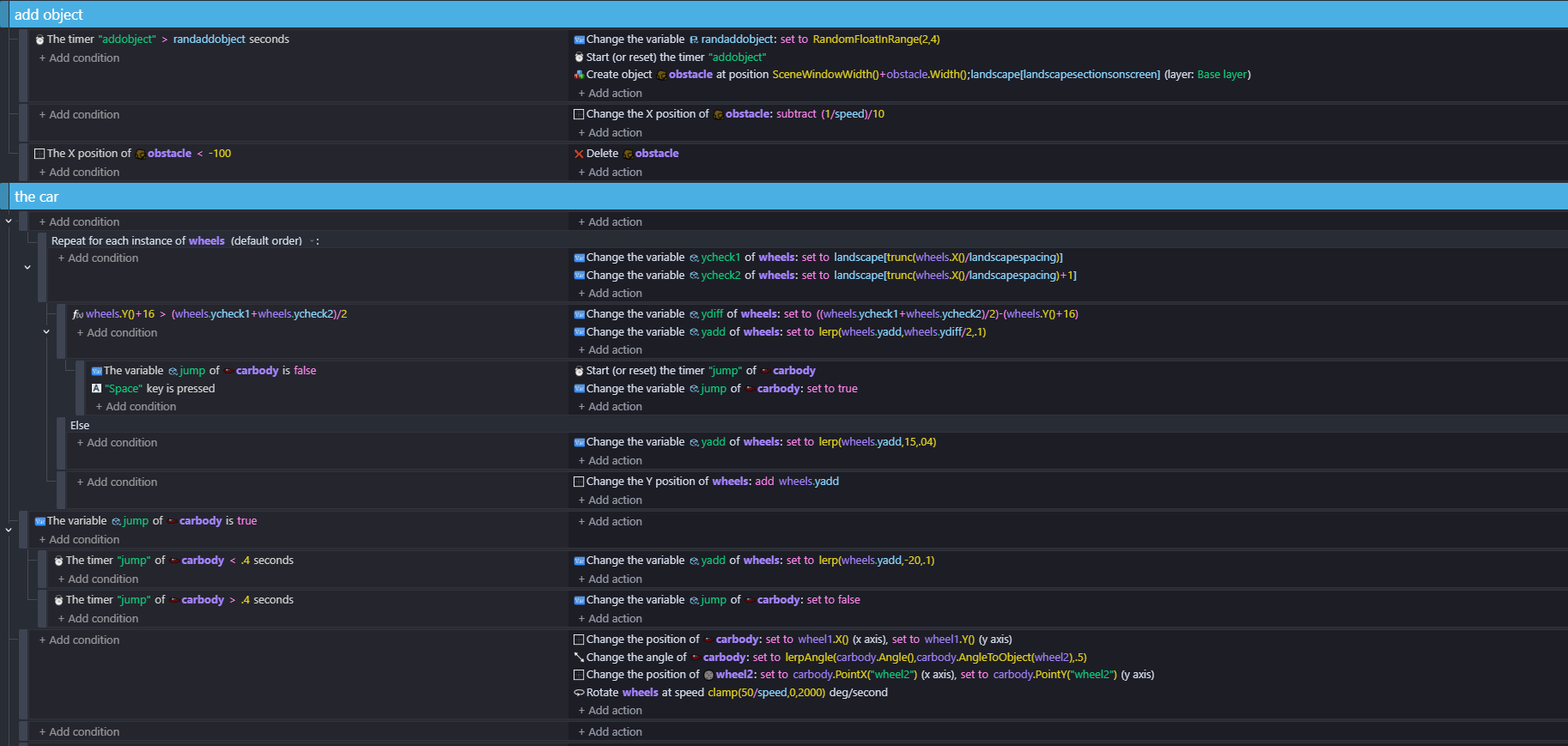
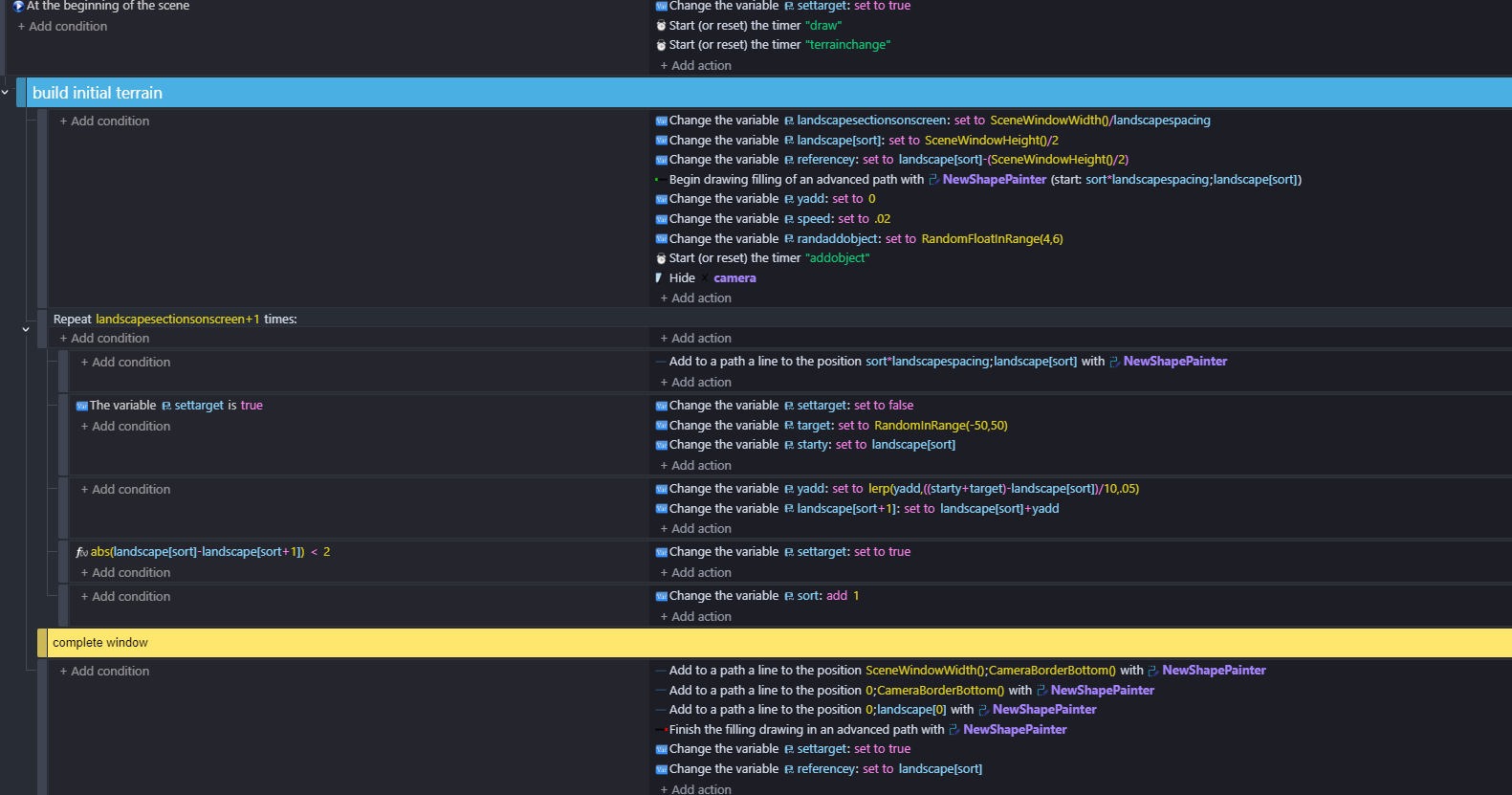
I wondered with this, whether you could put the terrain in an array and just delete index 0 to move terrain and then instead of collision compare the x and y of the object with the array…the x being the index times spacing and the value at terrain[n] being the y.I did it this morning and it works but needs tweaking.
I had a repeat event to draw the terrain with shape painter.
I’m not suggesting this is the way forward…I was just curious to see if it works
so - its pretty basic but i have this using the method above…
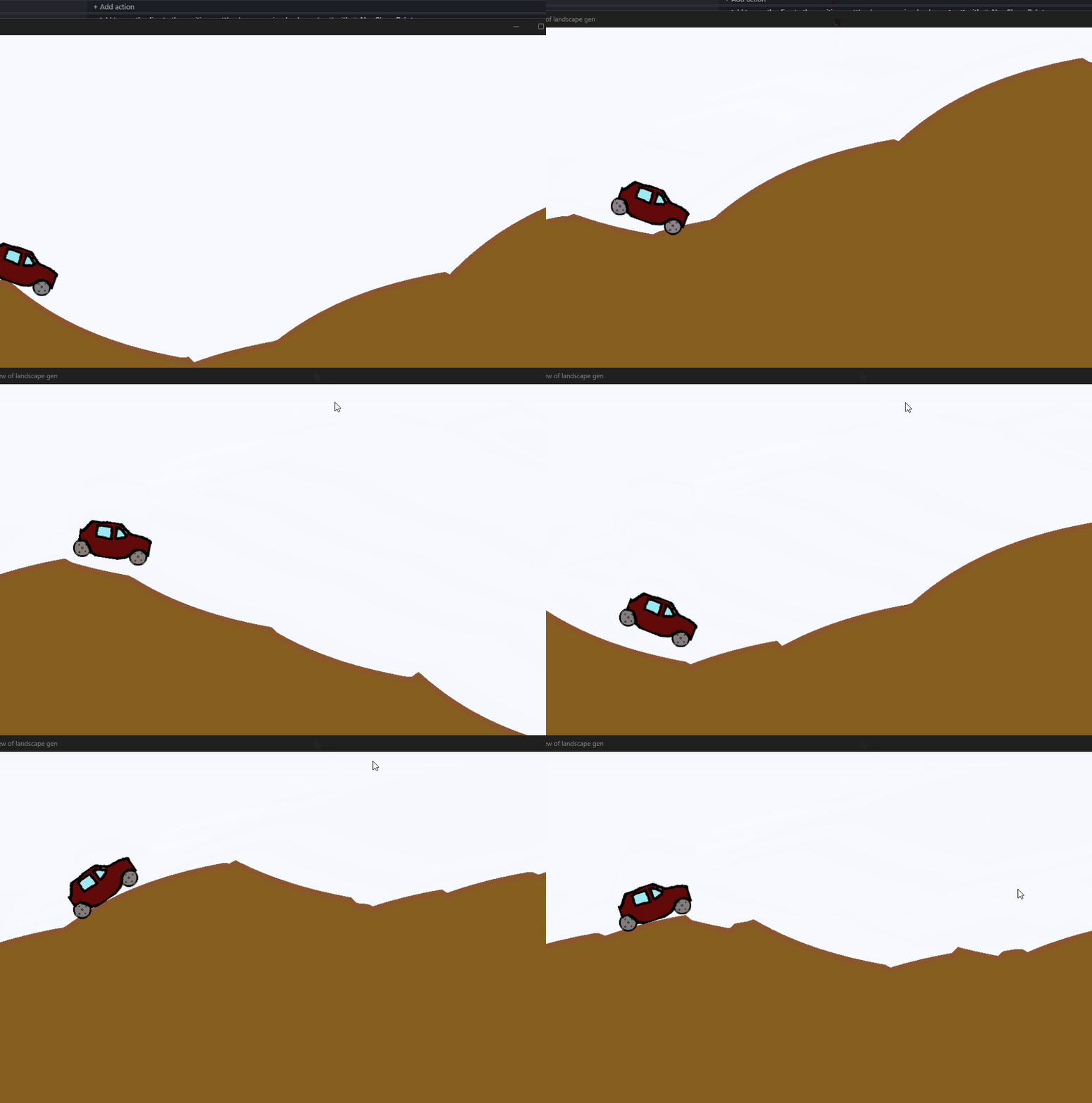
How did you do that? Could you please send a screenshot of it?
i will do - i just want to get it a bit smoother …ill look at it again tomorrow morning
I’ve made it smoother - I wouldn’t suggest doing it this way if you don’t understand what ive done as you’ll need to be able to adapt it to what you plan to do. It’s possibly a bit leftfield but i dont know how its done in proper games made by people who know what they’re doing! The x position of the car does not change. The wheels are two separate objects and i added the obstacle object to see if i could like its speed to the terrain speed. The x position of obstacles ischanging
so dont just copy as i dont know how adaptable itll be - but there might be things to take from it - like you could have an array built the sam way but use sprites instead of shape painter. If you’re new to shape painter - this method is a bit of a headache.