It works pretty well but i have no idea how to carry the inventory between scenes. I know using global variables and rewriting the code can do that but i’m not sure how i can run a check on each slot without using object variables. Not to mention the inventory is open ended meaning there is no slot limit.
Does anybody have an idea on how to get this working? Or do i just suck it up and try to do everything in the same scene just switching camera positions instead?
Thanks for the info on that. I’m pretty new to adding extra parameters to actions by hand so this is really helpful.
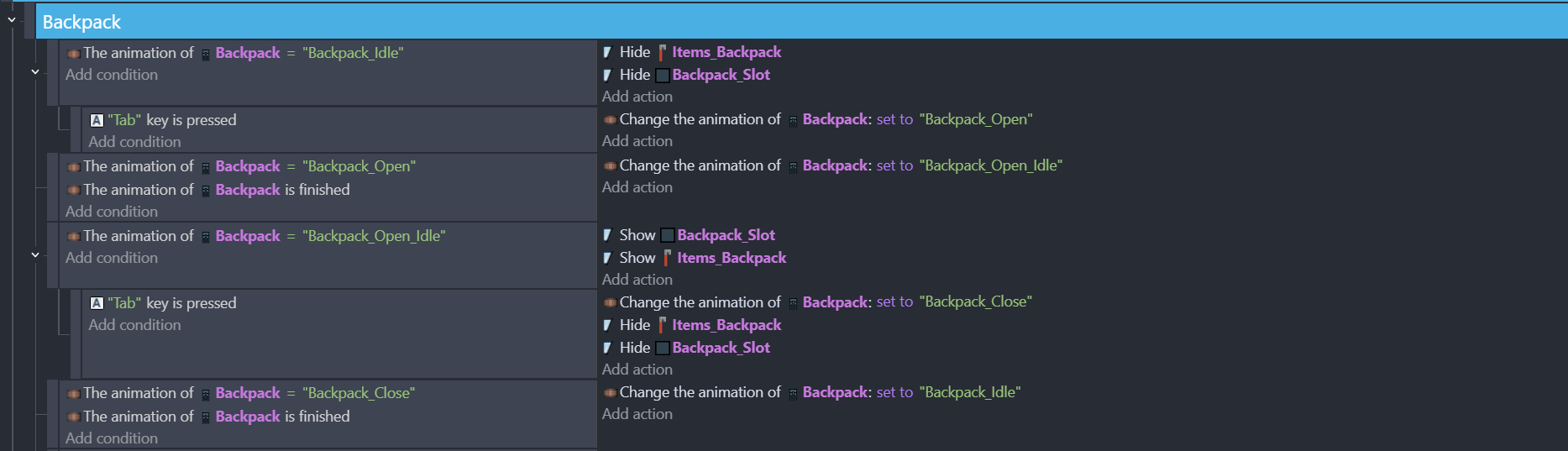
You can see how it’s done in the code actually. There is a backpack object on the UI layer and it runs the opening animation when you press “Tab” and when the animation finishes it shows the “Backpack_Slot”
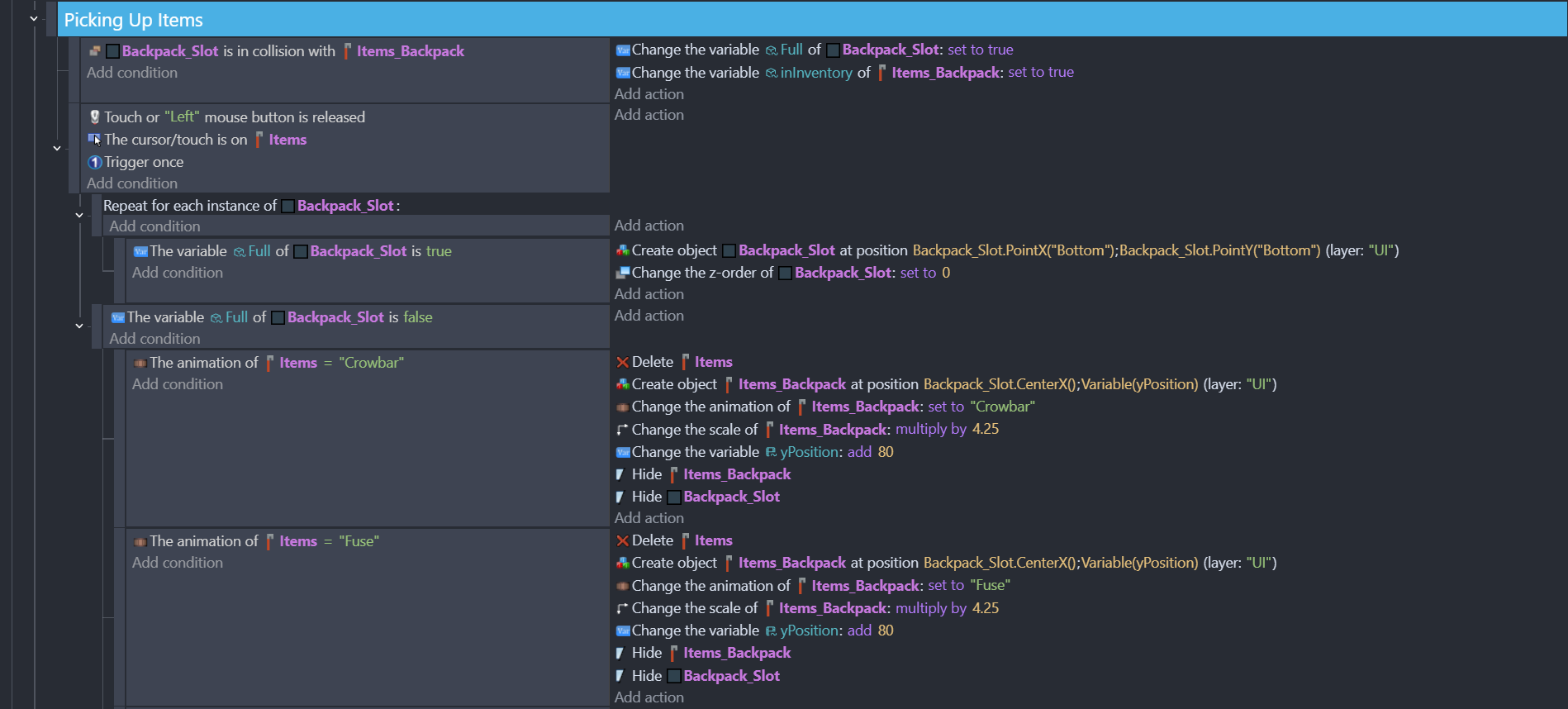
When you pick up an item it checks for the object variable of “Backpack_Slot”. If it’s empty it creates a new object called “Items_Backpack” at the center of the slot. If it’s full it creates a new slot under the existing one and puts the item at the center of that one.
I’m basically looking for a way to carry it inbetween scenes. If i can’t (or i have the rewrite the whole system and if it’s way too taxing) i’ll basically have to do everything in the same scene.
The other is to use a global array or structure variable. Create a "Repeat for each Items_Backpack object" event, and store the ItemsBackpack.Animation::name in the array/structure. You then have the inventory available in all the scenes.
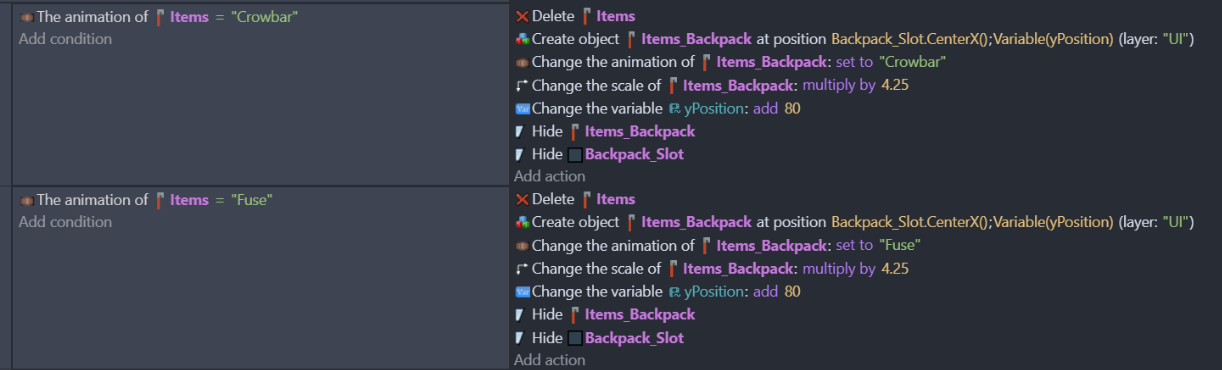
OK a bit of an update on this one, it just doesn’t work. I understand the idea behind it but it just switched to the default animation of “Items”. So making an event for each one seems to be the way. Possibly in the future i can merge some actions/conditions to make it look more tidy but for now it’s pretty much event per item.
Yeah i’m thinking of converting it to work with global variables instead and trying to figure that out at the moment. It also seems mandatory aswell since it will be less stressful trying to implement into a save system (if i can carry it between scenes i can also carry it over sessions etc. etc.)