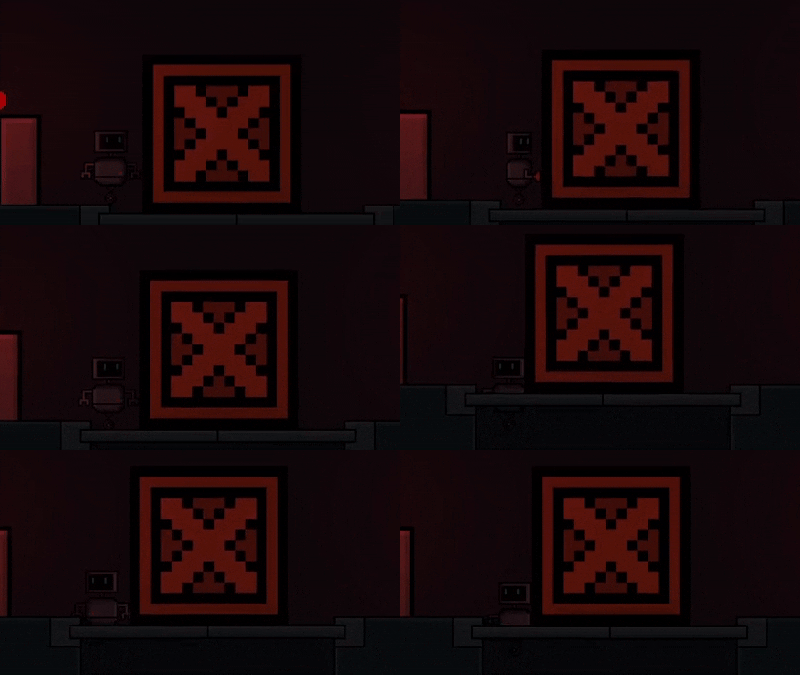
This is a big issue with my current game at the moment. My character has variety of animations and collisions made around those said animations. When the character changes animation on a place where they fit before they start glitching out and sometimes falling off the map or getting stuck inside.
This is not only an issue with getting stuck either there is just some bounciness to the character on platforms. How can i prevent this from happening? I’ve tried the "seperate objects* code with grouping the platform objects but that didn’t work.
I know that there is a reason with my character getting stuck and that’s collision change and i’m fine with that but what i want is a code to just push the character on the platform rather than the character getting stuck inside. I also want to fix the whole bounciness problems with my character aswell.
So you mean you realise that it looks and sounds suspiciously like the hitboxes are in different place or are different shapes for different animations. That’d be my first port of call when trying to fix the issue.
What I don’t understand is how the character can just sink into the platform. Assuming the player has platformer character behaviour and the platform has platform behaviour, that sinking shouldn’t happen.
Have you run the game with the debug action (in a beginning of scene), and set it to show hitboxes?
That’s how the different animations work sadly. Different ones having different hitboxes. I don’t want to have the same hitbox for every animation.
Yeah that’s exactly the problem i want to fix. I want the character to be just put back in to place rather than just sinking to the objects. Hitbox stuff is expected but the game doesn’t “correct” the character it just gets stuck inside and starts glitching out.
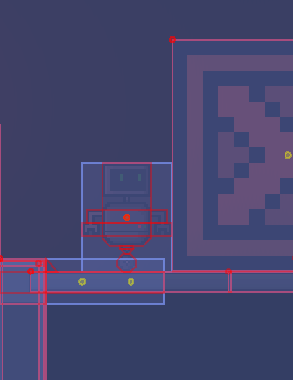
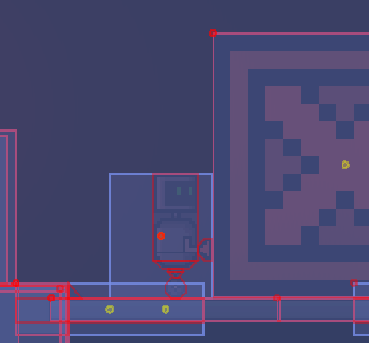
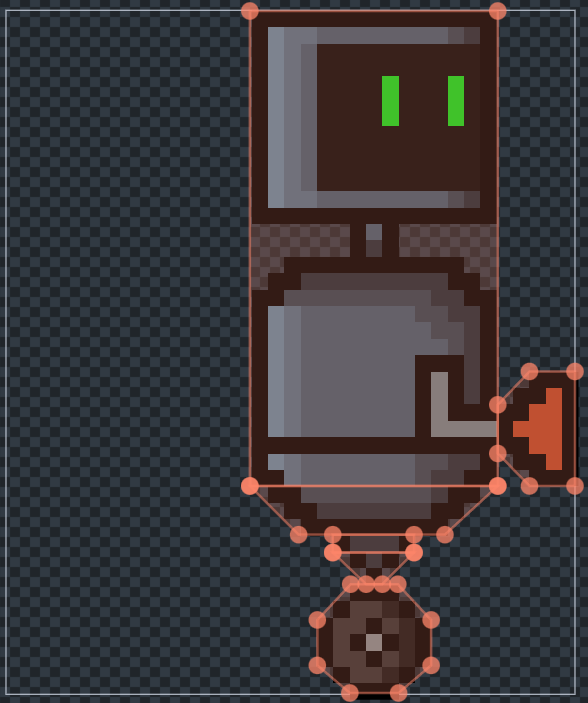
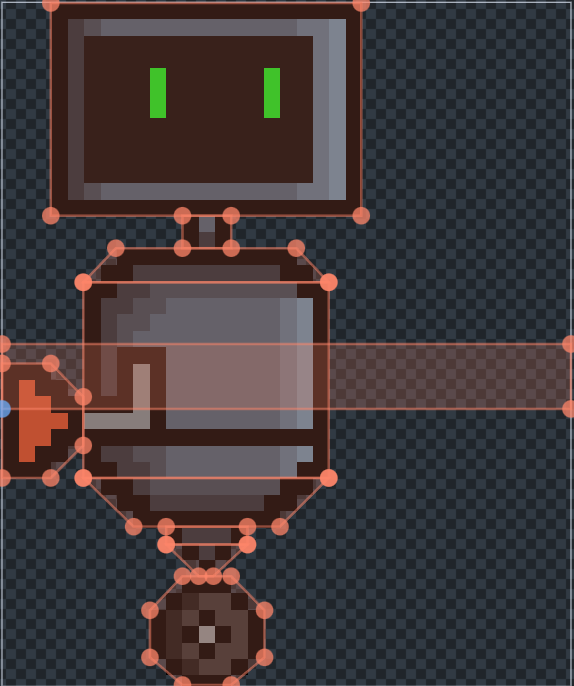
Here are the hitboxes drawn in the preview :
Idle :
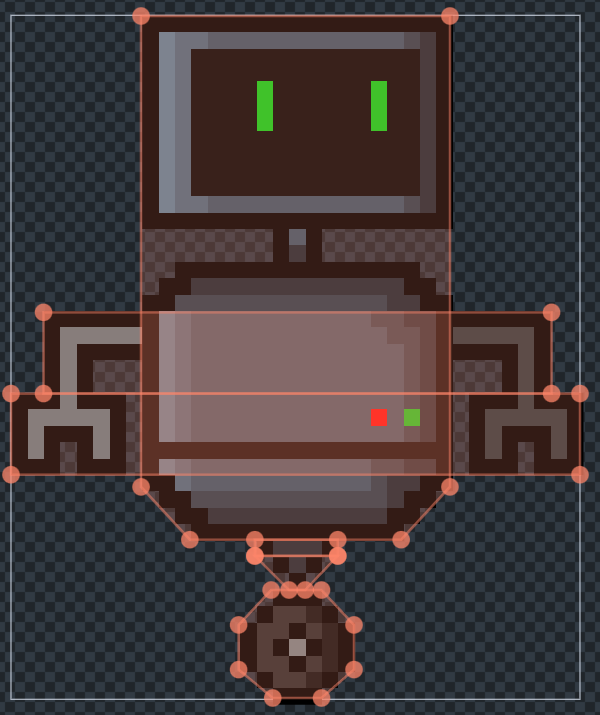
Step 1 was to change the collision mask and include a small “line” to have boundaries without actually breaking the character hitbox as much. Not sure if this is gonna cause problems in the future but it does the job for now.
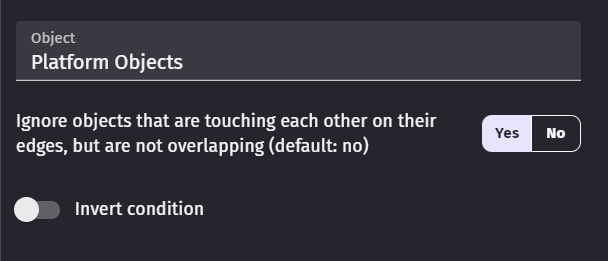
And it’s done. As long as the character is inside a platform object (object group) the game will constantly apply -5 on the Y position (you can change how much you want to push them up. -5 seems to be the best non jittery way for me)
If i end up facing a problem in the future like lasers “accidentally” killing my character etc. i can just create an invisible hitbox object for seperate collisions whenever an animation changes to a one with a different collision mask