How do I…
I am trying to create a custom extension with a behaviour that i assign to some object, and also to have a single function which run once per cycle, go through all object with the behaviour only once per cycle to check some conditions. Considering that I want to compare the objects (sort by some value), I do not want to have this run in each object with behaviour, but in the separate extension function, so that it is run only once.
What is the expected result
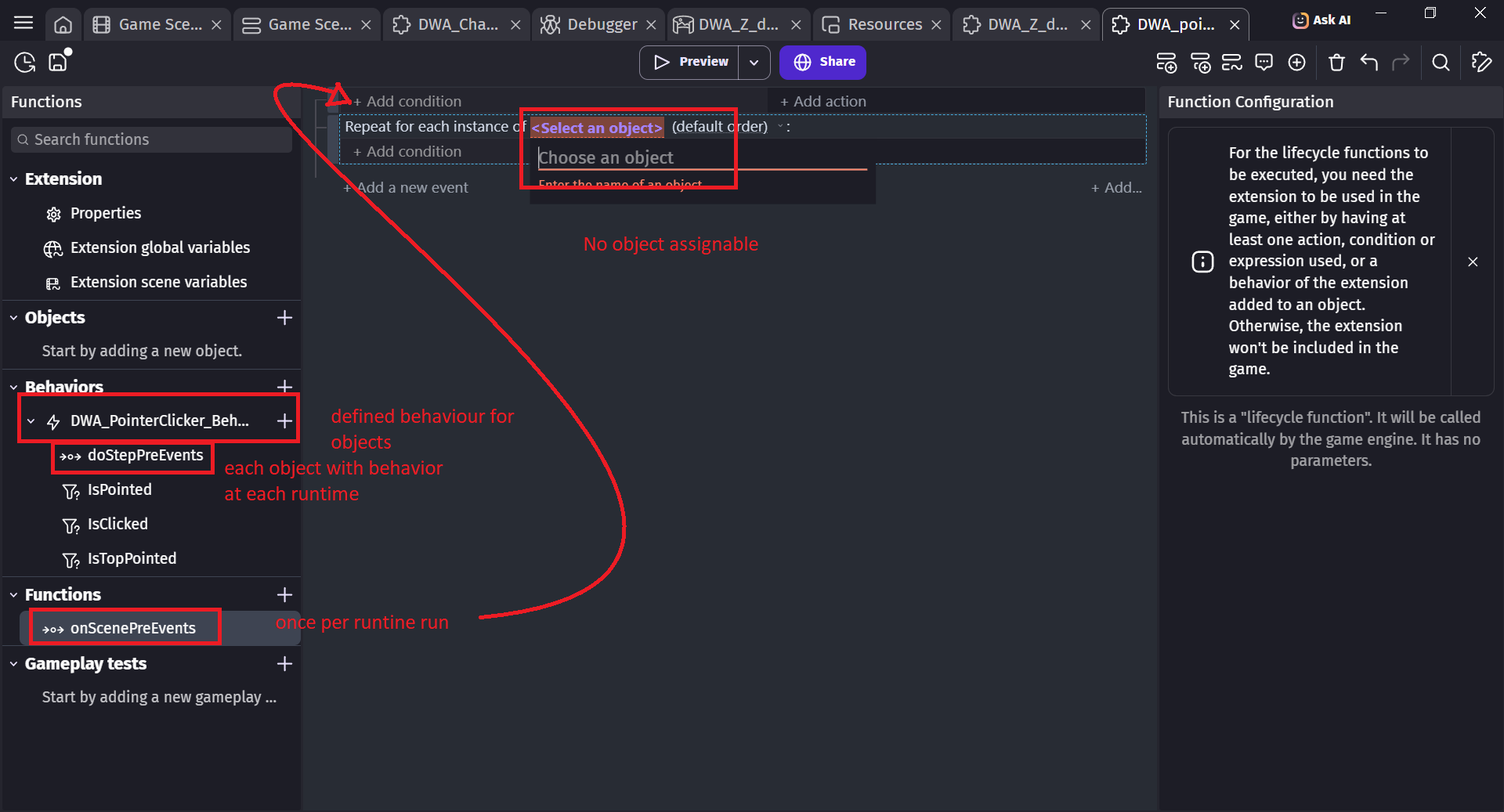
I would expect that in the function belonging into the same extension as the behaviour, I could find the object with the behaviour.
What is the actual result
No object with behaviour is accessibl through the extension function.
Related screenshots
If you’re creating it as a function then you need to pass the object as a parameter. The required behavior also needs to be a parameter. You could then call the function from the scene as needed.
If you were to call it from the behavior then it would only get the current instance. There are ways to create a manager like with the navigation or platform behaviors but I’ve never figured it out.
After discussion on the discord with Davy (D8H) and ZeroX4, my understanding is that:
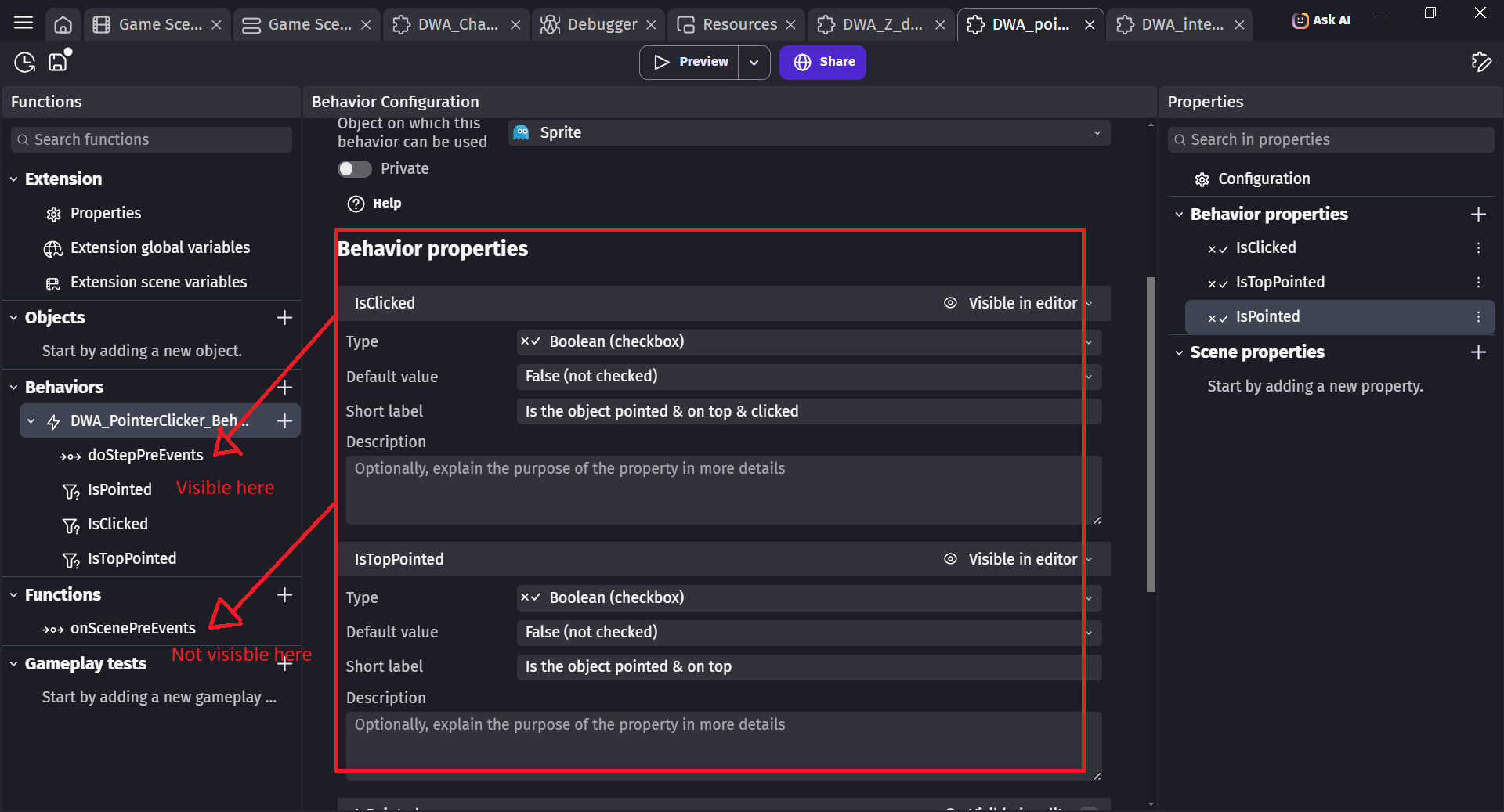
- the implementation in the custom extension of a function behaviour on an object allow to access ONLY to the single instance of the object, and alsothe one passed into arguments.
- the implementations in the custom extension of functions outside the behaviour allow to access only the object placed into argument, not the one with behaviour
- the Pre & Post Event function do not allow to pass any object as parameter
This means that the for each object inside an extension are practically useless
- Define a Unique ID inside the behaviour, and a unique ID counter with 1 as global variable inside the extension
- oncreate object with behaviour, assign the ID counter value to the object increment the ID counter
- define scene variable for the highest matching criteria and corresponding ID, and the last valid ID
- During the behaviour doStepPreEvent, compare the current behaviour with the highest criteria, if the current object have higher value, update the value and store the ID
- During the extension onScenePreEvents, store the current ID as last valid ID, and reset the ID & highest criteria
- Again in the behaviour doStepPreEvent, check if the unique ID of the current instance is the one of the last valid ID. If this so, you have identified the object with the highest matching criteria, but note it have one frame of delay.
I do this workaround because I want everything to stay contained IN the extension, and no action must be implemented in the scene event sheet, so I can port the behaviour to future projects without risk of forgetting something.