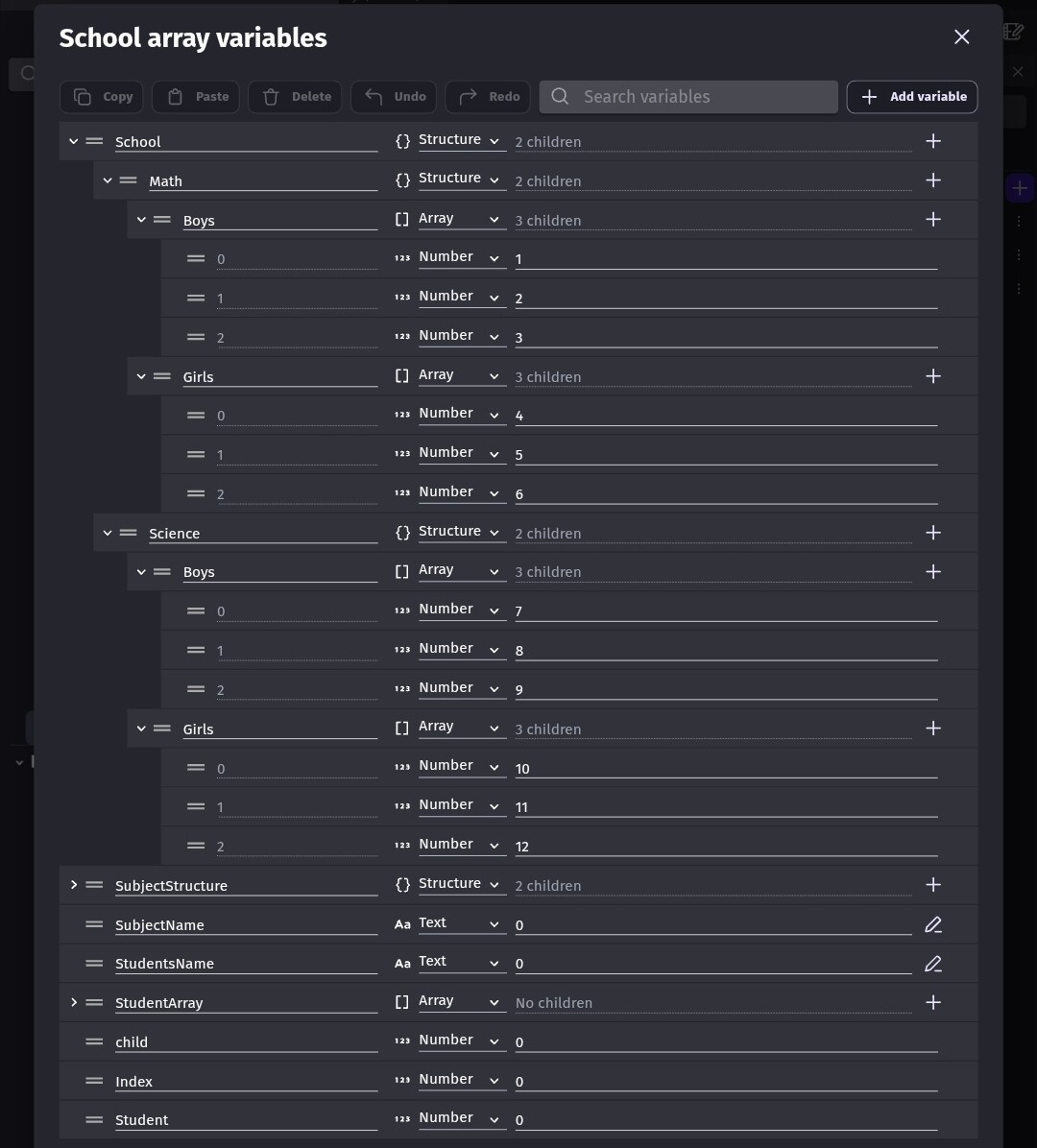
Can you post the actual variables either from the setup screen or the debugger?
To change the values, the basic method is to build the variable name dynamically using the child names or index in brackets. The variables setup in the for each child give you the values and/or child name or array index.
For a for each child with an array, the first variable returns the value and the 2nd variable contains the index.
For a for each child with a structure , the first variable returns the value and the 2nd variable contains the structure name.
Now if the value is an array or structure then the value of the first variable is an array or structure. It sort of splits the variable. You provide the first part and the for each child returns the remainder.
If the 1st variable was a structure then you could access the values of the structure using the 1st variable with the applicable children names.
If the structure contained x and y then for child you could use child.X and child.Y
Here’s an example using these variables. I’m not sure I used every variable bc I renamed some of them to make it easier to understand.
The variables that you use within a for each child should be in the same type and format as the portion that yours getting. GD will convert say a string to an array but it’s difficult to have events use one format if you’re expecting a different format. Also, if the variables are a structure then you can use the autocomplete.
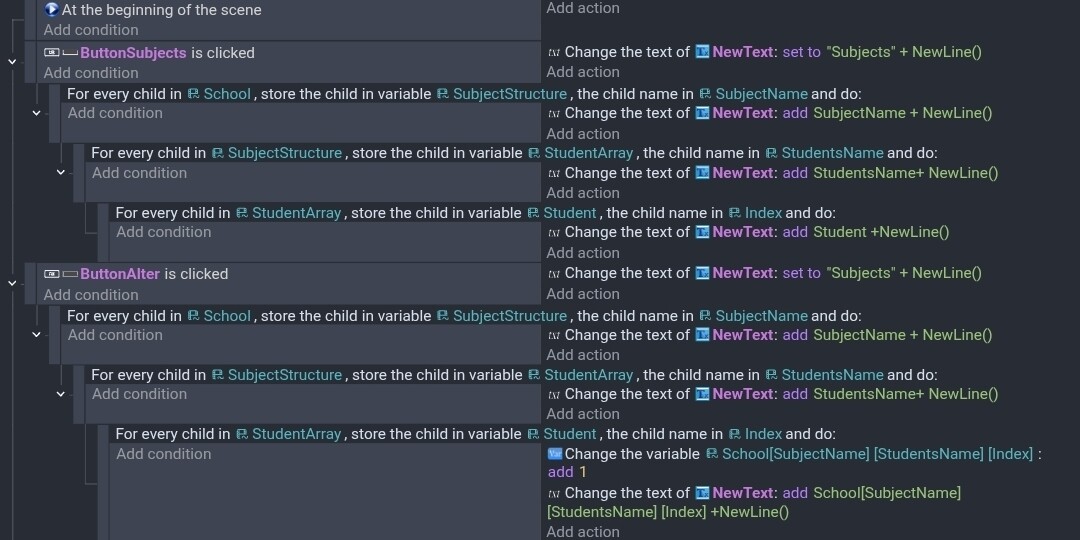
These are my events. The first button simply displays the values. While the 2nd button alters the student array values.
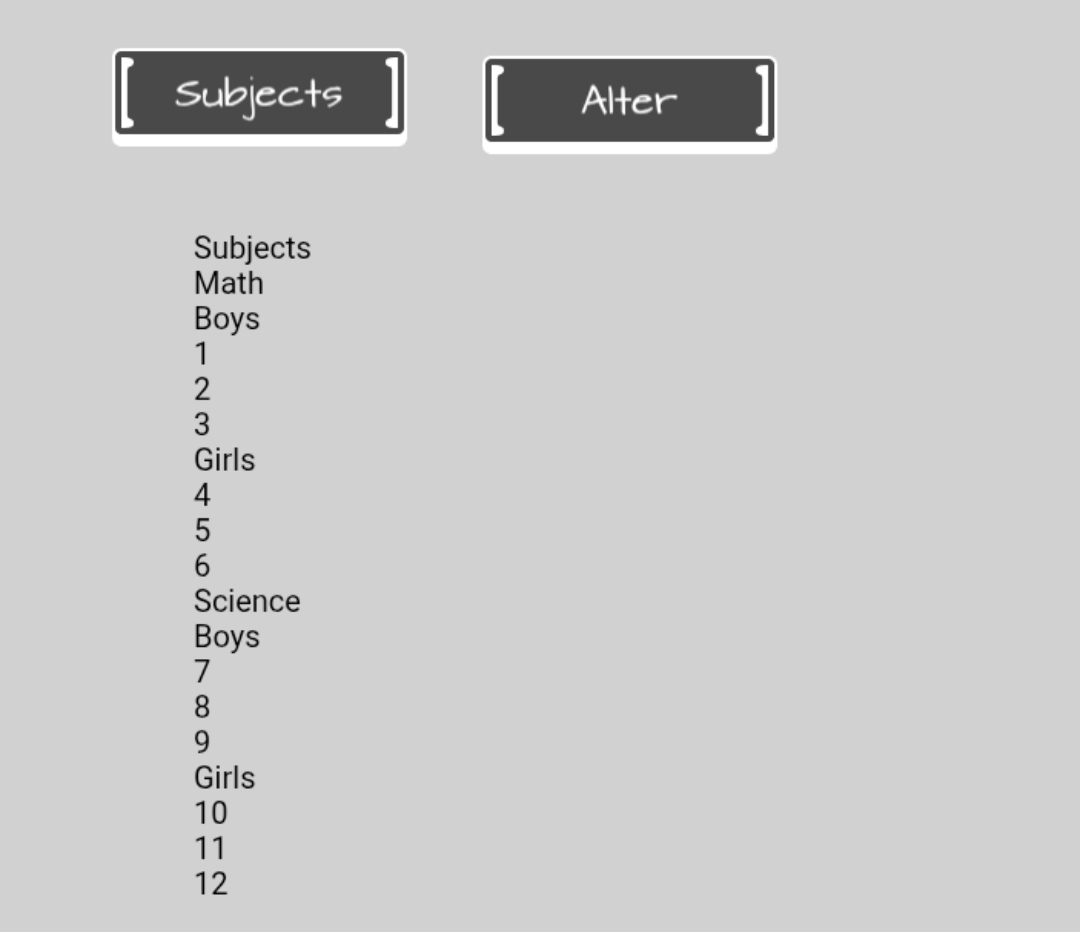
Here’s the output before the alter button is pressed.
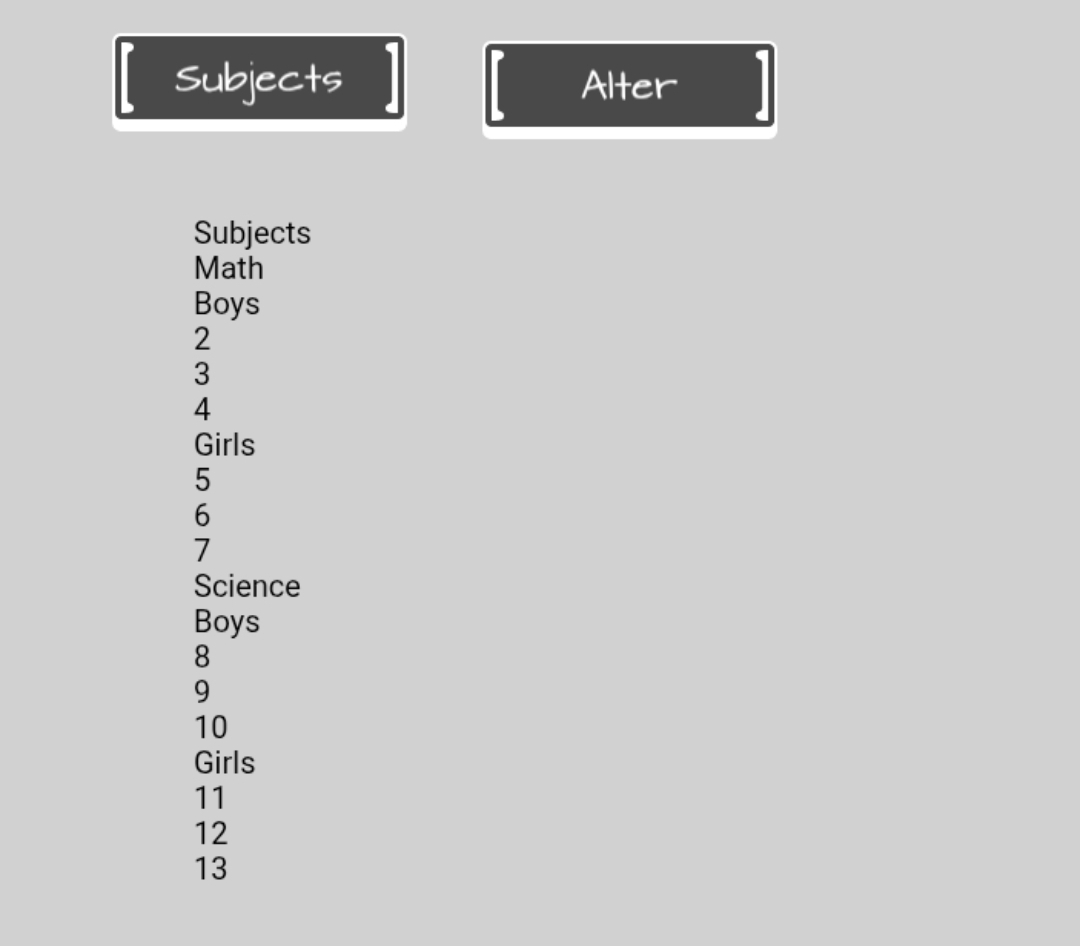
After altering.
The 2 event groups are extremely similar. The difference is the event that changes the value. The other difference is that I couldn’t use the value from the 1st variable because that value gets updated but the 1st variable reads the value before it gets modified.
It’s all a bit confusing. The variables within the for each child are snippets of the actual variable. Copies. Modifying either variable won’t affect the other variable.
The for each child events are nested.(subevents). So, each for each child creates the child names for the next one.