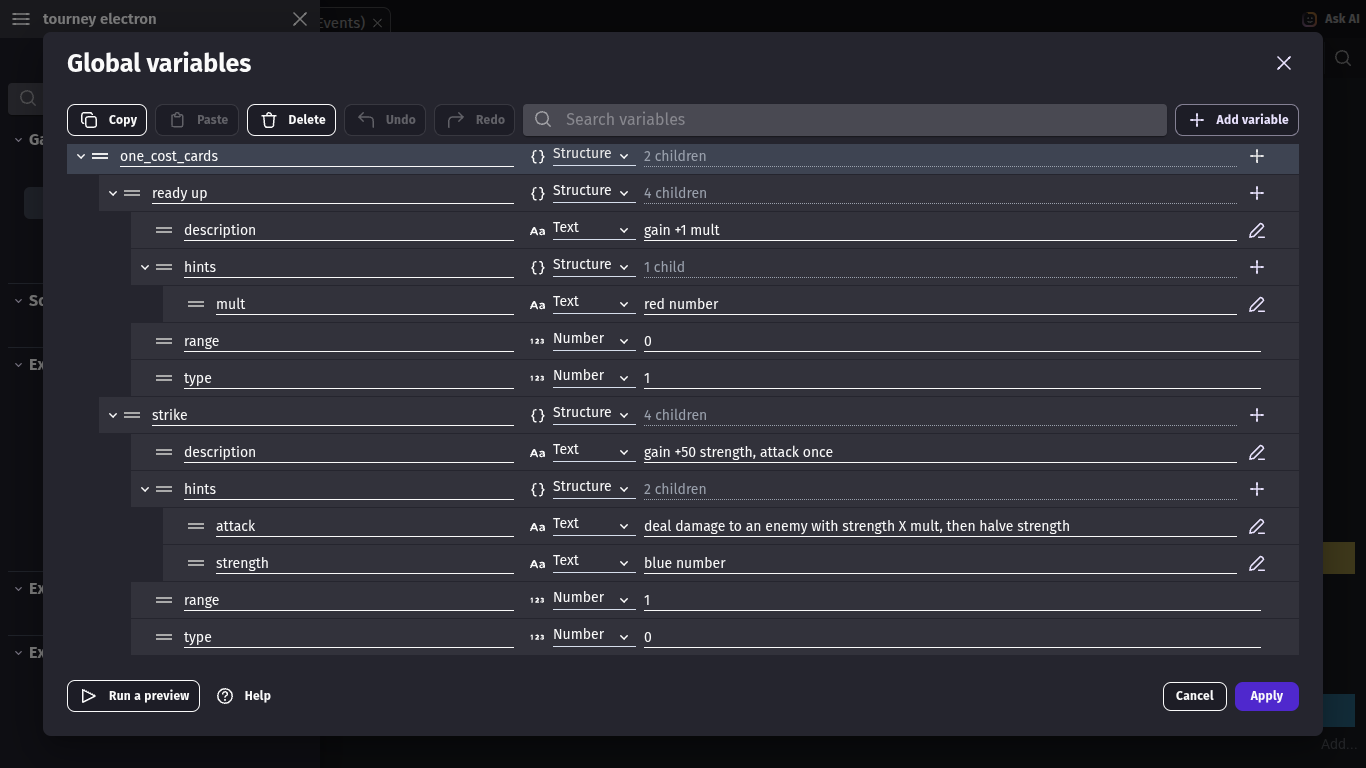
I need to access the child variable by their name but also need to specify with another variable which structure variable they are under. no matter what I try nothing works. here are my variables
Can you post what you’ve tried?
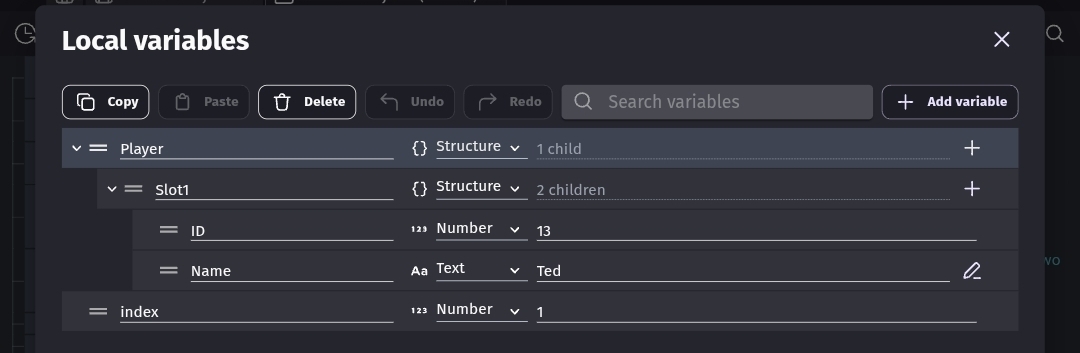
When you access a structured variable dynamically you replace a child name with anything that returns a string inside brackets. You remove the preceding period but use a period for any additional children unless they’re also dynamic. It can be text in quotes, a string variable or expression or any combination that evaluates to a string.
Player.Name
Player[“Name”]
Player.Slot1.Name
Player[“Slot1”].Name
Player[StringVariable].Name
Player[“Slot” + ToString(Number)].Name
Player.Steve.HP
Player[“Steve”].HP
Player.Steve[“HP”]
Player[“Steve”][“HP”]
It’s easiest to keep the structure as short as possible. The more levels you add, the more confusing it can become.

I have tried Variable(structure[object_string_variable][“child”]), I should probably have mentioned that it includes an object variable if that changes anything. I also tried DialogueTree::Variable(“structure.”+object_string_variable+“.child”), and an approach that uses a repeat for each child loop that checks for the desired name (the last one didn’t make sense, I just got desperate) can you explain why these didn’t work? (aside from the last one) keep in mind that I need to reach it with the name rather than the index to make the system more flexible
GD variable usage was redesigned, you no long need the expressions Variable() or VariableString(). The variable name is enough.
So.
Player.Steve.HP
Player[“Steve”].HP
Player.Steve[“HP”]
Player[“Steve”][“HP”]
For a object variable it would be the same except it would start with the object name.
Say Player was the object and Settings was the variable. These are all the same.
Player.Settings.ID
Player[“Settings”].ID
Player[variableName].ID
“Settings” is in quotes bc it’s a string.
variableName isn’t in quotes bc it’s a string variable that is set to Settings
If you want to mix scene and object variables.
Player is an object. Data is a scene variable.
Player[Data.Name].ID
Data[Player.Settings[“Name”].ID]
Remember, to access a child name dynamically you replace the child name with a string inside brackets. The string can be characters inside quotes or a string variable. You also don’t use a period before the brackets.
ID is a variable
“ID” is text
Fruit.Apple
Fruit[“Apple”]
Fruit[“Apple”].Color
Fruit[“Apple”][“Color”]
Fruit[“Apple”][“Color”].Alpha
Fruit[“Apple”][“Color”][“Alpha”]
You can’t use
[Fruit]Apple
Only the child name is dynamic. Fruit is a variable.
1 Like
I tried the Player[Data.Name].ID method and it worked! thanks for helping me
1 Like