How do i create animated tilemap. For example, so that the tiles of water or lava on a large map are not static. Are there any projects examples? Thanks.
You could use a timer to increase tile ID of a tile.

I would use variables instead of fixed numbers but this is the basic concept.
If you wanted to animate multiple tiles then you could create an array of structures with the tile ID, row, column, starting tile ID, ending tile ID and even the animation speed if you wanted different rates. You could then use the array to create individual timers which would loop through the tiles.
2 Likes

What are you trying to do. I’m guessing you want to animate those tiles. If so, I imagine that you could create an array of structures that contains the tile location, the number of tiles and maybe the animation speed. If so, I could try to help you.
Creating functions would help to minimize events and make it more manageable.
I don’t know how efficient this would be. How frequently would the tiles be changed? You could try it and see if it causes any lag.
What do the tiles represent? It might be easier to place sprites over the tilemap at those locations and animate them.
This actually worked without giving me much trouble. The only object is a tilemap.
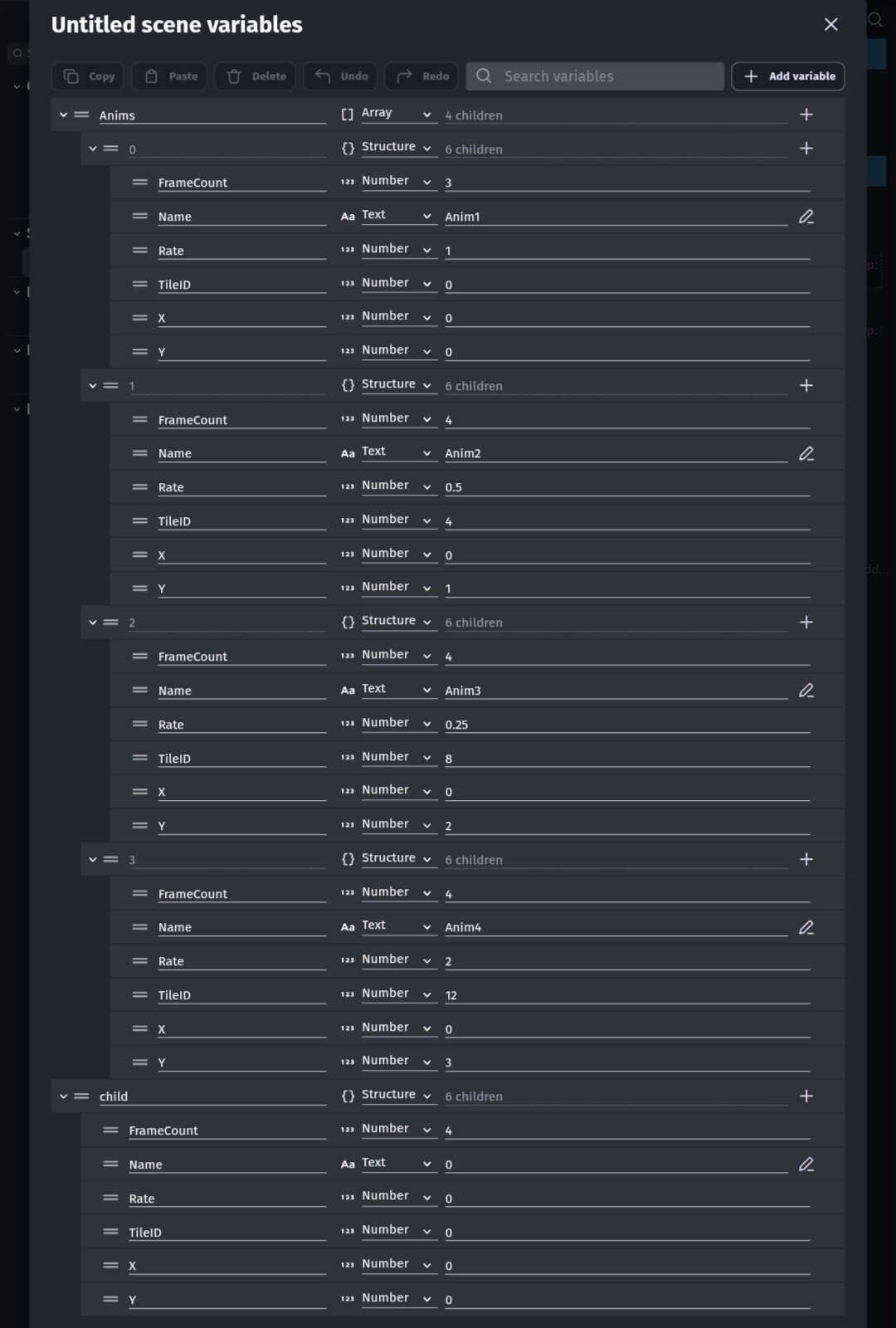
The array contains a list of structures. Create one and copy/paste it. X and Y ar the position on the tilemap, the tile ID, the Rate and the number of frames.
Events
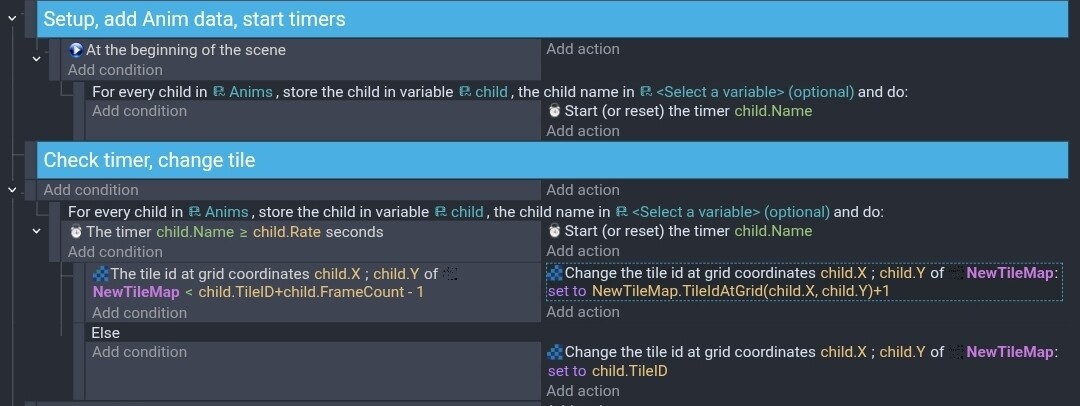
It would probably be easier to add animations to the array with a custom function run at the beginning. You could setup parameters and just fill in the blanks.
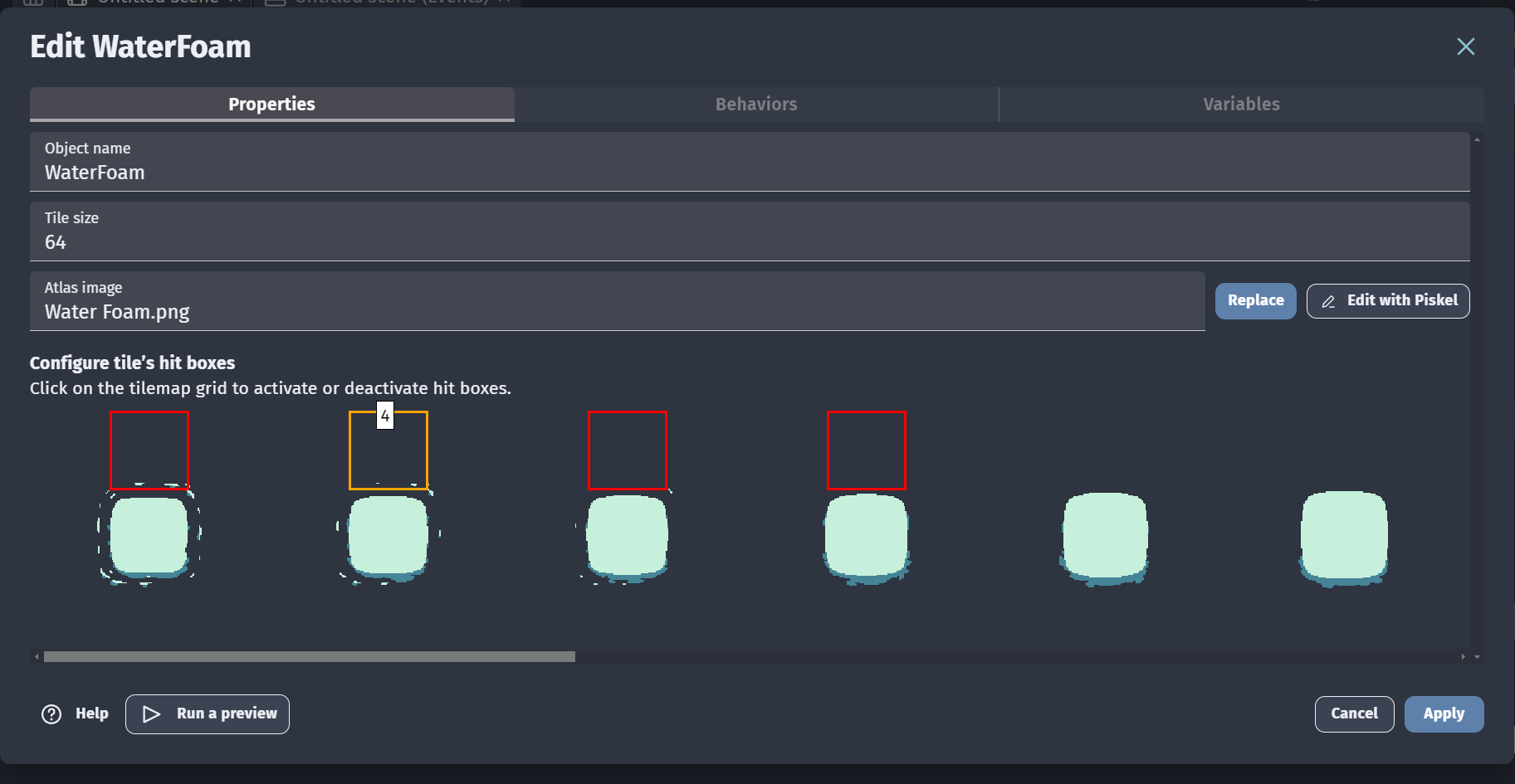
Are these the location on the tilemap in the scene or the tiles within the image (atlas)?
The locations of tiles on a map uses x, y which are like the column and row while the tiles in the source image use tile numbers.
Are you trying to animate all of the tiles that represent water?
I see. So the location on the atlas and the location on the scene (tilemap) are different.
So that means the animation for grid 1 would have the next frames at 4, 7, … 46.
Does this mean we can only change specific tiles based on their coordinates (x, y)? If I modify the tilemap in the scene, the coordinates may change, so it might stop working?
Yes, I want to animate all the tiles. The center is just water. The grid above it is foam at the top, the grid to the left is foam on the left, and so on.
It seems this can only be achieved with sprite objects, because if I use foam as a sprite, it can automatically play the next animation frames. However, it would be more convenient if I could use the tilemap to draw them on the screen. Moreover, the image (downloaded online: Tiny Sword By Pixel Frog ) is arranged like this as a tileset, so I would need to cut them out individually to use them as sprite objects.
One of my previous posts showed a method. You can get/set a tile ID in 2 ways by the grid location within the tilemap or by the location within the scene. If you use the grid location then it doesn’t matter where the tilemap is. The 2nd method is good for when you click on the tilemap, you can get/set the tile ID using the cursor’s X and Y.
I still think that a regular animated sprite would be easier and more efficient.
I believe they’ll eventually add animations to the tilemap object. I also hope they add custom sizes or maybe link the tiles so you could use 1 tile ID for several tiles. That way you could detect things or change tiles using just 1 tile ID.
1 Like
The easiest way to animate tile maps is to use Tiled:
https://wiki.gdevelop.io/gdevelop5/objects/tilemap/#animate-tiles