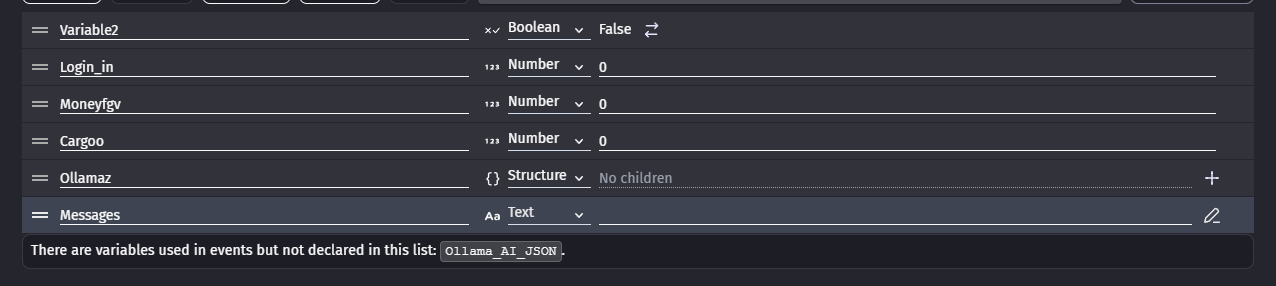
I don’t know how to display the response from the Ollama AI extension, what I’m hoping to happen is that when “Q” is pressed, a response is display on some text that I put on the screen.
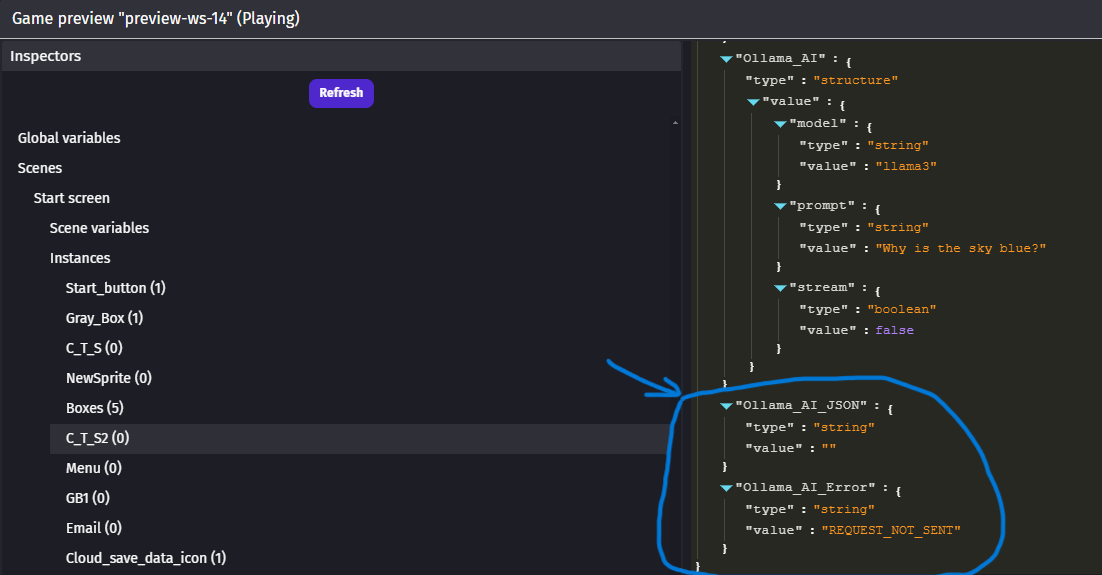
But instead, it just displays two quotation marks with nothing between them.
I’m not really sure what’s the correct way to do it, I couldn’t find anything online that told me how to do it.
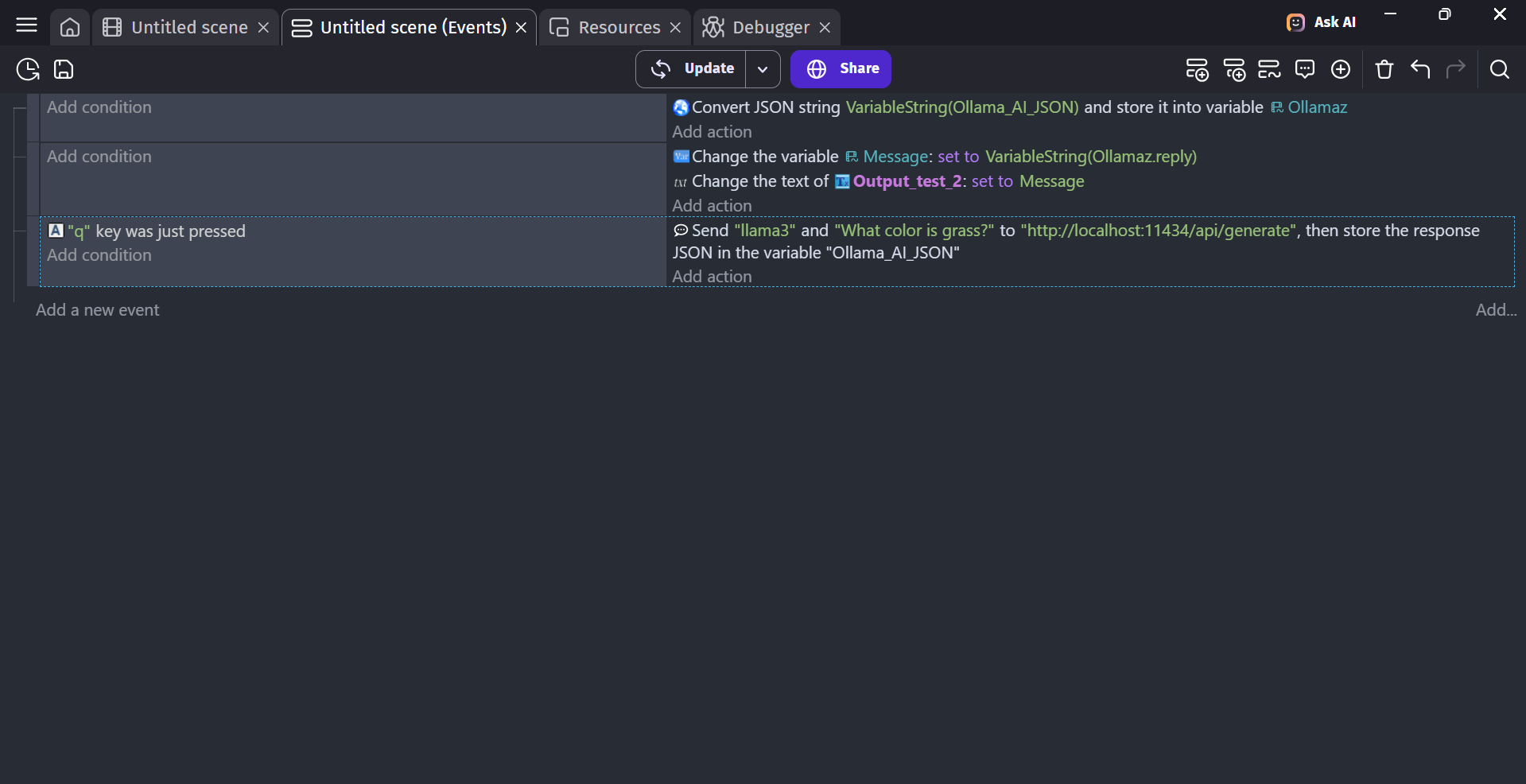
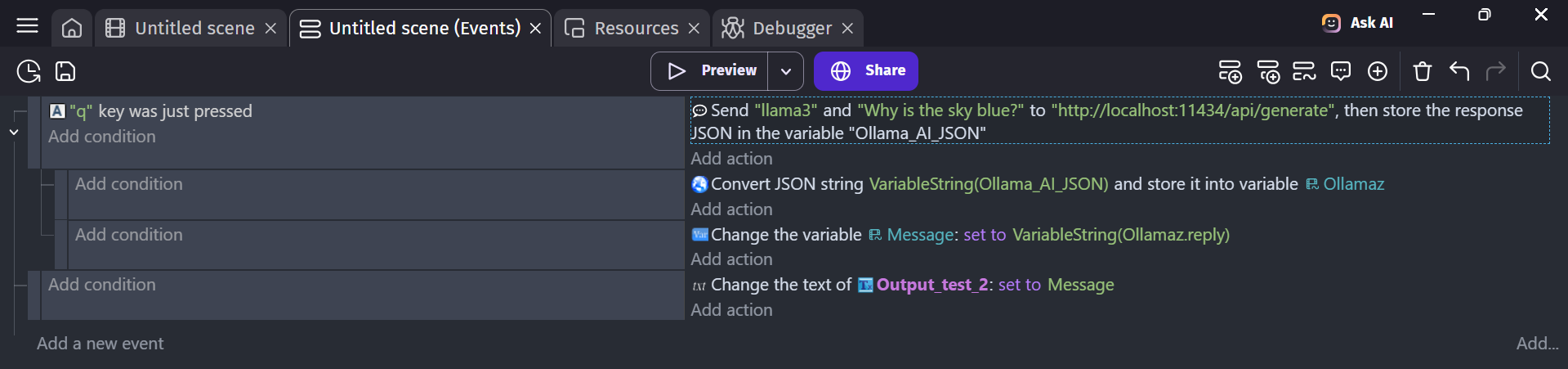
Here is the screenshot of the code.
Hi, you have to parse it and look for the like reply. I suggest
making 2 variables, one a structure and the other a text variables.
2 You have to parse the answer you receive from the AI by doing this

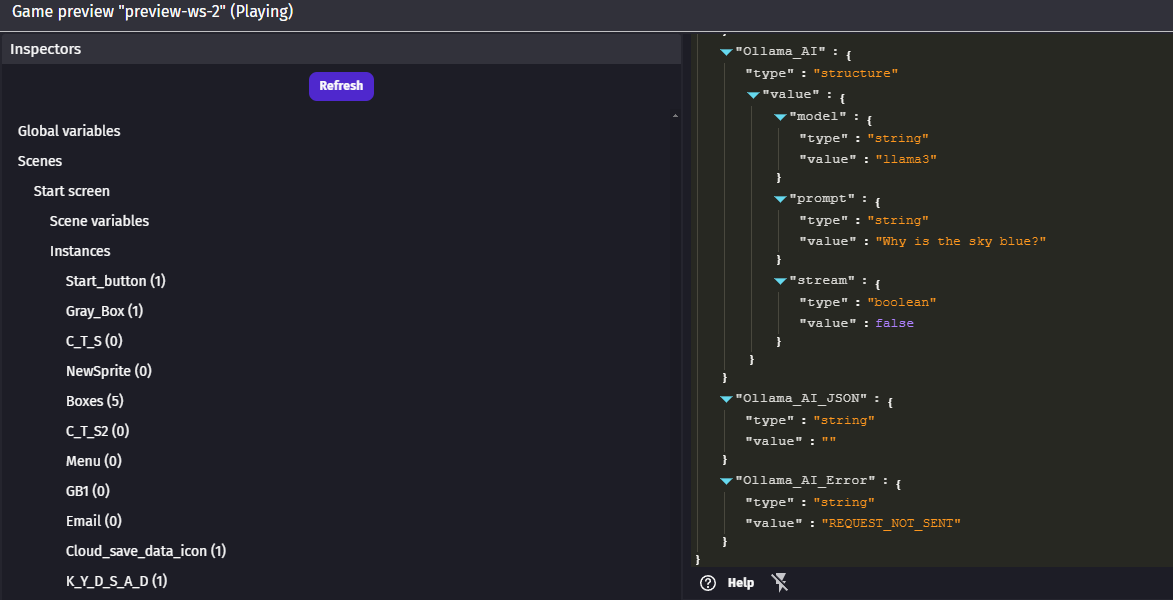
3 Then you need to find the name of the reply you get from the AI Ollama, look at the debugger and and look at the Ollamaz variable, the name of reply will be in there. It could be reply, response, message. I don’t really know what it could be called but you must check the debugger at the variable Ollamaz it will say the name of the response
4 Once you find the name of the reply then simply put it inside the messages variable, Put the name of the reply after the VariableString(Ollamaz.YourReplyName) and put the variable inside the text afterwards.
Lemme know your thoughts
It seems to be a bit better, but I’m still a little unclear on the parsing part of thing. I was only able to find the word “reply” once I inputted the rest of the code.
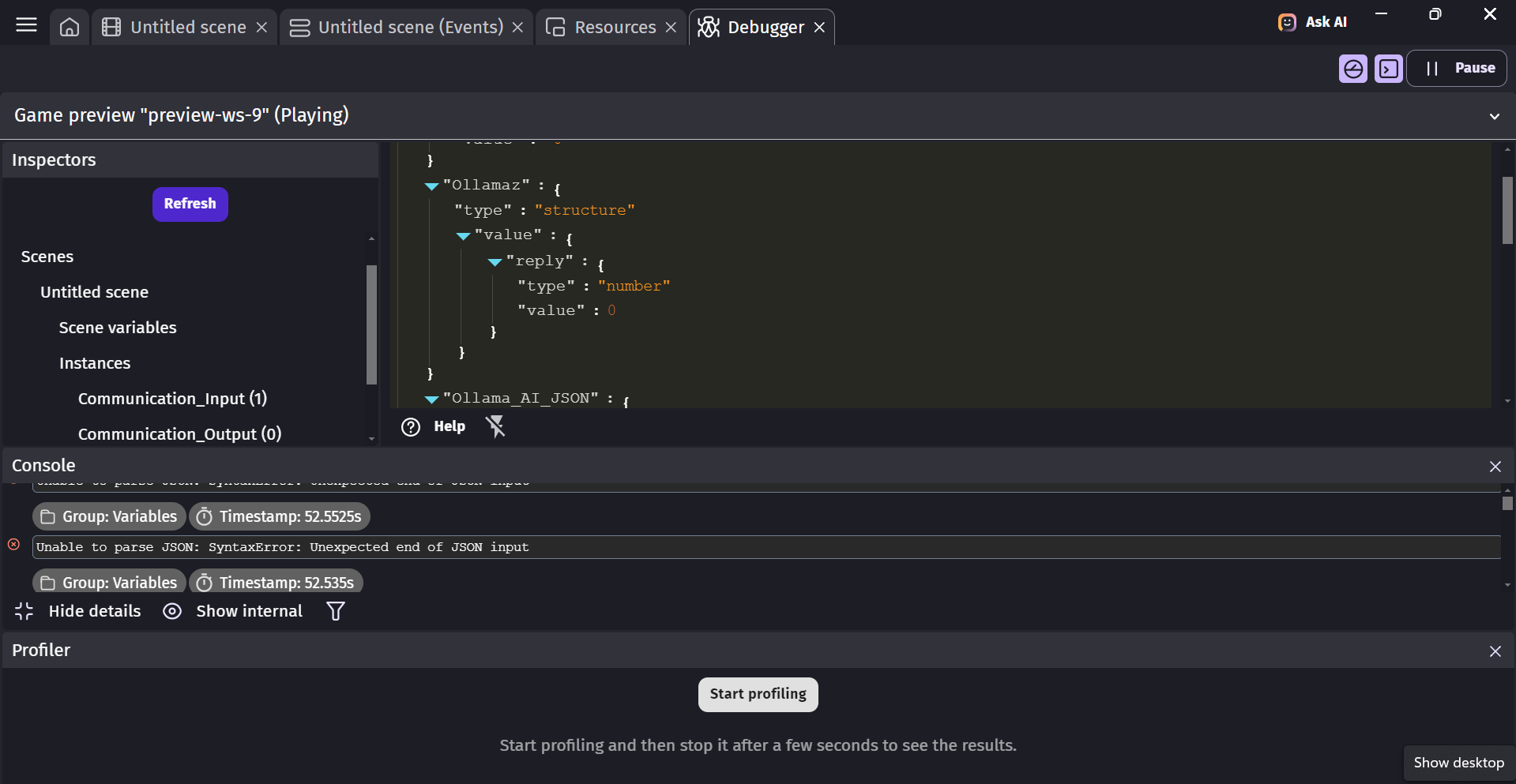
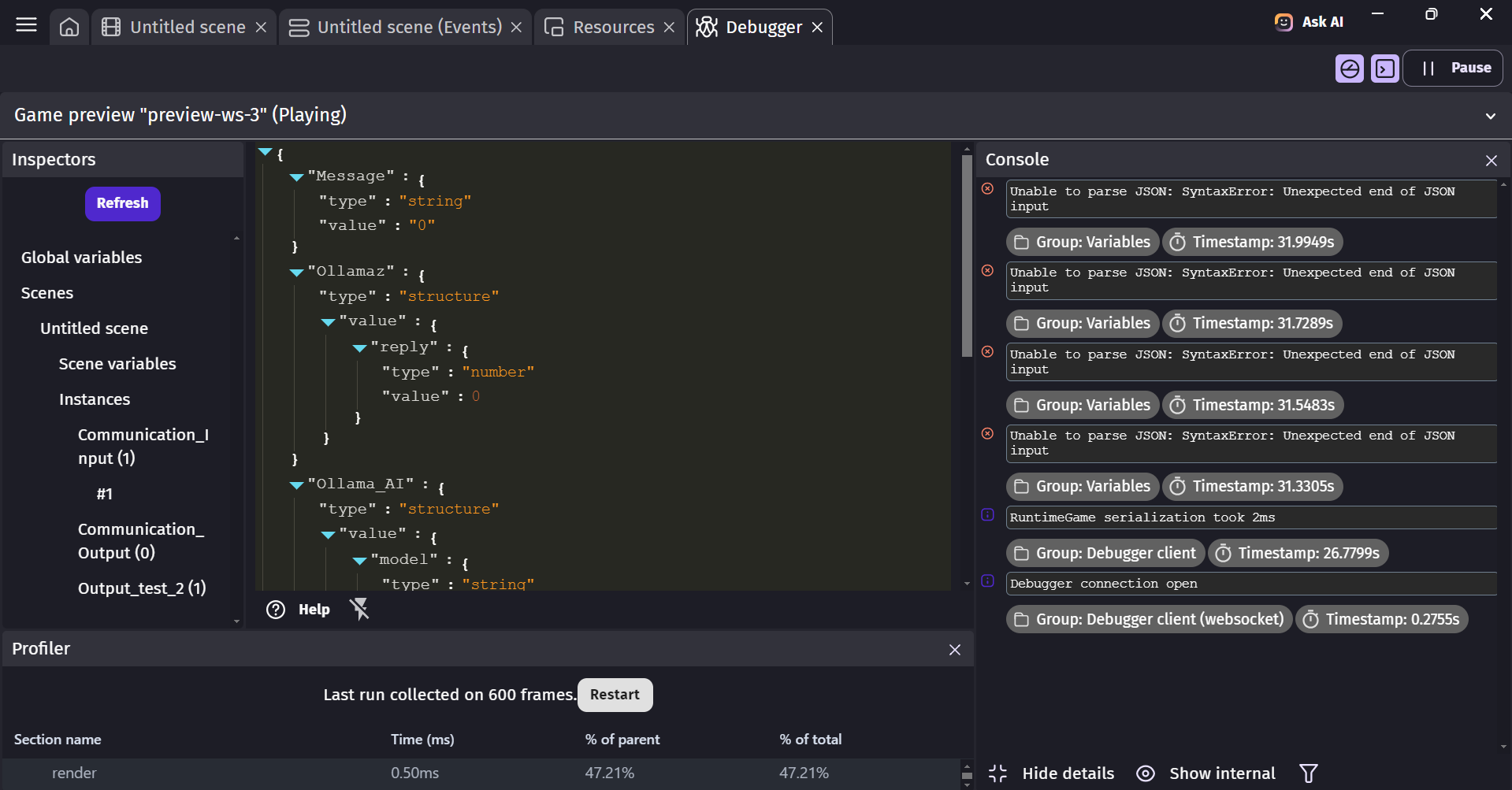
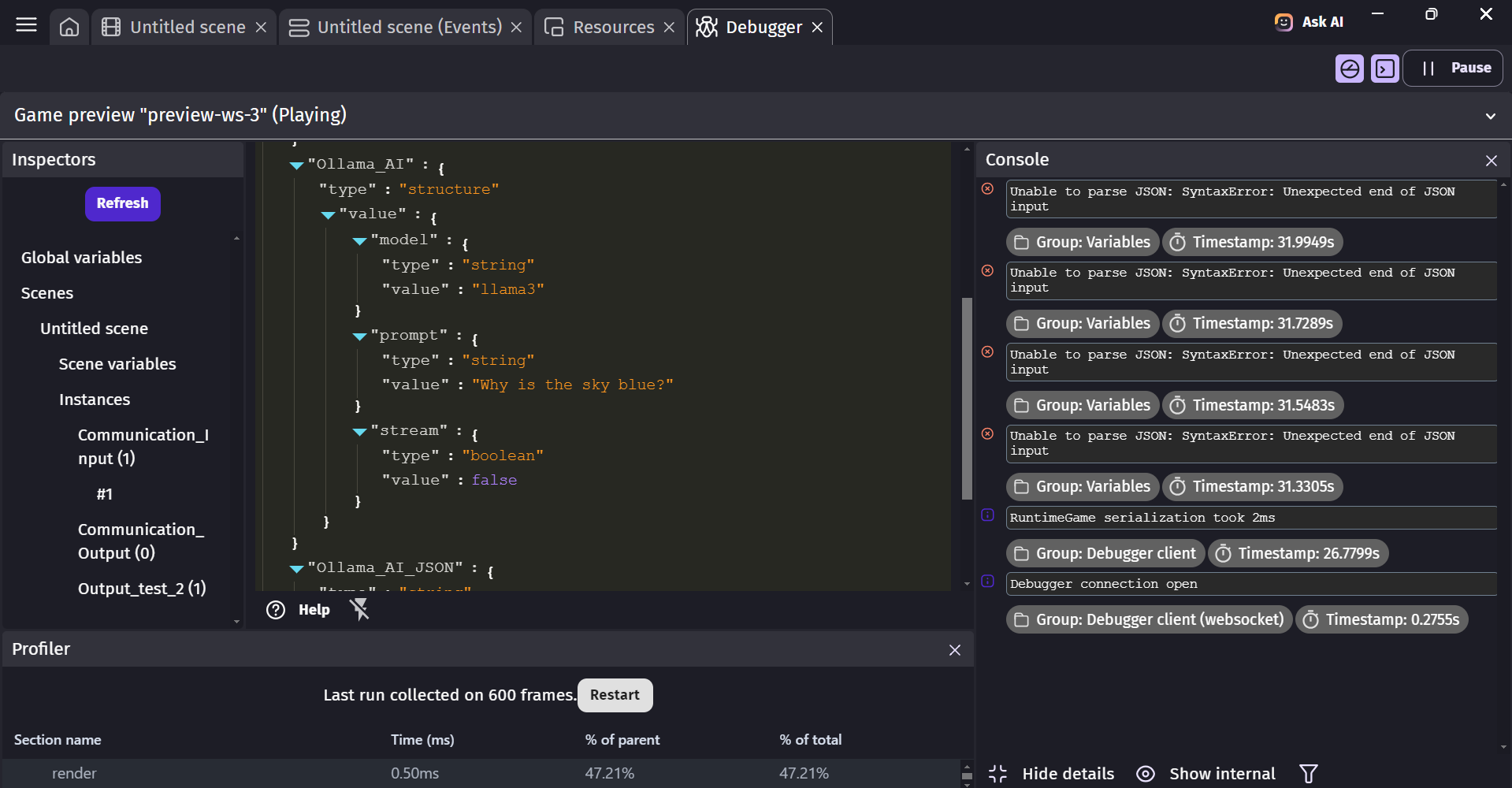
In the debugger it kept repeating “Unable to parse JSON: SyntaxError: Unexpected end of JSON input”
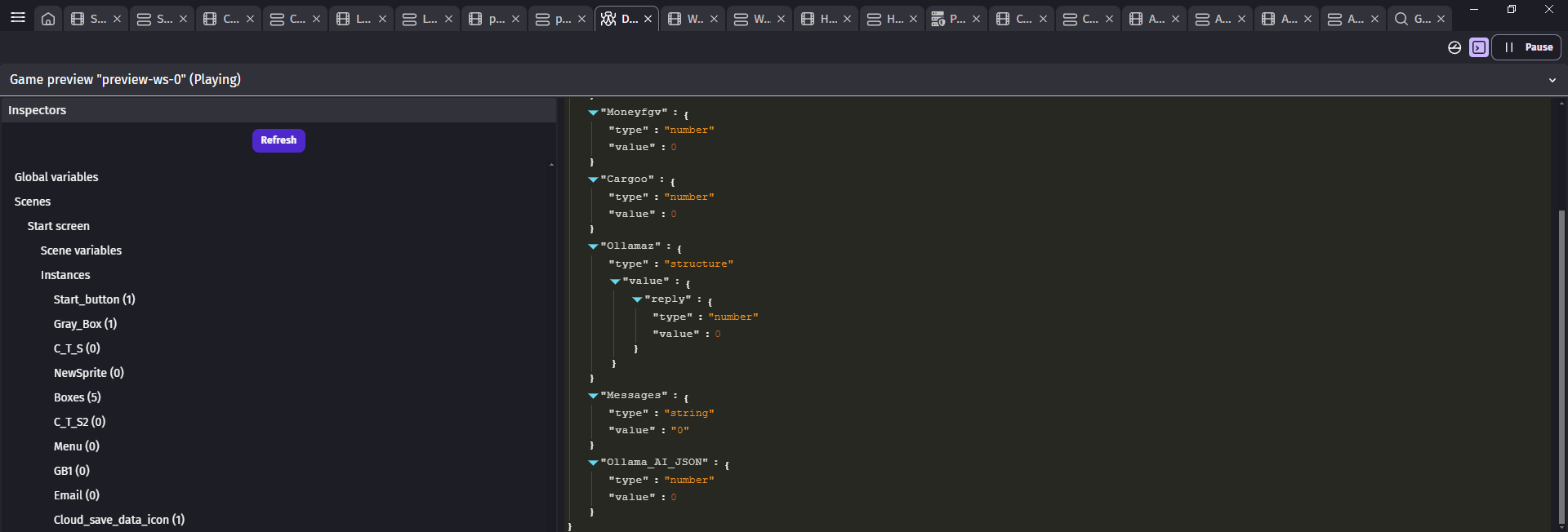
This is the current code and what is seen in the debugger; it still won’t give a response though.
You’re right on track just a bit swerved. put both 1st and 2nd event as subevents under the 3rd event. While leaving the message on it’s own event not on any sub-event
Like this
Is you running the AI or not? Just want to know that. If you’re, send a prompt and send me the debugger of the Ollama_AI_JSON as a pic.
For the reply idk what is success name for the variable. I found this but since i’m not running the ollama, i’m just gonna get error. Can you send a prompt while it does receive the answer from the AI then send me the debug of Ollama_AI_JSON. It’s pretty difficult to work with small info
I believe that the AI is running, I preformed similar actions before, and while it only brought up blank messages it did seem to take the time to generate something.
Here are a few images of the code
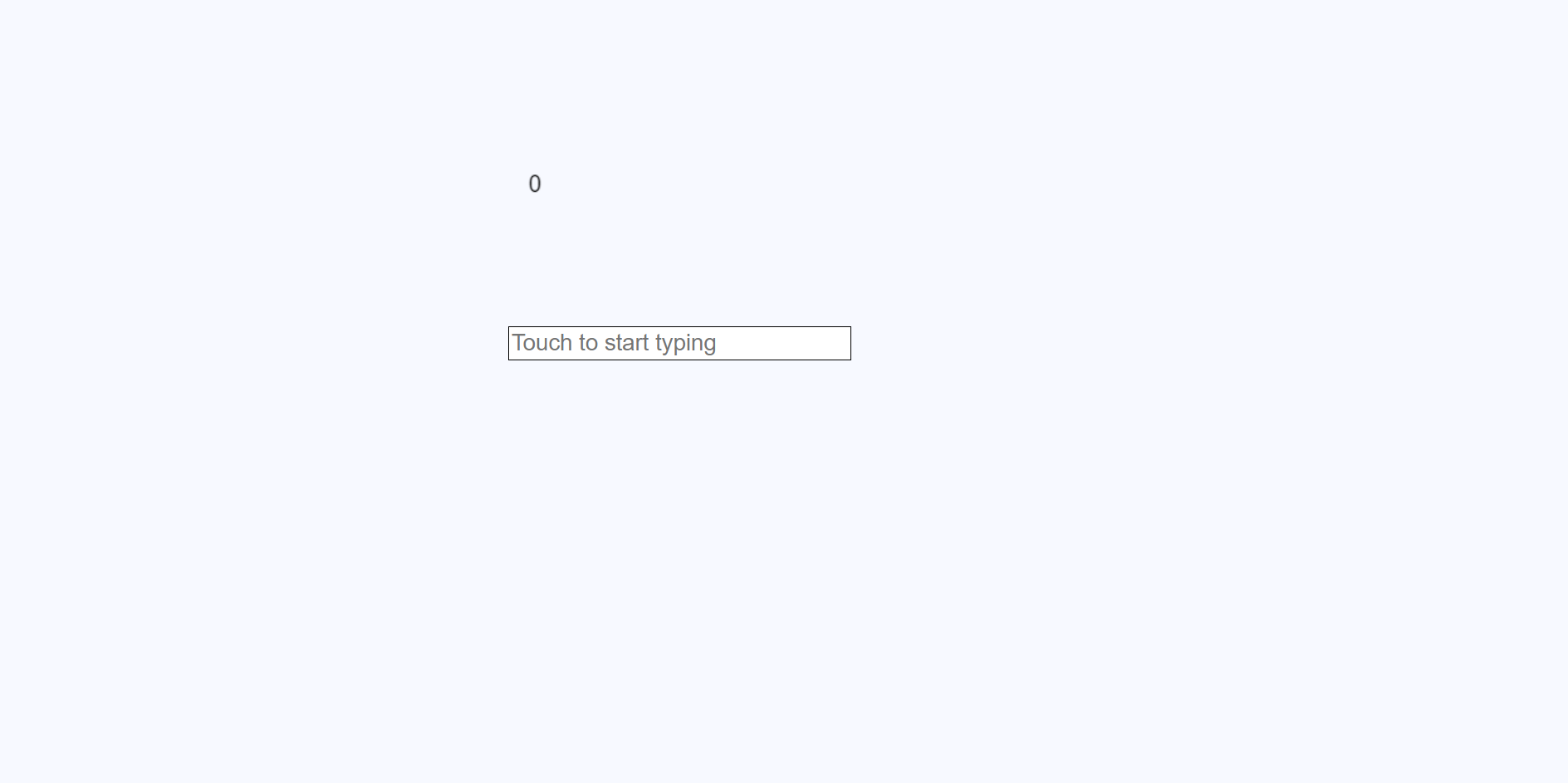
The project, where the output display text is on the top, and stays “0” the whole time. The input text below is unused for now.
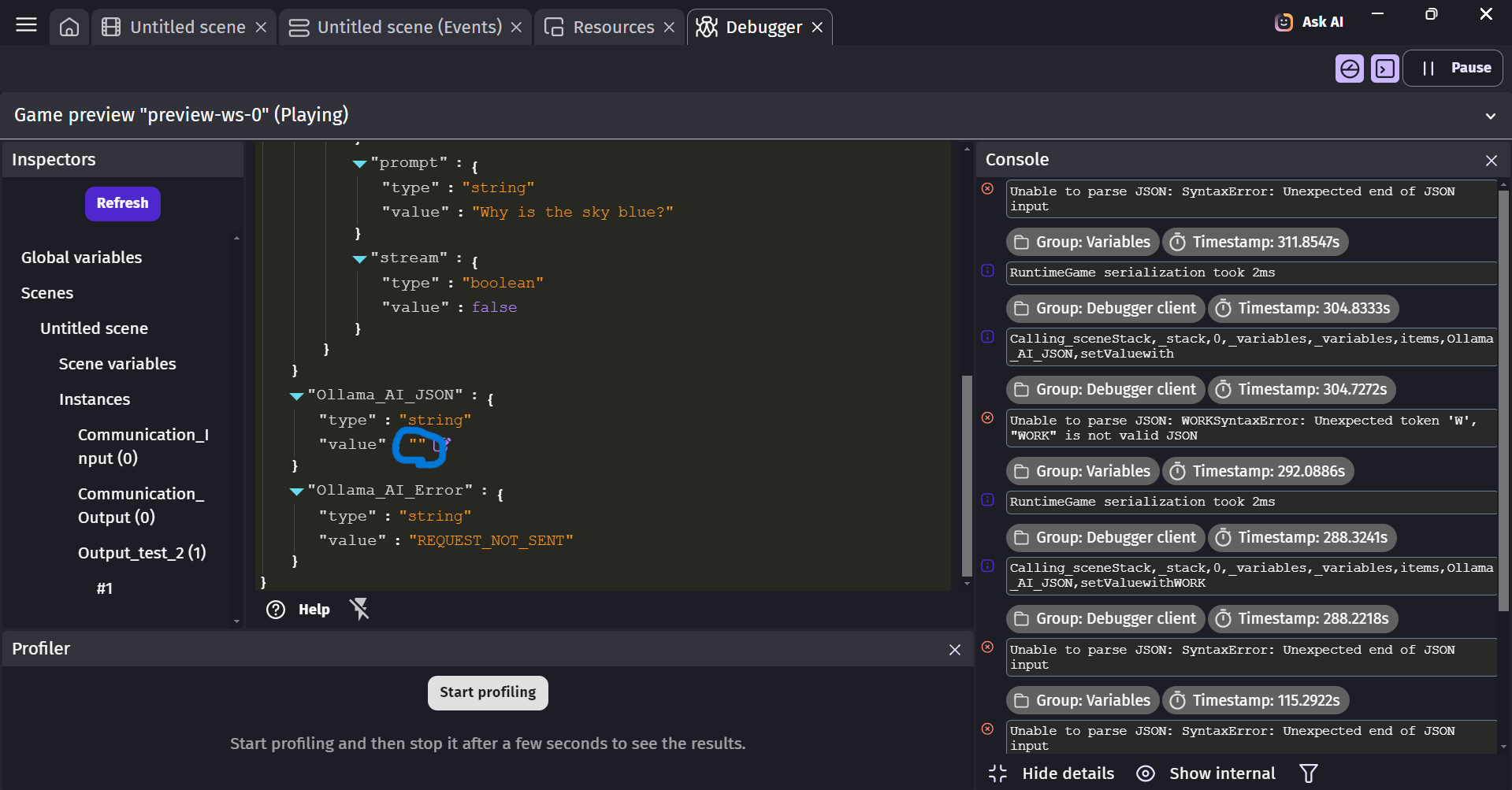
And two of the debugger, just so I could fit it all in.
Okay you’re almost there now, since the answer takes sometime idk much but we could do
This makes it so if the messages is empty is doesn’t display anything unless there’s more to it.
For the debugger i meant the OLLAMA_AI_JSON variable,
this in the debugger. Take a picture when you receive an answer and send it
I attempted it again, and I think you found the main issue of the code, when I attempted to receive an answer, it refused to work, and I believe this is the source of the “Unable to parse JSON: SyntaxError: Unexpected end of JSON input” error that I keep receiving
Though I do not know why it is refusing to input an answer there, perhaps I’m missing a piece of code
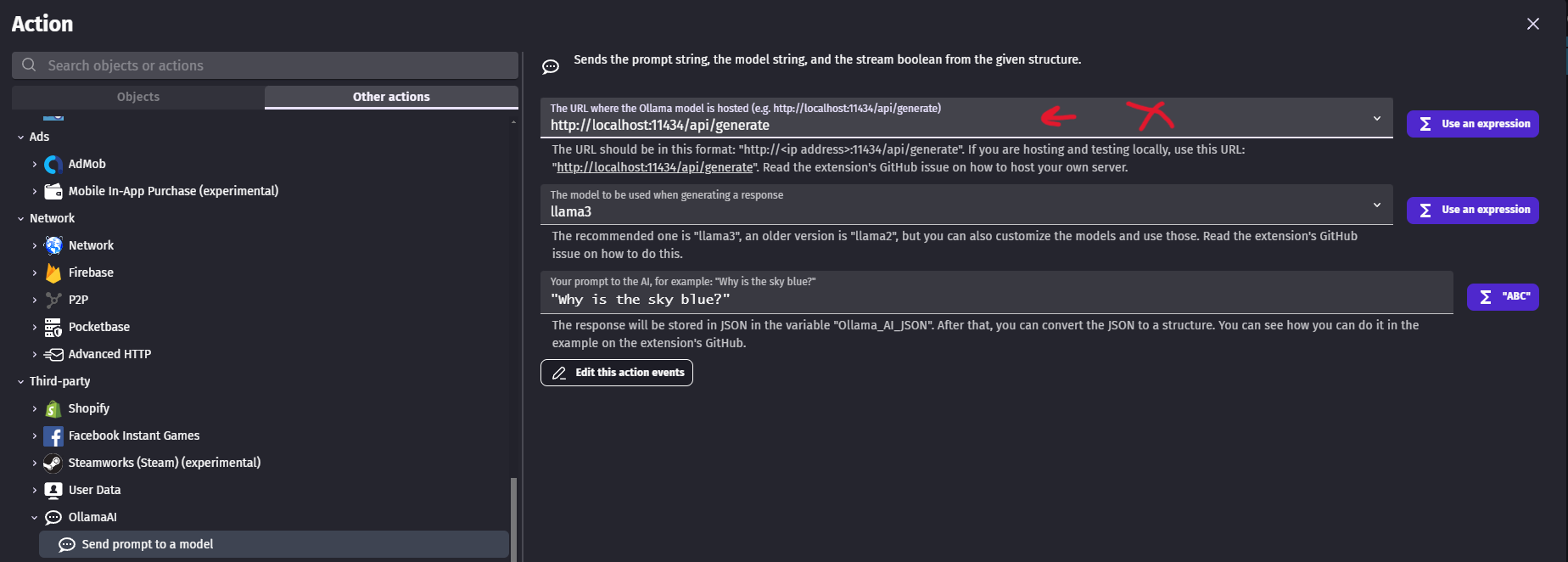
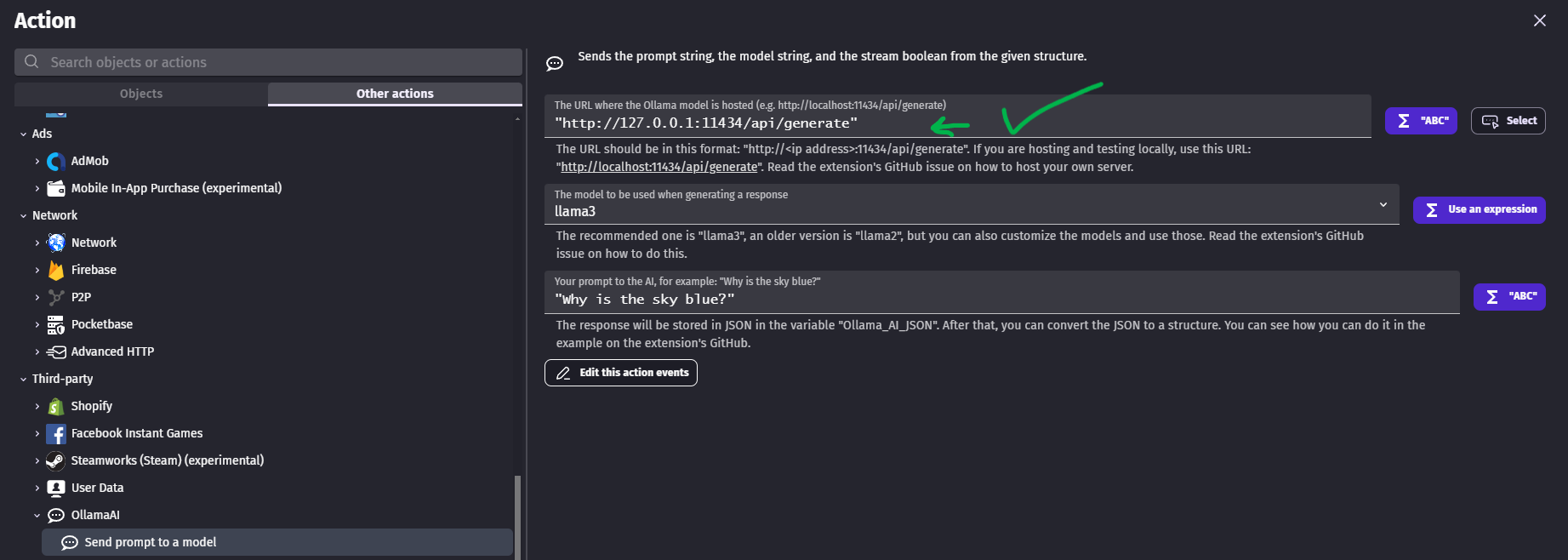
Yeh, that’s the issue! Since you’re running the Ollama at 127.0.0.1 which is local meaning instead of
we should use
http://127.0.0.1:11434/api/generate like this
Also huge detail that you must follow, are you running the AI at port 11434? Cuz if you’re not it will still say error. Could you tell me the link for your AI like is it like this?
http://127.0.0.1:8090/api/generate or like
http://127.0.0.1:11434/api/generate
Note this is not same as the one in gdevelop but the link or port are you running at?
Perfect, hopefully it’ll be an easy fix, on Gdevelop it says it’s http://localhost:11434/api/generate, though I can try the other ports if it’ll fix it
Before trying other ports, just check the your AI is running on then simply put in Gdevelop http://127.0.0.1:11434/api/generate for the 11434 put your ai’s port in there and that might the issue and might fix it. Try it lemme know
I tried that link instead for a while, though I’m still getting the same error, would I perhaps have to generate a link of my own?
1: Is the AI from you end running? 2: if so could you send me a pic of your AI’s API link? The server’s URL with port
I believe that the AI would be running, but to be completely honest I’m still a bit new to Gdevelop and I’m not sure where to pull the IP values for the API link, is it located within Gdevelop or can it be generated in github possibly?
Oh welcome in that case, however it could be you didn’t start the server of your AI. And since the default port of Ollama3 is 11434, i suggest starting up 1st then retry. I did a bit of digging and starting the Ollama3 command is ollama serve try to see if your server is up and running. However could you send screanshot of CMD of the ollama running?
That makes a lot of sense as the issue, would the command ollama serve be done on Gdevelop or github?
I can’t really seem to find the command prompt in Gdevelop
Oh you’re new new. This AI stuff requires beefy pc since they take and require so much storage and good setup, for the good AI ones. I suggest following this vid guide https://youtu.be/KGzF60KERZ4?t=47&si=4p-c_9oQW8sSvNH1 He doesn’t complicate stuff and straight to the info about to install.(Though i myself was confused on how to make it talk with the http from Gevelop) This entire self-host AI is confusing journey and painful. There isn’t much of info about the extension and how to use it, the creator didn’t make any examples or even gave much info on how to self host the AI, just the " select this and that" and leaves you the rest to figure it out.
Really sorry I couldn’t get back, I was away from my PC for a little while. That explains a whole lot, I’m gonna check my specs to make sure I have whats required to run out. Though thank you a whole lot for your time! Honestly, I would’ve been stuck for days without your help
Nah, you ballin bro. NGL Haven’t seen folk try or use this extension. It’s a big MYSTERY for lotta folk