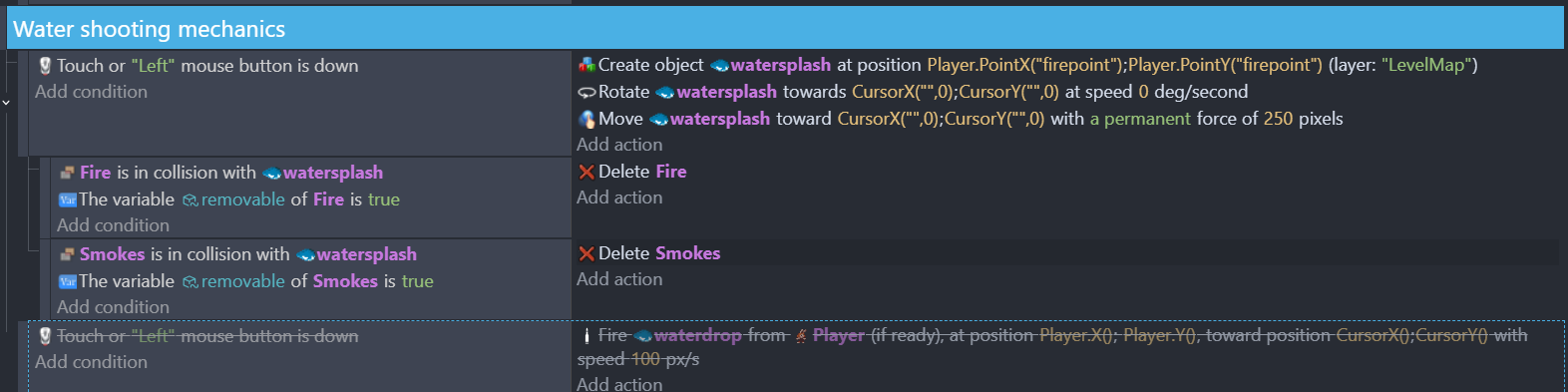
I am trying another approach on firing a projectile that extinguishes fires but the projectile does not delete any fire along its way. The fire it only deletes is the one close to the point where the projectile is created.
What is the expected result
A water projectile that erases fire along its way that is only on the screen and does not erase any fire that is still not on the screen.
What is the actual result
For whatever reasons, my firebullet extension is not working properly on my project on any of the scenes in it but works on my other project, so I tried another approach of creating my bullets but it only deletes the fire that is close to the water sprite’s creation point.
I agree that the smokes should be linked to the fires and only the fire needs to be targeted but that doesn’t explain why the objects aren’t being deleted.
Is removable true for all of the objects? Try it without the boolean check condition.
Are all of the objects on the same layer? If not, the layers could be out of sync.
The collision condition will pick only the fires that are in collision with the water. The delete will only delete them.
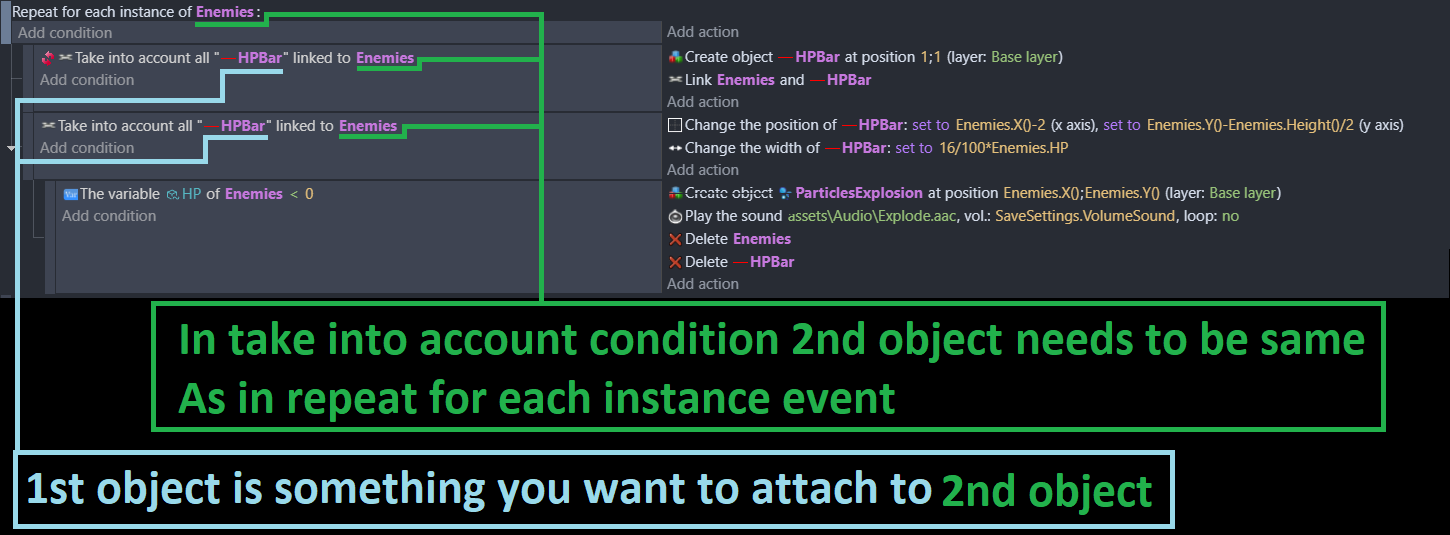
If the smoke is linked to the fire then a for each will be needed to pick the linked smoke.
Water collision with fire
… For each fire
… … Pick smoke linked to fire
… … Delete smoke and fire
It might be nice if the smoke slowly faded or became calmer, eventually disappearing. You could always have some ambers or a little smoke. It’s the small touches.
The fire could even have a health behavior so the water caused damage until the fire is dead. It depends on your idea. An injured fire could slowly heal and reignite. Slowly scale the fire up or down maybe change the animation speed. IDK. See what it looks like.
There is no point in using Repeat For Each if you don’t need to account for the objects separately. None of the examples above are proper uses of For Each.
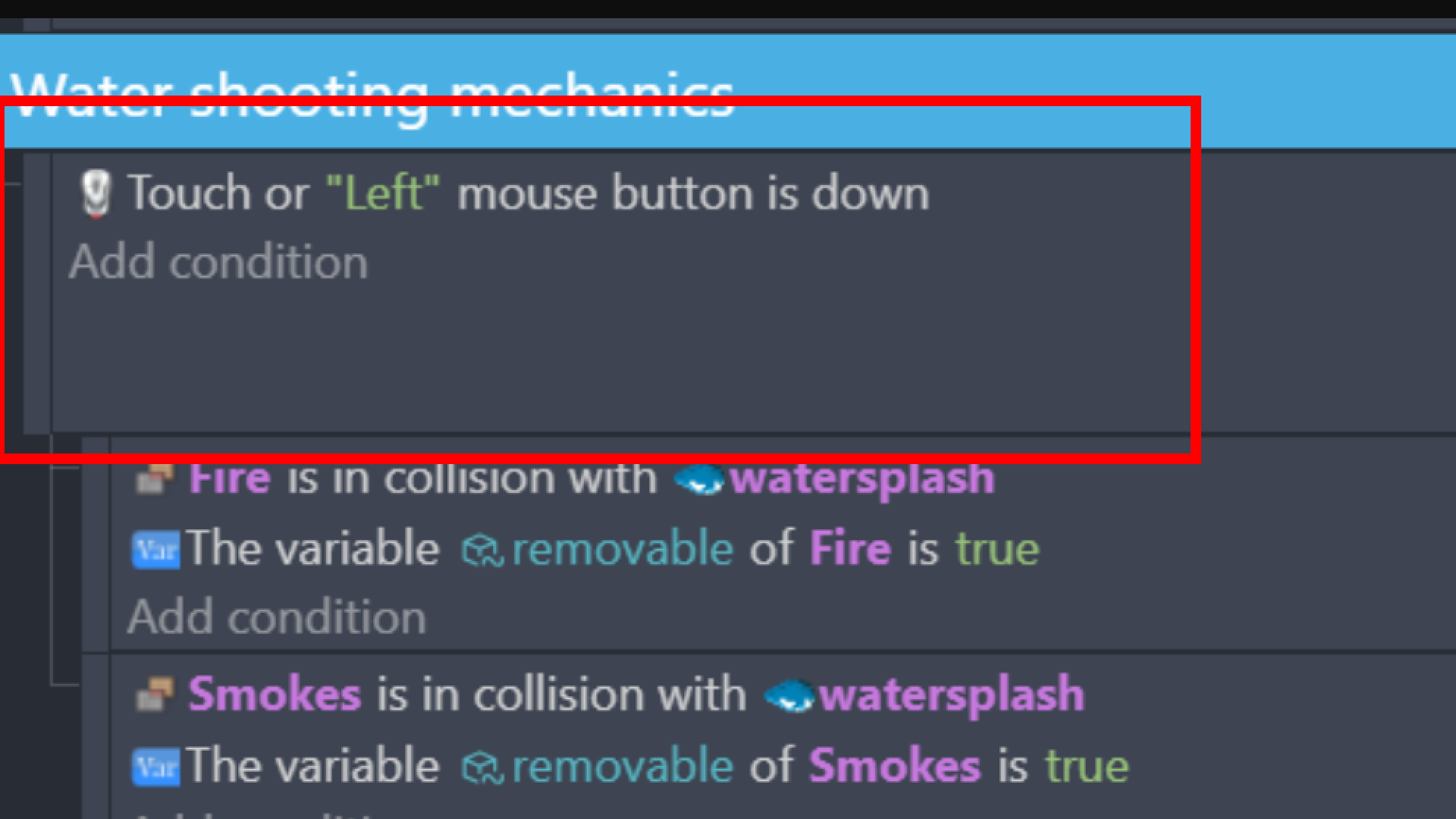
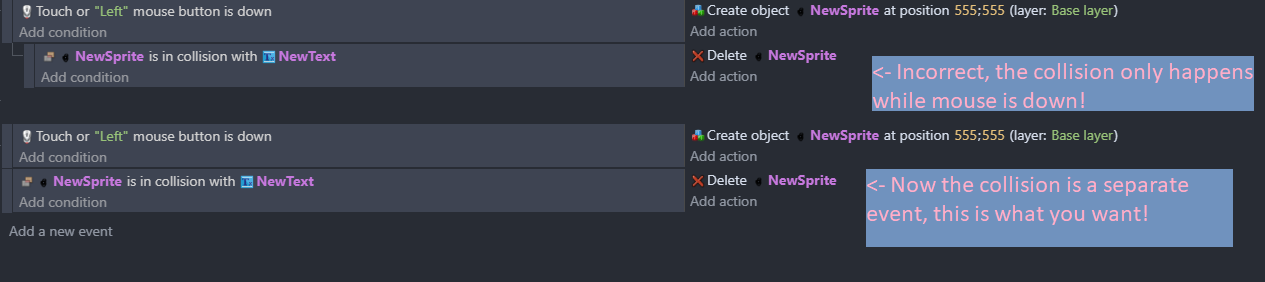
@Darzen the only thing you need to do to your events is slide the collision checks to the left so they are not sub-events of the mouse button event:
Sorry, but isn’t this exactly the case? Shouldn’t the collision be tested per instance? If you do it without a For Each, when the collision happens, won’t all the instances with that name get deleted?
Don’t even bother his whole logic is wrong cause if you read OP question
He want fire to be deleted when in collision with projectile
And issue he had was that it was working only on close range
And that was due being sub event of lmb pressed
Where if you look at video OP provided he also have smoke attached to fire and it should go out with that fire
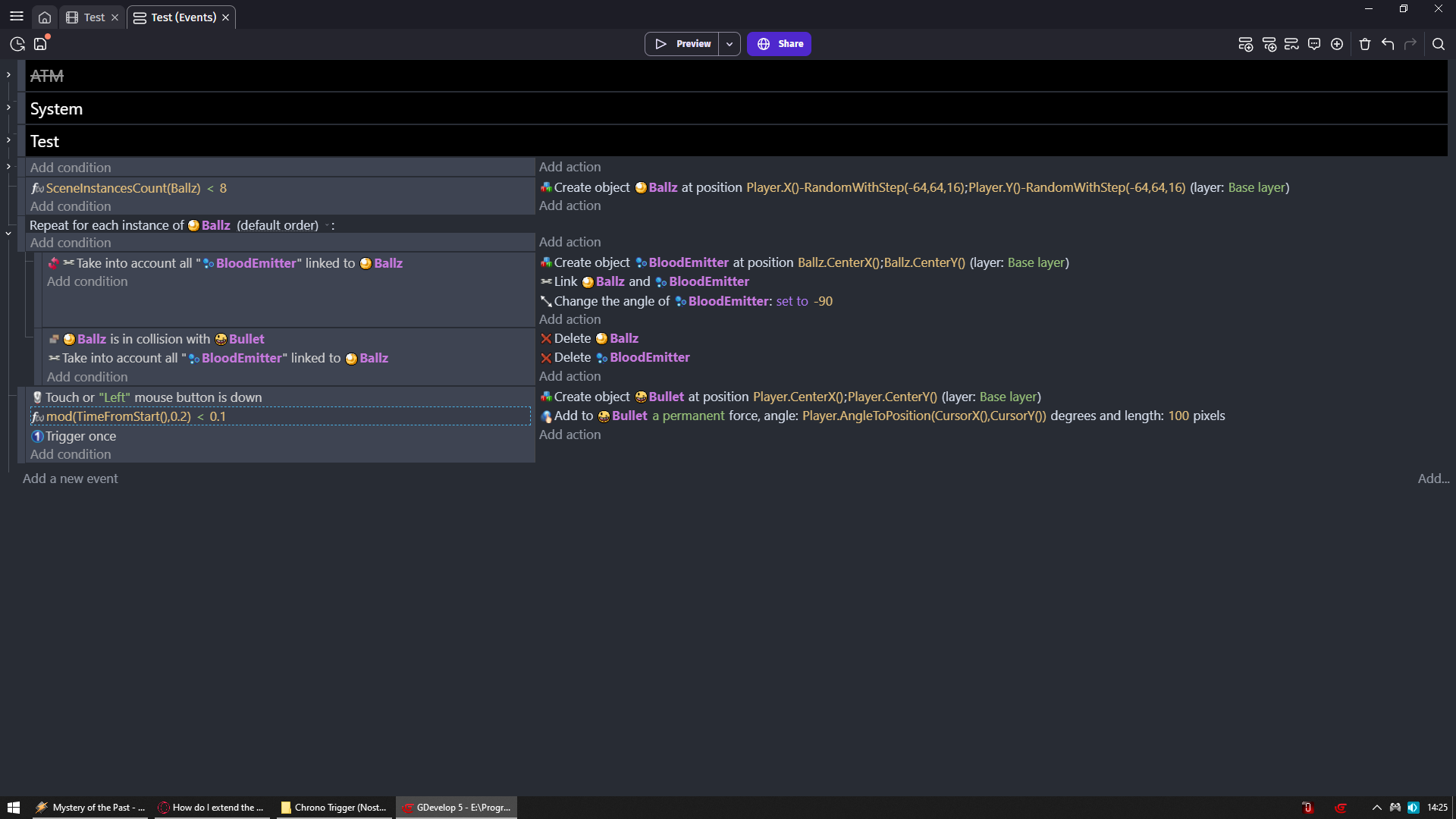
No, only the instances that fulfill the condition will be deleted. So if you are performing the same actions on everything that is being hit, you don’t need for each. You do need it if you want something to happen that is unique for each instance, such as a damage number or VFX that spawns on every location:
projectile is in collision with target
    for each target
         (no condition)   |     spawn VFX at target.X, target.Y
OP didn’t actually ask about that. I agree that using a direct method such as linked objects would be better than collision with each one (especially since particle emitters have fixed size). You still don’t need For Each:
Water is in collision with Fire
    Take into account Smoke linked to fire   |  delete smoke
    ------------------------------
    (no condition)                           |  delete fire
@Darzen If you want an extra level of polish, let the smoke run out before deleting:
Water is in collision with Fire
    Take into account Smoke linked to fire   |  stop emission of Smoke
                                             |  wait (smoke max lifetime) seconds
                                             |   delete smoke
    ------------------------------
    (no condition)                           |  delete fire
is’nt the deletetion…still something unique to that instance?
Wow, trust me when I say this is mind‑breaking for me… seriously…
Maybe it’s because I’d been carrying that assumption for a while.
When you in condition target objects then they are getting picked
For example if you would do
NewSprite is in collision with NewText
Then you just picked all New sprites and texts
And now check which are colliding with each other
So you filtered ones that do not and you can delete ones that do thx to delete object NewSprite
If it would be
NewSprite is in collision with NewText
Delete New3DBox
Then you would delete ALL New3DBoxes cause condition did not filter/pick any of them so action is picking all of them
@magicsofa I will be happy to argue with you
When you will understand what you are talking about
Heh, well its understandable… when things aren’t broken, we assume they are working
The deletion isn’t unique because it is doing the same thing to all of the NewSprite that have been picked from the condition.
If you instead did an action like, spawn an object at NewSprite.X()/NewSprite.Y(), then you would have a problem because the object will only spawn once, at the coordinates of the first NewSprite in the pick list. Even if you had five NewSprite in collision, only one object would spawn. This is where you would need a For Each to spawn an object at all five locations.
It can be a bit confusing to remember when it is needed, the way I think about it is this: If I am operating on the list of things picked, I don’t need for each. So to delete 5 objects, I just need to pick 5 objects and then delete them all in bulk. But if I am getting specific information from those objects, such as position, where that information will be different for each one, then I need a for each to loop through them one at a time.
What? I don’t see where I wrote anything like that. If I did, it was a typo.
Ok, got it,thanks.
Basically, the condition literally picks the objects, and that’s why the action needs to refer to the same object to filter them correctly. Thanks a lot for clarifying that.
Now I’m wondering whether I’m losing anything in terms of performance in my events, or if I should just leave it as is.
Most of the time, a “For Each” event is not required because conditions and actions automatically run on all instances of an object. Using a “For Each” when it is not required will cause the computer to do extra work and may lower the performance of a game.
This is why you always want to filter with conditions first, then put the for-each as a sub event. A for-each with no conditions before it is just looping through every instance in the game, which is usually not needed.
Yes, that’s what I meant, I know that part.
In my case I don’t have a huge list of instances to loop through.
I was just comparing whether it’s worth to bust my head trying to fix them or not.
Thanks anyway.