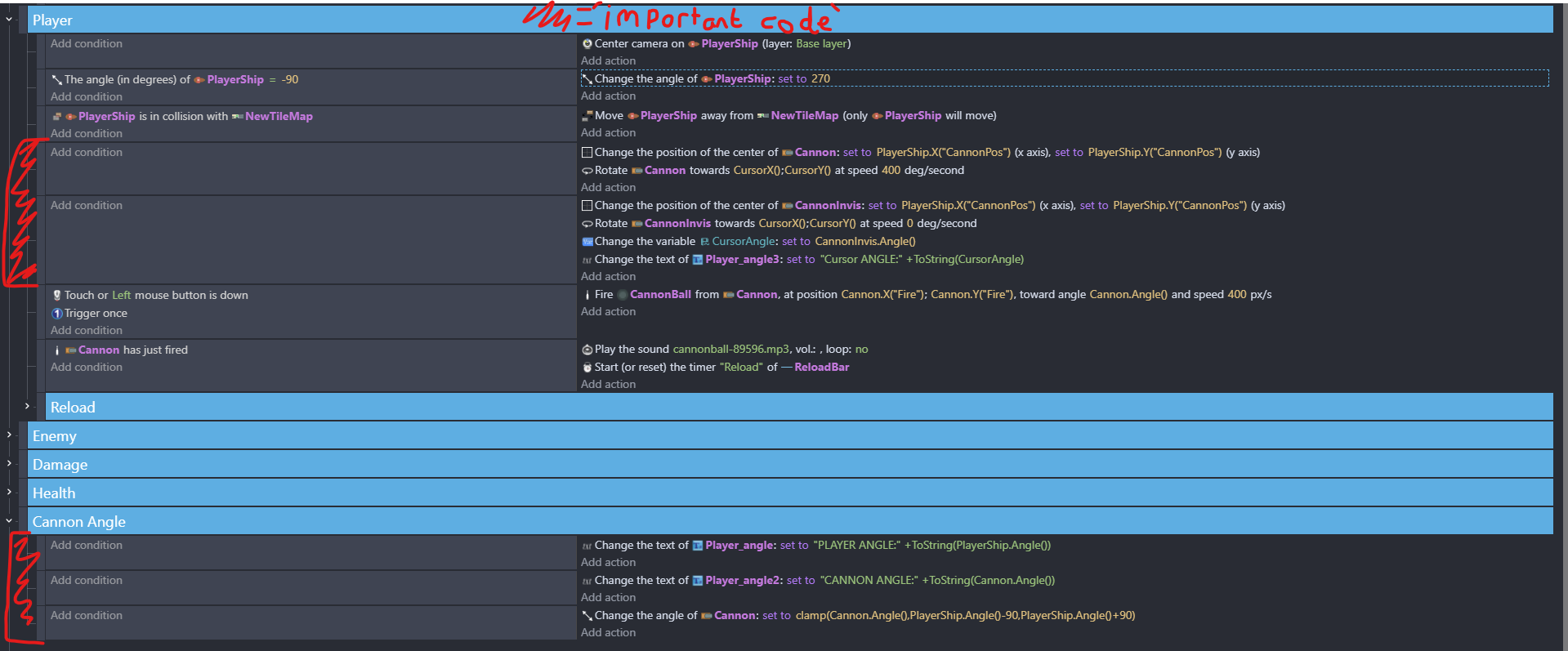
Trying to limit cannon on my ship to the 180 degrees at the front of my ship, but the angles when comparing the cursor (which is cannon is aimed at) and ship are weirdly different
Expected result
(To my knowledge) my code should lock the cannon facing the forwards 180 degrees of the ship at any direction
Actual result
Cannon works between certain angles (i.e. works when ship is facing 0 degrees) but completely breaks at others like 270
Suspected problem
I think (as shown on my screen) that the cursor angle going between -180 and 180 degrees (for whatever reason) messes with the code and causes the cannon to spasm between where it should go and the opposite side
I am more than sure you don’t need all of them
I don’t remember if i listed exact ones
BUT more or less you need 3 or was it 2 values for sure
And now you rotate ship and move cursor around ship and you will be to tell which values you need and which you don’t
Just by looking on them
And then you just need to check few cursor positions and ship rotations
And you will know will you need to + cannon angle or - cannon angle
GNEERALLY
This is 100% doable
But so painful i gonna say not worth the effort
I lost all my brain cells trying to deduce that
Where in the end i told my friend that his game would not get any worse if ship could simply shoot trough itself
BUT whatever
Oh…that angles problem…is back…
I guess you should avoid using number for angle and use sin and cos instead…cos the classic -180 +180 problems…i remember to have asked at chatgpt for the formulas…cos…i suck at trigonometry …
Oh i’m interested into this…do it means that it converts to Cartesian?
…it looks like the +180 trick…but if i remember well you’d notice that “+” rotation for a millisecond…(which i don’t like)…do mod works differently…i mean is it not noticable?..
This is actually a really useful thread. Angles in gdevelop drive me up the wall! I had been doing … if angle less than zero add 360 and if greater than 360 subtract 360 which I guess is similar to @MrMen mod method
Thanks @Keith_1357 for the explanation above. I had a headache yesterday and saw this one and thought no…I’m not thinking about that tonight as it scrapes my brains out with a blunt spoon!
Thanks everyone…hope you sort it soon! @RMDB I think I know what you mean but for the benefits of the thread could you give more detail on ‘avoid using a number for angle and use sin and cos instead’
As i said i suck at trigonometry but i met this problem as anyone here when i started…since i abuse the raycasts condition…and without solution i asked at
chatgpt and this was the answer:
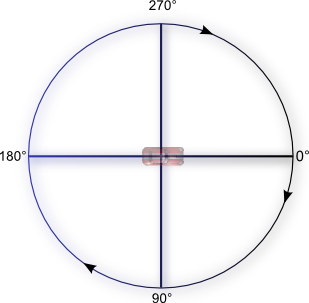
Angles are circular, so:
** 180° and -180° point in the same direction*
** 0° and 360° are equivalent* Interpolating between 170° and -170° might go the long way (340°!) instead of the short way (20°)<—and this was in fact the problem i had This can break movement, rotation, and angle comparisons.
Instead of using the angle directly, you can convert it into a unit vector:
x = cos(angle) y = sin(angle)
This gives you a direction vector (x, y) with no ambiguity. Benefits:
…now … keep in mind that I tend to avoid trusting artificial intelligence at100%… but this makes sense to me.
Instead of assigning a specific angle value to aim at, it’s better to use the vector that points in that direction using x,y coordinates.
In this specific case, it can also be constrained between two angles,but I won’t add any further suggestions (that the AI provided to solve the issue)…
because I haven’t personally tested them yet.
Edit: i too remember to have opened a request to use the 0-360 cartesian angle system…but i can’t find it…guess it is forbidden
I think I’m going to have to try and wrap my head around doing that - it’s initially bit alien! I used to be good at trig at school, but I seem to have forgotten it all after doing no maths at all between 1988 and 2023!
Tweening to angles has had me literally screaming at the computer!
If I may, there’s a somewhat similar thing I’ve got in a project of mine. I just stopped tinkering with the angles.
What I did was setup up two points on the turret base. One on the left and one on the right. Both the same distance away from the center. The cannon also has a point right up the muzzle also the same distance from the center as the left and right base points.
Then I just check the distance between the cannon point from either base points. If it’s too close to one of the base points, then rotation towards that direction is stopped.
Yeah, it’s kind of a different approach, feels kind of crude, even. And I don’t know if this would work for you, but just putting it out there. Or maybe if there’s a less complicated way to go about it, I’d like to learn about it too.
Cause i had 2 working brain cells and now most likely that number went to negative
Wasted over an hour to deduce it
Anyway
I don’t want any1 feel bad cause of my words i just want to point something out so we all try to get better
DO NOT try to re invent the wheel
And for sure don’t try to go for best/efficient/proper way
Find any way you can even if it means brute forcing it trough
I remember watching Ghost In the Shell anime
And aside from the fact it was damn well made anime
There was one thing that main character said to other one
“Over specialization is slow death”
And i believe we just fall into that oblivion trying to came up with something that would be best/efficient/proper instead of something that just would work
Or to say it in simple words
Sometimes you just need to butcher your way trough
Regardless
Proper thing to do it was to print to text object
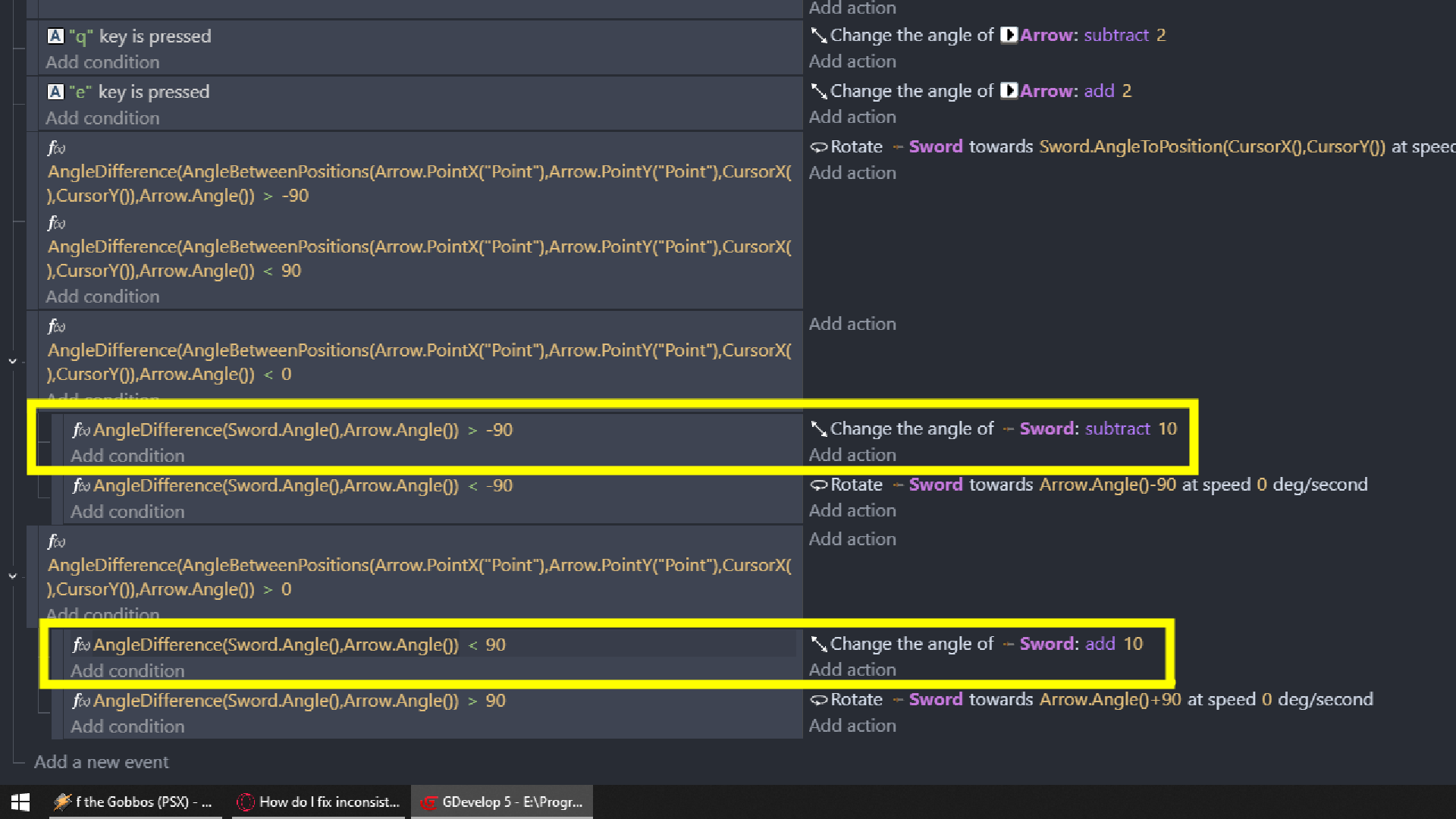
AngleDifference() from
Arrow = SHIP
Sword = CANNON
From pivot point of Sword (CANNON) to Cursor
And
Sword (CANNON) to Arrow (SHIP)
Now you simply change angle of Sword (CANNON) to Sword.AngleToPosition(CursorX(),CursorY())
And you spin cursor around ship to see which value will display what at what position
And it was downhill from that moment
You can simply do something if both angle differences are in some range
Condition you see on the left mostly used is compare two numbers
Then here are only 2 expressions used there
By the way, I definitely don’t want to dive deeper into that angle labyrinth, but to me it looks very similar to the arctangent formula…just broken down into pieces…
@ZeroX4 btw here too i notice that hated jump of angle from 0 to 10-12 degrees…am i wrong?
…yep it’s still there.angle form 0 to 10 and 0 to - 10 are skipped… i see…bcs you subtracted 10…but why?..to invert the sign? …
Basically it was my mistake
Cause i had there red before
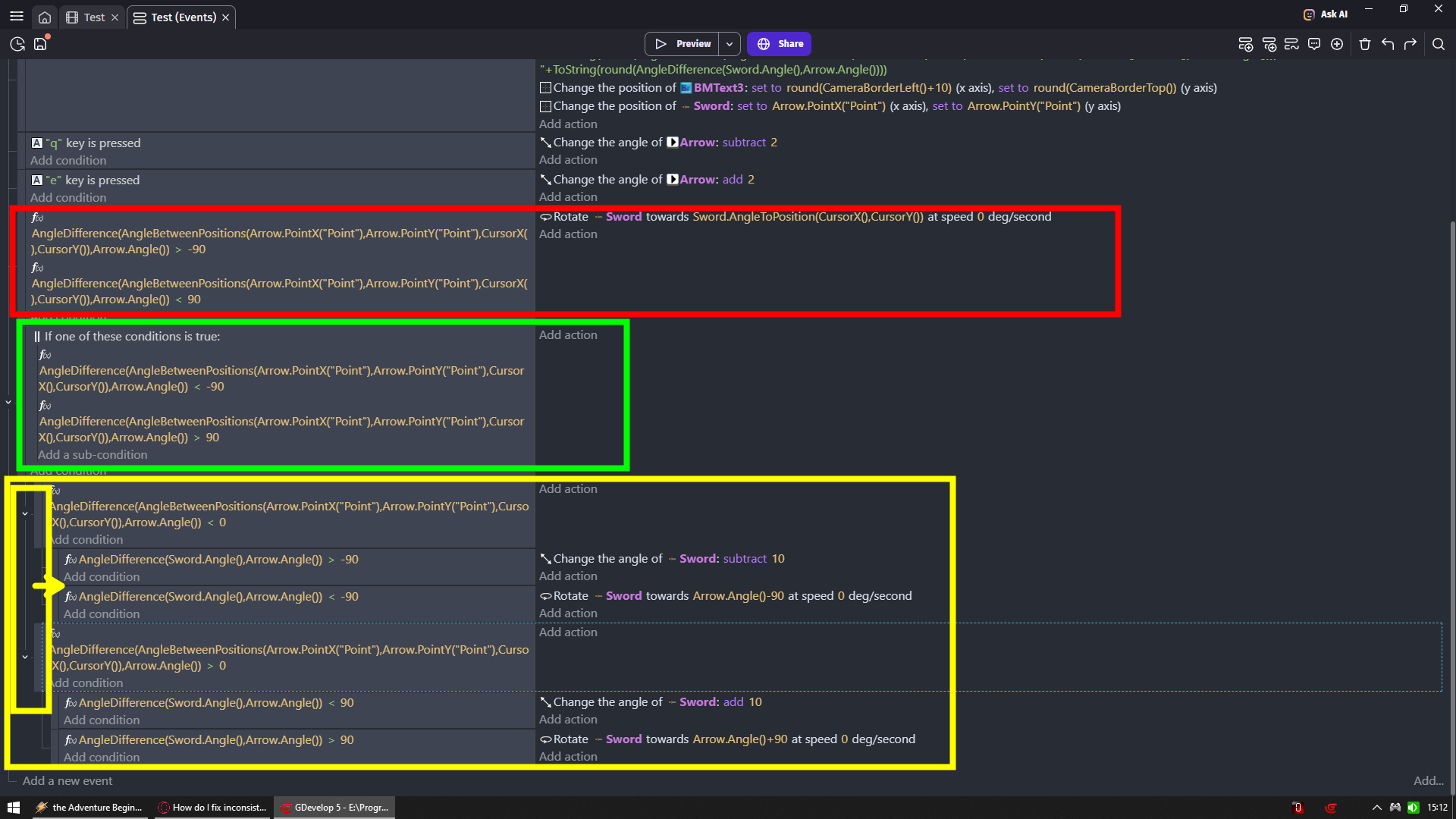
Which is change angle of sword (cannon) to sword angle to cursor (so make it follow cursor)
ONLY if cursor is in front of ship
Or to say it simply
If cursor is right from red line
Run red events
BUT yellow events were running always
I needed to add green
And green means make it only works if cursor is left from red line
So now yellow do not interfere red and vice versa
BTW ultra easy to fix once you see actual values
I do not remember which one was it cause i always confuse @Keith_1357 and @MrMen
But one of you taught me to always check stuff and not to assume stuff
When i was trying to change animation of object based on angle of movement with pathfinding
And thank you for that
As you see it did pay off
I found it
Keith is guilty here
Just peak of simplicity
And so let me repeat
Sometimes you just need to butcher your way trough
Do something as simply as humanly possible
And your problem will solve itself

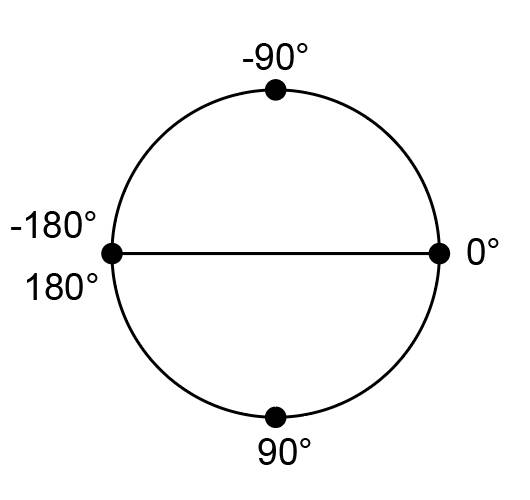
 This can break movement, rotation, and angle comparisons.