How do I make a value get added to an array at the push of a button?
What is the expected result
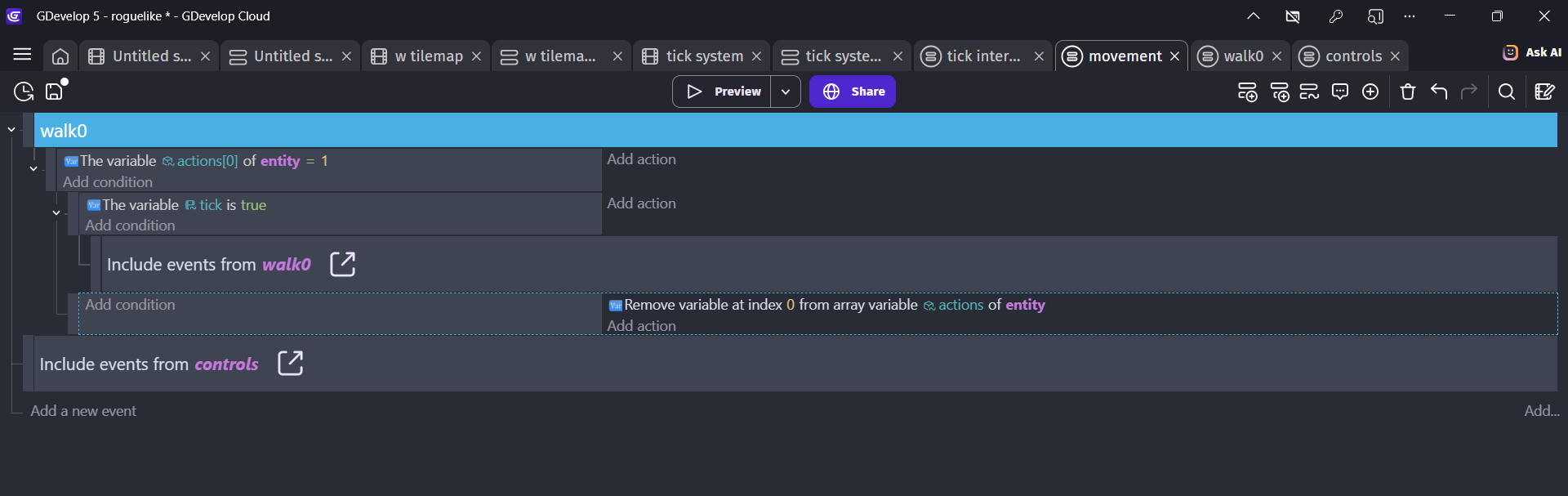
When I press the up arrow, the controls external event sheet states that the value 1 is to be added to the player object’s array, “action,” which is empty at the start of the scene. Whenever the object boolean “tick” is true, the value at child 0 of the “action” array is read, and in this case, is interpreted to mean “move 8 px upwards,” based on the external events sheet “movement.” After receiving this info, the player object removes child 0 from the array, causing child 1 to take its place, and so on down the line. I’m pretty sure.
What is the actual result
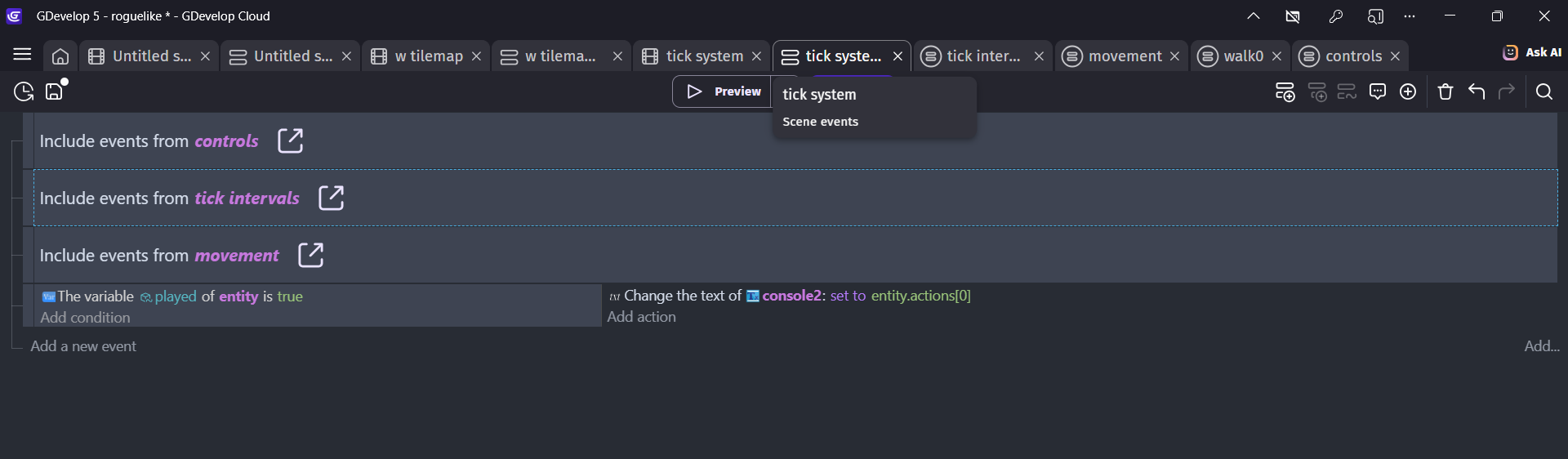
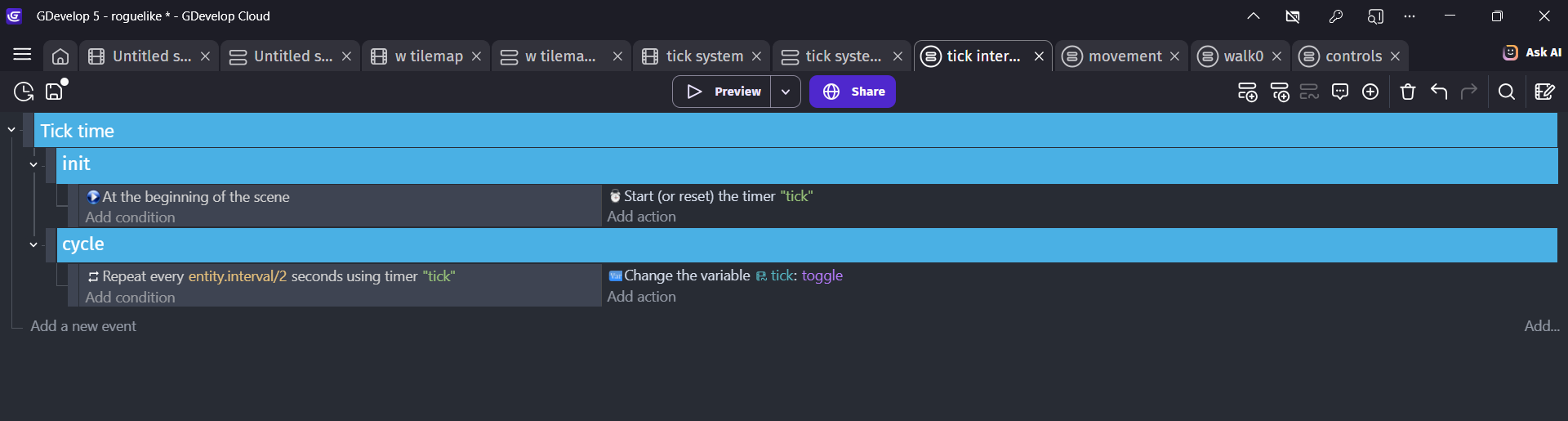
The interval-based turn system, established in the external event sheet “tick intervals” works, so far. But only for adding 45-degrees to the object’s angle whenever “tick” is true. However, this new system of sending commands to the player object’s to-do list array doesn’t seem to work. When the arrow key is pressed, the text object that’s supposed to display the value of entity.action[0] only displays “0,” and the player object doesn’t do anything.
Then how do I create a new child with a value of 1 on the end of entity.actions? Because that’s what I’m trying to do. As I said, it should create a to-do list for the player object, using that array.
I don’t know if this is the issue but just trying to read an array index will create it if it doesn’t exist. Before you check the value of index zero make sure the size of the array isnt zero.
So, I figured it out. Not sure what was going on but I reworked it, thought it through on notepad once more, and redid the whole system pretty much the same, and it works. I’ll take this as a lesson to organize better, I guess.