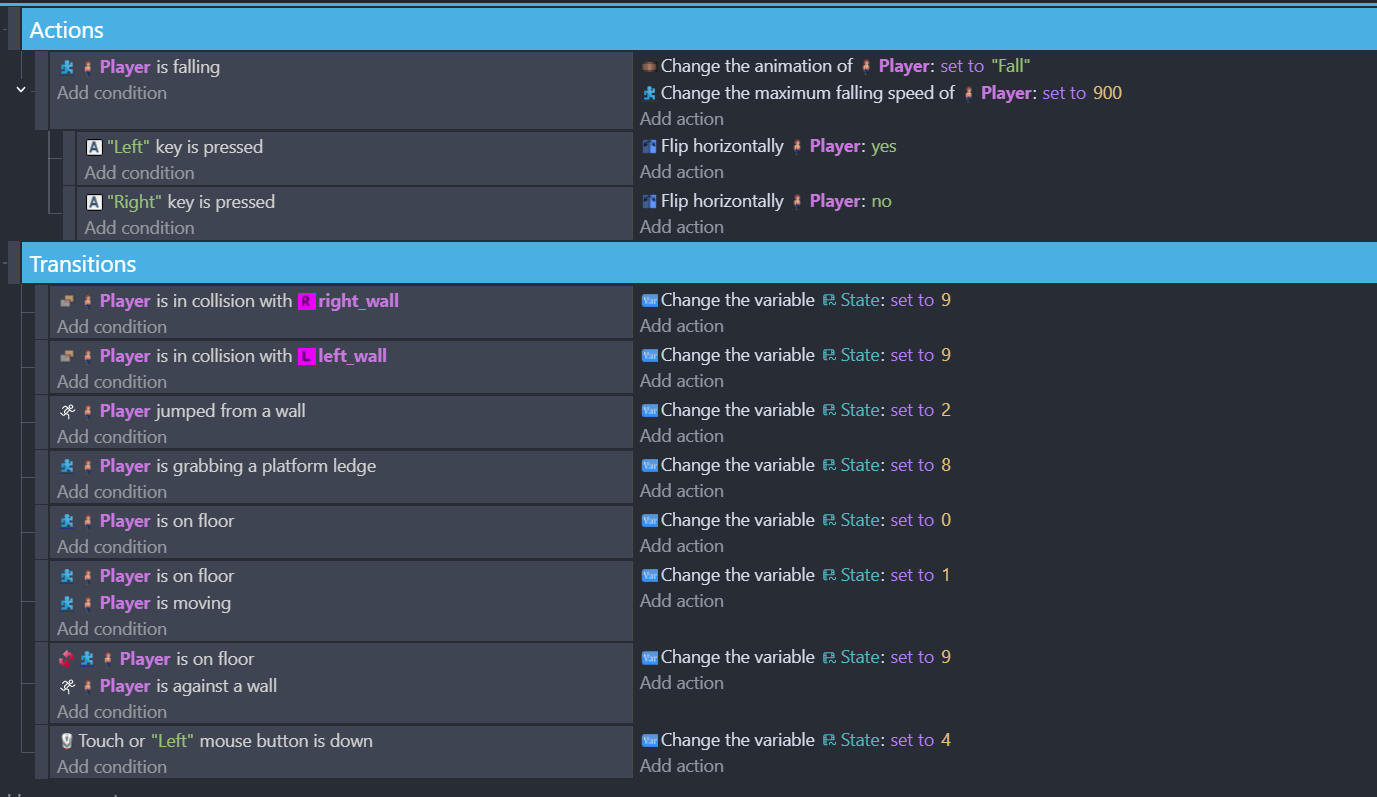
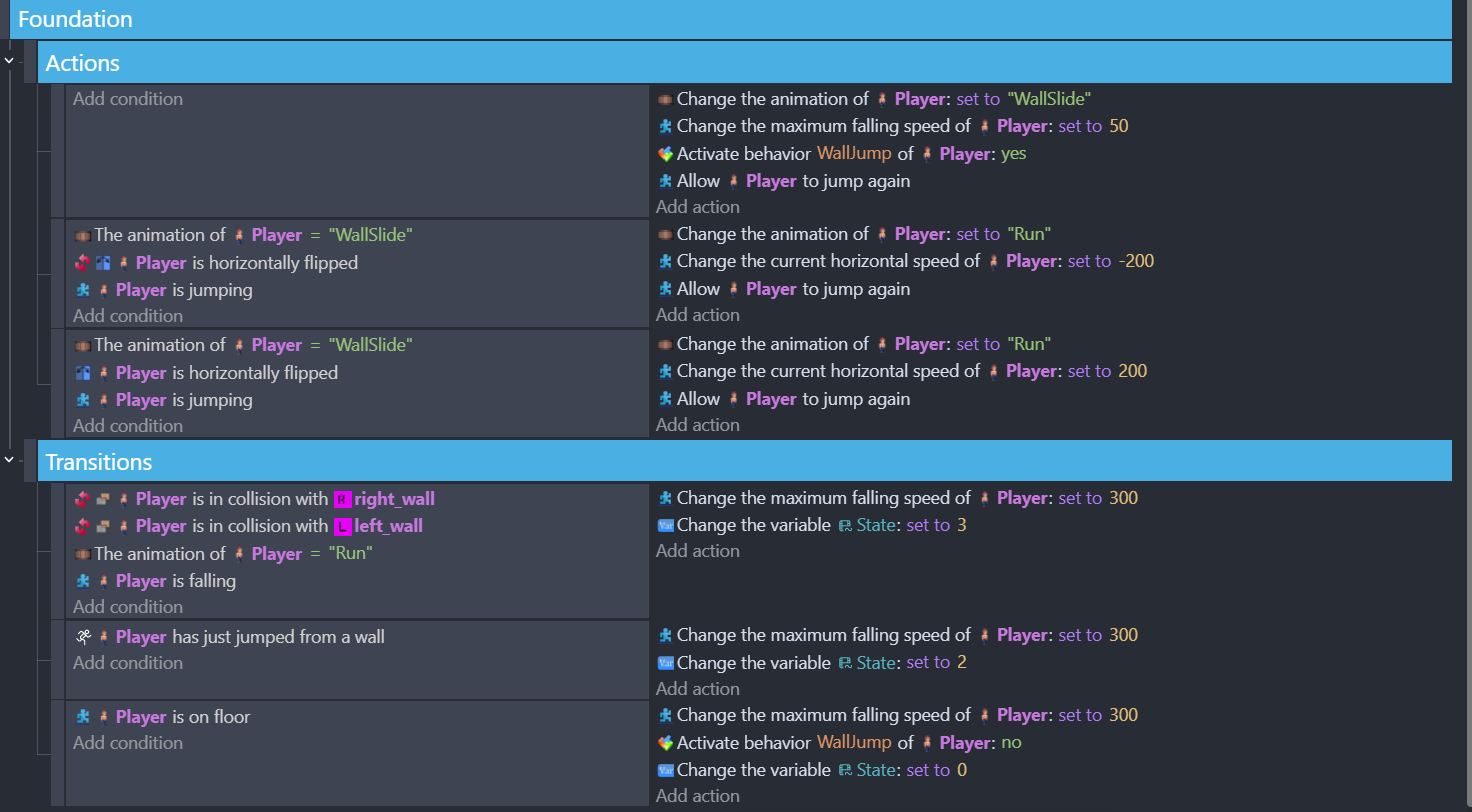
So I have been working on getting my player character to wall jump. I’m trying to make the wall jump more interesting than just jumping straight up.
I want the Player character to wall jump off to an angle when the player hits the jump key against a wall.
If the player doesn’t hit the jump key while against a wall, the Player character slides down the wall.
I have the Player character sliding down the wall, but for some reason on the right side it’s over after a half second, and on the left side it flickers between the Wall Slide animation and some other animation (I’m guessing idle?).
Anyways to make it jump wall to wall I have to press the arrow key towards the wall. I’d like it to be easier and less buggy (WallSlide animation continues to play while against a wall and sliding)
Basically I want to be able to ‘ping-pong’ back and forth up 2 walls so the player can traverse upwards from walls if they are close to each other. With a simple press of the jump key if you jumped into a wall and begin sliding down (Wall Slide)
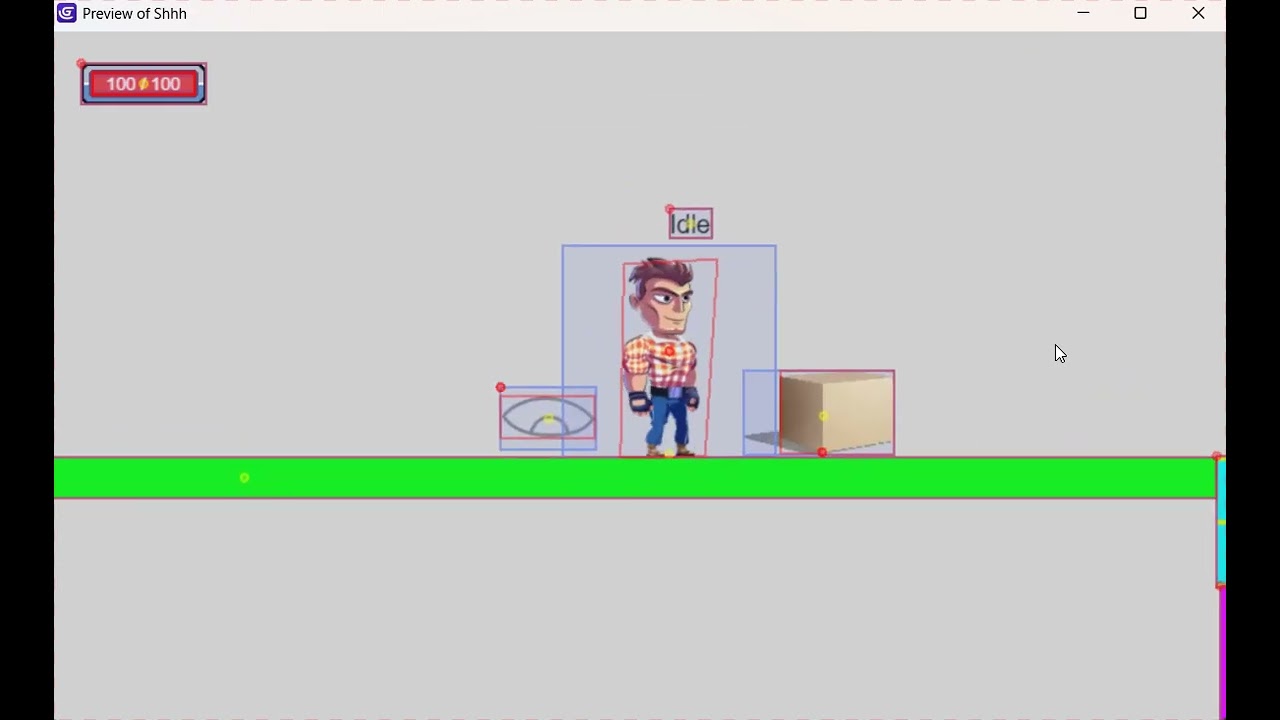
I’ve recorded some footage performing the Wall Jump. Each time I’m going into the “WallSlide” animation I’m pressing the arrow key towards the wall. I’d like to not have to do that. Wall Slide/Wall Jump
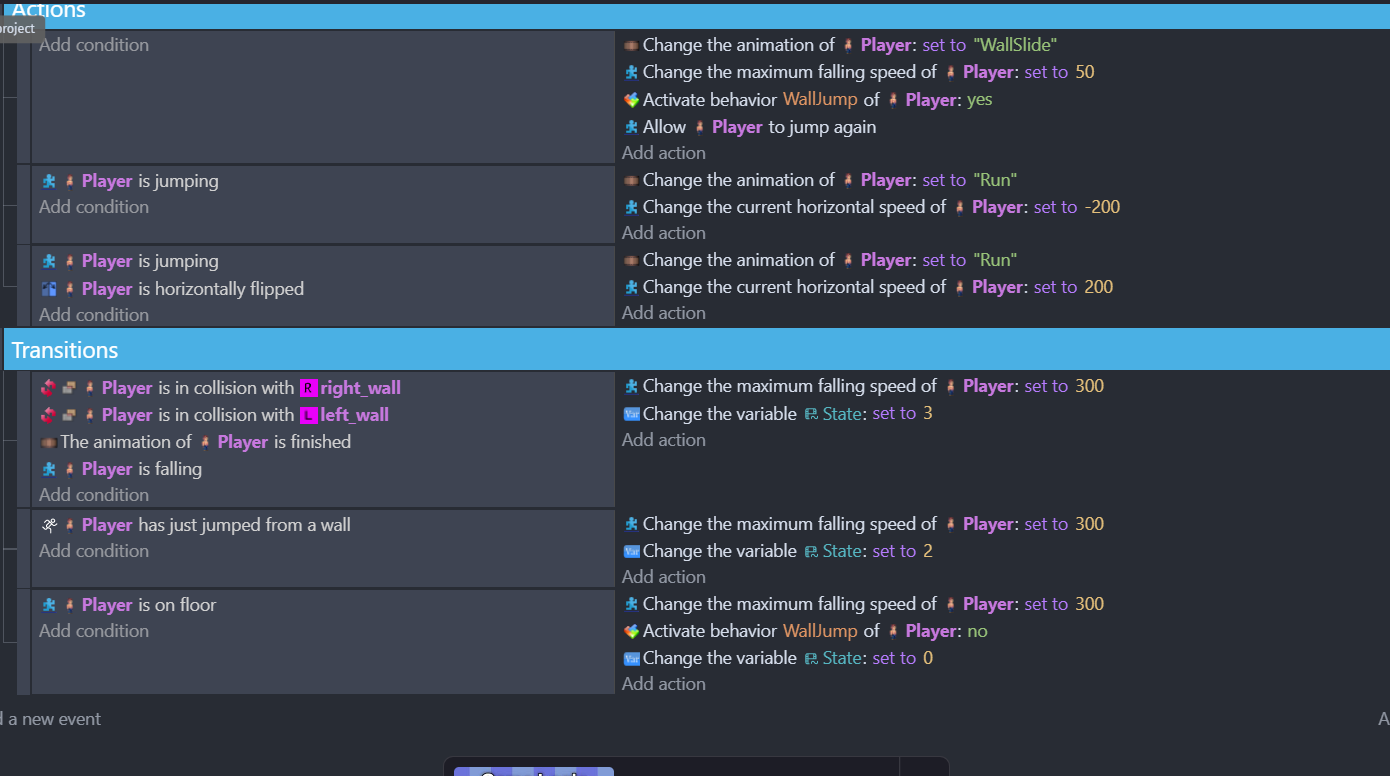
I made a change to the ‘WallSlide’ state#9 and got it to at least jump but multiple jumps and the direction are still screwed up. Here’s the updated ‘WallSlide’ state:
Better but the two issues are 1)Player is facing wrong direction when jumping. I’ve tried using the ‘flipped’ action but it breaks the right wall jump where it just jumps straight up. 2)I have to press the arrow key against the wall to trigger the WallSlide state.
You already have the advanced platformer extension, I would try to achieve the behavior you want by configuring that as much as possible. Only use events for things that are not possible with the extension. Personally I haven’t used the platformer behaviors much but it looks like there is a setting for the speed that you jump away from the wall, perhaps you just need to adjust these numbers?
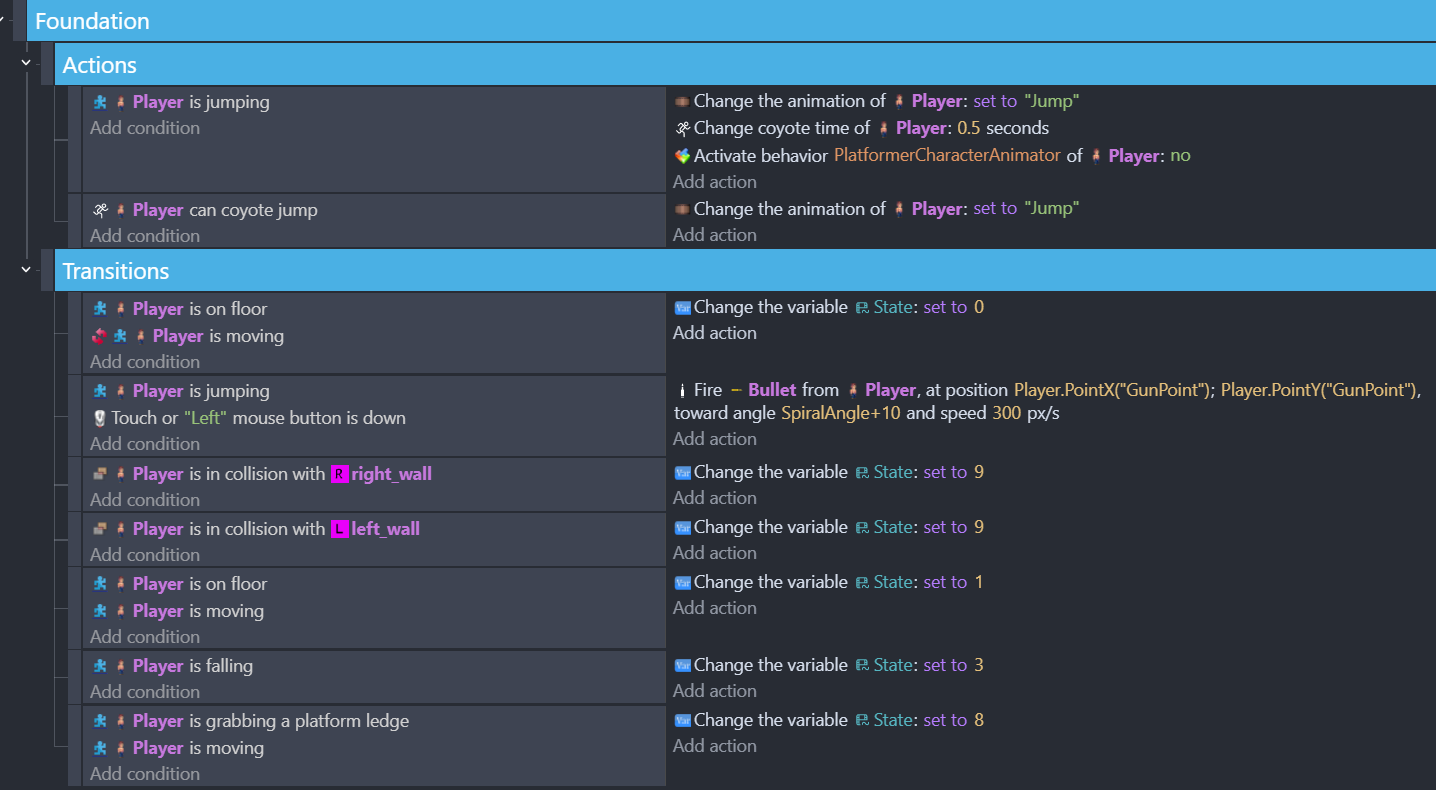
It looks like there are a lot of conflicting events here. For example, at the top you have this event:
Player is jumping           |          change anmation to "Jump"
                            |         etc
Then later (screenshot for “wallslide state 9”) you have this:
Player is jumping           |       change animation to "Run"
                            |      change horizontal speed to -200   (what?)
Unless you have cut off part of the sheet, it looks like these events are “top level” meaning they are both going to execute whenever the player is jumping.
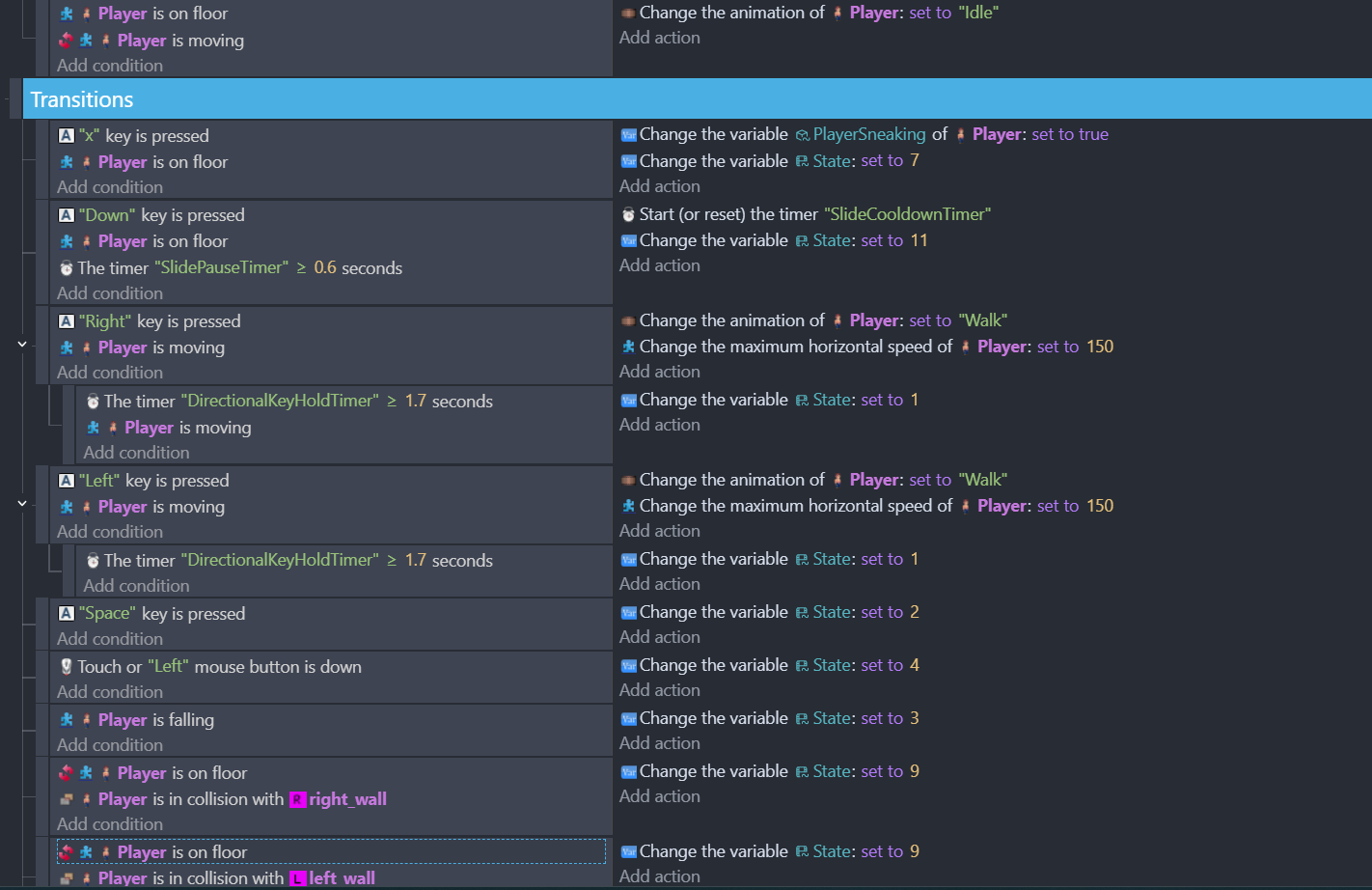
In general you should try to reduce the amount of times each condition is used. This can be important for performance in some cases, but also will just keep your evens sheet more organized. For example this:
player is on floor         |       set state to 0
-----------------------------------------------
player is on floor         |       set state to 1
player is moving
Could be done like this instead:
player is on floor         |       set state to 0
     -> player is moving          |        set state to 1
In other words, since you’ve already determined the player is on the floor, you can then check if they are moving as a sub-event, instead of re-doing the conditions for each new logic branch
Thanks for the advice magics. Though I’m not sure but I don’t think having multiple conditions similar to each other causes conflict. Or there would be a ton of sub-conditions that branch off of a move like ‘jump’ or ‘on floor’.
Hey Magicsofa, this turned out to be great advice! I looked over multiple conditions of the player that I was setting, and I was able to combine a bunch of the same into sub-events without issue. I do have to avoid ones with ‘OR’ statements but for the most part it helped and made it a lot less busy and avoiding re-doing conditions. I appreciate it!