So I looked on the forums and online and the only instructions I was able to get was to use the ‘horizontal flip’ condition/action.
However this doesn’t affect the sprite that is stuck to the enemy character.
I’m wondering if anyone has run into this or suggestions on how to make a stuck sprite rotate with the sprite it’s stuck to? Specifically in a side scroller 2d game. I have 2 sprites stuck to the enemy sprites which are his view distance and shoot distance.
They move with him but only stay stuck behind the enemy sprite, and when he rotates they don’t do anything, they just remain stuck on the right side of the enemy sprite.
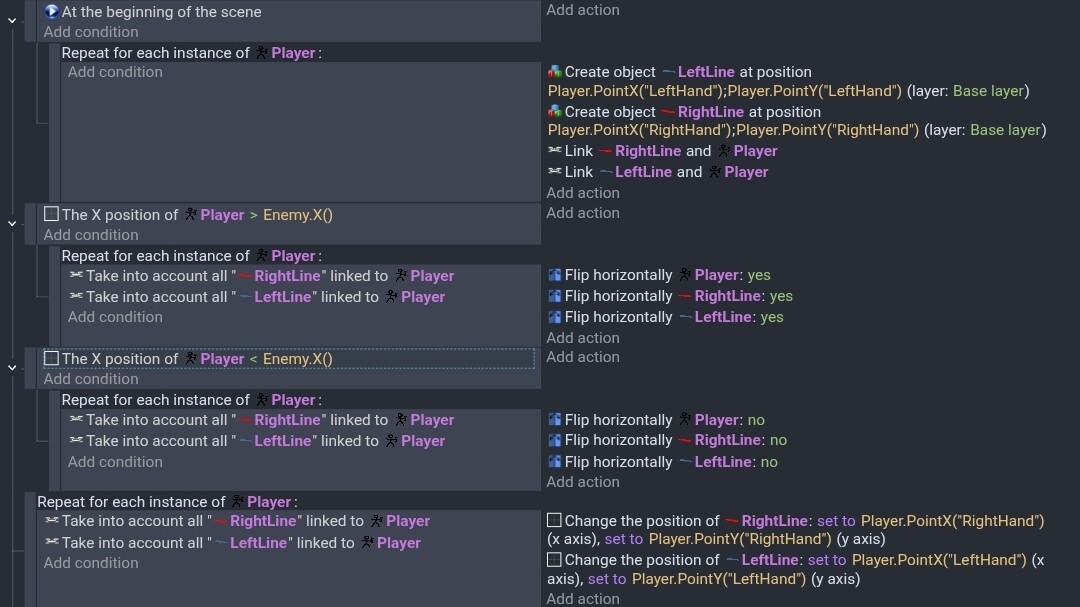
Here’s my event sheet with the sprites in question being created and stuck to the enemy.
The previous person who helped me get the sprites stuck to each enemy sprite was super helpful but mentioned they didn’t know how to get them to rotate.
I’ve tried adding a condition when the enemy sprite flips horizontally and it’s inverted state to have the ‘enemy_viewdistance’ and ‘enemy_shootdistance’ flip, but that does nothing unfortunately.
I need these to flip because they are basically the way the enemy detects if the player can be seen and when the enemy will begin shooting at the player.
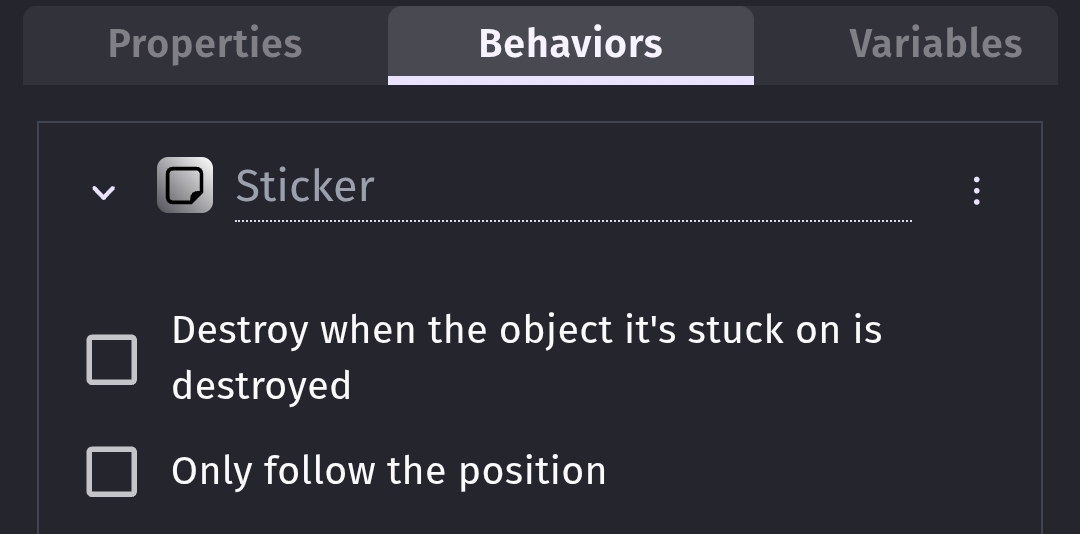
I remember that I suggested to use the sticker behavior and as I wrote in the other thread, the flip action is flipping the sprites around their centers which is not changing anything as long as the center point is in the middle of the sprite.
Did you try to change the center of your sprites to the edge of the viewdistance sprites or even further - outside of the actual sprite?
The other idea I had was just to delete and create the sprites again in the right direction when the flip action is triggered. But maybe someone else has a better idea.
It is not about rotation, corleone wants to flip the distanceviewer-objects. I tried it and the sticked objects are not changing their position. If they are flipped with the parent object they are just flipped around their own axes.
Thinking about it, rotation would also work as a solution but also then the center points need to be shifted to the edge.
Edit: I’m stumped and I don’t have the time to test anything.
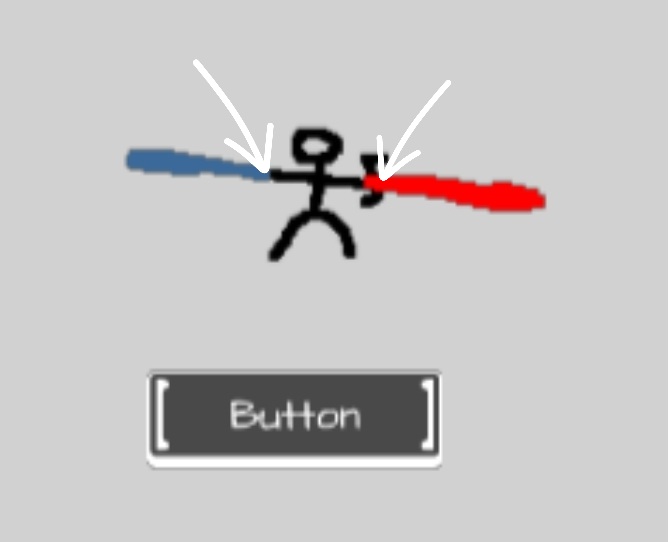
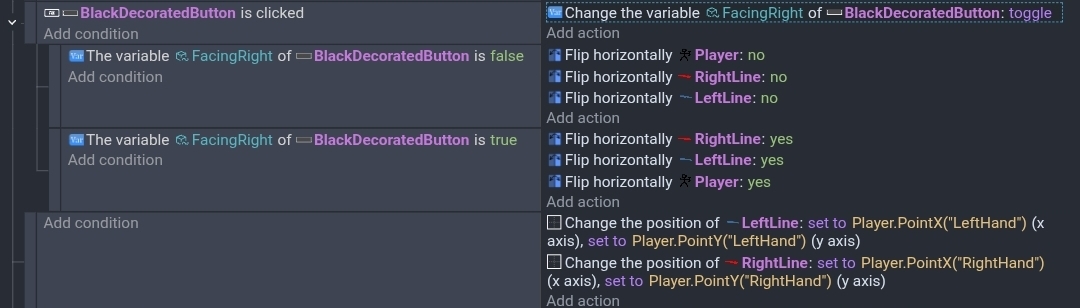
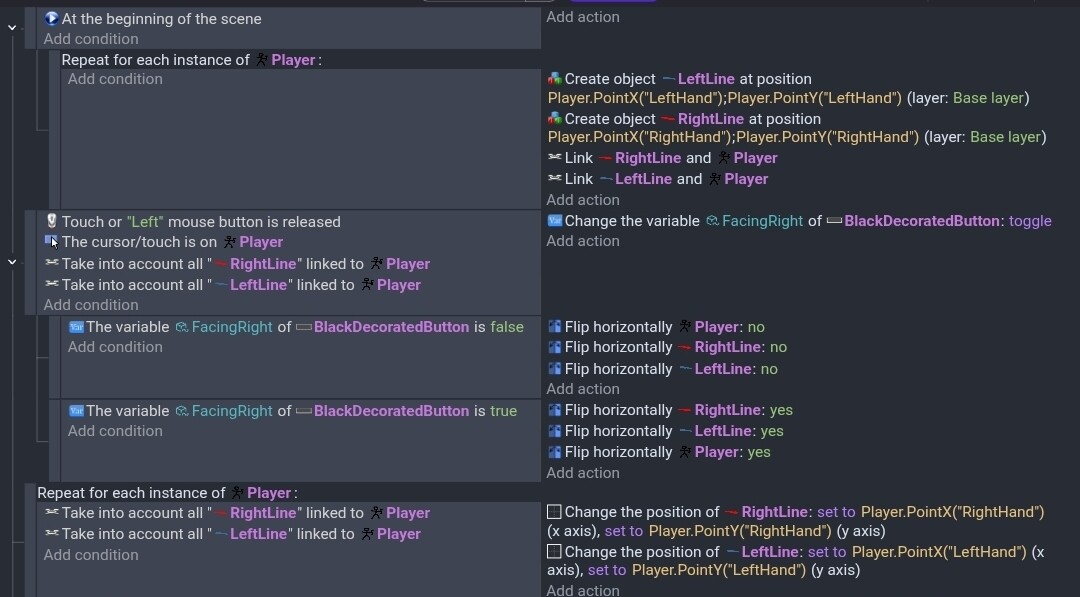
I don’t know how to do it with the sticker behavior. But, if you add a point to the player or whatever it is and move the origin and center points to where the player holds the object then you can position the objects to the points on the player.
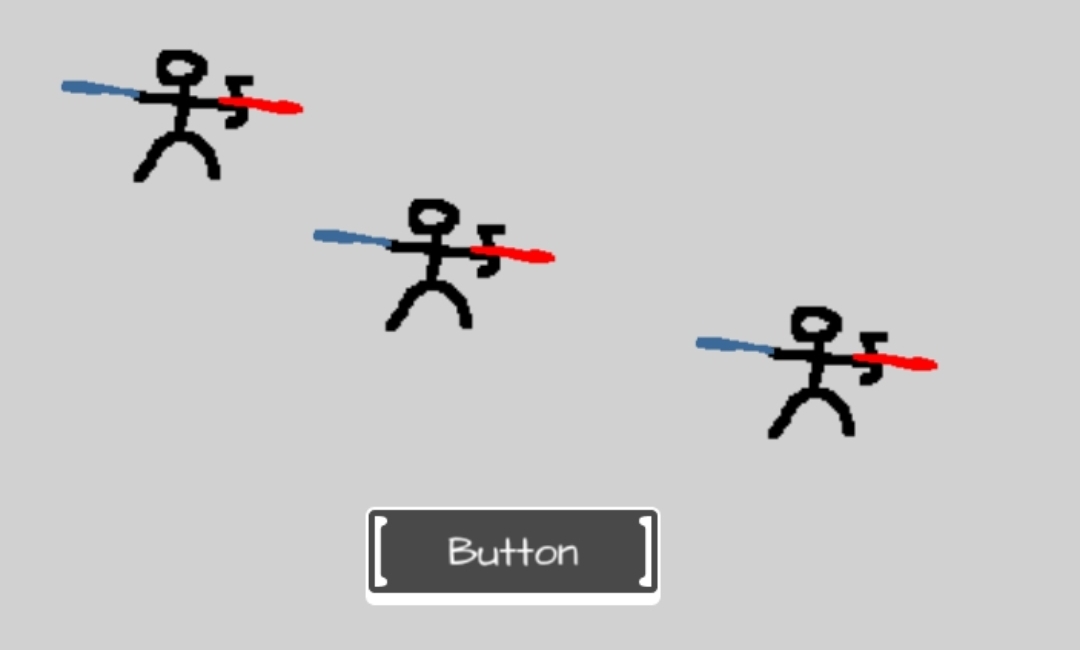
The arrows are pointing to both the point on the player and the origin and center point on the lines. I used 2 lines. On on each side bc I was unclear of your concept.
Hey Drona, So I did move the center point of those sprites to the ‘X’ zero coordinate and even -1, didn’t seem to change anything. But I may have figured it out. At least one of them now is flipping once I inverted the condition and gave the center a negative value. Plus I realize one of the spites was being offset at generation so that was also masking the problem. My guess is I had the conditions inverted and had it set as a sub-condition which prevented it from working?