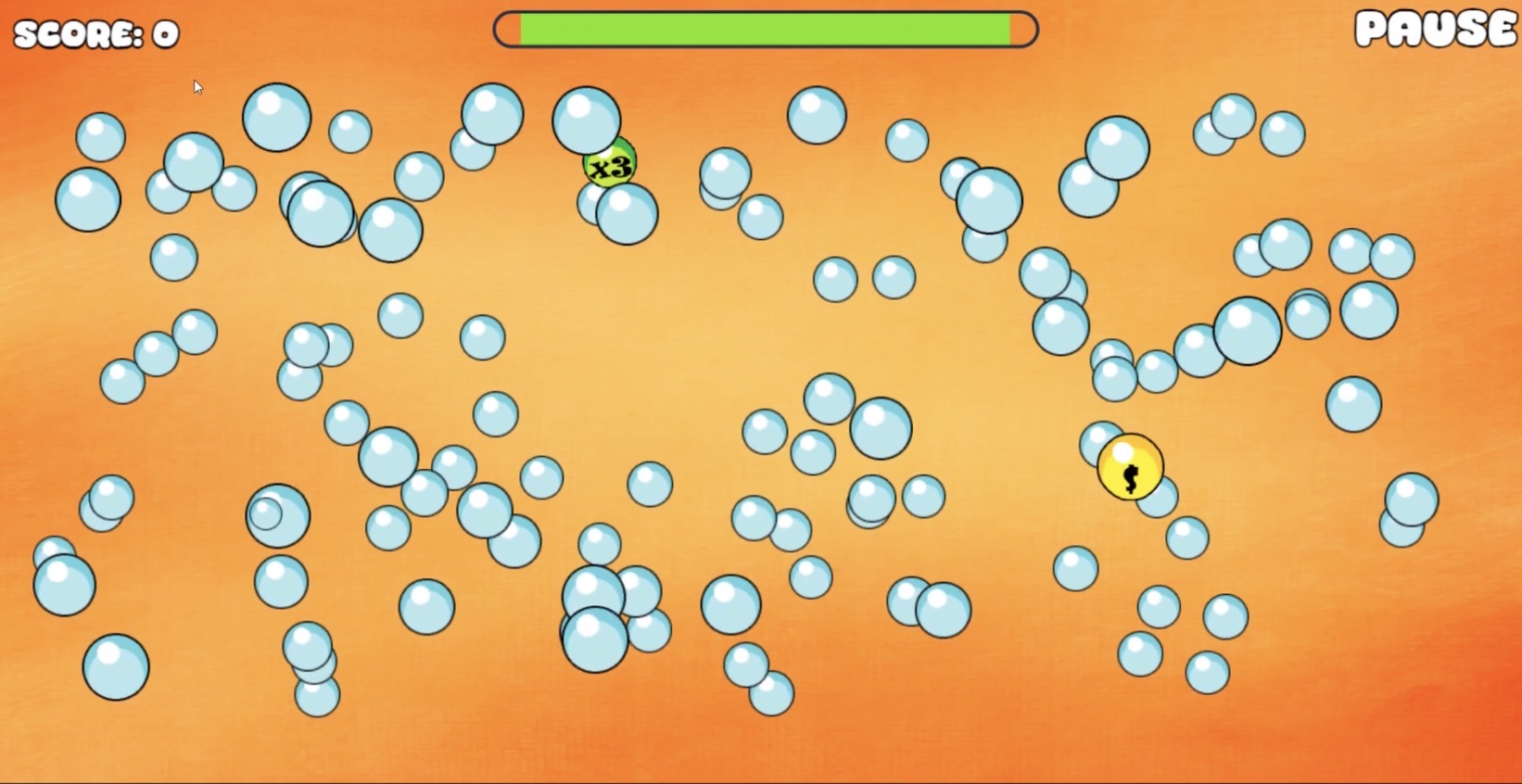
I am in the progress of developing a sensory type game on GDevelop, one of those sensory minigames I was thinking of making on it was a bubble game where you could pop the bubbles in different game modes.
However, there are not a single tutorial video on how to make a bubble game on GDevelop.
Yes, making a Bubble game in GDevelop is 100% possible. I have never played one before, but I can give some general game tips.
Break the game into smaller pieces. People on the forum are going to be much more likely to help if the problem is broken down. Start by figuring out what of it you know how to do, and then make topics on the forum for questions you might have.
Make a devlog for the game. Most of the time, GDevelop games get released and almost no one knows about them. Having a devlog is a great way to show others “I’m making this in the game right now”. Plus, people on here might have feedback/suggestions to help you improve!
Make sure to be descriptive. I personally haven’t played a game like that before, so I’m not what a “Bubble Game” is. Do the bubbles spawn from the bottom and float up? Do they randomly appear on the screen? What do the 3x and yellow Bubble do? Making sure to be a bit descriptive with your game idea will not only help others understand what you are making and how to help, but also help you break down the game idea into smaller parts.
Can’t wait to see how the game turns out when completed!
That’s such an intriguing concept. I’ve never played with or tried to create digital bubbles.
Ideas.
Use on object timer on the bubbles. Randomize the interval each time it expires. Then add a force in a random direction.
I like the idea of adding wind. That would add a force to all of the objects so they don’t clump as much. The force applied could be affected by the distance from the wind source or the distance from the direct line of sight to the wind source or the size of the bubble.
The random force applied through the timer could be influenced by the current wind or the seperate forces could cancel each other out a bit.
The stronger force would win.
Bubbles could bounce off each other or maybe some could merge or clump a little. Not having played any game of this type. I don’t know how the bubble interact. You can use any method that you wish.
I can’t wait to see where this goes. It should involve a lot of really interesting concept.
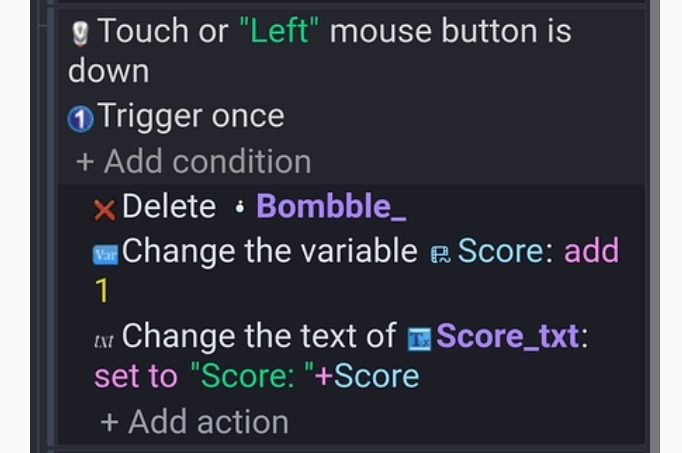
Great idea! For a sensory game, the ‘feel’ is everything. I’d suggest starting with a simple ‘On click/touch’ event to change the bubble’s animation to a ‘pop’ state before deleting it. Even without a specific bubble tutorial, any ‘basic clicker’ guide should get you 90% of the way there. Can’t wait to see a devlog of this!
Challenge gladly accepted. There doesn’t seem to be much to it unless I’m missing the point. I would advise all people to give details, links, gifs, videos etc of games they are trying to replicate. Make it easy for the people that you want help from.
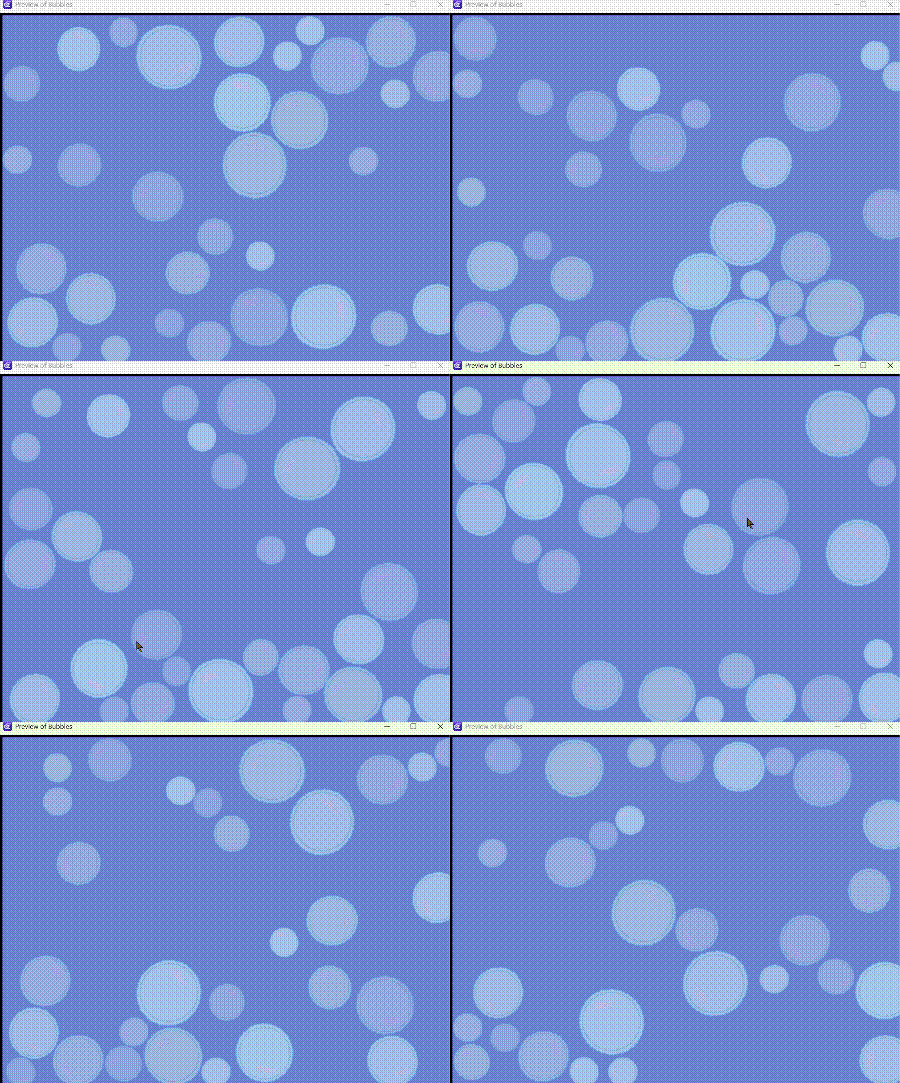
So, I also, am not familiar with this game and didn’t look it up. I did a very basic version with a bubble drawn in Piskel. Didn’t do anything fancy for the bubble popping.
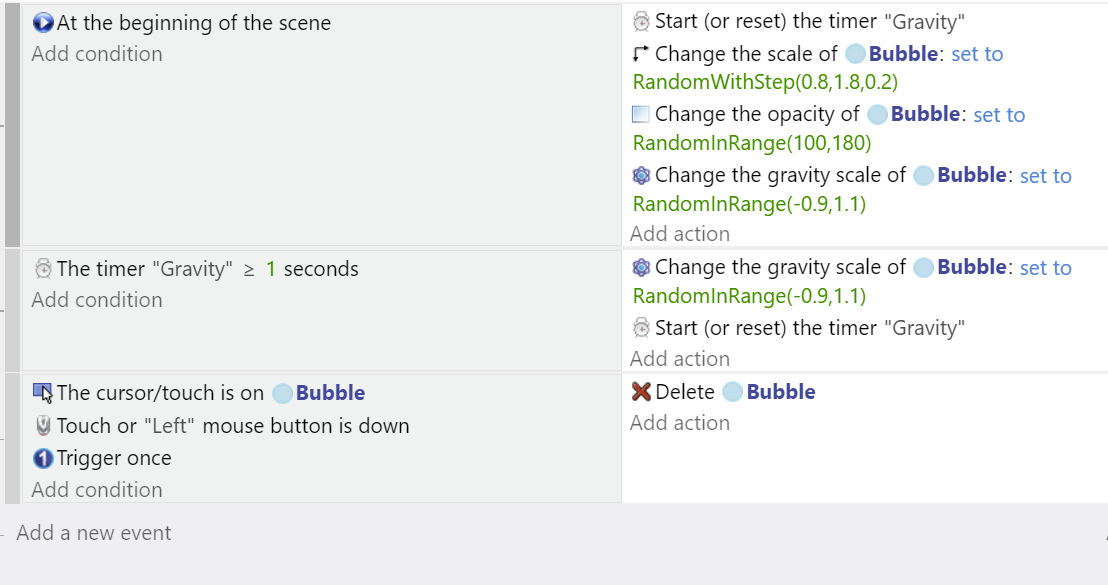
I gave the bubble the physics behavior and adjusted gravity for movement. I think the gravity range could have been anything, it didn’t have to be a value either side of zero. Actually, I first had the range at 0.6 to 0.7 and I think that was nicer.
Some of the bubbles could be added at design time or you could add a image of something like a bubble machine and use a timer to spawn them at that location until there are a certain number on the screen. Or you could spawn them off screen.
At the beginning, start timer
Timer > seconds
Number of bubble on scene < number
Then
Add bubble at either a specific position or a random one.
and then restart the timer
I guess a fixed location might look good but then you could just click them as they appeared. So, I guess random locations would be better.
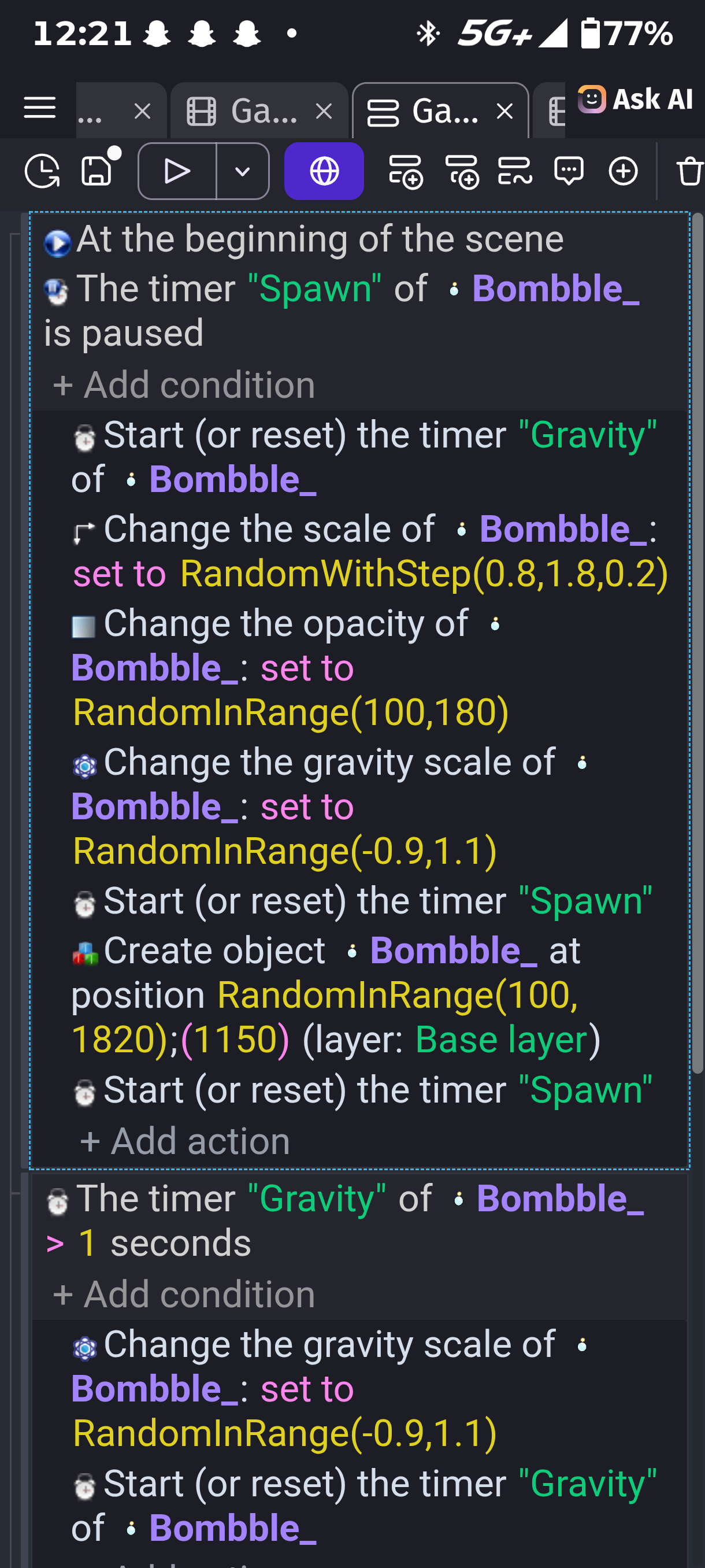
The at the beginning condition only runs once at the vet beginning. You don’t need to check if the timer is pause bc at that point it isn’t even created yet.
Hi Jojo, sorry, email notifications don’t work for me, just seeing your reply now. Keith is right, I didn’t spawn the bubbles, I just had them in the scene. I made the project purely for this topic and was making life easy for myself.
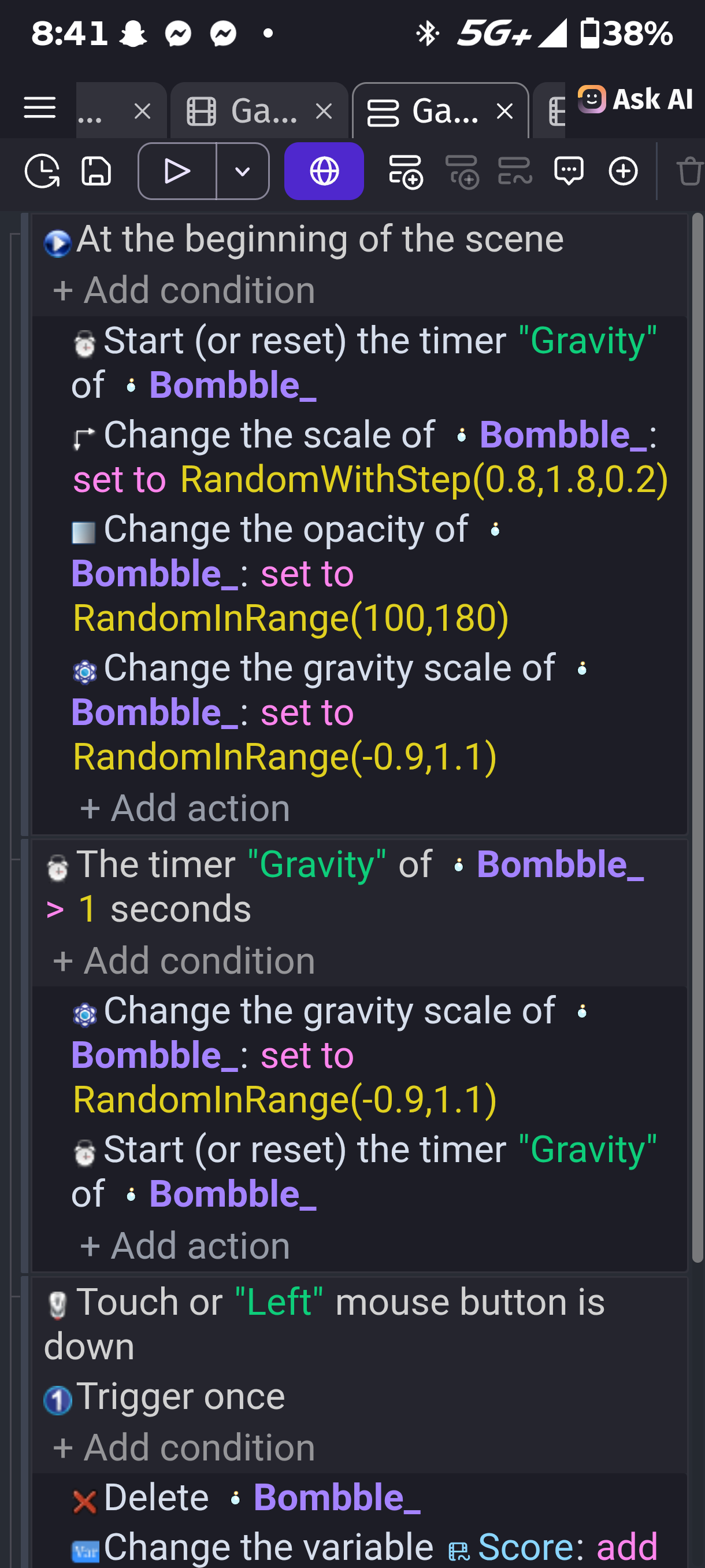
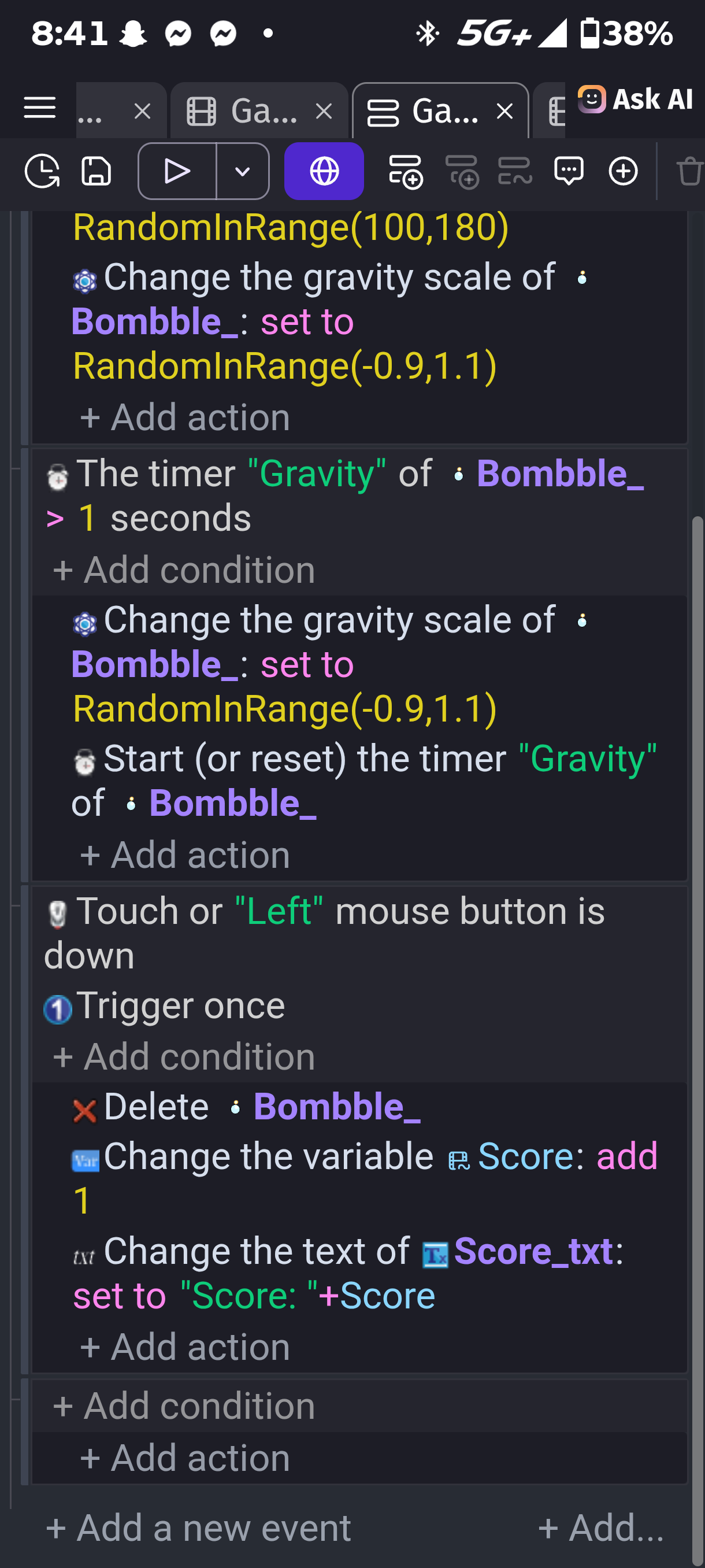
I’m not great at diagnosing other people’s events but what I see doesn’t look right. You are basing a lot of things on Bombble at the beginning of the scene. But Bombble is only created in the same event after those other things?
I don’t think there’s any need to use an object timer, a scene timer will do. Try Keith’s suggestion again using a scene timer that is started at the beginning of scene. Then in a separate event, that checks for timer > x seconds you can create the bubbles and then modify them. Keith has an empty line after the beginning of scene which means start a new event.
And then once you get it working, please experiment with the numbers for scale, opacity etc. The numbers that I chose for my bubbles might not be the best numbers for your bubbles.