Hi, im currently working on a hotline miami style game. I got the enemy ai worked out, they can hear the player, see the player, investigate and walk their routines. However, they are blind asf. They can only see the player when its right in front of them. I tried fixing this by adding multiple raycasts with a few pixels between them instead of just one raycast in the middle, but since the enemies constantly rotate to a random angle of the location they wanna go, Array variables to change the ray angle based on their movement doesnt work.
Now the enemies just got 3 raycasts pointing the direction they wanna go. A little bit better than before, but still pretty blind.
Im wondering, is there any way to make the raycasts always be cone shaped, while still having the right angle to the enemies movement.
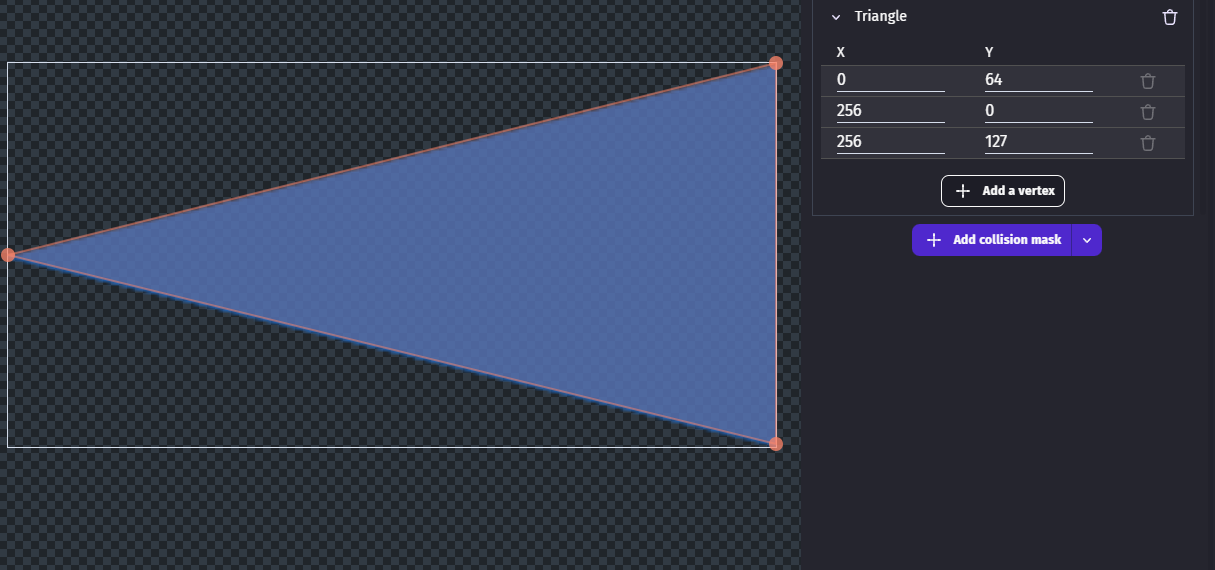
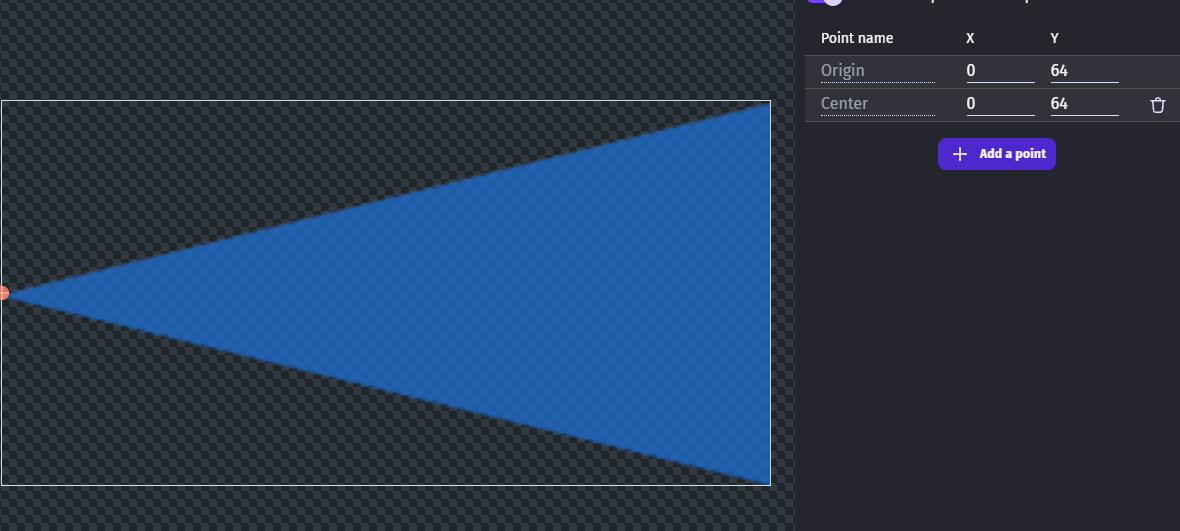
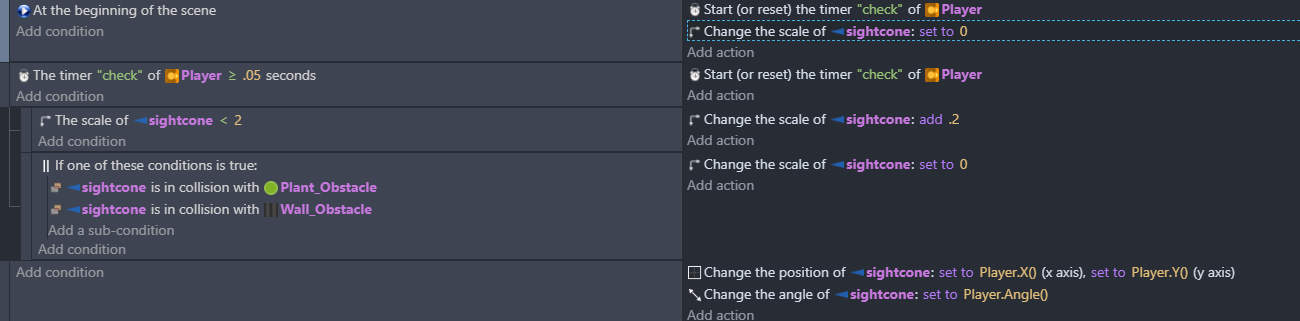
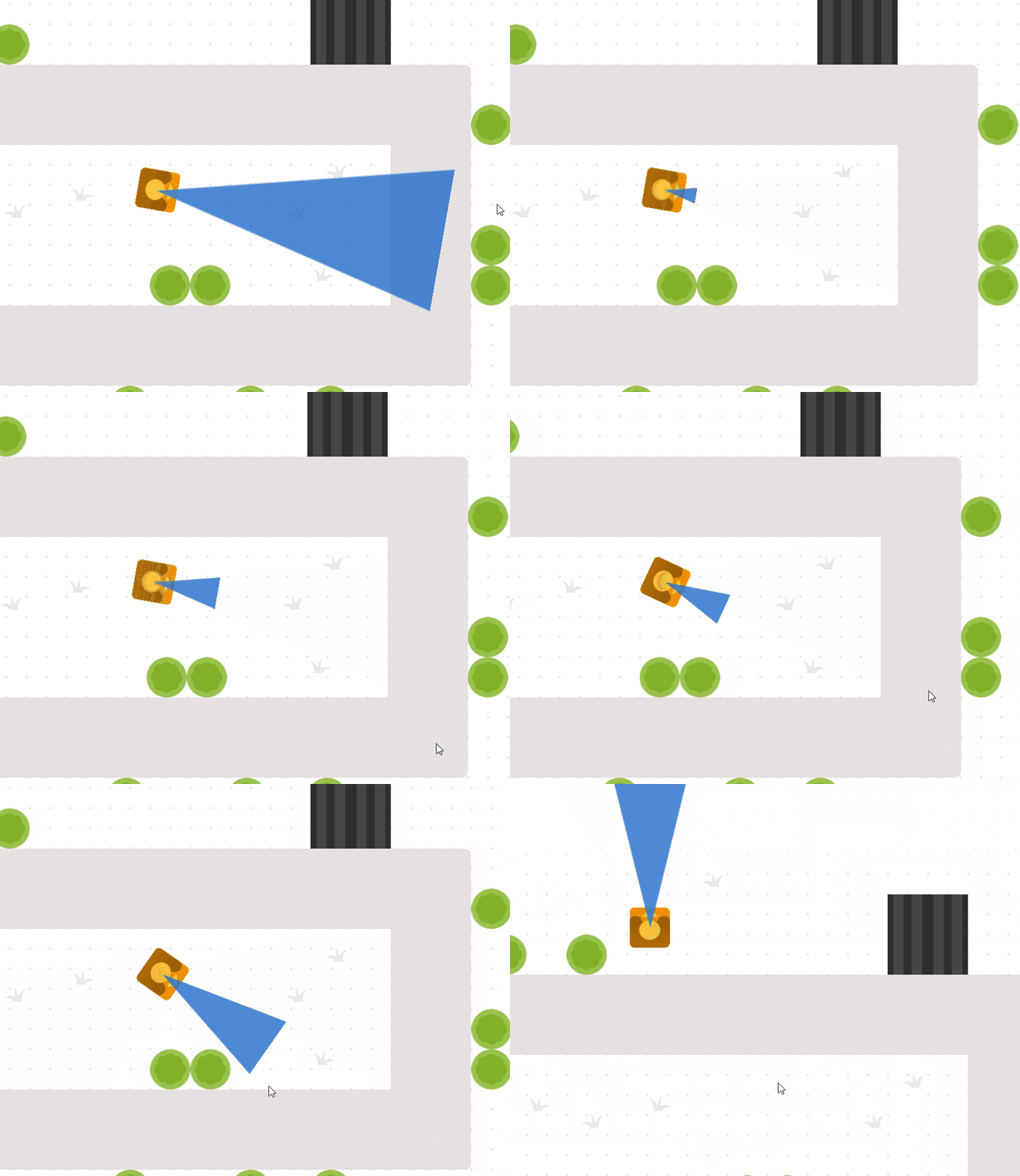
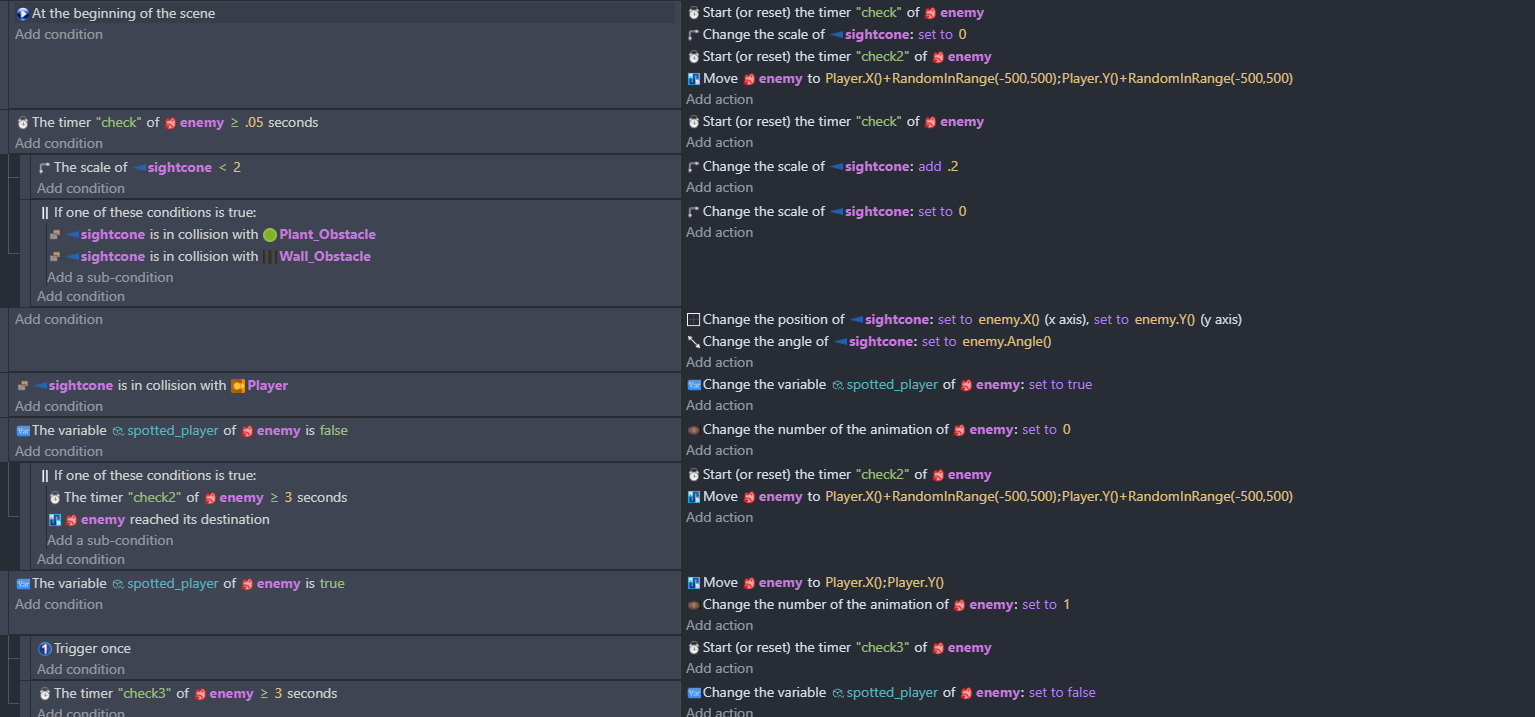
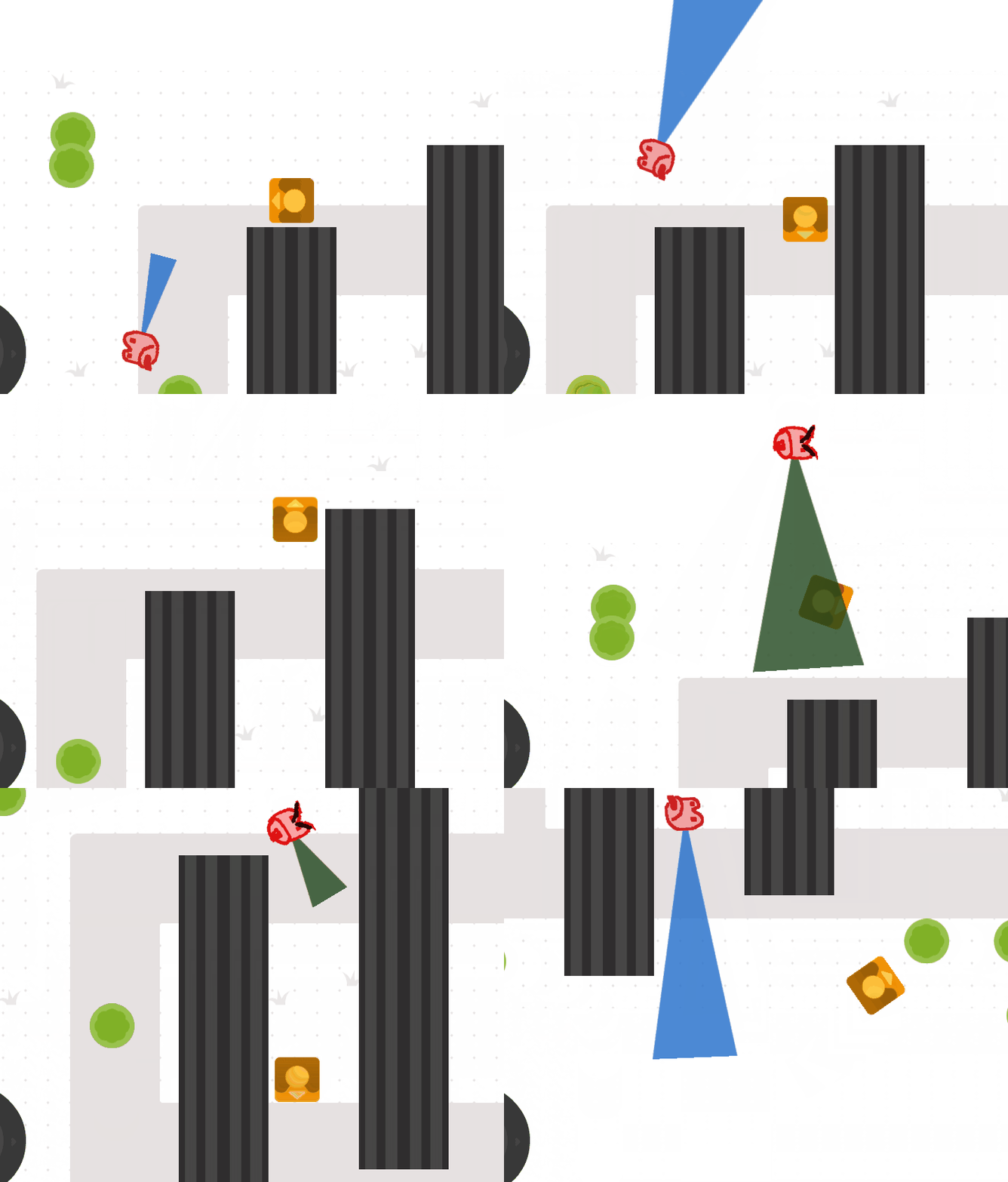
Could you instead of raycasting use an object like this and check point inside. It doesn’t need to be as big as this object - you could just change the scale of something smaller
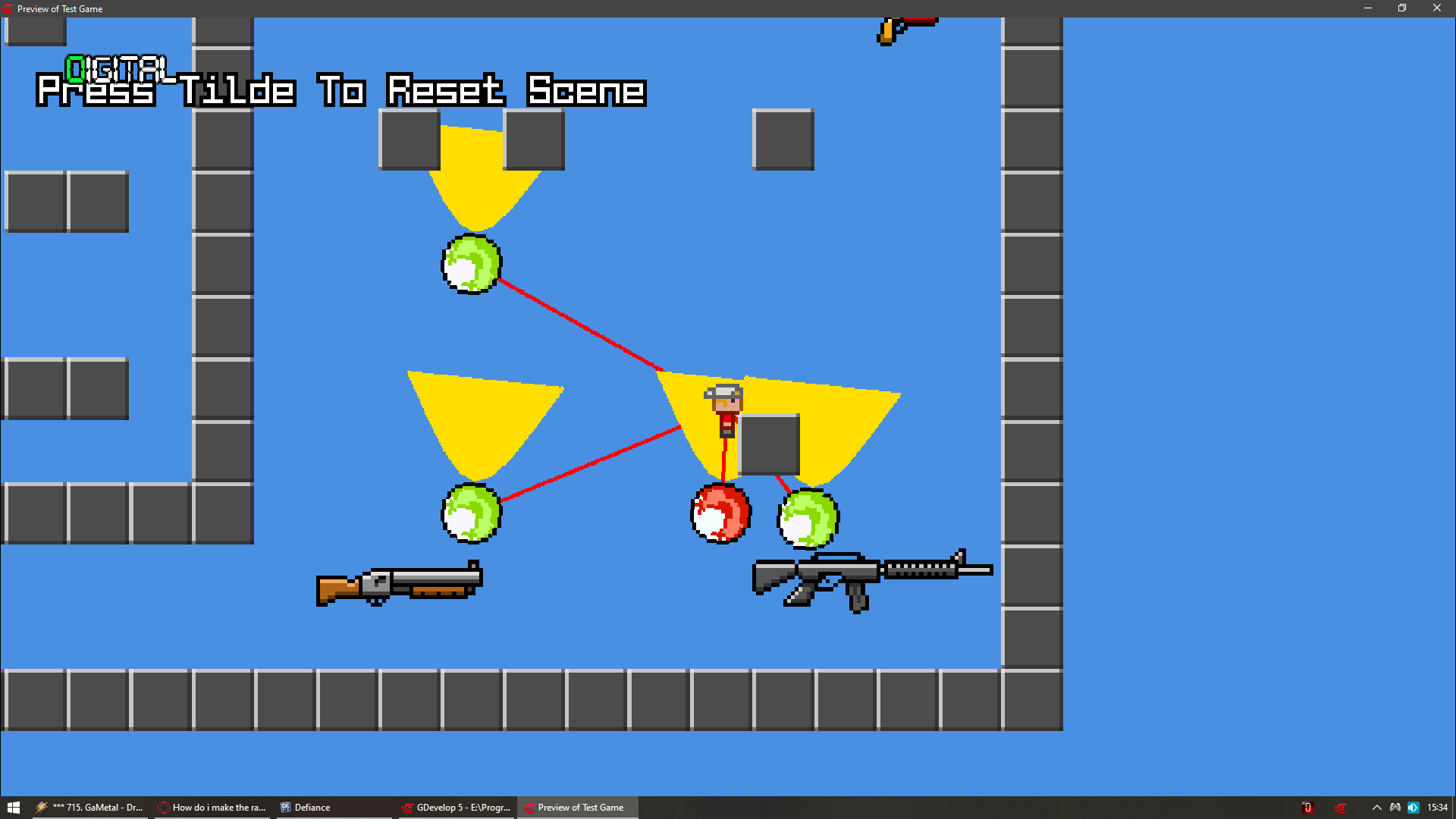
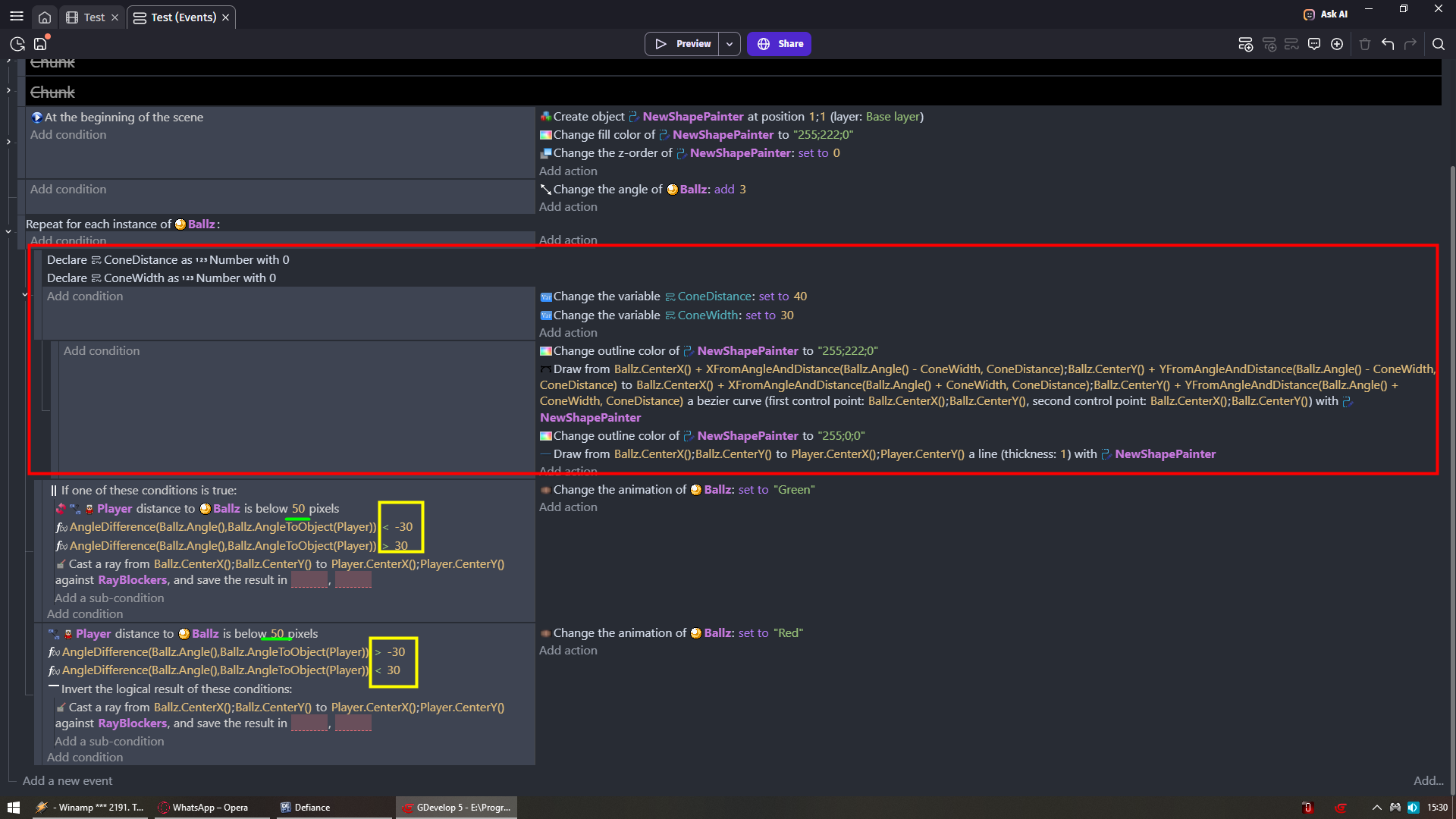
Green is how far player can be from enemy to detect player
Yellow is range of your vision cone
If you want it to be wider you need to set BOTH values to -50 and 50 for example
They always need to be the same number with one be negative
You want to have slimmer cone then for example to -15 and 15
You can drag blocks and ballz with mouse to test different angles
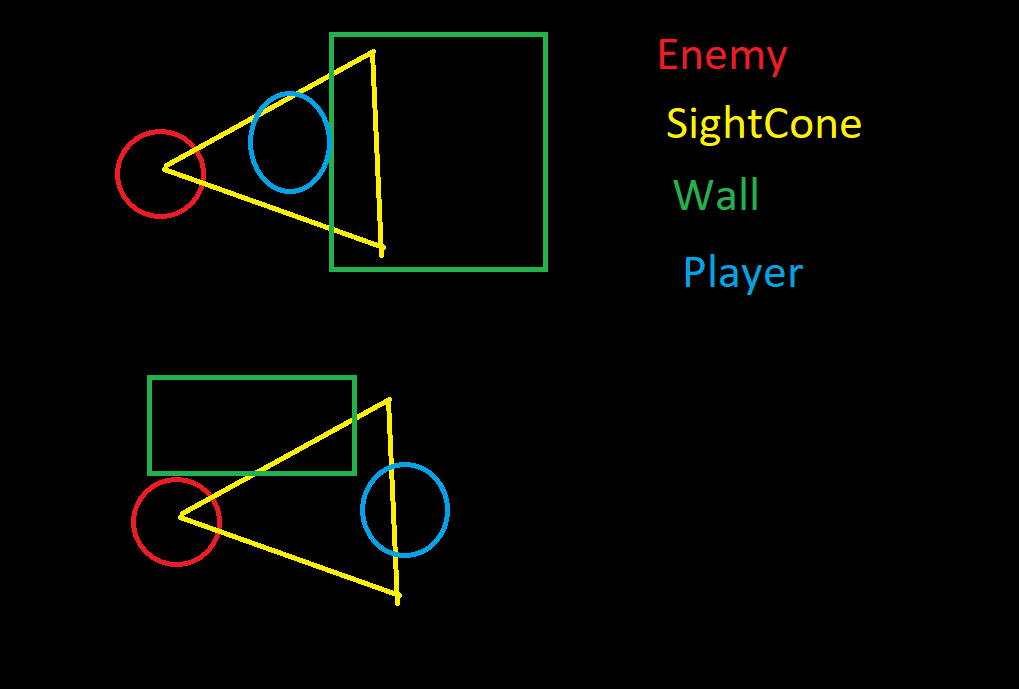
At the same time player and wall can be in collision with sight cone
Even if player is detected 1st or 2nd would not even matter
Your logic would still run
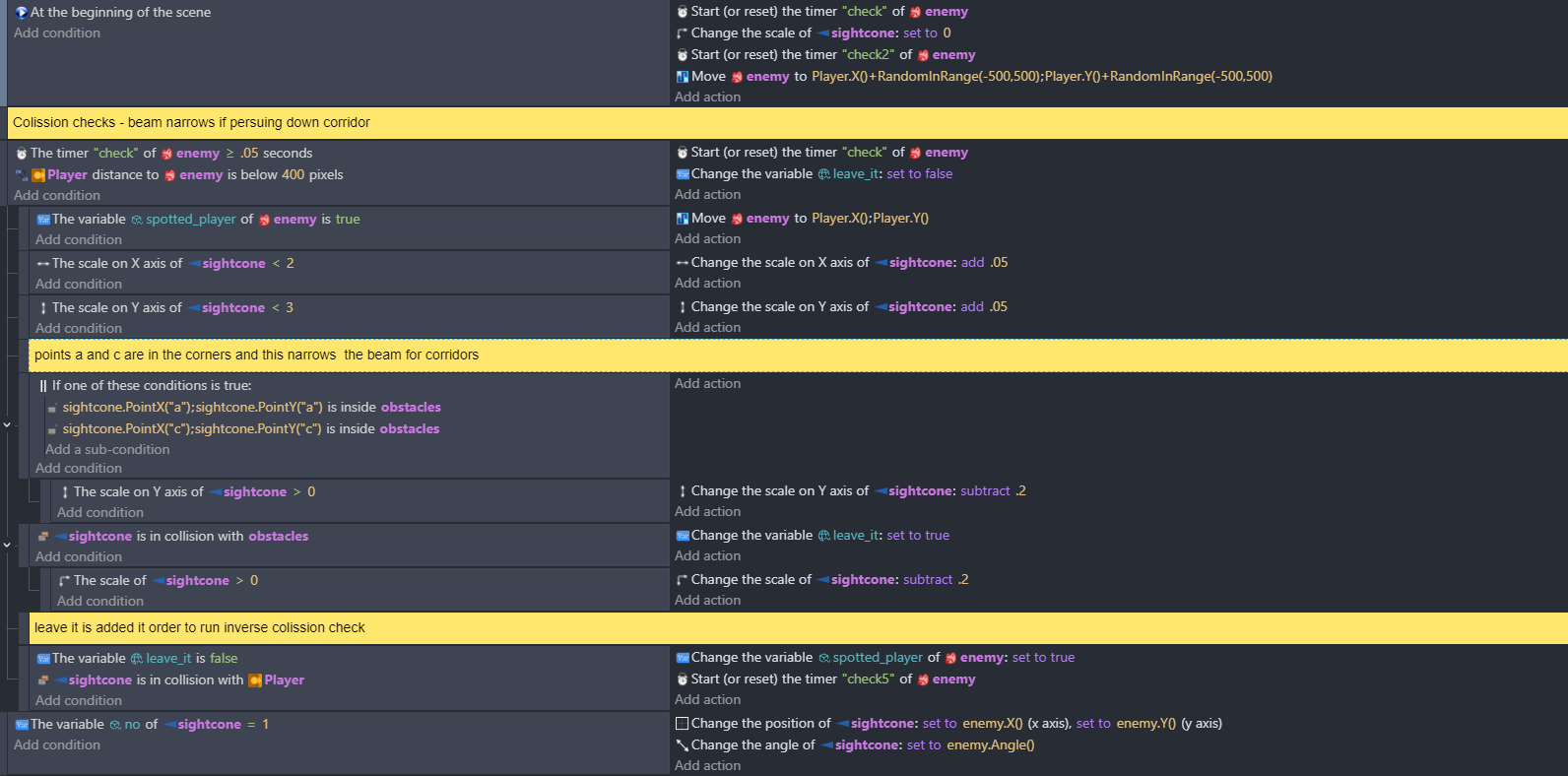
I just attached it to the player object of the top down example project to test it but It would be attached to the enemy and checking for a collision with the player. So it’s just extending to scale 2 when nothing is in the way of it.
The first would be checked because it’s extending from scale zero to scale 2 . The second would be checked if enemy was rotating left right …actively looking. Or just have it that when you check for a player collision with the cone object you also do a check that the cone isn’t in collision with wall.
the other way of doing it is with a line object that scans left to right …you oscillate the angle with sin.
this would work too, but if the player is in a hallway smaller than the cone, the cone would probably touch the wall and the enemy would still be blind…
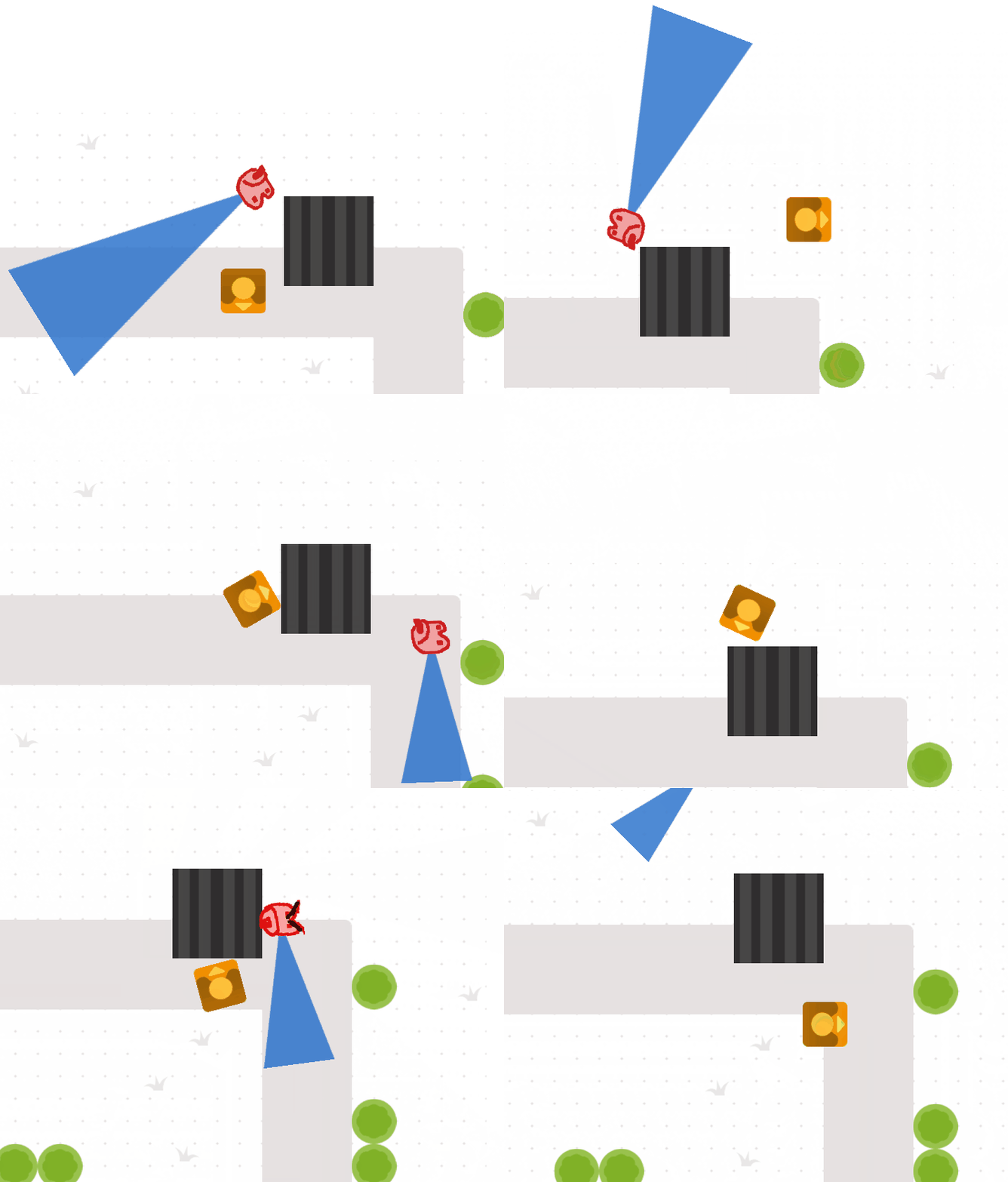
Mines not right for every situation as it is. I just wanted to put an alternative out there.i tried it yesterday with two and then three cones at different angles which looked great but probably won’t be too performant if there’s loads of them. I’m having fun with it, as zero suggested, and I’m going to try out a couple more things this morning.
Another alternative I wondered about was doing like in this thread Enemy vision cone? - #4 by MrMen
And checking the player pixel colour with read pixel to see if it’s in a certain range.
And you still did not test it in a way i told you to test it
BUT actually maybe that is for the best
Imagine i once did the same thing as you here
And then i needed to ask myself question
Why ALL tutorials/guides/videos i see about detecting enemies/players
Involves raycast and not using additional object (like you did) where using that additional object is way easier
To this day i do not know proper answer to that question
But now you have chance to ask it to yourself
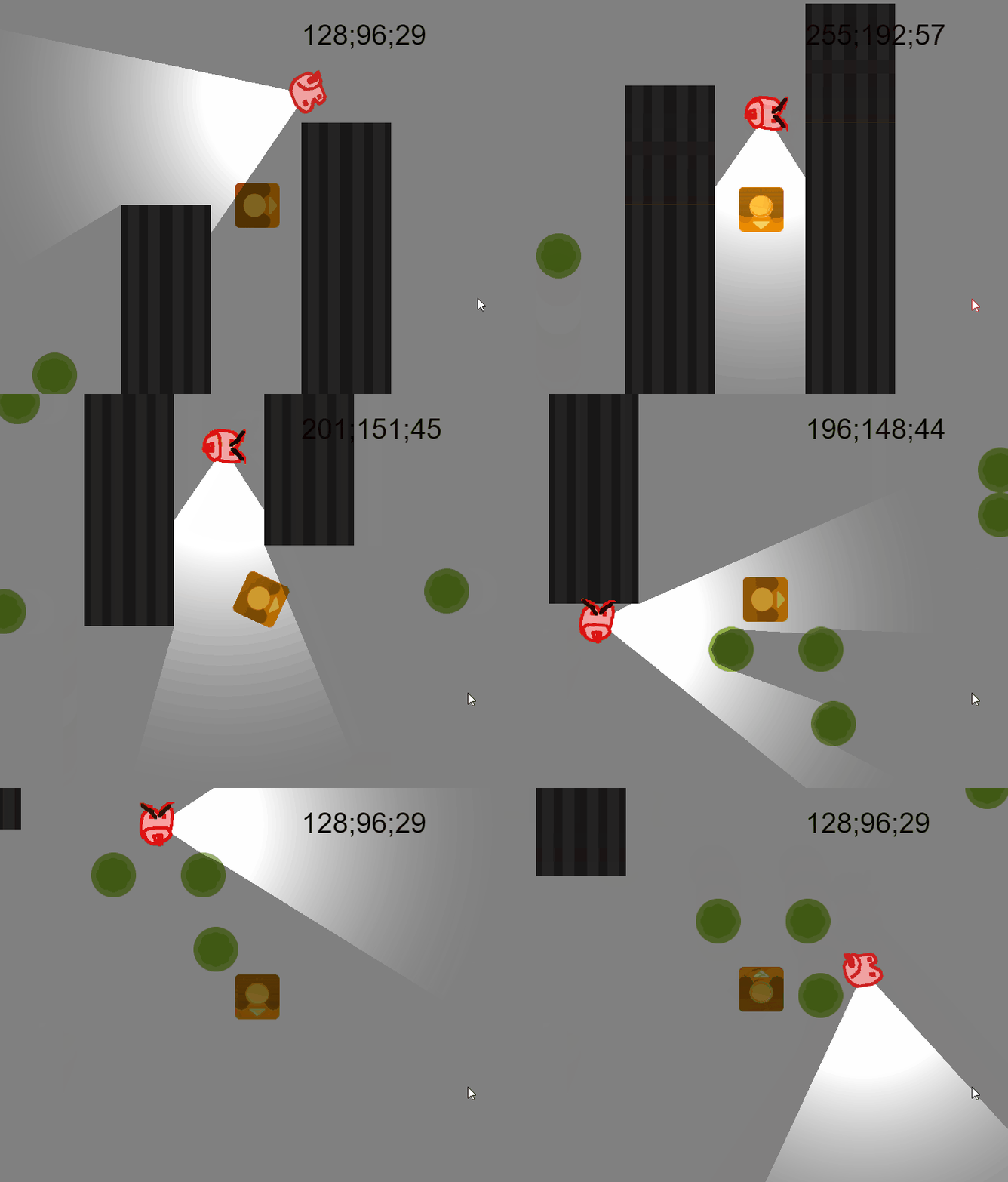
This is with a light source and read pixel - the text is the r;g;b at playerx, playery
the condition used is r>140
for the light source see the @MrMen thread mentioned earlier
which one - the light obstacle one? - that one should be ok…i’ll post the events. it’s not reading pixel every frame - probably every 5th. I don’t know how performant light obstacle is - ill look at the profiler. The other one is ok performance wise too as again its checking collisions about every fifth frame