How do I => non symetric isometric collision object & Z

How do I…

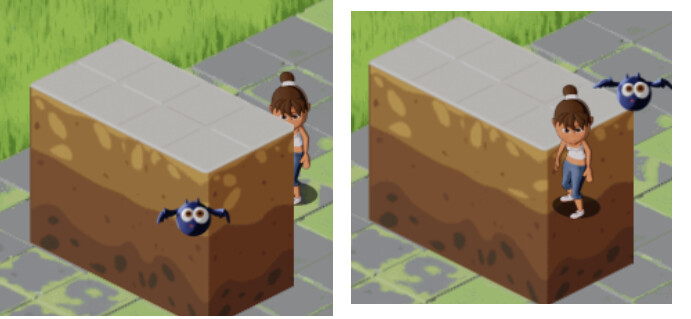
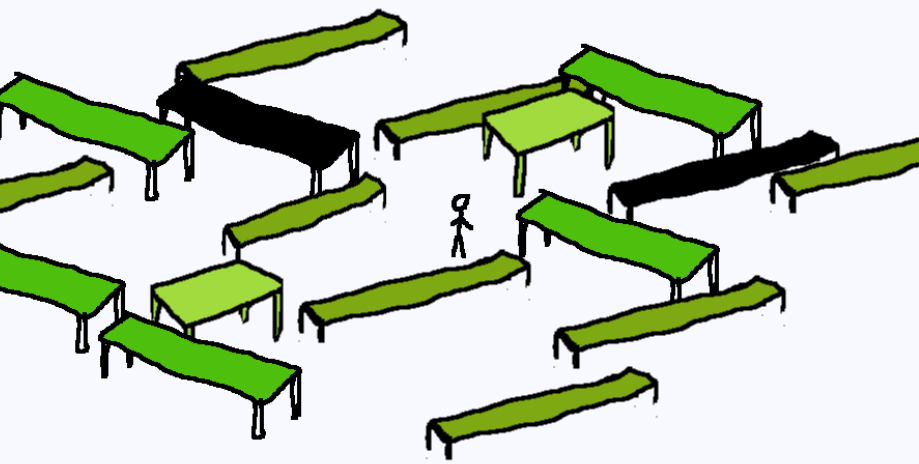
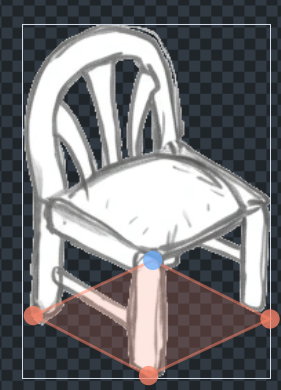
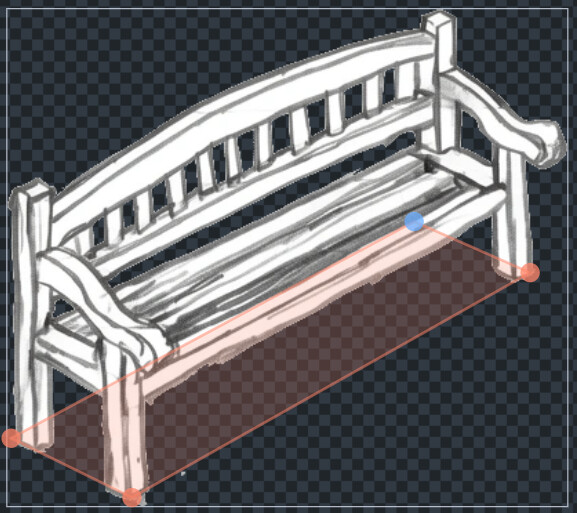
For my new game, I am looking for the best way to manage isometric object with non-symmetrical collision shape, and the Z management, in the sense what happens when an object is behind this object. As example, the chair have a (almost) symmetrical collision shape, and the bank a non-symmetrical collision shape.

Considering I am at the very beginning of the project, I am open to solutions. I was planning to use the Ysort extension, but it must not be. However, cutting the assets in smaller symmetical part would be a huge amount of work, considering I am planning to have lots of non-symmetrical assets.

What is the expected result

I want the engine to properly managed that, when another objectis in front of the object, it is displayed over the object, and when the character is behins the object, it is covered by the object, even if the shape of the object is elongated.

What is the actual result

The other object is covered if it is with Y position high enough, even if it is “in front”, because the engine only use center/origin coordinate, and the object being elongated, the position of the other object in regards to the center is not applicable.

Related screenshots

Here with the modified isometric example:

hi - you’ll probably need to do something with the relative X() of the player in relation to the table to adjust the z() of the long furniture
the origin point of the player is at its feet and the origin point of the table is at its lowest point (the bottom of the leg)
isostuff

hello!

i have done isometric 2:1 before (with my released demo of UNLANDER), though it doesn’t have many-tiled objects.

because i love isometric i thought that i’d give this problem a bit thinking. i actually thought about it for several hours (it even occupied my mind while in bed), and throughout the morning too. i actually made a digital sheet with my brainstorm. but i could always find a case that would break the algorithm

I can confidently say… that its very VERY NOT worth the hassle (and pain)

unless you are fine with giving a Z order manually for every sprite (though what about moving sprites?)

consider sticking to single-tiled objects.


but if you somehow decide to do it, ill be glad to show my thought process of the most satisfying algorithm that i could come up with (that would make me spend another few hours)

hello petlimpet!

this is a wonderful algorithm to place the Z order or long sprites when compared to the player. however, this doesn’t take into account the Z order between the furniture themselves.

because this method aim to give a total (unique value) for each sprites, it doesn’t scale when trying to give a relative value between sprites. the reason? well… its relative, therefore the total value will be some_value when compared to one sprite, but another_value when compared to another sprites. in short, the object variable that stores the expected Z order offset of the sprite would need to store more than one value at a time (a collision of values).

the only way to sort that is to iterate through each object inside another iterate through each object to order the object in a scene array, then assign a Z based on order in the array

Ah yes ..there is that. It looks great when there’s some space between them though! Perhaps pick the table that a point on the players head is inside and apply the same change to all of them. I didn’t get much time to play about with it this morning and it clearly requires further exploration. But sadly I’m away for a bit without access to gdevelop! Ive seen some great isometric z ordering though so perhaps this is another wheel that doesn’t need reinventing, and you can just Google it and the ai overview will spew the answer out in seconds! But where’s the fun in that!

Thank you very much to you both for your interest.

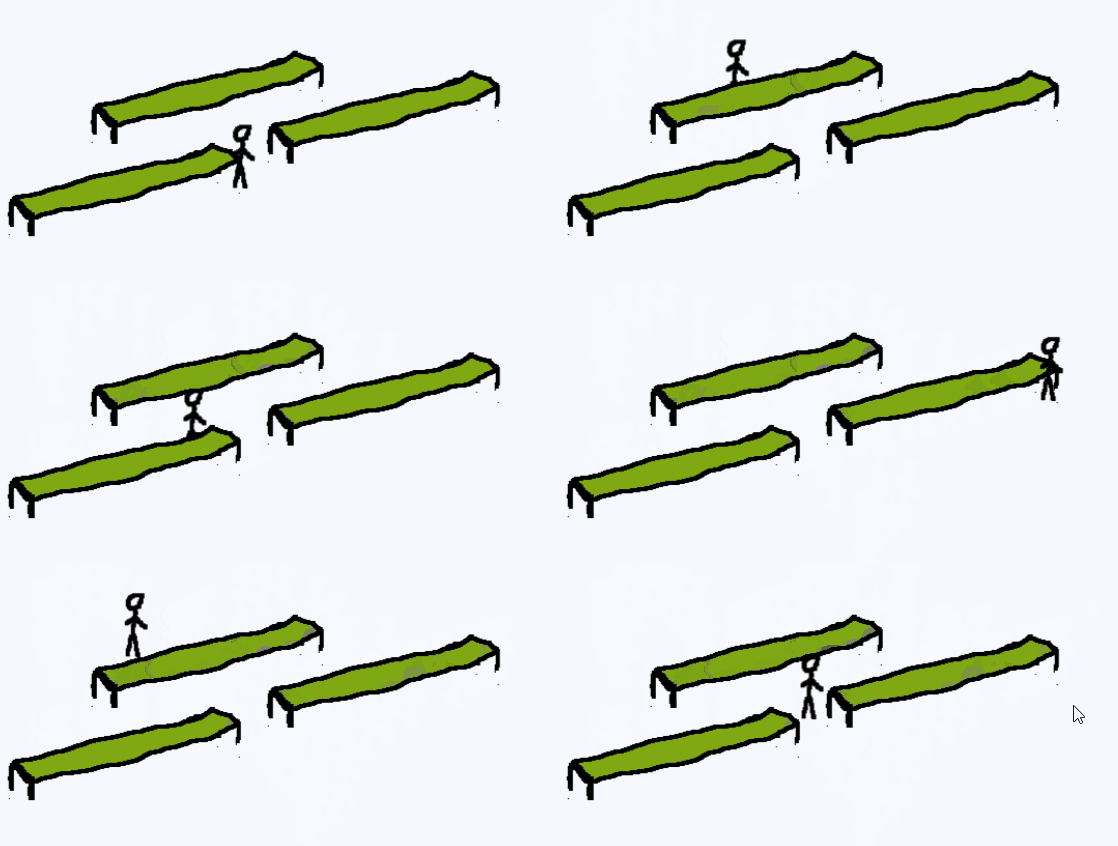
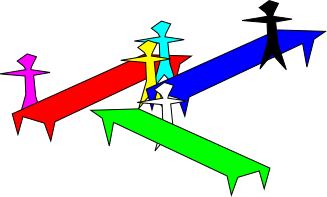
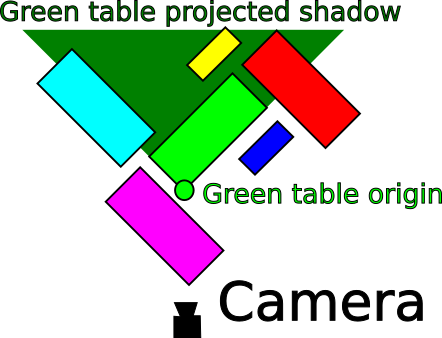
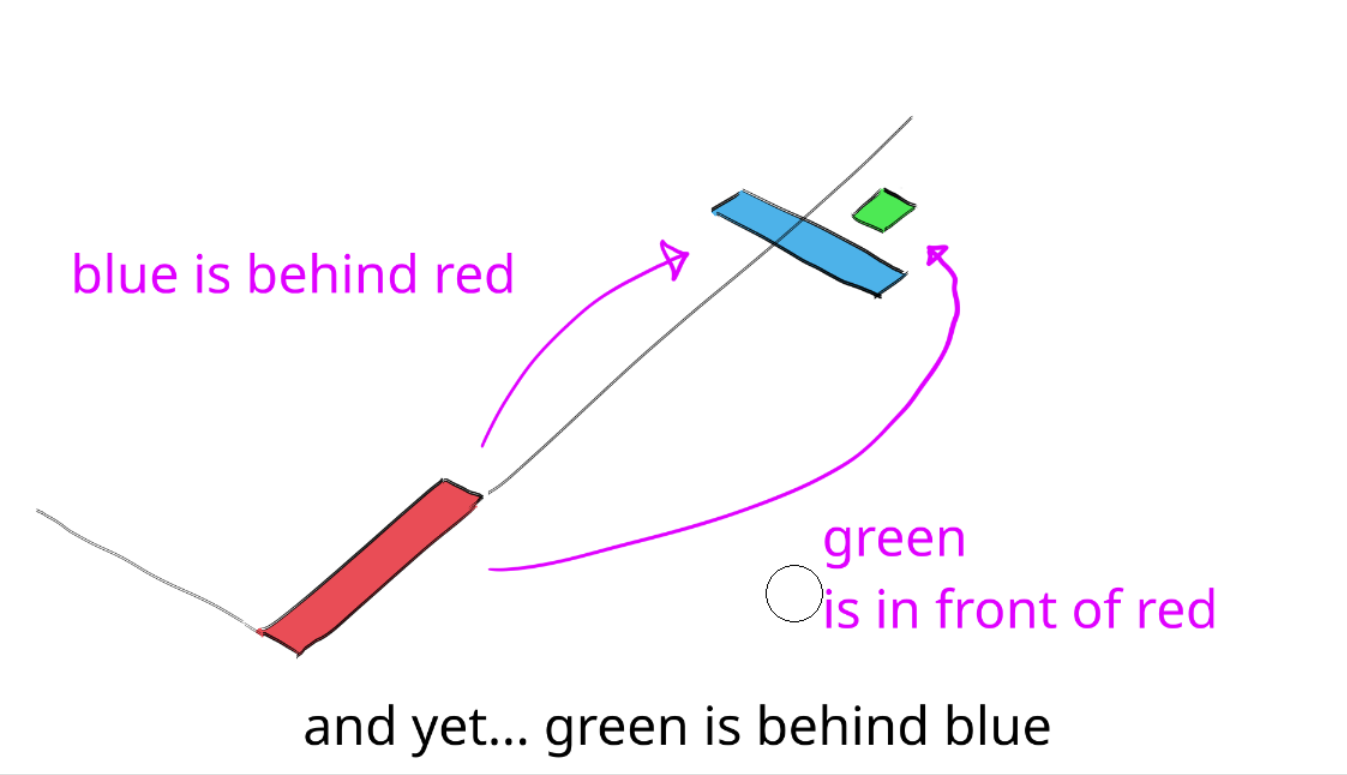
Well, I agree that I do not see an easy solution. But to put in a drawing the headache problematic:

The green table is on the front, have the lowest Y value, the red table and blue table are behind the green, the red table have lower Y but is behind the blue.

Mr White have the lowest Y, and thus is easy to render. Mr. Purple is behind the red table, but have one of the lowest Y. Mr. Black is in front of the blue table, but have the people’s highest Y. Mr. Yellow is beetween the red & blue table, but in front of Mr. Cyan which is also beetween the table.

So the Z order would be:

  1. green table
  2. Mr. White
  3. Mr. Black
  4. blue table
  5. Mr. Yellow
  6. Mr Cyan
  7. Red table
  8. Mr. Purple

I was thinking about chains of events taking into account the longest side of the object on base of center/origin, and evaluate the Z in regards of the overlapping objects, where the object with longest right side evaluate in addition to Z the +X ratio, and with the longest left with Z and -X ratio. But it is a bit of headache, and you have to take into account all overlapping objects.

But maybe there are easier way by tricking the 3D camera, and configuring it as orthometric, and stretching the sprite on a cuboid? This maybe less complicated than cutting the assets.

PS: @AldebaranStudio I had tried your isometric game some time ago, it is a nice one.

hello! thank you for testing my game!

before i begin:

“cutting the assets” is by default the easiest way. sure… if all your assets are made with multi-tiled objects already, then its a ton of time to cut them. the blessing is that you are at the start of the journey, meaning that you can change the design to accommodate an easier coding process. AKA: you could decide to do regular tiles the regular way (you can have tall object, my game UNLANDER have those. just gotta place origin at the base). this way you only use the easy regular Y sort:


here, my new game. and its just the mockup


that said…

because, you understand the complexity of your original problem, i figure that i can just explain what my “almost solution” is without showing too much thought process


the idea:

step 1) declare:

every time that you add one sprites, you should add these 3 info at declaration:

  • an “origin” point. (doesn’t have to be the actual origin, you could add a custom point if you want). if we do @petlimpet’s method, its going to be the bottom most corner point of the base of the sprite.
  • the length of the sprite (ex: how long the bench is, lets say 3 tiles. a chair would be 1)
  • the direction that the sprite is oriented (north or west)

step 2) initialize an ID system:

  • for each objects → variable ID = loopIndex

step 2) scene array:

  • for each object ordered from highest variable to lowest. the variable is the length. if two objects have the same length, start with the one with highest Y (bottom most)
  • put the object ID at the end of the array.
  • while stop is false
    • check object in the array that is right before, if its in front or behind (i will discuss method below).
    • if its behind the previous one swap these two.
    • stop if at the end of array, or that the new object is in front.

step 3) assign Z

  • for each child in array change objects z order to child name (which will be the index)

Method problem:

there is one more problem in petlimpet’s mothod that i did not mention previously.

we know that we can sort a bench according to another object of length 1. but how do you sort a bench according to another bench?

consider this problem:

if bench blue is placed in this configuration in comparison to bench red, then it will be rendered in front even though its behind

to fix this you to take in account if the second bench is to the left or to the right, then use the green point or blue point accordingly.


one last problem in this method:

if a chair is very far away from the bench, then due to the angle of the math function, the chair will be ordered (in the array) in front. even though this would be fine between each other (would not mess the order between them), it may mess-up the order of the chair compared to other furnitures:

to fix this, the ideal function should look like this instead:

it does require two input points but thankfully, we can fetch the other points with math and the length of the bench.


de-ordering problem

lastly, about the ordering in the array, swapping the active object with another placed object can potentially change their order. this means that you potentially have to re-call the sorting function for objects previously sorted.


the elephant in the room: performance

also, if we talk performance, doing such a sorting every frame may become very costly. if nothing moves than you only have to call the sort function once at initialization. but if character or NPCs move, then the sorting has to happen all throughout their movement. it could be ok if the de-ordering problem doesn’t occur (because sorting one item could only be as hard as sorting one item). but if it does occur, that means that sorting a single item may mean sorting so many more (and every frame at that!)
I love how much effort you go to explain things. Sadly I don’t process information with this level of clarity.
I don’t see how you reconcile the fact that some of the long tables will need to be simultaneously one z order at one end and a different z order at the other. Perhaps we need to ask MC Escher how he’d do it! It’s Halloween this weekend and if I can make an ouija board app in time we could collectively ask him.
I’ll give your ideas above time to sink in, have some marmite of toast, and then try a few things out.
At the moment though I’m thinking that a cellular method might be the way forward with long tables being a collection of objects or tiles. Like in your game above but each is a part of a larger object so that player collides or selects one and you pick all the objects associated with it. Maybe there’s an array.structure containing an array that lists the Id of all the objects in that item and the width and height and depth of that collection.

There’s not much happening at work this morning and so i was able to sneak out and concentrate on this for a bit. I basically just added a percentage of the X() to the Y() for everything’s zorder and put the origin to the bottom left of everything. When the long objects go right everything’s hunky dory, but i needed to initiate a bodge and add a percentage of the objects width for the objects that are going left. How successful this appears, very much depends on how hard you squint. My job requires a great deal of squinting and guess work and so i’m leaving it there and deeming it adequate!
but i still think a cellular approach is the way forward.

Screenshot 2026-10-28 083845

I struggled with this a lot in my project, and I ended up using layers instead of Z order. Basically, if the character is in collision with the object, place the object on a lower layer, if the character is not in collision with the object, place the object on a higher layer.

and it worked?

could you send pictures?

It worked, at least for what I needed.

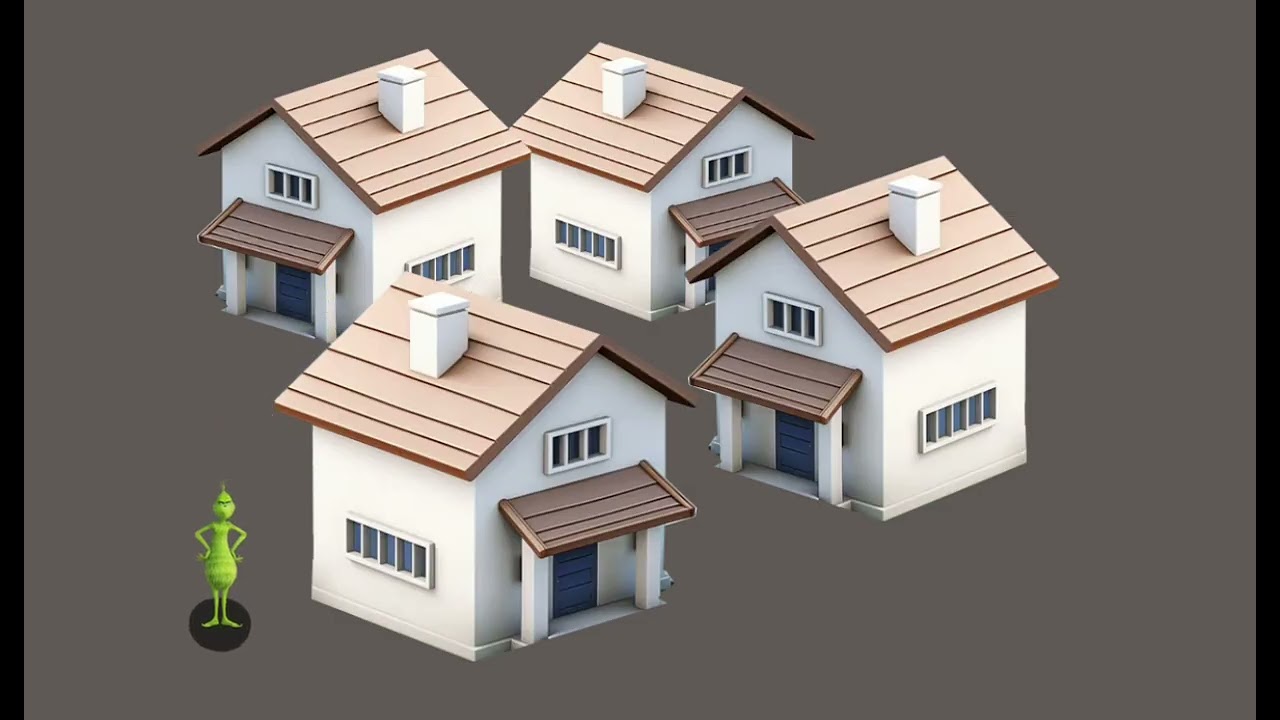
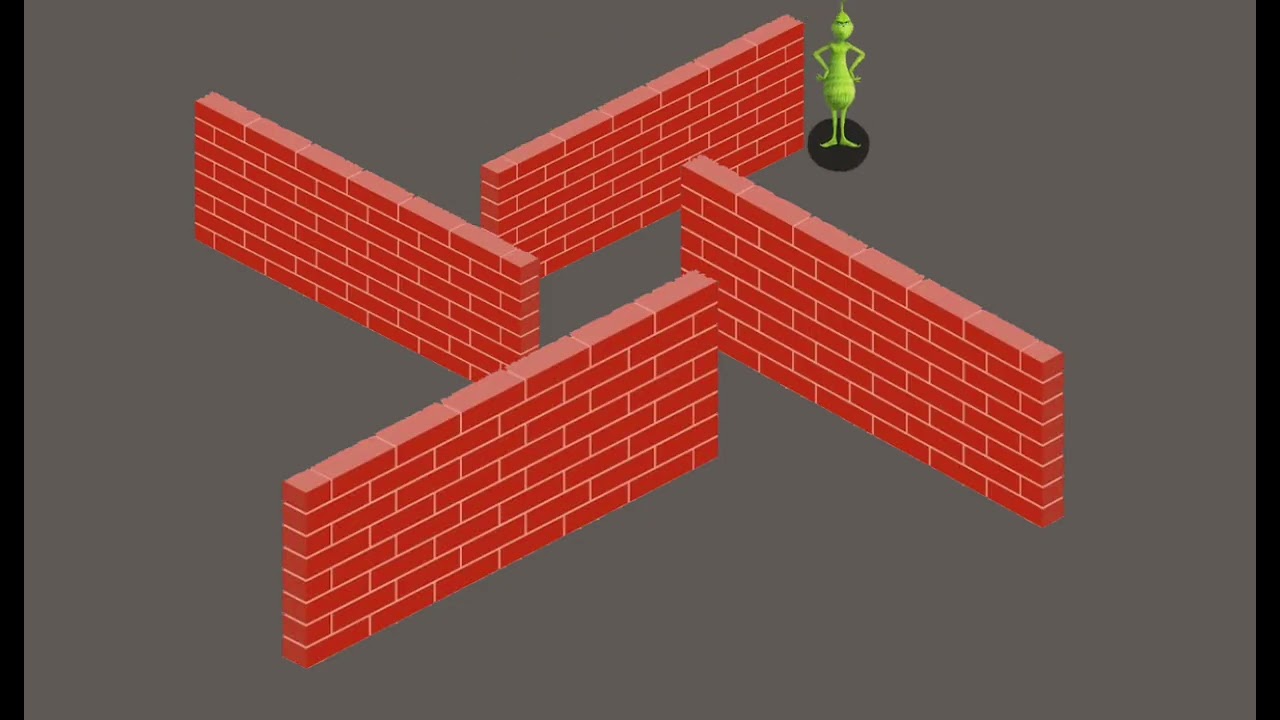
Here’s a quick demo of what it looks like (not from my actual project, just a quick demo I prepared)

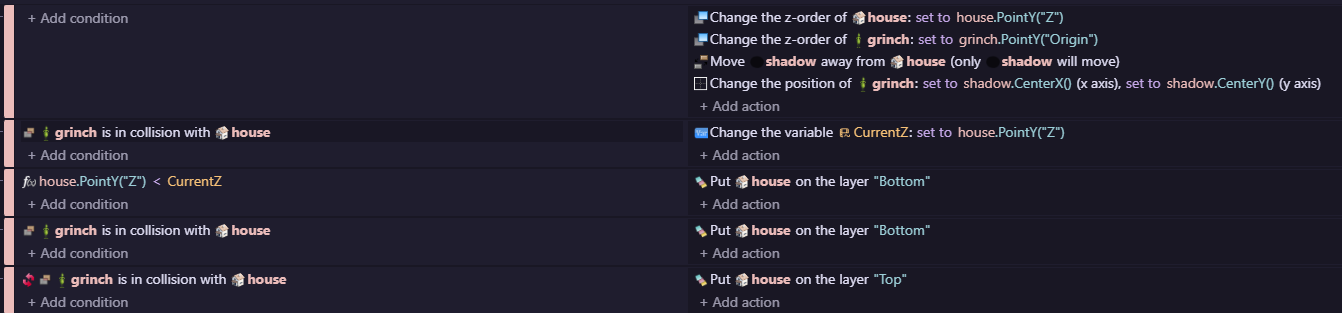
And the events:

nice.

but those houses are symmetrical this means that regular y sort can be used.

OP was talking about elongated and thin sprites (like the bench)

leading to an issue like this (but not quite though, that explanation was for something else):

So you mean more like this:

just like this yea…

Screenshot_2026-10-28_22-17-05

Hello everybody, thank you very much for participating to this topic.

I think that the solution may now appear not be as complex as it first seems, thanks to all informations shared here.

For me your idea embed the solution in a not so complex way:

To put in a situation with more use cases, let’s see this top view of our scene:

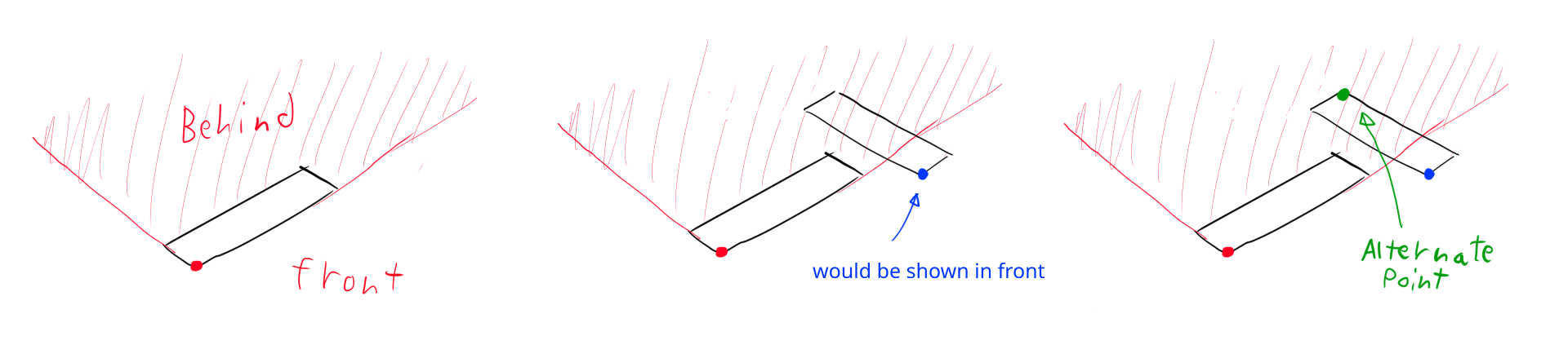
Considering that an isometric object have usually an origin point used as the foot, starting from this origin point a shadow is casted, according to the isometric angle parameters you have. Each object which may have at least one part of itself in this projected shadow, is considered behind the object projecting the shadow.

I unfortunately don’t have the time at the moment to put this in an event/action, but I still think this possible, as long as your objects are limited to rectangular aerial shape which also stick to your orthogonal axis. This way, it is impossible that an object is both in front and behind the same object.

After this you have to sort the object by who is in front of who.

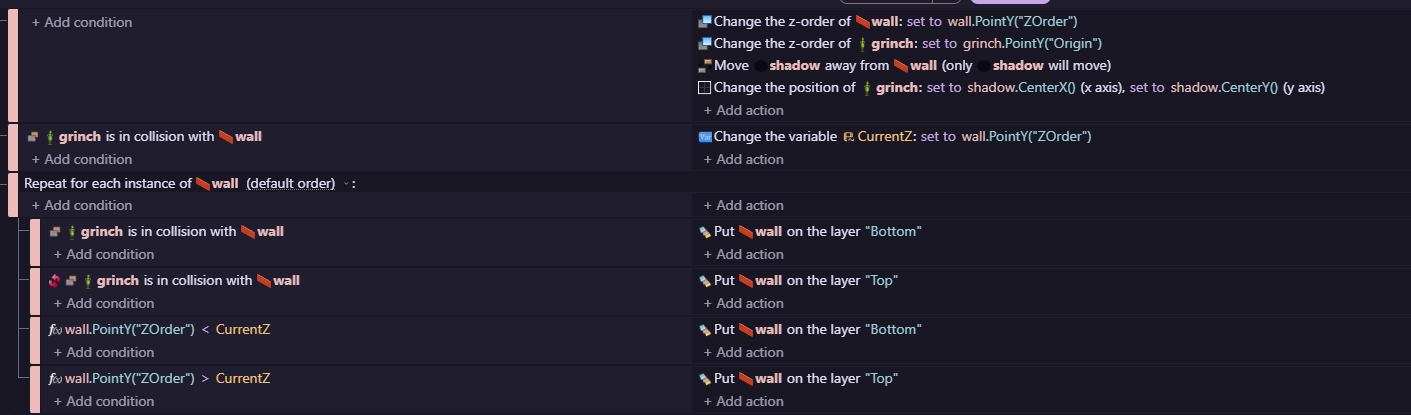
Yes! - using that idea i tried this…


I fired the raycasts of at 30 degrees instead of 45 due the rather poor quality of the drawings which seemed to use roughly 30 degree angles - or thereabouts!

the repeat is there as i thought initially that it would need one, but it didn’t seem to need one. but i might be wrong here!
just noticed that the repeat in the screenshot is 3 but its meant to be 1!

Yes actually thats a great idea! nice thinking.

on top of this, you won’t even need raycasting or shadow projection.


think about it:

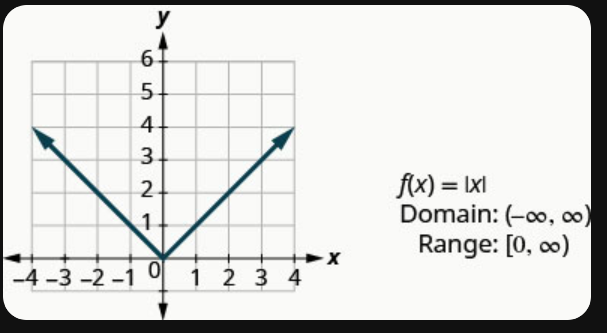
the green area behind the green table is bordered by straight lines. We know that there exist a function that produce this exact V shaped function:

to check if its in area above, just replace = to a >.

this mean you only have to check if one of the points of the table is in this area (bigger than the function). which points you ask?

points to check:

the only needed points is the four points at the base of the sprite (for a table, its the bottom of each leg).

if at least one point of the table is bigger than the function → place the sprite behind

either you declare all points for each sprite or you only declare one and construct the others using math (length of table and angle). it all depends on how strict your sprite-making is.


no raycasting, no projection, no checking if its to the left or to the right (since function handles both).

you only need to call the same function for all the points.

this makes it quite performant! and way less costly than raycasting


However…

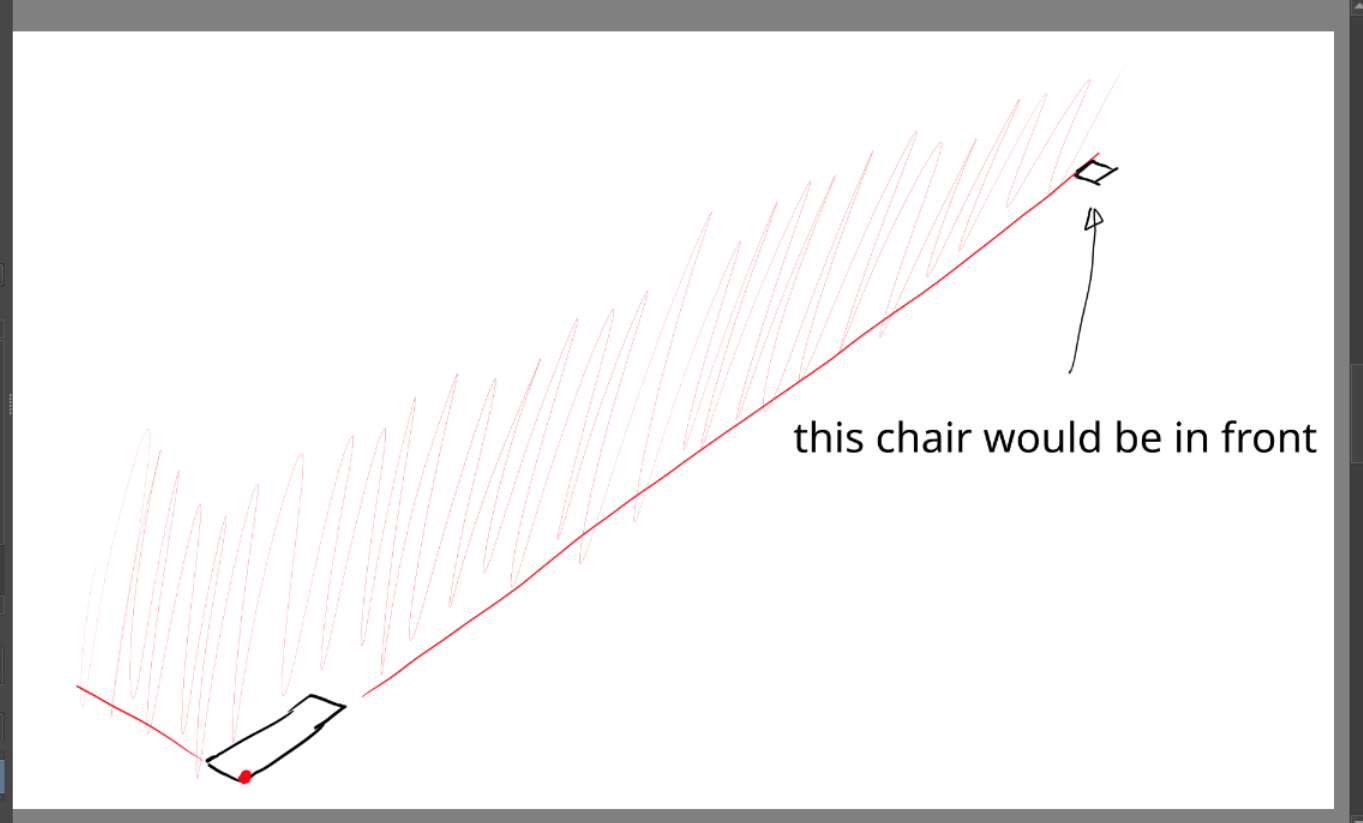
the aforementioned issue, which i am gonna call the wanderer problem from now on, still exist:

because this image alone doesn’t explain the extent of issue i made another one:

the reason that this contradiction happens is because the function you guys use to check order (yes that include the ray-cast) is at an angle.

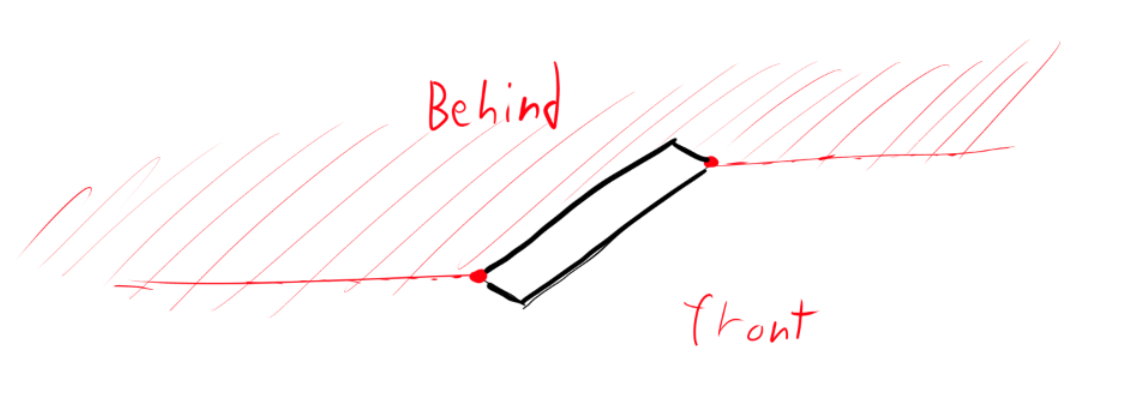
one way is to make the function horizontal:

of course you could also put a raycast at horizontal as well.


there could be other ways to fix this (ex.. make the for each instance descending or ascending). but one could question the robustness of this method.

i’m just bringing this to light so you keep this in mind when doing it. i don’t want you to realize after you made 6 levels that you end up with an issue like this that you may not have considered.

the fact that you don’t find the edge case while doing early tests doesn’t mean that the method is foolproof. edge cases must be accounted for at the drawing board stage to avoid surprises.


wishing you guys a lovely developing day!

Hi @AldebaranStudio i dont have the green being in front problem in the example you shared above, as in the code i shared above i’m sorting in ascending order and only raycasting again the furniture that has a greater z after the initial Y sort. So i don’t get the wonderer problem either.
But i agree that there must be something better than raycasting. I was only planning to do this at the beginning of the scene though and then raycast only from the things that move when they are moving after that. And adjust the z of the things that move rather than the other way around.

in my previous post the only ones that were selected during raycasting and had ‘sortz’ (the variable that sets their final zorder) adjusted are the black ones

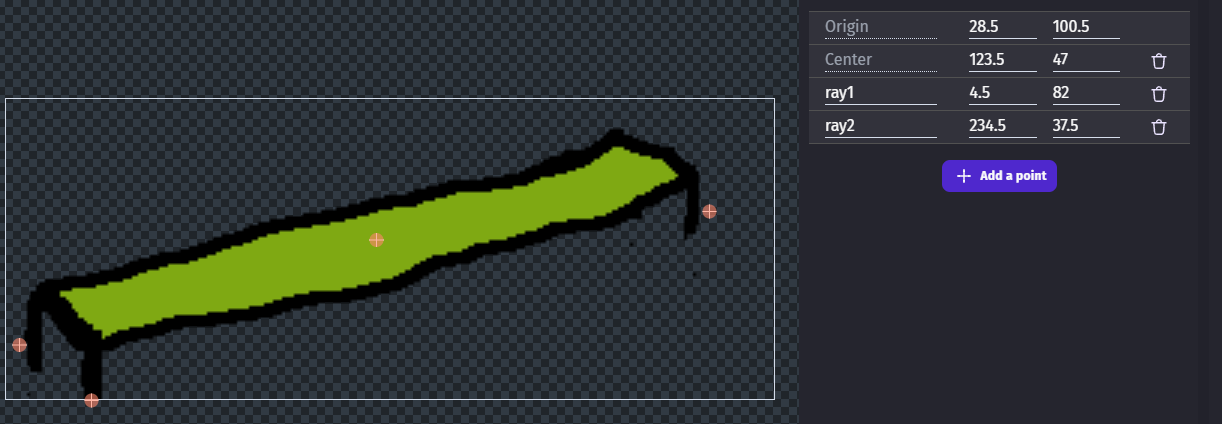
Your solution with the ray1 & ray2 custom points have the advantage that you are not disturbed if the furnitures are not placed orhogonally, because you define the projection for each object, which is quite nice.

I am not sure about using raycast instead of value compare though, but maybe I am wrong, so I came out with a bit of logic, based on calculation.

I calculated the leftest and rightest point of each other objects, and compare them to the reference object, if the comparison of normalized vector reference/leftest and reference/rightest is higher than the isometric ratio (2:1 = 0,5), then the object is considered behind, and Z order are exchanged.

However, my calculation have the limitation that if 2 object overlaps, because the condition is triggered twice, it does not work, so a safeguard will be needed here, like a table of the already checked objects.

It is currently not very optimized, and I think it would be less calculation to compare if the other is in front instead of behind, but I will check this later.