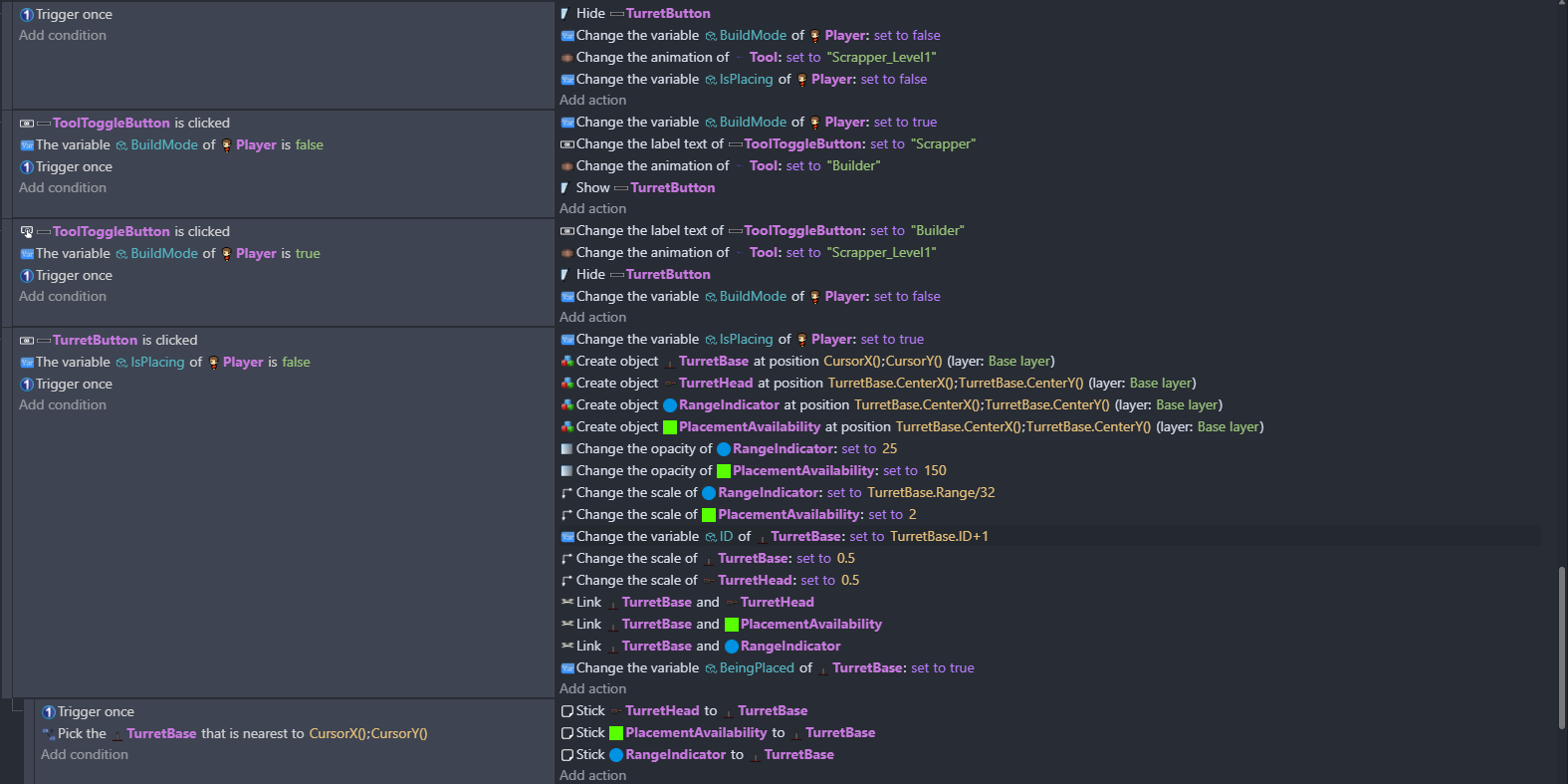
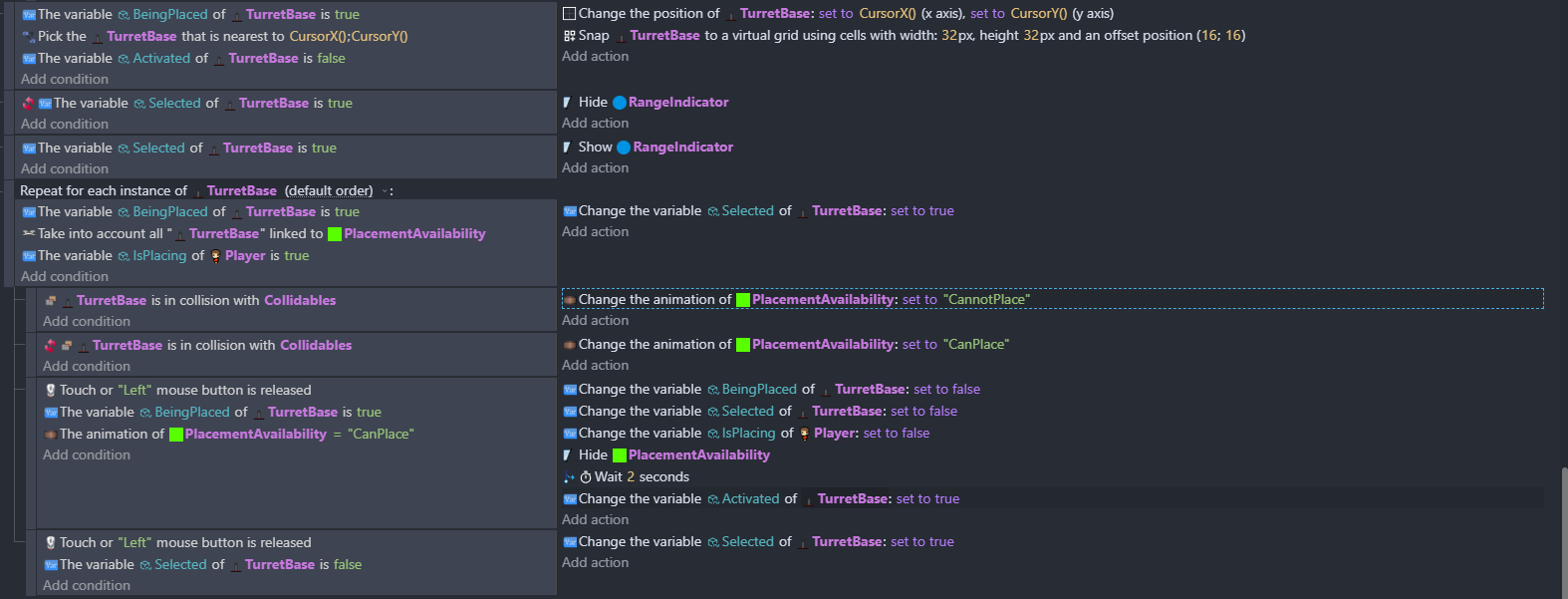
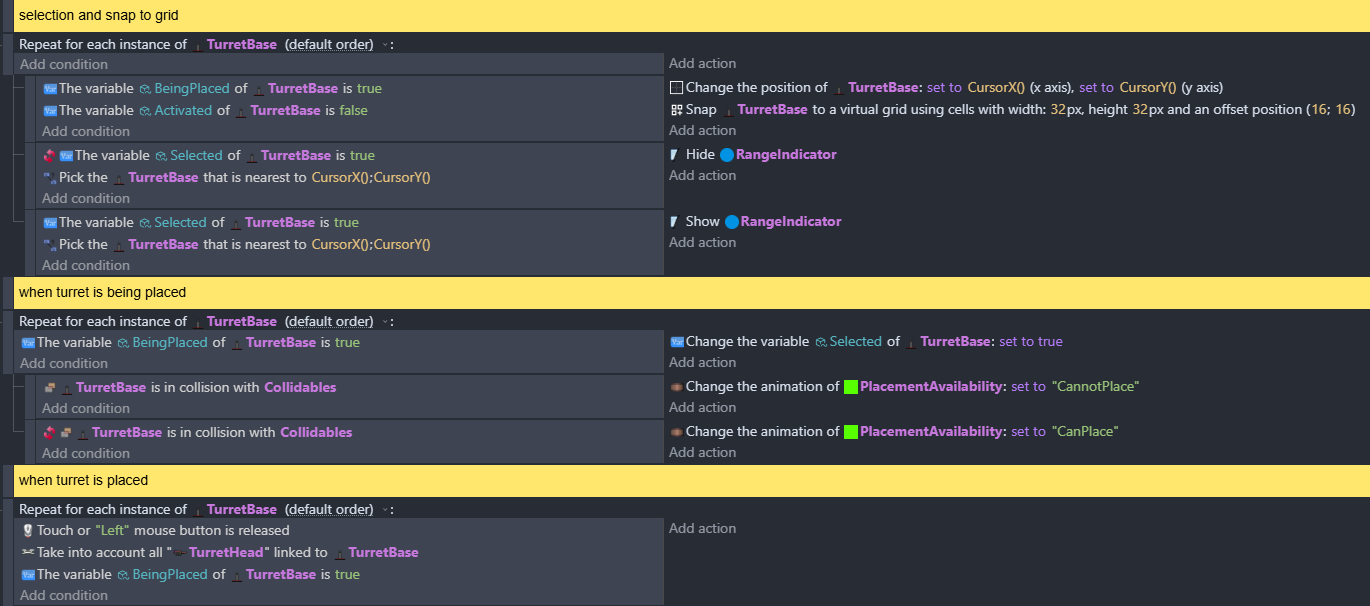
when in build mode, my code is supposed to allow you to place a turret on a grid by clicking buttons. right now, i can only place 1 and the second one refuses to stop following the mouse.
while not the main issue, my turret also fires even when it’s not activated (placed down) and before its 2 second build time is up, probably because of how unoptimized my code is
and also i cant switch back to the scrapper after i click the builder button
any and all help would be greatly appreciated
It can be difficult to understand other people’s projects. Try to work on 1 problem at a time. You might need to explain the process more.
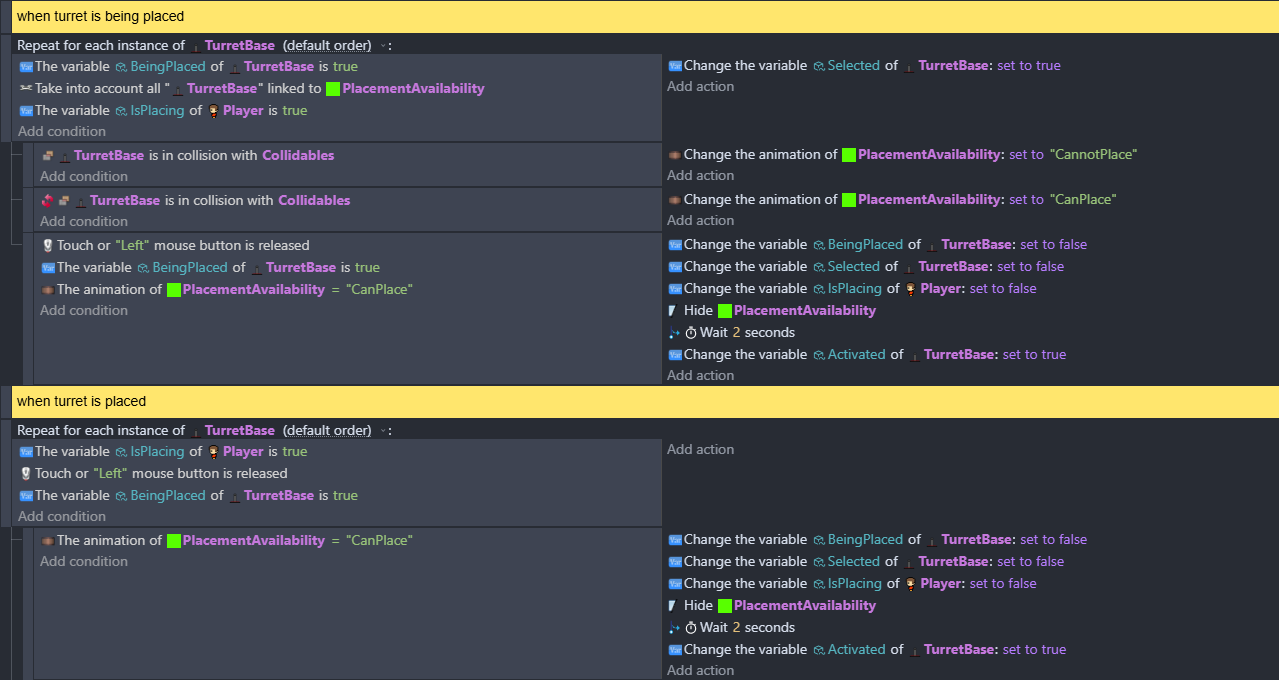
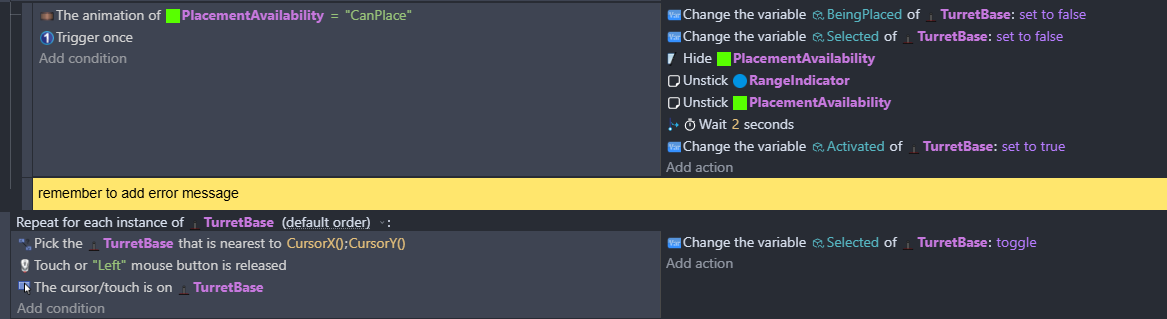
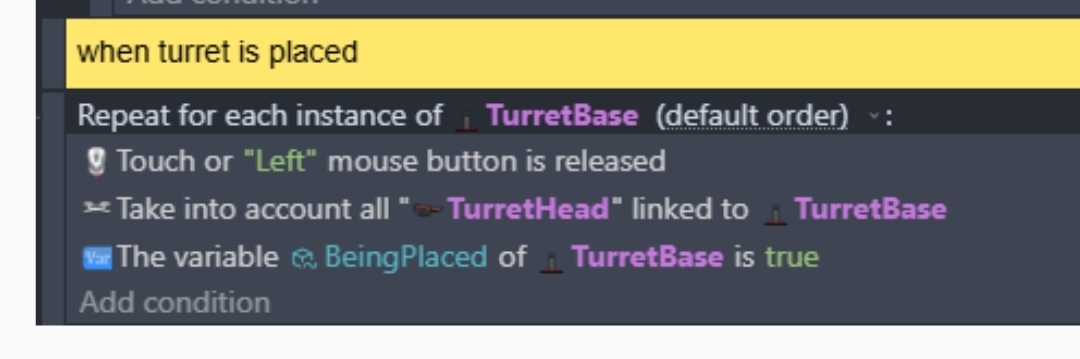
I’m curious about the last 2 lines. The 2nd to last line sets Selected of TurretBase to false but if I’m reading this correctly, the last line would put the variable back to true. IDK if this is an issue.
When the button is released both lines will be evaluated. The last event has fewer conditions, so it will possibly affect more objects. The last line could trigger before the 2nd to last line as well.
good catch, that for each loop is supposed to actually place the turret, and i originally put the last block there as a way to select the turret and show the range indicator. however, now that you mention it, it’s probably better to include that as its own block.
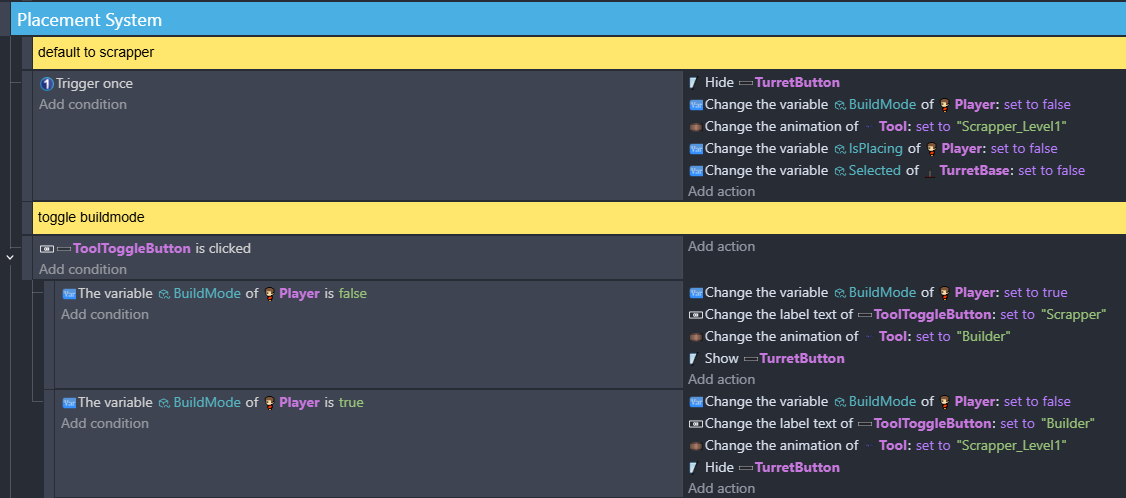
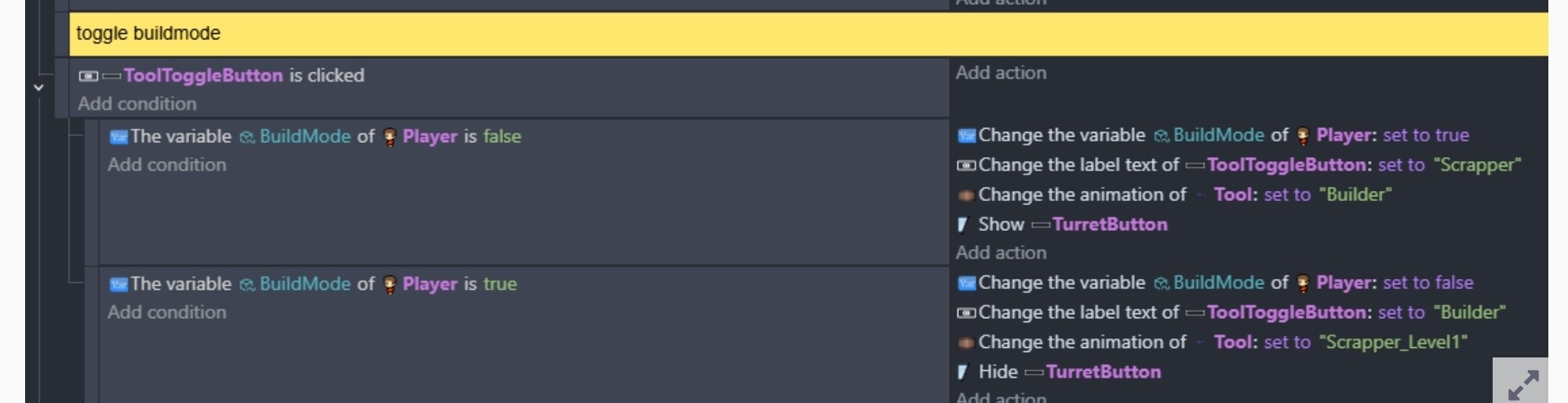
i updated the code a bit and added comments, but i accidentally broke toggling buildmode.
When the button is pressed, if BuildMode is false, it becomes true and in the next line, it’s now true so it becomes false.
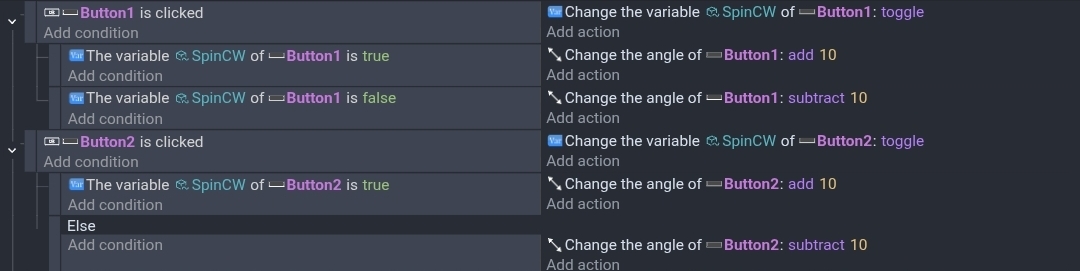
You can use a toggle action instead or use the new else event instead of checking if it’s true.
This example just rotates a button either CW (clockwise) or CCW. They both use the toggle action. The first is similar to your events. The 2nd uses the new else event.
What I have learned by using states a lot (in my case for RTS mechanics):
Avoid Booleans and instead use clear State-Strings. That is way clearer and reduces the amount of variables needed. Try to build it in a way, that only one State Variable is needed (its possible more often than I thought).
If you have different entities that are holding States, decide a hierachy of States. So in your case: Player State would be my choice. Have that one as your first line always and all other related states (in this case Turret States) are only used as subconditions. The Player State decides everything.
Each State Value of the highest hierachical order should only appear once (as a condition) in your entire code (or at least code-group). All lower tier states serve as subconditions and might have to appear multiple times.
A lower tier State can appear as a major State, only inside a different Event-Group (So while the tower-States should be only subconditions inside the placement-Group, they could act as a major State inside a tower-behavior-group, which handles everything, when a tower is already been placed and therefore starts to be independent of the player)
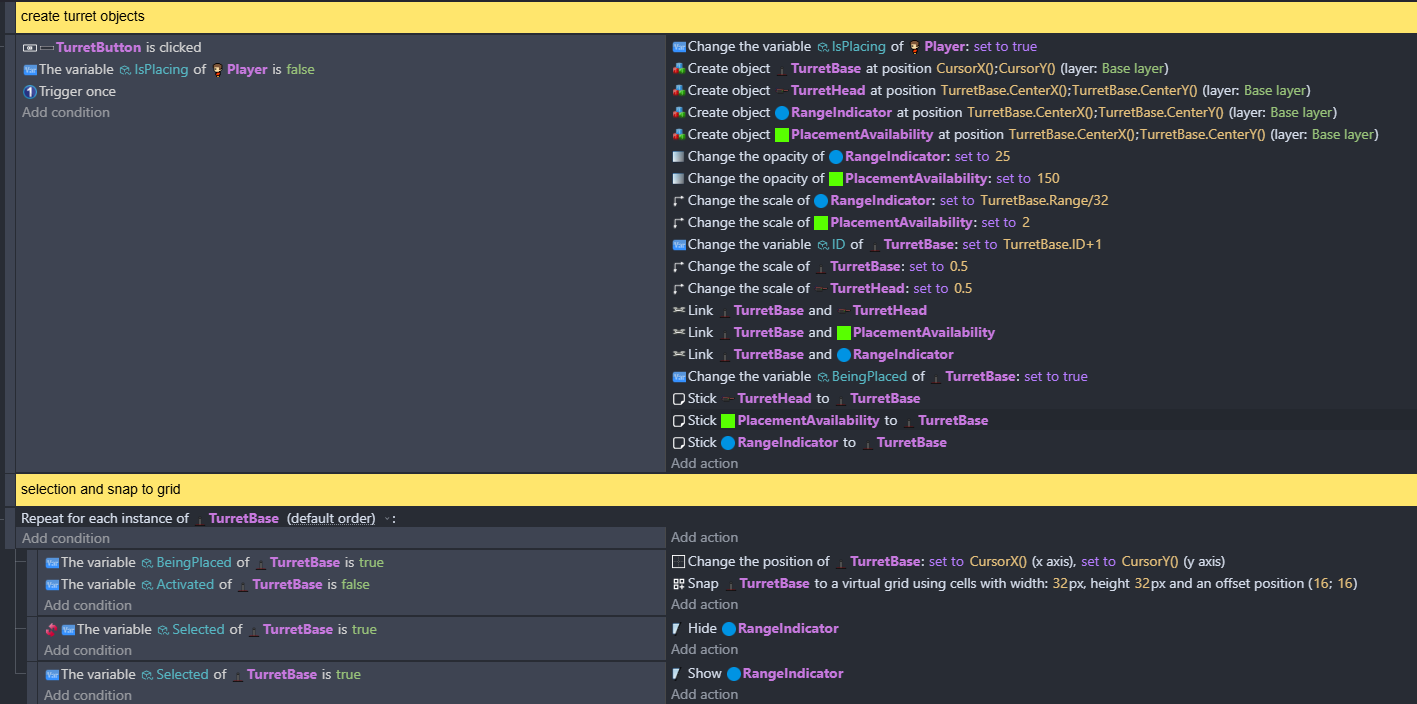
So my recommendation would be to try to restructure the code in a clear way, so that you don’t have “The var IsPlacing of Player is true” twice. But rethink it as: Player States are always my first line of each logical code-segment.
i managed to fix the button (finally) and prioritize buildmode var on player.
my current hierarchy seems to be:
buildmode > beingplaced> activated/selected
i got rid of isplacing
now my main goal is to figure out what’s wrong with my turrets
One important issue could be, if TurretBase is also part of the Collidables Group.
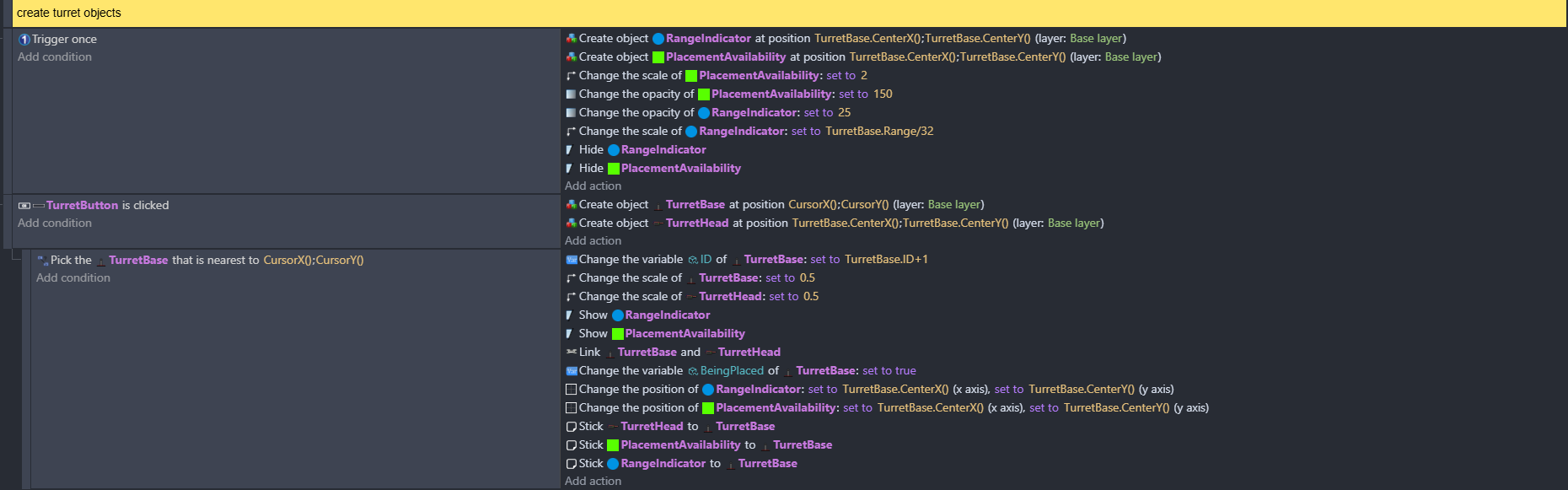
Another thing to consider: there might be an issue with your PlacementAvailability (short PA) Object. You are not picking the PA linked to Turret, but the Turret linked to PA, without picking any PA in the first place (which means you pick all of them, but object linking only works per instance by nature)
It would help to see more context in order to desolve the issue.
i fixed all the linkage issues so each turret finally works properly (yay!).
however, when there’s a bunch of turrets, the game starts lagging noticeably bad so i decided to try and optimize it by making only one PA and RI (Range indicator). so far i find the lag is primarily from the turrets all shooting simultaneously, but thats an issue for a later. in doing so, i come across another issue in which the RI just doesnt appear anymore after, even though the debugger says the position is correct and its not hidden.
You have several for each instances. I don’t know if they’re needed since I’m assuming only 1 turret can be dragged at a time.
Either way, when you use a for each instance it’s best to put a condition to reduce the frequency it’s used and the number of object that it cycles through.
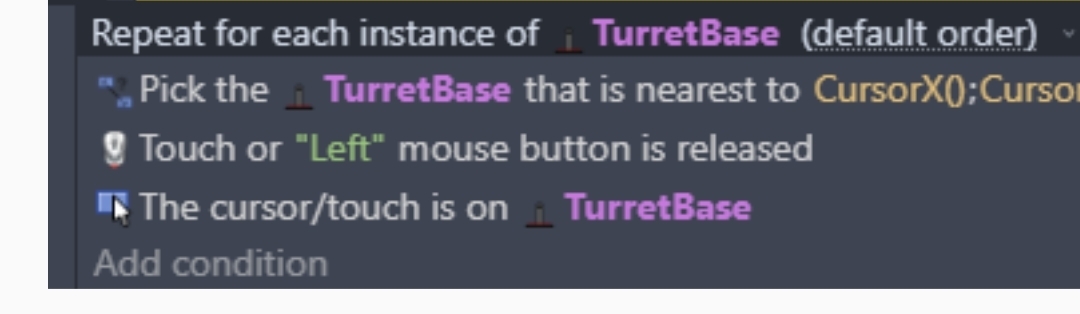
If you place the mouse button condition first with the for each as a subevent then the loop won’t be triggered unless the button is released. As it’s it’s checking if the button is down for each instance on every frame. If there were 50 objects that would be a lot of extra events.
Again, if there’s only 1 object that’s true then you don’t need the for each instance.