How do I rotate a sprite to another sprite?

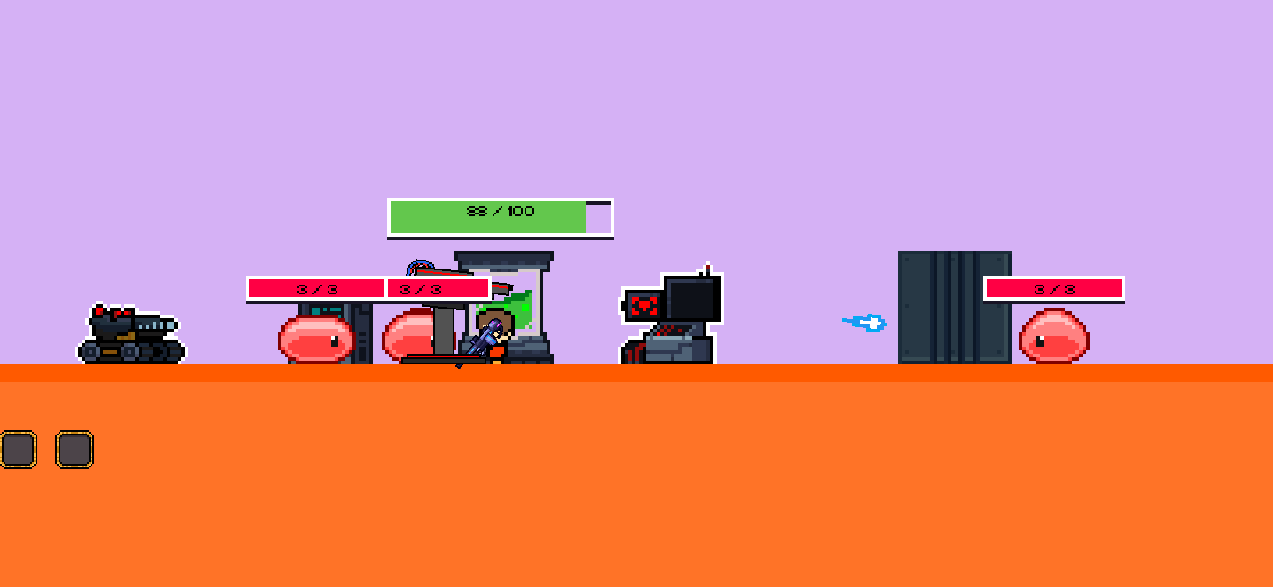
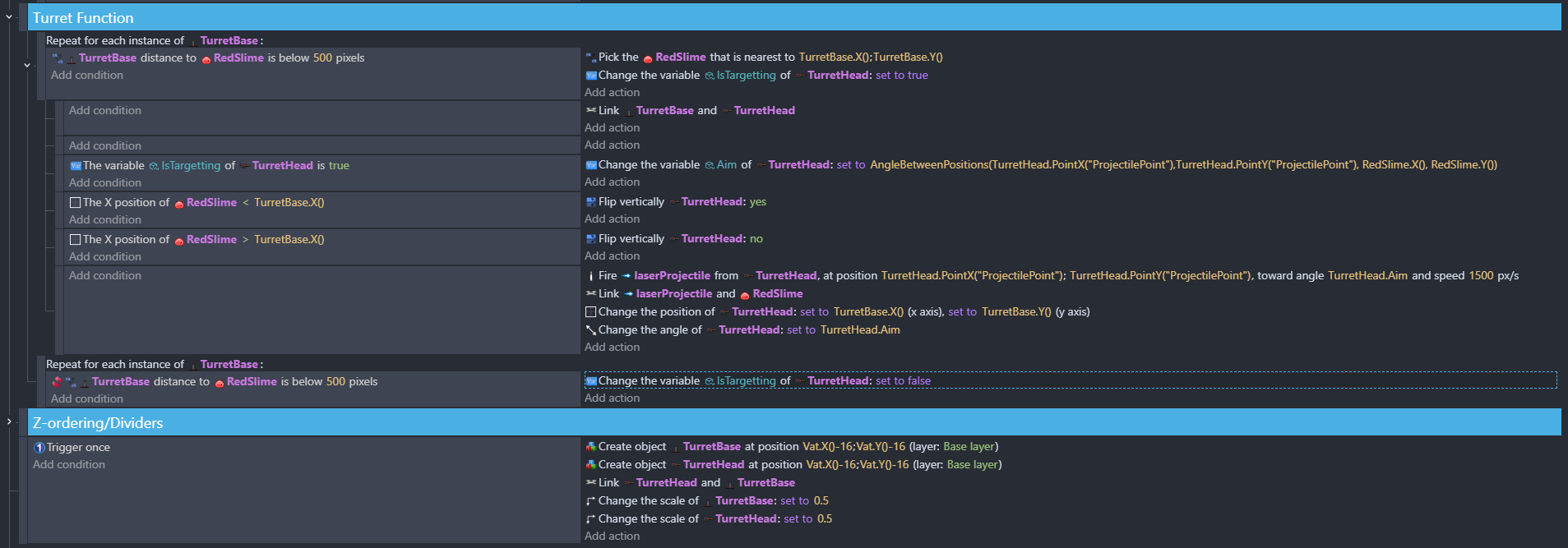
I’m trying to make a turret that follows the closest red slime object

It should flip when the red slime is to the left of the base of the turret

But it appears that it does not want to do that.


Also, is there any way to rotate the head using its projectile point instead of the angle of the sprite itself? I find that at long and short distances, the projectile tends to miss. Furthermore, the turret doesn’t change its targetting until the current red slime it’s shooting at is dead.

The first event is picking the nearest object but the other events aren’t subevents of it, so they’re using all of the objects. Depending on the condition or action it might use all of the objects as parameters or just the oldest object.

I prefer to use the pick nearest as a condition. It’s easier for me to read.

Pick nearest Slime from turret x, y
… X of Slime < turret.X()

If the turret isn’t rotating properly, you might need to move the origin to the pivot point. I can never remember if it’s the origin or center point, so I usually just move both points to the pivot point.

If you want the turret to target the next enemy, you could use a boolean object variable like targeted to the enemy. When targeted, set the boolean to true. Then when targeting, check if the target is targeted.

Variable targeted of Slime is false
Pick nearest Slime from turret x, y
… X of Slime < turret.X()
… Action : fire, set targeted of slime to true

If it’s possible that the butter could miss the target or collide with a different target first then you would need to clear the targetted object variable when the bullet is deleted. Otherwise, the enemy will never be targetted again. That could be done by linking the bullet to the target.

The rotation bug was fixed by simply putting all the events under the pick action as a subevent. I still have the problem for when the slimes get too close or too far the bullet shoots and misses+hits a different target, which will then cause the turret to lock onto that target instead. That might be the case, but more alarmingly whenever there’s a redslime to the right of the turret it will take priority to that instead of whatever’s in front of it to the left.


Does it always pick one side over the other or only when they’re relatively the same distance?

IDK. It could be the points used for the pick nearest. IDK which point it uses. The center or origin. If it was using the origin and the origin was in the default upper-left corner then 1 side could be closer than the other side. IDK. I would really need to test it.

I tried your example. So, I understand your project a little better. I don’t know why the turret is only targeting 1 side. I tried it on my phone, so I didn’t get the full picture.

I made a tower defense example awhile ago. The playable link is broken but the project is still in my github account. It uses a similar concept. I’m hoping some of this long, long post will help.

https://forum.gdevelop.io/t/how-to-target-first-enemy-in-td-game/44837/7?u=keith_1357

Here’s my technique. It won’t all apply to your project. Im writing this from my memory. So, I’m not positive thaty project used this exact technique.

Each bullet is linked to a target. The fire bullet extension doesn’t automatically pick the fired bullet. You can add a bullet object manually and then add force. There’s another work around using a boolean object variable.

My example was more a cannon than a gun. So, I used a tween to move the bullet to the location instead of the fire extension. When the tween finished it basically meant the bullet hit the ground or target, it then checked for a collision between the bullet and enemies. That way the bullet could pass through other enemies. Remember, mine was more of a cannon. So, it fired over the objects. This might not apply to your project.

I used the health extension but I also used a variable as a sort of health preview should all of the bullets hit it. Every time a bullet was fired at it, the health variable was decreased. That way, it could target only enemies whose predicted health variable was above 0.

Now, since my enemies moved, the bullet could miss the intended target. That’s where the linking came into play.

When the bullet exploded, if it didn’t hit the indeed target, the linked object’s health variable value was increase. I don’t recall my method. It’s in the project.

It seems less likely that a target would be missed in your project. It might be enough to skip the linking and just use an object variable to preview the damage.

Take a look at my project and see if any of my concept applies to your project.

Alternatively, you could give the enemies an ID variable and add an ID to the bullet. Then only a bullet with a matching ID could damage an enemy. Just keep increasing the ID. That would allow the turrets to target any object not just the closest. It could shoot 3 bullets at the first object and the shoot 3 at the next closest.

Example

Enemy predictiveHealth variable > 0
Pick nearest enemy
Fire bullet at enemy
Decrease the enemy health variable
Link or use IDs if applicable

If bullet collides with enemy
If bullet ID = enemy ID
Apply damage
Delete bullet

If it was possible for a bullet to miss it’s target then you would need to remove the damage from the predicted health variable.

I hope there’s something in this long post that helps.
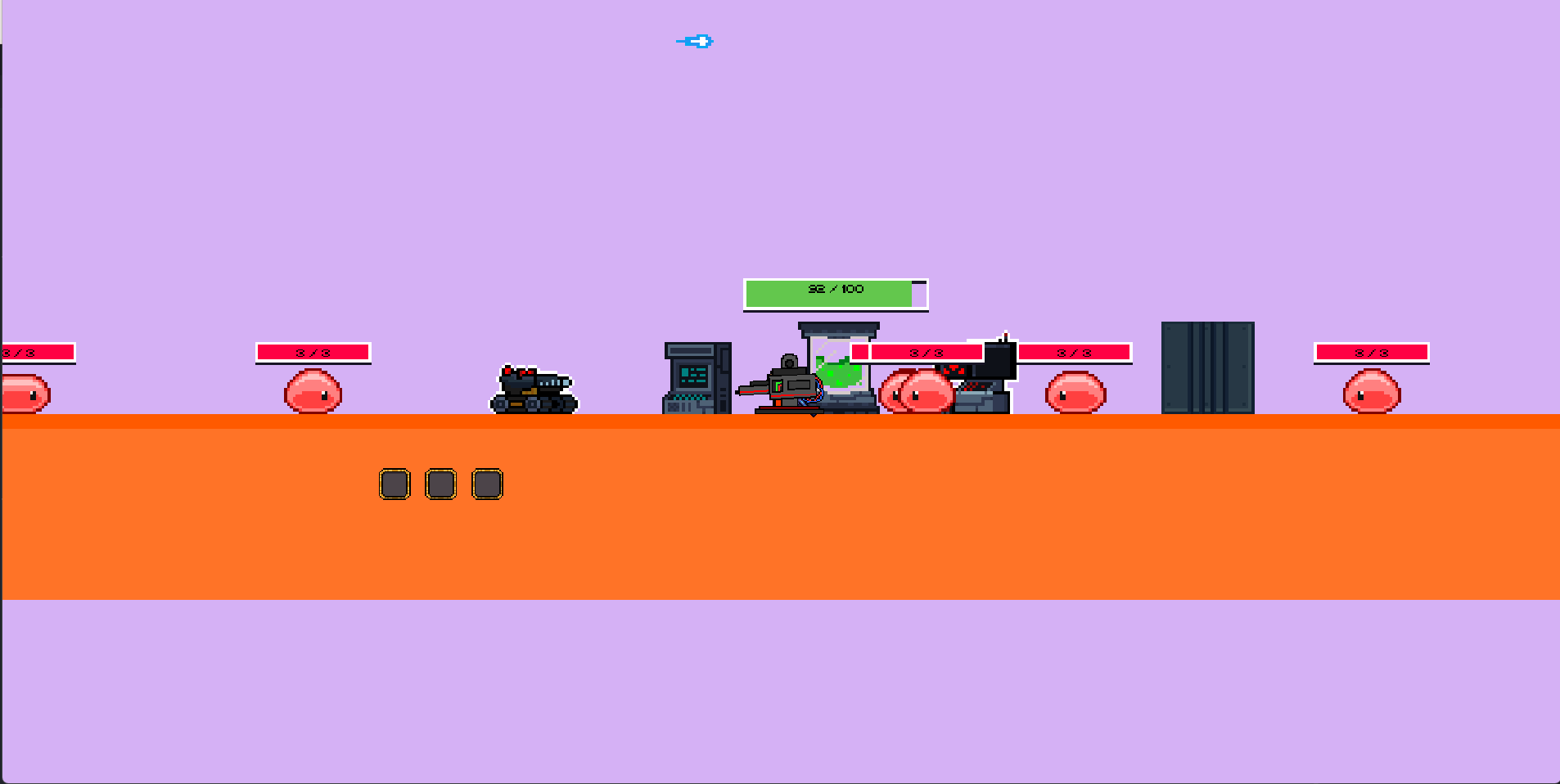
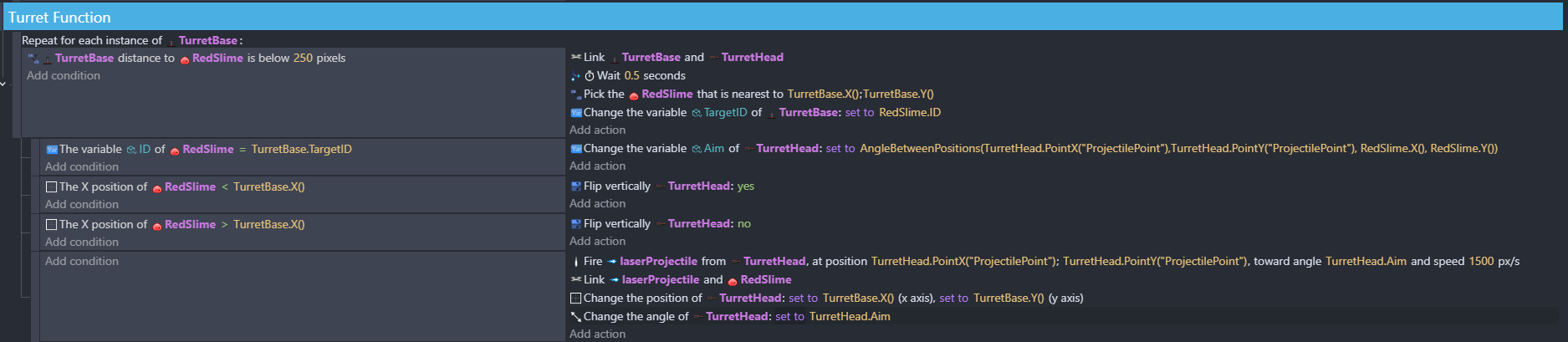
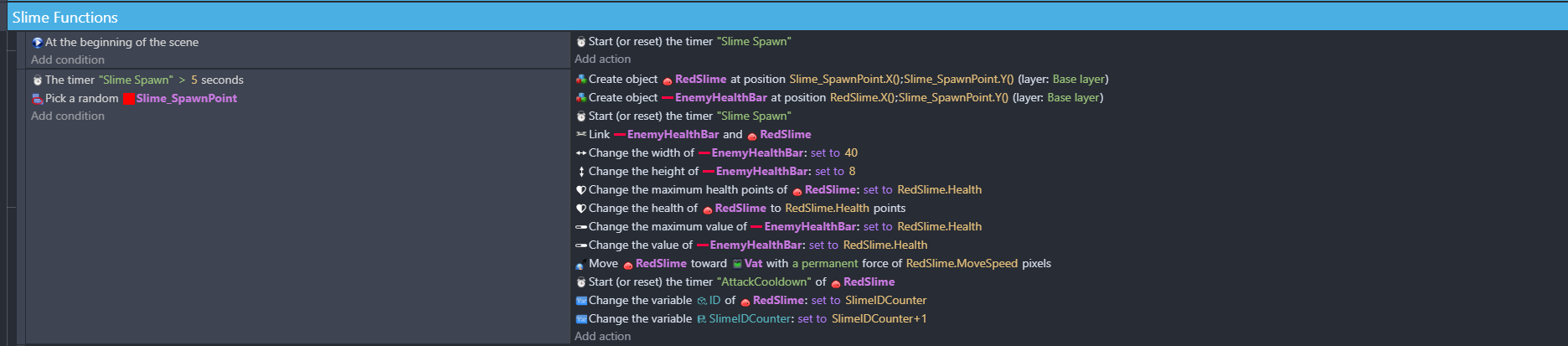
Hi, sorry for the late reply because I decided to take a break from development. I found out the problem was that whenever a new slime entered the turret’s range, the turret would default to targetting that slime which is why it would never target the closest one. I also found that if a slime gets too close the turret starts spinning like crazy and that’s probably due to a problem regarding the points. I tried setting up the ID system but the issue still persists.


I’ll have to refresh my memory. I don’t have any suggestions at this time. Maybe someone else has some ideas. I’ll reread the post and see if it gives me any other ideas.