Before proceeding, please use the forum search feature at the top of the page to check if your question has already been answered.
How do I…
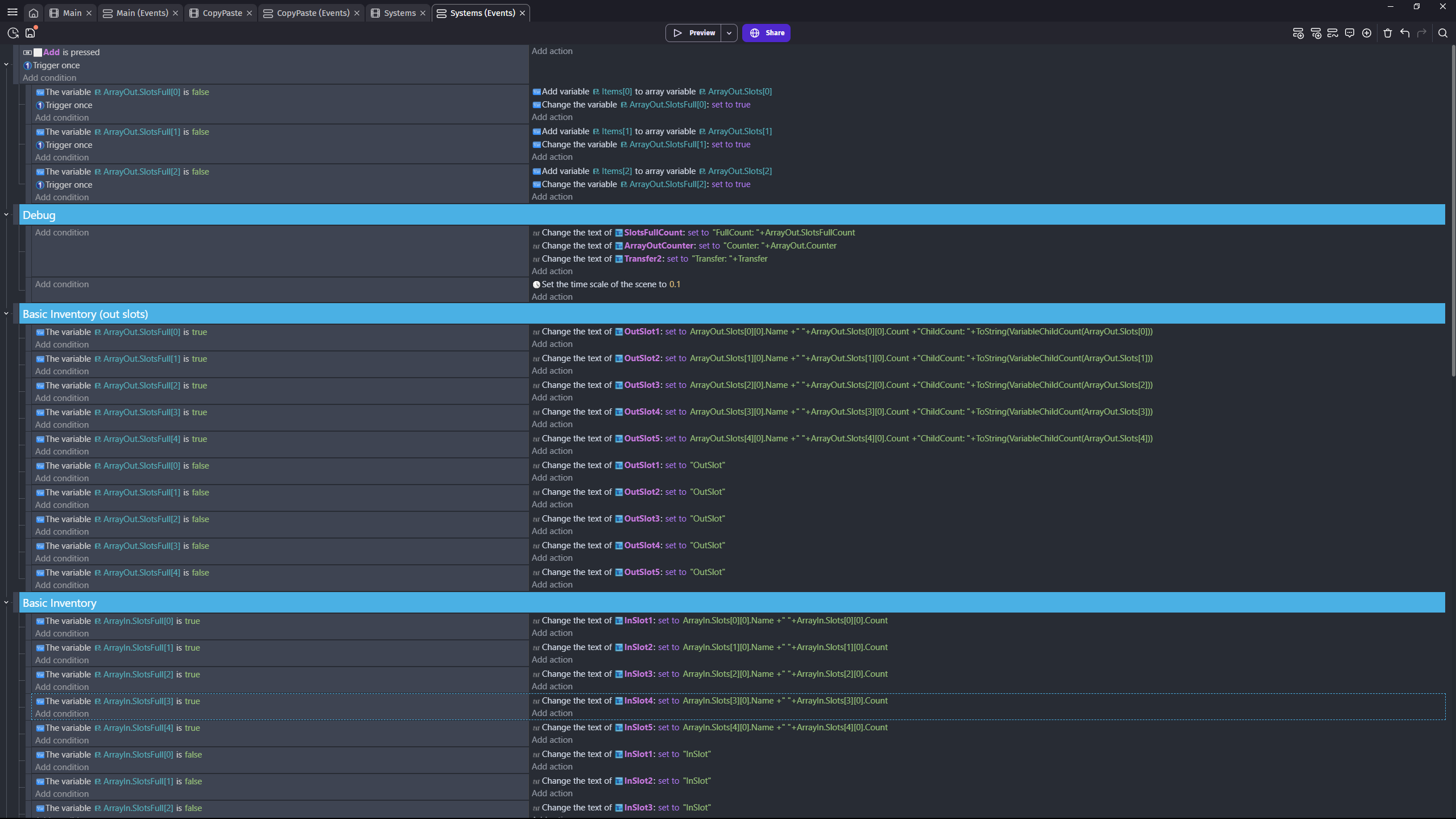
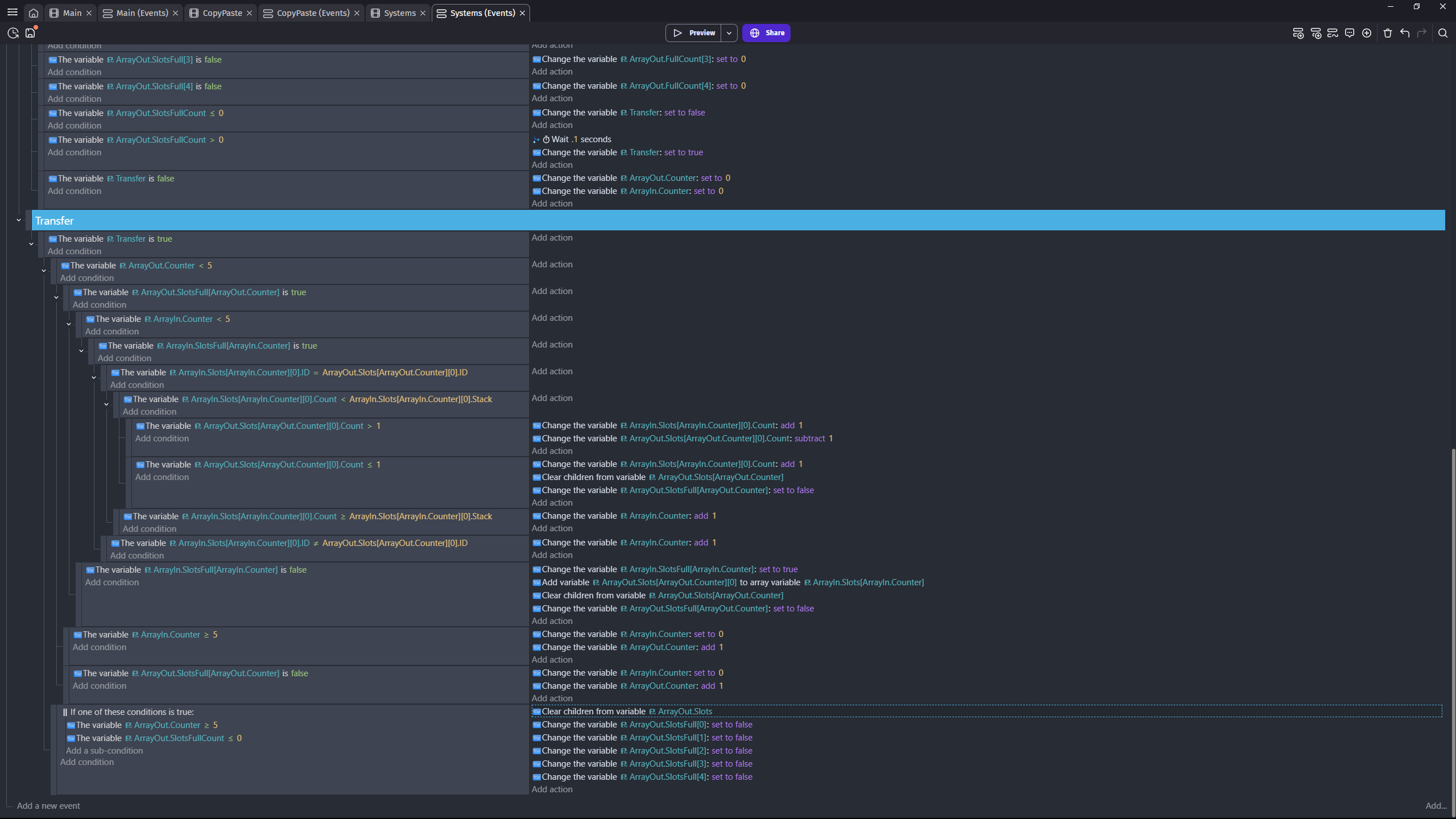
I’m trying to build a system where “item” structure variables are transferred from one array to another.
What is the expected result
There are two counters that run through their respective arrays, checking if a slot is “empty” (does not have a child variable). If this is the case, then the item with the index of the current counter value is added to the receiving array and cleared from the giving array. If a slot is “full” (has a child variable), then the ID (an arbitrary number that is a child of the item variable) of the two items are compared, and if they match a quantity child variable of the item is increased.
I have a button press setup to add items to the first array for testing purposes.
What is the actual result
The first transfer works smoothly, but after that, empty variables are created in the receiving array, in addition to the regular items. I made an event to check, and the child count of the array slots that are giving are higher than 1 when this is happening, which should not be the case, but for the life of me I can’t figure out how or why. Any help would be greatly appreciated.
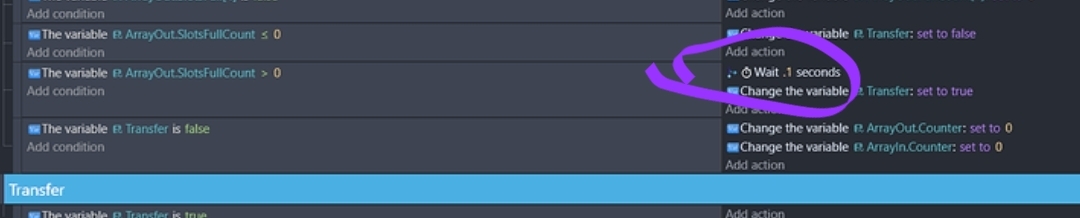
It could cause a build up of waits that will be released after .1 seconds. So, even if transfer is set back to false, the built up waits will set it to true in consecutive frames.
Your events are very repetitive. Using for each child could greatly streamline things.
Thank you for helping again, Keith! Initially I added the timer for testing purposes before the button, but I have tried it without and it doesn’t seem to make a difference. I thought that for each child might make this easier, but I’ve had trouble trying to use them before and I still don’t understand how to structure those kinds of events properly even after reading the documentation and quite a few examples on the forums. If you have a general idea of how I might use this here, that would help a lot. Regardless, I’ve tried rewriting this function from scratch several times to make sure the logic flowed properly but it always ended with some variation of this bug. I am genuinely curious why this is happening, but trying something else would probably be better at this point. Thanks!
Instead of using a separate variable to tell if a slot is full, you could check if the slot name was empty meaning “” or set the name to empty by default and check if the name is literally “empty”.
To check if the string name was empty. The name would need to be set to “” at runtime because if the string value in the variable setup screen is empty it return 0 not “”. Which is really annoying. That’s why I like to set it to Empty or some other value instead of checking for 0.
When I have the time. I can create a few ways to use for each child.
For a structure, the first variable in the event returns the value and the 2nd the child name.
For an array, the first variable in the event returns the value and the 2nd the index.
The first variable needs to be in the format of the value being read like a number, string or boolean. If the structure or array contained other structures or arrays the 1st variable name in the for each child event could also be a structure or array.
It’s a very flexible event. The variable being irated can have many levels of children. You can check any of the levels.
Like if it was Settings.Players with Players being a structure, You can go thru Settings and get the player structures or you could go thru the Settings.Players structure
More when I have more time. Actual events are easier to follow.
I understand, take your time I can work on other parts of my game in the meantime.
On a side note, I tried setting up an inventory using the methods you described, and I can see how that saves on unnecessary variables. Thanks for being patient with me. I really want to learn how to do things the right way, I just don’t have much experience yet
I’m off for a couple of days. I’ll try to create a few examples. For each child is very flexible. You can use it for any level of a variable. It works with arrays and structures and any mix of the 2. You can use dynamic variable names for more flexibility. Meaning you can build the child names using other variables inside brackets. More when I can.
Happy New Year.
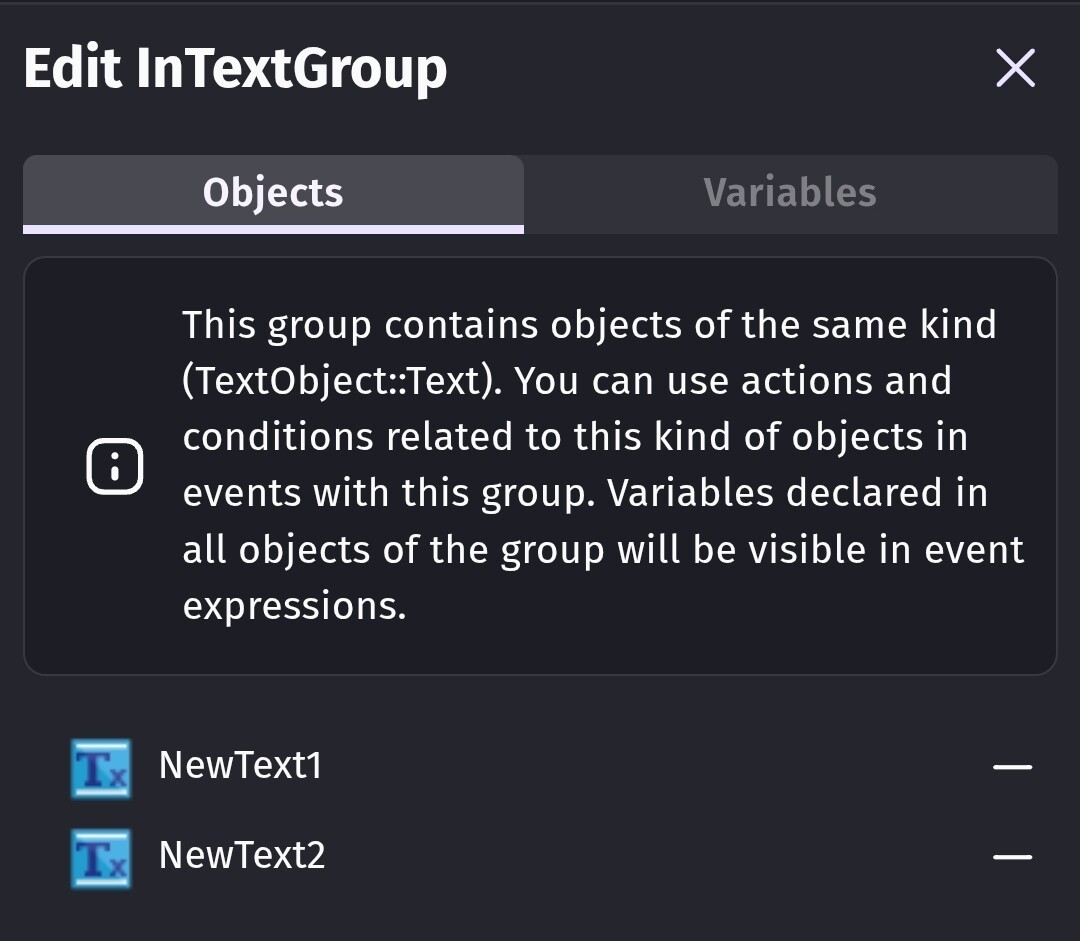
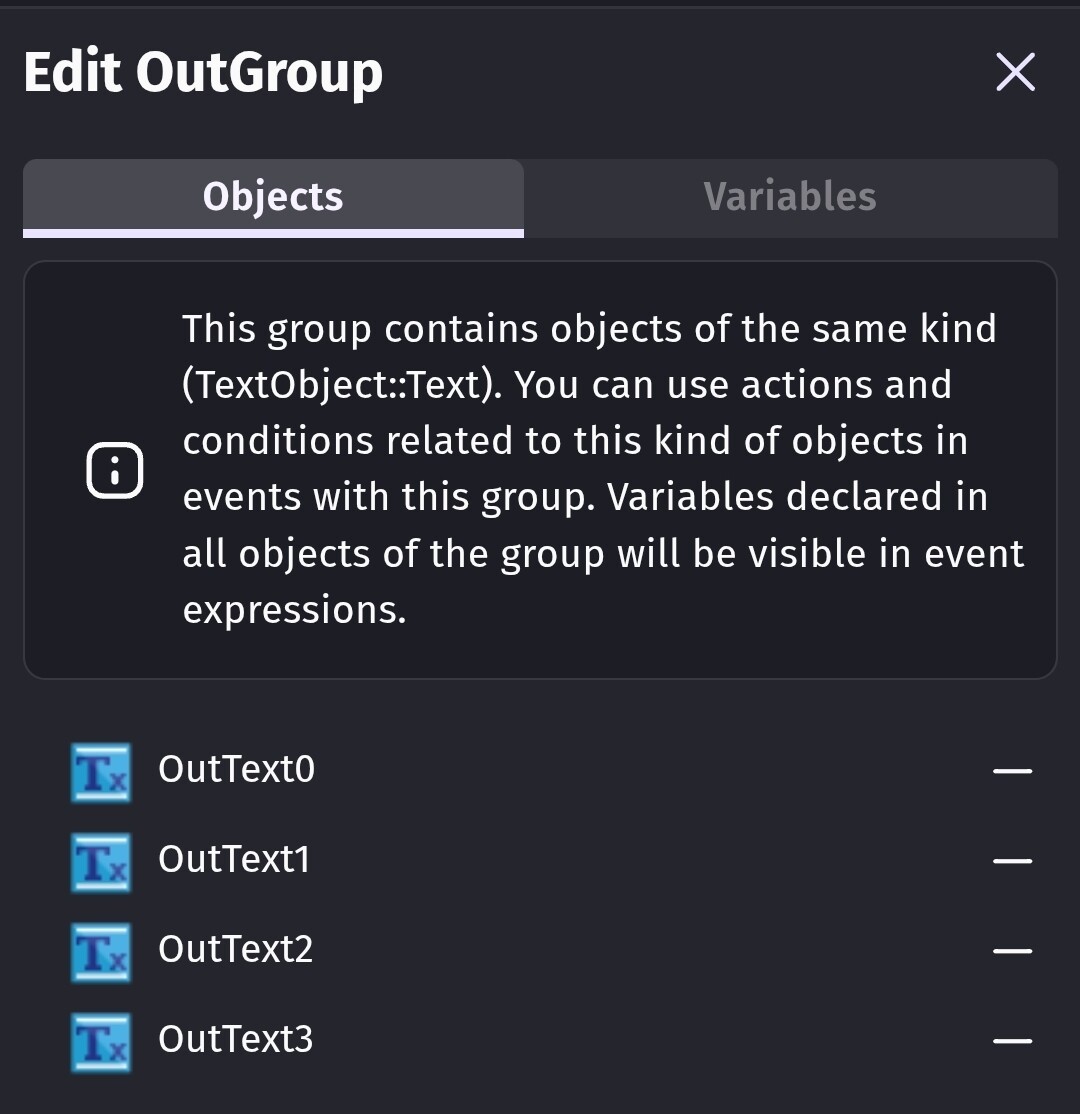
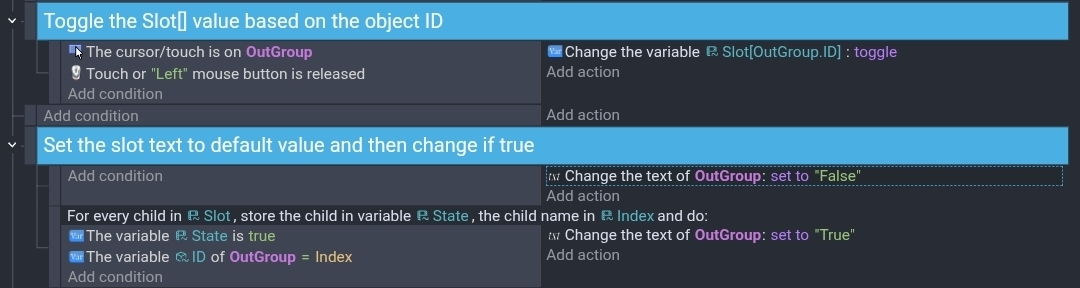
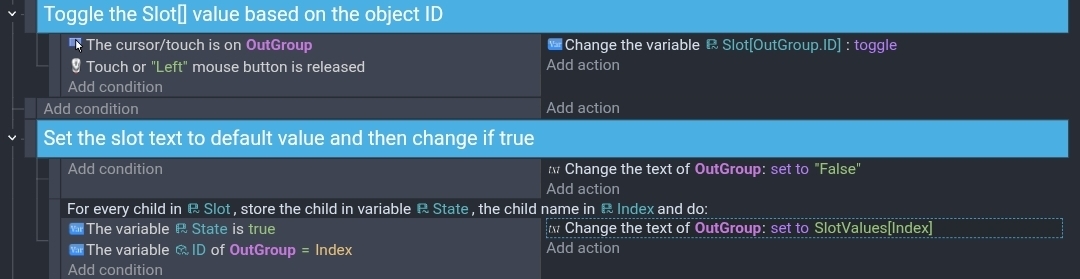
One thing I also noticed. Instead of checking for true and false, you could preemptively set your text objects to like “OutSlot” before the other events and then just check for the true state. That cuts the events in half. You could put the text objects in a group or use copies of the same object.
Something like
Set text of OutTextGroup to “OutSlot”
If text1 is true set to whatever
If text2 is true set to whatever
Sometimes its easier to assume something is false and then just check for the true state. One text action is easier and quicker to process than 4 events.
If you had 5 text objects. Create a group with those 5 objects. Then set the group text to the value that is set with false like “InSlot”. Then only check if the values are true and change the individual text objects. The false events are no longer needed.
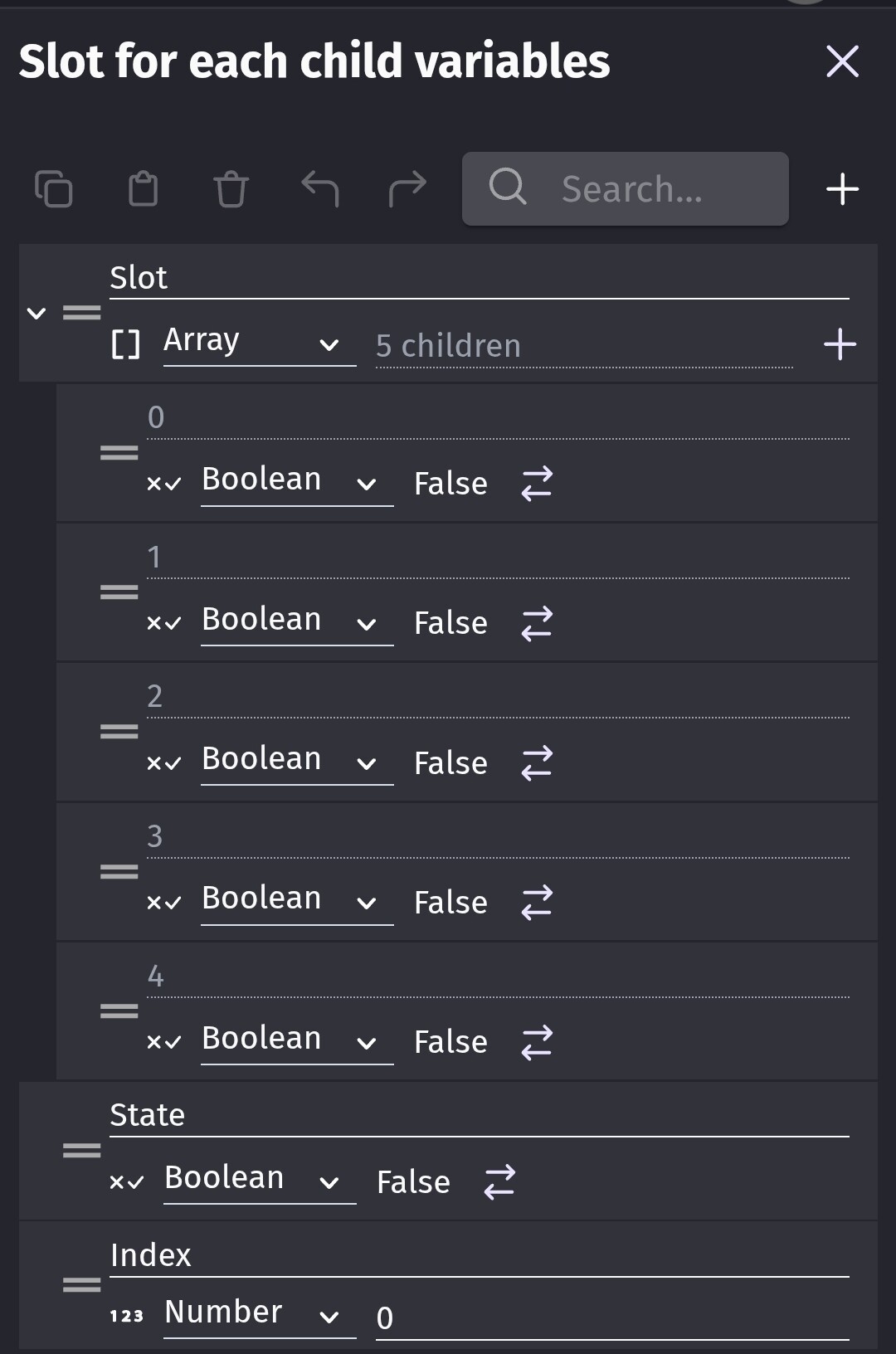
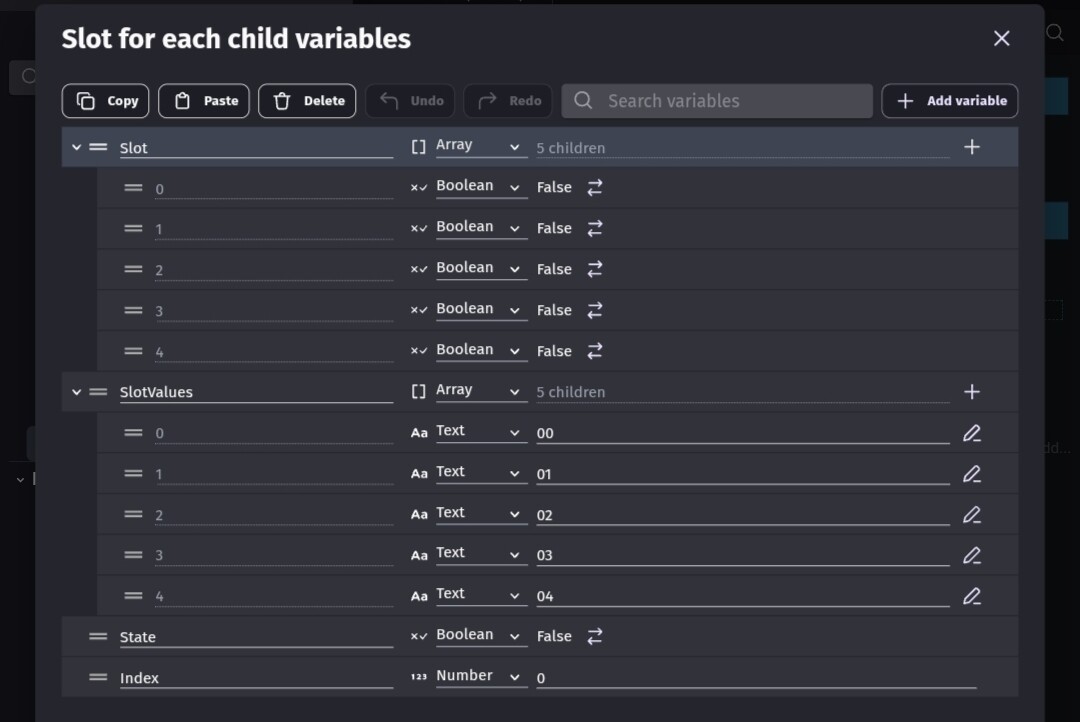
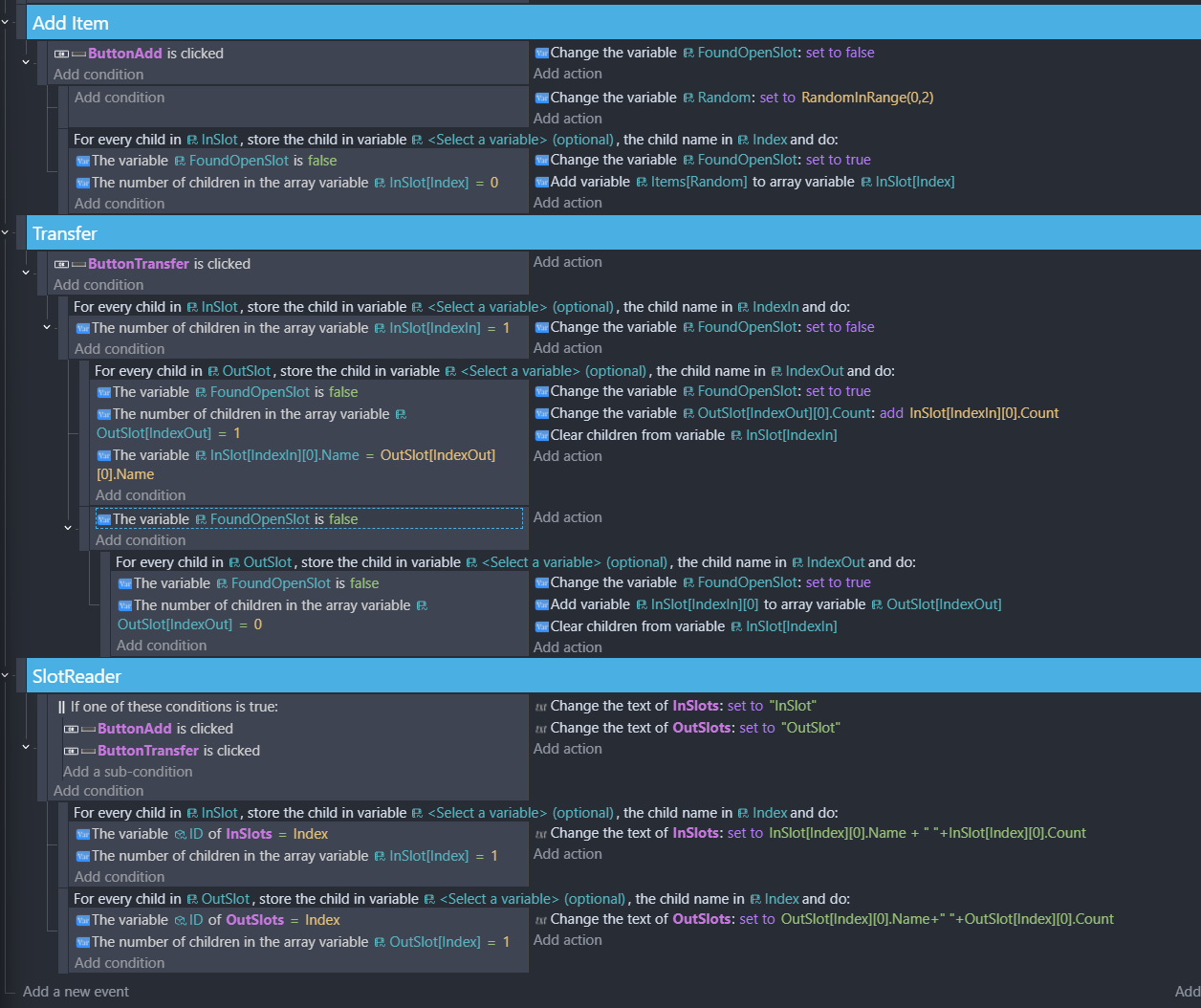
Here’s an example using for each child. For testing, it toggles the slot array booleans by touching the corresponding text object using an object ID value. Since arrays start at 0, the IDs also start at zero.
Thanks Keith, I’ve tried what you described, and it really pared down the size of my events. I’m still not sure how to use this for item transfers though, sorry
I wanted to try to emulate your concept. It took me a bit to understand your intent and how to implement it. I feel it would be easier to use a single dimensional array of structures instead of basically a 2 dimensional array. Meaning slot[0] instead of slot[0] [0]. I’m going back to work tomorrow. So, I might not have enough free time to play with the concept.
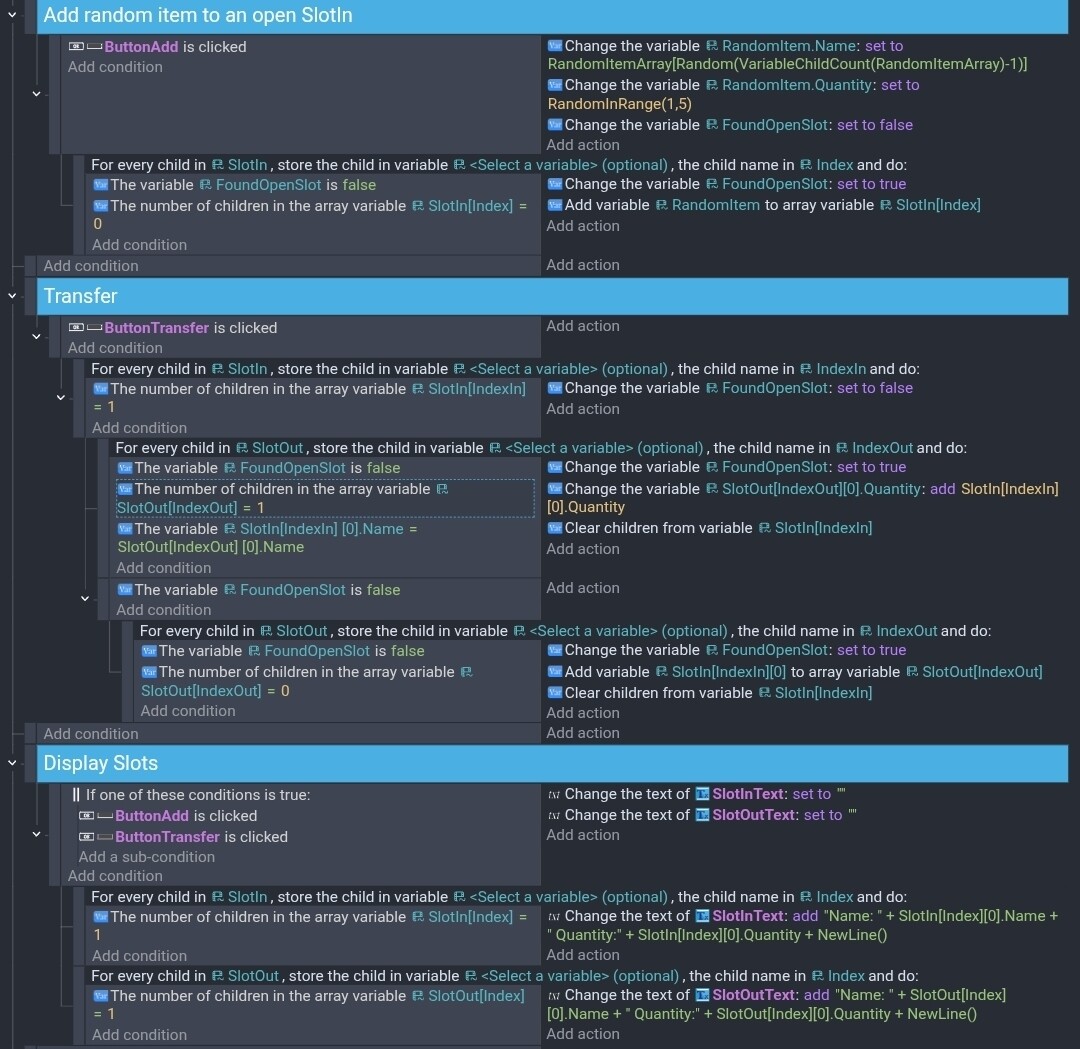
I broke it down into 3 sections.
Add a random item
Transfer
Display the arrays
I didn’t merge identical items in the SlotIn. IDK if that’s what you were doing. I was trying to keep it simple and easy to read. If you want to merge identical items in SlotIn then the same process could be used. Check for the same item and if none are found then check for an empty slot.
I only used the 2nd variable in the for each child. I felt that made things easier to read. It turned it into basically a for next with the index. Counting from 0 to the last index.
It can be difficult to stick closely to someone’s concept. I would prefer to use a single array of structures and check if the structure name or quantity was empty instead of checking for children.
I wanted to try to make it how I might make it. Instead of adding a child, I started with an array with the name set to Empty for each child. I also merged the search for empty and not empty and added variables to track the first empty index or the found index.
I don’t really understand what this is for. I decided to merge duplicate items into 1 slot for both the in and out. It wouldn’t be too difficult to remove that part.
Thank you, Keith! Sorry for the delay, I’ve been busy. I went with the simpler example you gave. Only thing I’m having trouble with is the item stacking. I can see you built in a check to see if the item names are equal, but all of the quantities are being added to a single item, regardless of name:
I don’t think I changed anything important, used some equivalent variables that I already had (Item.Count vs Item.Quantity, etc.) , but maybe I’m missing something?
Ah, I see. No, each text object has a unique ID corresponding to its slot index. Weird. Did this work when you were testing it? Maybe it’s just something I changed.
I swear it was working. But now it’s not. I noticed the version that I uploaded was missing the ID part on the display section. I added it but now the math is wrong. I’ll look at it and see if I can find my mistake.
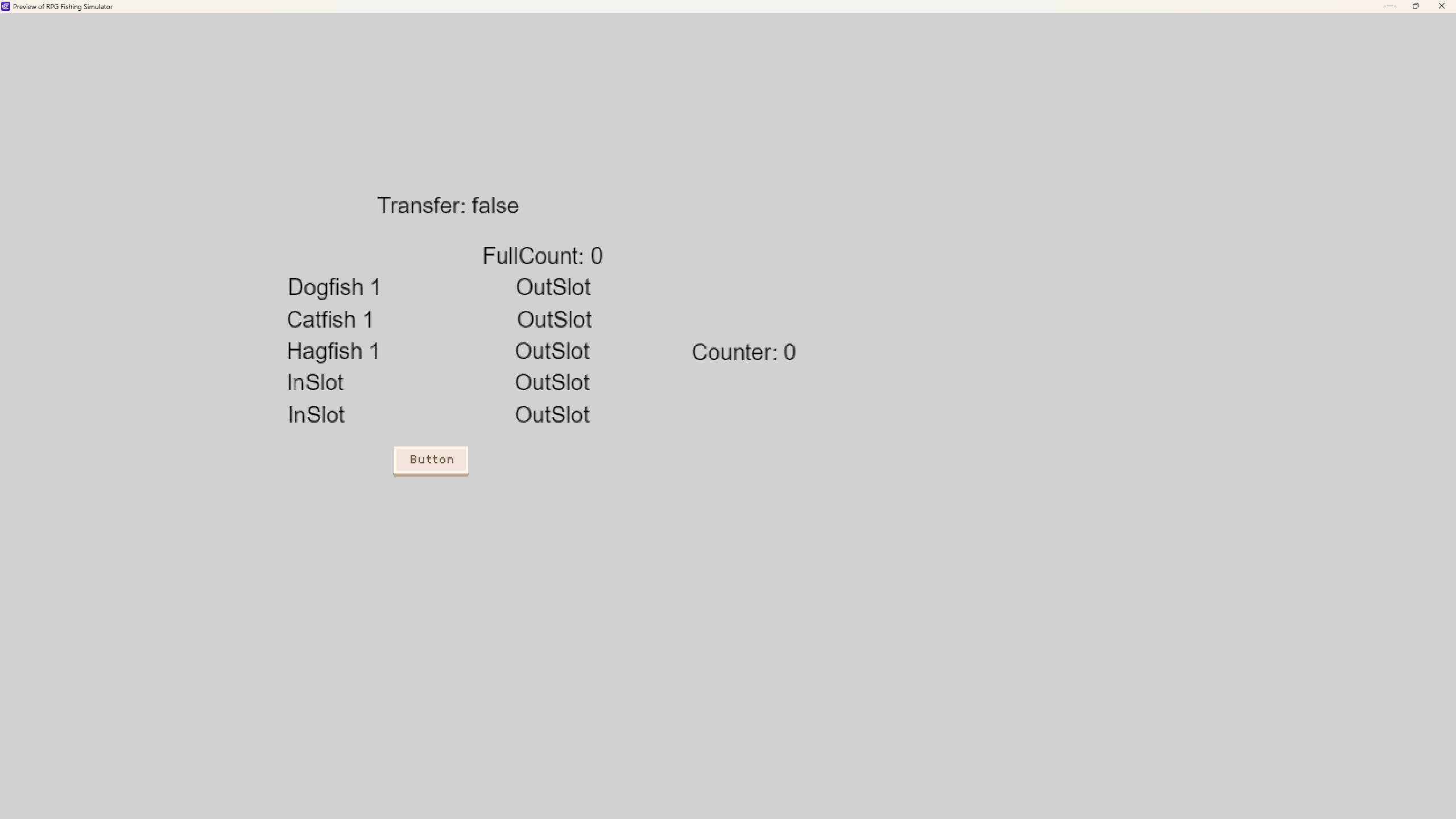
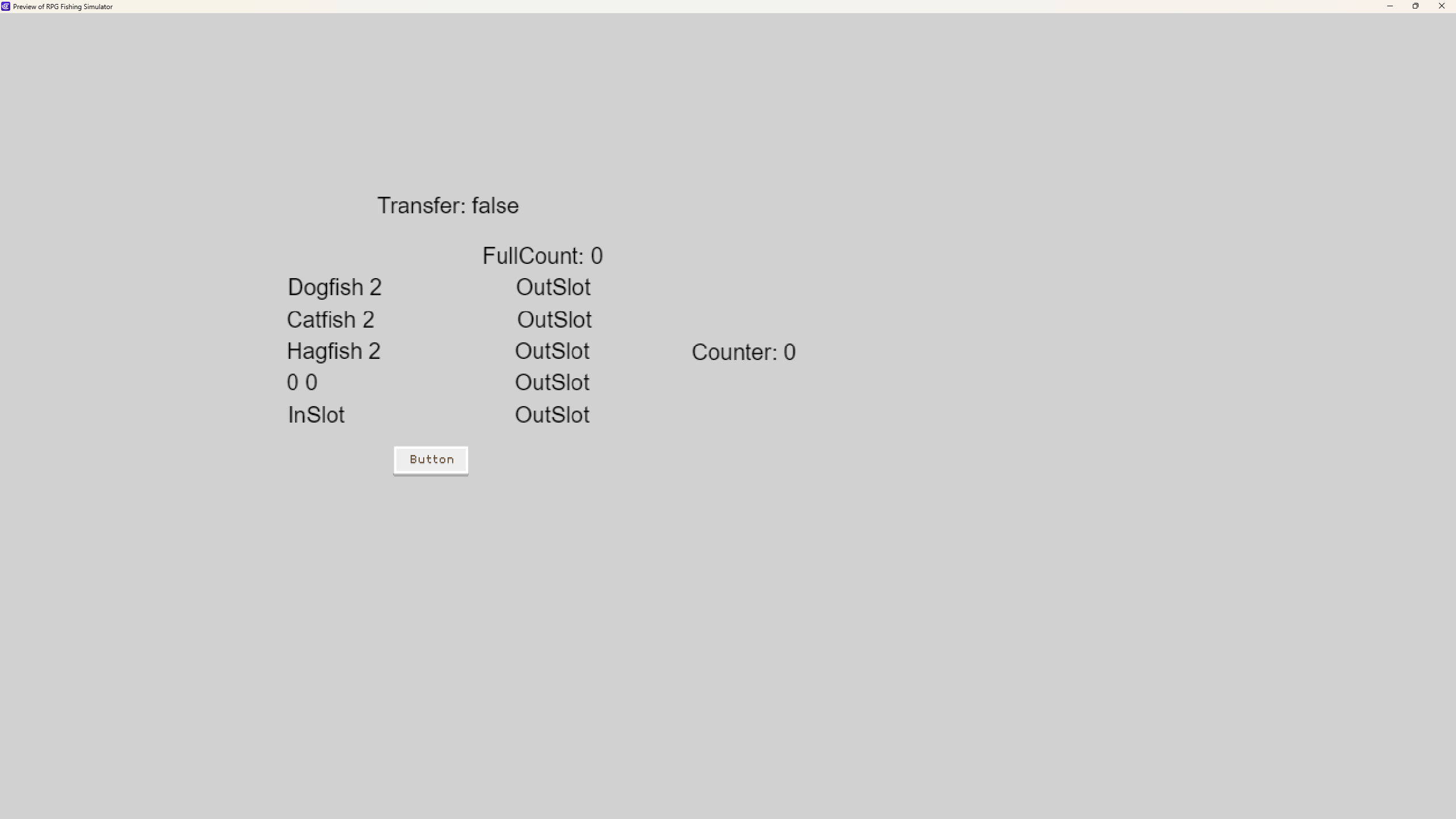
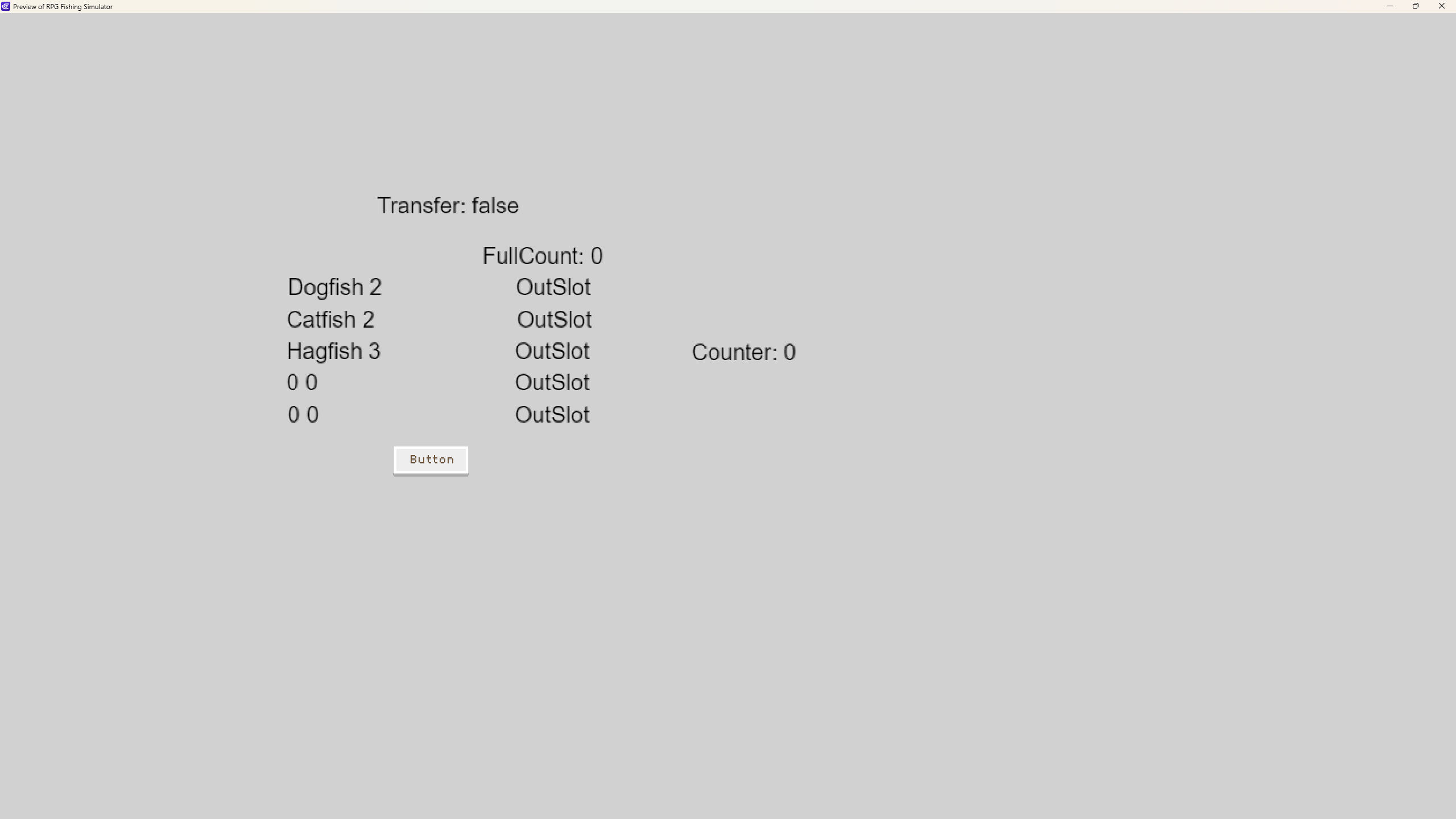
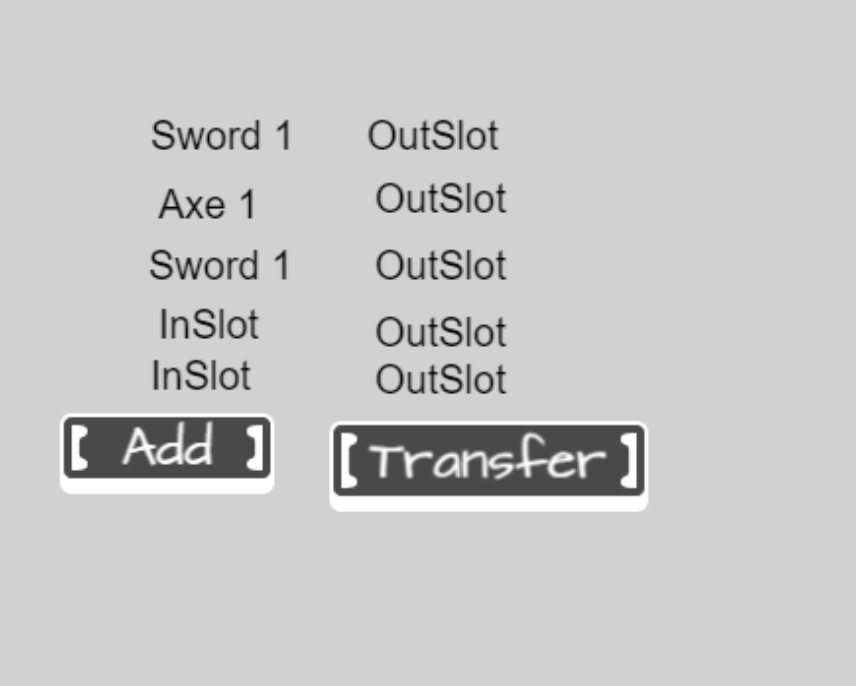
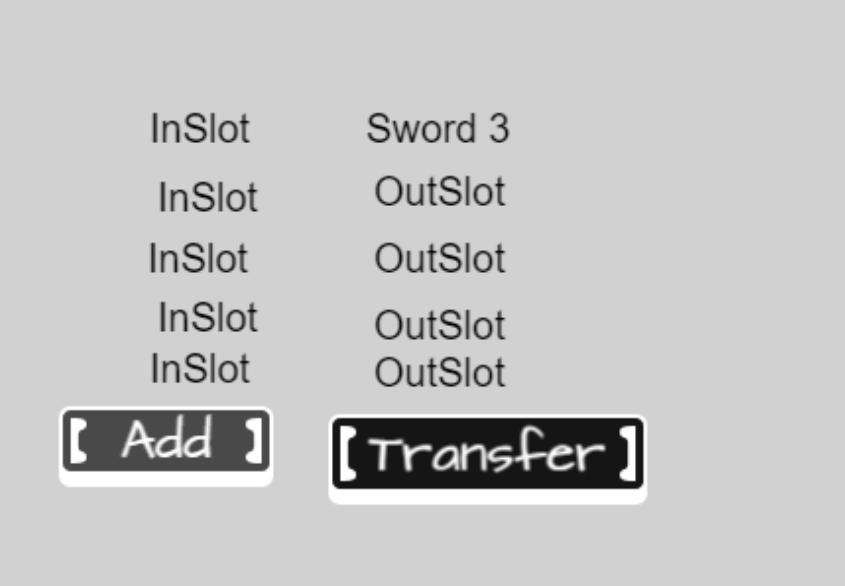
I’m getting this. Before and after. It’s close but the math doesn’t add up correctly.
OK. This works. My problem was my array had 5 slots but I only had 4 text objects. So, when I wasn’t pounding on the random button, I want counting the times. So, it added 5 values to the array but was only showing 4. But the transfer function was reading all of the elements and adding up the ones not displayed.
Take a look at the arrays in the debugger any verify the IDs for both text objects. I just can’t see and difference in your events. Maybe I’m not seeing something.

 I can work on other parts of my game in the meantime.

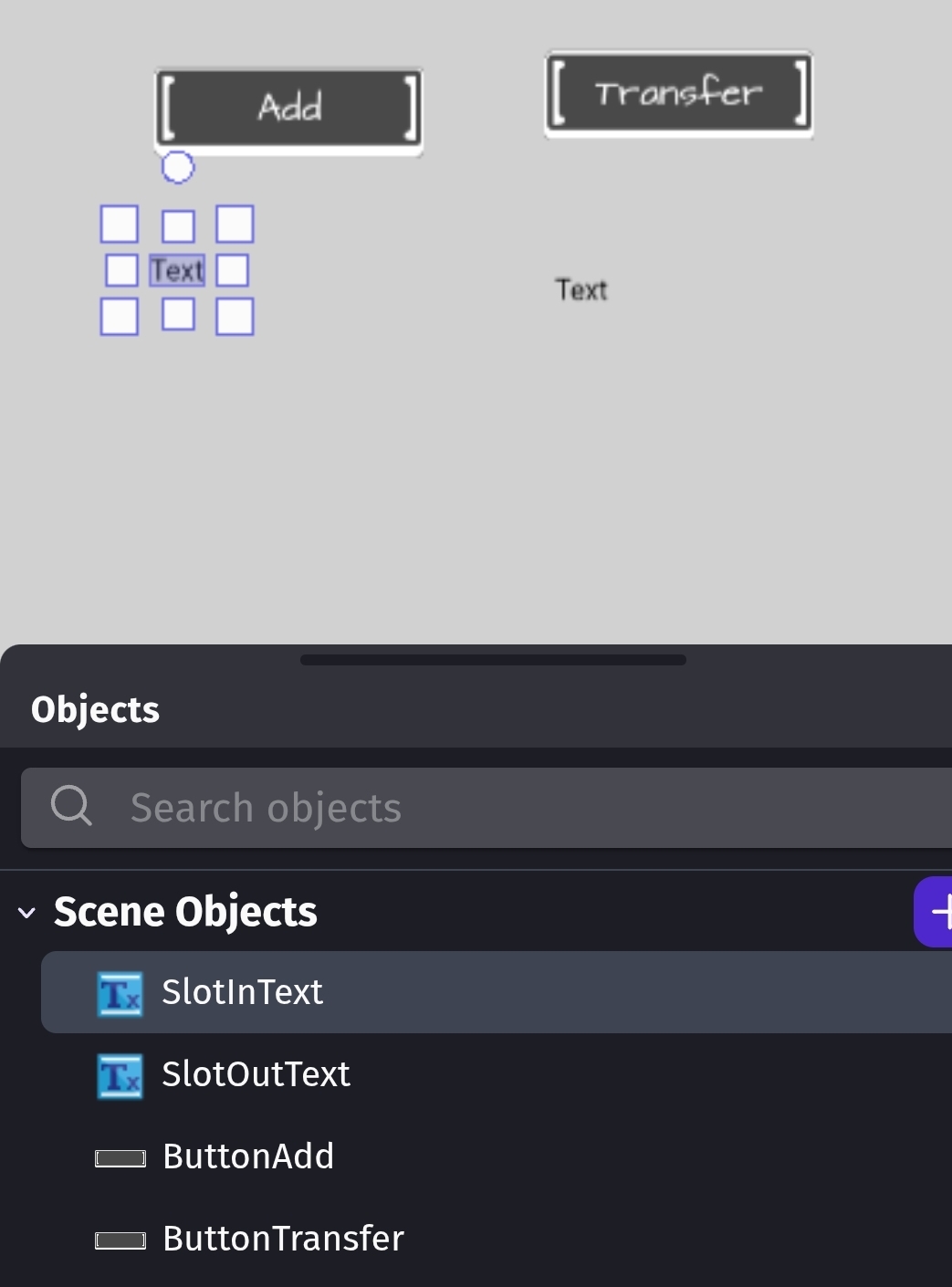
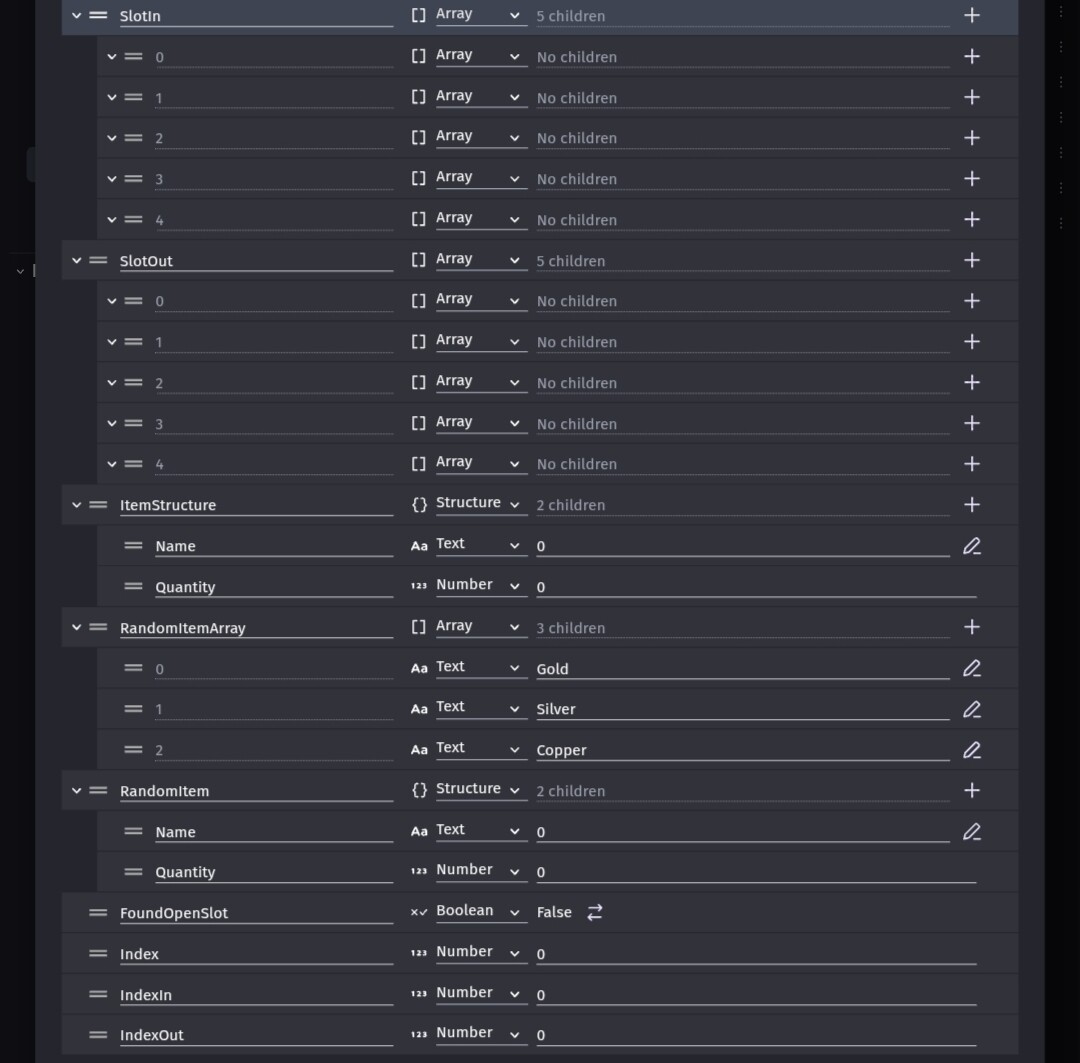

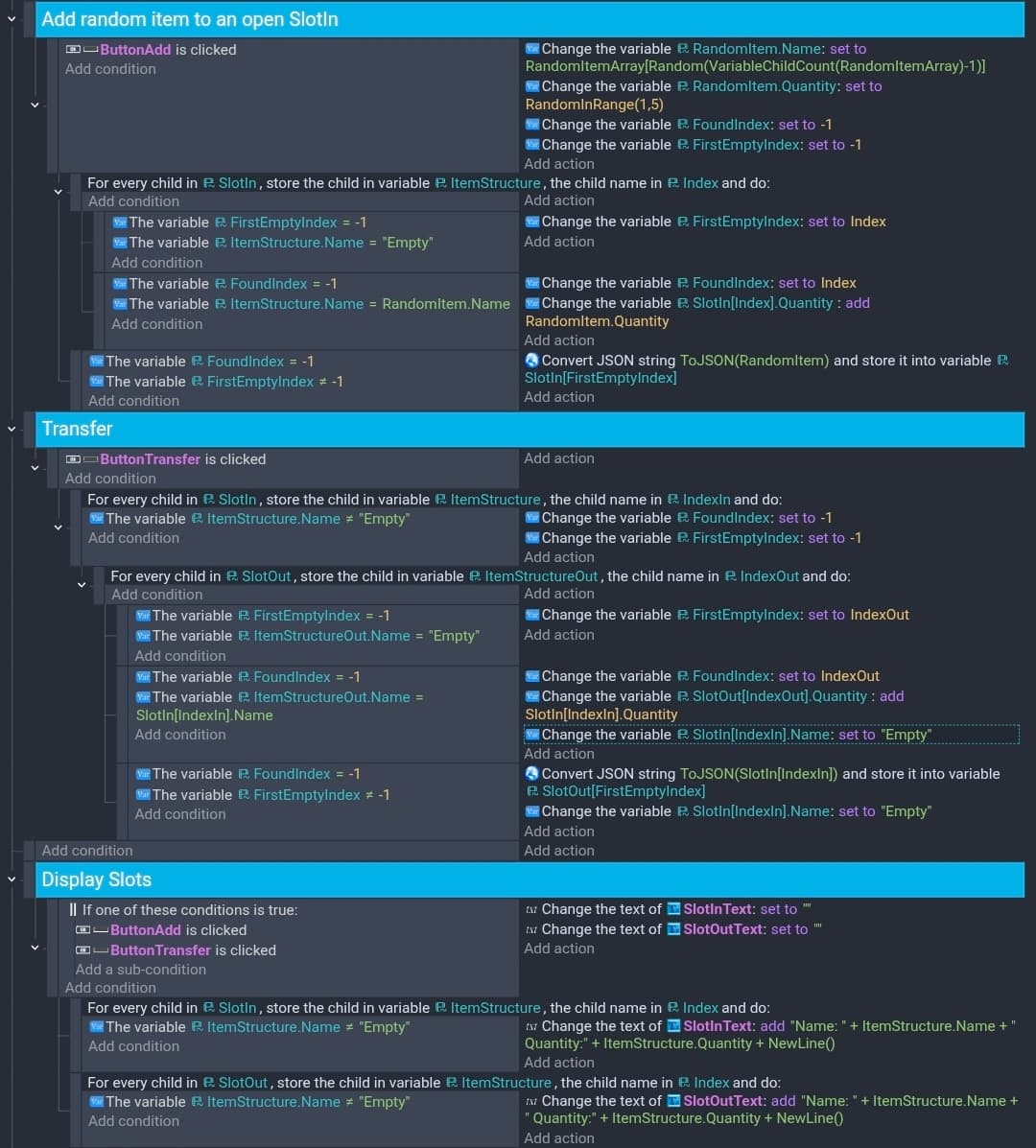
 I can see that you mentioned not merging identical items, but this function appears to do so? I’m confused
