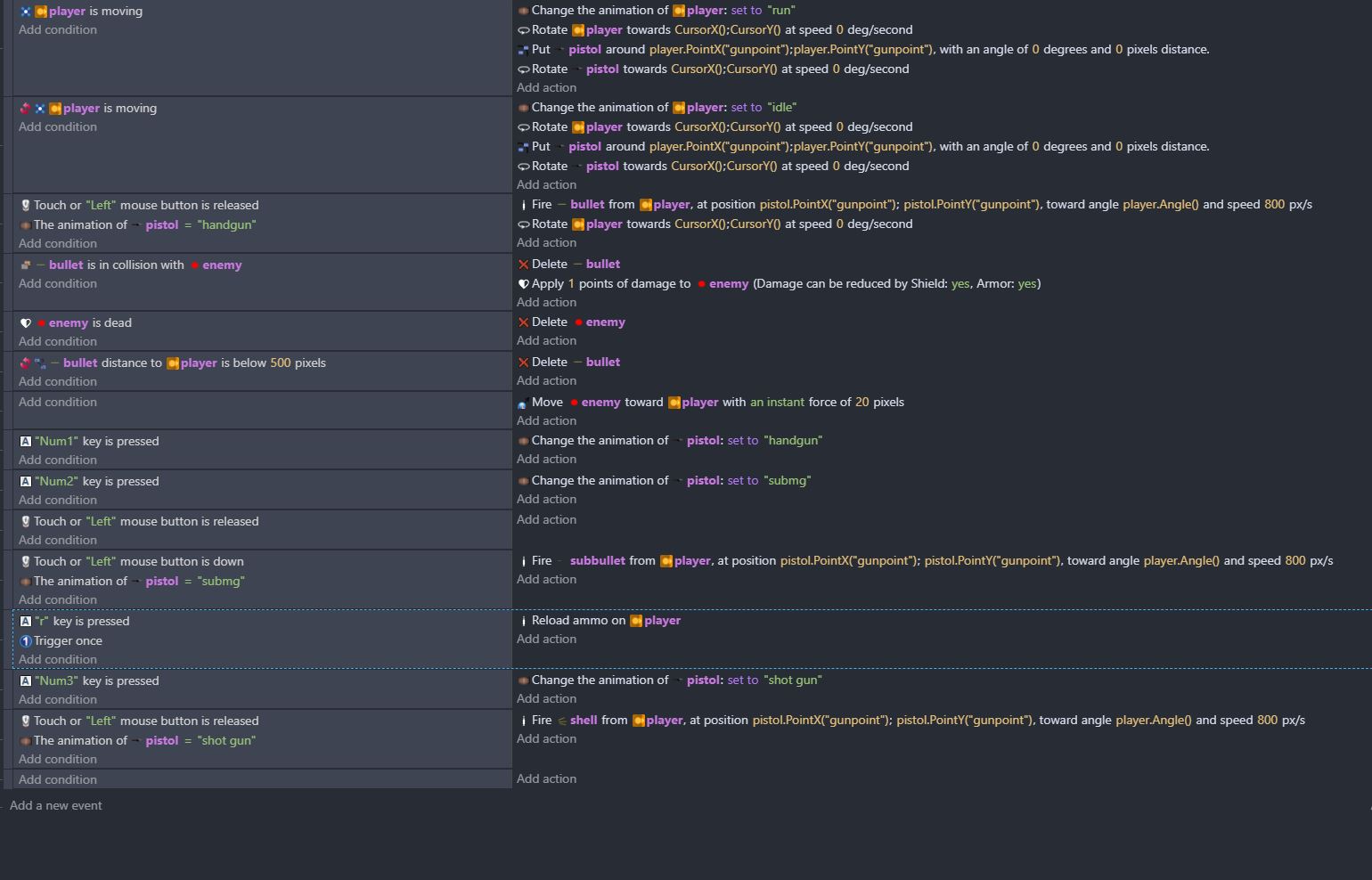
so i’m currently working on a top down shooter. and i’ve got stuck on a shooting related problem. i was able to get it to where my character can switch guns and and each gun shoots a different type of bullet. but i just can’t figure out how to get the ammo values to be different. i do plan on using ammo boxes for the smg and shot gun and having the pistol be infinite. but before i do that i need to figure out how have the ammo values to be different. because i have the fire bullet add on activate but it’s applying to all weapons so for example the pistol shoots 30 times and so does the smg but so does the shotgun but the shotgun is a double barrel so it needs to only shoot twice before having to be reloaded. also thinking of making the pistol have a different ammo count than smg
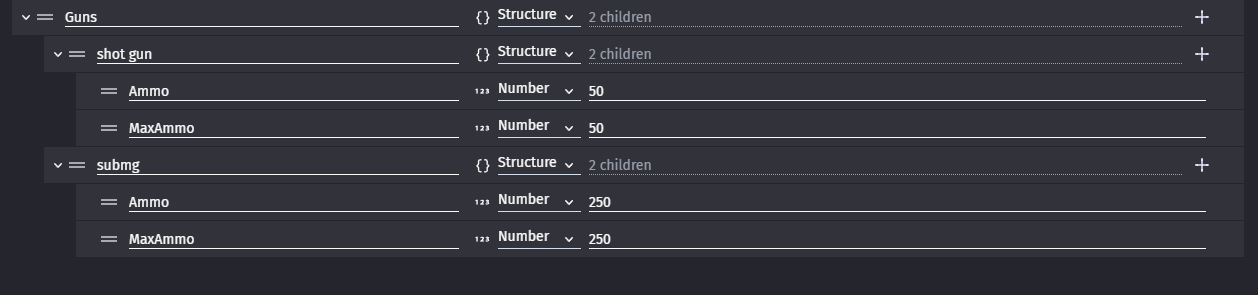
Make structure variable
And call it Guns
Now add to it as many child vars as you have
Name each gun same exact way as names of your pistol animations
Each child make another structure and to each child give 2 child NUMBER vars
Ammo
and
MaxAmmo
And you can subtract 1 from
Guns[pistol.Animation::Name()].Ammo
When you reload you reload to
Guns[pistol.Animation::Name()].MaxAmmo
When you pick up ammo
You add to number to Guns[pistol.Animation::Name()].Ammo
And so go on
You could change text object to
ToString(Guns[pistol.Animation::Name()].Ammo)+" / "+ToString(Guns[pistol.Animation::Name()].MaxAmmo)
To display something like 100 / 250
AND most important
mouse button released
Variable Guns[pistol.Animation::Name()].Ammo is greater than 0
And in sub events
Animation of pistol = SOMETHING
Fire SOME bullet
And just have enough of such events
And most important now either you set fire bullet behaviors max ammo and ammo to your variables
OR you only use variables to track ammo
If you make a different object for each weapon, then you could put the Fire Bullet behaviour on each weapon and use the ammo management in the Fire Bullet behaviour.
This would be especially helpful if you ever made the weapons droppable and collectable.
But if you are just going to use the animations of a sprite object to cover all weapons, then @ZeroX4’s suggestion will work just fine.
so should the structure variable be in the player object. or in the pistol object. i did what the picture showed in the player object. but then i got stuck at the subtract 1 do i put all of that in actions or conditions? idk how but i actually manage to get the ammo box to give me ammo but i had no starting ammo.so i’m not sure what i did wrong. but yeah right now i’m still having trouble figuring this out.
If you create an object for each weapon and use the Fire Bullet behaviour on each weapon, then you won’t need the array - the behaviour will handle it for you.
Otherwise, it depends on whether you want each weapon’s ammo count to be carried across to other scenes/levels or reset each time the scene is opened. If you want it carried across, then use a global. If you want it reset, then put it on the pistol object (it’s data about the weapons, not the player).
so i think what you suggested works. every gun has a different amount of bullets and works. i’m not sure if i want to bother with ammo boxes since i had such a hard time getting the guns to act right. but ive came across a new problem which i guess isn’t a massive problem but it seems a little bit too jankey for my liking. right now if you switch weapons that counts as a reload. also if you just press the same number that also counts as a reload. so how would i make it so if you’re out of ammo on for example the pistol and you switch to the smg but switch back to the pistol it would still be out of ammo and you would have to reload it. because right now my reload key press some kind of pointless.
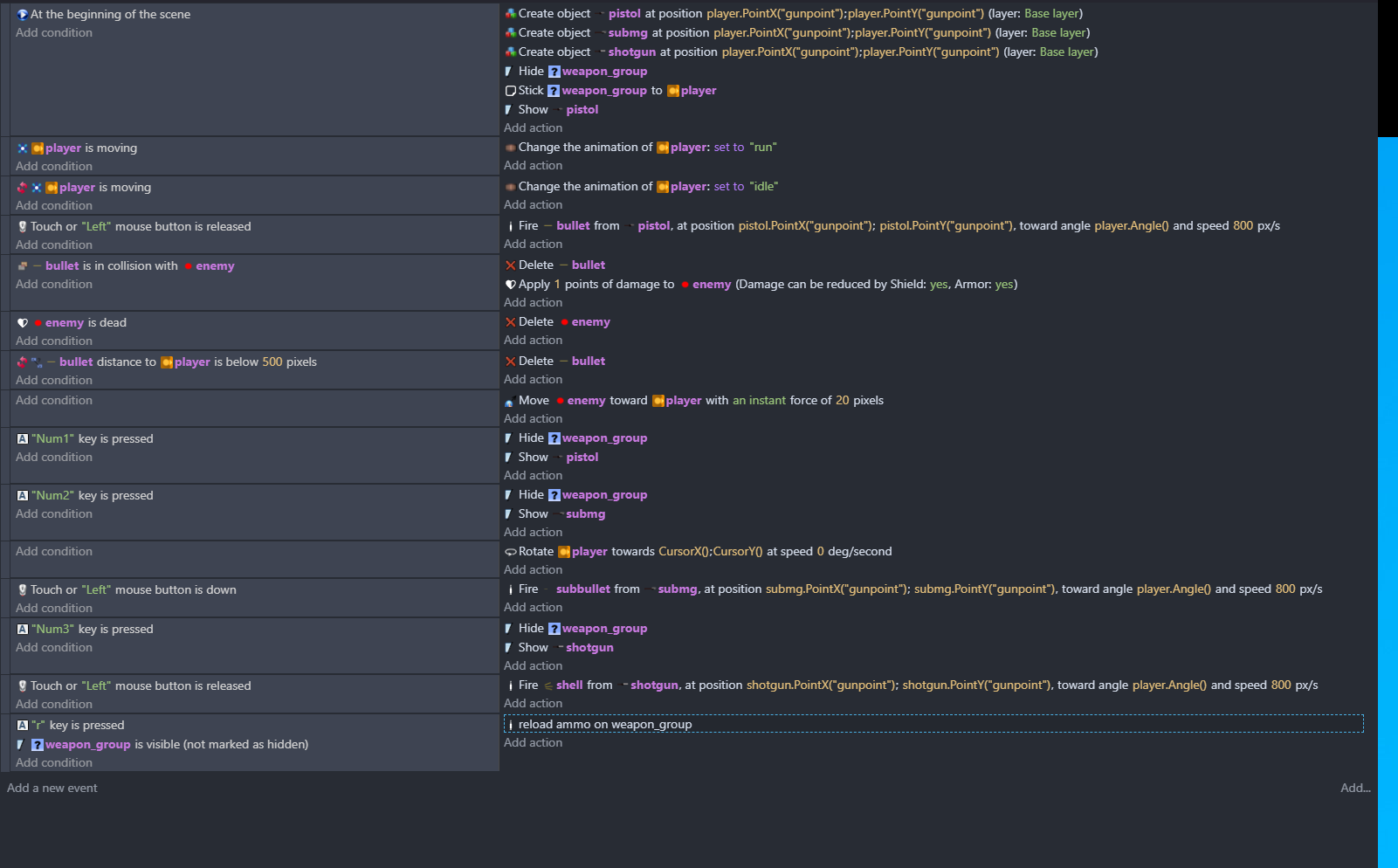
couldn’t fit all the code in so here’s the last line
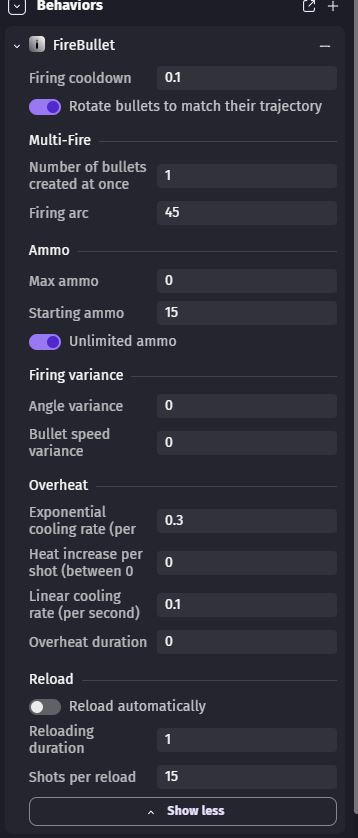
also here’s the fire behavior on the pistol the numbers are differnt on the smg but i’m assuming i might need to enable or disable something and just do that for all three guns
Yes, because the weapon is being recreated, and so the ammo will be set to the default values.
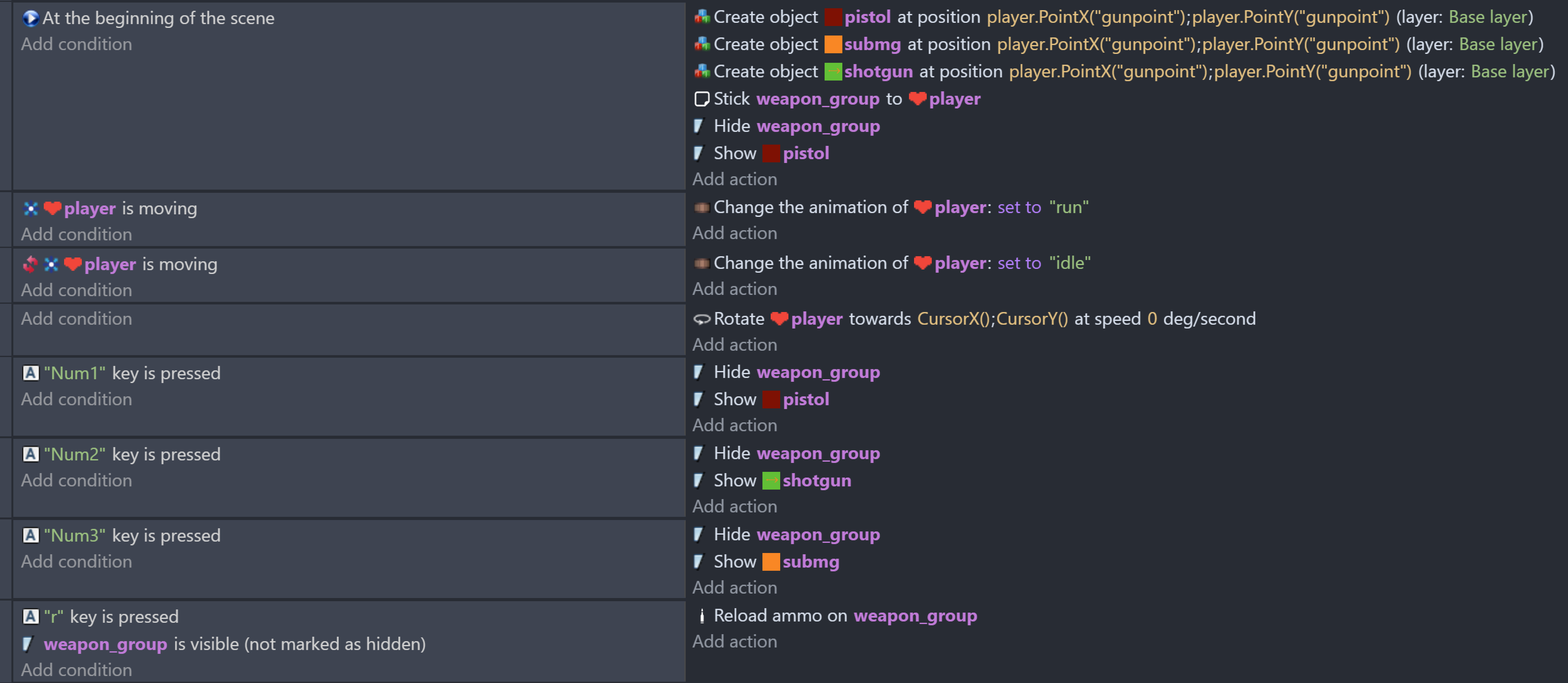
I’d suggest a slightly different approach to the weapon handling. Have all 3 weapons in the scene but only make one of the visible at any time. You can select the current weapon by selecting the weapon_group that is visible.
Also, use the sticker behaviour instead of placing and rotating the weapons. You position and stick the weapons once on the player, and the sticker behaviour will do the rest:
Add the sticker behaviour to each of your weapon objects (pistol, shotgun & submg).
In the scene editor, create an object group (say named weapon_group) and add all the weapon objects to it.
Get rid the first 2 events and then add to, or modify, your events so they have these:
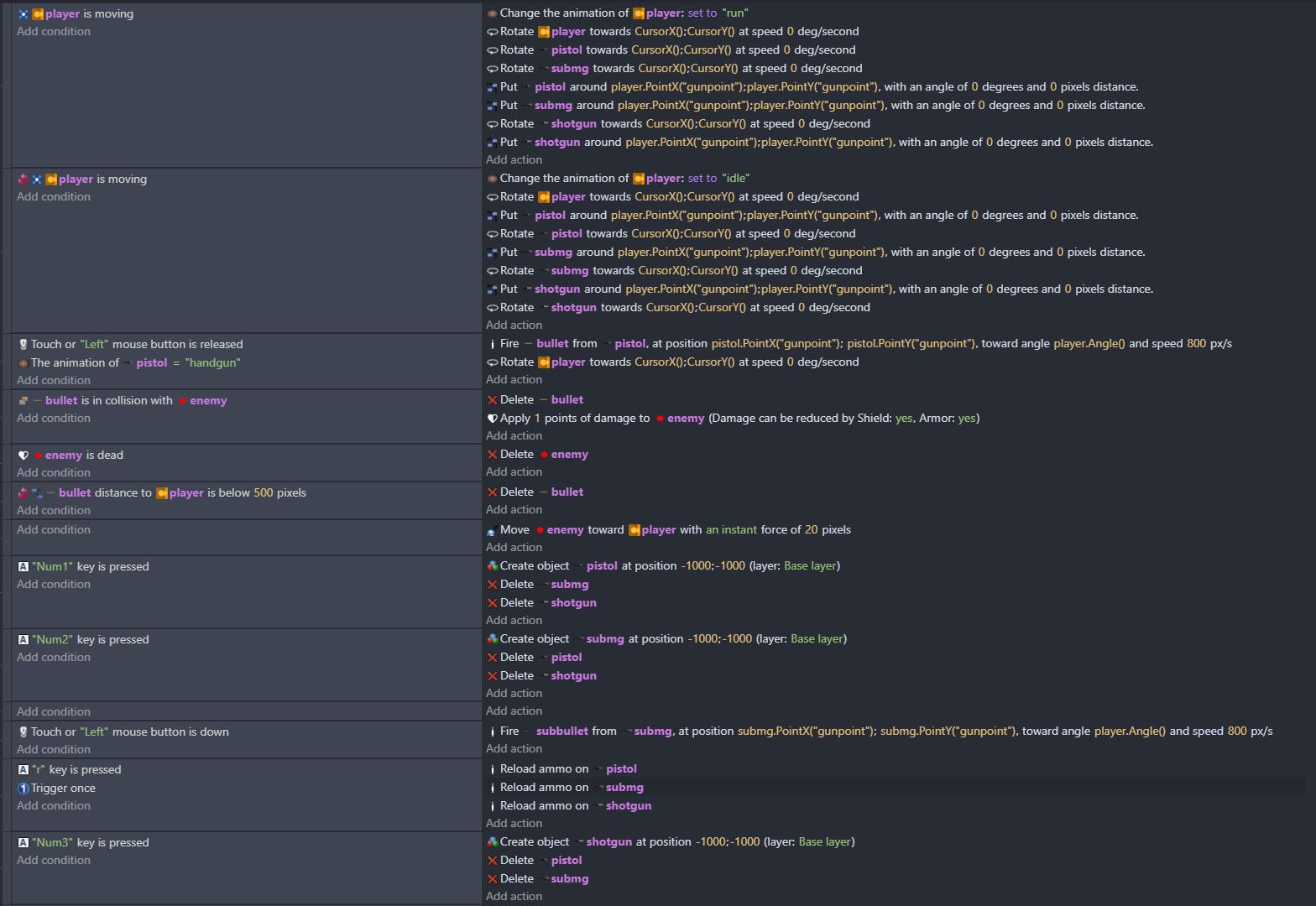
so this didn’t work. all that happened was the guns all spawned at the same time and stayed in the same place when i walked away. i also couldn’t get the reload to work when i made the weapon_group object.
Weapon_group appears to be a sprite, not an object group. Check this GDevelop wiki entry on object groups on how to create them and add objects. If you get stuck, follow up in this topic.
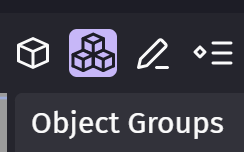
BTW, this is the object group icon (the highlighted 3 stacked cubes), found in the top right of the scene editor:
okay so now that i made weapon group an object group the problems i listened before with reloading and the guns spawning is fixed. so progress was made…but now the firing is messed up. not sure if i just need to check something off in the fire behavior on each gun or add something else to the conditions or events. but right now all bullet types are firing at the same time. so if i click once one bullet,one smg bullet and one shotgun shell comes out.
so the check action seems to only be related to network which i don’t think i need to be using that. i tried adding visibility conditions but inverting them for when a gun isn’t out and putting a delete object in actions.i also tried hiding the bullets i don’t want to see. but it seems like all that did was not show the shotgun and subbullet and only showing the pistol bullet. but it still counted as all 3 still firing so if i shot two pistol bullets and switch to the shotgun the shotgun would be out of ammo.so i still need help figuring this out.
I think you misunderstood what I meant. Use this condition to select the weapon for shooting:
Here’s the basics of what you need to do. In this example, each weapon sprite has a point named “BulletPoint” at which to create the bullet. In the events below the bullet will be created at the BulletPoint of the visible weapon and fired in the direction the weapon is facing:
If you still have trouble, then post screen snips of what you’ve done. Explaining it won’t cut it, because what you describe may not be what’s in the events.
yeah things still aren’t working correctly i tried putting the create bullet and adding a force to pull events in the wepaon group condition but all that did was fire the pistol when i wasn’t clicking. then i thought maybe i had to get rid of the fire bullet event and replace that with the create and add events but change the gunpoint to each gun but that’s not working either. anyways let me know what i’m supposed to put what where cuz i’m still not getting it.
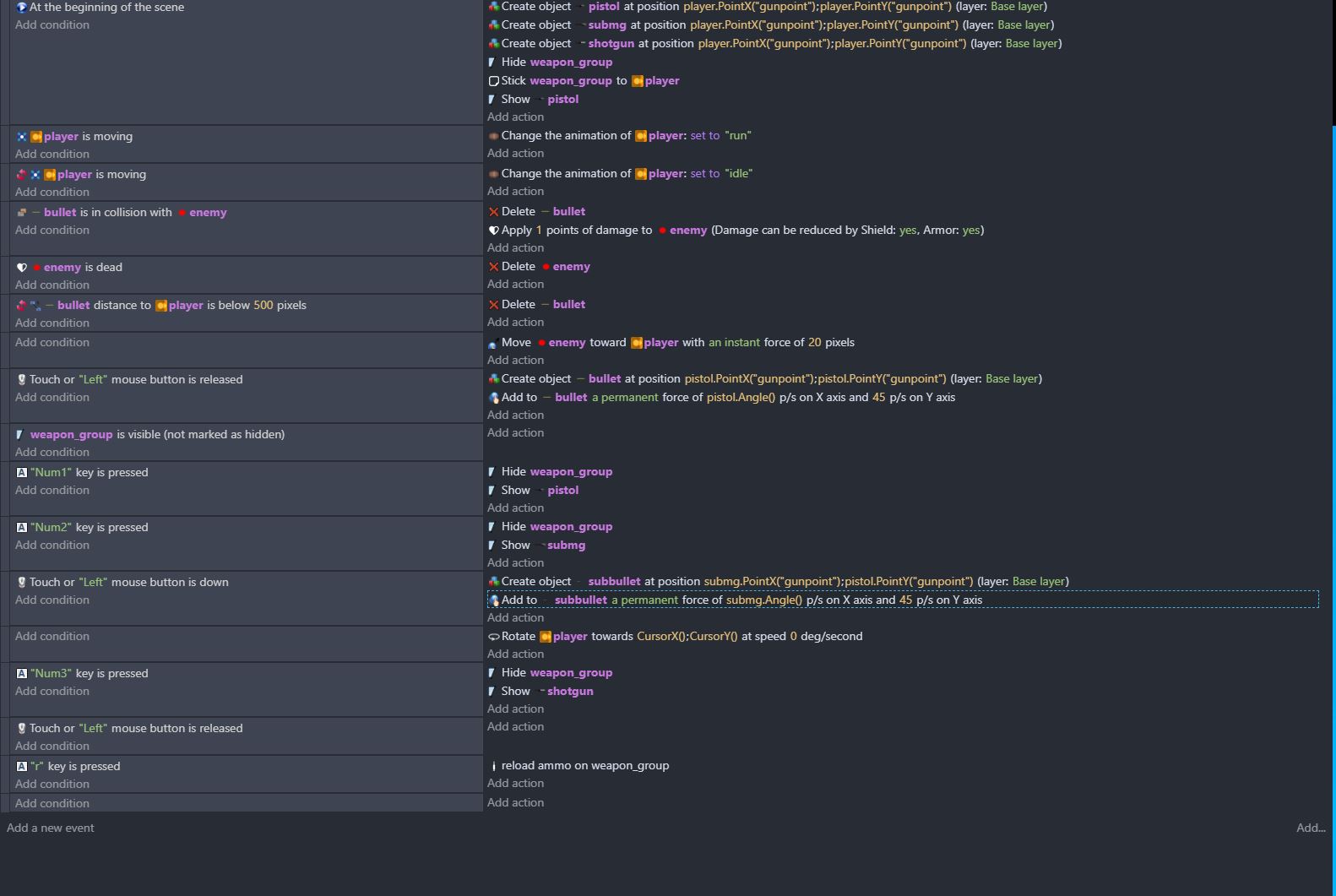
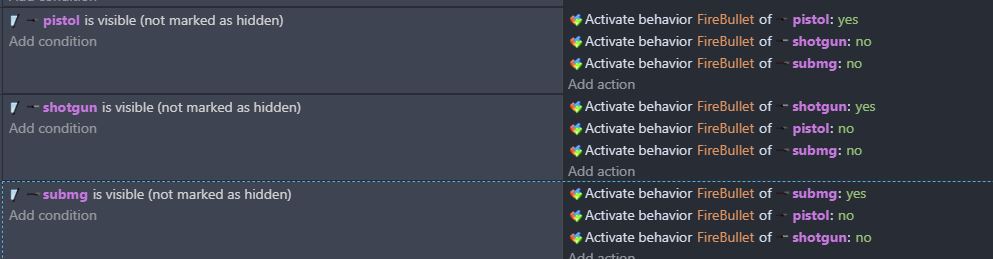
i figured it out. though this problem was a different problem than the og post i’ll just share a screen cap just in case in the future someone else gets stuck with all the guns firing at once.