Hi and happy new year.
Here’s what i’ve been trying to do for three days now
Melee enemy (six):
If far away from the player it would chase the player, when near it would strafe around the player first then attack.
Its attack would be based on the direction it’s in like if it’s above the player then the attack animation of the melee enemy would use it’s (attack down animation). If it’s below then (attack up animation) would be used and so on and so fourth.
After it’s attack it would go back to strafing having a cd before attack again
Another thing is that the enemy fights in groups so how do I make sure that the enemy takes turns hitting the player.
(Seven) Range:
Opposite of the melee enemy because for the ranged attack. If the player is near the range enemy, the range enemy would move away from the player at a certain distance only. But if the player gets to far from the range enemy then the enemy would chase the player.
Another thing: range enemy should reposition themselves like they are strafing, and if they are like above the player then they should like do their (attack down animation) and if they are above then (attack up animation) and if left, so on and so fourth.
-For now I’m focusing on the movement before the attacks
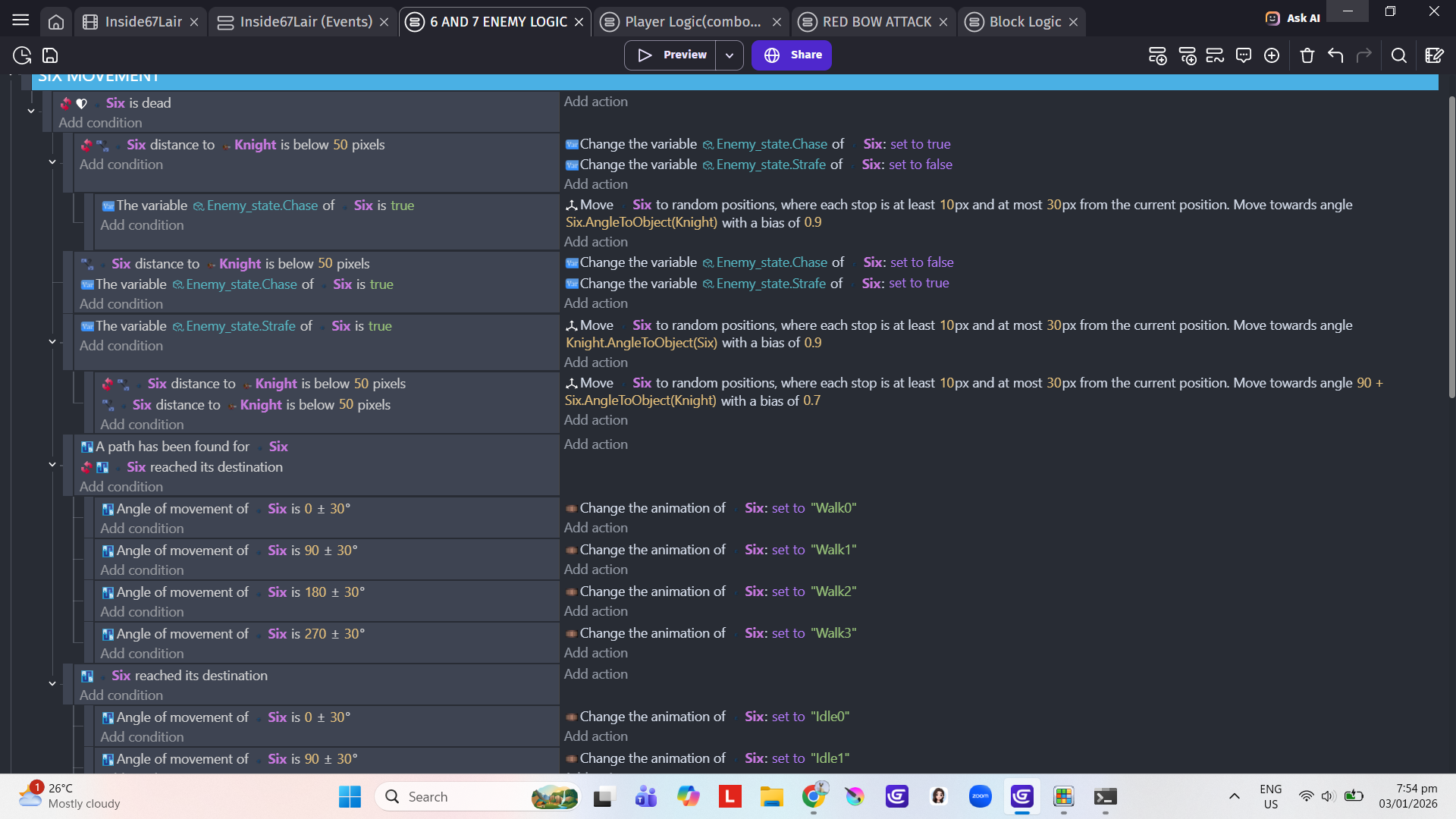
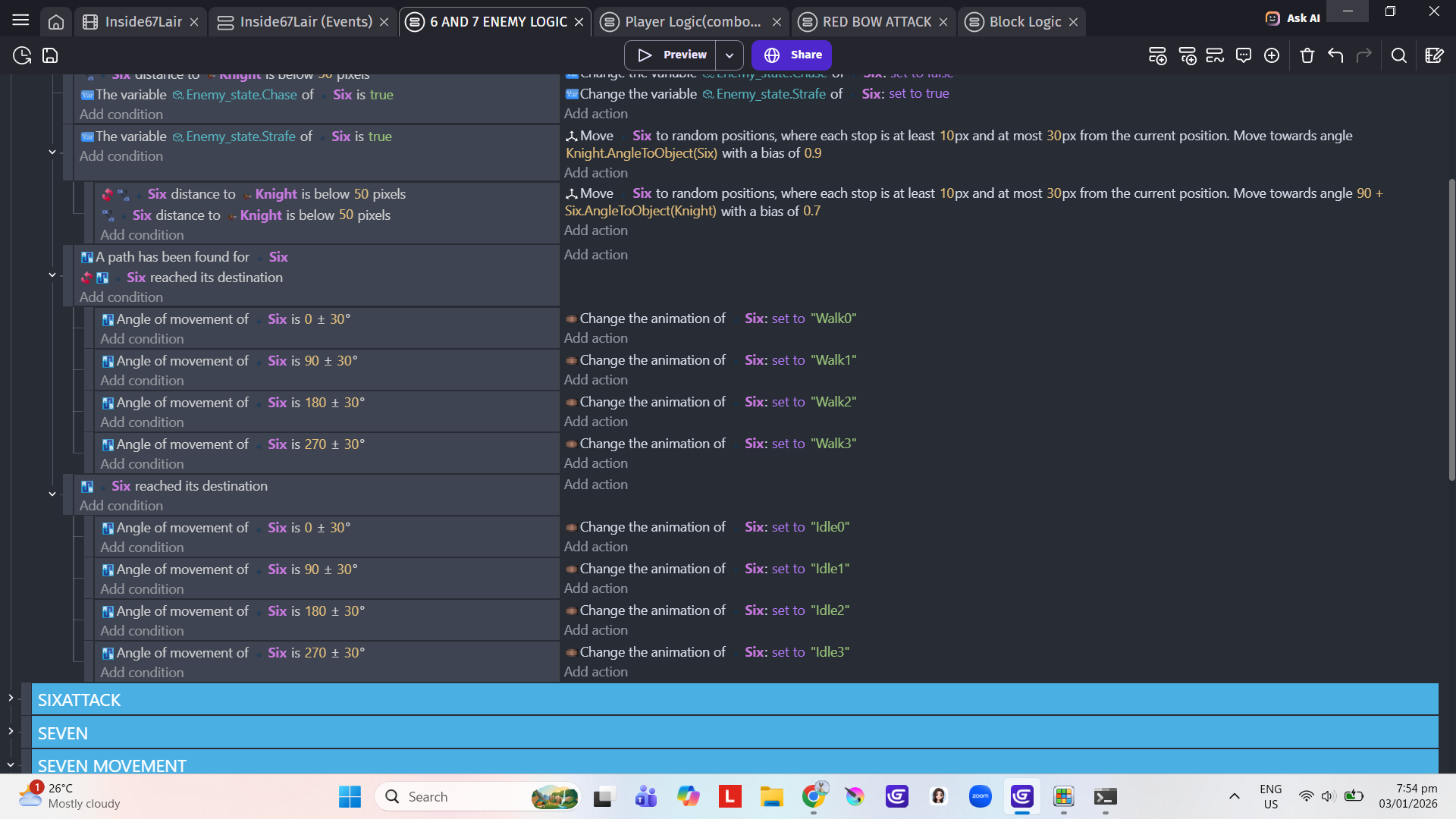
(six/melee enemy) just goes back and fourth and doesn’t strafe.
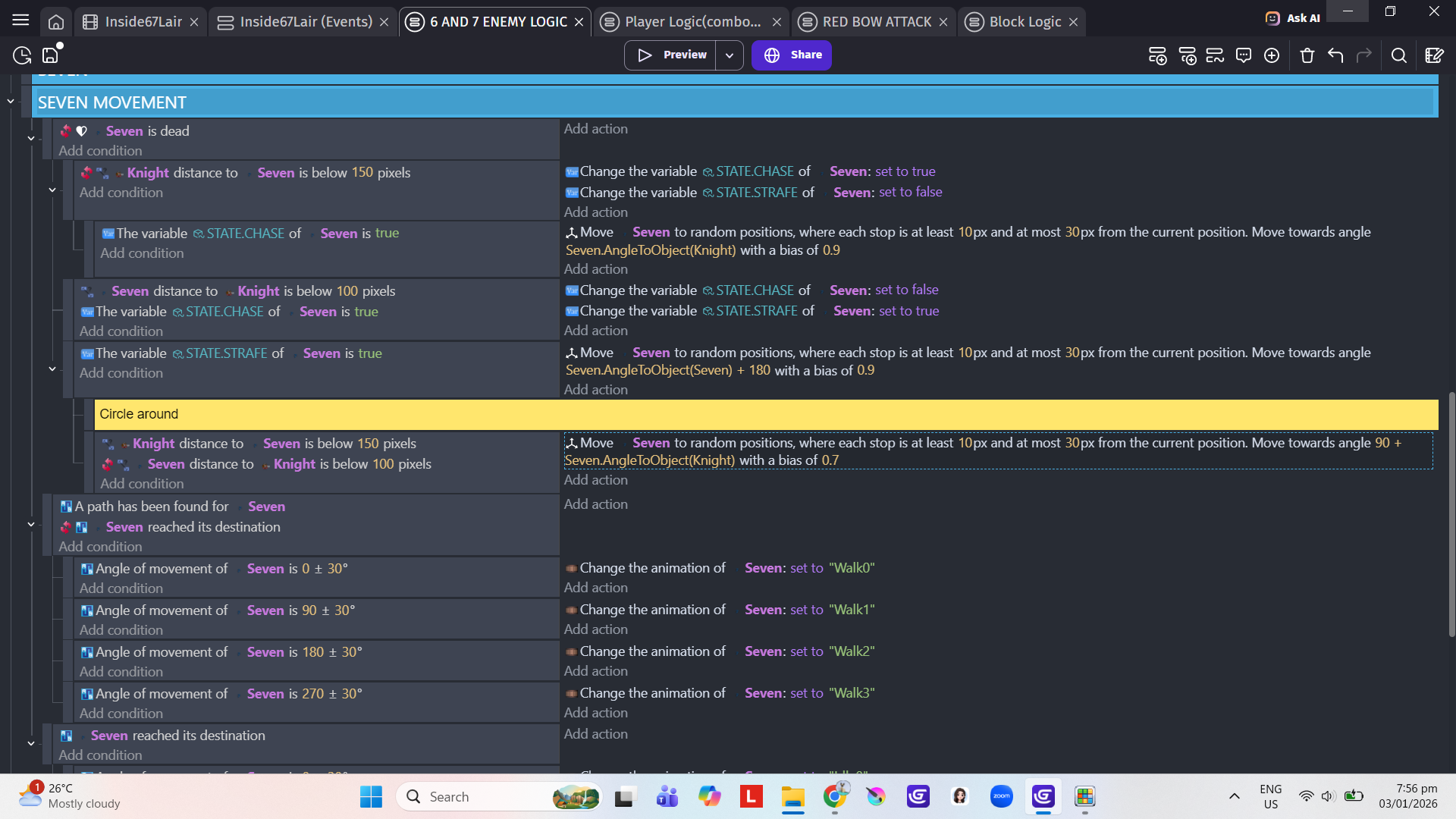
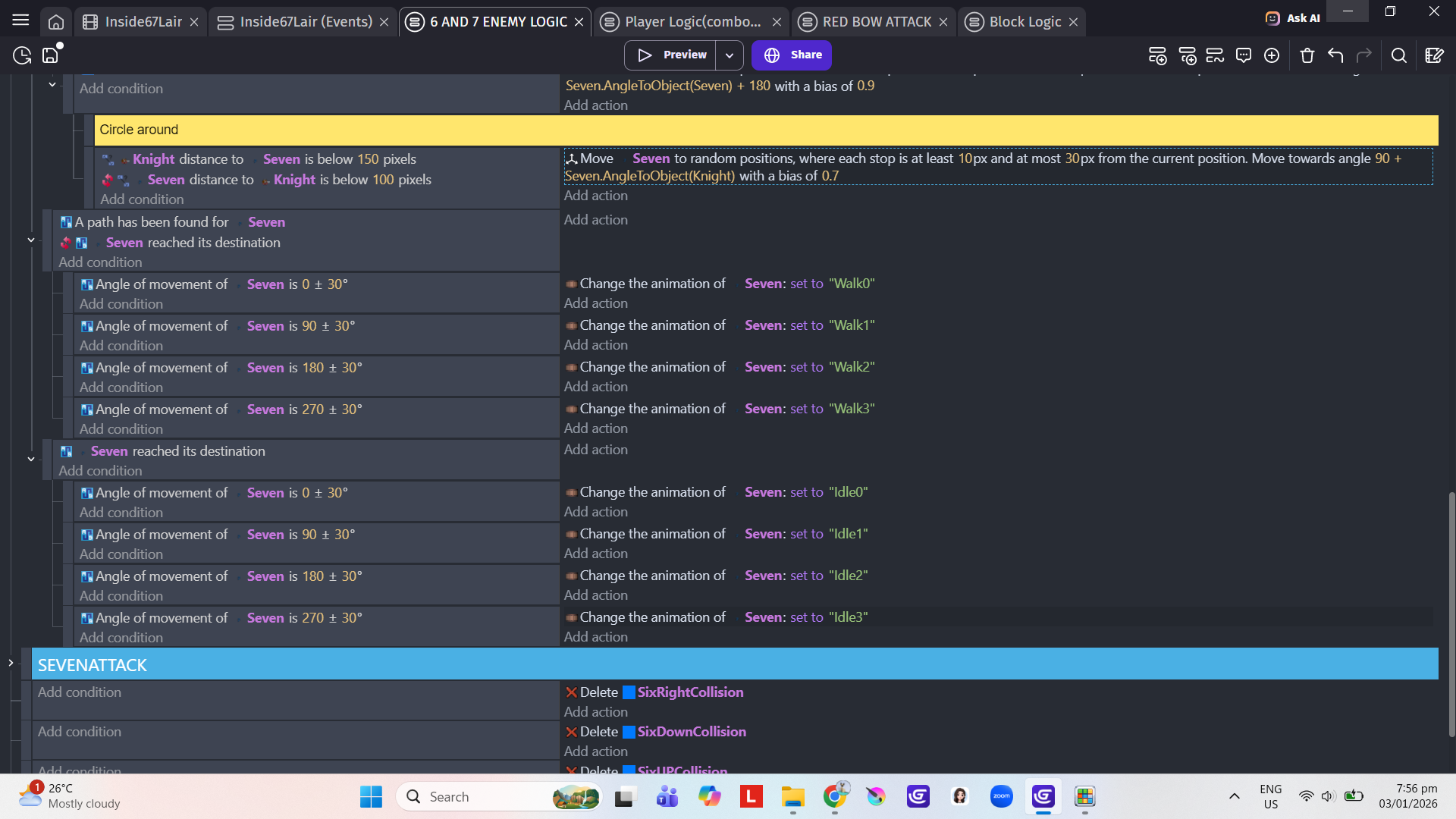
Same goes for the Range enemy. They dont even try to run away from the player.
I’m not putting an attack state for both enemies since I don’t know how to make the ai know if its in the left, right, top, bottom of the player
Here’s the code:
Advance thank you for the help. This is really a big problem for me, it’s been causing me a lot of head aches and nosebleed lol. Happy new year again guys 
I think we should think of this as a behaviour tree instead of packing than all together:
I would suggest a possible solution due to it’s hard for me to go through all your screenshots:
One question though is this top-down or platformer?
First off start with a no-code view of the behaviour:
A simple tree:
If far from player:
Move towards player
If Close to player (attack state should be active here)
If No Team-mates Nearby:
Move to attack
If team-mates around and attack
Coordinate and attack
Move towards player:
You could turn off collisions checks when far off and off screen to improve perfomance
To check if teammates are nearby, you could:
Pick nearby entities, Check if object state is also attack and check if the number of picked instances is greater that 0 (this is useful and you could also use this to specify a minimum number of ais that work together)
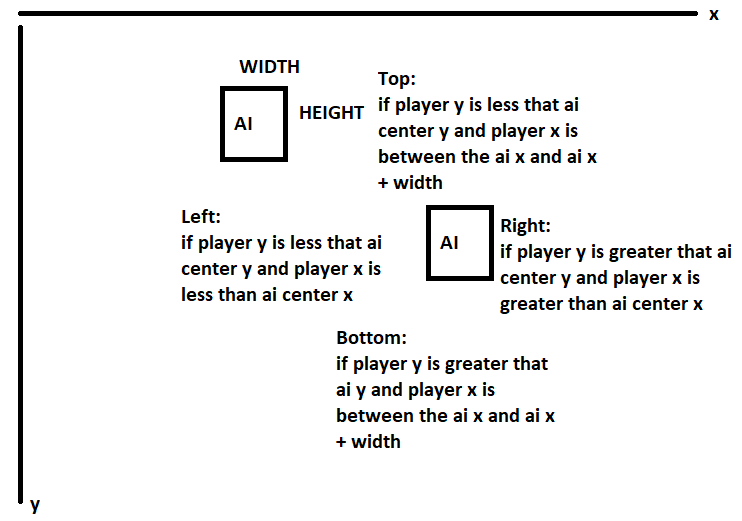
For checking the direction of the player: its simple x and y comparisions with width and height of the ai taken into account. (I recommend you just use CenterX and CenterY)
This need a bit of adjustment based on your game an you needs. I think the above isn’t that accurate but you get the logic (I did this in a rush)
Coordinate and attack:
This may need you to store the last attacked ai (ps you should give the ai ids) and then select all atacking ones/teams (once again ids), remove the last attacked ai and randomly select an ai and attack (remember to set the last attacked ai variable).
These are easier said that done. But I have a lot of expertise with ais so if you have further questions or If I never even answered your questions ask below.
2 Likes
Hello sir, Good day. Sorry for the late reply, it’s just that I’m doing school works right now, exams are nearning. So I will continue making my game in like a few days or the weekends. I just want to let you know, because I have a lot of questions for ai. Also thank you for responding, really your the best.
This video might help you with some things you want to do
2 Likes
Sure! I am open to any question you may have.
2 Likes
@PANDAKO Can you fix this bug in the Dialogue Box extension?
1 Like
well i need help with this
What help exactly? I am happy to help.