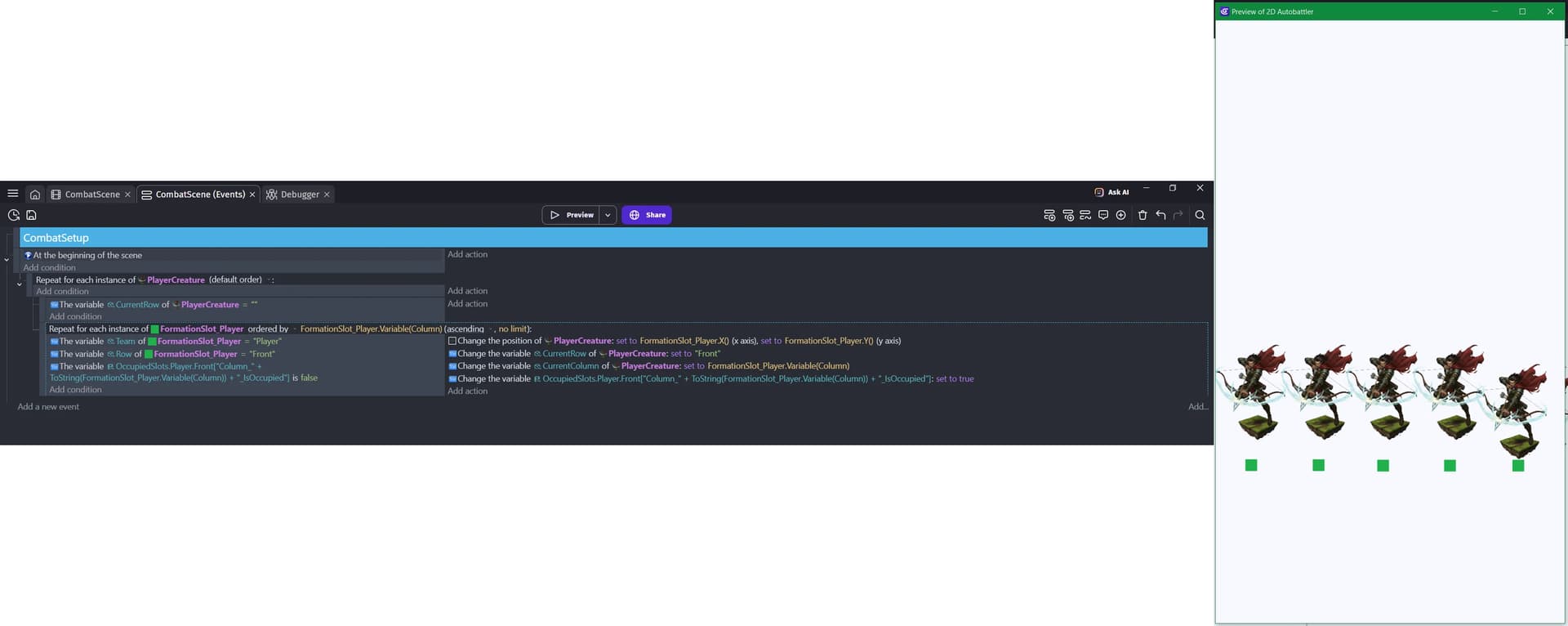
Trying to get my PlayerCreature instances (archer guys) to snap to predefined locations on the screen at the start of the game. Each green square is a location, and I want each of the 5 instances of PlayerCreature to snap to one of the green squares. I can only get one of them to move (see preview on right of attached image).
What is the expected result
At runtime, all 5 PlayerCreatures should be moved to the location of the green squares.
Set the ID variables for the archers and the meadows.
If the ID of the meadow is 0 and the ID of the archer is 0, then change the position of the archer to the position of the meadow. This must be repeated for all instances, and each archer and meadow must have a different ID.
To do this, add the ID variable to archers and meadows.
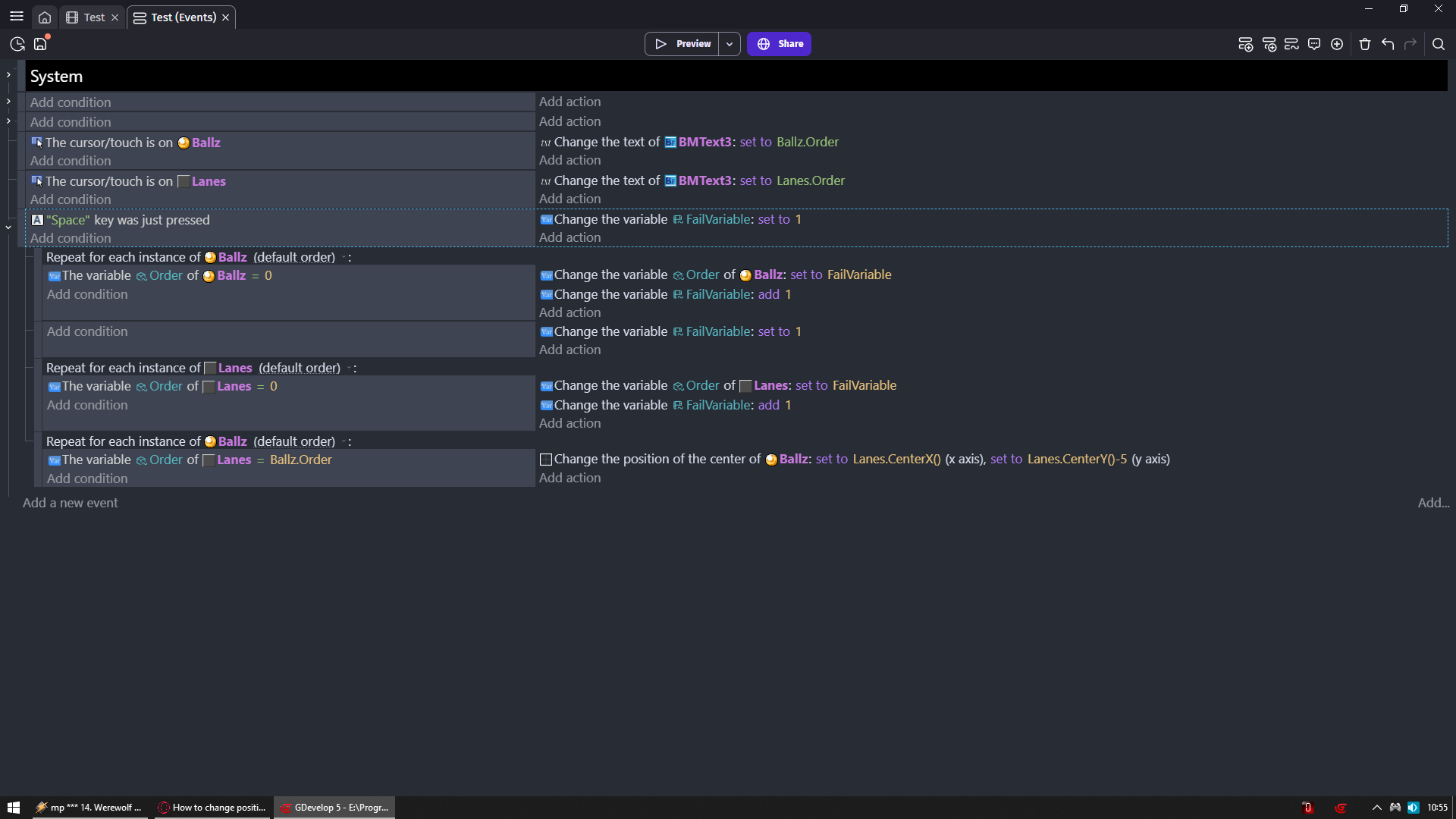
I gave my ballz Variable called Order
Variable of same name i gave to lanes object
Looking at your screenshot
Ballz = character
Lanes = green square
Then i use condition space key was just pressed so you can test it out while game is running
YOU most likely would use instead at beginning of the scene
AND SO
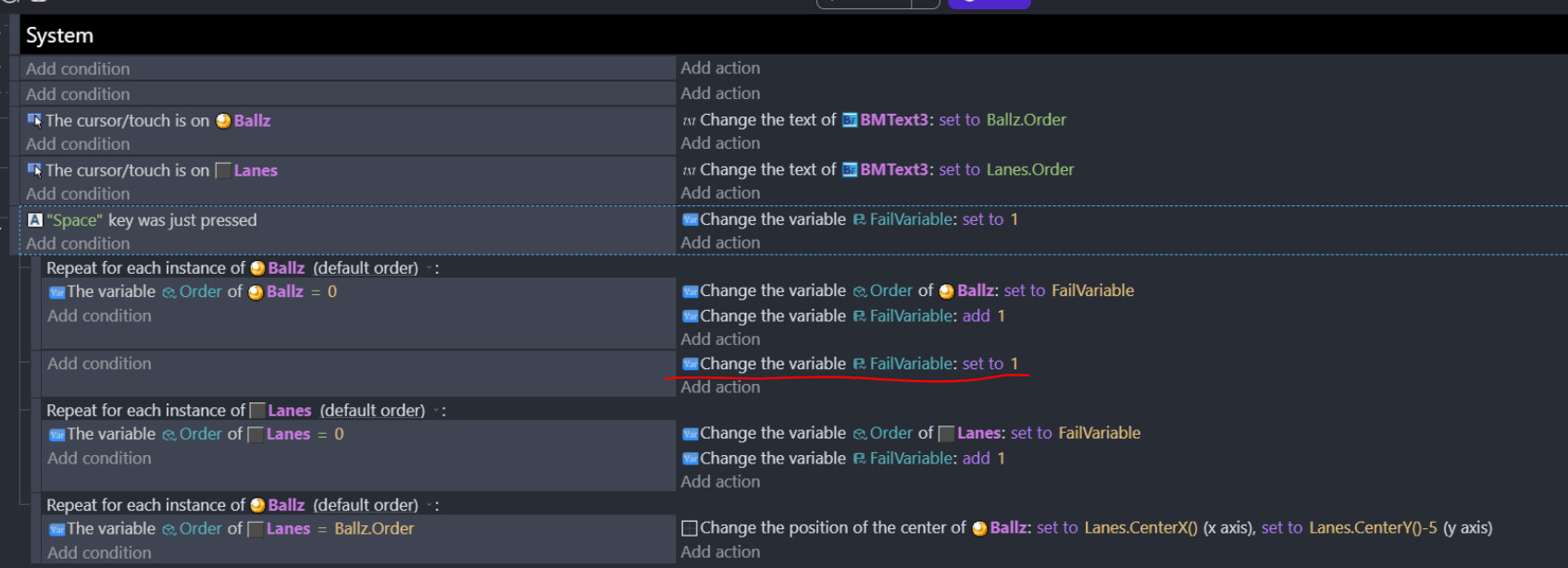
When you press space it gives unique number to each object +1 to previous object
So if previous ballz got number 1 then next will get number 2
Then next will get 3 and so go on
Then i repeat the process for lanes
And as you see at ALL ballz line up as i want (look at last event)
Exactly to lanes position
NO duplicates NO ballz is occupying same space
And each lanes is taken by one ballz
I got rid of all my other logic temporarily to test out the movement aspect, and I gave variables to my creatures, and to the slots I want them to move to. Still, only one creature moves. Any insight?
If the archer variable ID = 0
If the lawn variable ID = 0
change the position of the archer to lawn.X and lawn.Y
If the archer variable ID = 1
If the lawn variable ID = 1
change the position of the archer to lawn.X and lawn.Y
If the archer variable ID = 2
If the lawn variable ID = 2
change the position of the archer to lawn.X and lawn.Y
If the archer variable ID = 3
If the lawn variable ID = 3
change the position of the archer to lawn.X and lawn.Y
If the archer variable ID = 4
If the lawn variable ID = 4
change the position of the archer lawn.X and lawn.Y
Now you will learn meaning of Synchronous and Asynchronous
On your pc your mouse is actually just a pointer device
You can draw a line with it in paint
BUT if you want to draw 2 lines you need to draw one then another
So one taks needs to finish before next task can be started
That behavior we call SYNCHRONOUS
On your phone touch/your fingers are the pointers same as mouse
But you can touch/use more than 1 finger at a time
For example you draw line with one finger and then half way put another finger on screen and you started drawing 2nd line even before 1st line finished
So task can start/end at any moment they want not respecting other tasks
That behavior we call ASYNCHRONOUS
Repeat event is Synchronous
Gdevelop reads stuff from top to bottom
Meaning ALL repeats need to end before we can move to next event
SO
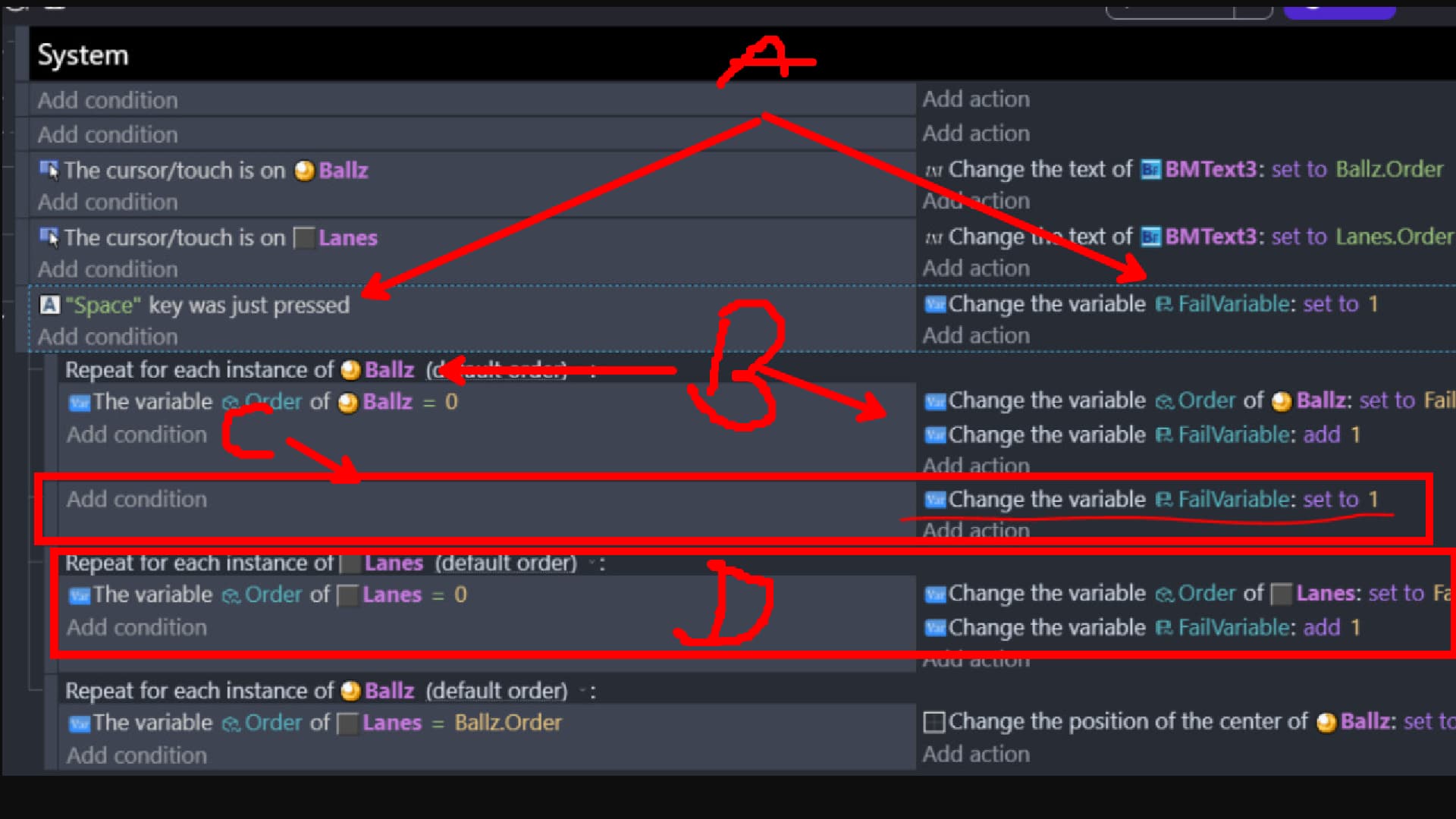
A - Whenever whole process start i set some scene var to 1
B - I set ball var to number of that scene var
And after that i add 1 to that scene var
And i repeat it as many times as objects i have so it goes 1 2 3 4 and so go on
C - to not use 2nd variable i reset this scene var back to 1 since B run its course and distributed all numbers to all objects
D - Now it starts all over from 1 but for other object
Basically A and C do the same thing but in different moment
It’s picking the object on the left that matches the value on the right. GD doesn’t know which object on the right that you want to compare it to so it uses the oldest object. So, only that ID is used and only 1 works.
Say they were numbered 1 to 3. It would compare the following.
1 = 1
2 = 1
3 = 1
The player is already picked by the repeat, you need to pick the slot by it’s ID that matches the player’s ID. So, the slot goes on the left.
Wow, the solution was that simple. I followed someone else’s suggestion that involved using a scene variable to add incremented values to the character and green dot instances, then moving the characters based on that…and then this worked, lol.
How did you learn this? lol until you explained it I would never have thought switching would make this much of a difference.
Look at your original condition and think of it in terms of objects rather than computation. Conditions pick objects, not variables. Some conditions don’t pick anything (such as comparing two numbers)… those ones can be thought of as just “should I continue with this event or not”.
Your condition that wasn’t working is like this:
The variable (whatever) of PlayerCreature is equal to (some other variable).
This condition is finding all PlayerCreature whose variable (whatever) matches something else. It doesn’t matter what those variables are called or where they came from (scene, global, or object). Imagine replacing FormationSlot.SlotID with just a number:
The variable (whatever) of PlayerCreature is equal to 5.
Now it should be clear that the condition was not picking FormationSlots. It may have been grabbing a number from one of them, but only for the purpose of searching for PlayerCreatures.
Another way to think of it is like the object that you choose from the list is the “subject” that will be chosen or not chosen based on the condition. On the other hand objects referenced in expressions (“PlayerCreature.Slot” or something) are just a source of information.
So the fixed version of your event is like this:
Go through each PlayerCreature one by one
Find all FormationSlot whose variable is equal to the current PlayerCreature’s variable
Move current PlayerCreature to the found FormationSlot
Hopefully that clarifies the reasoning for you… understanding this will make it a lot easier to set up events to work properly on groups of objects